The Weathered Mechanic on Break | Ai Prompt Tutorial
High-quality AI-generated image. Optimized for detailed rendering, perfect for creative projects and inspiration.
373Views
0 Likes
100%Quality
FreeLicense
AI Prompt
Prompt: A documentary-style portrait photograph of a middle-aged mechanic with a grease-stained face, hands, and work clothes. He is sitting on a worn tire stack outside a busy garage, taking a break and holding a metal coffee mug with both hands. He looks off-camera with a weary smile. The setting sun casts a warm, golden light, highlighting deep wrinkles around his eyes and the grimy texture of his coveralls. Shot on 35mm film, natural grain, hyper-realistic skin texture, candid moment.
Want to create this with your own face? Use this instruction:
Keep the reference face sharp, realistic, and identical, without exaggeration or artistic interpretation. Prompt: A documentary-style portrait photograph of a middle-aged mechanic with a grease-stained face, hands, and work clothes. He is sitting on a worn tire stack outside a busy garage, taking a break and holding a metal coffee mug with both hands. He looks off-camera with a weary smile. The setting sun casts a warm, golden light, highlighting deep wrinkles around his eyes and the grimy texture of his coveralls. Shot on 35mm film, natural grain, hyper-realistic skin texture, candid moment.
About this Prompt
Prepare to have your visual expectations completely shattered by 'The Weathered Mechanic on Break | Ai Prompt Tutorial'. This bold, dramatic reimagining of traditional Man Pose Art concepts pushes the neural network to its absolute limits, resulting in a glorious visual feast that commands authority and establishes a commanding digital presence. By focusing intensely on ultra-realistic digital brushwork and highly dense atmospheric elements like volumetric fog, this prompt adds a massive layer of profound mystery and sheer elegance. The resulting Man Pose Art imagery feels incredibly tactile, authentic, and vividly, breathtakingly alive.
Perfectly tailored for premium commercial weddings, high-end festive celebrations, elite influencer content, and professional mood boards, it helps ambitious creators effortlessly establish a deeply classy, highly refined, and consistently viral digital style. Seize this incredible, highly unique opportunity to completely dominate the generative space. It provides the absolute quickest, most deeply reliable path to total mastery, permanently redefining the known visual boundaries of your digital artistry.
Prompt: A futuristic woman in a cyberpunk city street at night. She wears a tech-wear black leather jacket with glowing blue LED accents and cargo pants. The street is wet with rain, reflecting vibrant pink and teal neon signs from the skyscrapers above. Mist and steam rise from the vents in the ground.
Pose: A "cool" crouched pose on one knee in the middle of the street, looking directly into the camera with an intense, fearless expression.
Technical: Unreal Engine 5 render style, ray-tracing, anamorphic lens flares, high contrast, sharp details, 4k, futuristic aesthetic.
Timeless Kashmiri Woman in Autumn Landscape | Best Prompt Keyword
3478 mos ago
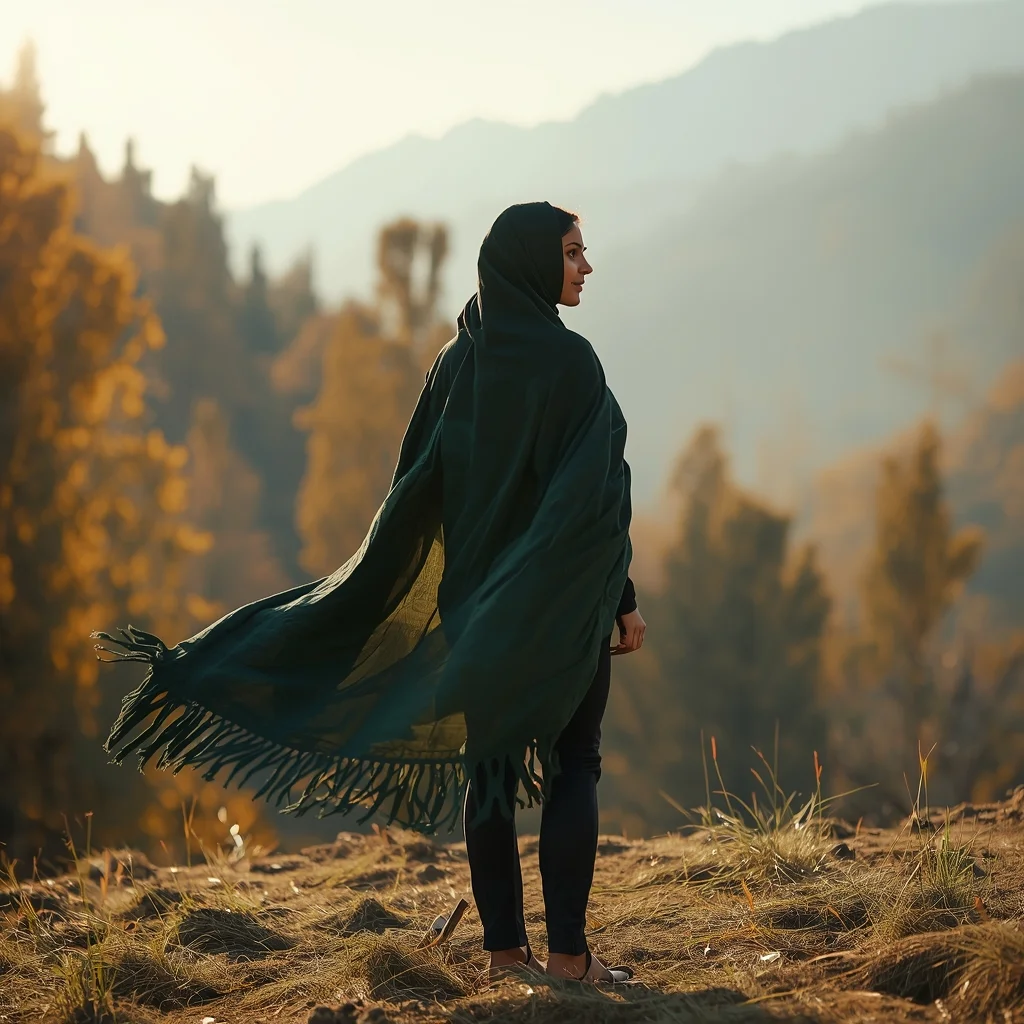
Prompt: An ultra-realistic cinematic image of a Kashmiri woman standing on a hillside during autumn, wearing a flowing traditional pheran in deep forest green. Her pose is elegant and timeless, body slightly angled, gaze directed toward the horizon. Chinar trees and distant mountains form the backdrop. Warm autumn sunlight, realistic textures, cultural authenticity, soft wind effect, professional DSLR quality, 8K photorealism.
Candid street portrait of a young Indian woman laughing while walking through a bustling market, looking back over her shoulder, natural movement, flowing patterned kurta, sunlit urban background softly blurred with people and stalls, golden hour lighting, cinematic color grading, lifestyle fashion photography, shallow depth of field, ultra-realistic details, 8K resolution
Prompt: A powerful, high-action shot of a woman in modern tactical camouflage gear standing in a lush, dense Amazonian rainforest next to a massive waterfall. | Pose: A 'ready-to-strike' pose; she is in a wide athletic stance, knees slightly bent, holding a high-tech navigational bow. She is looking sharply to her left as if she heard a sound in the brush. Her skin is glistening with sweat and moisture. | Technical: High-speed photography (1/4000s) to freeze the waterfall droplets, vibrant tropical greens, shot on a 35mm lens, realistic skin textures and foliage detail, 8k render.
The 2026 Stock Market Crash: How to Protect Your Money | Gemini Prompt Trick
3108 mos ago
Prompt: A dramatic and high-stakes financial thumbnail featuring a literal visual metaphor for a market collapse. A giant, cracked stone bull statue (representing the Bull Market) is seen crumbling and falling into a dark, stormy abyss. In the foreground, a close-up of a hand is seen holding a glowing, golden physical Bitcoin and a silver bar that are radiating a protective light. The background features a blurred, chaotic Wall Street with red digital ticker tapes showing aggressive downward trends and "CRASH" warnings. The lighting is dark and moody, with sharp orange and red highlights. Cinematic film grain, 8k, ultra-sharp focus on the gold and silver, high-contrast composition that screams urgency and authority.
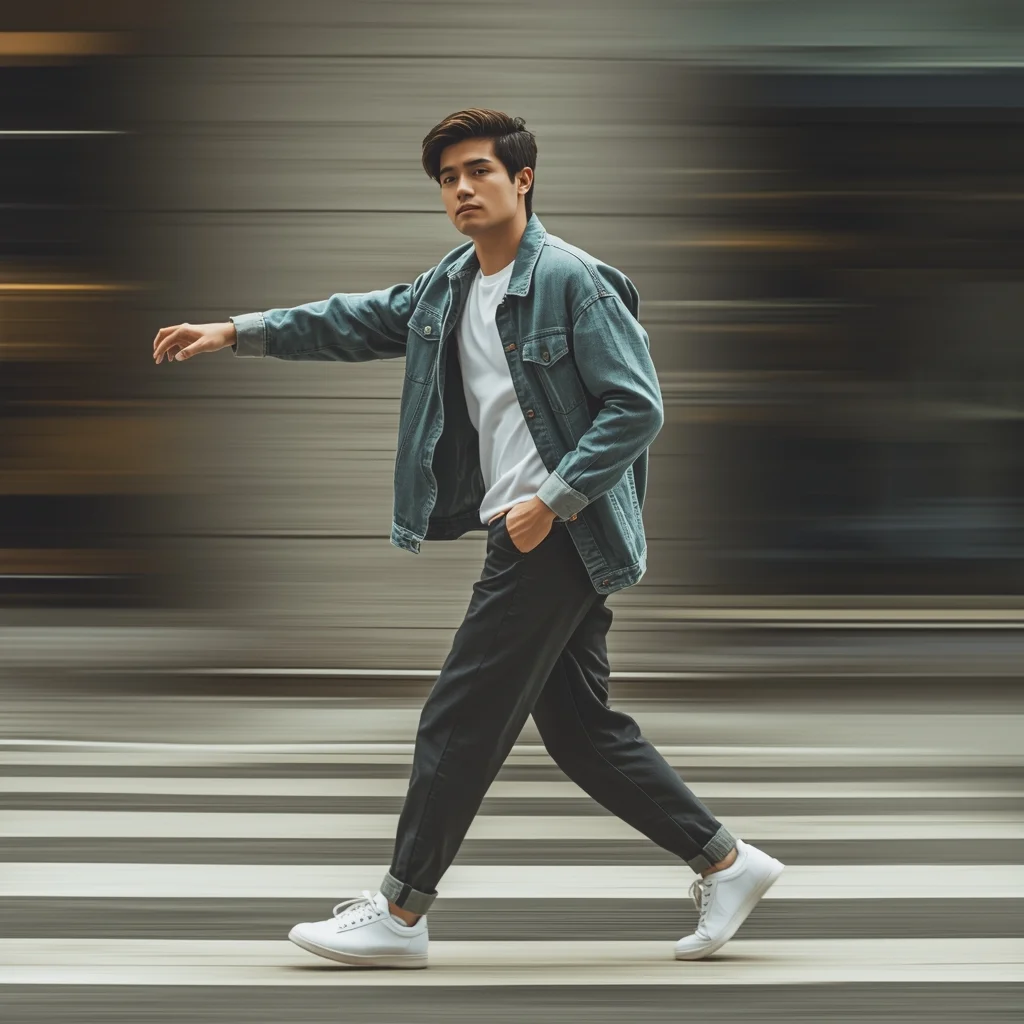
Prompt: A young man captured mid-walk for Instagram Reels, natural arm swing, confident relaxed body language, modern casual outfit, outdoor urban setting, motion blur background, cinematic framing, dynamic lifestyle photography, realistic textures, trendy vibe.
I Tried the 72-Hour Dopamine Detox (Life Changing) | Gemini Ai Image Prompt
2608 mos ago
Prompt: A conceptual "before and after" split thumbnail using visual metaphors. The left half is desaturated and chaotic: a person looking stressed and zombie-like, surrounded by floating icons of social media logos, buzzing phones, junk food, and video games, with a grey cloud over their head. The right half is bright, saturated, and peaceful: the same person looking healthy and serene, meditating on a mountain peak at sunrise, surrounded by nature, books, and clear blue sky. "BEFORE" and "AFTER" text overhead. High contrast lighting, photographic style, clean composition, 8k.
Frequently Asked Questions
Common questions regarding this AI prompt.
How can I dictate the camera angle to make the subject look more powerful?
Camera angle completely changes the psychological impact. To make the subject of The Weathered Mechanic on Break | Ai Prompt Tutorial appear dominant or towering, insert 'low angle shot' or 'worm's-eye view'. Conversely, to make the Man Pose Art scene feel vast and the subject small, use 'drone shot', 'bird's-eye view', or 'extreme high angle'.
What is the core conceptual focus of the The Weathered Mechanic on Break | Ai Prompt Tutorial prompt?
The The Weathered Mechanic on Break | Ai Prompt Tutorial prompt is meticulously engineered to focus on high-fidelity visual storytelling within the Man Pose Art genre. By leveraging advanced keyword weighting and specific rendering tokens, it ensures that the AI prioritizes both the primary subject matter and the intricate atmospheric details, resulting in a highly professional and polished final image.
Can I easily integrate the The Weathered Mechanic on Break | Ai Prompt Tutorial output into a professional design workflow?
Absolutely. The outputs generated by this prompt are designed with commercial and professional workflows in mind. Because it emphasizes crisp edges, balanced contrast, and high-resolution keywords, the resulting Man Pose Art images are perfect for immediate use in UI/UX design, marketing materials, or further post-processing in software like Adobe Photoshop.
How can I transform The Weathered Mechanic on Break | Ai Prompt Tutorial into a vector graphic or logo style?
To strip away the photorealism, replace the camera keywords with 'flat vector illustration, minimalist design, UI/UX asset, Adobe Illustrator style, solid colors, clean crisp lines, no gradients'. This transforms the Man Pose Art subject into a scalable, graphic-design-ready asset perfect for web design or branding.
Can I simulate bioluminescence or neon lighting in this prompt?
Yes, you can easily shift the scene into a sci-fi or fantasy realm by adding terms like 'bioluminescent glow', 'neon tube lighting', 'emissive materials', or 'fluorescent accents'. These modifiers will cause the objects within the Man Pose Art scene to act as their own light sources, casting incredibly realistic colored reflections onto surrounding surfaces.
How do I modify The Weathered Mechanic on Break | Ai Prompt Tutorial to fit into a dark fantasy or gothic horror setting?
Change the environmental descriptors. Add 'dark fantasy concept art, gothic architecture, eerie volumetric fog, corrupted ruins, ominous atmosphere, Bloodborne aesthetic'. This forces the AI to reinterpret the The Weathered Mechanic on Break | Ai Prompt Tutorial prompt through a grim, terrifying lens, drastically altering the mood of the Man Pose Art output.
How can I prevent anatomical distortions or 'extra limbs' when generating characters?
While modern models have improved, complex poses in Man Pose Art can still cause issues. To prevent this, use a strong negative prompt containing 'bad anatomy, extra limbs, mutated hands, deformed structure'. If generating locally via Stable Diffusion, utilizing ControlNet (specifically OpenPose or Depth) alongside this prompt will guarantee flawless anatomical structure.
How do I add realistic weather effects like rain or snow to the scene?
Weather completely alters the physics of light. If you add 'torrential rain, wet asphalt reflecting neon, water droplets clinging to surfaces', the AI will not just draw rain; it will change the specularity of the The Weathered Mechanic on Break | Ai Prompt Tutorial subject. For snow, use 'heavy blizzard, frost-covered edges, soft diffused winter light' to change the entire atmosphere of the Man Pose Art generation.
How do I ensure the skin textures in The Weathered Mechanic on Break | Ai Prompt Tutorial look photorealistic and not plastic?
AI often defaults to overly smooth, airbrushed skin. To counter this, you must explicitly demand imperfections. Add 'subsurface scattering, visible skin pores, peach fuzz, micro-wrinkles, highly detailed skin texture, raw unedited photograph' to the prompt. This forces the model to render the human elements of the Man Pose Art scene with authentic, biological realism.
How do I create a surreal, dream-like version of The Weathered Mechanic on Break | Ai Prompt Tutorial?
To break the laws of physics, use keywords like 'surrealism, dreamscape, floating objects, defying gravity, Salvador Dali style, mind-bending geometry, ethereal'. The AI will take the familiar elements of The Weathered Mechanic on Break | Ai Prompt Tutorial and arrange them in illogical, fascinating ways, creating a truly unique Man Pose Art art piece.
Can I convert the scene into a post-apocalyptic wasteland?
Yes, by adding 'post-apocalyptic, overgrown ruins, rusted metal, decayed urban environment, survival aesthetic, cinematic fallout style'. The AI will take the core structure of The Weathered Mechanic on Break | Ai Prompt Tutorial and age it by decades, adding immense weathering and environmental storytelling to the Man Pose Art image.
What is the best way to force an ultra-wide or panoramic view?
To force a panoramic composition, you must combine aspect ratio parameters with specific camera descriptors. In Midjourney, use '--ar 21:9'. Within the prompt text itself, include 'ultra-wide panoramic landscape, 14mm lens, expansive horizon, sweeping view'. This ensures the The Weathered Mechanic on Break | Ai Prompt Tutorial subject matter is distributed correctly across a massive, cinematic canvas.
How do I give The Weathered Mechanic on Break | Ai Prompt Tutorial a retro, 1980s synthwave aesthetic?
Inject keywords that define that specific era's pop culture. Use 'vaporwave aesthetic, 1980s synthwave, neon grid background, cyan and magenta color palette, VHS glitch effect, retro-futurism'. This overrides the standard lighting and wraps the The Weathered Mechanic on Break | Ai Prompt Tutorial subject in a highly stylized, nostalgic digital atmosphere.
What are the recommended parameters for generating The Weathered Mechanic on Break | Ai Prompt Tutorial in Stable Diffusion XL (SDXL)?
For optimal results in SDXL, we recommend pairing this prompt with a high-quality checkpoint like Juggernaut XL. Use the DPM++ 2M Karras sampler with approximately 35-40 steps and a CFG scale between 6.5 and 8.0. This combination strikes the perfect balance between adhering strictly to the The Weathered Mechanic on Break | Ai Prompt Tutorial description and allowing the model's creative freedom.