The Miniature Galaxy in a Lightbulb (Macro Surrealism) | Sharp Image Prompt
High-quality AI-generated image. Optimized for detailed rendering, perfect for creative projects and inspiration.
292Views
1 Likes
100%Quality
FreeLicense
AI Prompt
A breathtaking macro photograph of a surreal, impossible object: a vintage Edison-style lightbulb resting on a bed of dark velvet. Inside the glass bulb, instead of a filament, there is a miniature swirling galaxy with vibrant nebulae in violet and gold, tiny sparkling stars, and a small, detailed planet with rings. The glass of the bulb has realistic reflections of a dark laboratory setting. Small wisps of cosmic smoke are trapped inside. The lighting is low and moody, with the primary light source being the soft, ethereal glow from the galaxy inside the bulb. High-speed photography style, 100mm macro lens, f/2.8, hyper-detailed textures of the glass and metal base.
Want to create this with your own face? Use this instruction:
Face must remain photorealistic and identical to reference. A breathtaking macro photograph of a surreal, impossible object: a vintage Edison-style lightbulb resting on a bed of dark velvet. Inside the glass bulb, instead of a filament, there is a miniature swirling galaxy with vibrant nebulae in violet and gold, tiny sparkling stars, and a small, detailed planet with rings. The glass of the bulb has realistic reflections of a dark laboratory setting. Small wisps of cosmic smoke are trapped inside. The lighting is low and moody, with the primary light source being the soft, ethereal glow from the galaxy inside the bulb. High-speed photography style, 100mm macro lens, f/2.8, hyper-detailed textures of the glass and metal base.
About this Prompt
Crafted exclusively for the digital connoisseur, 'The Miniature Galaxy in a Lightbulb (Macro Surrealism) | Sharp Image Prompt' offers a highly sophisticated, multi-layered approach to AI Art generation. Experience the pure thrill of digital discovery as every single render reveals breathtaking new nuances and micro-details that standard prompts simply cannot achieve. The deeply mesmerizing, incredibly vibrant patterns and motifs adorning the subject are utterly captivating, making it a highly decorative and intricately ornate digital wonder. Soothing tones mixed with hyper-kinetic energy make this AI Art piece infinitely complex and visually deeply satisfying.
Absolutely perfect for creating deeply immersive, visually staggering AI Art background environments for virtual production, VTuber streaming setups, or highly detailed, premium digital zoom backgrounds that project ultimate professional authority. Unlock the absolute maximum, staggering potential of your favorite AI rendering tool today. This prompt acts as the ultimate, highly guarded professional asset, strictly designed to deliver ultra-high-resolution, perfectly composed AI Art results immediately.
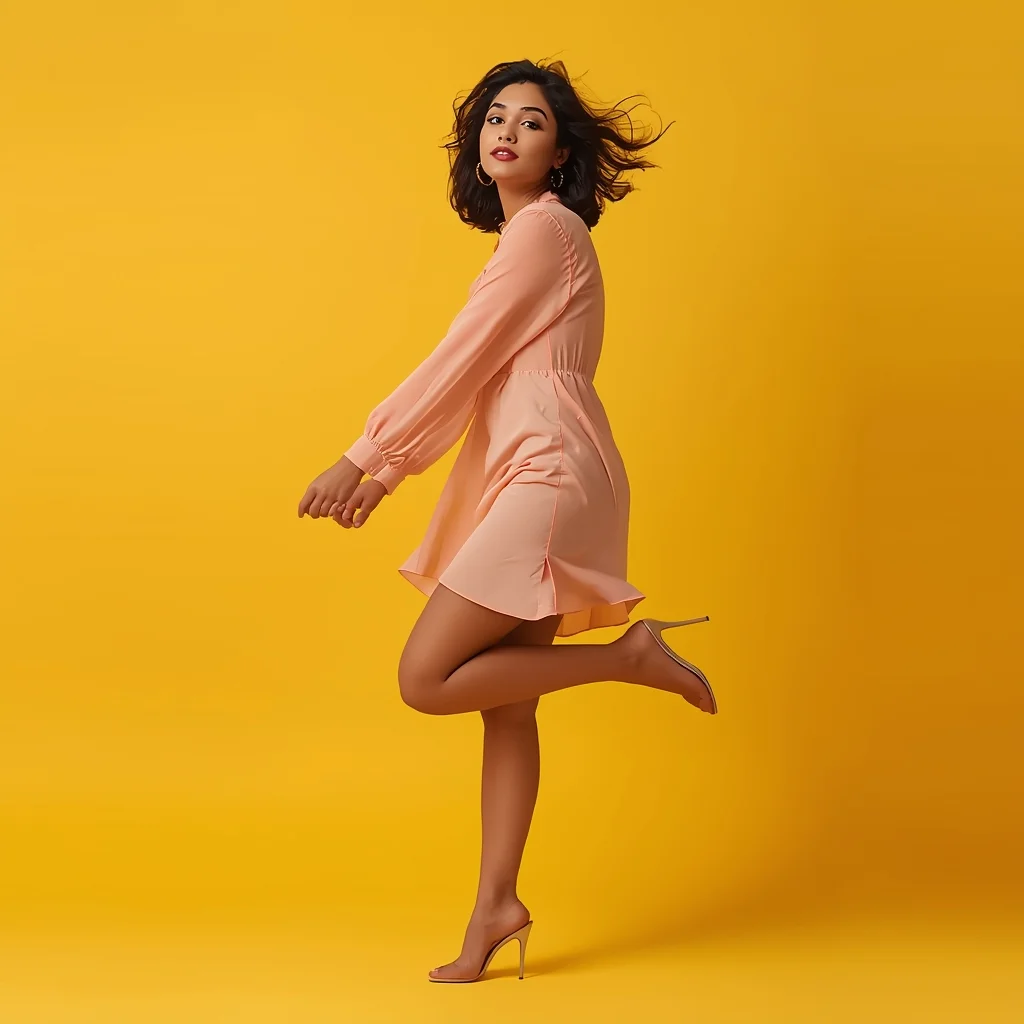
Modern Indian Viral Reel Pose – Bounce Walk Transition | Best Ai Prompt Trick
3148 mos ago
Prompt: An Indian woman wearing a trendy modern Indian dress with a lightweight contemporary design, captured mid-bounce walk as if transitioning between reel clips. One foot lifted slightly, body leaning forward with energetic motion. Hair softly bouncing with movement, adding realism. Expression playful, confident, and lively. Makeup is fresh, glowing, and camera-ready. Lighting is vibrant and clean, enhancing sharpness and fabric detail. Background minimal or colorful, optimized for social media. High clarity, modern influencer aesthetic, cinematic framing, ultra-realistic textures, designed for viral impact.
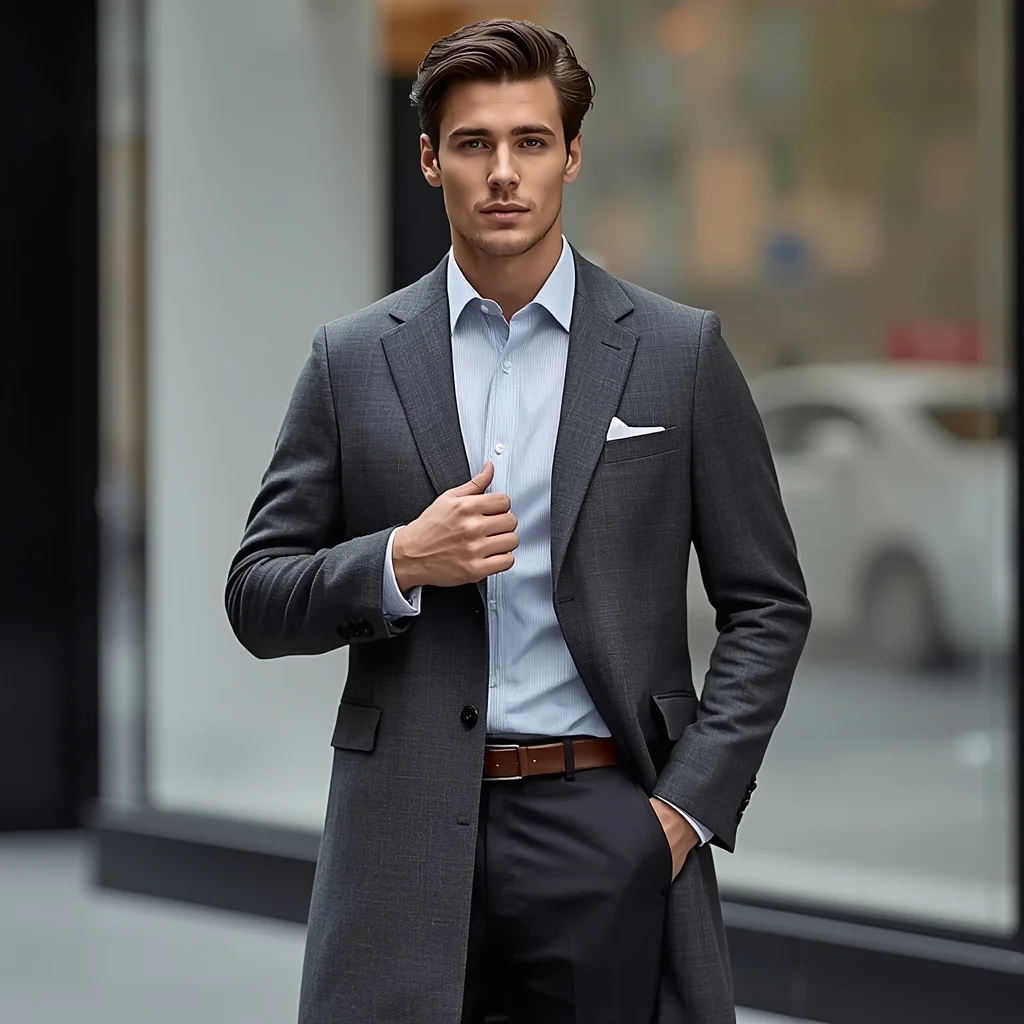
Modern Gentleman Coat Hold Pose | Sora Video Prompt
3048 mos ago
Prompt: A man holding the lapel of his long coat with one hand while standing confidently, upright posture, refined expression, modern luxury styling, urban background softly blurred, cool neutral color grading, premium menswear advertisement style, realistic textures, sharp high-resolution image.
I Played the World's First Photorealistic Anime Game | Sharp Image Prompt
3288 mos ago
Prompt: A stunning gaming thumbnail that perfectly blends the aesthetic of high-end Japanese anime with 100% photorealistic environments. The scene shows a beautiful female protagonist with vibrant purple hair and a high-tech cyberpunk outfit standing in the middle of a rain-soaked Shibuya Crossing. Every raindrop on her jacket, the skin textures on her face, and the neon reflections in the puddles on the street are rendered with breathtaking realism. In the sky, a massive holographic dragon circles a skyscraper. The image features a minimalist futuristic game HUD in the corner showing health and a mini-map. 8k resolution, ray-tracing enabled, high-speed action blur, vibrant neon colors, and an incredible level of detail that makes the anime style look like a real-life movie.
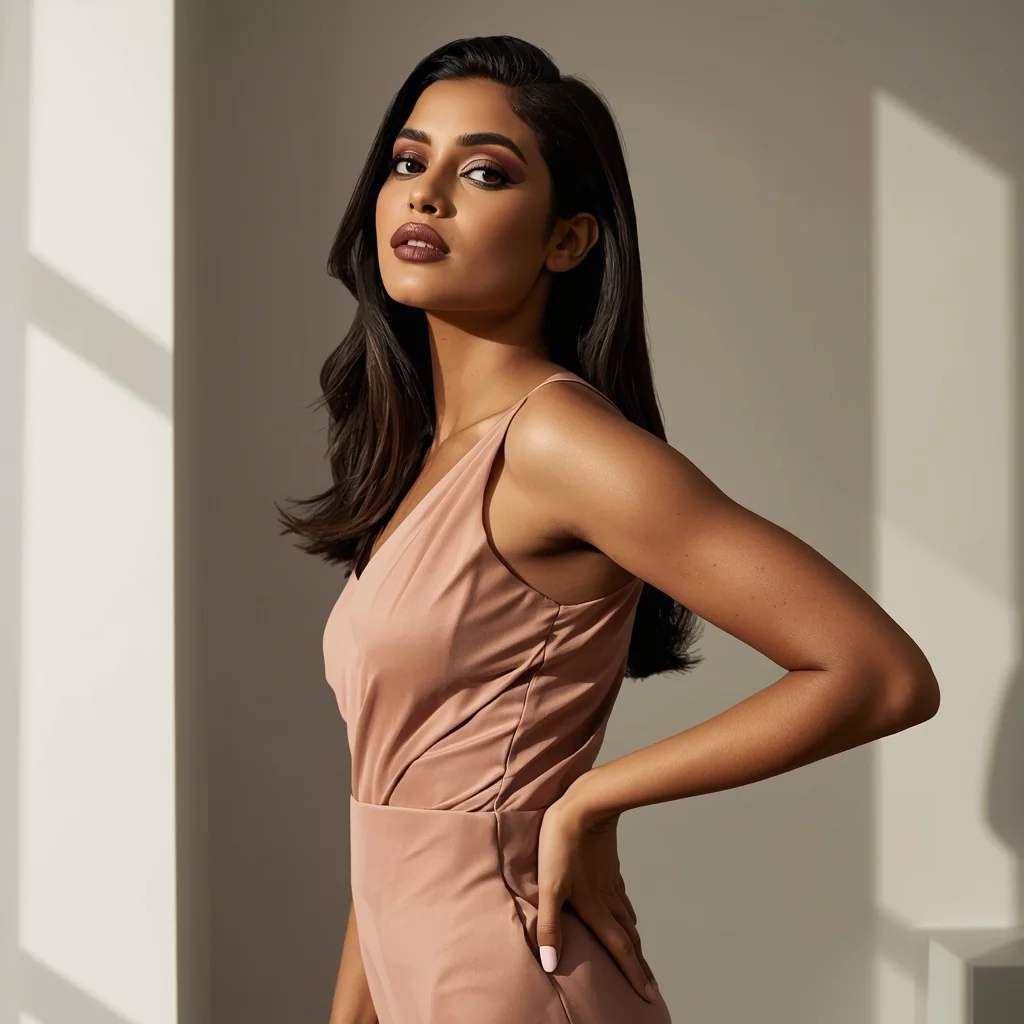
Modern Indian Viral Reel Pose – Side Angle Fashion Shot | Magic Ai Prompt
2978 mos ago
Prompt: An Indian woman in a modern Indian fashion dress, captured at a stylish side angle as if pausing mid-reel. One hip slightly shifted, shoulders relaxed, creating a fashionable silhouette. Hair smooth or softly waved. Expression composed, confident, and editorial. Makeup is matte glam with glowing skin. Lighting is clean and modern. Background minimal and aesthetic. High-resolution realism, cinematic depth, influencer fashion vibe, viral-ready visual.
Powerful Editorial Standing Pose Woman with Bold Expression | Ai Prompt For Stunning Portrait
3378 mos ago
Prompt: A highly detailed editorial-style portrait of a confident woman standing upright with a strong yet elegant posture, shoulders relaxed, one hand resting naturally at her side and the other gently touching her waist. Her head is slightly tilted, eyes focused forward with a bold, self-assured expression. She wears a modern high-fashion outfit with clean lines and subtle textures. Professional studio lighting creates soft highlights and controlled shadows, emphasizing facial contours and realistic skin texture. Ultra-realistic proportions, cinematic depth of field, sharp focus on eyes, smooth background blur, fashion magazine quality, 8K resolution, natural makeup, refined color grading, professional photography aesthetics.
Prompt: A fit man in professional trekking gear (puffer vest, cargo pants, boots) standing on a snowy mountain ledge. Behind him are the sharp, jagged peaks of the Himalayas under a crystal-clear blue sky. Pose: Standing with his feet wide apart for balance, leaning on a pair of trekking poles. He is looking up at the sky with an expression of triumph and freedom. Technical: Polarized filter, high dynamic range (HDR), 16mm ultra-wide lens, sunlight glinting off the snow.
Pose: Standing with his feet wide apart for balance, leaning on a pair of trekking poles. He is looking up at the sky with an expression of triumph and freedom. Technical: Polarized filter, high dynamic range (HDR), 16mm ultra-wide lens, sunlight glinting off the snow.
Technical: Polarized filter, high dynamic range (HDR), 16mm ultra-wide lens, sunlight glinting off the snow.
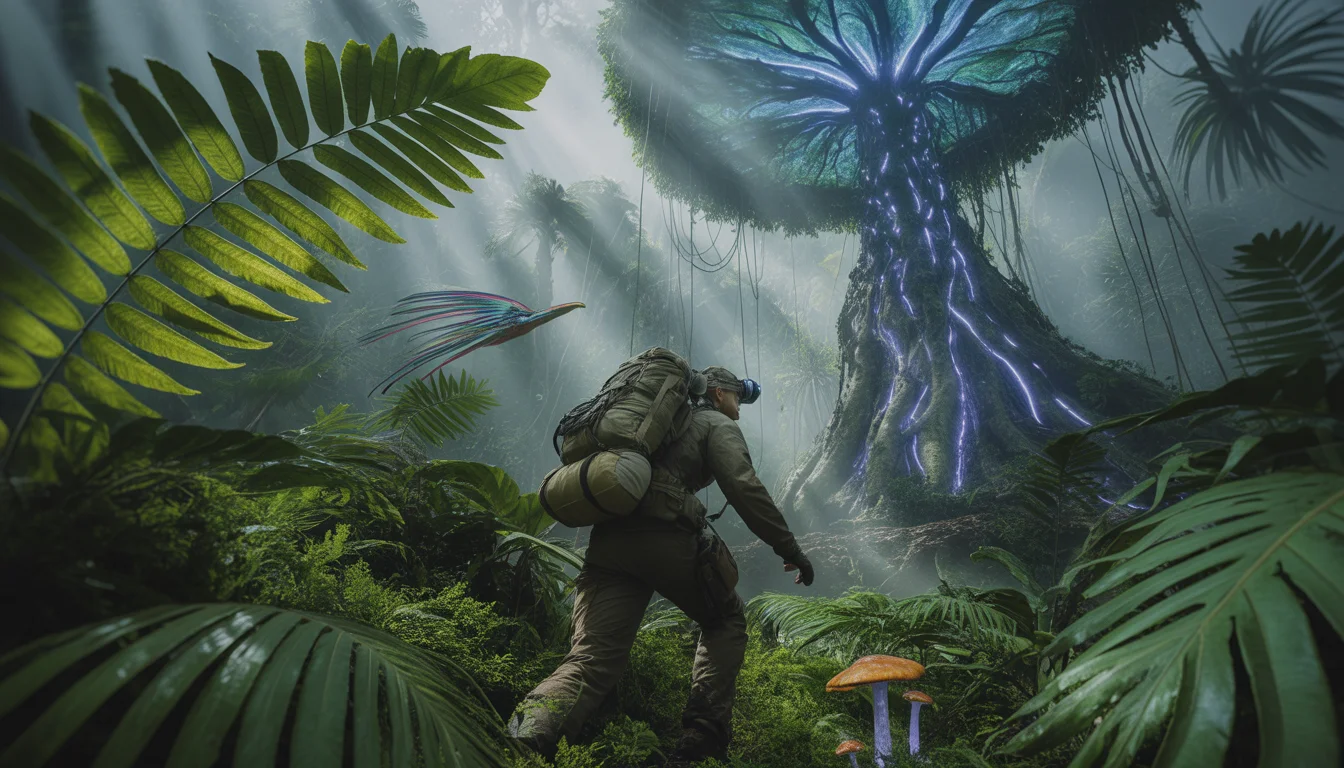
Inside the Last Unexplored Forest on Earth | Aesthetic Instagram Prompt
2728 mos ago
Prompt: An epic, low-angle "National Geographic" style shot of an explorer wearing a high-tech tactical backpack and a headlamp, pushing through giant, prehistoric-looking fern leaves in a dense, misty tropical rainforest. Behind the explorer, a massive, glowing bioluminescent tree with pulsing blue and violet "veins" towers into the canopy. Strange, exotic birds with trailing iridescent feathers are captured in mid-flight. The atmosphere is thick with humidity and soft "god rays" of sunlight piercing through the heavy fog. The ground is covered in vibrant moss and strange glowing mushrooms. Hyper-detailed textures, 8k resolution, cinematic wide-angle lens, saturated greens and deep shadows, creating a sense of immense mystery and danger.
Modern Women Girl Viral Reel Bold Standing Pose | Photo Prompt
4357 mos ago
Prompt: A woman dressed in a bold modern women dress, standing confidently in a reel-style pose. Weight placed on one leg, body balanced, arms relaxed but expressive. Posture strong and elegant. Hair styled neatly with subtle motion. Expression fearless and confident. Makeup refined and camera-ready. Lighting bright and controlled, enhancing contrast and sharpness. Background minimal and modern. High clarity, fashion-editorial aesthetic, cinematic framing, ultra-realistic textures.
Frequently Asked Questions
Common questions regarding this AI prompt.
Can I easily integrate the The Miniature Galaxy in a Lightbulb (Macro Surrealism) | Sharp Image Prompt output into a professional design workflow?
Absolutely. The outputs generated by this prompt are designed with commercial and professional workflows in mind. Because it emphasizes crisp edges, balanced contrast, and high-resolution keywords, the resulting AI Art images are perfect for immediate use in UI/UX design, marketing materials, or further post-processing in software like Adobe Photoshop.
How does the prompt establish the historical or futuristic era of The Miniature Galaxy in a Lightbulb (Macro Surrealism) | Sharp Image Prompt?
Era-specific aesthetics are locked in using targeted chronological keywords. Whether leaning towards a neo-futuristic cyberpunk vibe or a classical Renaissance look, the prompt forces the AI to draw from specific historical datasets. This ensures that the clothing, architecture, and props within the AI Art scene remain historically or thematically accurate.
Can I make the image look like vintage, degraded film?
Absolutely. To strip away the ultra-modern crispness, inject phrases like 'shot on Kodak Portra 400', 'heavy film grain', 'light leaks', 'chromatic aberration', and 'vintage 1970s polaroid'. This introduces beautiful, nostalgic imperfections into the AI Art scene, making the The Miniature Galaxy in a Lightbulb (Macro Surrealism) | Sharp Image Prompt generation look like a discovered relic rather than a digital creation.
Does this prompt support blending multiple concepts together?
Yes, advanced users can use this prompt as a base for concept blending. By utilizing syntax like [Concept A : Concept B : 0.5] in Automatic1111 or simply describing a hybrid scenario, the strong foundational parameters of the The Miniature Galaxy in a Lightbulb (Macro Surrealism) | Sharp Image Prompt prompt will ensure the merged concepts render cohesively without degrading into visual noise.
What is the best way to force an ultra-wide or panoramic view?
To force a panoramic composition, you must combine aspect ratio parameters with specific camera descriptors. In Midjourney, use '--ar 21:9'. Within the prompt text itself, include 'ultra-wide panoramic landscape, 14mm lens, expansive horizon, sweeping view'. This ensures the The Miniature Galaxy in a Lightbulb (Macro Surrealism) | Sharp Image Prompt subject matter is distributed correctly across a massive, cinematic canvas.
What if the AI completely ignores a specific detail I added to the The Miniature Galaxy in a Lightbulb (Macro Surrealism) | Sharp Image Prompt prompt?
If a detail is ignored, it lacks 'weight'. Move that specific word closer to the very beginning of the prompt. Alternatively, if using Midjourney, use the double colon syntax (Keyword::2) to force the AI to pay attention. In Stable Diffusion, wrap the keyword in parentheses like (Keyword:1.5) to boost its importance in the AI Art scene.
What specific lighting setup is best to highlight the details of The Miniature Galaxy in a Lightbulb (Macro Surrealism) | Sharp Image Prompt?
For maximum texture reveal, a 'three-point studio lighting' or 'Rembrandt lighting' setup works best. By incorporating keywords like 'rim light', 'key light', and 'soft fill', you instruct the AI to sculpt the AI Art subject out of the background, ensuring that micro-details like skin pores, fabric weaves, or metallic reflections are perfectly visible.
Is this prompt compatible with the new Flux.1 AI model?
Yes, Flux.1 is incredibly responsive to detailed structural prompts just like this one. Because Flux handles complex spatial relationships and typography better than previous models, the composition instructions embedded in the The Miniature Galaxy in a Lightbulb (Macro Surrealism) | Sharp Image Prompt prompt will be rendered with astonishing accuracy, making it ideal for high-end AI Art generation.
Does this prompt work with DALL-E 3 inside ChatGPT?
Yes, it works exceptionally well. DALL-E 3 thrives on conversational, highly descriptive text. Because this prompt for The Miniature Galaxy in a Lightbulb (Macro Surrealism) | Sharp Image Prompt is structured with clear nouns and adjectives, DALL-E 3 will translate it almost perfectly into an image, ensuring that multiple complex elements within the AI Art scene interact logically.
Why is this prompt highly effective for generating The Miniature Galaxy in a Lightbulb (Macro Surrealism) | Sharp Image Prompt?
Its effectiveness lies in the structured syntax. It separates the core subject definition from the style and technical parameters. This 'block structure' prevents AI confusion, ensuring that the details of The Miniature Galaxy in a Lightbulb (Macro Surrealism) | Sharp Image Prompt remain razor-sharp while the background and artistic medium seamlessly blend to match the AI Art aesthetic without overpowering the main focus.
How do I deal with unwanted text or watermarks appearing in the image?
AI models are trained on stock photos which often contain watermarks. To aggressively filter this out, ensure words like 'text, watermark, signature, username, website url, copyright stamp' are heavily weighted in your negative prompt box. This is especially crucial when generating commercial-grade AI Art content.
Why might the colors in my The Miniature Galaxy in a Lightbulb (Macro Surrealism) | Sharp Image Prompt generation appear washed out, and how do I fix it?
Washed-out colors typically result from a missing VAE file in local setups, or a lack of color-grading instructions. To immediately fix this within the text prompt itself, append phrases such as 'vibrant technicolor, rich saturation, HDR, cinematic color grading, high contrast'. This forces the AI to map a wider, more dynamic color range to your image.
How can I prevent anatomical distortions or 'extra limbs' when generating characters?
While modern models have improved, complex poses in AI Art can still cause issues. To prevent this, use a strong negative prompt containing 'bad anatomy, extra limbs, mutated hands, deformed structure'. If generating locally via Stable Diffusion, utilizing ControlNet (specifically OpenPose or Depth) alongside this prompt will guarantee flawless anatomical structure.
How do I create a dramatic, low-light version of The Miniature Galaxy in a Lightbulb (Macro Surrealism) | Sharp Image Prompt?
To plunge the scene into dramatic darkness, modify the prompt to include 'chiaroscuro', 'low-key lighting', 'underexposed', and 'stark shadows'. This tells the AI to plunge the majority of the AI Art environment into darkness while intensely illuminating only the most critical parts of the The Miniature Galaxy in a Lightbulb (Macro Surrealism) | Sharp Image Prompt subject, creating a moody, cinematic masterpiece.
How can I dictate the camera angle to make the subject look more powerful?
Camera angle completely changes the psychological impact. To make the subject of The Miniature Galaxy in a Lightbulb (Macro Surrealism) | Sharp Image Prompt appear dominant or towering, insert 'low angle shot' or 'worm's-eye view'. Conversely, to make the AI Art scene feel vast and the subject small, use 'drone shot', 'bird's-eye view', or 'extreme high angle'.