High-quality AI-generated image. Optimized for detailed rendering, perfect for creative projects and inspiration.
228Views
0 Likes
100%Quality
FreeLicense
AI Prompt
A product styled according to a seasonal theme (summer, winter, festive), relevant props and colors, controlled studio lighting, storytelling composition, realistic shadows, professional brand campaign photography, ultra-realistic, high detail, 8K resolution
Want to create this with your own face? Use this instruction:
Keep eyes, nose, lips, jawline, and skin exactly as in reference image. A product styled according to a seasonal theme (summer, winter, festive), relevant props and colors, controlled studio lighting, storytelling composition, realistic shadows, professional brand campaign photography, ultra-realistic, high detail, 8K resolution
About this Prompt
Transform your digital workspace into a high-end creative studio with 'Seasonal Theme Product Shot | Gemini Prompt Template', a masterful Product Images prompt that seamlessly fuses futuristic rendering techniques with classical, refined elegance. It is the ultimate starting point for generating artwork that looks indistinguishable from high-budget commercial photography. An absolutely stunning display of dramatic chiaroscuro lighting forcefully pushes this image into the elite realm of classical renaissance art. The glossy, hyper-realistic wet-look specular highlights make the surface appear absolutely pristine and freshly painted in this supreme high-fidelity render.
Highly recommended for elite creative agencies, passionate digital hobbyists, and professional AI prompt engineers who strictly demand absolute visual perfection, supreme reliability, and flawless consistency in their daily, high-volume generative rendering workflows. Whether you are a highly seasoned digital pro or an eager AI hobbyist, simply pasting this brilliantly structured prompt instantly unlocks entirely new, wildly exciting creative possibilities that will drastically elevate your personal design portfolio.
Ethereal portrait of an Indian woman standing in the middle of a vast sunflower field, looking up at the sky with eyes closed, sunlight hitting her face, wearing a white cotton dress, natural movement of hair in the wind, bright and airy color palette, shallow depth of field, 8K ultra-realistic, beauty photography style
Prompt: A cinematic shot of a woman navigating a crowded, rain-drenched futuristic marketplace. The scene is filled with floating holographic advertisements and glowing neon signs in shades of electric blue and hot pink. She wears a metallic, tech-wear jacket with glowing fibers.
Pose: She is captured in a dynamic walking pose, looking sharply over her shoulder as if sensing someone following her. One hand is tucked into her pocket, while the other slightly adjusts a translucent tech-visor on her forehead.
Technical: Shot on Arri Alexa, 35mm anamorphic lens, f/2.8, volumetric fog, realistic rain droplets, ray-traced reflections, 8k resolution, cinematic color grading.
SHOCKING TRUTH REVEALED 😱 | Viral Prompt Idea For Creator
2396 mos ago
Prompt: Ultra-realistic YouTube thumbnail showing a shocked young creator with wide eyes and open mouth, dramatic facial expression of disbelief, pointing toward bold glowing text that says “SHOCKING TRUTH”, dark blurred background with red and yellow neon light streaks, cinematic high contrast lighting, sharp focus on face, exaggerated emotion, vibrant colors, studio-quality photography, 4K ultra-detailed skin texture, rim lighting around face, dramatic shadows, viral YouTube thumbnail style, professional color grading, eye-catching composition, thumbnail optimized framing, high saturation, emotional storytelling.
Traditional Dance Inspired Grace Woman Pose | Smart Prompt For Better Image
2516 mos ago
Prompt: A woman posed in a traditional dance-inspired stance, body slightly angled with expressive hand gestures and refined posture. The outfit is classic cultural attire with flowing elements that suggest movement even in stillness. Her facial expression is focused and expressive, capturing artistic tradition. Lighting highlights the contours of her body and the motion of fabric. Background is minimal to maintain focus on form and elegance. Ultra-detailed realism, cinematic framing, artistic cultural photography style.
Modern Indian Viral Reel Pose – Bold Pause Power Look | Aesthetic Instagram Prompt
3096 mos ago
Prompt: An Indian woman dressed in a bold modern Indian dress, captured in a strong pause pose as if stopping the reel for impact. Feet grounded, shoulders squared, posture confident and commanding. Hair neatly styled with subtle volume. Expression intense yet composed. Makeup clean glam with sharp features. Lighting crisp and studio-clean. Background minimal. Ultra-realistic textures, cinematic influencer framing, high-impact viral composition.
Modern Indian Viral Reel Pose – Casual Lifestyle Walk | Ai Art Prompt Idea
2326 mos ago
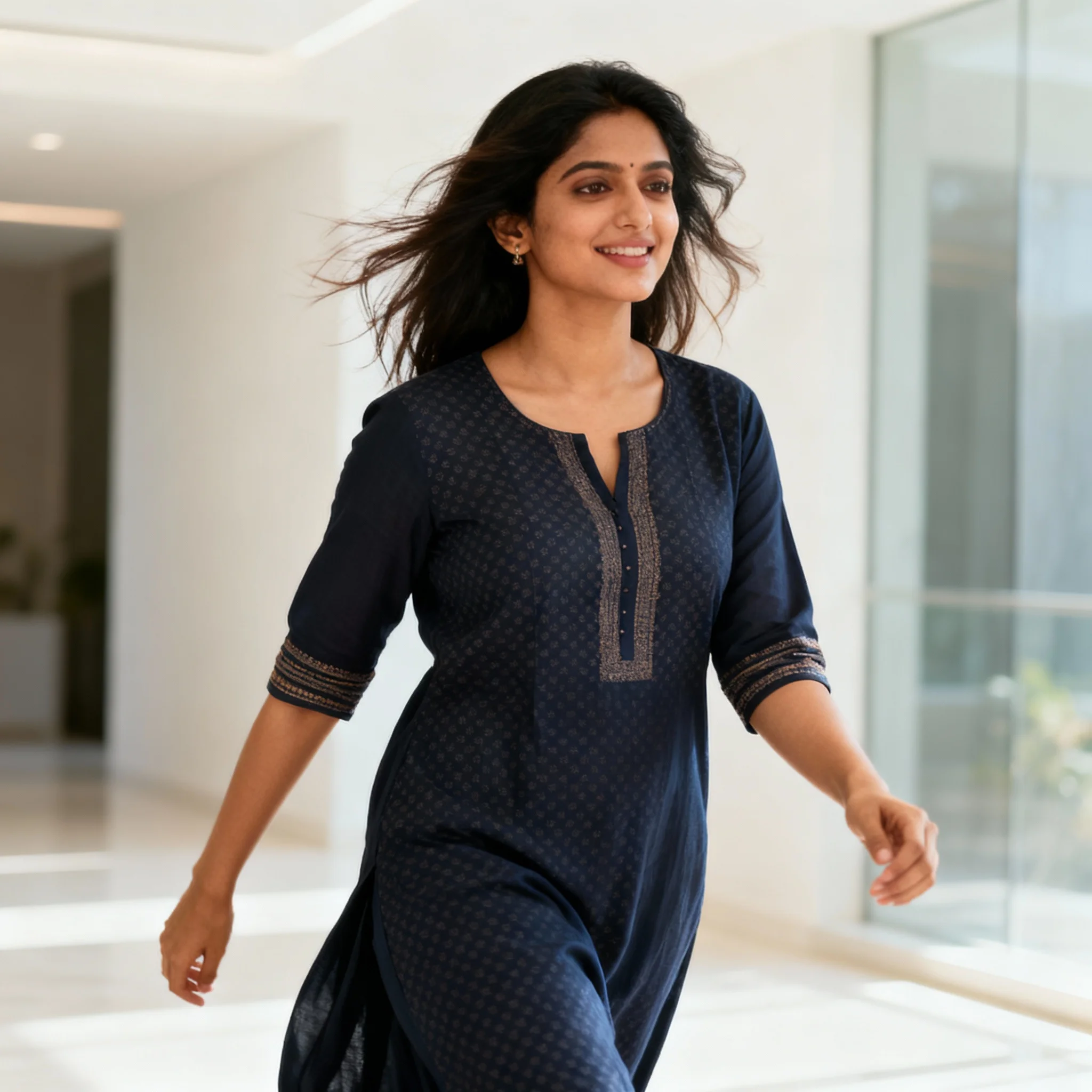
Prompt: An Indian woman wearing a modern Indian casual dress, captured mid-walk in a relaxed reel-style pose. Body language effortless and natural, arms relaxed. Hair slightly tousled for realism. Expression warm, confident, and approachable. Makeup minimal glam with natural glow. Lighting soft and bright, lifestyle-inspired. Background clean and modern. Ultra-high clarity, cinematic softness, influencer lifestyle aesthetic, designed for social media virality.
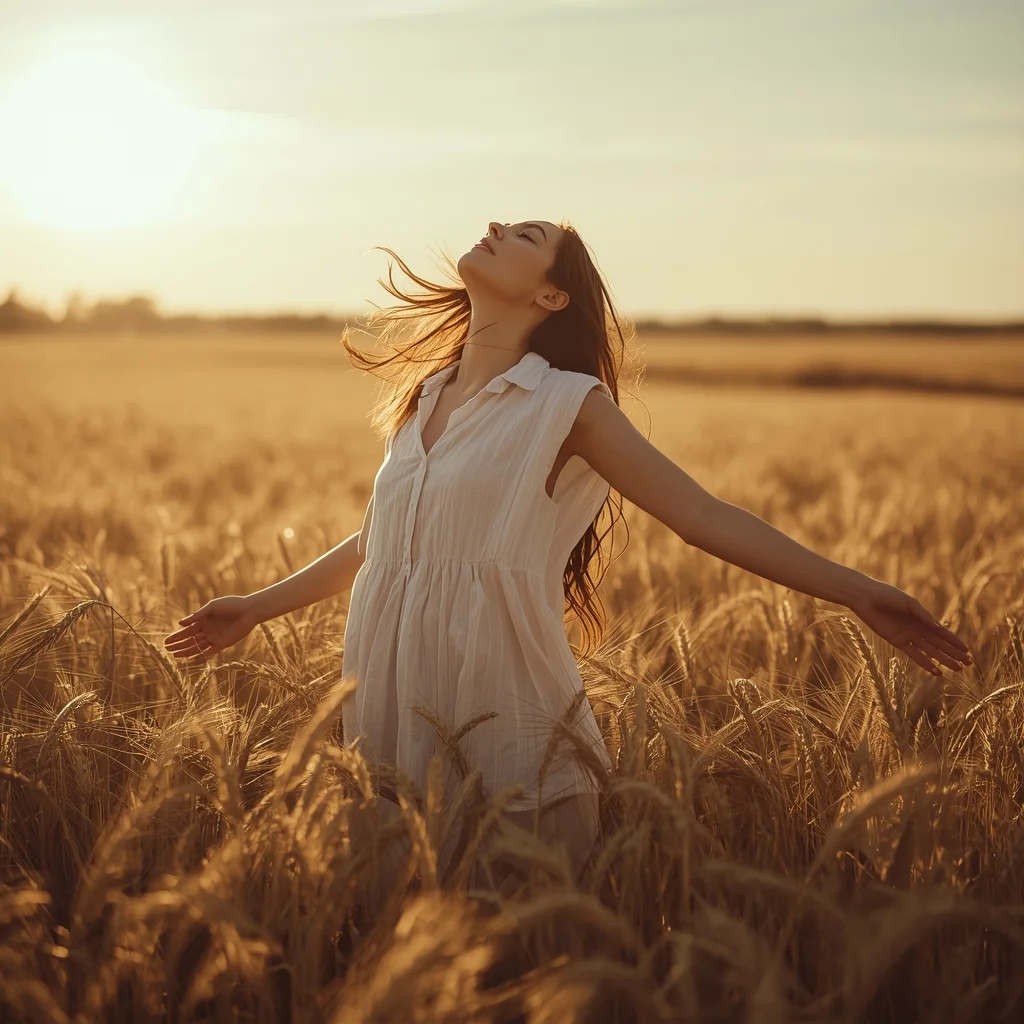
Prompt: A warm, sun-drenched lifestyle shot of a woman in a flowing white linen dress standing in the middle of a vast, golden wheat field at sunset. | Pose: She is standing with her back slightly arched and arms outstretched to the sides, fingers grazing the tops of the wheat. Her eyes are closed, head tilted upward to the sky in a moment of pure serenity. The wind is blowing her hair and dress to the left, creating a sense of movement. | Technical: Shot on 35mm film aesthetic with slight grain. Warm golden hour lighting with a natural lens flare. Soft focus on the background. Deep color depth with vibrant oranges and golds.
Indian K-Pop Inspired Trendy Pose | Ai Prompt For Perfect Photo
2656 mos ago
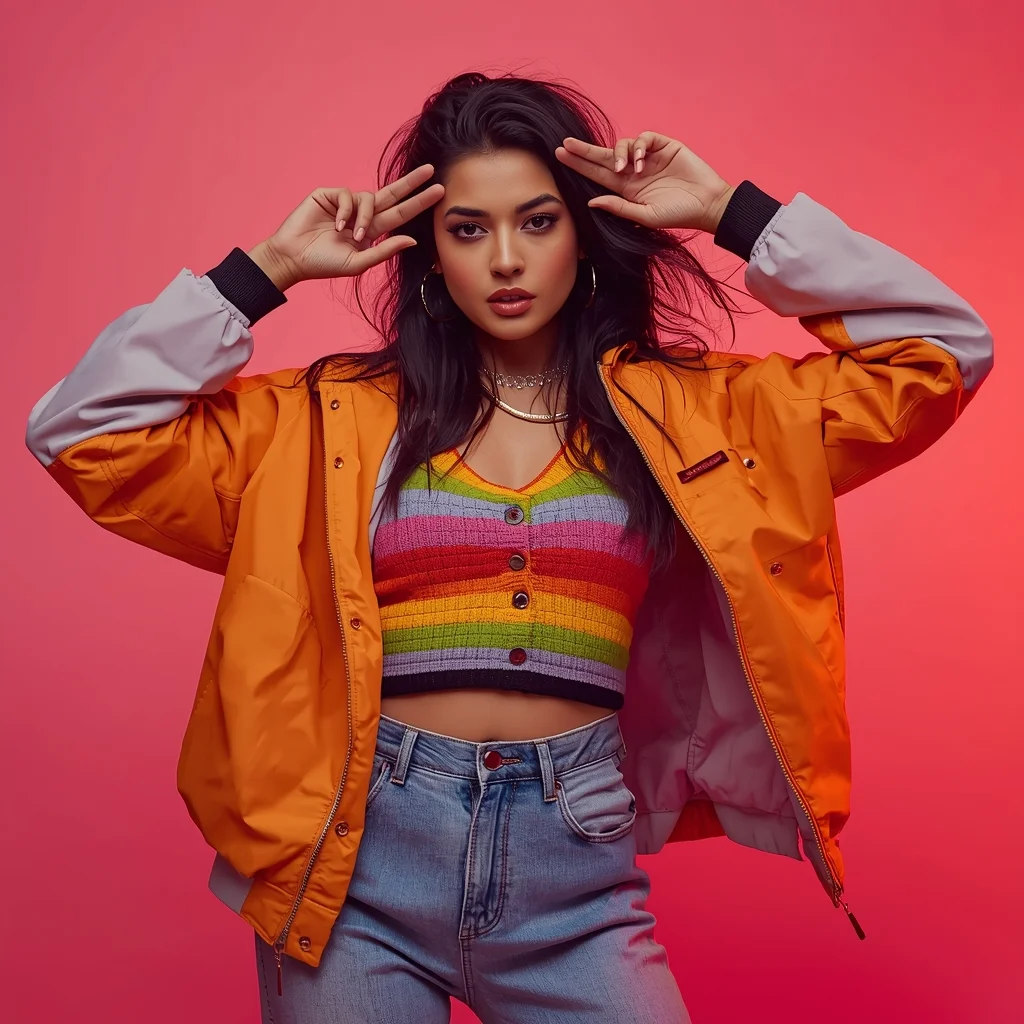
Prompt: An Indian woman styled in a K-Pop inspired fashion look, wearing colorful layered clothing, oversized jacket, trendy accessories. Playful yet confident pose, expressive eyes, stylish makeup. Urban studio or city street background, vibrant color tones, energetic lighting, modern pop fashion photography, youthful vibe, ultra-detailed textures, cinematic clarity, 8K quality.
Frequently Asked Questions
Common questions regarding this AI prompt.
How do I ensure the skin textures in Seasonal Theme Product Shot | Gemini Prompt Template look photorealistic and not plastic?
AI often defaults to overly smooth, airbrushed skin. To counter this, you must explicitly demand imperfections. Add 'subsurface scattering, visible skin pores, peach fuzz, micro-wrinkles, highly detailed skin texture, raw unedited photograph' to the prompt. This forces the model to render the human elements of the Product Images scene with authentic, biological realism.
Can I easily integrate the Seasonal Theme Product Shot | Gemini Prompt Template output into a professional design workflow?
Absolutely. The outputs generated by this prompt are designed with commercial and professional workflows in mind. Because it emphasizes crisp edges, balanced contrast, and high-resolution keywords, the resulting Product Images images are perfect for immediate use in UI/UX design, marketing materials, or further post-processing in software like Adobe Photoshop.
Is it possible to use this static image prompt as a base for AI video animation?
Yes, this is a very popular workflow. Once you generate the perfect still image of Seasonal Theme Product Shot | Gemini Prompt Template, you can import it into cutting-edge AI video generators like Luma Dream Machine, Kling AI, Runway Gen-3, or Pika Labs. The high detail and clear focus provided by this Product Images prompt make it an ideal initial keyframe, resulting in smooth, artifact-free animations.
What should I do if the background of Seasonal Theme Product Shot | Gemini Prompt Template becomes too cluttered?
If the AI over-complicates the background, you need to assert control over the depth of field. Add strict modifiers like 'clean minimalist background, studio backdrop, heavy bokeh, blurred environment' to the prompt. Additionally, placing the subject-specific keywords at the very front of the prompt ensures the AI prioritizes the main Seasonal Theme Product Shot | Gemini Prompt Template element.
Why might the colors in my Seasonal Theme Product Shot | Gemini Prompt Template generation appear washed out, and how do I fix it?
Washed-out colors typically result from a missing VAE file in local setups, or a lack of color-grading instructions. To immediately fix this within the text prompt itself, append phrases such as 'vibrant technicolor, rich saturation, HDR, cinematic color grading, high contrast'. This forces the AI to map a wider, more dynamic color range to your image.
Can I simulate bioluminescence or neon lighting in this prompt?
Yes, you can easily shift the scene into a sci-fi or fantasy realm by adding terms like 'bioluminescent glow', 'neon tube lighting', 'emissive materials', or 'fluorescent accents'. These modifiers will cause the objects within the Product Images scene to act as their own light sources, casting incredibly realistic colored reflections onto surrounding surfaces.
Can I change the material composition of objects in the Seasonal Theme Product Shot | Gemini Prompt Template prompt?
Yes, AI handles material transformation brilliantly. If you want to change a standard object into something surreal, use explicit material descriptors like 'made of translucent frosted glass', 'brushed anodized aluminum', 'woven carbon fiber', or 'wet shimmering obsidian'. This will completely recalculate the reflections and refractions in the Product Images output.
How can I prevent anatomical distortions or 'extra limbs' when generating characters?
While modern models have improved, complex poses in Product Images can still cause issues. To prevent this, use a strong negative prompt containing 'bad anatomy, extra limbs, mutated hands, deformed structure'. If generating locally via Stable Diffusion, utilizing ControlNet (specifically OpenPose or Depth) alongside this prompt will guarantee flawless anatomical structure.
Does this prompt support blending multiple concepts together?
Yes, advanced users can use this prompt as a base for concept blending. By utilizing syntax like [Concept A : Concept B : 0.5] in Automatic1111 or simply describing a hybrid scenario, the strong foundational parameters of the Seasonal Theme Product Shot | Gemini Prompt Template prompt will ensure the merged concepts render cohesively without degrading into visual noise.
What specific lighting setup is best to highlight the details of Seasonal Theme Product Shot | Gemini Prompt Template?
For maximum texture reveal, a 'three-point studio lighting' or 'Rembrandt lighting' setup works best. By incorporating keywords like 'rim light', 'key light', and 'soft fill', you instruct the AI to sculpt the Product Images subject out of the background, ensuring that micro-details like skin pores, fabric weaves, or metallic reflections are perfectly visible.
Can I make the image look like vintage, degraded film?
Absolutely. To strip away the ultra-modern crispness, inject phrases like 'shot on Kodak Portra 400', 'heavy film grain', 'light leaks', 'chromatic aberration', and 'vintage 1970s polaroid'. This introduces beautiful, nostalgic imperfections into the Product Images scene, making the Seasonal Theme Product Shot | Gemini Prompt Template generation look like a discovered relic rather than a digital creation.
What architectural composition techniques are embedded in the Seasonal Theme Product Shot | Gemini Prompt Template prompt?
The Seasonal Theme Product Shot | Gemini Prompt Template prompt utilizes advanced compositional frameworks such as the golden ratio and leading lines. By strategically placing the core Product Images subject matter at intersection points, it guides the viewer's eye naturally through the scene. This mathematical approach to AI generation ensures the final output feels balanced and visually arresting without requiring post-crop adjustments.
How does Midjourney v6 process the intricate details of Seasonal Theme Product Shot | Gemini Prompt Template?
Midjourney v6 excels at understanding natural language nuances. This prompt is specifically written to take advantage of v6's semantic comprehension. You do not need to use 'prompt salad' (randomly throwing words). The detailed, descriptive sentences regarding the Product Images elements are parsed accurately, giving you photographic or highly illustrative perfection.