High-quality AI-generated image. Optimized for detailed rendering, perfect for creative projects and inspiration.
360Views
0 Likes
100%Quality
FreeLicense
AI Prompt
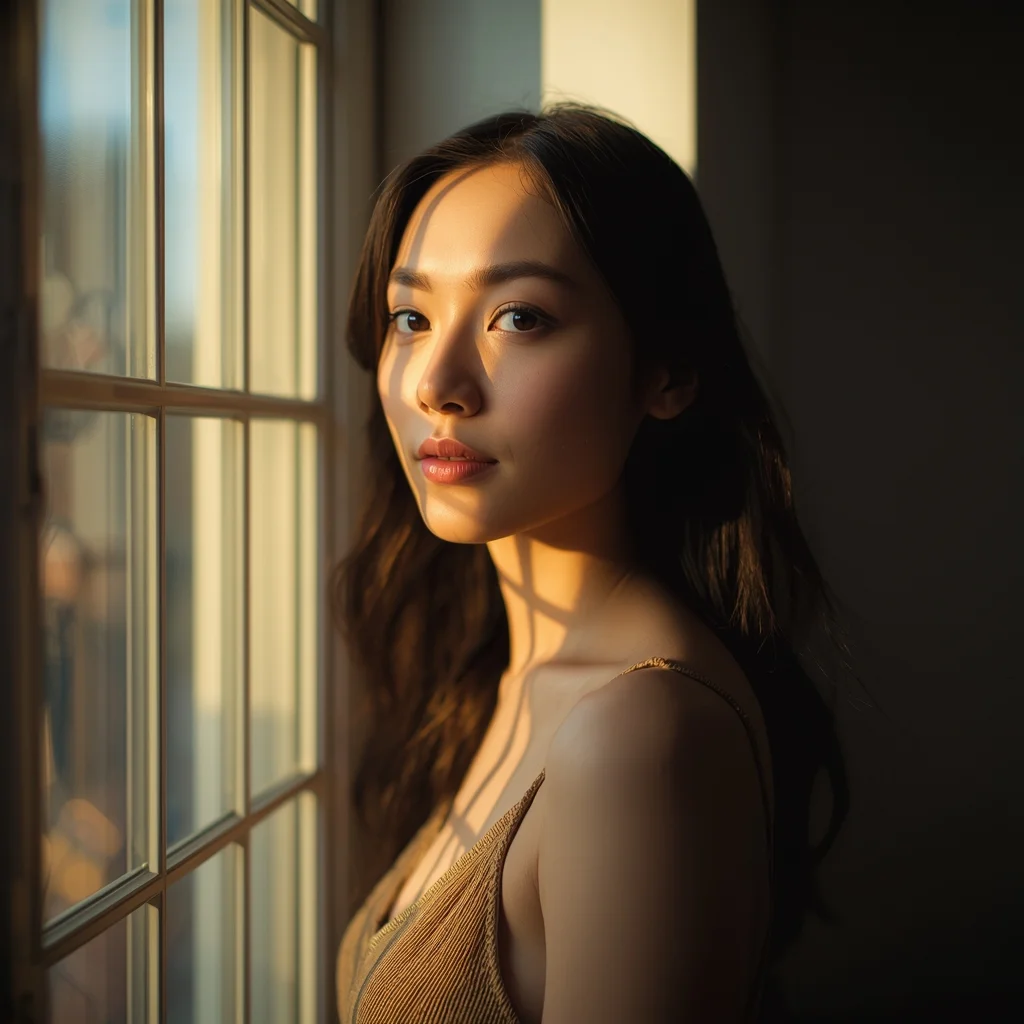
Natural light portrait of a woman standing beside a large window, soft sunlight falling across face and hair, gentle shadows, thoughtful calm expression, minimalist interior background, warm color tones, realistic skin highlights, cinematic depth of field, lifestyle photography aesthetic, professional ultra-detailed quality
Want to create this with your own face? Use this instruction:
The output must clearly resemble the exact same person from the reference image with perfect identity preservation. Natural light portrait of a woman standing beside a large window, soft sunlight falling across face and hair, gentle shadows, thoughtful calm expression, minimalist interior background, warm color tones, realistic skin highlights, cinematic depth of field, lifestyle photography aesthetic, professional ultra-detailed quality
About this Prompt
Step into a world of flawless, high-definition digital artistry with 'Window Light Thoughtful Pose | Ai Prompt Template'. Expertly engineered for Woman Pose Art enthusiasts, this advanced prompt bridges the gap between raw imagination and photorealistic execution, bringing unseen concepts to life with breathtaking precision and an unapologetically premium vibe. The visual precision engineered here is simply unmatched, incorporating incredibly soft, soothing pastel undertones or striking, aggressive bold contrasts depending on the specific generation. It effortlessly balances highly complex, cluttered background elements with a totally isolated, beautifully focused hero subject.
Absolutely ideal for visionary digital storytellers, bold concept artists, and modern designers looking to aggressively push the known boundaries of AI art. It drastically reduces iteration time while massively maximizing the sheer visual quality. Become the absolute, undeniable envy of your entire digital art network. By exclusively utilizing the sheer, raw, and unbridled power of this incredibly specific prompt, you firmly secure your permanent place in the absolute upper echelon of creators.
The Exclusive Resort Infinity Pool | Trending Ai Art Prompt
4108 mos ago
Prompt: A vibrant, luxurious travel photograph of a fit, wealthy man relaxing at the edge of an infinity pool at a 5-star resort in Bora Bora. He is wearing designer swim trunks and high-end sunglasses, with his arms resting on the pool edge, looking out over the turquoise ocean and overwater bungalows. His skin is tanned and wet. The sunlight is bright tropical midday sun. The water is crystal clear. The image is razor-sharp and highly saturated.
Prompt: A 1980s-inspired synthwave racing scene. A low-profile futuristic sports car with glowing purple wheels is speeding down a grid-patterned highway that stretches into an infinite horizon. A massive, stylized "outrun" sun with horizontal stripes is setting in the background. The sky is a gradient of deep purple, pink, and orange. Palm tree silhouettes line the road. The image has a slight VHS glitch effect, neon glow, retro-futuristic aesthetic, high-gloss car reflections, 4k resolution.
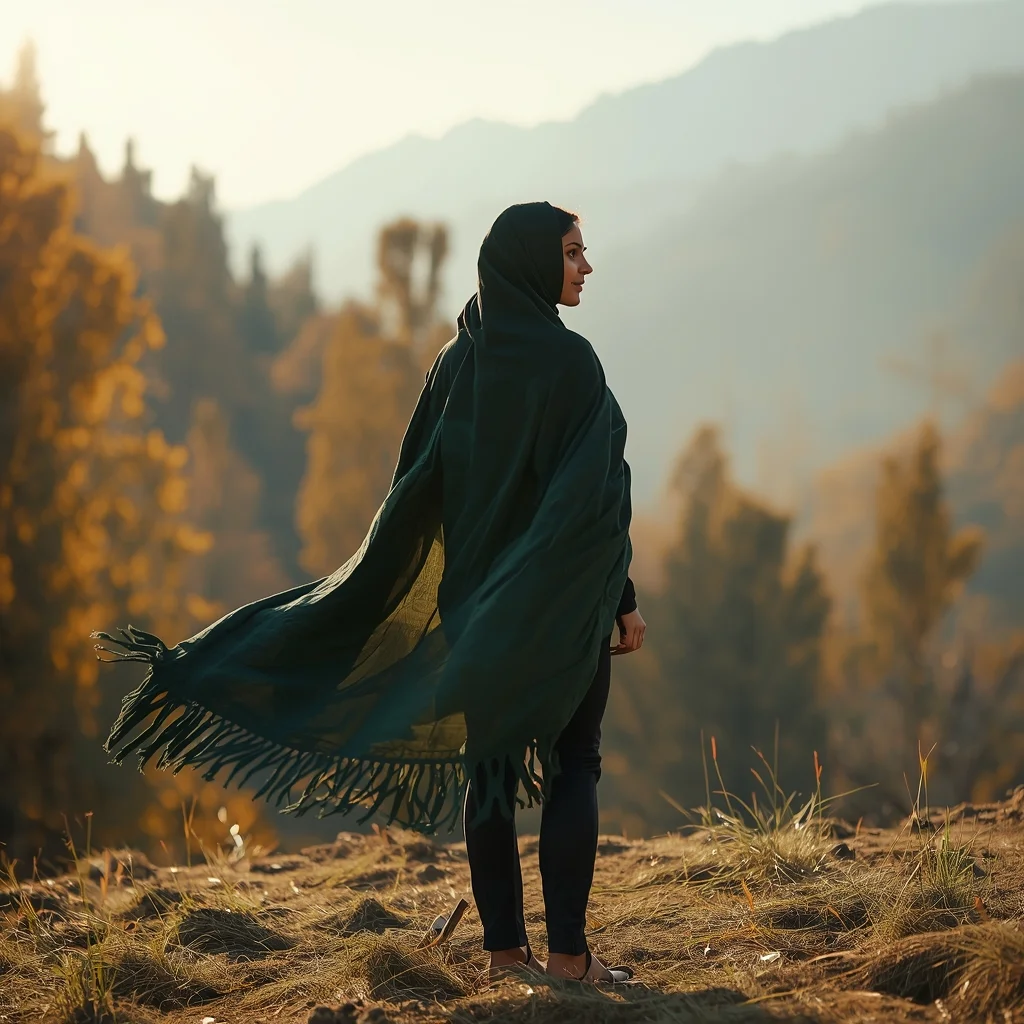
Timeless Kashmiri Woman in Autumn Landscape | Best Prompt Keyword
3488 mos ago
Prompt: An ultra-realistic cinematic image of a Kashmiri woman standing on a hillside during autumn, wearing a flowing traditional pheran in deep forest green. Her pose is elegant and timeless, body slightly angled, gaze directed toward the horizon. Chinar trees and distant mountains form the backdrop. Warm autumn sunlight, realistic textures, cultural authenticity, soft wind effect, professional DSLR quality, 8K photorealism.
Modern Indian Viral Reel Pose – Smooth Turn Glam Shot | Premium Ai Prompt Free
3318 mos ago
Prompt: An Indian woman wearing a modern Indo-western dress, captured mid-turn as if transitioning between reel clips. Fabric moves naturally with the motion, creating elegance. Body posture relaxed yet expressive, chin slightly lifted. Hair styled loose with subtle movement at the ends. Expression calm, confident, and stylish. Makeup is soft glam with radiant skin. Lighting clean and cinematic. Background minimal and aesthetic. Ultra-high resolution, influencer-style realism, cinematic depth, viral-ready composition.
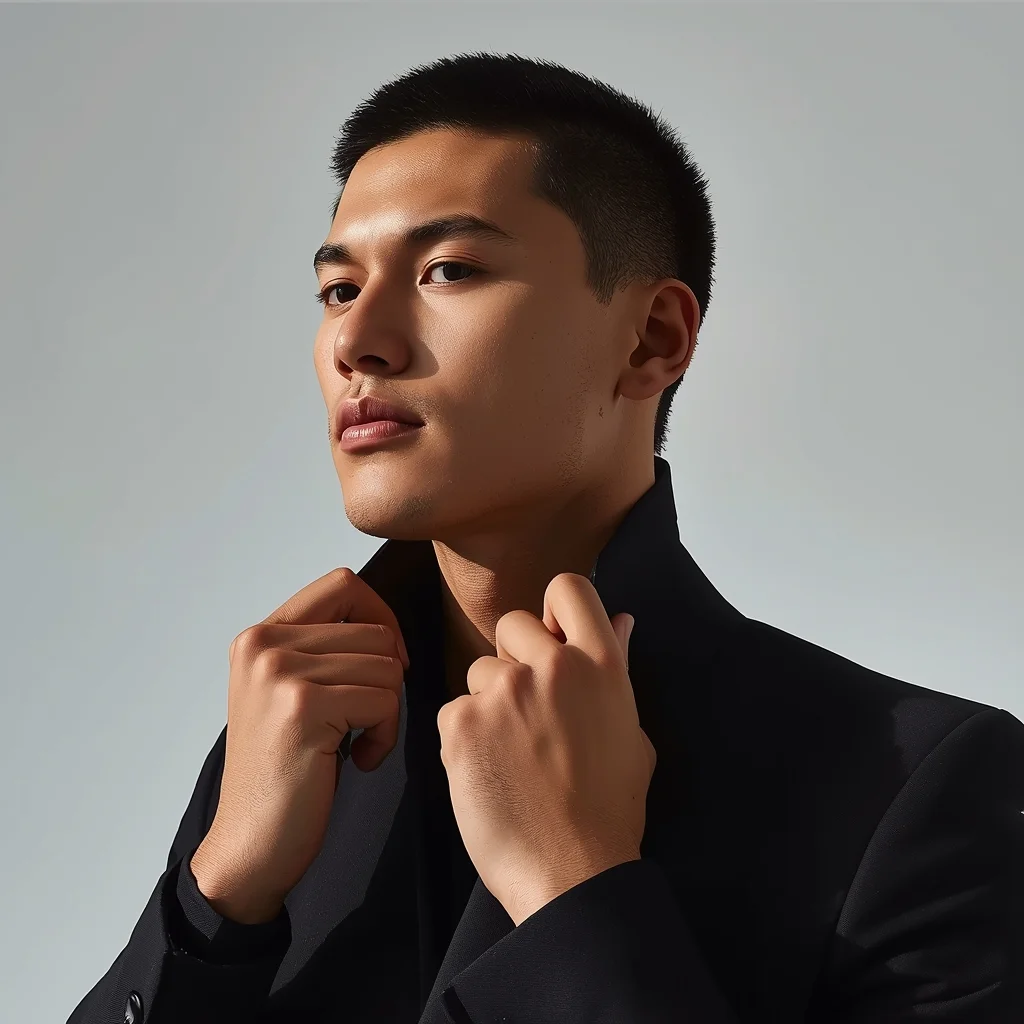
Prompt: A high-fashion AI influencer man adjusting his collar or neckline mid-pose, relaxed but confident posture, focused eyes, luxury minimal outfit, premium studio lighting sculpting facial structure, clean modern backdrop, editorial magazine-grade realism, viral influencer energy.
Traditional Dance Inspired Grace Pose | Top Ai Image Prompt Today
3338 mos ago
Prompt: A woman posing in a dance-inspired traditional stance, body slightly angled with expressive hand gestures and refined posture. Outfit reflects classical cultural design with flowing elements. Facial expression is focused and expressive, capturing the essence of tradition. Lighting highlights form and movement, creating depth and elegance. Artistic cultural photography, ultra-detailed realism, cinematic presentation.
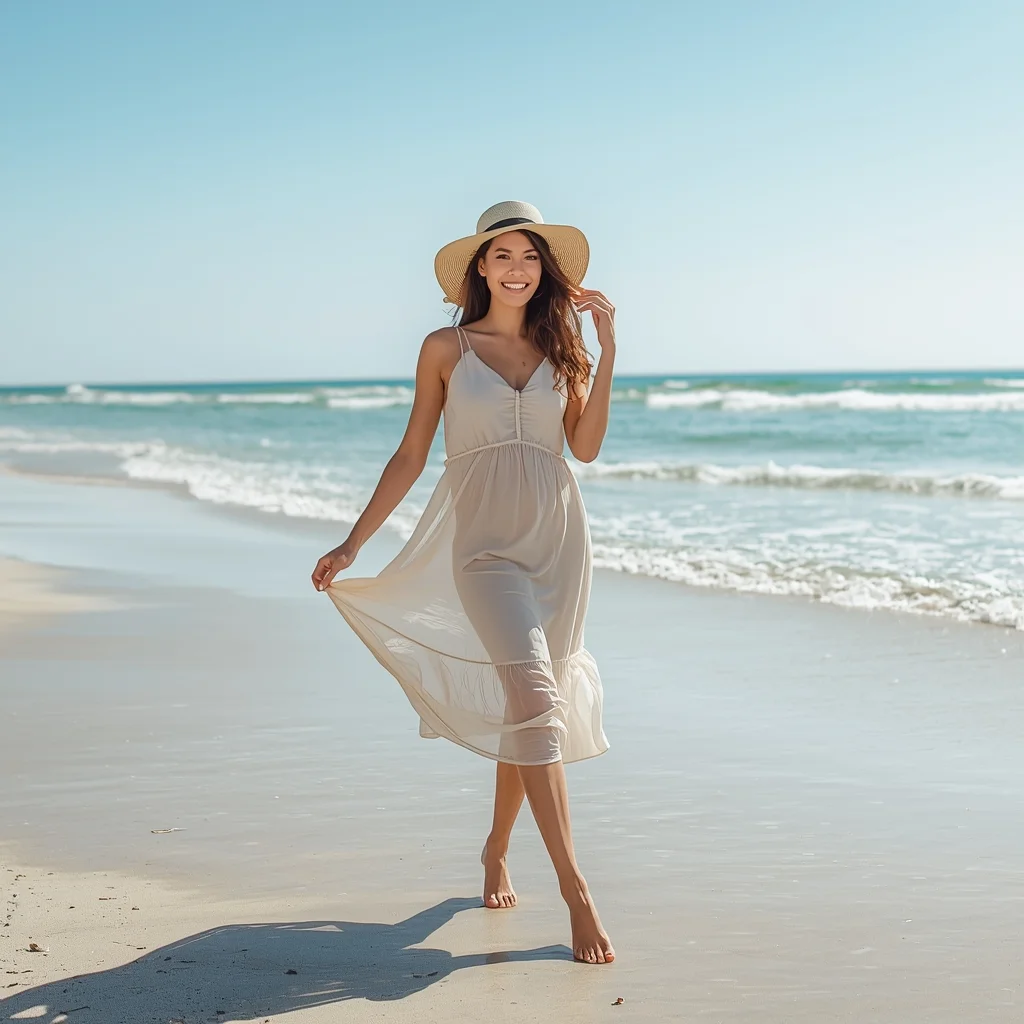
Beach Summer Freedom Pose | Gemini Prompt For Image
3458 mos ago
Prompt: A cheerful woman posing on a sunny beach wearing a light summer dress and wide-brim hat. She walks barefoot along the shoreline, one hand lifting the dress slightly, hair flowing naturally in the sea breeze. Bright sunlight, blue ocean, soft waves, clear sky. Lifestyle beach photography, vibrant colors, natural candid pose, joyful mood, high realism, crisp details, summer vacation aesthetic.
AI Influencer Chin-Up Confidence Studio Pose | Ultimate Gemini Prompt
3318 mos ago
Prompt: A fashionable AI influencer man standing tall in a studio, chin slightly raised, shoulders relaxed, hands casually placed near pockets, minimal modern outfit, soft lighting creating gentle shadows, clean background, premium influencer branding look, ultra-realistic AI portrait.
Frequently Asked Questions
Common questions regarding this AI prompt.
How can I use Inpainting to fix specific errors in the generated Window Light Thoughtful Pose | Ai Prompt Template image?
Inpainting is essential for perfection. If 90% of the Window Light Thoughtful Pose | Ai Prompt Template image is flawless but a hand or eye is distorted, send the image to an Inpaint tab. Mask only the flawed area, keep the original prompt, and set the denoising strength high (around 0.7). The AI will regenerate only that specific zone, seamlessly blending the fixed Woman Pose Art elements into the surrounding artwork.
How do I add realistic weather effects like rain or snow to the scene?
Weather completely alters the physics of light. If you add 'torrential rain, wet asphalt reflecting neon, water droplets clinging to surfaces', the AI will not just draw rain; it will change the specularity of the Window Light Thoughtful Pose | Ai Prompt Template subject. For snow, use 'heavy blizzard, frost-covered edges, soft diffused winter light' to change the entire atmosphere of the Woman Pose Art generation.
Can I simulate bioluminescence or neon lighting in this prompt?
Yes, you can easily shift the scene into a sci-fi or fantasy realm by adding terms like 'bioluminescent glow', 'neon tube lighting', 'emissive materials', or 'fluorescent accents'. These modifiers will cause the objects within the Woman Pose Art scene to act as their own light sources, casting incredibly realistic colored reflections onto surrounding surfaces.
How customizable are the character and environment details in the Window Light Thoughtful Pose | Ai Prompt Template prompt?
Highly customizable. The prompt serves as a robust architectural framework. You can easily swap out specific nouns or color palettes while retaining the core Woman Pose Art style. For example, changing the time of day or the primary clothing material will seamlessly adapt the scene while maintaining the high-definition rendering quality originally intended for Window Light Thoughtful Pose | Ai Prompt Template.
How do I ensure the skin textures in Window Light Thoughtful Pose | Ai Prompt Template look photorealistic and not plastic?
AI often defaults to overly smooth, airbrushed skin. To counter this, you must explicitly demand imperfections. Add 'subsurface scattering, visible skin pores, peach fuzz, micro-wrinkles, highly detailed skin texture, raw unedited photograph' to the prompt. This forces the model to render the human elements of the Woman Pose Art scene with authentic, biological realism.
Can I use Image-to-Image (Img2Img) techniques with the Window Light Thoughtful Pose | Ai Prompt Template prompt?
Absolutely. Using a rough sketch or a reference photo alongside this prompt in an Img2Img workflow is highly effective. We recommend setting your Denoising Strength between 0.45 and 0.65. This range is the 'sweet spot' that allows the AI to apply the high-quality textures and lighting of the Window Light Thoughtful Pose | Ai Prompt Template prompt while strictly respecting the structural layout of your reference image.
What is the core conceptual focus of the Window Light Thoughtful Pose | Ai Prompt Template prompt?
The Window Light Thoughtful Pose | Ai Prompt Template prompt is meticulously engineered to focus on high-fidelity visual storytelling within the Woman Pose Art genre. By leveraging advanced keyword weighting and specific rendering tokens, it ensures that the AI prioritizes both the primary subject matter and the intricate atmospheric details, resulting in a highly professional and polished final image.
How does this prompt handle lighting and atmospheric effects?
This prompt utilizes a sophisticated combination of cinematic lighting descriptors and atmospheric keywords tailored for Woman Pose Art. By specifying light direction, diffusion, and volumetric properties like 'god rays' or 'softbox lighting', it forces modern AI engines like Midjourney v6 and Flux to calculate highly realistic light bounces, creating a deeply immersive environment.
Does this prompt support blending multiple concepts together?
Yes, advanced users can use this prompt as a base for concept blending. By utilizing syntax like [Concept A : Concept B : 0.5] in Automatic1111 or simply describing a hybrid scenario, the strong foundational parameters of the Window Light Thoughtful Pose | Ai Prompt Template prompt will ensure the merged concepts render cohesively without degrading into visual noise.
What should I do if the background of Window Light Thoughtful Pose | Ai Prompt Template becomes too cluttered?
If the AI over-complicates the background, you need to assert control over the depth of field. Add strict modifiers like 'clean minimalist background, studio backdrop, heavy bokeh, blurred environment' to the prompt. Additionally, placing the subject-specific keywords at the very front of the prompt ensures the AI prioritizes the main Window Light Thoughtful Pose | Ai Prompt Template element.
How can I adjust the emotional tone or mood of Window Light Thoughtful Pose | Ai Prompt Template?
The mood is heavily dictated by lighting and color grading keywords. To make Window Light Thoughtful Pose | Ai Prompt Template feel more melancholic, replace warm lighting terms with 'cool blue tones, rainy atmosphere, and dramatic shadows'. Conversely, adding 'vibrant saturation, golden hour sunlight, and joyful expressions' will instantly uplift the emotional resonance of the Woman Pose Art scene.
What architectural composition techniques are embedded in the Window Light Thoughtful Pose | Ai Prompt Template prompt?
The Window Light Thoughtful Pose | Ai Prompt Template prompt utilizes advanced compositional frameworks such as the golden ratio and leading lines. By strategically placing the core Woman Pose Art subject matter at intersection points, it guides the viewer's eye naturally through the scene. This mathematical approach to AI generation ensures the final output feels balanced and visually arresting without requiring post-crop adjustments.
Why might the colors in my Window Light Thoughtful Pose | Ai Prompt Template generation appear washed out, and how do I fix it?
Washed-out colors typically result from a missing VAE file in local setups, or a lack of color-grading instructions. To immediately fix this within the text prompt itself, append phrases such as 'vibrant technicolor, rich saturation, HDR, cinematic color grading, high contrast'. This forces the AI to map a wider, more dynamic color range to your image.