Double Exposure Storm | Ai Prompt For High Engagement
High-quality AI-generated image. Optimized for detailed rendering, perfect for creative projects and inspiration.
193Views
2 Likes
100%Quality
FreeLicense
AI Prompt
A surreal double-exposure portrait of a pensive person. Their profile blends seamlessly into a dramatic storm cloud formation with lightning, symbolizing inner turmoil, cinematic lighting
Want to create this with your own face? Use this instruction:
No distortion, no smoothing, no reshaping of the face. A surreal double-exposure portrait of a pensive person. Their profile blends seamlessly into a dramatic storm cloud formation with lightning, symbolizing inner turmoil, cinematic lighting
About this Prompt
Say hello to your new favorite creative asset, 'Double Exposure Storm | Ai Prompt For High Engagement', a breathtaking fusion of hyper-advanced prompting techniques and classic AI Image Prompt storytelling. The sheer elegance embedded in this prompt is entirely unmatched, guaranteeing a mesmerizing and deeply evocative output every single time. Extremely High Dynamic Range (HDR) tonemapping parameters make the final render insanely vivid, utilizing the absolute maximum available light spectrum. The brilliant, pure visual minimalism creates a massive, staggering impact by stripping away all unnecessary noise to reveal the pure, unadulterated AI Image Prompt essence.
From captivating, highly viral Instagram carousel posts to massively detailed, large-scale print-on-demand graphics, the sheer, staggering versatility of this specific prompt makes it a mandatory, must-have addition to your daily creative rendering toolkit. Embrace the highly anticipated, bleeding-edge absolute future of pixel generation. This text string is widely considered the undisputed, heavily relied-upon heavyweight champion of modern prompts, guaranteeing an absolute visual ecstasy for your eager viewers' retinas.
College Youth Natural Energy Pose | Best Ai Prompt Trick
1784 mos ago
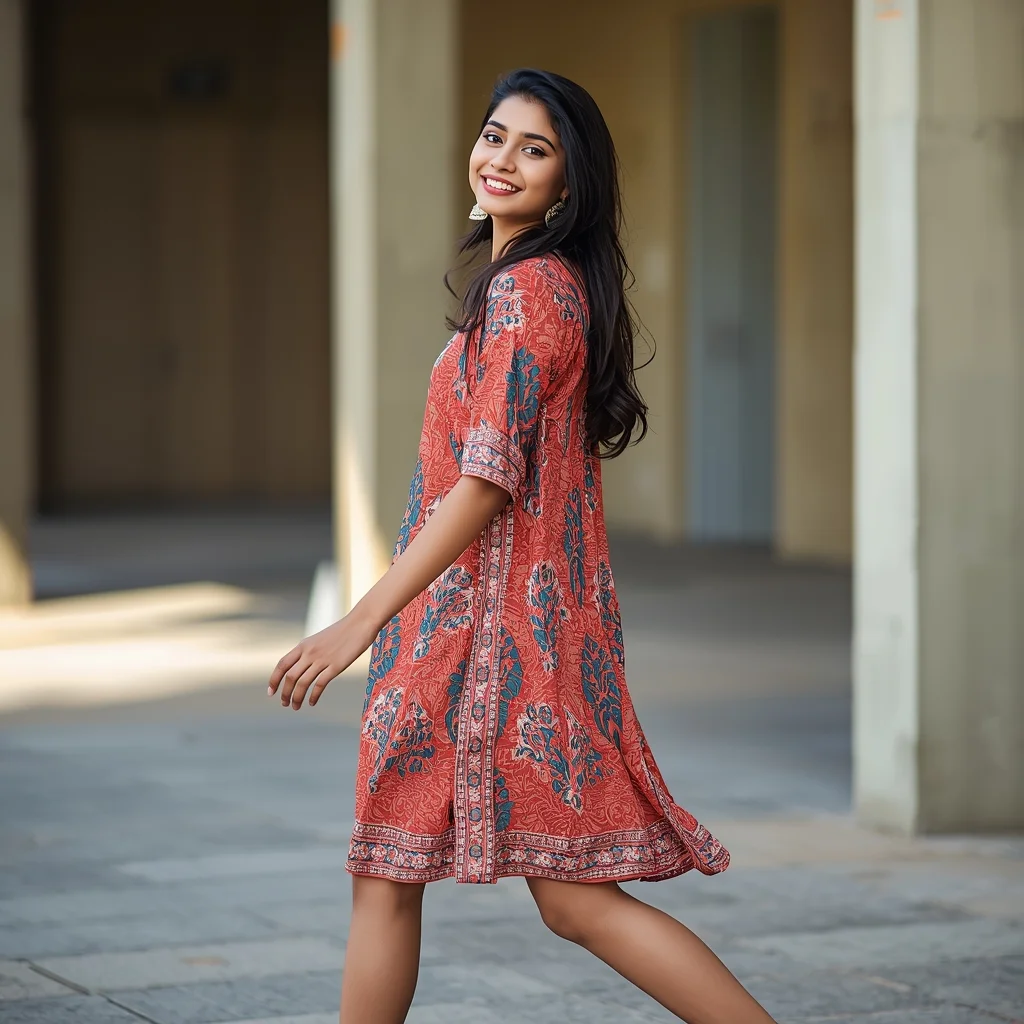
Prompt: A young Indian woman wearing trendy college or youth-style Indian dresses, captured in a lively yet natural pose. She stands mid-step or slightly turning, with relaxed posture and a bright, confident expression. Makeup is light and youthful, hair loose or casually styled. Natural daylight enhances realism. The background feels open and casual, such as a campus or modern outdoor setting. The image captures energy, freedom, and youthful confidence, with soft motion, realistic proportions, and social-media-ready clarity.
I Crushed A $1,000,000 Lamborghini in a Hydraulic Press | Prompt For Background
1644 mos ago
Prompt: An extreme action, high-impact industrial thumbnail. A bright yellow Lamborghini Aventador is being violently crushed flat by a massive, greasy industrial hydraulic press. The moment of impact is captured, with glass shattering outwards, metal buckling and tearing, and sparks flying wildly. Hydraulic fluid sprays in the air. The lighting is intense, industrial strip lighting that creates harsh highlights on the destruction. In the foreground, a creator with safety glasses has their hands on their head in a screaming reaction of disbelief. 8k resolution, high-speed photography style, incredibly detailed textures of destroyed metal and carbon fiber.
The Intellectual Artist in His Studio | Ai Prompt Keyword
1924 mos ago
Prompt: A candid shot of a man with glasses and a messy apron standing in a sun-drenched art studio. He is surrounded by large canvas paintings and jars of brushes. He is holding a palette knife and looking thoughtfully at a half-finished abstract painting. Paint splatters on his hands and face, warm dusty atmosphere, bokeh background, highly detailed oil paint textures, realistic lifestyle photography.
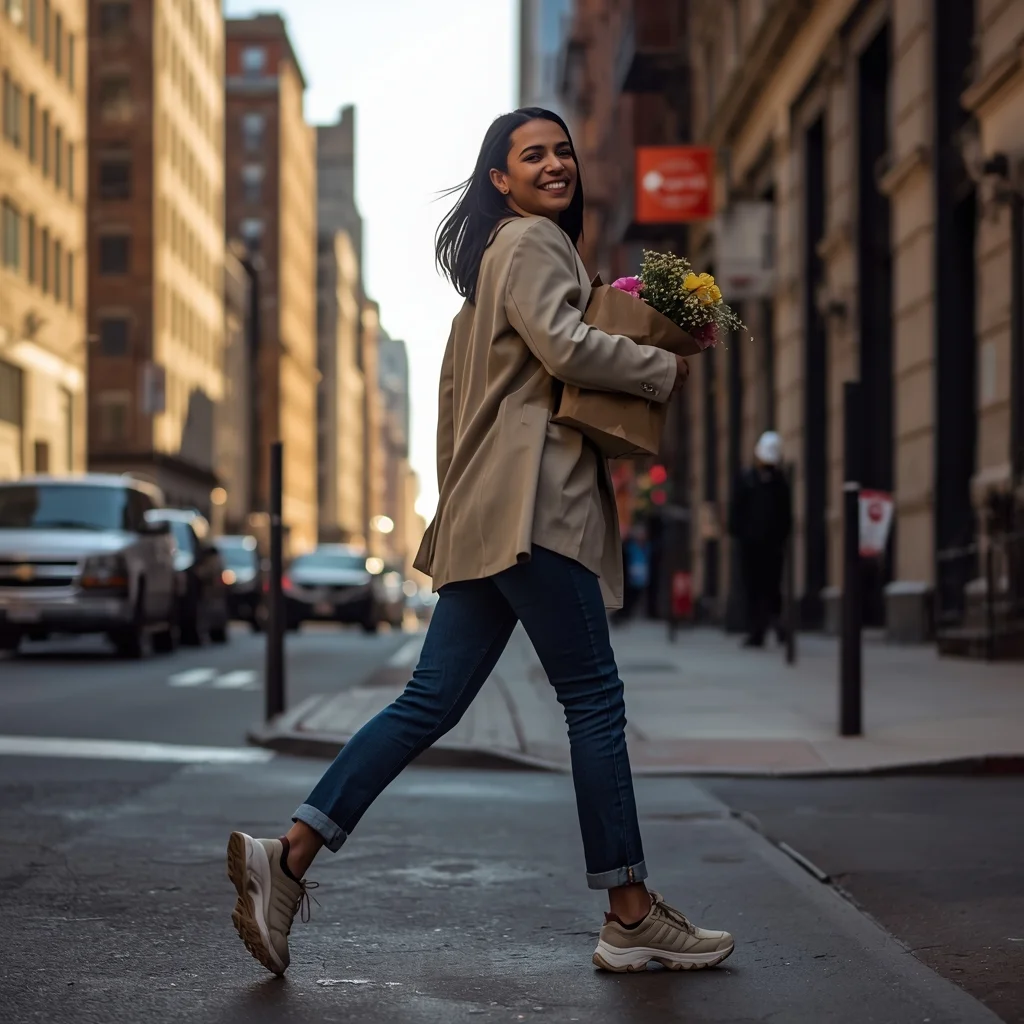
Prompt: A candid, vibrant street-style shot of a woman in an oversized beige blazer, denim jeans, and chunky sneakers walking through the sun-drenched streets of Soho, New York. | Pose: Captured mid-stride (the 'walking pose'), one foot lifted off the ground. She is holding a brown paper bag with flowers in one arm and looking over her shoulder at someone off-camera with a genuine, joyful laugh. | Technical: 85mm f/1.4 lens for a creamy background bokeh, natural golden morning sunlight, sharp focus on the eyes and movement, vibrant urban color grading, 4k resolution.
A woman lying on her back on a mechanic's creeper underneath a massive, greasy hover-engine, holding a glowing hydro-wrench upward. Oil smudges on her face and arms, sweat glistening on her skin. Wires hanging down, sparks flying from a welding bot nearby in the cluttered workshop. Close-up shot emphasizing detailed mechanical textures and skin pores, warm workshop lighting, 8k render
A classic reaction video composition showing two distinct panels. On the left, a YouTuber in a home studio with purple background lighting is holding their hands over their mouth in absolute disbelief, eyes wide, looking at a screen off-camera. On the right panel, a blurry, controversial clip from a reality TV show is visible, showing two people arguing intensely. A large, cartoonish red question mark graphic is superimposed between the two panels. The image is designed to incite curiosity about what they are reacting to. Aspect
Royal Traditional Indian Kurta Confidence Pose | Smart Prompt For Better Image
1834 mos ago
Prompt: An Indian man standing tall in a royal embroidered kurta and churidar, hands gently clasped in front, confident calm expression, traditional palace-inspired background, warm golden lighting, detailed fabric texture, cultural elegance, cinematic Indian portrait photography, ultra-realistic, high resolution.
Viral Head Turn Motion Freeze Pose | Flawless Image Prompt
1994 mos ago
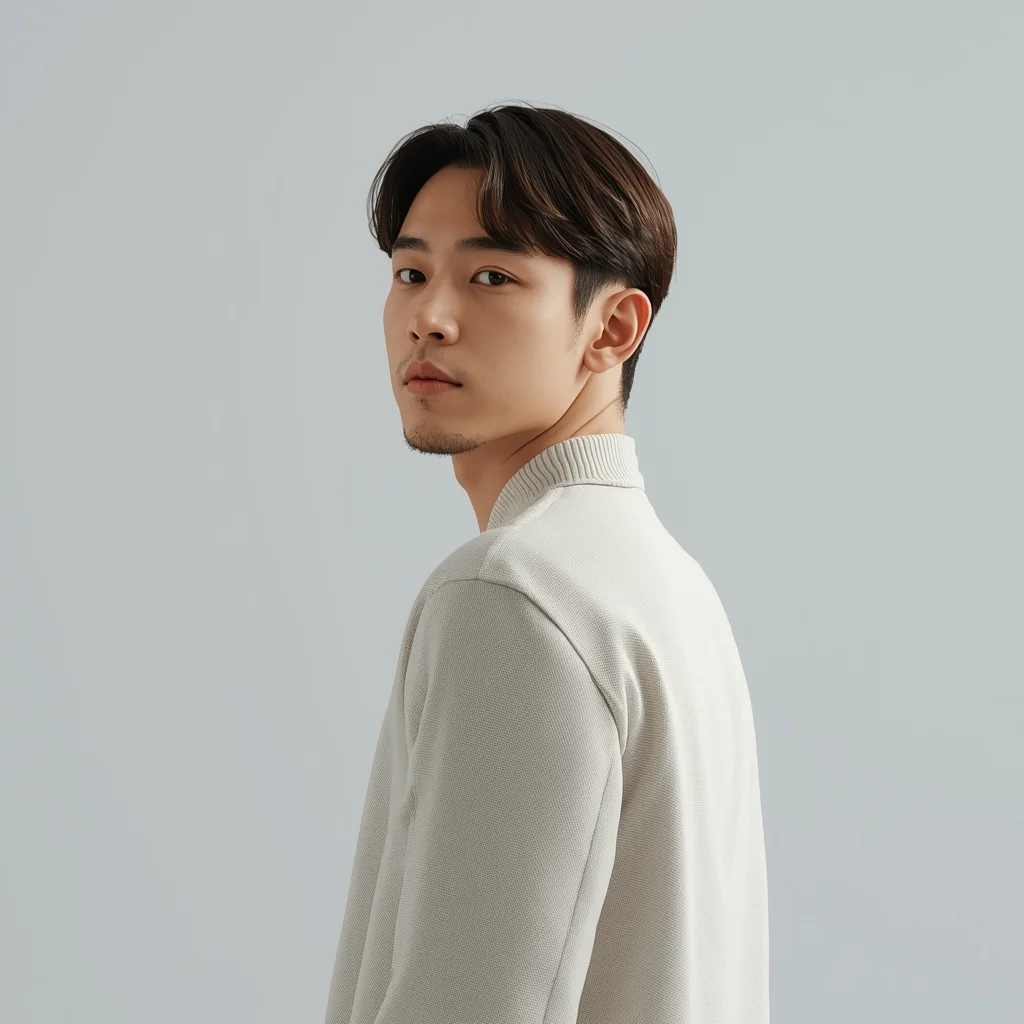
Prompt: A modern AI influencer male captured at the exact moment of turning his head toward the camera, subtle motion freeze, confident expression, clean minimal outfit, soft studio lighting with cinematic shadows, seamless background, trending Instagram reel look, hyper-realistic AI portrait.
Frequently Asked Questions
Common questions regarding this AI prompt.
How can I dictate the camera angle to make the subject look more powerful?
Camera angle completely changes the psychological impact. To make the subject of Double Exposure Storm | Ai Prompt For High Engagement appear dominant or towering, insert 'low angle shot' or 'worm's-eye view'. Conversely, to make the AI Image Prompt scene feel vast and the subject small, use 'drone shot', 'bird's-eye view', or 'extreme high angle'.
How do I add realistic weather effects like rain or snow to the scene?
Weather completely alters the physics of light. If you add 'torrential rain, wet asphalt reflecting neon, water droplets clinging to surfaces', the AI will not just draw rain; it will change the specularity of the Double Exposure Storm | Ai Prompt For High Engagement subject. For snow, use 'heavy blizzard, frost-covered edges, soft diffused winter light' to change the entire atmosphere of the AI Image Prompt generation.
How do I give Double Exposure Storm | Ai Prompt For High Engagement a retro, 1980s synthwave aesthetic?
Inject keywords that define that specific era's pop culture. Use 'vaporwave aesthetic, 1980s synthwave, neon grid background, cyan and magenta color palette, VHS glitch effect, retro-futurism'. This overrides the standard lighting and wraps the Double Exposure Storm | Ai Prompt For High Engagement subject in a highly stylized, nostalgic digital atmosphere.
How do I create a surreal, dream-like version of Double Exposure Storm | Ai Prompt For High Engagement?
To break the laws of physics, use keywords like 'surrealism, dreamscape, floating objects, defying gravity, Salvador Dali style, mind-bending geometry, ethereal'. The AI will take the familiar elements of Double Exposure Storm | Ai Prompt For High Engagement and arrange them in illogical, fascinating ways, creating a truly unique AI Image Prompt art piece.
How do I inject a cyberpunk or dystopian sci-fi feel into Double Exposure Storm | Ai Prompt For High Engagement?
Add 'cyberpunk metropolis, neon rain, holographic advertisements, high-tech low-life, chrome and cables'. The AI will retain the core shape and intent of the Double Exposure Storm | Ai Prompt For High Engagement prompt but re-texture everything with futuristic, glowing, and metallic sci-fi elements.
What are the recommended parameters for generating Double Exposure Storm | Ai Prompt For High Engagement in Stable Diffusion XL (SDXL)?
For optimal results in SDXL, we recommend pairing this prompt with a high-quality checkpoint like Juggernaut XL. Use the DPM++ 2M Karras sampler with approximately 35-40 steps and a CFG scale between 6.5 and 8.0. This combination strikes the perfect balance between adhering strictly to the Double Exposure Storm | Ai Prompt For High Engagement description and allowing the model's creative freedom.
How can I use Inpainting to fix specific errors in the generated Double Exposure Storm | Ai Prompt For High Engagement image?
Inpainting is essential for perfection. If 90% of the Double Exposure Storm | Ai Prompt For High Engagement image is flawless but a hand or eye is distorted, send the image to an Inpaint tab. Mask only the flawed area, keep the original prompt, and set the denoising strength high (around 0.7). The AI will regenerate only that specific zone, seamlessly blending the fixed AI Image Prompt elements into the surrounding artwork.
How do I ensure the skin textures in Double Exposure Storm | Ai Prompt For High Engagement look photorealistic and not plastic?
AI often defaults to overly smooth, airbrushed skin. To counter this, you must explicitly demand imperfections. Add 'subsurface scattering, visible skin pores, peach fuzz, micro-wrinkles, highly detailed skin texture, raw unedited photograph' to the prompt. This forces the model to render the human elements of the AI Image Prompt scene with authentic, biological realism.
Can I make the characters or subjects in Double Exposure Storm | Ai Prompt For High Engagement look like cyborgs?
Easily. Append 'cybernetic enhancements, robotic limbs, glowing optical sensors, biomechanical plating, android'. The AI seamlessly blends biological flesh with metallic machinery, maintaining the high-quality rendering of the original AI Image Prompt prompt while shifting the character design.
What is the best way to force an ultra-wide or panoramic view?
To force a panoramic composition, you must combine aspect ratio parameters with specific camera descriptors. In Midjourney, use '--ar 21:9'. Within the prompt text itself, include 'ultra-wide panoramic landscape, 14mm lens, expansive horizon, sweeping view'. This ensures the Double Exposure Storm | Ai Prompt For High Engagement subject matter is distributed correctly across a massive, cinematic canvas.