A high-octane gaming thumbnail | Best Prompt For Cinematic Shot
High-quality AI-generated image. Optimized for detailed rendering, perfect for creative projects and inspiration.
230Views
0 Likes
100%Quality
FreeLicense
AI Prompt
Prompt: A high-octane gaming thumbnail featuring a third-person perspective of a character standing next to a hyper-realistic purple supercar on a neon-lit Miami-inspired street at night. The character is wearing detailed streetwear, and the reflections of neon signs in the car's paint and the wet asphalt are perfectly ray-traced. A minimalist game HUD with a map and health bar is in the corners. The background shows a vibrant city skyline with palm trees. Unreal Engine 5 render, 8k, cinematic action shot, high saturation, sharp detail.
Want to create this with your own face? Use this instruction:
Keep eyes, nose, lips, jawline, and skin exactly as in reference image. Prompt: A high-octane gaming thumbnail featuring a third-person perspective of a character standing next to a hyper-realistic purple supercar on a neon-lit Miami-inspired street at night. The character is wearing detailed streetwear, and the reflections of neon signs in the car's paint and the wet asphalt are perfectly ray-traced. A minimalist game HUD with a map and health bar is in the corners. The background shows a vibrant city skyline with palm trees. Unreal Engine 5 render, 8k, cinematic action shot, high saturation, sharp detail.
About this Prompt
There is a poetic rhythm and a striking visual cadence to 'A high-octane gaming thumbnail | Best Prompt For Cinematic Shot', echoing the greatest, most celebrated works of the YouTube Thumbnail genre. It stands tall as a masterclass in prompt engineering, acting as the ultimate bridge between human imagination and perfect AI manifestation. The underlying aesthetic is aggressively driven by advanced color theory and highly dynamic spatial composition. It perfectly captures raw, fleeting emotion and fluid motion, framing the incredibly detailed hero subject against a beautifully crafted, immersive, and heavily layered YouTube Thumbnail background.
Utilize this prompt to completely revolutionize your digital product mockups, ensuring that your e-commerce listings, promotional banners, and visual advertisements look undeniably expensive, highly trustworthy, and professionally produced by a top-tier design agency. When you confidently deploy this exact prompt, you are actively creating digital history. There is absolutely no better time like the present to start rendering this essential asset and massively streamlining your daily, professional creative workflow.
Prompt: Design a powerful YouTube thumbnail showing a confident person standing between two contrasting sides: left side dark, dull, and chaotic; right side bright, golden, and successful. The person is smiling and holding a glowing checklist titled “ONE HABIT.” Include luxury elements like money, graphs going up, city skyline, and success symbols on the bright side. Use strong color contrast, warm gold tones, cinematic lighting, sharp details, expressive face, bold framing, emotional storytelling, high saturation, and professional thumbnail composition designed for viral YouTube content.
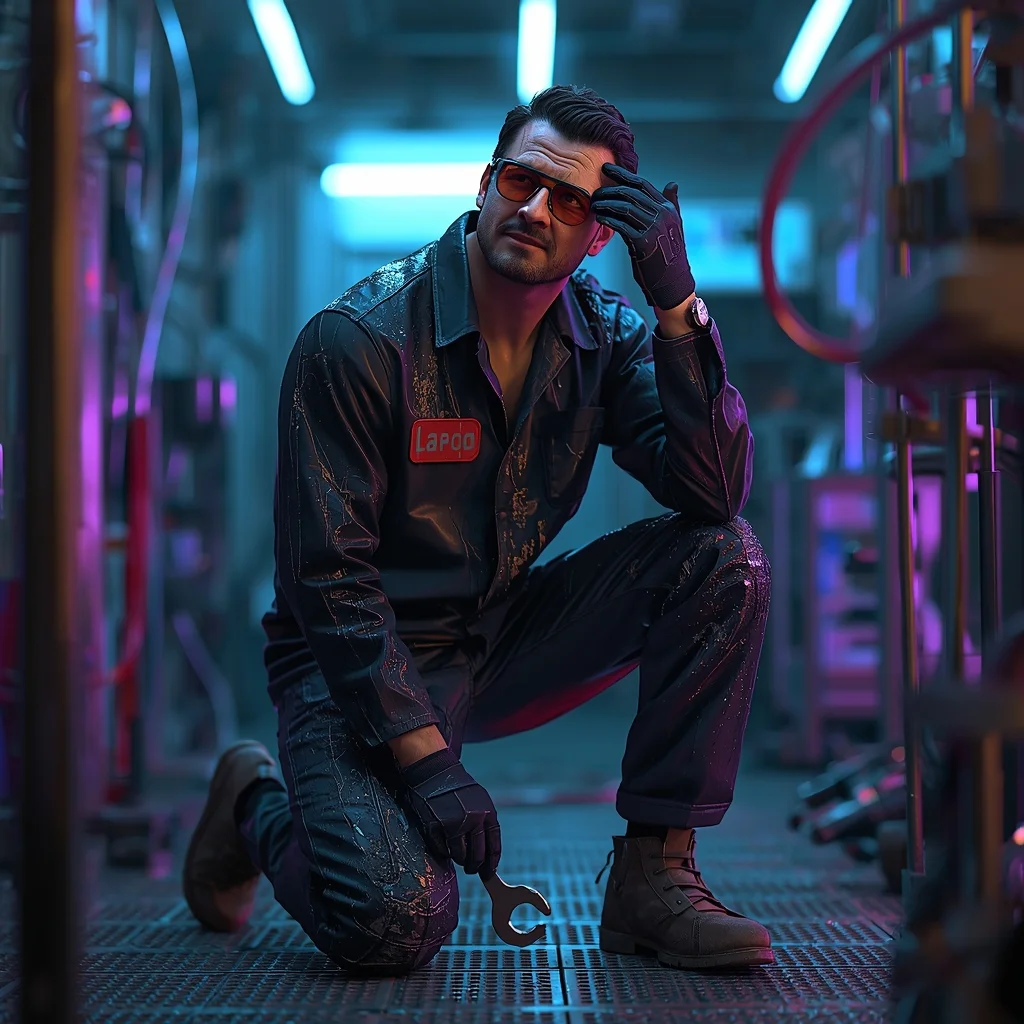
Prompt: A man in futuristic workwear covered in grease and grime, kneeling in a neon-lit garage filled with wires and robotic parts. Blue and purple light sources reflect off metallic surfaces and his protective goggles. Pose: Kneeling on one knee, holding a futuristic wrench, looking up from his work at a droid chassis. He is wiping sweat from his forehead with the back of a gloved hand, looking tired but satisfied. Technical: High contrast neon lighting, ray tracing rendering style, 50mm lens, highly detailed textures on metal and skin.
Pose: Kneeling on one knee, holding a futuristic wrench, looking up from his work at a droid chassis. He is wiping sweat from his forehead with the back of a gloved hand, looking tired but satisfied. Technical: High contrast neon lighting, ray tracing rendering style, 50mm lens, highly detailed textures on metal and skin.
Technical: High contrast neon lighting, ray tracing rendering style, 50mm lens, highly detailed textures on metal and skin.
New York Concrete Jungle | High Quality Ai Prompt List
2616 mos ago
Prompt: A vibrant, street-style action shot of a woman in a neon-yellow designer windbreaker and sleek black leggings running across a busy Manhattan crosswalk with yellow taxis blurred in the background. | Pose: Captured in a dynamic mid-stride sprint, one foot pushing off the asphalt. Her hair is whipping behind her, and she is looking forward with a look of extreme determination and athletic power. | Technical: High-speed photography, 1/8000 sec shutter speed, 50mm lens, vibrant urban colors, sharp focus on the subject with heavy motion blur on the background, photorealistic.
Modern Indian Viral Reel Pose – Direct Camera Connect | Best Ai Prompt
2446 mos ago
Prompt: An Indian female model in a bold modern Indian dress, captured mid-step while directly engaging the camera. Body posture confident and expressive, shoulders relaxed. Hair styled with texture and light movement. Expression strong, confident, and magnetic. Makeup is bold-glam yet clean. Lighting is bright with controlled contrast. Background minimal to enhance focus. Ultra-realistic textures, cinematic reel composition, influencer-grade polish, designed for viral reach.
Prompt: A female model in a white lace maxi dress with long bell sleeves and a wide-brimmed hat. The pose is the "horizon gaze," standing on a sand dune, shielding her eyes from the sun with one hand while the other holds the hem of her dress. The background is a vast orange desert during a hazy sunset. Warm, earthy tones, cinematic wide-angle shot, and detailed lace patterns with a soft, grainy film texture.
Glam Soft Spotlight Portrait Pose | Ai Prompt For Stunning Portrait
2536 mos ago
Prompt: A young woman captured in a glam portrait pose under soft spotlight lighting, relaxed yet elegant posture, subtle smile, flowing outfit. Dark or neutral background, cinematic shadows, high-fashion photography style, ultra-realistic facial details.
Midnight Neon Reflection | Top Trending Ai Prompt Style
2456 mos ago
Prompt: A hyper-realistic night-time shot of a woman in a "looking-back" pose while standing in a rain-slicked alleyway in Tokyo. She is wearing a reflective silver puffer jacket over a black turtleneck. The "new realistic" style captures the neon pink and blue light reflecting off her wet skin and the individual raindrops on her jacket. The camera is positioned at a low angle, using a 35mm f/1.4 lens to create a cinematic bokeh background of blurred city lights. Authentic skin grain, visible pores, and slightly messy, damp hair strands for a non-perfect, real-world aesthetic.
Modern Indian Viral Reel Pose – Smooth Turn Glam Shot | Premium Ai Prompt Free
2776 mos ago
Prompt: An Indian woman wearing a modern Indo-western dress, captured mid-turn as if transitioning between reel clips. Fabric moves naturally with the motion, creating elegance. Body posture relaxed yet expressive, chin slightly lifted. Hair styled loose with subtle movement at the ends. Expression calm, confident, and stylish. Makeup is soft glam with radiant skin. Lighting clean and cinematic. Background minimal and aesthetic. Ultra-high resolution, influencer-style realism, cinematic depth, viral-ready composition.
Frequently Asked Questions
Common questions regarding this AI prompt.
How do I create a surreal, dream-like version of A high-octane gaming thumbnail | Best Prompt For Cinematic Shot?
To break the laws of physics, use keywords like 'surrealism, dreamscape, floating objects, defying gravity, Salvador Dali style, mind-bending geometry, ethereal'. The AI will take the familiar elements of A high-octane gaming thumbnail | Best Prompt For Cinematic Shot and arrange them in illogical, fascinating ways, creating a truly unique YouTube Thumbnail art piece.
Can I convert the scene into a post-apocalyptic wasteland?
Yes, by adding 'post-apocalyptic, overgrown ruins, rusted metal, decayed urban environment, survival aesthetic, cinematic fallout style'. The AI will take the core structure of A high-octane gaming thumbnail | Best Prompt For Cinematic Shot and age it by decades, adding immense weathering and environmental storytelling to the YouTube Thumbnail image.
Can I change the material composition of objects in the A high-octane gaming thumbnail | Best Prompt For Cinematic Shot prompt?
Yes, AI handles material transformation brilliantly. If you want to change a standard object into something surreal, use explicit material descriptors like 'made of translucent frosted glass', 'brushed anodized aluminum', 'woven carbon fiber', or 'wet shimmering obsidian'. This will completely recalculate the reflections and refractions in the YouTube Thumbnail output.
How do I achieve an extreme close-up or macro shot of A high-octane gaming thumbnail | Best Prompt For Cinematic Shot?
Modify the perspective by heavily weighting keywords like 'extreme macro photography', '100mm macro lens', 'microscopic detail', and 'extreme close up'. This forces the AI engine to ignore the broader YouTube Thumbnail environment and dedicate all of its rendering power to the microscopic textures, fibers, or surface imperfections of the primary subject.
How does this prompt handle lighting and atmospheric effects?
This prompt utilizes a sophisticated combination of cinematic lighting descriptors and atmospheric keywords tailored for YouTube Thumbnail. By specifying light direction, diffusion, and volumetric properties like 'god rays' or 'softbox lighting', it forces modern AI engines like Midjourney v6 and Flux to calculate highly realistic light bounces, creating a deeply immersive environment.
How can I use Inpainting to fix specific errors in the generated A high-octane gaming thumbnail | Best Prompt For Cinematic Shot image?
Inpainting is essential for perfection. If 90% of the A high-octane gaming thumbnail | Best Prompt For Cinematic Shot image is flawless but a hand or eye is distorted, send the image to an Inpaint tab. Mask only the flawed area, keep the original prompt, and set the denoising strength high (around 0.7). The AI will regenerate only that specific zone, seamlessly blending the fixed YouTube Thumbnail elements into the surrounding artwork.
Is it possible to use this static image prompt as a base for AI video animation?
Yes, this is a very popular workflow. Once you generate the perfect still image of A high-octane gaming thumbnail | Best Prompt For Cinematic Shot, you can import it into cutting-edge AI video generators like Luma Dream Machine, Kling AI, Runway Gen-3, or Pika Labs. The high detail and clear focus provided by this YouTube Thumbnail prompt make it an ideal initial keyframe, resulting in smooth, artifact-free animations.
How do I inject a cyberpunk or dystopian sci-fi feel into A high-octane gaming thumbnail | Best Prompt For Cinematic Shot?
Add 'cyberpunk metropolis, neon rain, holographic advertisements, high-tech low-life, chrome and cables'. The AI will retain the core shape and intent of the A high-octane gaming thumbnail | Best Prompt For Cinematic Shot prompt but re-texture everything with futuristic, glowing, and metallic sci-fi elements.
What architectural composition techniques are embedded in the A high-octane gaming thumbnail | Best Prompt For Cinematic Shot prompt?
The A high-octane gaming thumbnail | Best Prompt For Cinematic Shot prompt utilizes advanced compositional frameworks such as the golden ratio and leading lines. By strategically placing the core YouTube Thumbnail subject matter at intersection points, it guides the viewer's eye naturally through the scene. This mathematical approach to AI generation ensures the final output feels balanced and visually arresting without requiring post-crop adjustments.
What specific lighting setup is best to highlight the details of A high-octane gaming thumbnail | Best Prompt For Cinematic Shot?
For maximum texture reveal, a 'three-point studio lighting' or 'Rembrandt lighting' setup works best. By incorporating keywords like 'rim light', 'key light', and 'soft fill', you instruct the AI to sculpt the YouTube Thumbnail subject out of the background, ensuring that micro-details like skin pores, fabric weaves, or metallic reflections are perfectly visible.
How can I prevent anatomical distortions or 'extra limbs' when generating characters?
While modern models have improved, complex poses in YouTube Thumbnail can still cause issues. To prevent this, use a strong negative prompt containing 'bad anatomy, extra limbs, mutated hands, deformed structure'. If generating locally via Stable Diffusion, utilizing ControlNet (specifically OpenPose or Depth) alongside this prompt will guarantee flawless anatomical structure.