The Intense Athlete Post-Workout | Ai Prompt Guide
High-quality AI-generated image. Optimized for detailed rendering, perfect for creative projects and inspiration.
254Views
0 Likes
100%Quality
FreeLicense
AI Prompt
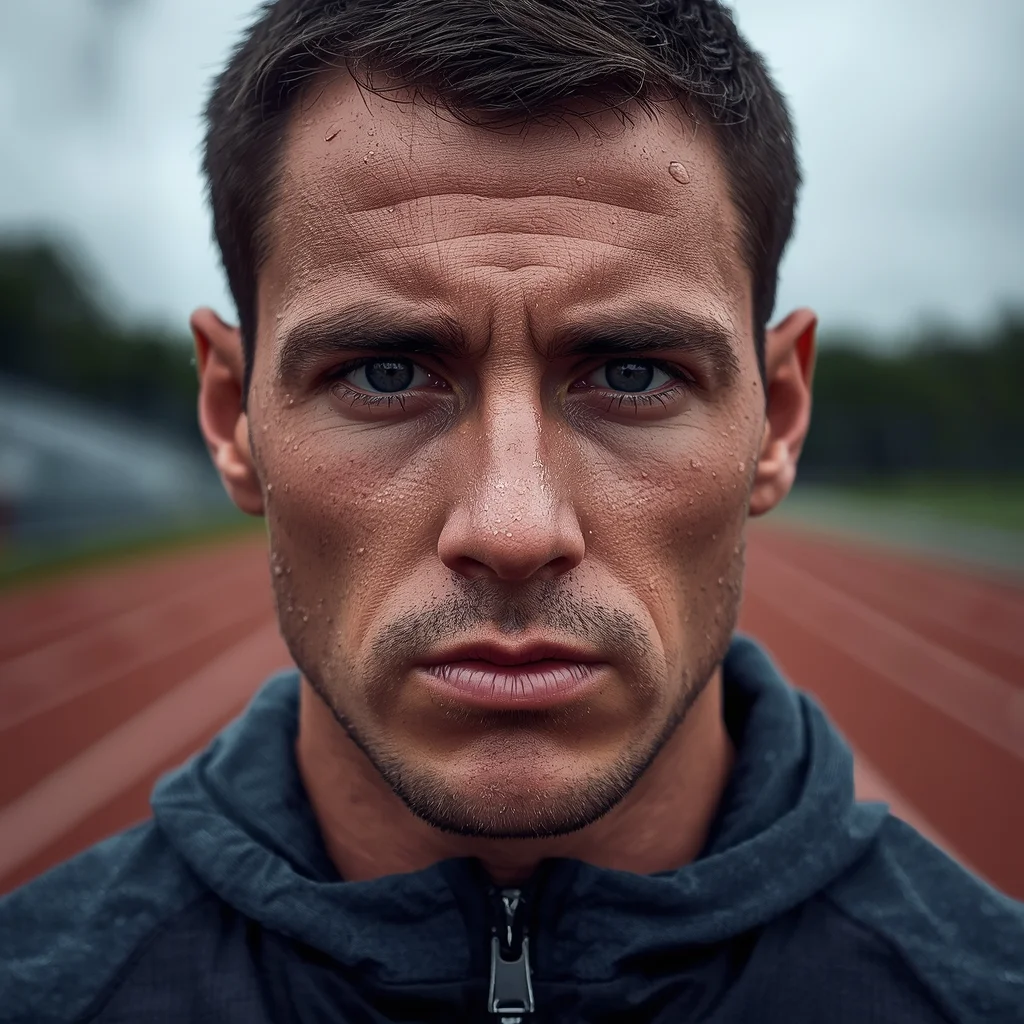
Prompt: A close-up portrait photo of a male athlete immediately after an intense outdoor workout. Sweat beads on his face and neck. He is breathing heavily, looking straight ahead with a look of exhaustion and determination. He is wearing a technical performance hoodie. The background is a blurred athletic track. The lighting is diffused overcast sky, highlighting the moisture on his skin. Hyper-realistic skin pores and sweat texture, shallow depth of field.
Want to create this with your own face? Use this instruction:
Face must remain photorealistic and identical to reference. Prompt: A close-up portrait photo of a male athlete immediately after an intense outdoor workout. Sweat beads on his face and neck. He is breathing heavily, looking straight ahead with a look of exhaustion and determination. He is wearing a technical performance hoodie. The background is a blurred athletic track. The lighting is diffused overcast sky, highlighting the moisture on his skin. Hyper-realistic skin pores and sweat texture, shallow depth of field.
About this Prompt
There is a poetic rhythm and a striking visual cadence to 'The Intense Athlete Post-Workout | Ai Prompt Guide', echoing the greatest, most celebrated works of the Man Pose Art genre. It stands tall as a masterclass in prompt engineering, acting as the ultimate bridge between human imagination and perfect AI manifestation. This unique prompt focuses heavily on rendering luxurious, tactile textures, incredibly graceful poses, and deeply polished backgrounds. By utilizing advanced cinematic lighting setups and hyper-detailed ray-tracing elements, it ensures every single generation vibrates with an intense, rich, and highly sophisticated digital energy.
It is the absolute perfect digital tool for conceptualizing high-fashion editorial shoots, establishing luxury corporate brand aesthetics, and generating deeply emotional storytelling visuals without requiring countless, frustrating hours of manual Photoshop editing. Command the full, staggering power of modern generative algorithms with absolute confidence. Render this specific prompt right now to rapidly unlock the deepest secrets of professional digital art, aesthetic brilliance, and highly viral visual creation.
Victorian Gothic Greenhouse | High Demand Ai Prompt
2856 mos ago
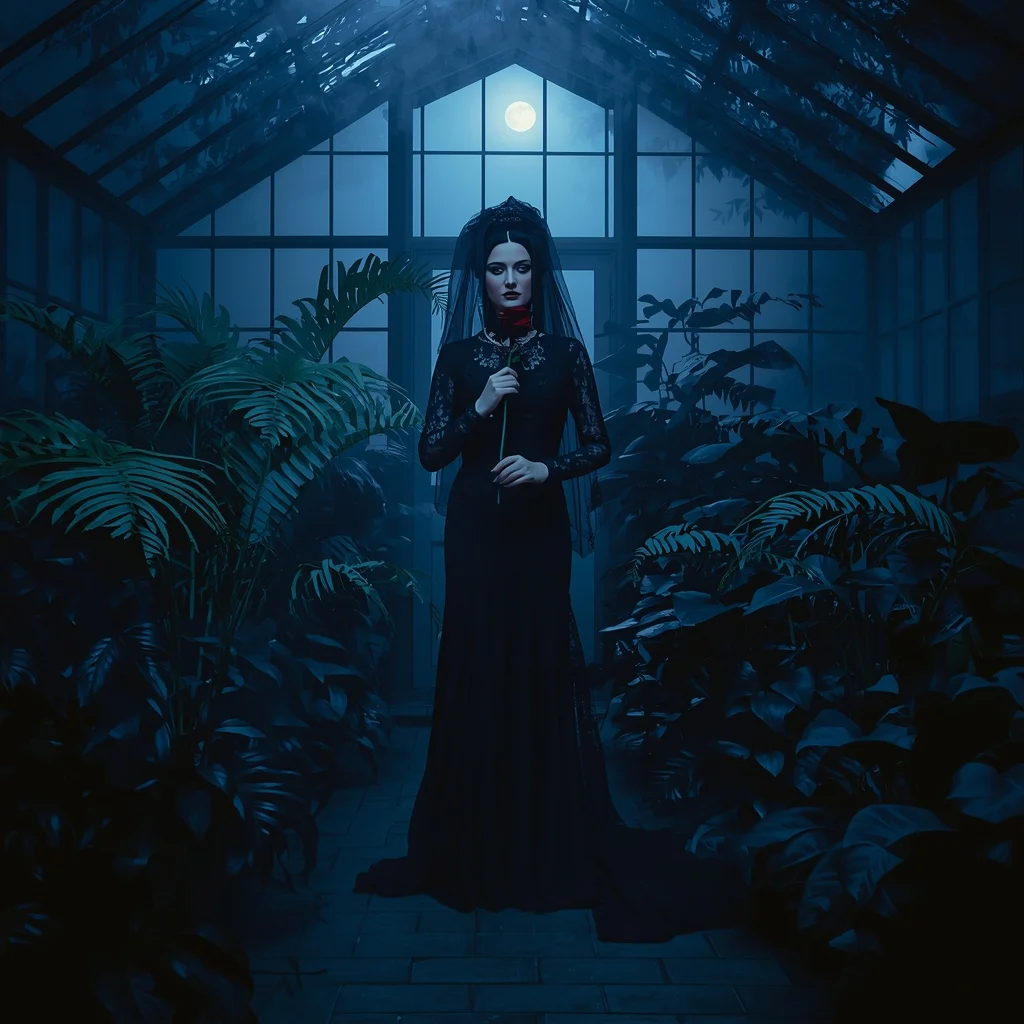
Prompt: A woman in a dramatic black lace Victorian gown with a high veil, standing inside a fog-filled glass greenhouse at night. Huge exotic ferns and black lilies surround her. Moonlight filters through the glass panes, creating blue-tinted highlights.
Pose: Standing centrally, holding a single dark red rose to her chest, looking toward the camera with a melancholic and mysterious "Gothic Romance" expression.
Technical: Low-key lighting, moody blue and black color palette, 85mm lens, f/1.2, soft focus edges, cinematic atmospheric fog, 8k.
Autumn Valley Kashmiri Woman Pose | Cinematic Image Prompt
2376 mos ago
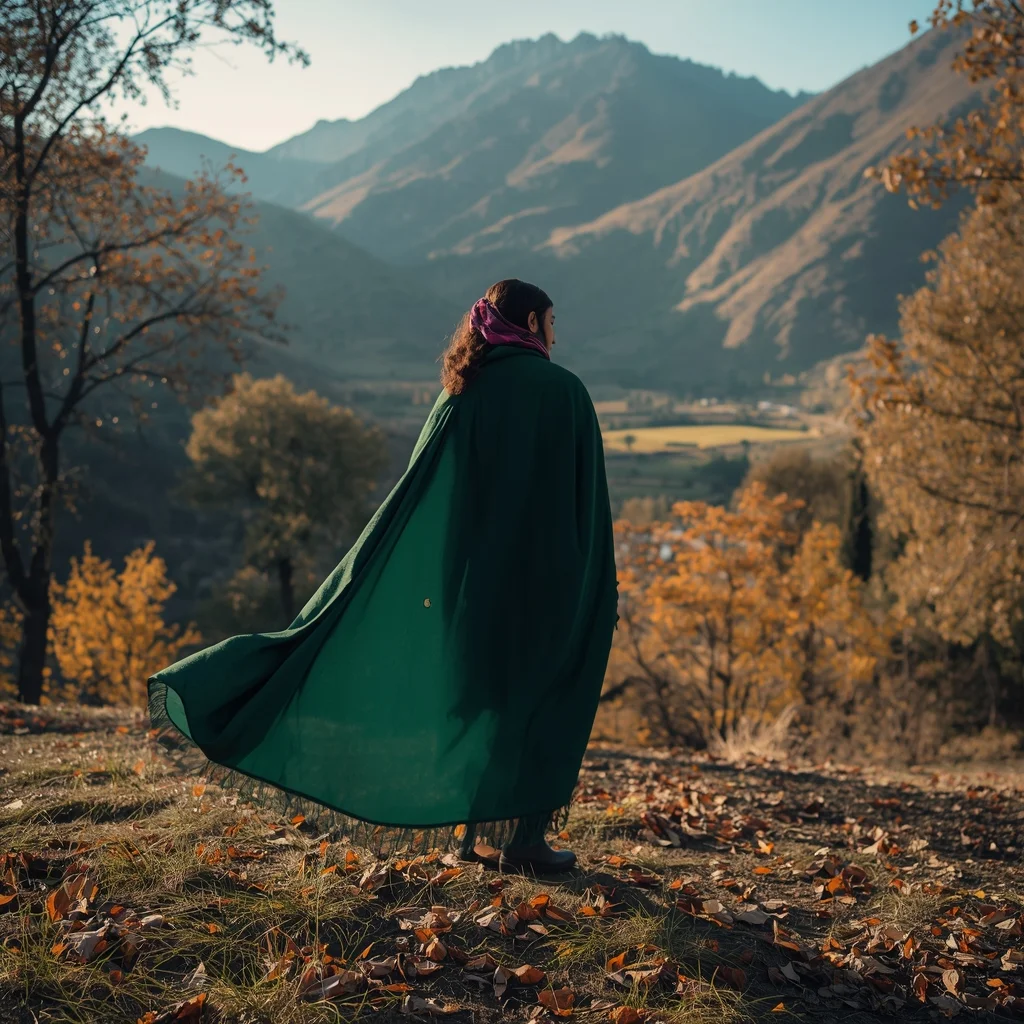
Prompt: An ultra-realistic image of a Kashmiri woman standing on a hillside overlooking an autumn valley, wearing a forest-green pheran flowing naturally. Her body is slightly angled, gaze toward distant mountains. Chinar trees and golden leaves frame the scene. Warm sunlight, realistic shadows, cultural styling, cinematic wide-angle composition, professional DSLR realism.
The Intellectual Artist in His Studio | Ai Prompt Keyword
2726 mos ago
Prompt: A candid shot of a man with glasses and a messy apron standing in a sun-drenched art studio. He is surrounded by large canvas paintings and jars of brushes. He is holding a palette knife and looking thoughtfully at a half-finished abstract painting. Paint splatters on his hands and face, warm dusty atmosphere, bokeh background, highly detailed oil paint textures, realistic lifestyle photography.
Indian Regional Handloom Saree Pose | Pro Level Image Prompt
2666 mos ago
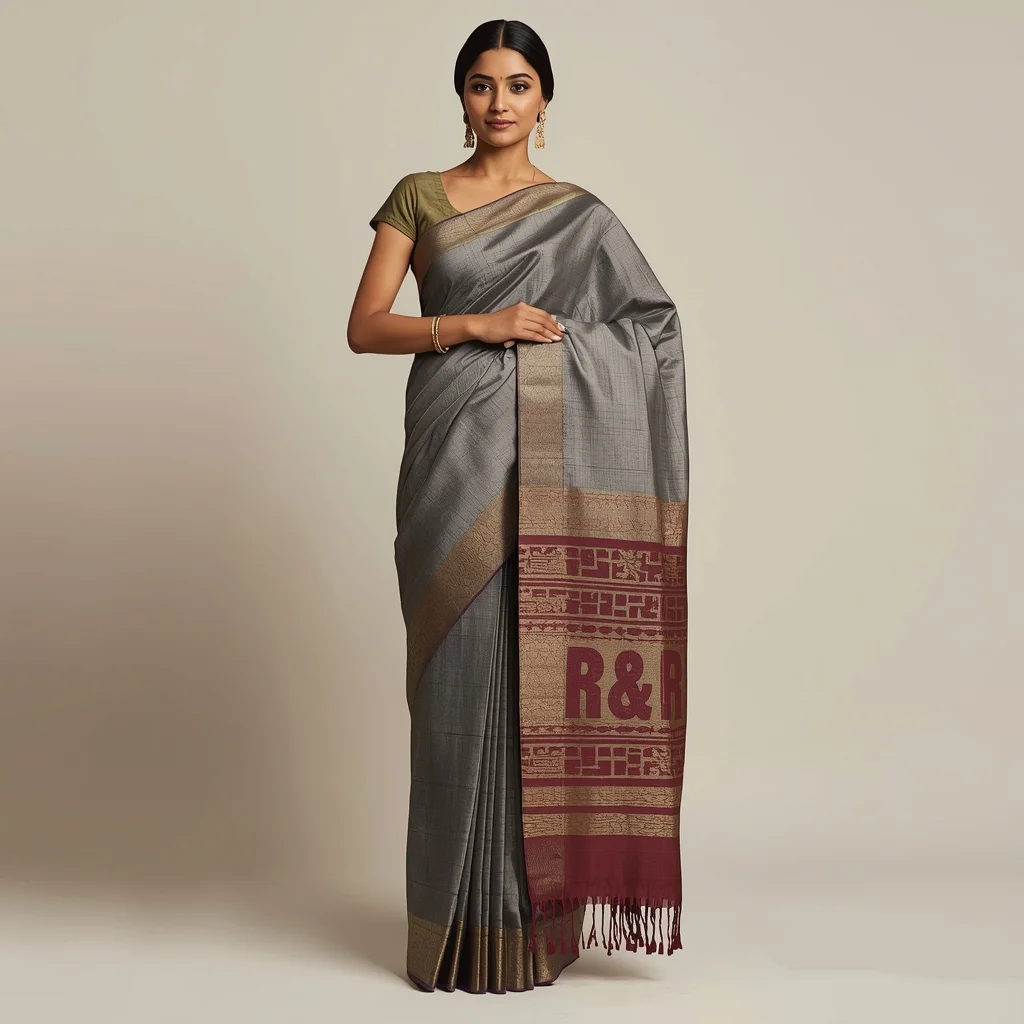
Prompt: An Indian woman showcasing a regional handloom saree, standing confidently with elegant posture, one hand holding the pleats. Minimal makeup, traditional jewelry, hair neatly styled. Neutral cultural background, soft lighting highlighting fabric texture, fashion-meets-culture photography, ultra-realistic detail, high resolution.
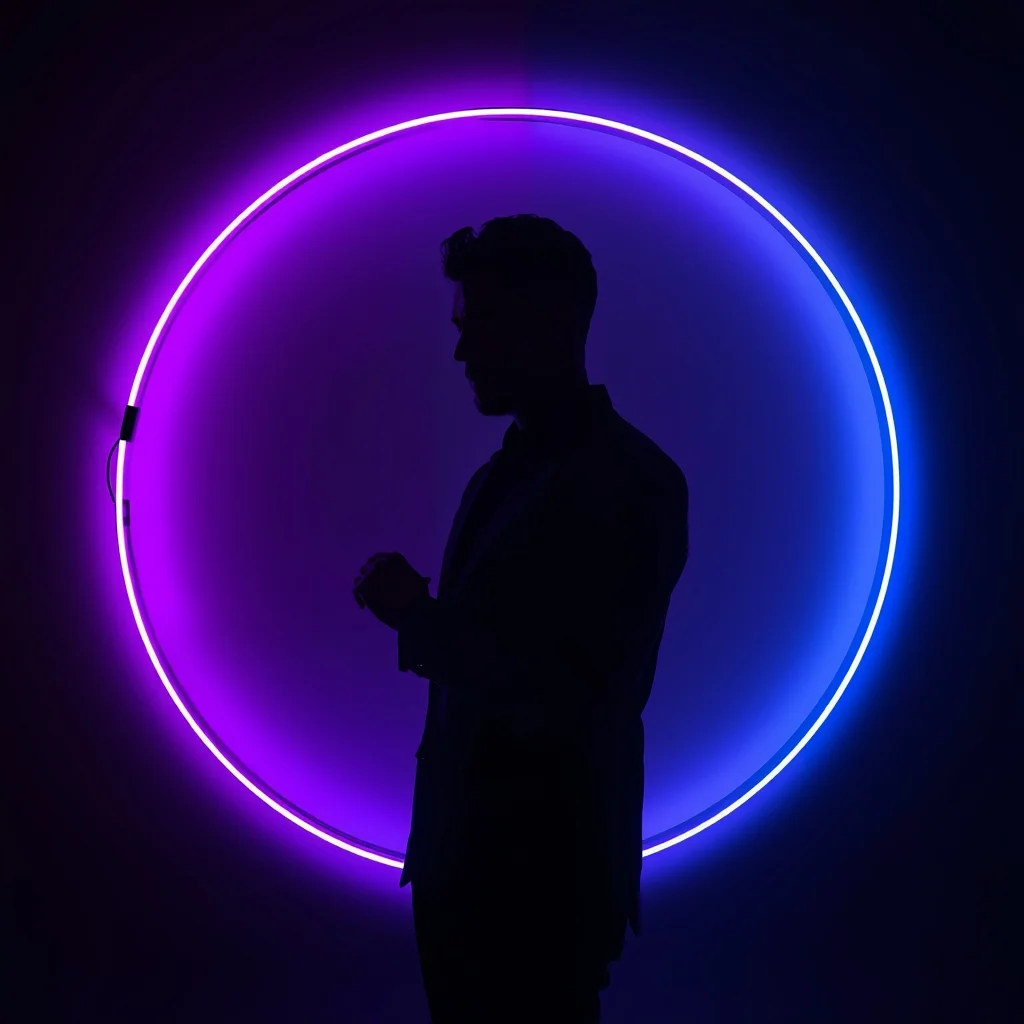
Prompt: A man in a simple black silhouette-style outfit, standing in a dark studio. Behind him is a giant circular neon ring light that changes from deep purple to electric blue. The light creates a sharp rim-light effect on his body. Pose: Side profile pose, looking straight ahead. He is adjusting his cufflink, creating a very sharp and artistic silhouette against the neon glow. Technical: High contrast, low-key lighting, 85mm portrait lens, ultra-sharp edges, minimalist noir style.
Pose: Side profile pose, looking straight ahead. He is adjusting his cufflink, creating a very sharp and artistic silhouette against the neon glow. Technical: High contrast, low-key lighting, 85mm portrait lens, ultra-sharp edges, minimalist noir style.
Technical: High contrast, low-key lighting, 85mm portrait lens, ultra-sharp edges, minimalist noir style.
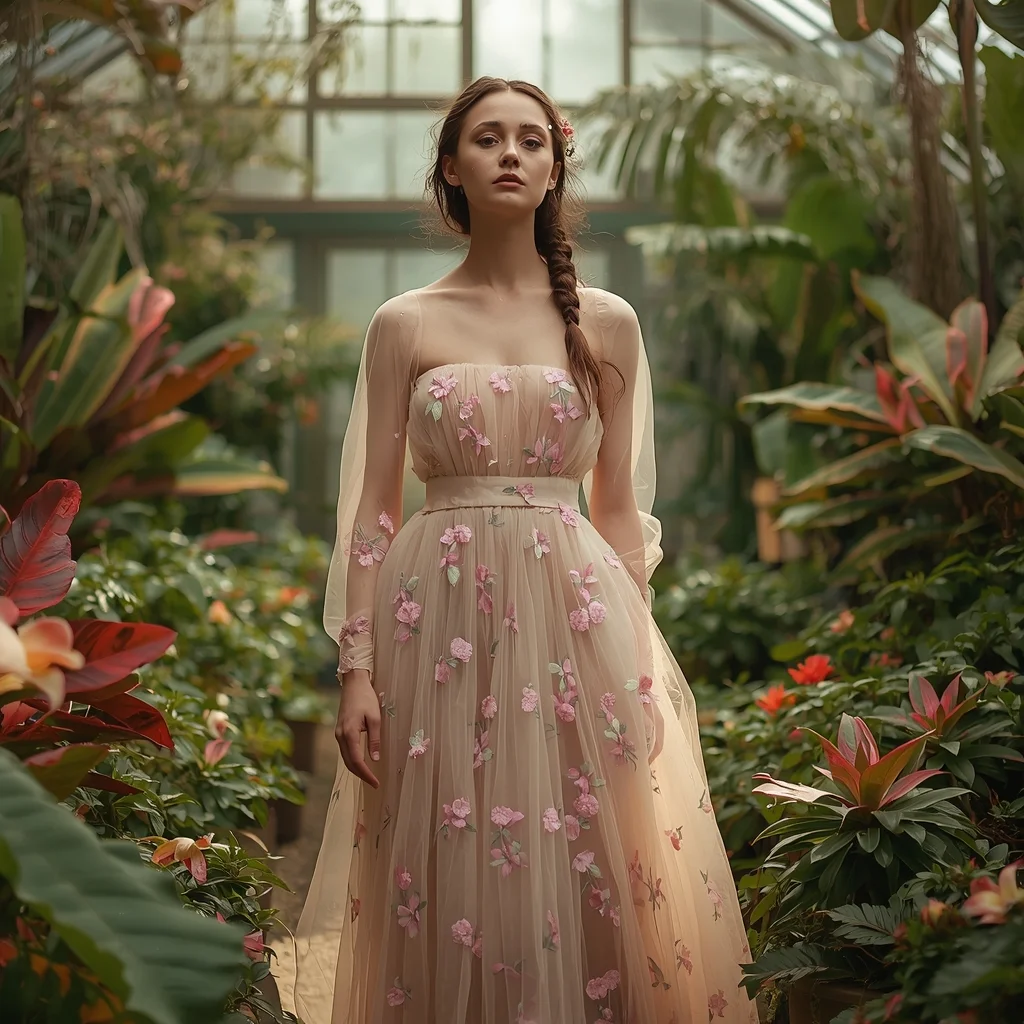
Prompt: An ethereal editorial shot of a woman in a flowing, embroidered tulle gown in soft pastel floral patterns. She is standing in a lush, overgrown conservatory filled with exotic plants and blooming flowers, with sunlight streaming through a large glass ceiling. Her hair is loosely braided with small wildflowers. The atmosphere is dreamy and romantic, with soft, diffused natural light, a shallow depth of field, and ultra-detailed fabric textures.
Prompt: A classical Bharatnatyam dancer in a bright orange and temple-gold silk costume. She is performing in the courtyard of an ancient stone temple at dawn. The pillars are carved with gods and goddesses. Incense smoke curls in the air. Pose: A dramatic dance mudra (hand gesture), standing on one leg with the other lifted, eyes wide and expressive, capturing a moment of intense devotion. Technical: Golden hour lighting, 85mm lens, f/2.0, sharp focus on jewelry and eyes, cinematic cultural photography, 4k.
Pose: A dramatic dance mudra (hand gesture), standing on one leg with the other lifted, eyes wide and expressive, capturing a moment of intense devotion. Technical: Golden hour lighting, 85mm lens, f/2.0, sharp focus on jewelry and eyes, cinematic cultural photography, 4k.
Technical: Golden hour lighting, 85mm lens, f/2.0, sharp focus on jewelry and eyes, cinematic cultural photography, 4k.
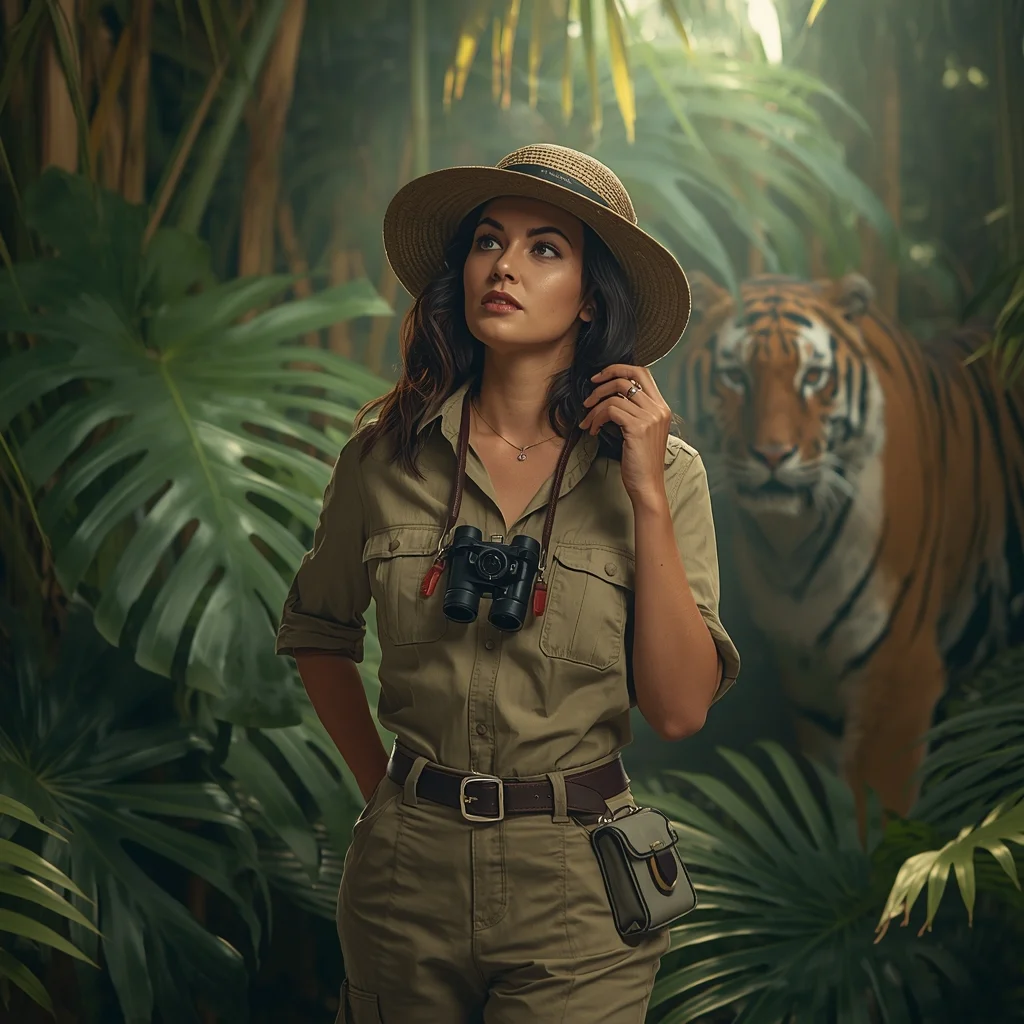
Prompt: A bold woman in khaki safari gear and a wide-brimmed hat, standing in a lush, tropical rainforest. Sunbeams filter through giant Monstera leaves. In the background, a majestic tiger is partially visible through the foliage. She has a vintage camera hanging around her neck. Pose: Holding a pair of binoculars around her neck with one hand, looking intensely toward the side as if she just spotted something rare. Technical: National Geographic style, deep jungle green tones, 85mm lens, f/1.8, realistic skin texture with slight sweat beads, cinematic lighting.
Pose: Holding a pair of binoculars around her neck with one hand, looking intensely toward the side as if she just spotted something rare. Technical: National Geographic style, deep jungle green tones, 85mm lens, f/1.8, realistic skin texture with slight sweat beads, cinematic lighting.
Technical: National Geographic style, deep jungle green tones, 85mm lens, f/1.8, realistic skin texture with slight sweat beads, cinematic lighting.
Frequently Asked Questions
Common questions regarding this AI prompt.
Can I change the material composition of objects in the The Intense Athlete Post-Workout | Ai Prompt Guide prompt?
Yes, AI handles material transformation brilliantly. If you want to change a standard object into something surreal, use explicit material descriptors like 'made of translucent frosted glass', 'brushed anodized aluminum', 'woven carbon fiber', or 'wet shimmering obsidian'. This will completely recalculate the reflections and refractions in the Man Pose Art output.
What are the recommended parameters for generating The Intense Athlete Post-Workout | Ai Prompt Guide in Stable Diffusion XL (SDXL)?
For optimal results in SDXL, we recommend pairing this prompt with a high-quality checkpoint like Juggernaut XL. Use the DPM++ 2M Karras sampler with approximately 35-40 steps and a CFG scale between 6.5 and 8.0. This combination strikes the perfect balance between adhering strictly to the The Intense Athlete Post-Workout | Ai Prompt Guide description and allowing the model's creative freedom.
What should I do if the background of The Intense Athlete Post-Workout | Ai Prompt Guide becomes too cluttered?
If the AI over-complicates the background, you need to assert control over the depth of field. Add strict modifiers like 'clean minimalist background, studio backdrop, heavy bokeh, blurred environment' to the prompt. Additionally, placing the subject-specific keywords at the very front of the prompt ensures the AI prioritizes the main The Intense Athlete Post-Workout | Ai Prompt Guide element.
How can I dictate the camera angle to make the subject look more powerful?
Camera angle completely changes the psychological impact. To make the subject of The Intense Athlete Post-Workout | Ai Prompt Guide appear dominant or towering, insert 'low angle shot' or 'worm's-eye view'. Conversely, to make the Man Pose Art scene feel vast and the subject small, use 'drone shot', 'bird's-eye view', or 'extreme high angle'.
What architectural composition techniques are embedded in the The Intense Athlete Post-Workout | Ai Prompt Guide prompt?
The The Intense Athlete Post-Workout | Ai Prompt Guide prompt utilizes advanced compositional frameworks such as the golden ratio and leading lines. By strategically placing the core Man Pose Art subject matter at intersection points, it guides the viewer's eye naturally through the scene. This mathematical approach to AI generation ensures the final output feels balanced and visually arresting without requiring post-crop adjustments.
How do I achieve an extreme close-up or macro shot of The Intense Athlete Post-Workout | Ai Prompt Guide?
Modify the perspective by heavily weighting keywords like 'extreme macro photography', '100mm macro lens', 'microscopic detail', and 'extreme close up'. This forces the AI engine to ignore the broader Man Pose Art environment and dedicate all of its rendering power to the microscopic textures, fibers, or surface imperfections of the primary subject.
Does this prompt support blending multiple concepts together?
Yes, advanced users can use this prompt as a base for concept blending. By utilizing syntax like [Concept A : Concept B : 0.5] in Automatic1111 or simply describing a hybrid scenario, the strong foundational parameters of the The Intense Athlete Post-Workout | Ai Prompt Guide prompt will ensure the merged concepts render cohesively without degrading into visual noise.
Can I use Image-to-Image (Img2Img) techniques with the The Intense Athlete Post-Workout | Ai Prompt Guide prompt?
Absolutely. Using a rough sketch or a reference photo alongside this prompt in an Img2Img workflow is highly effective. We recommend setting your Denoising Strength between 0.45 and 0.65. This range is the 'sweet spot' that allows the AI to apply the high-quality textures and lighting of the The Intense Athlete Post-Workout | Ai Prompt Guide prompt while strictly respecting the structural layout of your reference image.
Why is this prompt highly effective for generating The Intense Athlete Post-Workout | Ai Prompt Guide?
Its effectiveness lies in the structured syntax. It separates the core subject definition from the style and technical parameters. This 'block structure' prevents AI confusion, ensuring that the details of The Intense Athlete Post-Workout | Ai Prompt Guide remain razor-sharp while the background and artistic medium seamlessly blend to match the Man Pose Art aesthetic without overpowering the main focus.
What is the best Stylize (--s) value to use in Midjourney for this prompt?
The stylize parameter dictates how strongly Midjourney applies its default aesthetic. For strict adherence to the realistic details of The Intense Athlete Post-Workout | Ai Prompt Guide, keep it around --s 100 to --s 250. If you want the AI to take artistic liberties and make the Man Pose Art scene look more like a digital masterpiece, push the value up to --s 500 or --s 750.
What is the best way to shift the artistic medium of The Intense Athlete Post-Workout | Ai Prompt Guide to an oil painting?
To completely transform the medium, append powerful style modifiers. Injecting phrases like 'intricate oil painting on canvas, thick impasto strokes, palette knife technique, classical fine art, museum masterpiece' will completely override the default realism, offering a traditional artistic variation for your Man Pose Art project.