Viral Casual Step-Forward Pose | Ai Editing Prompt
High-quality AI-generated image. Optimized for detailed rendering, perfect for creative projects and inspiration.
121Views
0 Likes
100%Quality
FreeLicense
AI Prompt
Prompt: A stylish AI influencer man captured mid-step forward in a studio, natural body movement, confident relaxed posture, modern outfit, motion depth effect, soft cinematic lighting, clean background, dynamic viral reel composition, ultra-realistic detail.
Want to create this with your own face? Use this instruction:
Keep eyes, nose, lips, jawline, and skin exactly as in reference image. Prompt: A stylish AI influencer man captured mid-step forward in a studio, natural body movement, confident relaxed posture, modern outfit, motion depth effect, soft cinematic lighting, clean background, dynamic viral reel composition, ultra-realistic detail.
About this Prompt
Harness the raw, untamed energy of artificial intelligence with 'Viral Casual Step-Forward Pose | Ai Editing Prompt', a prompt explicitly tailored to completely dominate the Man Pose Art digital art scene. From casual weekend projects to high-stakes commercial campaigns, it provides a robust, stunning foundation for unparalleled visual success. Engineered meticulously for ultimate visual clarity, this prompt highlights hyper-realistic material textures and profoundly atmospheric, moody environments. The brilliant contrast and carefully balanced directional lighting give the resulting image a dramatic, high-stakes cinematic feel that rivals premium Hollywood concept art.
Whether you are actively designing complex character concepts, deeply atmospheric cinematic scenery, or ultra-premium fashion editorials, this generative asset provides an incredibly robust, deeply reliable foundation for any serious, forward-thinking digital artist. Do not hesitate to securely add the incredible power of this prompt to your professional toolkit. This flawless, highly optimized Man Pose Art prompt is completely ready to be copy-pasted instantly, radically transforming your blank digital canvas.
Modern Indian Viral Reel Pose – Lean Forward Engagement | Color Grading Prompt
1093 mos ago
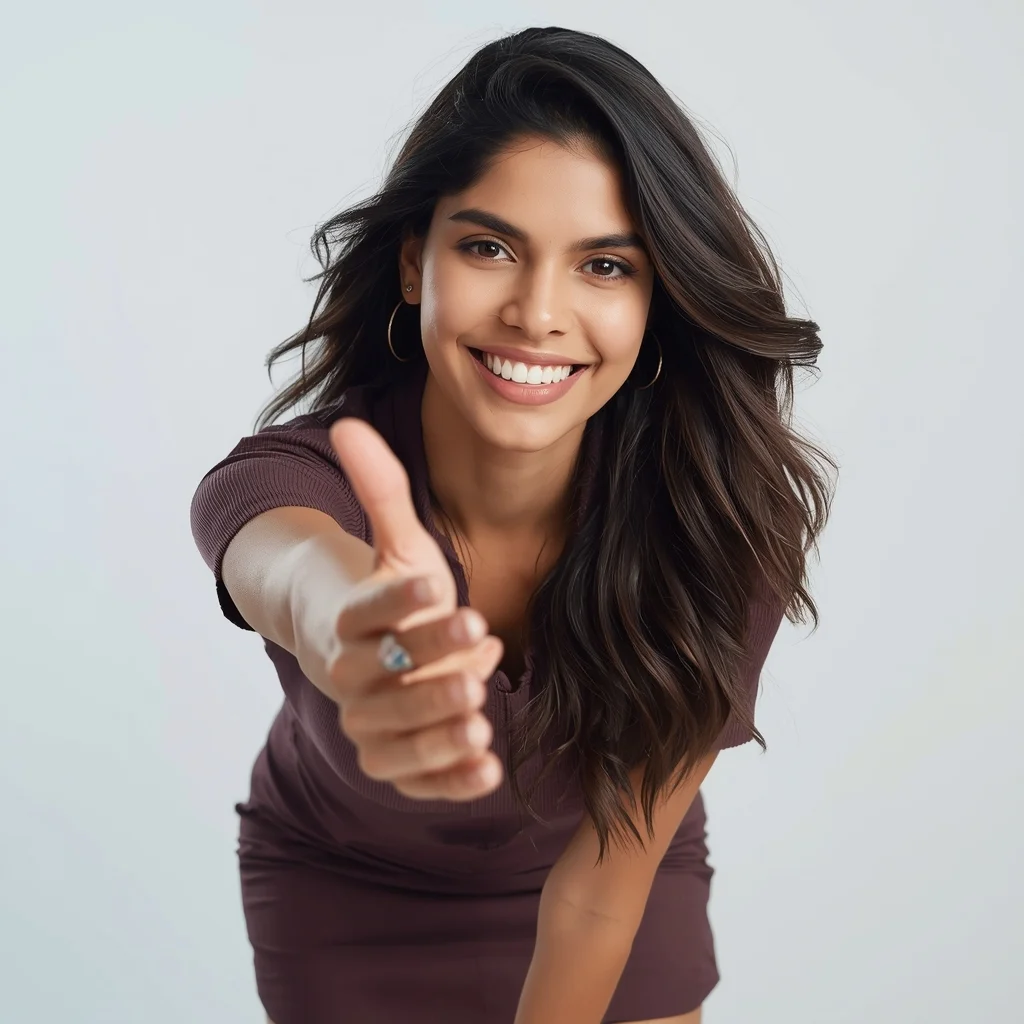
Prompt: An Indian woman wearing a trendy modern Indian dress, captured leaning slightly forward toward the camera in a reel-style pose. Body language engaging and expressive. Hair textured with subtle movement. Expression confident, friendly, and magnetic. Makeup fresh and camera-ready. Lighting bright with controlled contrast. Background minimal to keep focus on subject. Ultra-high realism, cinematic reel composition, influencer-grade polish, designed for viral engagement.
Prompt: A fusion of futuristic and classical styles. A woman stands in a "regal-neutral" pose—back straight, chin slightly lifted, hands clasped loosely in front. she is wearing a 3D-printed white skeletal corset over a traditional silk saree. The setting is a historic Indian palace hallway with futuristic holographic accents. The lighting is "chiaroscuro," with deep shadows and brilliant highlights on the white corset. 8k, photorealistic, showcasing the complex blend of traditional fabric textures and futuristic materials.
Hyper-Realistic Endurance Racer Cockpit | Prompt For Background
973 mos ago
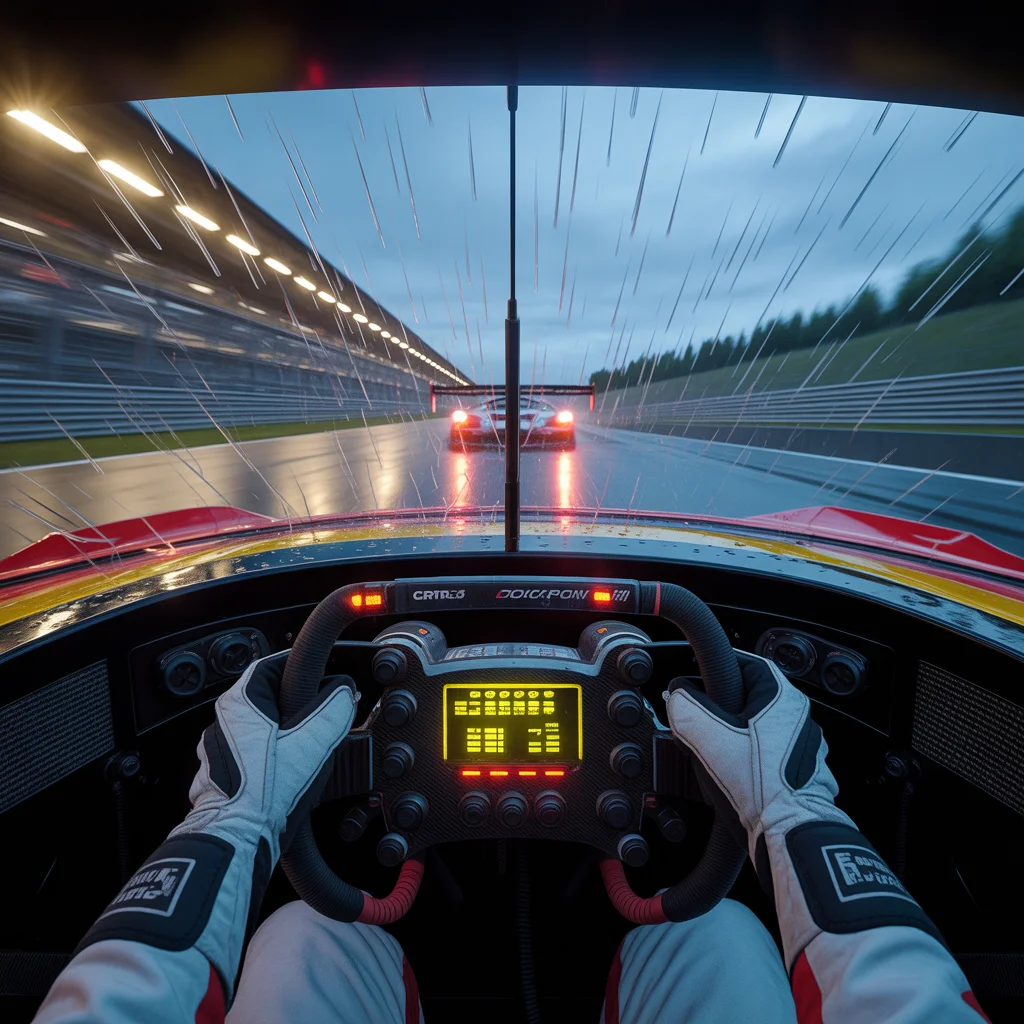
Prompt: A first-person driver's viewpoint (cockpit view) inside a detailed GT3 race car during a rainy dusk race at the Nürburgring track. Rain streaks horizontally across the polycarbonate windshield, smearing the lights of rival cars ahead. The driver's gloved hands grip a complex carbon-fiber steering wheel with a glowing digital data display. The dashboard is full of buttons and wiring. Outside, the track surface is reflective and wet, with spray kicking up everywhere. The sense of extreme speed is conveyed through motion blur on the track edges. Photorealistic graphics, cinematic lighting.
NO ONE IS PREPARED FOR THIS 🤯 | Trending Prompt Idea Worldwide
943 mos ago
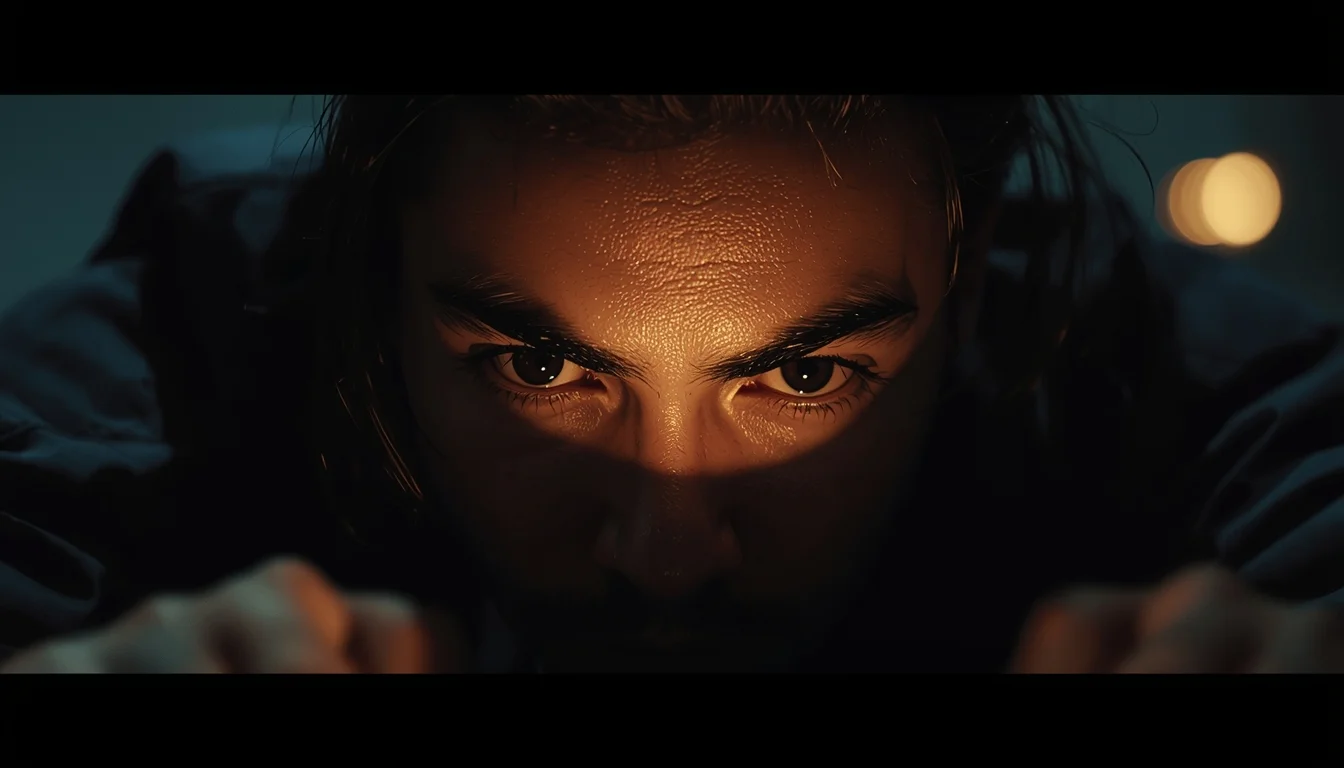
Prompt: Ultra-realistic YouTube thumbnail showing a creator leaning close to the camera with intense mysterious expression, slightly raised eyebrows, strong eye contact, dramatic low-key lighting, soft spotlight on face, dark blurred background with subtle glow, high contrast shadows, ultra-sharp details, realistic skin texture, professional photography look, emotional storytelling, viral thumbnail aesthetics, 4K ultra-HD, optimized for YouTube recommendations.
Prompt: A high-impact YouTube thumbnail design with a mysterious cinematic theme, dark moody background, dramatic rim lighting, glowing highlights, shallow depth of field, soft fog effects, premium cinematic color grading, ultra-sharp focus, high contrast shadows, modern YouTube thumbnail composition, eye-catching visual balance, no text, no letters, no numbers, pure visual storytelling.
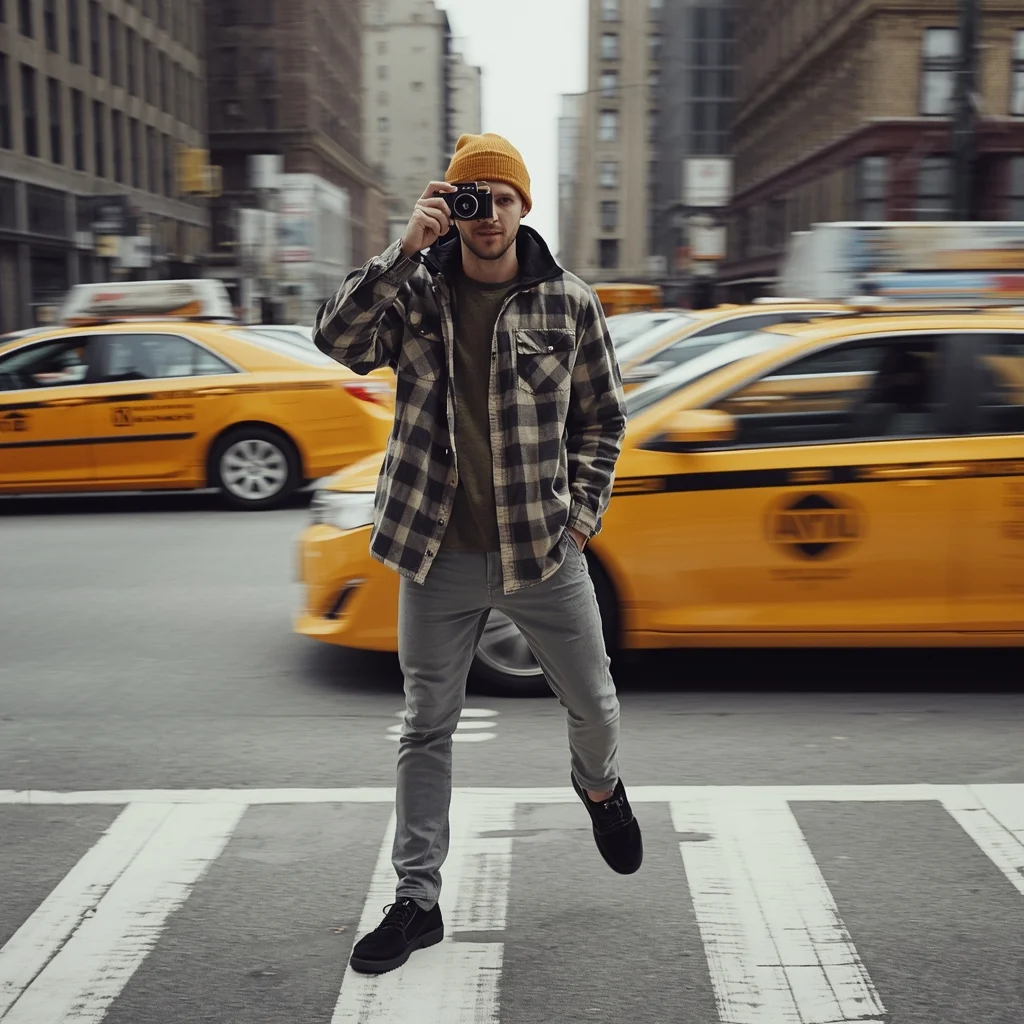
Prompt: A man in a trendy mustard-colored beanie and an oversized flannel shirt standing in a busy New York City intersection. Yellow taxis are blurred in the background, creating a sense of movement. Pose: Holding a vintage film camera up to his eye, preparing to take a shot. One leg is slightly forward, suggesting he is mid-stride but stopped for the perfect moment. Technical:Motion blur background, f/1.8 for shallow depth of field, street photography style, 4k resolution.
Pose: Holding a vintage film camera up to his eye, preparing to take a shot. One leg is slightly forward, suggesting he is mid-stride but stopped for the perfect moment. Technical:Motion blur background, f/1.8 for shallow depth of field, street photography style, 4k resolution.
Technical: Motion blur background, f/1.8 for shallow depth of field, street photography style, 4k resolution.
The Sahara Power Silhouette | Ai Image Prompt Trick
1273 mos ago
Prompt: A cinematic shot of a woman in the Sahara Desert at twilight. She wears a dramatic, 20-foot long crimson red chiffon veil that is blowing violently in the wind. The orange sand dunes create a sharp contrast against a deep indigo sky.
Pose: Standing atop a high dune, back to the camera, arms raised high as the wind catches the long fabric, creating a massive, powerful red wing-like shape.
Technical: National Geographic style, high shutter speed to freeze fabric motion, wide-angle 16mm lens, f/4.0, deep color saturation, high dynamic range (HDR).
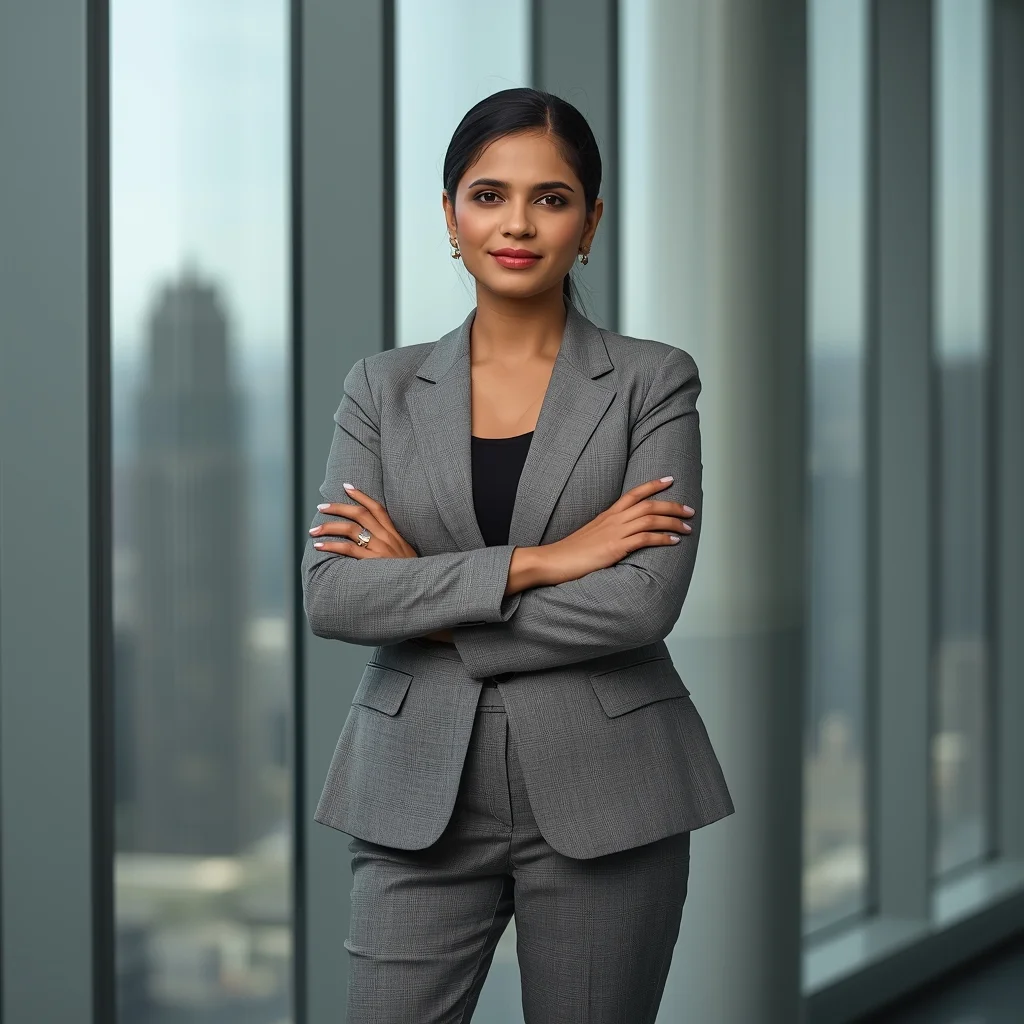
Corporate Indian Woman Professional Power Pose | Best Ai Prompt For Beginner
973 mos ago
Prompt: A confident Indian corporate woman standing in a modern office environment, wearing a tailored blazer with subtle ethnic patterns, formal trousers, minimal jewelry. Straight posture, arms crossed, confident facial expression. Glass windows, city skyline background, clean lighting, professional corporate photography style, sharp focus, realistic skin texture, neutral color tones, ultra-high resolution, 8K.
Frequently Asked Questions
Common questions regarding this AI prompt.
How can I prevent anatomical distortions or 'extra limbs' when generating characters?
While modern models have improved, complex poses in Man Pose Art can still cause issues. To prevent this, use a strong negative prompt containing 'bad anatomy, extra limbs, mutated hands, deformed structure'. If generating locally via Stable Diffusion, utilizing ControlNet (specifically OpenPose or Depth) alongside this prompt will guarantee flawless anatomical structure.
How do I create a surreal, dream-like version of Viral Casual Step-Forward Pose | Ai Editing Prompt?
To break the laws of physics, use keywords like 'surrealism, dreamscape, floating objects, defying gravity, Salvador Dali style, mind-bending geometry, ethereal'. The AI will take the familiar elements of Viral Casual Step-Forward Pose | Ai Editing Prompt and arrange them in illogical, fascinating ways, creating a truly unique Man Pose Art art piece.
How customizable are the character and environment details in the Viral Casual Step-Forward Pose | Ai Editing Prompt prompt?
Highly customizable. The prompt serves as a robust architectural framework. You can easily swap out specific nouns or color palettes while retaining the core Man Pose Art style. For example, changing the time of day or the primary clothing material will seamlessly adapt the scene while maintaining the high-definition rendering quality originally intended for Viral Casual Step-Forward Pose | Ai Editing Prompt.
Is it possible to make the image look like an architectural blueprint?
Absolutely. Strip all color and realism by adding 'technical architectural blueprint, white lines on blue background, schematics, precise measurements, cross-section view, drafted by an engineer'. This is a highly creative way to present the Man Pose Art subject from an analytical, structural perspective.
How does the prompt simulate physical camera lenses for Viral Casual Step-Forward Pose | Ai Editing Prompt?
The prompt acts as a virtual director of photography by explicitly stating lens focal lengths and aperture settings. By including phrases like 'shot on 35mm lens' or 'f/1.4 aperture', the AI mathematically simulates the optical distortion, compression, and background blur (bokeh) characteristic of high-end photography, elevating the Man Pose Art image from a flat digital render to a lifelike photo.
What is the optimal workflow for upscaling Viral Casual Step-Forward Pose | Ai Editing Prompt to print-quality resolution?
Do not generate at massive resolutions directly, as it causes compositional duplication (like two heads). Instead, generate Viral Casual Step-Forward Pose | Ai Editing Prompt at a native resolution (e.g., 1024x1024), and then use a dedicated AI upscaler. Tools like Topaz Gigapixel AI, Magnific AI, or the '4x-UltraSharp' model in Automatic1111 will enhance the micro-textures of the Man Pose Art without destroying the original composition.
What is the core conceptual focus of the Viral Casual Step-Forward Pose | Ai Editing Prompt prompt?
The Viral Casual Step-Forward Pose | Ai Editing Prompt prompt is meticulously engineered to focus on high-fidelity visual storytelling within the Man Pose Art genre. By leveraging advanced keyword weighting and specific rendering tokens, it ensures that the AI prioritizes both the primary subject matter and the intricate atmospheric details, resulting in a highly professional and polished final image.
What are the recommended parameters for generating Viral Casual Step-Forward Pose | Ai Editing Prompt in Stable Diffusion XL (SDXL)?
For optimal results in SDXL, we recommend pairing this prompt with a high-quality checkpoint like Juggernaut XL. Use the DPM++ 2M Karras sampler with approximately 35-40 steps and a CFG scale between 6.5 and 8.0. This combination strikes the perfect balance between adhering strictly to the Viral Casual Step-Forward Pose | Ai Editing Prompt description and allowing the model's creative freedom.
How do I modify Viral Casual Step-Forward Pose | Ai Editing Prompt to fit into a dark fantasy or gothic horror setting?
Change the environmental descriptors. Add 'dark fantasy concept art, gothic architecture, eerie volumetric fog, corrupted ruins, ominous atmosphere, Bloodborne aesthetic'. This forces the AI to reinterpret the Viral Casual Step-Forward Pose | Ai Editing Prompt prompt through a grim, terrifying lens, drastically altering the mood of the Man Pose Art output.
What should I do if the background of Viral Casual Step-Forward Pose | Ai Editing Prompt becomes too cluttered?
If the AI over-complicates the background, you need to assert control over the depth of field. Add strict modifiers like 'clean minimalist background, studio backdrop, heavy bokeh, blurred environment' to the prompt. Additionally, placing the subject-specific keywords at the very front of the prompt ensures the AI prioritizes the main Viral Casual Step-Forward Pose | Ai Editing Prompt element.
Can I generate a 3D claymation or toy-like version of Viral Casual Step-Forward Pose | Ai Editing Prompt?
Yes, you can mimic physical models easily. Add terms such as 'made of polymer clay, tilt-shift photography, miniature diorama, cute 3D render, smooth plasticine, vibrant pastel colors' to the prompt. The AI will instantly convert the Man Pose Art scene into a charming, tactile 3D object.
What architectural composition techniques are embedded in the Viral Casual Step-Forward Pose | Ai Editing Prompt prompt?
The Viral Casual Step-Forward Pose | Ai Editing Prompt prompt utilizes advanced compositional frameworks such as the golden ratio and leading lines. By strategically placing the core Man Pose Art subject matter at intersection points, it guides the viewer's eye naturally through the scene. This mathematical approach to AI generation ensures the final output feels balanced and visually arresting without requiring post-crop adjustments.
How does this prompt handle lighting and atmospheric effects?
This prompt utilizes a sophisticated combination of cinematic lighting descriptors and atmospheric keywords tailored for Man Pose Art. By specifying light direction, diffusion, and volumetric properties like 'god rays' or 'softbox lighting', it forces modern AI engines like Midjourney v6 and Flux to calculate highly realistic light bounces, creating a deeply immersive environment.
How do I give Viral Casual Step-Forward Pose | Ai Editing Prompt a retro, 1980s synthwave aesthetic?
Inject keywords that define that specific era's pop culture. Use 'vaporwave aesthetic, 1980s synthwave, neon grid background, cyan and magenta color palette, VHS glitch effect, retro-futurism'. This overrides the standard lighting and wraps the Viral Casual Step-Forward Pose | Ai Editing Prompt subject in a highly stylized, nostalgic digital atmosphere.
Does this prompt support blending multiple concepts together?
Yes, advanced users can use this prompt as a base for concept blending. By utilizing syntax like [Concept A : Concept B : 0.5] in Automatic1111 or simply describing a hybrid scenario, the strong foundational parameters of the Viral Casual Step-Forward Pose | Ai Editing Prompt prompt will ensure the merged concepts render cohesively without degrading into visual noise.