High-quality AI-generated image. Optimized for detailed rendering, perfect for creative projects and inspiration.
309Views
0 Likes
100%Quality
FreeLicense
AI Prompt
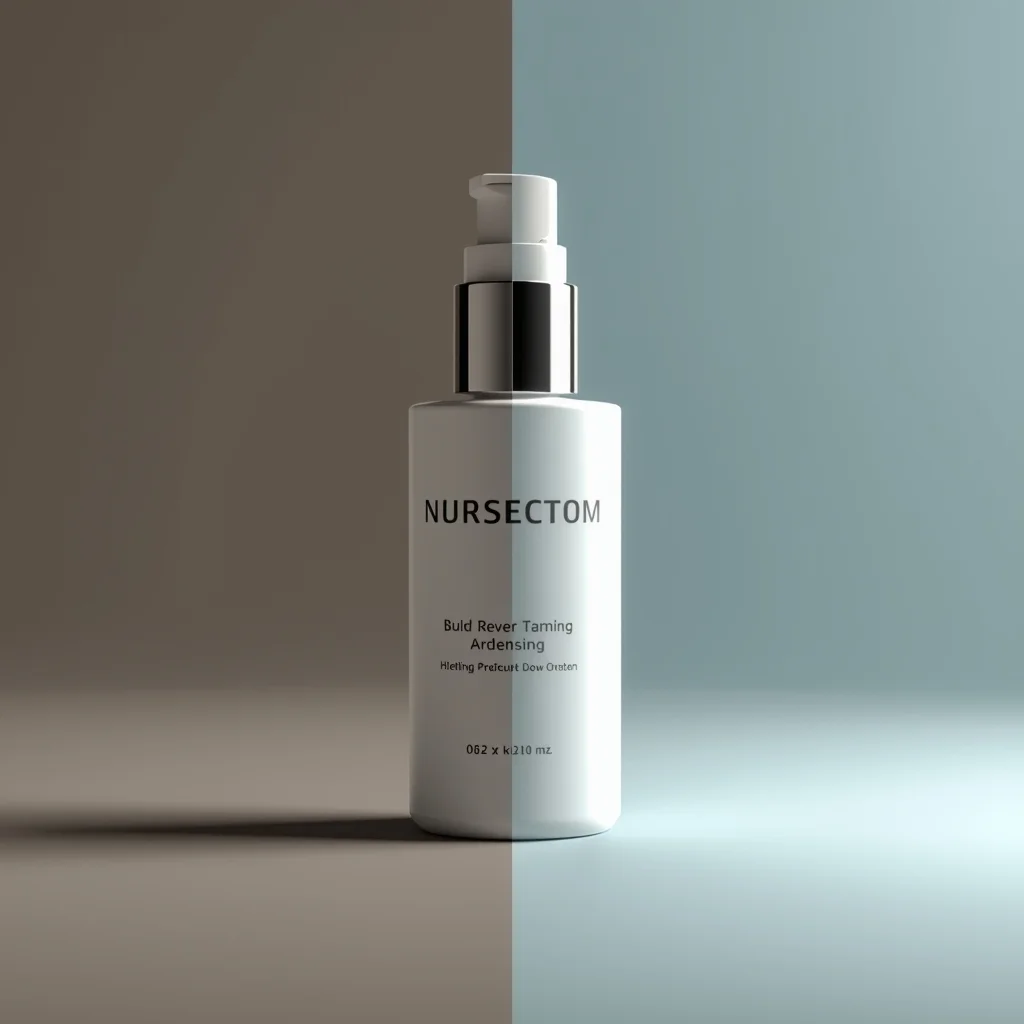
A creative before-and-after product presentation, split-scene concept, left side raw or dull, right side clean and enhanced, controlled studio lighting, clear visual storytelling, professional marketing photography style, ultra-realistic, high detail, 8K quality
Want to create this with your own face? Use this instruction:
Maintain 100% face accuracy from the reference image. A creative before-and-after product presentation, split-scene concept, left side raw or dull, right side clean and enhanced, controlled studio lighting, clear visual storytelling, professional marketing photography style, ultra-realistic, high detail, 8K quality
About this Prompt
Witness the breathtaking evolution of AI-driven imagery through 'Before–After Product Concept | Perfect Image Prompt', an absolutely mandatory prompt for serious Product Images professionals. It balances beautiful, chaotic creativity with strict structural order, offering a polished and highly refined take on modern generative aesthetics. Incredibly delicate, almost microscopic filigree work and obsessive attention to highly ornate craftsmanship define the physical space. The glowing transparency and beautiful subsurface scattering make the organic elements look remarkably fleshy, completely authentic, and terrifyingly alive in this Product Images context.
It acts as a deeply powerful catalyst for concept artists working in the highly demanding video game and cinematic film industries. This prompt effortlessly generates highly believable, deeply immersive Product Images worlds and character concepts in mere seconds. Take the massive, highly rewarding creative leap today. By seamlessly integrating this highly optimized prompt directly into your daily workflow, you guarantee stunning, deeply reliable, and absolutely beautiful Product Images results every single time you hit render.
Serene Young Kashmiri Girl in Autumn Pheran Pose | Ai Prompt For High Engagement
3528 mos ago
Prompt: A full-body image of a young Kashmiri woman standing calmly under tall chinar trees, wearing an olive-green traditional pheran with subtle woven patterns. Her pose is elegant and composed, head slightly tilted, eyes looking into the distance. Soft fog in the background, warm autumn color palette, realistic fabric folds, professional DSLR photography style, cinematic realism, high-resolution cultural portrait.
Modern Indian Viral Reel Pose – Direct Camera Energy | Pro Level Image Prompt
3238 mos ago
Prompt: An Indian woman wearing a bold modern Indian dress, captured mid-step while directly engaging the camera in a reel-style pose. Body posture expressive and confident, shoulders relaxed. Hair textured with subtle movement. Expression strong, magnetic, and fearless. Makeup bold yet clean. Lighting bright with controlled contrast. Background minimal to keep focus on subject. Ultra-high realism, cinematic reel composition, influencer-grade polish, designed for viral engagement.
Boho Hippie Free Spirit Pose | Ai Prompt For High Engagement
3458 mos ago
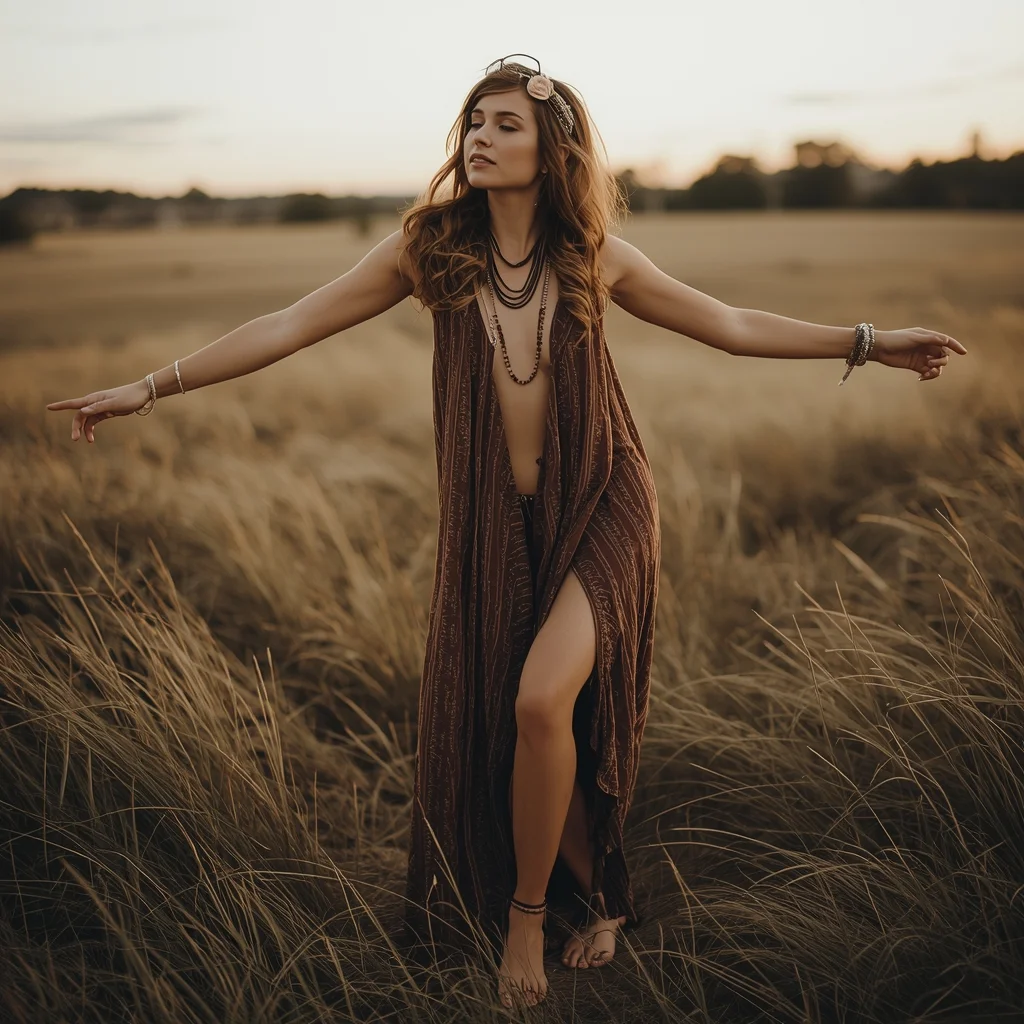
Prompt: A free-spirited woman in boho attire posing barefoot in an open field. She wears a flowing maxi dress, layered jewelry, floral headband, and loose wavy hair. Her pose is relaxed and expressive, arms slightly open, eyes closed, feeling the breeze. Golden sunset light, earthy tones, tall grass, dreamy background. Bohemian lifestyle photography, natural textures, warm color grading, soulful mood, ultra-realistic details, artistic composition.
Modern Street-Chic Saree | Cinematic Lighting Prompt
3328 mos ago
Prompt: A stylish woman wearing a contemporary denim-material saree paired with a black leather biker jacket and heavy silver oxidized jewelry. The setting is a vibrant urban street with colorful graffiti walls and a vintage yellow taxi in the background. She is wearing cool aviator sunglasses. Pose: Standing with one hand on her hip and the other adjusting her sunglasses, body angled forward with a confident, "street-smart" attitude. Technical: Photorealistic, sharp focus, 35mm lens, f/2.8, urban color grading, high contrast, daytime natural light.
Pose: Standing with one hand on her hip and the other adjusting her sunglasses, body angled forward with a confident, "street-smart" attitude. Technical: Photorealistic, sharp focus, 35mm lens, f/2.8, urban color grading, high contrast, daytime natural light.
Technical: Photorealistic, sharp focus, 35mm lens, f/2.8, urban color grading, high contrast, daytime natural light.
Relaxed Leaning Wall Pose Woman Street Editorial | Viral Prompt Idea You Need
3138 mos ago
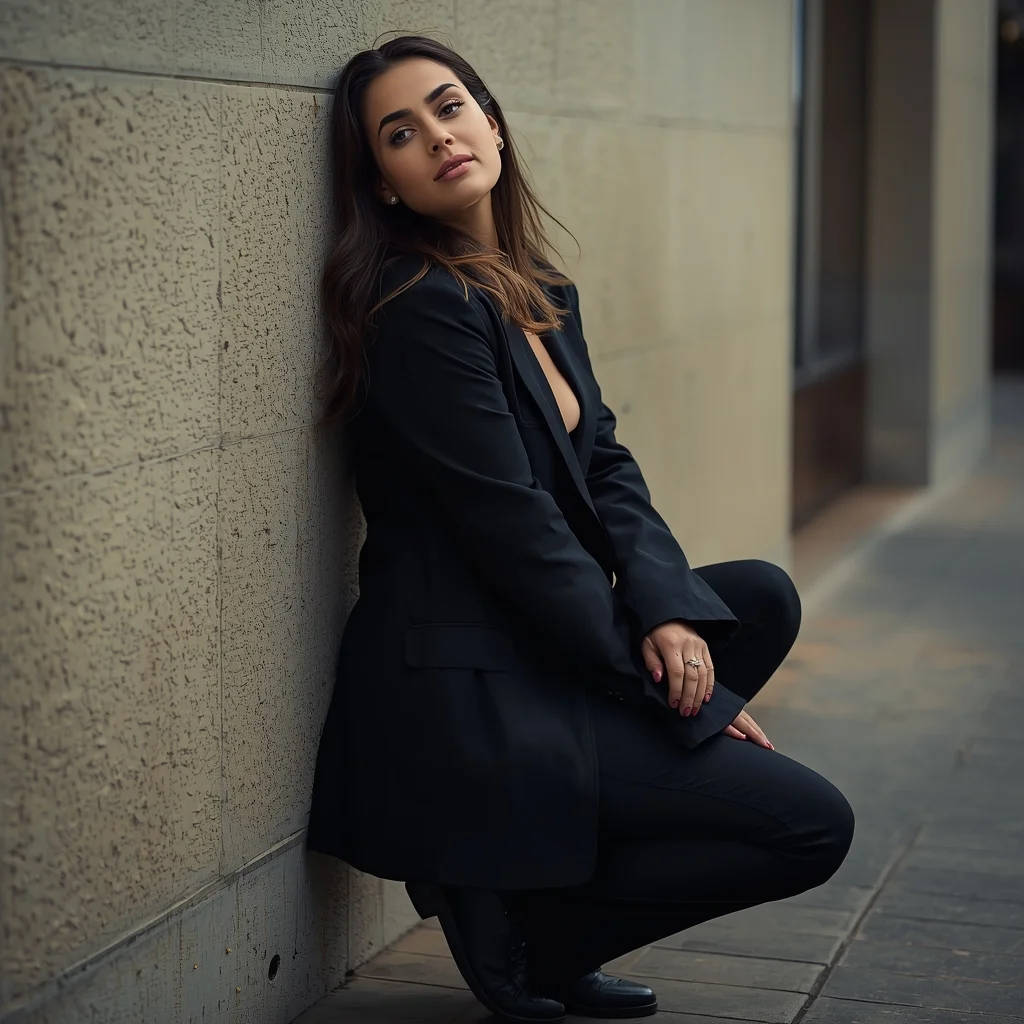
Prompt: A stylish editorial portrait of a woman leaning casually against a textured wall, one knee slightly bent, shoulders relaxed, body language confident and effortless. Her head tilts slightly as she gazes calmly toward the camera. Directional lighting creates depth and contrast, highlighting facial features and clothing textures. Urban environment softly blurred in the background. Modern street fashion styling, cinematic framing, ultra-realistic skin and fabric details, high-resolution clarity, professional photography composition.
Modern Indian Viral Reel Pose – Calm Studio Micro-Move | Trending Gemini Prompt
3108 mos ago
Prompt: An Indian woman wearing a minimalist modern Indian dress, captured during a subtle micro-movement in a clean studio setup. Slight posture shift, calm and elegant motion. Hair neatly styled with soft movement. Expression relaxed, confident, and modern. Makeup natural and luminous. Lighting even, soft, and high quality. Background plain or pastel. Ultra-realistic textures, cinematic minimalism, modern influencer aesthetic, optimized for social media virality.
DON’T MAKE THIS MISTAKE ❌ | Viral Prompt Idea For Creator
2898 mos ago
Prompt: Photorealistic YouTube thumbnail of a worried person holding their head in frustration, eyebrows raised, mouth slightly open, large red cross symbol floating beside them, bold warning vibe, dramatic lighting from top, dark background with subtle texture, high contrast shadows, ultra-sharp facial details, expressive emotions, cinematic color grading, vivid red accents, clean composition, high saturation, professional studio photography look, 4K ultra-HD, designed to instantly grab attention in YouTube feed.
A woman posing outdoors in nature, standing near trees or mountains, flowing dress, fresh natural light, peaceful and calm mood, wide-angle composition, realistic environment, cinematic landscape portrait, ultra-detailed, 8K resolution
Frequently Asked Questions
Common questions regarding this AI prompt.
Can I change the material composition of objects in the Before–After Product Concept | Perfect Image Prompt prompt?
Yes, AI handles material transformation brilliantly. If you want to change a standard object into something surreal, use explicit material descriptors like 'made of translucent frosted glass', 'brushed anodized aluminum', 'woven carbon fiber', or 'wet shimmering obsidian'. This will completely recalculate the reflections and refractions in the Product Images output.
Why is this prompt highly effective for generating Before–After Product Concept | Perfect Image Prompt?
Its effectiveness lies in the structured syntax. It separates the core subject definition from the style and technical parameters. This 'block structure' prevents AI confusion, ensuring that the details of Before–After Product Concept | Perfect Image Prompt remain razor-sharp while the background and artistic medium seamlessly blend to match the Product Images aesthetic without overpowering the main focus.
What if the AI completely ignores a specific detail I added to the Before–After Product Concept | Perfect Image Prompt prompt?
If a detail is ignored, it lacks 'weight'. Move that specific word closer to the very beginning of the prompt. Alternatively, if using Midjourney, use the double colon syntax (Keyword::2) to force the AI to pay attention. In Stable Diffusion, wrap the keyword in parentheses like (Keyword:1.5) to boost its importance in the Product Images scene.
Why might the colors in my Before–After Product Concept | Perfect Image Prompt generation appear washed out, and how do I fix it?
Washed-out colors typically result from a missing VAE file in local setups, or a lack of color-grading instructions. To immediately fix this within the text prompt itself, append phrases such as 'vibrant technicolor, rich saturation, HDR, cinematic color grading, high contrast'. This forces the AI to map a wider, more dynamic color range to your image.
Can I simulate bioluminescence or neon lighting in this prompt?
Yes, you can easily shift the scene into a sci-fi or fantasy realm by adding terms like 'bioluminescent glow', 'neon tube lighting', 'emissive materials', or 'fluorescent accents'. These modifiers will cause the objects within the Product Images scene to act as their own light sources, casting incredibly realistic colored reflections onto surrounding surfaces.
What is the core conceptual focus of the Before–After Product Concept | Perfect Image Prompt prompt?
The Before–After Product Concept | Perfect Image Prompt prompt is meticulously engineered to focus on high-fidelity visual storytelling within the Product Images genre. By leveraging advanced keyword weighting and specific rendering tokens, it ensures that the AI prioritizes both the primary subject matter and the intricate atmospheric details, resulting in a highly professional and polished final image.
Is it possible to make the image look like an architectural blueprint?
Absolutely. Strip all color and realism by adding 'technical architectural blueprint, white lines on blue background, schematics, precise measurements, cross-section view, drafted by an engineer'. This is a highly creative way to present the Product Images subject from an analytical, structural perspective.
How do I ensure the skin textures in Before–After Product Concept | Perfect Image Prompt look photorealistic and not plastic?
AI often defaults to overly smooth, airbrushed skin. To counter this, you must explicitly demand imperfections. Add 'subsurface scattering, visible skin pores, peach fuzz, micro-wrinkles, highly detailed skin texture, raw unedited photograph' to the prompt. This forces the model to render the human elements of the Product Images scene with authentic, biological realism.
Can I make the characters or subjects in Before–After Product Concept | Perfect Image Prompt look like cyborgs?
Easily. Append 'cybernetic enhancements, robotic limbs, glowing optical sensors, biomechanical plating, android'. The AI seamlessly blends biological flesh with metallic machinery, maintaining the high-quality rendering of the original Product Images prompt while shifting the character design.
How do I inject a cyberpunk or dystopian sci-fi feel into Before–After Product Concept | Perfect Image Prompt?
Add 'cyberpunk metropolis, neon rain, holographic advertisements, high-tech low-life, chrome and cables'. The AI will retain the core shape and intent of the Before–After Product Concept | Perfect Image Prompt prompt but re-texture everything with futuristic, glowing, and metallic sci-fi elements.
Is this prompt compatible with the new Flux.1 AI model?
Yes, Flux.1 is incredibly responsive to detailed structural prompts just like this one. Because Flux handles complex spatial relationships and typography better than previous models, the composition instructions embedded in the Before–After Product Concept | Perfect Image Prompt prompt will be rendered with astonishing accuracy, making it ideal for high-end Product Images generation.
How customizable are the character and environment details in the Before–After Product Concept | Perfect Image Prompt prompt?
Highly customizable. The prompt serves as a robust architectural framework. You can easily swap out specific nouns or color palettes while retaining the core Product Images style. For example, changing the time of day or the primary clothing material will seamlessly adapt the scene while maintaining the high-definition rendering quality originally intended for Before–After Product Concept | Perfect Image Prompt.