Neo-Urban Confidence Walk Pose | Shadow Effect Prompt
High-quality AI-generated image. Optimized for detailed rendering, perfect for creative projects and inspiration.
104Views
0 Likes
100%Quality
FreeLicense
AI Prompt
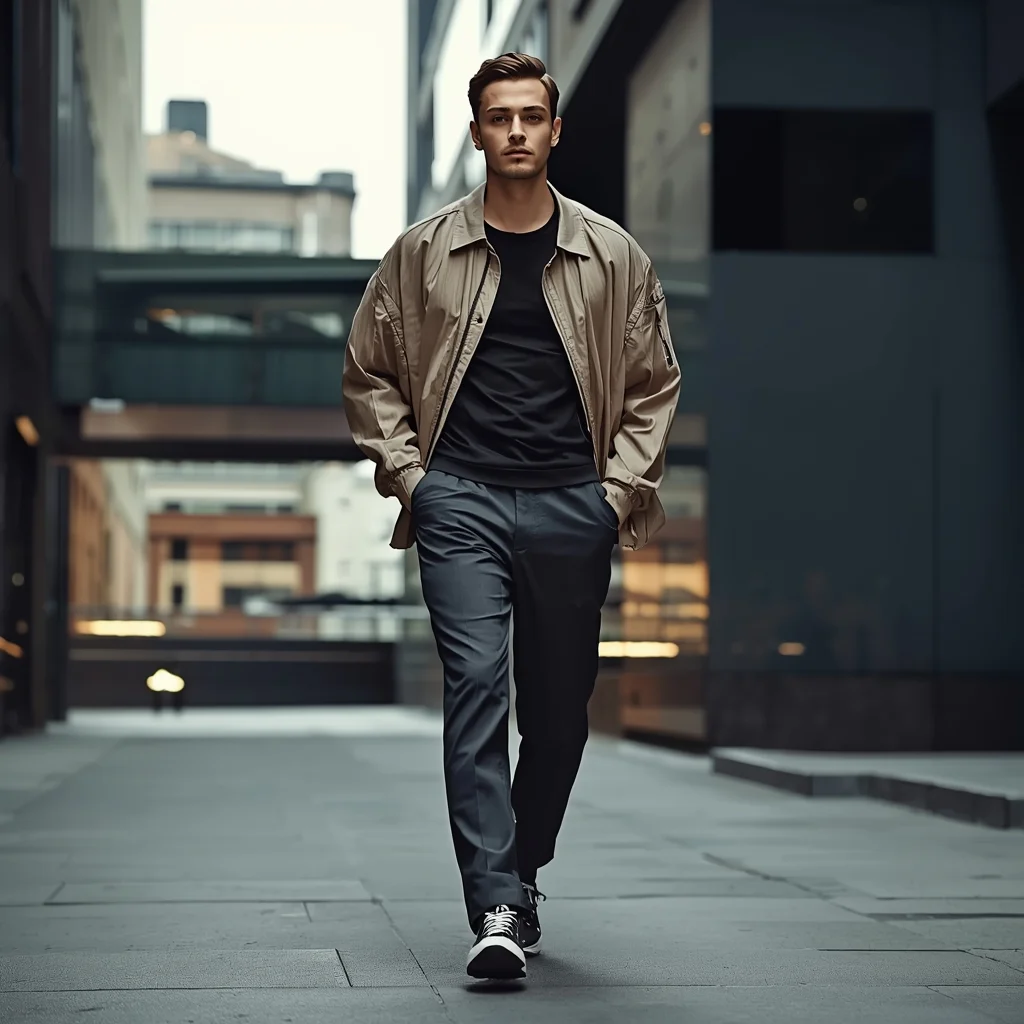
Prompt: A stylish young man walking confidently through a modern city street, mid-step pose, relaxed shoulders, hands swinging naturally, wearing an oversized jacket, fitted t-shirt, slim trousers, and sneakers, sharp jawline, focused expression, urban background with blurred motion, cinematic lighting, ultra-realistic photography, street fashion editorial style, shallow depth of field, 8k quality.
Want to create this with your own face? Use this instruction:
Do not alter age, gender appearance, ethnicity, or facial expression style. Everything must remain consistent with the reference image. Prompt: A stylish young man walking confidently through a modern city street, mid-step pose, relaxed shoulders, hands swinging naturally, wearing an oversized jacket, fitted t-shirt, slim trousers, and sneakers, sharp jawline, focused expression, urban background with blurred motion, cinematic lighting, ultra-realistic photography, street fashion editorial style, shallow depth of field, 8k quality.
About this Prompt
Unlock a revolutionary new paradigm of digital generation with 'Neo-Urban Confidence Walk Pose | Shadow Effect Prompt'. Carefully crafted for creators who demand absolute perfection in Man Pose Art aesthetics, this prompt leverages cutting-edge AI capabilities to generate hyper-realistic, awe-inspiring visuals that instantly grab attention and refuse to let go. Incredibly delicate, almost microscopic filigree work and obsessive attention to highly ornate craftsmanship define the physical space. The glowing transparency and beautiful subsurface scattering make the organic elements look remarkably fleshy, completely authentic, and terrifyingly alive in this Man Pose Art context.
From captivating, highly viral Instagram carousel posts to massively detailed, large-scale print-on-demand graphics, the sheer, staggering versatility of this specific prompt makes it a mandatory, must-have addition to your daily creative rendering toolkit. Seize this incredible, highly unique opportunity to completely dominate the generative space. It provides the absolute quickest, most deeply reliable path to total mastery, permanently redefining the known visual boundaries of your digital artistry.
An athletic man posing in a fitness model stance, muscular body definition, wearing gym wear, studio lighting with strong highlights and shadows, dark background, intense expression, high detail muscle texture, professional fitness photoshoot, ultra-realistic, 8K resolution
Prompt: A sophisticated studio portrait featuring a "back-arch" pose. The woman is standing sideways, wearing a backless matte black latex bodysuit that reflects the studio lights. Her body is arched slightly toward the camera, one hand resting on the back of her neck. The lighting is high-contrast "rim lighting," separating her silhouette from the deep charcoal background. Realistic rendering of fabric tension, skin texture on the shoulder blades, and sharp focus on the iris of her eye. 100mm macro lens for extreme detail.
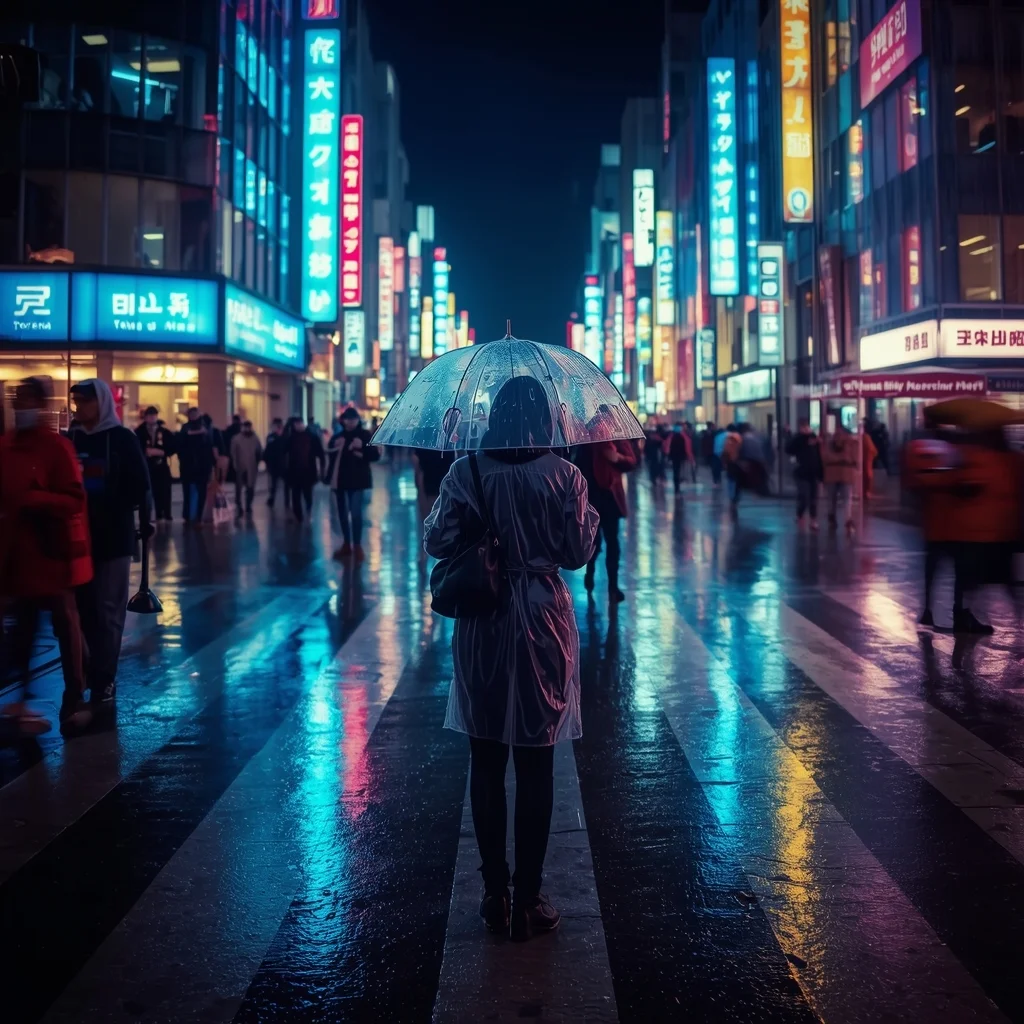
A busy Tokyo street crossing at night during heavy rain. Neon signs reflect vividly on the wet asphalt. A person in a clear raincoat holds a transparent umbrella, standing in focus while the crowd around them is slightly blurred (motion blur). Cinematic lighting, cool blue and cyberpunk pink tones, 35mm lens, 4k.
Modern Women Girl Viral Reel Over-Shoulder Pose | Design Prompt
2132 mos ago
Prompt: A woman wearing a trendy modern women’s dress, captured in an over-the-shoulder reel pose. Body facing slightly away while the head turns back toward the camera. Hair cascading naturally with soft motion. Expression playful, stylish, and confident. Makeup fresh with gentle highlights. Lighting clean and vibrant for sharpness. Background minimal and colorful for social media. Ultra-realistic detail, cinematic framing, influencer-quality visuals.
A stealth operative woman pressed flat against a grimy concrete wall in a busy subterranean market, cautiously peeking around a corner with one eye, holding a silenced pistol near her chest. Her suit has active camouflage partially engaged, causing a shimmering distortion effect on her arm. Crowds of diverse cyberpunk citizens move in the blurred background. Tense atmosphere, moody neon lighting mixed with steam, realistic textures, 8k
Street Style Young Woman Urban Attitude Pose | Ai Design Prompt
973 mos ago
Prompt: A young woman posing with confident street-style attitude, relaxed stance, hands in pockets or crossed loosely. Casual trendy outfit, urban background, natural daylight, lifestyle street photography, cinematic framing, realistic textures, high resolution.
Modern Women Girl Viral Reel Casual Relax Pose | Photo Prompt
1672 mos ago
Prompt: A modern woman dressed in a casual yet trendy dress, captured in a relaxed reel pose. Body slightly leaned, shoulders soft, hands resting naturally. Hair loose with natural texture and movement. Expression calm, friendly, and confident. Makeup light, fresh, and glowing. Lighting soft yet vibrant, enhancing realism. Background minimal and airy, optimized for social platforms. Ultra-realistic skin texture, cinematic composition, modern influencer vibe designed for viral reach.
The "Epic Gaming Moment" Thumbnail Niche: Gaming / Let's Play | Nature Image Prompt
1493 mos ago
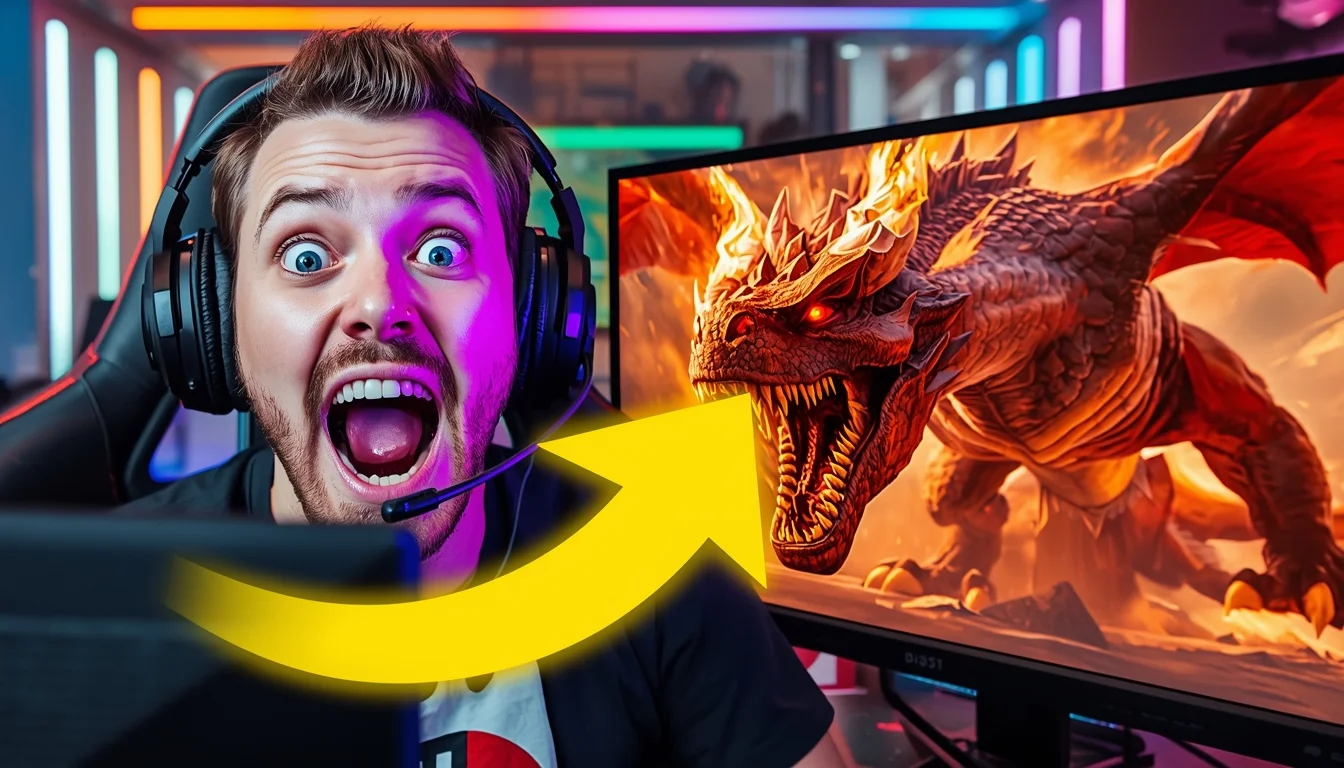
A high-energy YouTube thumbnail composition. On the left side, a close-up of a popular streamer in a gaming chair wearing a headset, making an incredibly exaggerated, wide-eyed "jaw dropped" shocked face at the camera. Their face is lit by dramatic purple and blue LED key lighting from their monitor. On the right side of the split screen, a vibrant, high-contrast screenshot from the game "Elden Ring," showing a massive, fiery dragon boss filling the frame mid-attack. A large, glowing yellow arrow graphic (implied as part of the image structure) points from the streamer's face to the dragon. The background behind the streamer is a blurred room with RGB light strips. Aspect ratio 16:9.
Frequently Asked Questions
Common questions regarding this AI prompt.
Can I make the characters or subjects in Neo-Urban Confidence Walk Pose | Shadow Effect Prompt look like cyborgs?
Easily. Append 'cybernetic enhancements, robotic limbs, glowing optical sensors, biomechanical plating, android'. The AI seamlessly blends biological flesh with metallic machinery, maintaining the high-quality rendering of the original Man Pose Art prompt while shifting the character design.
What specific lighting setup is best to highlight the details of Neo-Urban Confidence Walk Pose | Shadow Effect Prompt?
For maximum texture reveal, a 'three-point studio lighting' or 'Rembrandt lighting' setup works best. By incorporating keywords like 'rim light', 'key light', and 'soft fill', you instruct the AI to sculpt the Man Pose Art subject out of the background, ensuring that micro-details like skin pores, fabric weaves, or metallic reflections are perfectly visible.
How can I adjust the emotional tone or mood of Neo-Urban Confidence Walk Pose | Shadow Effect Prompt?
The mood is heavily dictated by lighting and color grading keywords. To make Neo-Urban Confidence Walk Pose | Shadow Effect Prompt feel more melancholic, replace warm lighting terms with 'cool blue tones, rainy atmosphere, and dramatic shadows'. Conversely, adding 'vibrant saturation, golden hour sunlight, and joyful expressions' will instantly uplift the emotional resonance of the Man Pose Art scene.
How do I modify Neo-Urban Confidence Walk Pose | Shadow Effect Prompt to fit into a dark fantasy or gothic horror setting?
Change the environmental descriptors. Add 'dark fantasy concept art, gothic architecture, eerie volumetric fog, corrupted ruins, ominous atmosphere, Bloodborne aesthetic'. This forces the AI to reinterpret the Neo-Urban Confidence Walk Pose | Shadow Effect Prompt prompt through a grim, terrifying lens, drastically altering the mood of the Man Pose Art output.
What architectural composition techniques are embedded in the Neo-Urban Confidence Walk Pose | Shadow Effect Prompt prompt?
The Neo-Urban Confidence Walk Pose | Shadow Effect Prompt prompt utilizes advanced compositional frameworks such as the golden ratio and leading lines. By strategically placing the core Man Pose Art subject matter at intersection points, it guides the viewer's eye naturally through the scene. This mathematical approach to AI generation ensures the final output feels balanced and visually arresting without requiring post-crop adjustments.
Can I convert the scene into a post-apocalyptic wasteland?
Yes, by adding 'post-apocalyptic, overgrown ruins, rusted metal, decayed urban environment, survival aesthetic, cinematic fallout style'. The AI will take the core structure of Neo-Urban Confidence Walk Pose | Shadow Effect Prompt and age it by decades, adding immense weathering and environmental storytelling to the Man Pose Art image.
What is the optimal workflow for upscaling Neo-Urban Confidence Walk Pose | Shadow Effect Prompt to print-quality resolution?
Do not generate at massive resolutions directly, as it causes compositional duplication (like two heads). Instead, generate Neo-Urban Confidence Walk Pose | Shadow Effect Prompt at a native resolution (e.g., 1024x1024), and then use a dedicated AI upscaler. Tools like Topaz Gigapixel AI, Magnific AI, or the '4x-UltraSharp' model in Automatic1111 will enhance the micro-textures of the Man Pose Art without destroying the original composition.
What should I do if the background of Neo-Urban Confidence Walk Pose | Shadow Effect Prompt becomes too cluttered?
If the AI over-complicates the background, you need to assert control over the depth of field. Add strict modifiers like 'clean minimalist background, studio backdrop, heavy bokeh, blurred environment' to the prompt. Additionally, placing the subject-specific keywords at the very front of the prompt ensures the AI prioritizes the main Neo-Urban Confidence Walk Pose | Shadow Effect Prompt element.
What is the core conceptual focus of the Neo-Urban Confidence Walk Pose | Shadow Effect Prompt prompt?
The Neo-Urban Confidence Walk Pose | Shadow Effect Prompt prompt is meticulously engineered to focus on high-fidelity visual storytelling within the Man Pose Art genre. By leveraging advanced keyword weighting and specific rendering tokens, it ensures that the AI prioritizes both the primary subject matter and the intricate atmospheric details, resulting in a highly professional and polished final image.
How do I give Neo-Urban Confidence Walk Pose | Shadow Effect Prompt a retro, 1980s synthwave aesthetic?
Inject keywords that define that specific era's pop culture. Use 'vaporwave aesthetic, 1980s synthwave, neon grid background, cyan and magenta color palette, VHS glitch effect, retro-futurism'. This overrides the standard lighting and wraps the Neo-Urban Confidence Walk Pose | Shadow Effect Prompt subject in a highly stylized, nostalgic digital atmosphere.
Can I make the image look like vintage, degraded film?
Absolutely. To strip away the ultra-modern crispness, inject phrases like 'shot on Kodak Portra 400', 'heavy film grain', 'light leaks', 'chromatic aberration', and 'vintage 1970s polaroid'. This introduces beautiful, nostalgic imperfections into the Man Pose Art scene, making the Neo-Urban Confidence Walk Pose | Shadow Effect Prompt generation look like a discovered relic rather than a digital creation.
How can I prevent anatomical distortions or 'extra limbs' when generating characters?
While modern models have improved, complex poses in Man Pose Art can still cause issues. To prevent this, use a strong negative prompt containing 'bad anatomy, extra limbs, mutated hands, deformed structure'. If generating locally via Stable Diffusion, utilizing ControlNet (specifically OpenPose or Depth) alongside this prompt will guarantee flawless anatomical structure.
How do I create a surreal, dream-like version of Neo-Urban Confidence Walk Pose | Shadow Effect Prompt?
To break the laws of physics, use keywords like 'surrealism, dreamscape, floating objects, defying gravity, Salvador Dali style, mind-bending geometry, ethereal'. The AI will take the familiar elements of Neo-Urban Confidence Walk Pose | Shadow Effect Prompt and arrange them in illogical, fascinating ways, creating a truly unique Man Pose Art art piece.
How does the prompt simulate physical camera lenses for Neo-Urban Confidence Walk Pose | Shadow Effect Prompt?
The prompt acts as a virtual director of photography by explicitly stating lens focal lengths and aperture settings. By including phrases like 'shot on 35mm lens' or 'f/1.4 aperture', the AI mathematically simulates the optical distortion, compression, and background blur (bokeh) characteristic of high-end photography, elevating the Man Pose Art image from a flat digital render to a lifelike photo.
Can I use Image-to-Image (Img2Img) techniques with the Neo-Urban Confidence Walk Pose | Shadow Effect Prompt prompt?
Absolutely. Using a rough sketch or a reference photo alongside this prompt in an Img2Img workflow is highly effective. We recommend setting your Denoising Strength between 0.45 and 0.65. This range is the 'sweet spot' that allows the AI to apply the high-quality textures and lighting of the Neo-Urban Confidence Walk Pose | Shadow Effect Prompt prompt while strictly respecting the structural layout of your reference image.