Minimal Studio Product Shot | Ultra Realistic Prompt
High-quality AI-generated image. Optimized for detailed rendering, perfect for creative projects and inspiration.
292Views
0 Likes
100%Quality
FreeLicense
AI Prompt
A single product placed at the center, clean minimal studio setup, white or soft neutral background, even softbox lighting from both sides, subtle shadow below the product, sharp edges, realistic texture details, professional product photography style, ultra-clean composition, high realism, 8K resolution
Want to create this with your own face? Use this instruction:
Reference face is final. Do not modify. A single product placed at the center, clean minimal studio setup, white or soft neutral background, even softbox lighting from both sides, subtle shadow below the product, sharp edges, realistic texture details, professional product photography style, ultra-clean composition, high realism, 8K resolution
About this Prompt
Unlock a revolutionary new paradigm of digital generation with 'Minimal Studio Product Shot | Ultra Realistic Prompt'. Carefully crafted for creators who demand absolute perfection in Product Images aesthetics, this prompt leverages cutting-edge AI capabilities to generate hyper-realistic, awe-inspiring visuals that instantly grab attention and refuse to let go. The deeply mesmerizing, incredibly vibrant patterns and motifs adorning the subject are utterly captivating, making it a highly decorative and intricately ornate digital wonder. Soothing tones mixed with hyper-kinetic energy make this Product Images piece infinitely complex and visually deeply satisfying.
It acts as a deeply powerful catalyst for concept artists working in the highly demanding video game and cinematic film industries. This prompt effortlessly generates highly believable, deeply immersive Product Images worlds and character concepts in mere seconds. Do not ever settle for average, generic generation. Actively utilize this incredibly powerful text string to radically elevate your personal design standards and produce staggering visual masterpieces that truly stand out in the heavily crowded digital space.
The High-Tech Gamer | Smart Prompt For Better Image
2998 mos ago
Prompt: A young man in a sleek black tech-wear hoodie sitting in a high-end gaming setup. The room is dark, illuminated only by the vibrant RGB strips and the glow from three curved monitors reflecting in his glasses. Pose: Leaning back in a professional gaming chair, hands behind his head, legs crossed at the ankles on the desk. He has a confident, relaxed smirk looking at the screens. Technical: Global illumination, neon glow effect, 24mm wide lens, sharp focus on facial features, 8k Unreal Engine 5 style.
Pose: Leaning back in a professional gaming chair, hands behind his head, legs crossed at the ankles on the desk. He has a confident, relaxed smirk looking at the screens. Technical: Global illumination, neon glow effect, 24mm wide lens, sharp focus on facial features, 8k Unreal Engine 5 style.
Technical: Global illumination, neon glow effect, 24mm wide lens, sharp focus on facial features, 8k Unreal Engine 5 style.
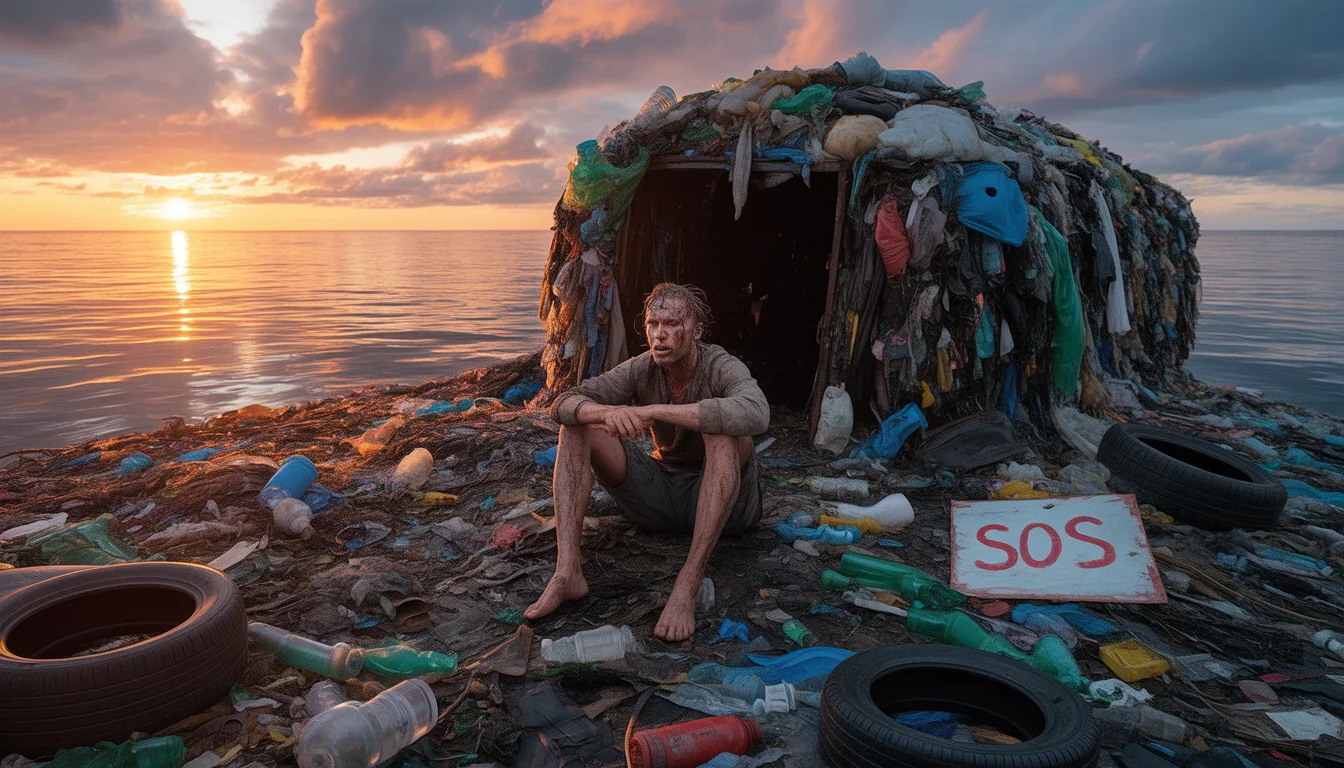
I Survived 7 Days on a Toxic "Trash Island" in the Ocean | Ai Design Prompt
3178 mos ago
Prompt: A gritty, wide-angle survival thumbnail. A lone, exhausted-looking survivalist with tattered clothes and a sunburned face sits on a massive, floating island made entirely of plastic waste, discarded tires, and ocean debris. A makeshift shelter built from garbage is behind them. The sun is setting, casting a dramatic orange and purple light across the polluted ocean. A small, hand-painted "SOS" sign is visible. High contrast, cinematic film grain, sharp detail on the textures of the trash, 8k resolution.
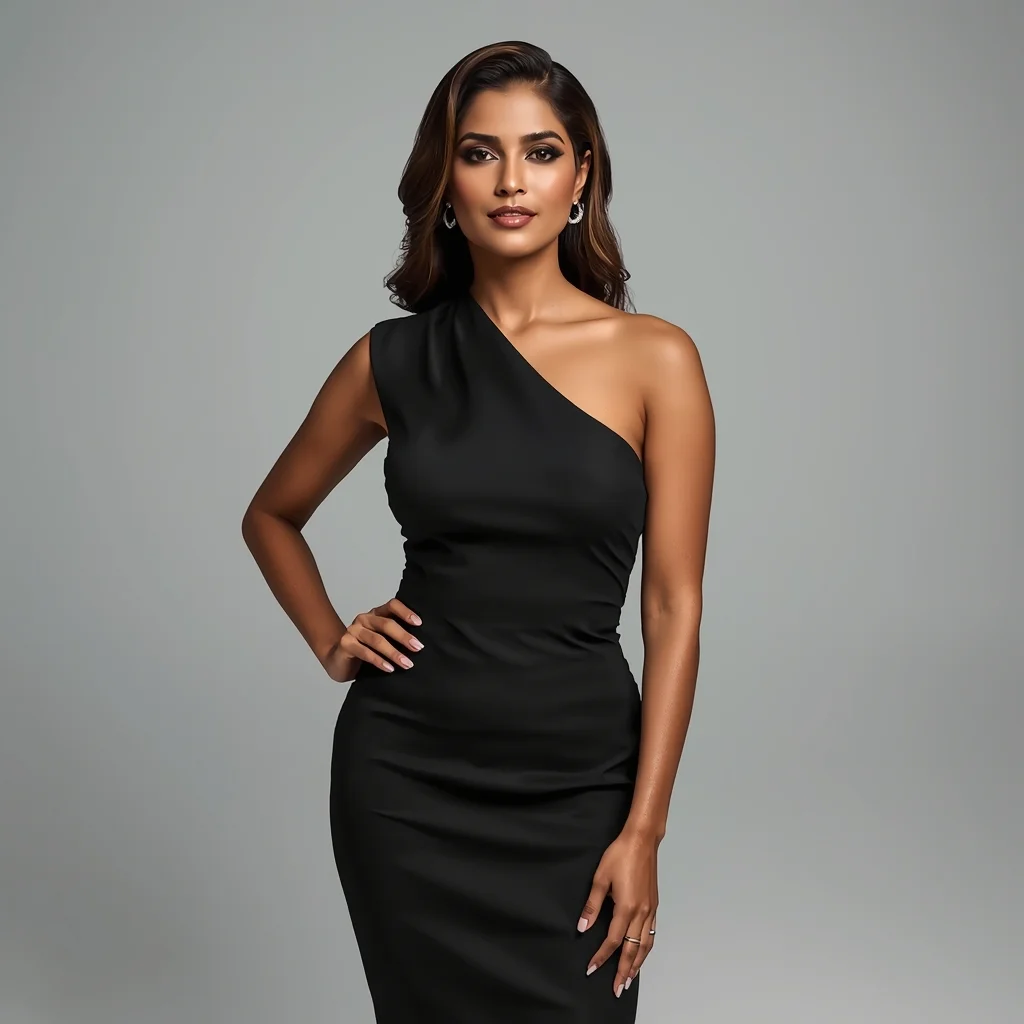
Modern Power Elegance Studio Pose | Ai Prompt Tutorial
3158 mos ago
Prompt: A confident Indian woman wearing a sleek modern designer dress, standing in a minimalist studio, straight posture with one hand softly resting on the waist, subtle head tilt, calm yet powerful facial expression, clean makeup with glossy lips, smooth hair styled in soft waves, soft diffused studio lighting, neutral background, luxury fashion aesthetic, ultra-sharp focus, high-end editorial look, hyper-realistic AI portrait.
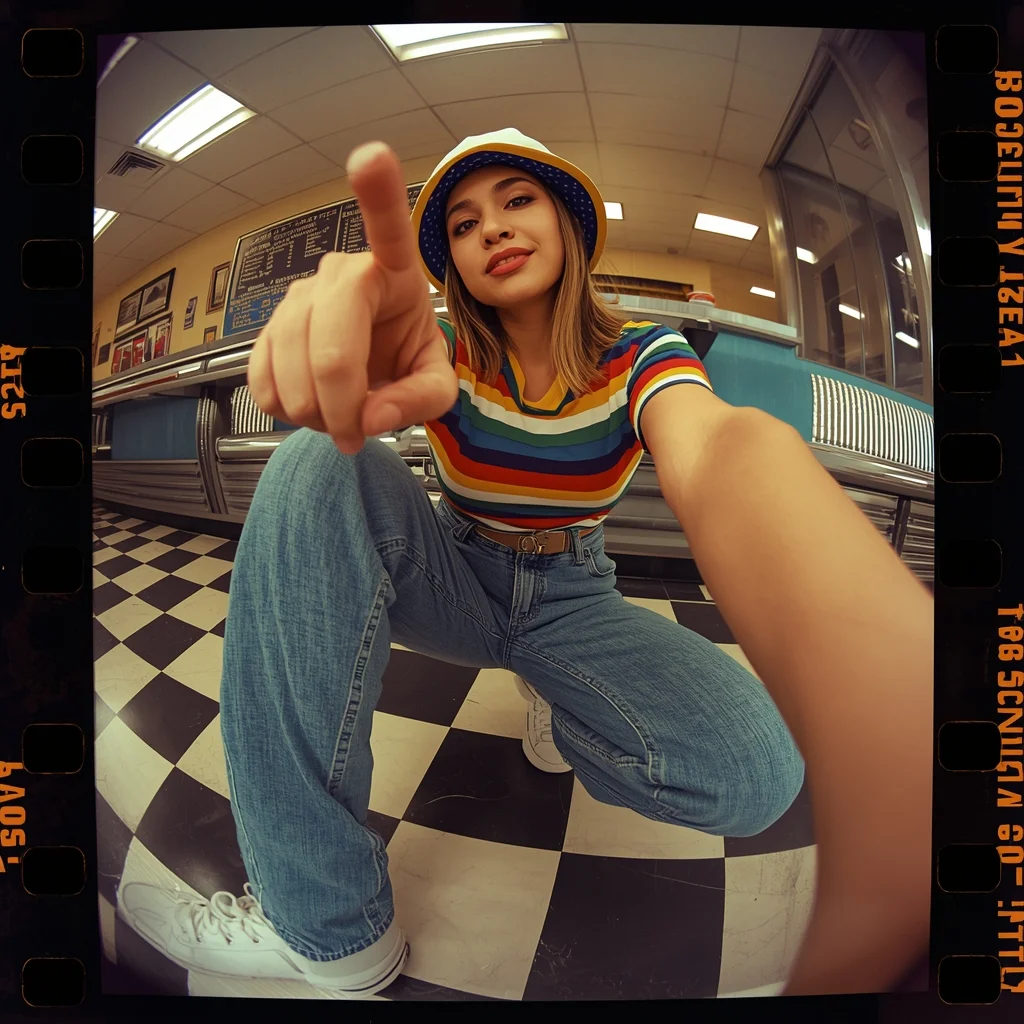
Prompt: A cool woman dressed in 90s vintage fashion: high-waisted mom jeans, a colorful striped ringer tee, and a bucket hat. She is crouching low to the ground in a wide-angle shot (fish-eye lens effect), pointing a finger towards the camera lens playfully. The background is a retro diner with checkered floors. Saturated colors, grain film effect, playful expression, street style photography, nostalgic aesthetic, detailed denim texture.
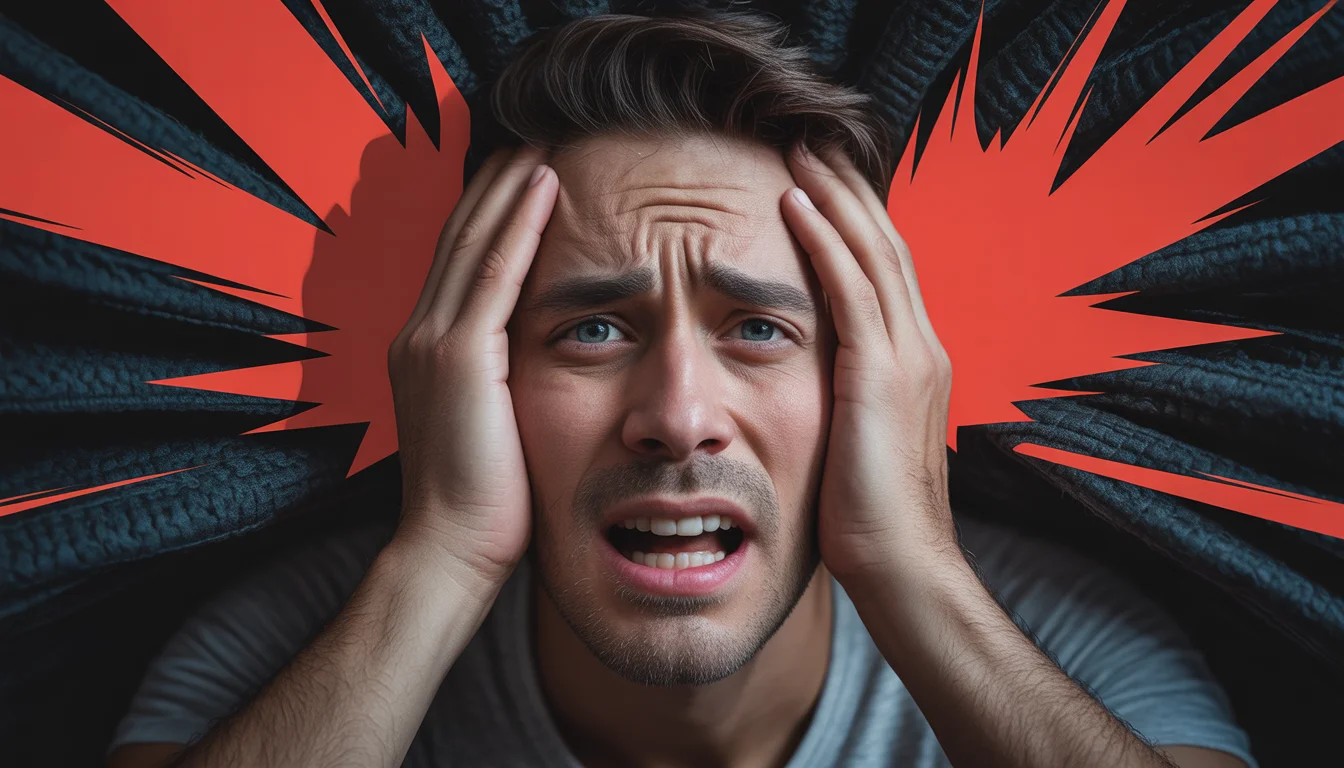
Prompt: Photorealistic YouTube thumbnail showing a worried creator holding their head with both hands, expression of regret and panic, intense top-down dramatic lighting, deep shadows across the face, dark textured background, bold red warning accents, ultra-sharp focus on facial emotions, realistic skin tones, cinematic color grading, professional DSLR quality, high contrast composition, viral YouTube thumbnail style, 4K resolution, designed to instantly grab attention.
Seated Traditional Elegance Woman Pose | Trending Prompt Idea Daily
3178 mos ago
Prompt: A culturally dressed woman seated gracefully on traditional flooring or a wooden bench, posture upright and composed. Her hands are delicately placed in her lap, and her facial expression is serene and thoughtful. Fabrics flow naturally around her, showing intricate patterns and craftsmanship. Soft diffused lighting creates smooth highlights and gentle shadows. Minimal heritage-inspired background, ultra-detailed realism, classic cultural portrait style.
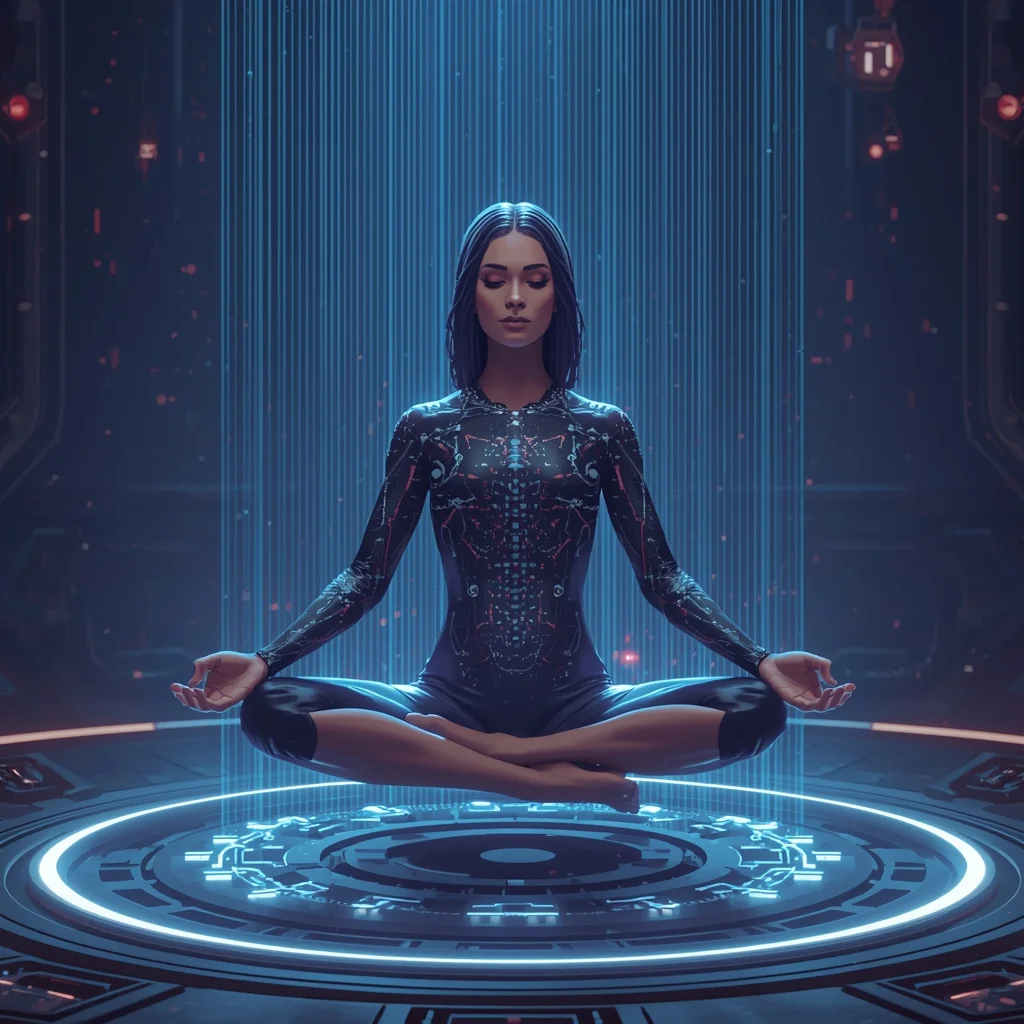
A cyber-mystic woman sitting in a perfect meditative lotus pose, floating a few inches off the ground in the center of a glowing circular data nexus chamber. Thick bundles of fiber-optic cables are plugged into ports along her spine, causing her cybernetic tattoos to pulse with rhythmic light. Ethereal blue and purple atmosphere, serene expression, highly detailed sci-fi interior, 8k
Frequently Asked Questions
Common questions regarding this AI prompt.
Does this prompt support blending multiple concepts together?
Yes, advanced users can use this prompt as a base for concept blending. By utilizing syntax like [Concept A : Concept B : 0.5] in Automatic1111 or simply describing a hybrid scenario, the strong foundational parameters of the Minimal Studio Product Shot | Ultra Realistic Prompt prompt will ensure the merged concepts render cohesively without degrading into visual noise.
What rendering engines should I reference to maximize the quality of Minimal Studio Product Shot | Ultra Realistic Prompt?
Modern AI image generators respond incredibly well to 3D software references. By appending terms like 'Unreal Engine 5 render', 'OctaneRender', 'Redshift', 'V-Ray', and 'Global Illumination', you are signaling the AI to utilize its highest quality datasets for lighting physics and material textures within the Product Images image.
Can I convert the scene into a post-apocalyptic wasteland?
Yes, by adding 'post-apocalyptic, overgrown ruins, rusted metal, decayed urban environment, survival aesthetic, cinematic fallout style'. The AI will take the core structure of Minimal Studio Product Shot | Ultra Realistic Prompt and age it by decades, adding immense weathering and environmental storytelling to the Product Images image.
How do I create a dramatic, low-light version of Minimal Studio Product Shot | Ultra Realistic Prompt?
To plunge the scene into dramatic darkness, modify the prompt to include 'chiaroscuro', 'low-key lighting', 'underexposed', and 'stark shadows'. This tells the AI to plunge the majority of the Product Images environment into darkness while intensely illuminating only the most critical parts of the Minimal Studio Product Shot | Ultra Realistic Prompt subject, creating a moody, cinematic masterpiece.
Can I make the characters or subjects in Minimal Studio Product Shot | Ultra Realistic Prompt look like cyborgs?
Easily. Append 'cybernetic enhancements, robotic limbs, glowing optical sensors, biomechanical plating, android'. The AI seamlessly blends biological flesh with metallic machinery, maintaining the high-quality rendering of the original Product Images prompt while shifting the character design.
Why might the colors in my Minimal Studio Product Shot | Ultra Realistic Prompt generation appear washed out, and how do I fix it?
Washed-out colors typically result from a missing VAE file in local setups, or a lack of color-grading instructions. To immediately fix this within the text prompt itself, append phrases such as 'vibrant technicolor, rich saturation, HDR, cinematic color grading, high contrast'. This forces the AI to map a wider, more dynamic color range to your image.
Can I generate a 3D claymation or toy-like version of Minimal Studio Product Shot | Ultra Realistic Prompt?
Yes, you can mimic physical models easily. Add terms such as 'made of polymer clay, tilt-shift photography, miniature diorama, cute 3D render, smooth plasticine, vibrant pastel colors' to the prompt. The AI will instantly convert the Product Images scene into a charming, tactile 3D object.
What architectural composition techniques are embedded in the Minimal Studio Product Shot | Ultra Realistic Prompt prompt?
The Minimal Studio Product Shot | Ultra Realistic Prompt prompt utilizes advanced compositional frameworks such as the golden ratio and leading lines. By strategically placing the core Product Images subject matter at intersection points, it guides the viewer's eye naturally through the scene. This mathematical approach to AI generation ensures the final output feels balanced and visually arresting without requiring post-crop adjustments.
How do I create a surreal, dream-like version of Minimal Studio Product Shot | Ultra Realistic Prompt?
To break the laws of physics, use keywords like 'surrealism, dreamscape, floating objects, defying gravity, Salvador Dali style, mind-bending geometry, ethereal'. The AI will take the familiar elements of Minimal Studio Product Shot | Ultra Realistic Prompt and arrange them in illogical, fascinating ways, creating a truly unique Product Images art piece.
How does Google's Gemini (Imagen 3) respond to the Minimal Studio Product Shot | Ultra Realistic Prompt prompt?
Gemini's Imagen 3 engine is exceptionally strong at adhering to safe, high-quality, photorealistic requests. It reads the descriptive narrative of the Minimal Studio Product Shot | Ultra Realistic Prompt prompt perfectly, ensuring that the subject anatomy and environmental physics are logical, highly detailed, and free from the typical warping artifacts seen in older generation models.
How can I adjust the emotional tone or mood of Minimal Studio Product Shot | Ultra Realistic Prompt?
The mood is heavily dictated by lighting and color grading keywords. To make Minimal Studio Product Shot | Ultra Realistic Prompt feel more melancholic, replace warm lighting terms with 'cool blue tones, rainy atmosphere, and dramatic shadows'. Conversely, adding 'vibrant saturation, golden hour sunlight, and joyful expressions' will instantly uplift the emotional resonance of the Product Images scene.
Can I make the image look like vintage, degraded film?
Absolutely. To strip away the ultra-modern crispness, inject phrases like 'shot on Kodak Portra 400', 'heavy film grain', 'light leaks', 'chromatic aberration', and 'vintage 1970s polaroid'. This introduces beautiful, nostalgic imperfections into the Product Images scene, making the Minimal Studio Product Shot | Ultra Realistic Prompt generation look like a discovered relic rather than a digital creation.
Why is this prompt highly effective for generating Minimal Studio Product Shot | Ultra Realistic Prompt?
Its effectiveness lies in the structured syntax. It separates the core subject definition from the style and technical parameters. This 'block structure' prevents AI confusion, ensuring that the details of Minimal Studio Product Shot | Ultra Realistic Prompt remain razor-sharp while the background and artistic medium seamlessly blend to match the Product Images aesthetic without overpowering the main focus.
What should I do if the background of Minimal Studio Product Shot | Ultra Realistic Prompt becomes too cluttered?
If the AI over-complicates the background, you need to assert control over the depth of field. Add strict modifiers like 'clean minimalist background, studio backdrop, heavy bokeh, blurred environment' to the prompt. Additionally, placing the subject-specific keywords at the very front of the prompt ensures the AI prioritizes the main Minimal Studio Product Shot | Ultra Realistic Prompt element.
How do I inject a cyberpunk or dystopian sci-fi feel into Minimal Studio Product Shot | Ultra Realistic Prompt?
Add 'cyberpunk metropolis, neon rain, holographic advertisements, high-tech low-life, chrome and cables'. The AI will retain the core shape and intent of the Minimal Studio Product Shot | Ultra Realistic Prompt prompt but re-texture everything with futuristic, glowing, and metallic sci-fi elements.