Minimal Studio Product Shot | Ultra Realistic Prompt
High-quality AI-generated image. Optimized for detailed rendering, perfect for creative projects and inspiration.
293Views
0 Likes
100%Quality
FreeLicense
AI Prompt
A single product placed at the center, clean minimal studio setup, white or soft neutral background, even softbox lighting from both sides, subtle shadow below the product, sharp edges, realistic texture details, professional product photography style, ultra-clean composition, high realism, 8K resolution
Want to create this with your own face? Use this instruction:
Reference face is final. Do not modify. A single product placed at the center, clean minimal studio setup, white or soft neutral background, even softbox lighting from both sides, subtle shadow below the product, sharp edges, realistic texture details, professional product photography style, ultra-clean composition, high realism, 8K resolution
About this Prompt
Unlock a revolutionary new paradigm of digital generation with 'Minimal Studio Product Shot | Ultra Realistic Prompt'. Carefully crafted for creators who demand absolute perfection in Product Images aesthetics, this prompt leverages cutting-edge AI capabilities to generate hyper-realistic, awe-inspiring visuals that instantly grab attention and refuse to let go. The deeply mesmerizing, incredibly vibrant patterns and motifs adorning the subject are utterly captivating, making it a highly decorative and intricately ornate digital wonder. Soothing tones mixed with hyper-kinetic energy make this Product Images piece infinitely complex and visually deeply satisfying.
It acts as a deeply powerful catalyst for concept artists working in the highly demanding video game and cinematic film industries. This prompt effortlessly generates highly believable, deeply immersive Product Images worlds and character concepts in mere seconds. Do not ever settle for average, generic generation. Actively utilize this incredibly powerful text string to radically elevate your personal design standards and produce staggering visual masterpieces that truly stand out in the heavily crowded digital space.
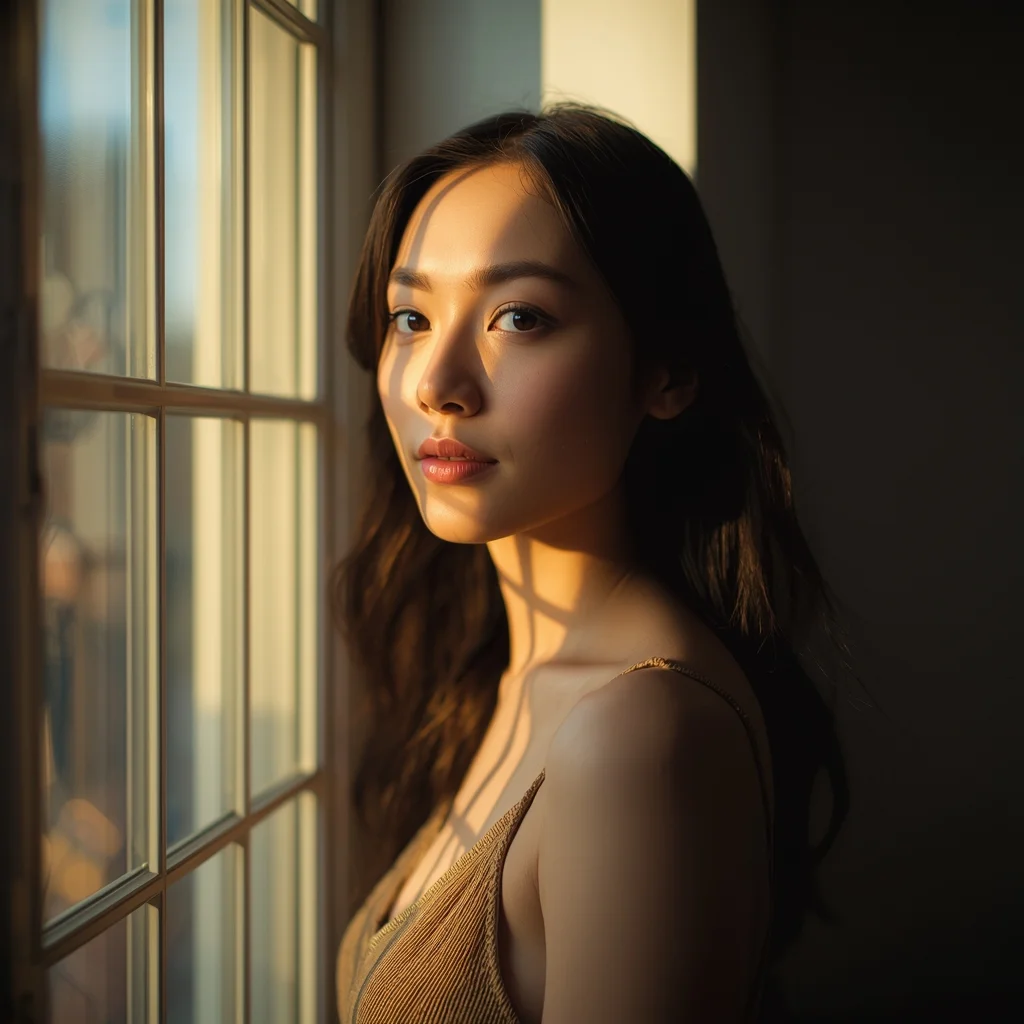
Natural light portrait of a woman standing beside a large window, soft sunlight falling across face and hair, gentle shadows, thoughtful calm expression, minimalist interior background, warm color tones, realistic skin highlights, cinematic depth of field, lifestyle photography aesthetic, professional ultra-detailed quality
Dreamy Botanical X-Ray | Viral Ai Prompt You Must Try
3228 mos ago
An x-ray style image of a blooming Lotus, petals glowing softly with bioluminescent veins, dark background, ethereal lighting, scientific yet poetic composition, ultra-detailed, macro photography
AI Influencer Casual Lean Studio Pose | Viral Image Generator Prompt
3398 mos ago
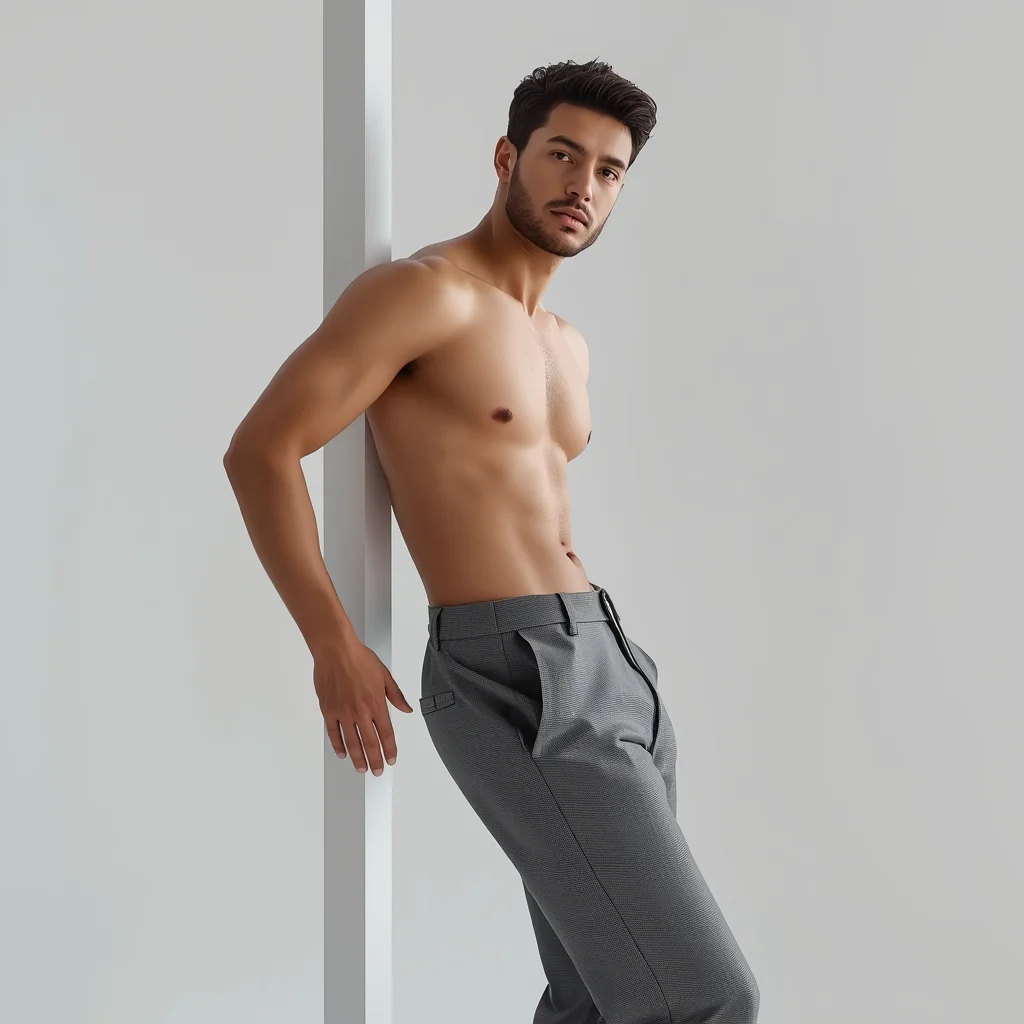
Prompt: A trendy AI influencer man leaning slightly against an invisible studio prop, one shoulder dropped casually, hands relaxed, effortless confident expression, minimal outfit styling, soft diffused lighting, clean modern background, ultra-polished aesthetic, realistic skin and fabric details.
The Ghibli-esque Pastoral Dream (Anime/Watercolor Style) | Realistic Photo Prompt
2978 mos ago
A whimsical, hand-painted anime landscape in the distinct style of Studio Ghibli. A cozy, tumbledown cottage with a moss-covered red roof is nestled in a valley overflowing with giant, impossibly fluffy wildflowers and ancient, twisted trees. A small, clear stream winds past the house with a wooden water wheel. In the distance, massive, cumulus "castle in the sky" clouds tower over rolling green hills. A young character with a straw hat is herding strange, woolly fantasy creatures. The colors are soft pastels and natural greens, with visible watercolor paper texture and gentle, warm sunlight filtering through the leaves. Nostalgic and peaceful atmosphere.
Indian Village Traditional Lifestyle Pose | Gemini Ai Prompt
3708 mos ago
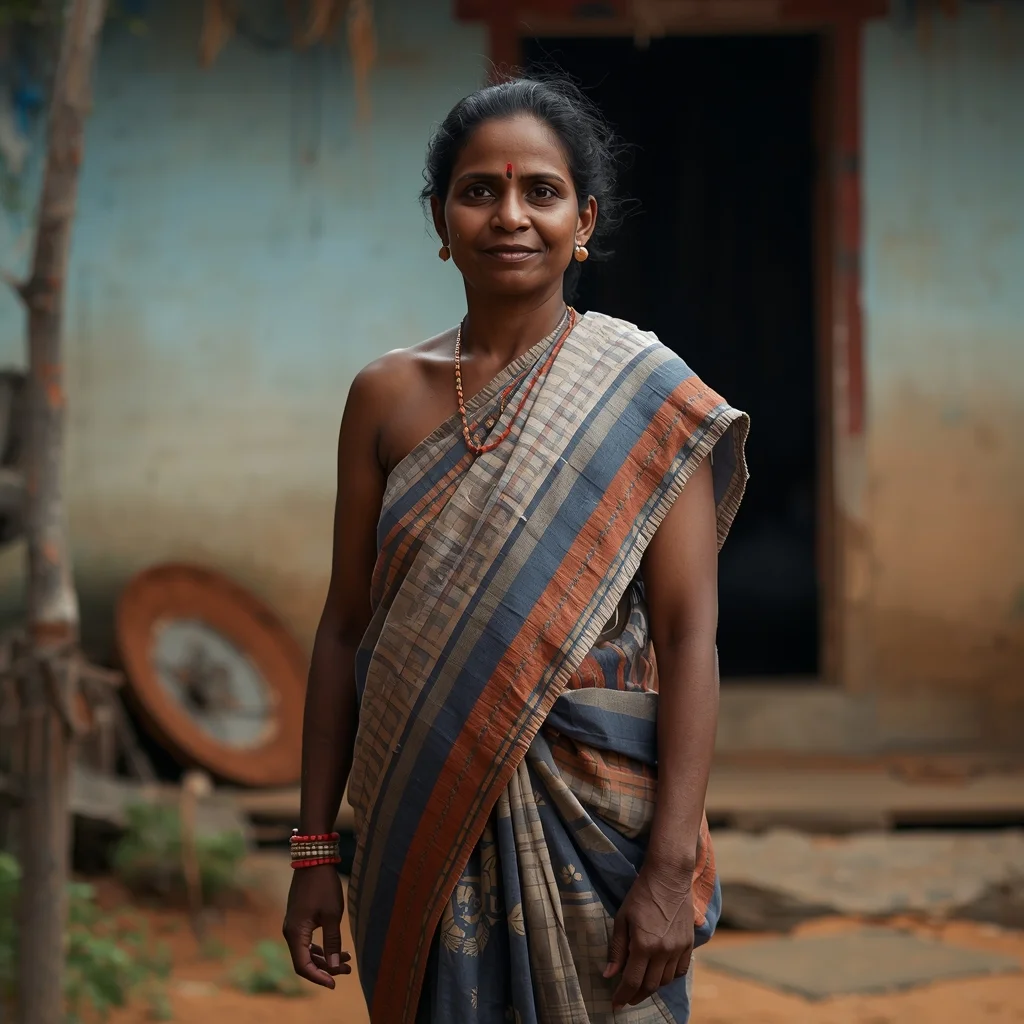
Prompt: An Indian woman in a traditional village lifestyle pose, wearing a simple handloom saree, barefoot or minimal footwear, natural expression. Relaxed posture while standing or leaning gently. Rural Indian background with mud walls, greenery, soft morning light. Authentic cultural photography, earthy color palette, realistic skin tones, cinematic atmosphere.
Village Cultural Beauty Woman Pose | Top Ai Image Prompt Today
3458 mos ago
Prompt: A culturally dressed woman standing naturally in a rural or village-inspired setting, posture relaxed yet graceful. One hand rests lightly by her side while the other gently holds a traditional accessory. Expression is peaceful and authentic, reflecting simplicity and cultural roots. Natural daylight with warm tones, earthy background elements, realistic skin textures. Documentary-style cultural portrait photography, high realism, emotional depth.
Frequently Asked Questions
Common questions regarding this AI prompt.
Does this prompt support blending multiple concepts together?
Yes, advanced users can use this prompt as a base for concept blending. By utilizing syntax like [Concept A : Concept B : 0.5] in Automatic1111 or simply describing a hybrid scenario, the strong foundational parameters of the Minimal Studio Product Shot | Ultra Realistic Prompt prompt will ensure the merged concepts render cohesively without degrading into visual noise.
What rendering engines should I reference to maximize the quality of Minimal Studio Product Shot | Ultra Realistic Prompt?
Modern AI image generators respond incredibly well to 3D software references. By appending terms like 'Unreal Engine 5 render', 'OctaneRender', 'Redshift', 'V-Ray', and 'Global Illumination', you are signaling the AI to utilize its highest quality datasets for lighting physics and material textures within the Product Images image.
Can I convert the scene into a post-apocalyptic wasteland?
Yes, by adding 'post-apocalyptic, overgrown ruins, rusted metal, decayed urban environment, survival aesthetic, cinematic fallout style'. The AI will take the core structure of Minimal Studio Product Shot | Ultra Realistic Prompt and age it by decades, adding immense weathering and environmental storytelling to the Product Images image.
How do I create a dramatic, low-light version of Minimal Studio Product Shot | Ultra Realistic Prompt?
To plunge the scene into dramatic darkness, modify the prompt to include 'chiaroscuro', 'low-key lighting', 'underexposed', and 'stark shadows'. This tells the AI to plunge the majority of the Product Images environment into darkness while intensely illuminating only the most critical parts of the Minimal Studio Product Shot | Ultra Realistic Prompt subject, creating a moody, cinematic masterpiece.
Can I make the characters or subjects in Minimal Studio Product Shot | Ultra Realistic Prompt look like cyborgs?
Easily. Append 'cybernetic enhancements, robotic limbs, glowing optical sensors, biomechanical plating, android'. The AI seamlessly blends biological flesh with metallic machinery, maintaining the high-quality rendering of the original Product Images prompt while shifting the character design.
Why might the colors in my Minimal Studio Product Shot | Ultra Realistic Prompt generation appear washed out, and how do I fix it?
Washed-out colors typically result from a missing VAE file in local setups, or a lack of color-grading instructions. To immediately fix this within the text prompt itself, append phrases such as 'vibrant technicolor, rich saturation, HDR, cinematic color grading, high contrast'. This forces the AI to map a wider, more dynamic color range to your image.
Can I generate a 3D claymation or toy-like version of Minimal Studio Product Shot | Ultra Realistic Prompt?
Yes, you can mimic physical models easily. Add terms such as 'made of polymer clay, tilt-shift photography, miniature diorama, cute 3D render, smooth plasticine, vibrant pastel colors' to the prompt. The AI will instantly convert the Product Images scene into a charming, tactile 3D object.
What architectural composition techniques are embedded in the Minimal Studio Product Shot | Ultra Realistic Prompt prompt?
The Minimal Studio Product Shot | Ultra Realistic Prompt prompt utilizes advanced compositional frameworks such as the golden ratio and leading lines. By strategically placing the core Product Images subject matter at intersection points, it guides the viewer's eye naturally through the scene. This mathematical approach to AI generation ensures the final output feels balanced and visually arresting without requiring post-crop adjustments.
How do I create a surreal, dream-like version of Minimal Studio Product Shot | Ultra Realistic Prompt?
To break the laws of physics, use keywords like 'surrealism, dreamscape, floating objects, defying gravity, Salvador Dali style, mind-bending geometry, ethereal'. The AI will take the familiar elements of Minimal Studio Product Shot | Ultra Realistic Prompt and arrange them in illogical, fascinating ways, creating a truly unique Product Images art piece.
How does Google's Gemini (Imagen 3) respond to the Minimal Studio Product Shot | Ultra Realistic Prompt prompt?
Gemini's Imagen 3 engine is exceptionally strong at adhering to safe, high-quality, photorealistic requests. It reads the descriptive narrative of the Minimal Studio Product Shot | Ultra Realistic Prompt prompt perfectly, ensuring that the subject anatomy and environmental physics are logical, highly detailed, and free from the typical warping artifacts seen in older generation models.
How can I adjust the emotional tone or mood of Minimal Studio Product Shot | Ultra Realistic Prompt?
The mood is heavily dictated by lighting and color grading keywords. To make Minimal Studio Product Shot | Ultra Realistic Prompt feel more melancholic, replace warm lighting terms with 'cool blue tones, rainy atmosphere, and dramatic shadows'. Conversely, adding 'vibrant saturation, golden hour sunlight, and joyful expressions' will instantly uplift the emotional resonance of the Product Images scene.
Can I make the image look like vintage, degraded film?
Absolutely. To strip away the ultra-modern crispness, inject phrases like 'shot on Kodak Portra 400', 'heavy film grain', 'light leaks', 'chromatic aberration', and 'vintage 1970s polaroid'. This introduces beautiful, nostalgic imperfections into the Product Images scene, making the Minimal Studio Product Shot | Ultra Realistic Prompt generation look like a discovered relic rather than a digital creation.
Why is this prompt highly effective for generating Minimal Studio Product Shot | Ultra Realistic Prompt?
Its effectiveness lies in the structured syntax. It separates the core subject definition from the style and technical parameters. This 'block structure' prevents AI confusion, ensuring that the details of Minimal Studio Product Shot | Ultra Realistic Prompt remain razor-sharp while the background and artistic medium seamlessly blend to match the Product Images aesthetic without overpowering the main focus.
What should I do if the background of Minimal Studio Product Shot | Ultra Realistic Prompt becomes too cluttered?
If the AI over-complicates the background, you need to assert control over the depth of field. Add strict modifiers like 'clean minimalist background, studio backdrop, heavy bokeh, blurred environment' to the prompt. Additionally, placing the subject-specific keywords at the very front of the prompt ensures the AI prioritizes the main Minimal Studio Product Shot | Ultra Realistic Prompt element.
How do I inject a cyberpunk or dystopian sci-fi feel into Minimal Studio Product Shot | Ultra Realistic Prompt?
Add 'cyberpunk metropolis, neon rain, holographic advertisements, high-tech low-life, chrome and cables'. The AI will retain the core shape and intent of the Minimal Studio Product Shot | Ultra Realistic Prompt prompt but re-texture everything with futuristic, glowing, and metallic sci-fi elements.