Don’t Make This Mistake on YouTube | Ai Prompt For Social Media Post
High-quality AI-generated image. Optimized for detailed rendering, perfect for creative projects and inspiration.
321Views
0 Likes
100%Quality
FreeLicense
AI Prompt
Prompt: High-impact thumbnail with a creator facepalming in shock, large red warning symbol and bold “STOP” text, dark background with spotlight on subject, expressive emotions, cinematic lighting, glowing red accents, arrows pointing toward mistake icon, sharp facial details, high saturation, dramatic shadows, professional YouTube thumbnail look, ultra-clear focus, 4K, designed to stand out in crowded feed.
Want to create this with your own face? Use this instruction:
Keep facial anatomy identical to reference. Prompt: High-impact thumbnail with a creator facepalming in shock, large red warning symbol and bold “STOP” text, dark background with spotlight on subject, expressive emotions, cinematic lighting, glowing red accents, arrows pointing toward mistake icon, sharp facial details, high saturation, dramatic shadows, professional YouTube thumbnail look, ultra-clear focus, 4K, designed to stand out in crowded feed.
About this Prompt
Discover the well-kept secret to flawless, ultra-realistic generations with 'Don’t Make This Mistake on YouTube | Ai Prompt For Social Media Post', specifically formulated to bring out the most luxurious, stylish, and deeply captivating aspects of the YouTube Thumbnail genre. It is a true generative gem designed for creators who refuse to compromise on quality. The rough, beautifully oxidized patina and heavily grainy, degraded film aesthetic add incredible, highly sought-after authenticity. It feels like a deeply nostalgic, lost memory or a premium piece of found-footage recovered from the absolute golden age of YouTube Thumbnail analog broadcasting.
Perfect for educational content creators, online course developers, and presentation designers who want to deeply engage their audience visually. Say goodbye to generic, boring stock photos and replace them with stunning, custom-generated YouTube Thumbnail art. Take the massive, highly rewarding creative leap today. By seamlessly integrating this highly optimized prompt directly into your daily workflow, you guarantee stunning, deeply reliable, and absolutely beautiful YouTube Thumbnail results every single time you hit render.
Modern Indian Viral Reel Pose – Power Still Frame | Prompt For Background
3859 mos ago
Prompt: An Indian female model in a structured modern Indian dress, captured in a strong still-frame pose as if pausing a reel. Feet grounded, shoulders back, head slightly tilted. Body language confident and commanding. Hair neatly styled with subtle volume. Expression bold and composed. Makeup is sharp yet natural. Lighting is professional and clean. Background minimal studio look. Ultra-clear realism, cinematic influencer framing, viral visual impact.
DON’T IGNORE THIS SIGNAL ⚠️ | Ultimate Gemini Prompt
3329 mos ago
Prompt: Ultra-realistic YouTube thumbnail showing a serious creator staring directly into the camera with intense eye contact, subtle warning expression, finger pointing toward a glowing warning icon, dramatic top and side lighting creating depth, dark background with faint texture, bold yellow highlights, high contrast shadows, ultra-detailed face and hands, realistic skin tones, cinematic color grading, professional studio photography look, strong visual hierarchy, viral thumbnail composition, 4K resolution.
Regional Indian Cultural Heritage Pose | Hd Image Prompt
5559 mos ago
Prompt: An Indian woman wearing a region-specific traditional dress, posed in a dignified and culturally respectful stance. Her body is upright, hands placed gracefully, expression calm and proud. Jewelry and attire reflect authentic regional identity. Hair and makeup are traditional and understated. The background connects with nature or cultural architecture. Lighting is soft and natural, emphasizing realism and heritage. The image feels like a visual story of Indian culture, with strong textures, authentic colors, and documentary-style elegance.
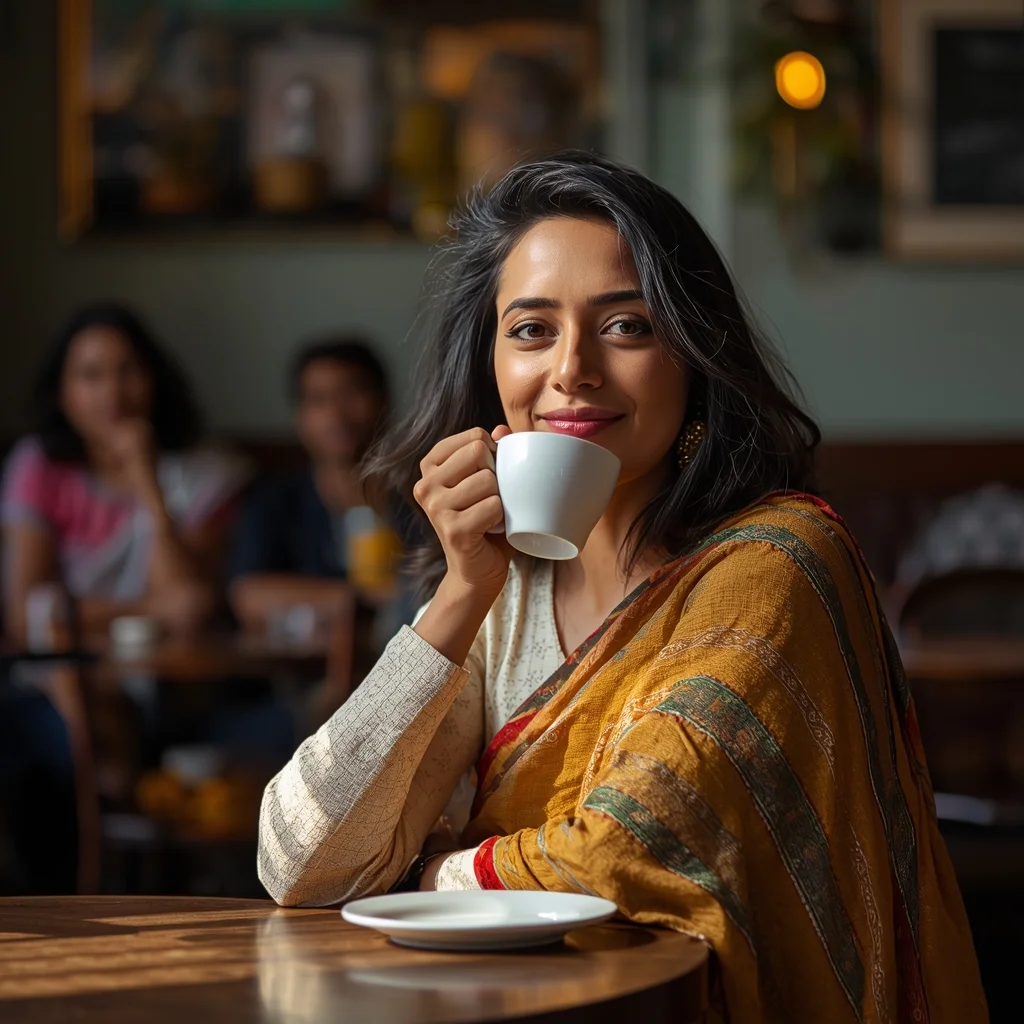
Natural light portrait of an Indian woman sitting at a cafe table, sipping from a cup and smiling candidly off-camera, soft window sunlight illuminating her face, blurred background of cafe patrons and decor, lifestyle photography style, ultra-detailed 8K realism, no text, expressive eyes
Indian Female Regional Handloom Saree Pose | Ai Prompt Generator Text
3429 mos ago
Prompt: An Indian female showcasing a regional handloom saree, standing confidently with elegant posture, one hand holding saree pleats. Minimal makeup, traditional bangles, neatly styled hair. Neutral cultural background, soft lighting emphasizing fabric texture, fashion-meets-culture photography, ultra-detailed clarity.
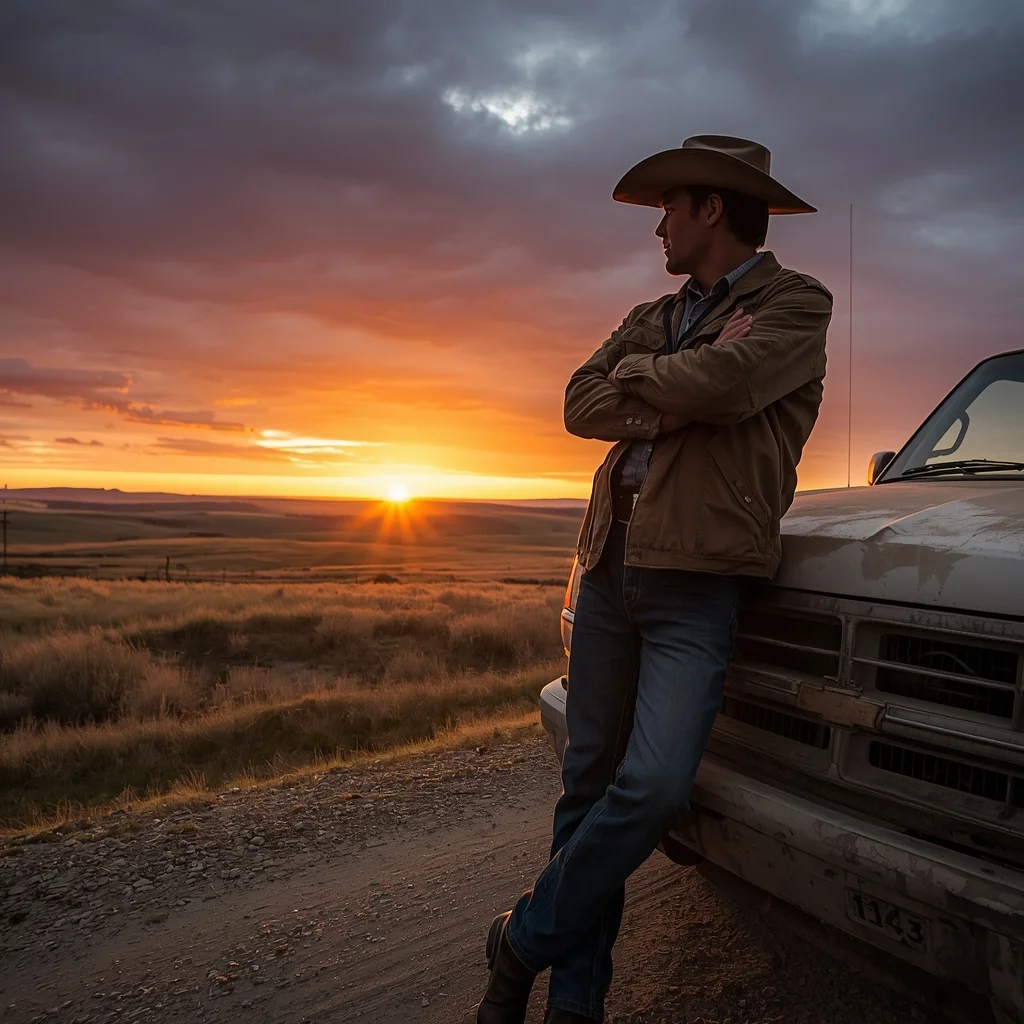
Prompt: A wide-angle landscape photograph featuring a rugged rancher standing beside his pickup truck on a dirt road. He wears a worn leather cowboy hat, a dusty canvas jacket, and jeans. He is leaning against the truck hood with arms crossed, looking out over vast rolling plains as the sun sets behind him, creating a dramatic orange and purple sky. The lighting is backlight, creating a rim light around his silhouette. Highly detailed, National Geographic style realism.
Building a Pro Level Website Using Only AI in 10 Minutes | Detailed Image Prompt
3729 mos ago
Prompt: A high-impact, professional tech-studio thumbnail focusing on a high-end web development setup. A massive, ultra-wide curved monitor displays a complex and beautiful "Pro Level" website interface with thousands of lines of glowing code in PHP, CSS, and HTML floating in a 3D holographic space in front of the screen. A person’s hands are seen typing on a minimalist mechanical keyboard that glows with customizable RGB lighting. Floating digital icons of AI neural networks and server clusters surround the workstation. The background is a dark, modern home office with acoustic foam panels and soft blue LED rim lighting. The focus is razor-sharp on the glowing code and the sleek design of the website on the screen. 8k, photorealistic, macro-detail, clean lines, professional studio lighting, and a sense of extreme productivity and high-tech innovation.
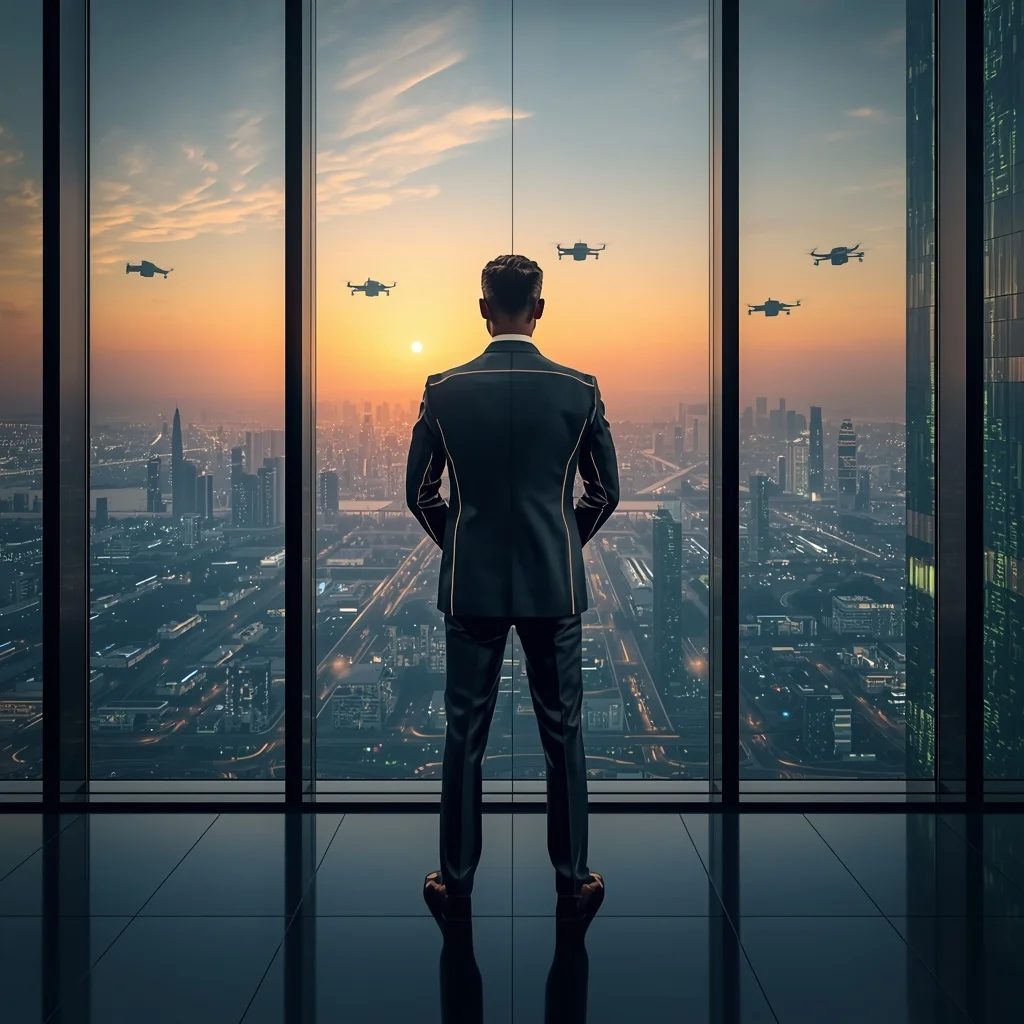
Prompt: A man in a sharp, metallic-grey suit with subtle LED piping, standing in a glass-walled boardroom on the 100th floor. The background shows a sprawling "smart city" with flying drones and green vertical forests. Pose: Standing with his back to the window, hands behind his back, looking commanding and visionary. The sunset reflects off the glass walls. Technical: 24mm wide lens, clean architectural lines, futuristic glow, Unreal Engine 5.4 render style.
Pose: Standing with his back to the window, hands behind his back, looking commanding and visionary. The sunset reflects off the glass walls. Technical: 24mm wide lens, clean architectural lines, futuristic glow, Unreal Engine 5.4 render style.
Technical: 24mm wide lens, clean architectural lines, futuristic glow, Unreal Engine 5.4 render style.
Frequently Asked Questions
Common questions regarding this AI prompt.
How do I add realistic weather effects like rain or snow to the scene?
Weather completely alters the physics of light. If you add 'torrential rain, wet asphalt reflecting neon, water droplets clinging to surfaces', the AI will not just draw rain; it will change the specularity of the Don’t Make This Mistake on YouTube | Ai Prompt For Social Media Post subject. For snow, use 'heavy blizzard, frost-covered edges, soft diffused winter light' to change the entire atmosphere of the YouTube Thumbnail generation.
What if the AI completely ignores a specific detail I added to the Don’t Make This Mistake on YouTube | Ai Prompt For Social Media Post prompt?
If a detail is ignored, it lacks 'weight'. Move that specific word closer to the very beginning of the prompt. Alternatively, if using Midjourney, use the double colon syntax (Keyword::2) to force the AI to pay attention. In Stable Diffusion, wrap the keyword in parentheses like (Keyword:1.5) to boost its importance in the YouTube Thumbnail scene.
What is the best way to shift the artistic medium of Don’t Make This Mistake on YouTube | Ai Prompt For Social Media Post to an oil painting?
To completely transform the medium, append powerful style modifiers. Injecting phrases like 'intricate oil painting on canvas, thick impasto strokes, palette knife technique, classical fine art, museum masterpiece' will completely override the default realism, offering a traditional artistic variation for your YouTube Thumbnail project.
How does the prompt simulate physical camera lenses for Don’t Make This Mistake on YouTube | Ai Prompt For Social Media Post?
The prompt acts as a virtual director of photography by explicitly stating lens focal lengths and aperture settings. By including phrases like 'shot on 35mm lens' or 'f/1.4 aperture', the AI mathematically simulates the optical distortion, compression, and background blur (bokeh) characteristic of high-end photography, elevating the YouTube Thumbnail image from a flat digital render to a lifelike photo.
Can I simulate bioluminescence or neon lighting in this prompt?
Yes, you can easily shift the scene into a sci-fi or fantasy realm by adding terms like 'bioluminescent glow', 'neon tube lighting', 'emissive materials', or 'fluorescent accents'. These modifiers will cause the objects within the YouTube Thumbnail scene to act as their own light sources, casting incredibly realistic colored reflections onto surrounding surfaces.
How do I inject a cyberpunk or dystopian sci-fi feel into Don’t Make This Mistake on YouTube | Ai Prompt For Social Media Post?
Add 'cyberpunk metropolis, neon rain, holographic advertisements, high-tech low-life, chrome and cables'. The AI will retain the core shape and intent of the Don’t Make This Mistake on YouTube | Ai Prompt For Social Media Post prompt but re-texture everything with futuristic, glowing, and metallic sci-fi elements.
What rendering engines should I reference to maximize the quality of Don’t Make This Mistake on YouTube | Ai Prompt For Social Media Post?
Modern AI image generators respond incredibly well to 3D software references. By appending terms like 'Unreal Engine 5 render', 'OctaneRender', 'Redshift', 'V-Ray', and 'Global Illumination', you are signaling the AI to utilize its highest quality datasets for lighting physics and material textures within the YouTube Thumbnail image.
How do I create a dramatic, low-light version of Don’t Make This Mistake on YouTube | Ai Prompt For Social Media Post?
To plunge the scene into dramatic darkness, modify the prompt to include 'chiaroscuro', 'low-key lighting', 'underexposed', and 'stark shadows'. This tells the AI to plunge the majority of the YouTube Thumbnail environment into darkness while intensely illuminating only the most critical parts of the Don’t Make This Mistake on YouTube | Ai Prompt For Social Media Post subject, creating a moody, cinematic masterpiece.
Why might the colors in my Don’t Make This Mistake on YouTube | Ai Prompt For Social Media Post generation appear washed out, and how do I fix it?
Washed-out colors typically result from a missing VAE file in local setups, or a lack of color-grading instructions. To immediately fix this within the text prompt itself, append phrases such as 'vibrant technicolor, rich saturation, HDR, cinematic color grading, high contrast'. This forces the AI to map a wider, more dynamic color range to your image.
How can I adjust the emotional tone or mood of Don’t Make This Mistake on YouTube | Ai Prompt For Social Media Post?
The mood is heavily dictated by lighting and color grading keywords. To make Don’t Make This Mistake on YouTube | Ai Prompt For Social Media Post feel more melancholic, replace warm lighting terms with 'cool blue tones, rainy atmosphere, and dramatic shadows'. Conversely, adding 'vibrant saturation, golden hour sunlight, and joyful expressions' will instantly uplift the emotional resonance of the YouTube Thumbnail scene.
How does this prompt handle lighting and atmospheric effects?
This prompt utilizes a sophisticated combination of cinematic lighting descriptors and atmospheric keywords tailored for YouTube Thumbnail. By specifying light direction, diffusion, and volumetric properties like 'god rays' or 'softbox lighting', it forces modern AI engines like Midjourney v6 and Flux to calculate highly realistic light bounces, creating a deeply immersive environment.
What is the best way to force an ultra-wide or panoramic view?
To force a panoramic composition, you must combine aspect ratio parameters with specific camera descriptors. In Midjourney, use '--ar 21:9'. Within the prompt text itself, include 'ultra-wide panoramic landscape, 14mm lens, expansive horizon, sweeping view'. This ensures the Don’t Make This Mistake on YouTube | Ai Prompt For Social Media Post subject matter is distributed correctly across a massive, cinematic canvas.