This AI Tool Is Too Powerful | Trending Ai Art Prompt
High-quality AI-generated image. Optimized for detailed rendering, perfect for creative projects and inspiration.
152Views
0 Likes
100%Quality
FreeLicense
AI Prompt
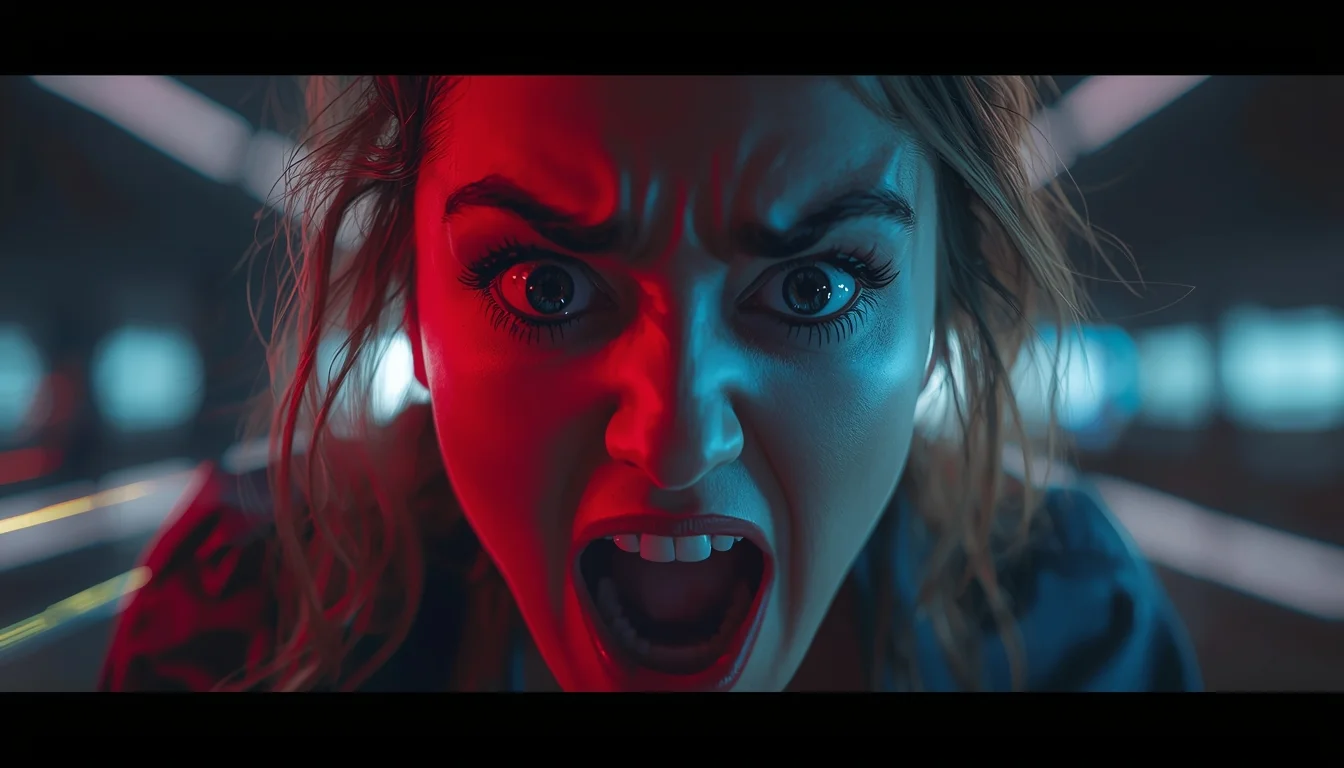
Prompt: Futuristic YouTube thumbnail showing a creator amazed while looking at a holographic AI interface floating in front of them, neon purple and blue cyber lighting, digital particles, tech UI elements, glowing lines, high contrast, intense emotions, cinematic sci-fi style, sharp focus on face, ultra-detailed environment, professional thumbnail design, 4K resolution, modern AI aesthetic.
Want to create this with your own face? Use this instruction:
Face must be copied exactly from the reference image with zero changes. Prompt: Futuristic YouTube thumbnail showing a creator amazed while looking at a holographic AI interface floating in front of them, neon purple and blue cyber lighting, digital particles, tech UI elements, glowing lines, high contrast, intense emotions, cinematic sci-fi style, sharp focus on face, ultra-detailed environment, professional thumbnail design, 4K resolution, modern AI aesthetic.
About this Prompt
Navigate the deeply complex, often chaotic waters of AI generation safely with 'This AI Tool Is Too Powerful | Trending Ai Art Prompt', your perfect, reliable compass for consistent YouTube Thumbnail wonder. The razor-sharp precision engineered into this specific prompt is exactly what sets it vastly apart in the highly crowded digital marketplace. Extremely High Dynamic Range (HDR) tonemapping parameters make the final render insanely vivid, utilizing the absolute maximum available light spectrum. The brilliant, pure visual minimalism creates a massive, staggering impact by stripping away all unnecessary noise to reveal the pure, unadulterated YouTube Thumbnail essence.
Perfect for independent authors, digital publishers, and web comic creators who desperately need highly consistent, beautifully stylized, and deeply thematic YouTube Thumbnail illustrations to elevate their written narrative and fully captivate their dedicated readership. Unlock the absolute maximum, staggering potential of your favorite AI rendering tool today. This prompt acts as the ultimate, highly guarded professional asset, strictly designed to deliver ultra-high-resolution, perfectly composed YouTube Thumbnail results immediately.
Modern Indian Viral Reel Pose – Direct Camera Energy | Sharp Image Prompt
1654 mos ago
Prompt: An Indian woman in a bold modern Indian dress, captured mid-step while directly connecting with the camera in a reel-style pose. Body posture confident and expressive, shoulders relaxed. Hair textured with light motion. Expression strong, confident, and magnetic. Makeup is bold yet clean. Lighting bright with controlled contrast. Background minimal to enhance subject focus. Ultra-realistic textures, cinematic reel framing, influencer-grade polish, designed for viral engagement.
Indian Female Courtyard Cultural Lifestyle Pose | Pro Level Image Prompt
1674 mos ago
Prompt: An Indian female posing naturally in a traditional home courtyard, dressed in a regional cotton saree with earthy tones, minimal makeup, natural glow. Relaxed posture with hands gently folded, soft peaceful smile. Background includes carved wooden doors, clay pots, and soft sunlight filtering in. Authentic Indian cultural lifestyle photography, warm tones, ultra-detailed realism.
Indian Female Side Profile Cultural Grace Pose | Dall-e Prompt Idea
1874 mos ago
Prompt: An Indian female captured in a serene side-profile pose, wearing a regional traditional outfit, hair neatly braided, traditional earrings and nose pin. Eyes softly lowered, calm expression. Muted cultural backdrop, soft diffused lighting, fine-art Indian portrait photography, elegant mood, realistic textures, high resolution.
Prompt: A Bengali woman posing gracefully on an old colonial-style balcony, slightly turned sideways with a soft smile, wearing a classic white saree with red border draped traditionally, minimal yet elegant gold jewelry, red bindi, loose flowing hair gently moving in the breeze, morning sunlight illuminating her face, traditional home setting with potted plants, calm and nostalgic mood, photorealistic textures, cultural storytelling, shallow depth of field, natural colors, ultra-high resolution
Prompt: A realistic portrait of a Kashmiri woman seated on a wooden bench in an autumn garden, wearing a deep navy blue traditional pheran with intricate Kashmiri embroidery. Her pose is composed, hands resting calmly on her lap, expression peaceful and thoughtful. Surrounding fallen chinar leaves create a warm seasonal mood. Natural ambient light, lifelike skin tones, detailed fabric texture, cinematic color grading, 8K photorealism.
Prompt: A moody, black and white fashion photograph in the style of 1940s film noir. A woman with perfectly styled retro waves wears a tailored wool trench coat and a fedora, standing under a streetlamp on a wet, foggy city street at night. Long shadows stretch across the pavement. Smoke from a nearby grate curls around her. The lighting is high-contrast, with dramatic shadows and bright highlights. Film grain texture, timeless elegance.
YouTube Thumbnail – Cinematic Shock & Curiosity Design | Best Free Ai Prompt
1994 mos ago
Prompt: A cinematic YouTube thumbnail design featuring a dramatic close-up subject with intense facial expression, wide eyes, and strong emotional impact. The background is blurred with deep contrast, neon rim lighting, and moody shadows creating suspense. Dynamic lighting highlights the face while colorful light streaks and soft glow effects surround the subject. Ultra-sharp focus, high saturation, cinematic color grading, shallow depth of field, dramatic composition, modern YouTube viral style, professional studio quality, 8K resolution, eye-catching framing, thumbnail-optimized composition, no text, no symbols.
Side Profile Indian Woman | Pro Ai Prompt For Creator
1814 mos ago
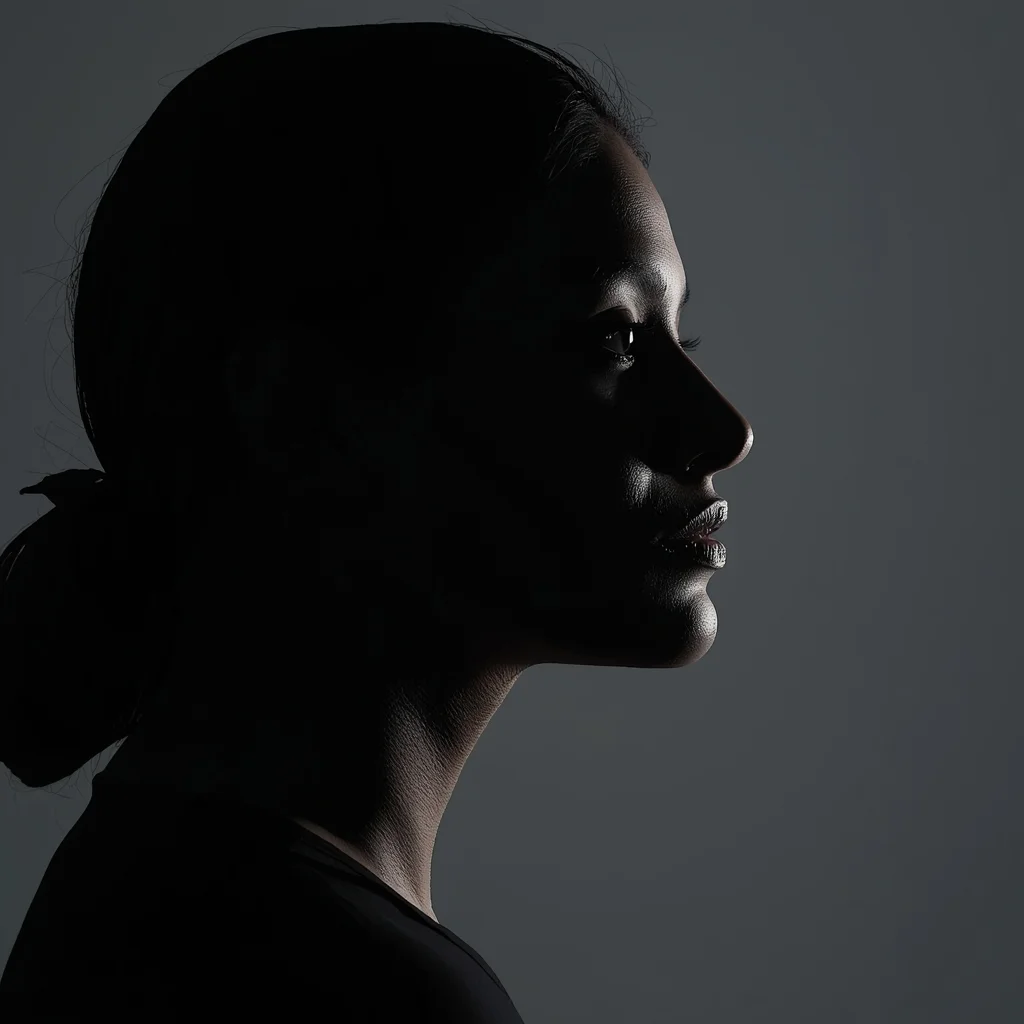
Clean minimalist side-profile portrait of an Indian woman facing right, defined jawline and nose profile, soft rim lighting outlining silhouette, neutral background, modern fashion aesthetic, calm powerful mood, professional studio photography, ultra-detailed realistic skin texture
Frequently Asked Questions
Common questions regarding this AI prompt.
Can I easily integrate the This AI Tool Is Too Powerful | Trending Ai Art Prompt output into a professional design workflow?
Absolutely. The outputs generated by this prompt are designed with commercial and professional workflows in mind. Because it emphasizes crisp edges, balanced contrast, and high-resolution keywords, the resulting YouTube Thumbnail images are perfect for immediate use in UI/UX design, marketing materials, or further post-processing in software like Adobe Photoshop.
Can I make the characters or subjects in This AI Tool Is Too Powerful | Trending Ai Art Prompt look like cyborgs?
Easily. Append 'cybernetic enhancements, robotic limbs, glowing optical sensors, biomechanical plating, android'. The AI seamlessly blends biological flesh with metallic machinery, maintaining the high-quality rendering of the original YouTube Thumbnail prompt while shifting the character design.
Can I generate a 3D claymation or toy-like version of This AI Tool Is Too Powerful | Trending Ai Art Prompt?
Yes, you can mimic physical models easily. Add terms such as 'made of polymer clay, tilt-shift photography, miniature diorama, cute 3D render, smooth plasticine, vibrant pastel colors' to the prompt. The AI will instantly convert the YouTube Thumbnail scene into a charming, tactile 3D object.
What rendering engines should I reference to maximize the quality of This AI Tool Is Too Powerful | Trending Ai Art Prompt?
Modern AI image generators respond incredibly well to 3D software references. By appending terms like 'Unreal Engine 5 render', 'OctaneRender', 'Redshift', 'V-Ray', and 'Global Illumination', you are signaling the AI to utilize its highest quality datasets for lighting physics and material textures within the YouTube Thumbnail image.
How customizable are the character and environment details in the This AI Tool Is Too Powerful | Trending Ai Art Prompt prompt?
Highly customizable. The prompt serves as a robust architectural framework. You can easily swap out specific nouns or color palettes while retaining the core YouTube Thumbnail style. For example, changing the time of day or the primary clothing material will seamlessly adapt the scene while maintaining the high-definition rendering quality originally intended for This AI Tool Is Too Powerful | Trending Ai Art Prompt.
What if the AI completely ignores a specific detail I added to the This AI Tool Is Too Powerful | Trending Ai Art Prompt prompt?
If a detail is ignored, it lacks 'weight'. Move that specific word closer to the very beginning of the prompt. Alternatively, if using Midjourney, use the double colon syntax (Keyword::2) to force the AI to pay attention. In Stable Diffusion, wrap the keyword in parentheses like (Keyword:1.5) to boost its importance in the YouTube Thumbnail scene.
Does this prompt support blending multiple concepts together?
Yes, advanced users can use this prompt as a base for concept blending. By utilizing syntax like [Concept A : Concept B : 0.5] in Automatic1111 or simply describing a hybrid scenario, the strong foundational parameters of the This AI Tool Is Too Powerful | Trending Ai Art Prompt prompt will ensure the merged concepts render cohesively without degrading into visual noise.
How can I prevent anatomical distortions or 'extra limbs' when generating characters?
While modern models have improved, complex poses in YouTube Thumbnail can still cause issues. To prevent this, use a strong negative prompt containing 'bad anatomy, extra limbs, mutated hands, deformed structure'. If generating locally via Stable Diffusion, utilizing ControlNet (specifically OpenPose or Depth) alongside this prompt will guarantee flawless anatomical structure.
How can I use Inpainting to fix specific errors in the generated This AI Tool Is Too Powerful | Trending Ai Art Prompt image?
Inpainting is essential for perfection. If 90% of the This AI Tool Is Too Powerful | Trending Ai Art Prompt image is flawless but a hand or eye is distorted, send the image to an Inpaint tab. Mask only the flawed area, keep the original prompt, and set the denoising strength high (around 0.7). The AI will regenerate only that specific zone, seamlessly blending the fixed YouTube Thumbnail elements into the surrounding artwork.
How do I modify This AI Tool Is Too Powerful | Trending Ai Art Prompt to fit into a dark fantasy or gothic horror setting?
Change the environmental descriptors. Add 'dark fantasy concept art, gothic architecture, eerie volumetric fog, corrupted ruins, ominous atmosphere, Bloodborne aesthetic'. This forces the AI to reinterpret the This AI Tool Is Too Powerful | Trending Ai Art Prompt prompt through a grim, terrifying lens, drastically altering the mood of the YouTube Thumbnail output.
Can I make the image look like vintage, degraded film?
Absolutely. To strip away the ultra-modern crispness, inject phrases like 'shot on Kodak Portra 400', 'heavy film grain', 'light leaks', 'chromatic aberration', and 'vintage 1970s polaroid'. This introduces beautiful, nostalgic imperfections into the YouTube Thumbnail scene, making the This AI Tool Is Too Powerful | Trending Ai Art Prompt generation look like a discovered relic rather than a digital creation.
How does Midjourney v6 process the intricate details of This AI Tool Is Too Powerful | Trending Ai Art Prompt?
Midjourney v6 excels at understanding natural language nuances. This prompt is specifically written to take advantage of v6's semantic comprehension. You do not need to use 'prompt salad' (randomly throwing words). The detailed, descriptive sentences regarding the YouTube Thumbnail elements are parsed accurately, giving you photographic or highly illustrative perfection.
What is the best way to shift the artistic medium of This AI Tool Is Too Powerful | Trending Ai Art Prompt to an oil painting?
To completely transform the medium, append powerful style modifiers. Injecting phrases like 'intricate oil painting on canvas, thick impasto strokes, palette knife technique, classical fine art, museum masterpiece' will completely override the default realism, offering a traditional artistic variation for your YouTube Thumbnail project.
How do I inject a cyberpunk or dystopian sci-fi feel into This AI Tool Is Too Powerful | Trending Ai Art Prompt?
Add 'cyberpunk metropolis, neon rain, holographic advertisements, high-tech low-life, chrome and cables'. The AI will retain the core shape and intent of the This AI Tool Is Too Powerful | Trending Ai Art Prompt prompt but re-texture everything with futuristic, glowing, and metallic sci-fi elements.
What are the recommended parameters for generating This AI Tool Is Too Powerful | Trending Ai Art Prompt in Stable Diffusion XL (SDXL)?
For optimal results in SDXL, we recommend pairing this prompt with a high-quality checkpoint like Juggernaut XL. Use the DPM++ 2M Karras sampler with approximately 35-40 steps and a CFG scale between 6.5 and 8.0. This combination strikes the perfect balance between adhering strictly to the This AI Tool Is Too Powerful | Trending Ai Art Prompt description and allowing the model's creative freedom.