I Regret Not Doing This Sooner | Best Prompt For Realistic Image
High-quality AI-generated image. Optimized for detailed rendering, perfect for creative projects and inspiration.
84Views
0 Likes
100%Quality
FreeLicense
AI Prompt
Prompt: Design an emotional YouTube thumbnail showing a creator looking back with regret, one hand on the head and the other pointing at a glowing checklist labeled “START EARLY.” Background split into two timelines: left side dark and messy, right side bright and successful with growth charts and light rays. Use cinematic lighting, realistic skin texture, expressive emotion, warm highlights, dramatic shadows, and clear storytelling composition that instantly communicates missed opportunity.
Want to create this with your own face? Use this instruction:
No distortion, no stretching, no compression of facial features. Prompt: Design an emotional YouTube thumbnail showing a creator looking back with regret, one hand on the head and the other pointing at a glowing checklist labeled “START EARLY.” Background split into two timelines: left side dark and messy, right side bright and successful with growth charts and light rays. Use cinematic lighting, realistic skin texture, expressive emotion, warm highlights, dramatic shadows, and clear storytelling composition that instantly communicates missed opportunity.
About this Prompt
Your exhaustive quest for the absolute perfect YouTube Thumbnail visual ends right here, right now, with 'I Regret Not Doing This Sooner | Best Prompt For Realistic Image'. Designed for ultimate conceptual clarity and intense artistic flair, this prompt ensures your blank canvas instantly transforms into a breathtaking window to another vibrant universe. This unique prompt focuses heavily on rendering luxurious, tactile textures, incredibly graceful poses, and deeply polished backgrounds. By utilizing advanced cinematic lighting setups and hyper-detailed ray-tracing elements, it ensures every single generation vibrates with an intense, rich, and highly sophisticated digital energy.
Absolutely ideal for visionary digital storytellers, bold concept artists, and modern designers looking to aggressively push the known boundaries of AI art. It drastically reduces iteration time while massively maximizing the sheer visual quality. The final, highly sought-after ultimate truth of generative AI art is cleverly hidden right within this structure. Render it confidently right now to fully unlock the deepest, most highly guarded secrets of elite visual digital creation.
Modern Women Girl Viral Reel Confident Walk Pose | Flawless Image Prompt
1602 mos ago
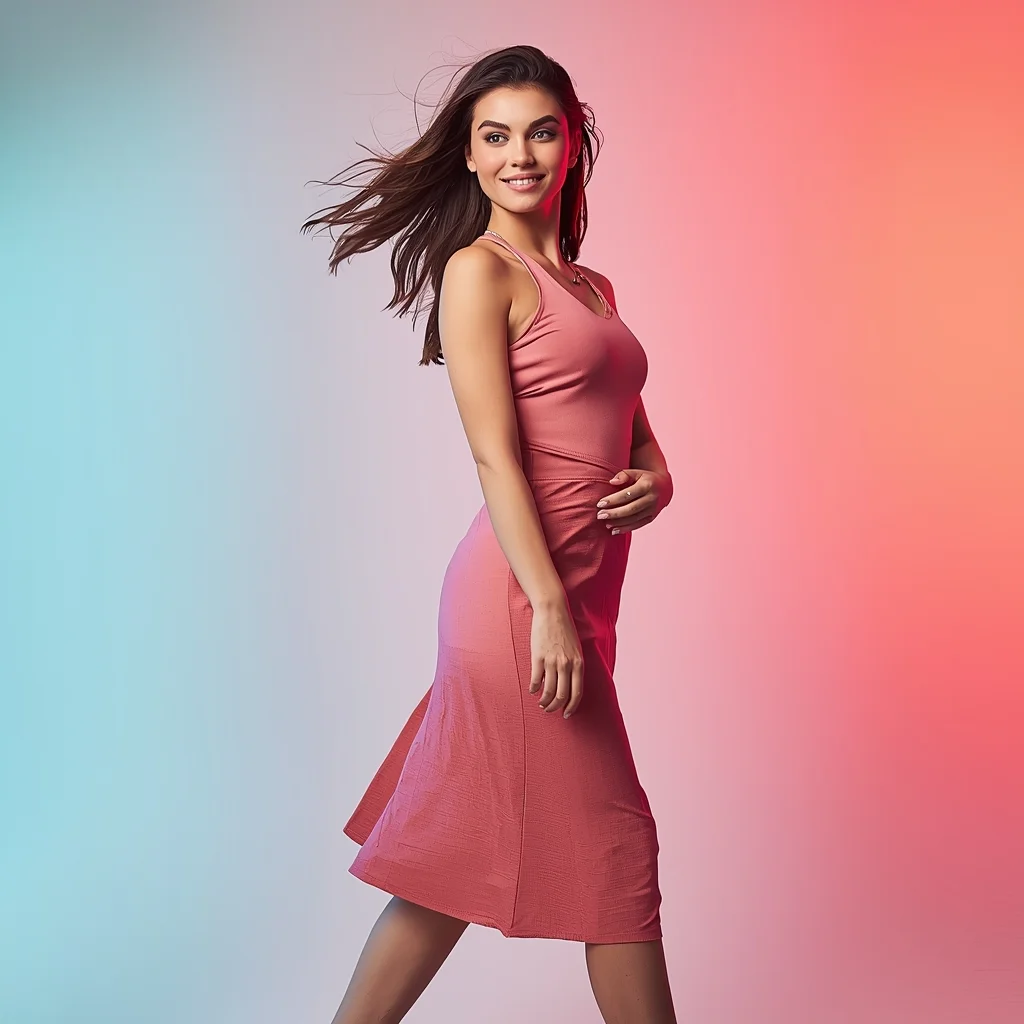
Prompt: A woman in a trendy modern women dress with a sleek, contemporary design, captured mid-step while walking confidently as if recording a viral reel. Body angled slightly forward, posture energetic and relaxed. Hair softly flowing with motion, adding realism. Expression playful yet confident, eyes lively and expressive. Makeup fresh, glowing, and perfectly camera-ready. Lighting vibrant and clean, enhancing sharpness and fine fabric details. Background minimal with subtle colorful gradients optimized for social media platforms. High clarity, modern influencer aesthetic, cinematic framing, ultra-realistic textures, designed for strong viral impact.
The Clockwork Alchemist's Laboratory (Steampunk Illustration) | Trending Prompt Idea Worldwide
1293 mos ago
An intricate, highly detailed illustration of a cluttered steampunk alchemist's workshop. The style is a blend of Victorian scientific engraving and rich oil painting. The room is filled with brass contraptions, bubbling glass alembics, copper piping, and clockwork automatons. A central figure, an alchemist with leather goggles and a mechanical glove, is transmuting a piece of metal that glows with arcane energy. Charts and blueprints cover the walls. The lighting is warm and golden, coming from gas lamps and a roaring furnace. Textures of polished wood, oxidized copper, and aged parchment are prominent.
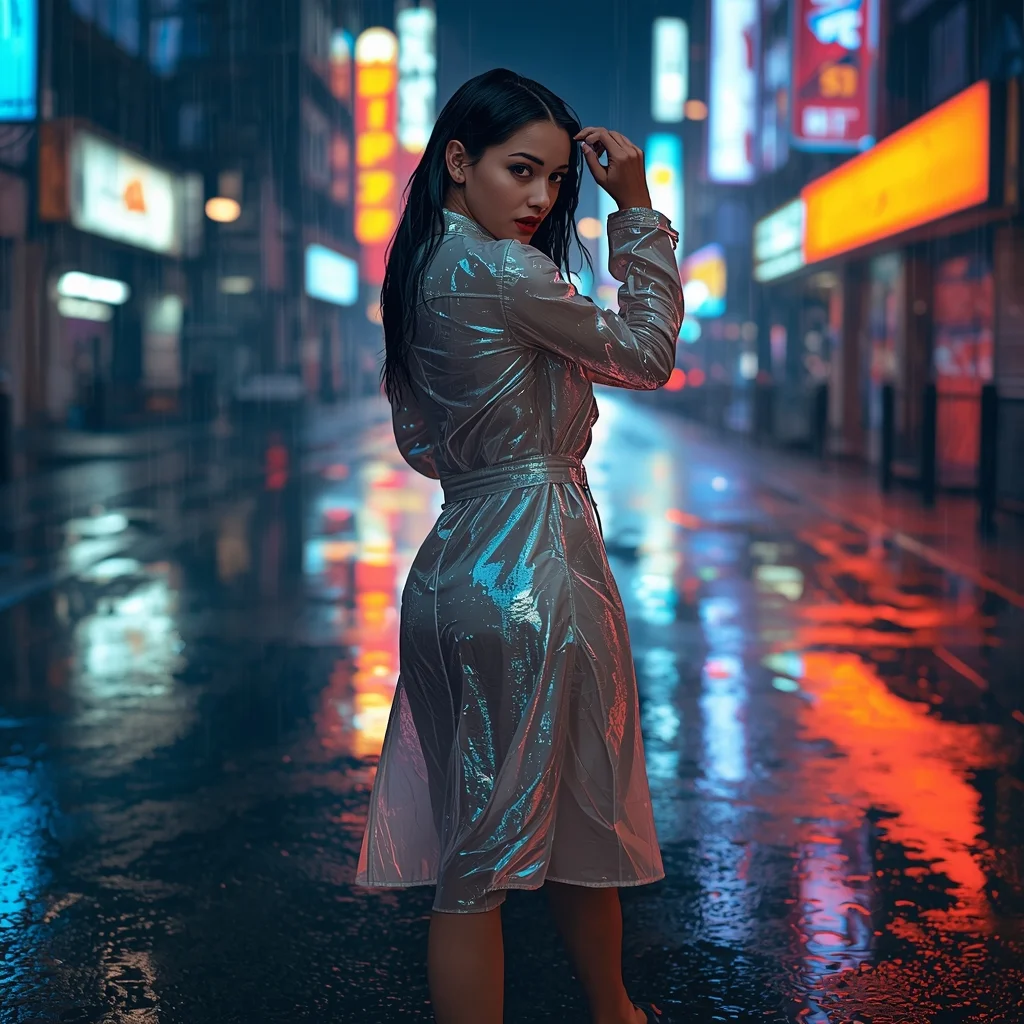
Prompt: A cinematic night scene of a woman in a translucent iridescent trench coat walking through a vibrant, rain-slicked futuristic city street. | Pose: She is captured in a dynamic mid-stride 'look-back' pose, her torso twisted toward the camera while her feet continue forward. One hand is brushing a wet strand of hair away from her face, and her eyes are locked onto the lens with an intense, mysterious expression. | Technical: 85mm lens, f/1.8 for creamy background bokeh. Ray-traced reflections of neon signs in the puddles. High-speed shutter to freeze raindrops in mid-air. 8k resolution with hyper-detailed skin texture and catchlights in the eyes.
Prompt: A cinematic shot of a woman navigating a crowded, rain-drenched futuristic marketplace. The scene is filled with floating holographic advertisements and glowing neon signs in shades of electric blue and hot pink. She wears a metallic, tech-wear jacket with glowing fibers.
Pose: She is captured in a dynamic walking pose, looking sharply over her shoulder as if sensing someone following her. One hand is tucked into her pocket, while the other slightly adjusts a translucent tech-visor on her forehead.
Technical: Shot on Arri Alexa, 35mm anamorphic lens, f/2.8, volumetric fog, realistic rain droplets, ray-traced reflections, 8k resolution, cinematic color grading.
Modern Indian Viral Reel Pose – Forward Confidence Flow | Prompt For Photo Editing
903 mos ago
Prompt: An Indian woman in a trendy modern Indian dress with a sleek contemporary silhouette, captured mid-step moving forward in a reel-style pose. Body angled slightly toward the camera, shoulders relaxed yet confident. Hair gently flowing with motion, adding realism and energy. Expression playful, confident, and engaging. Makeup is fresh, glowing, and camera-ready. Lighting is vibrant and clean, enhancing sharp facial details and fabric texture. Background minimal or softly colorful, optimized for social media. High clarity, modern influencer aesthetic, cinematic framing, ultra-realistic textures, designed for viral impact.
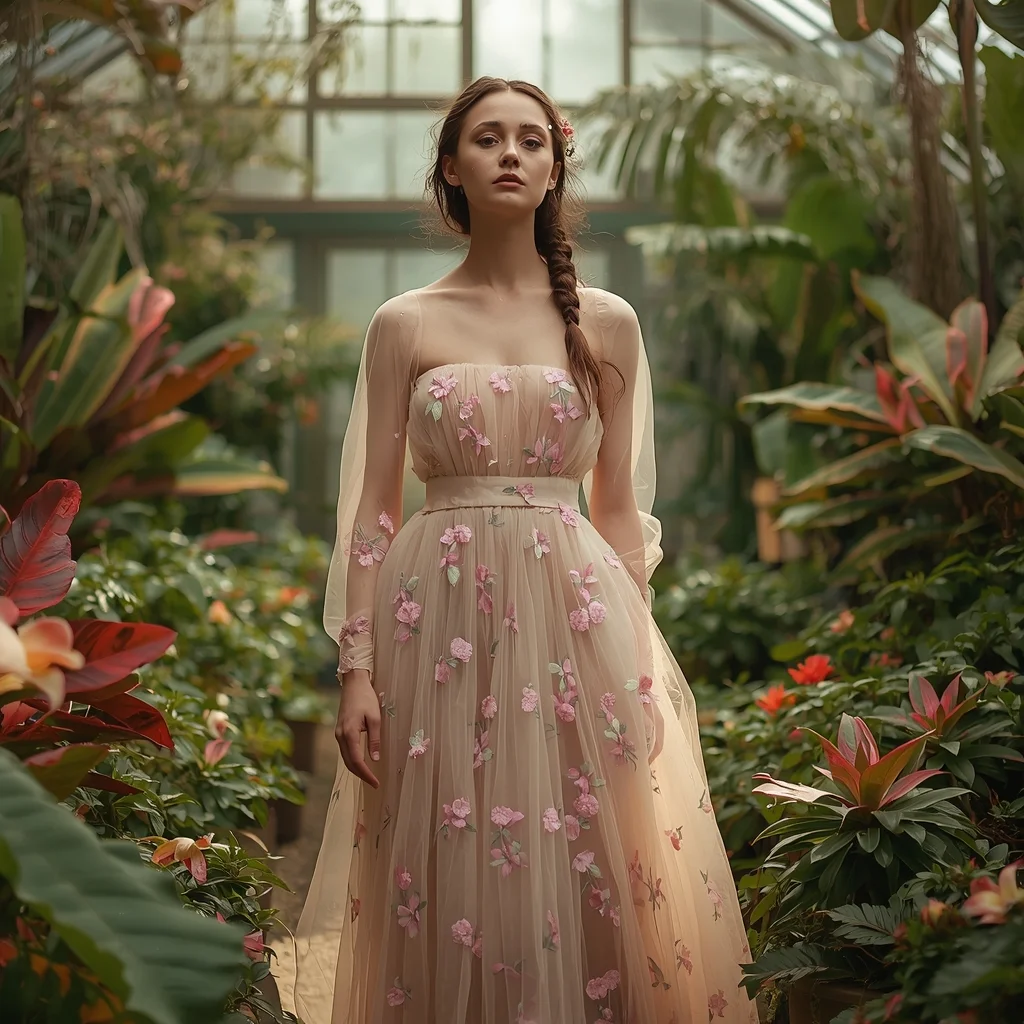
Prompt: An ethereal editorial shot of a woman in a flowing, embroidered tulle gown in soft pastel floral patterns. She is standing in a lush, overgrown conservatory filled with exotic plants and blooming flowers, with sunlight streaming through a large glass ceiling. Her hair is loosely braided with small wildflowers. The atmosphere is dreamy and romantic, with soft, diffused natural light, a shallow depth of field, and ultra-detailed fabric textures.
The Sustainable Eco-Initiative (Organic & Line Art) | Gemini Prompt Format
1343 mos ago
A clean, contemporary line art logo for an environmental non-profit called "Project Canopy." The icon is a continuous, flowing line that forms the shape of a human hand gently holding a sprouting tree, which also subtly forms a globe shape. The lines have an organic, hand-sketched quality rather than rigid geometric perfection. The color is a soft sage green gradient. The overall feel is approachable, organic, and hopeful. Vector graphic on a clean off-white background.
AI Influencer Crossed Arms Studio Power Pose | Travel Photo Prompt
1203 mos ago
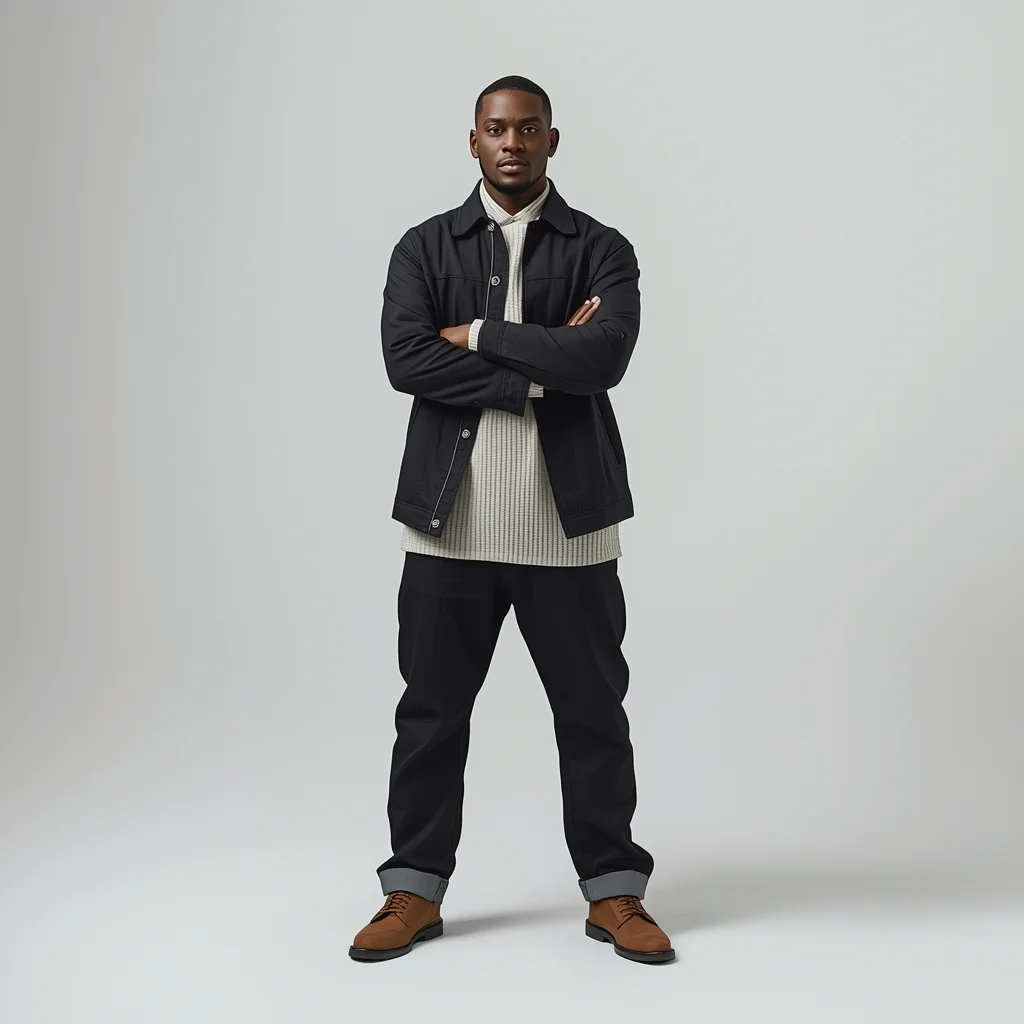
Prompt: A stylish AI influencer man standing in a studio with arms crossed loosely across the chest, straight posture, confident yet approachable expression, minimal fashion outfit, flawless skin texture, soft even lighting, clean seamless backdrop, modern social media branding look, ultra-realistic AI portrait.
Frequently Asked Questions
Common questions regarding this AI prompt.
How do I give I Regret Not Doing This Sooner | Best Prompt For Realistic Image a retro, 1980s synthwave aesthetic?
Inject keywords that define that specific era's pop culture. Use 'vaporwave aesthetic, 1980s synthwave, neon grid background, cyan and magenta color palette, VHS glitch effect, retro-futurism'. This overrides the standard lighting and wraps the I Regret Not Doing This Sooner | Best Prompt For Realistic Image subject in a highly stylized, nostalgic digital atmosphere.
Why is this prompt highly effective for generating I Regret Not Doing This Sooner | Best Prompt For Realistic Image?
Its effectiveness lies in the structured syntax. It separates the core subject definition from the style and technical parameters. This 'block structure' prevents AI confusion, ensuring that the details of I Regret Not Doing This Sooner | Best Prompt For Realistic Image remain razor-sharp while the background and artistic medium seamlessly blend to match the YouTube Thumbnail aesthetic without overpowering the main focus.
Can I use Image-to-Image (Img2Img) techniques with the I Regret Not Doing This Sooner | Best Prompt For Realistic Image prompt?
Absolutely. Using a rough sketch or a reference photo alongside this prompt in an Img2Img workflow is highly effective. We recommend setting your Denoising Strength between 0.45 and 0.65. This range is the 'sweet spot' that allows the AI to apply the high-quality textures and lighting of the I Regret Not Doing This Sooner | Best Prompt For Realistic Image prompt while strictly respecting the structural layout of your reference image.
What rendering engines should I reference to maximize the quality of I Regret Not Doing This Sooner | Best Prompt For Realistic Image?
Modern AI image generators respond incredibly well to 3D software references. By appending terms like 'Unreal Engine 5 render', 'OctaneRender', 'Redshift', 'V-Ray', and 'Global Illumination', you are signaling the AI to utilize its highest quality datasets for lighting physics and material textures within the YouTube Thumbnail image.
How does Google's Gemini (Imagen 3) respond to the I Regret Not Doing This Sooner | Best Prompt For Realistic Image prompt?
Gemini's Imagen 3 engine is exceptionally strong at adhering to safe, high-quality, photorealistic requests. It reads the descriptive narrative of the I Regret Not Doing This Sooner | Best Prompt For Realistic Image prompt perfectly, ensuring that the subject anatomy and environmental physics are logical, highly detailed, and free from the typical warping artifacts seen in older generation models.
Is this prompt compatible with the new Flux.1 AI model?
Yes, Flux.1 is incredibly responsive to detailed structural prompts just like this one. Because Flux handles complex spatial relationships and typography better than previous models, the composition instructions embedded in the I Regret Not Doing This Sooner | Best Prompt For Realistic Image prompt will be rendered with astonishing accuracy, making it ideal for high-end YouTube Thumbnail generation.
How do I inject a cyberpunk or dystopian sci-fi feel into I Regret Not Doing This Sooner | Best Prompt For Realistic Image?
Add 'cyberpunk metropolis, neon rain, holographic advertisements, high-tech low-life, chrome and cables'. The AI will retain the core shape and intent of the I Regret Not Doing This Sooner | Best Prompt For Realistic Image prompt but re-texture everything with futuristic, glowing, and metallic sci-fi elements.
Can I make the characters or subjects in I Regret Not Doing This Sooner | Best Prompt For Realistic Image look like cyborgs?
Easily. Append 'cybernetic enhancements, robotic limbs, glowing optical sensors, biomechanical plating, android'. The AI seamlessly blends biological flesh with metallic machinery, maintaining the high-quality rendering of the original YouTube Thumbnail prompt while shifting the character design.
What should I do if the background of I Regret Not Doing This Sooner | Best Prompt For Realistic Image becomes too cluttered?
If the AI over-complicates the background, you need to assert control over the depth of field. Add strict modifiers like 'clean minimalist background, studio backdrop, heavy bokeh, blurred environment' to the prompt. Additionally, placing the subject-specific keywords at the very front of the prompt ensures the AI prioritizes the main I Regret Not Doing This Sooner | Best Prompt For Realistic Image element.
How do I deal with unwanted text or watermarks appearing in the image?
AI models are trained on stock photos which often contain watermarks. To aggressively filter this out, ensure words like 'text, watermark, signature, username, website url, copyright stamp' are heavily weighted in your negative prompt box. This is especially crucial when generating commercial-grade YouTube Thumbnail content.
What architectural composition techniques are embedded in the I Regret Not Doing This Sooner | Best Prompt For Realistic Image prompt?
The I Regret Not Doing This Sooner | Best Prompt For Realistic Image prompt utilizes advanced compositional frameworks such as the golden ratio and leading lines. By strategically placing the core YouTube Thumbnail subject matter at intersection points, it guides the viewer's eye naturally through the scene. This mathematical approach to AI generation ensures the final output feels balanced and visually arresting without requiring post-crop adjustments.
Is it possible to use this static image prompt as a base for AI video animation?
Yes, this is a very popular workflow. Once you generate the perfect still image of I Regret Not Doing This Sooner | Best Prompt For Realistic Image, you can import it into cutting-edge AI video generators like Luma Dream Machine, Kling AI, Runway Gen-3, or Pika Labs. The high detail and clear focus provided by this YouTube Thumbnail prompt make it an ideal initial keyframe, resulting in smooth, artifact-free animations.
How do I add realistic weather effects like rain or snow to the scene?
Weather completely alters the physics of light. If you add 'torrential rain, wet asphalt reflecting neon, water droplets clinging to surfaces', the AI will not just draw rain; it will change the specularity of the I Regret Not Doing This Sooner | Best Prompt For Realistic Image subject. For snow, use 'heavy blizzard, frost-covered edges, soft diffused winter light' to change the entire atmosphere of the YouTube Thumbnail generation.