I Trained a Real Life Dragon Using Advanced AI Technology | Gemini Prompt Trick
High-quality AI-generated image. Optimized for detailed rendering, perfect for creative projects and inspiration.
270Views
0 Likes
100%Quality
FreeLicense
AI Prompt
Prompt: A conceptual and high-impact thumbnail blending technology with fantasy. A young creator is standing in a high-tech, dark laboratory filled with glowing holographic interfaces and robotic arms. Directly in front of them is a small, hyper-realistic baby dragon with iridescent scales and glowing purple eyes. The dragon is tethered to a neural-link headset that is displaying complex 3D brain-wave patterns in the air. The creator is reaching out to touch the dragon’s nose, and a small spark of blue bio-electricity jumps between them. The lighting is a mix of the cool blue holograms and the warm, natural light on the creator's face. 8k, photorealistic, macro focus on the dragon's scales and the creator's expression, sleek sci-fi aesthetic, and professional cinematic color grading.
Want to create this with your own face? Use this instruction:
Face fidelity priority: highest. Prompt: A conceptual and high-impact thumbnail blending technology with fantasy. A young creator is standing in a high-tech, dark laboratory filled with glowing holographic interfaces and robotic arms. Directly in front of them is a small, hyper-realistic baby dragon with iridescent scales and glowing purple eyes. The dragon is tethered to a neural-link headset that is displaying complex 3D brain-wave patterns in the air. The creator is reaching out to touch the dragon’s nose, and a small spark of blue bio-electricity jumps between them. The lighting is a mix of the cool blue holograms and the warm, natural light on the creator's face. 8k, photorealistic, macro focus on the dragon's scales and the creator's expression, sleek sci-fi aesthetic, and professional cinematic color grading.
About this Prompt
Reinvent your entire approach to generative design with the staggering capabilities of 'I Trained a Real Life Dragon Using Advanced AI Technology | Gemini Prompt Trick'. By viewing the YouTube Thumbnail aesthetic from a radical, fresh angle, this prompt allows you to maximize the sheer potential of your AI tools and produce undeniably iconic artwork. The deeply mesmerizing, incredibly vibrant patterns and motifs adorning the subject are utterly captivating, making it a highly decorative and intricately ornate digital wonder. Soothing tones mixed with hyper-kinetic energy make this YouTube Thumbnail piece infinitely complex and visually deeply satisfying.
It is a literal goldmine for freelance graphic designers who need to rapidly iterate YouTube Thumbnail concepts for highly demanding corporate clients. You can effortlessly supply them with dozens of flawless, studio-grade variations in a fraction of the time. We emphatically and highly recommend trying this exact structural layout for your very next piece. The profoundly revolutionary way it effortlessly handles complex, highly nuanced visual elements will leave your global audience incredibly eager for more content.
MOST PEOPLE MISS THIS DETAIL ❌ | Pro Level Image Prompt
2938 mos ago
Prompt: Ultra-realistic YouTube thumbnail showing a serious creator pointing at a small highlighted detail near them, focused eye contact, corrective expression, dramatic side and top lighting creating depth and shadows, dark textured background, bold red and yellow accent elements, ultra-sharp face and hand details, realistic skin tones, cinematic contrast, professional studio photography look, sense of urgency, clean thumbnail framing, mobile-first design, 4K resolution.
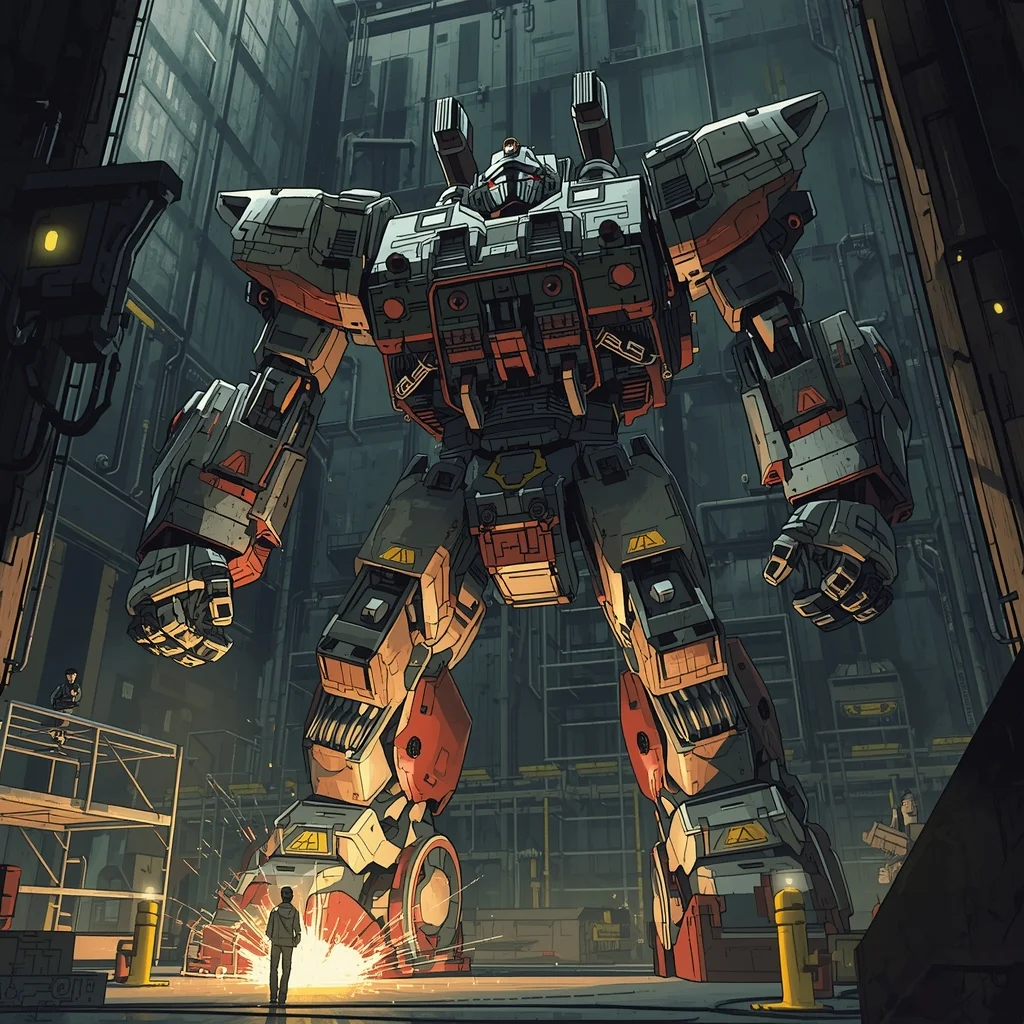
Prompt: Detailed mecha anime style, industrial aesthetic. A giant humanoid robot being repaired in a massive dark hangar. Sparks flying from welding tools, yellow warning lights, intricate mechanical parts and hydraulic wires. Scale reference with tiny human technicians on scaffolding. Gritty, realistic, sci-fi.
Desert Convoy Commander | Latest Ai Prompt Idea Free
2948 mos ago
A commanding nomad woman standing tall atop a rugged, six-wheeled desert crawler vehicle, gesturing forward with an armored gauntlet as a massive dust storm approaches on the horizon. She wears heavy protective gear, goggles down over her eyes, a thick scarf wrapped tight. Behind her, a convoy of scavenged vehicles kicks up sand. Cinematic epic scale, harsh desert light, volumetric sand particles, hyper-realistic, 8k
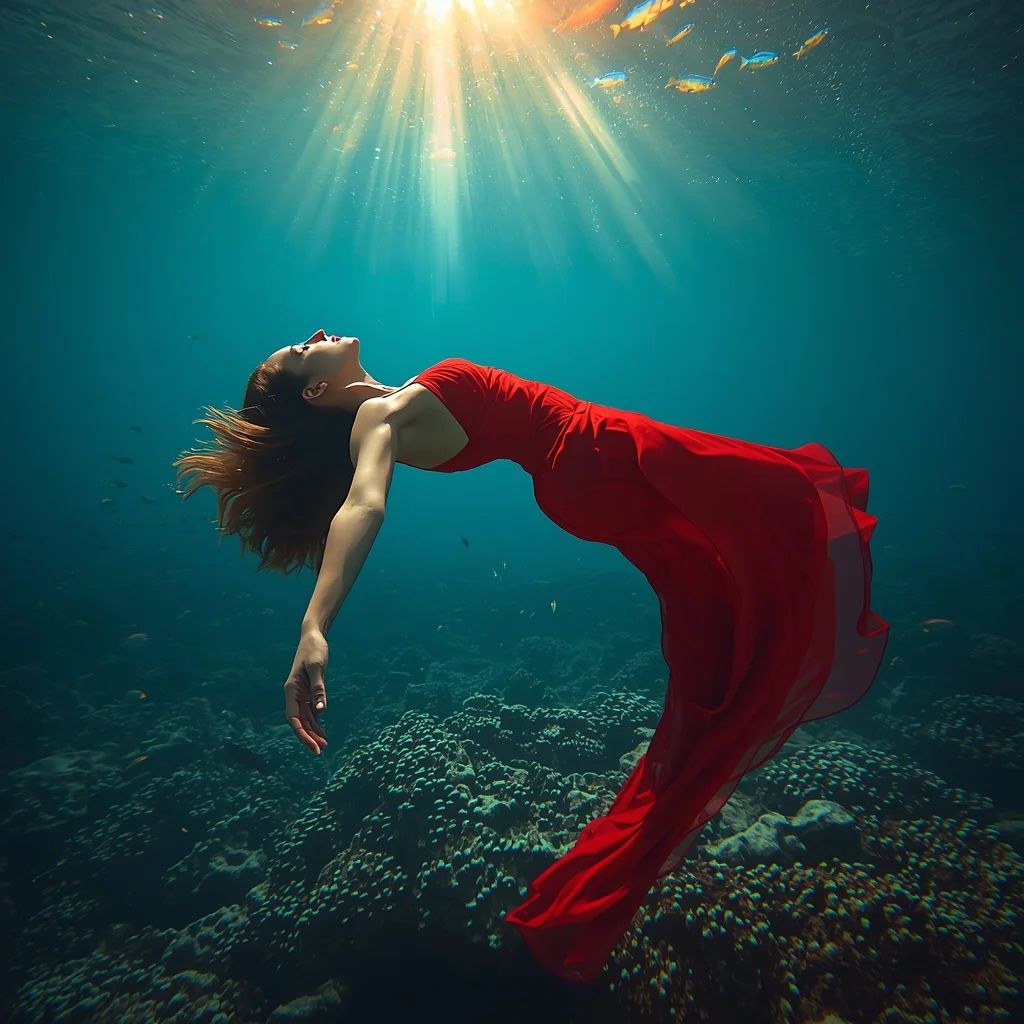
Prompt: A surreal underwater photograph of a woman in a sheer, flowing crimson fabric dress floating weightlessly in a coral reef in the Caribbean. Schools of tropical fish are swimming around her. | Pose: She is floating in a graceful, arched position, her hair fanning out in all directions. Her arms are trailing softly behind her, and her eyes are half-open, looking toward the light rays piercing the water surface. | Technical: Underwater photography, 'God rays' light effect, vibrant turquoise and red color contrast, high shutter speed, 8k resolution, dreamlike atmosphere.
Modern Indian Viral Reel Pose – Bold Pause Power Look | Aesthetic Instagram Prompt
3728 mos ago
Prompt: An Indian woman dressed in a bold modern Indian dress, captured in a strong pause pose as if stopping the reel for impact. Feet grounded, shoulders squared, posture confident and commanding. Hair neatly styled with subtle volume. Expression intense yet composed. Makeup clean glam with sharp features. Lighting crisp and studio-clean. Background minimal. Ultra-realistic textures, cinematic influencer framing, high-impact viral composition.
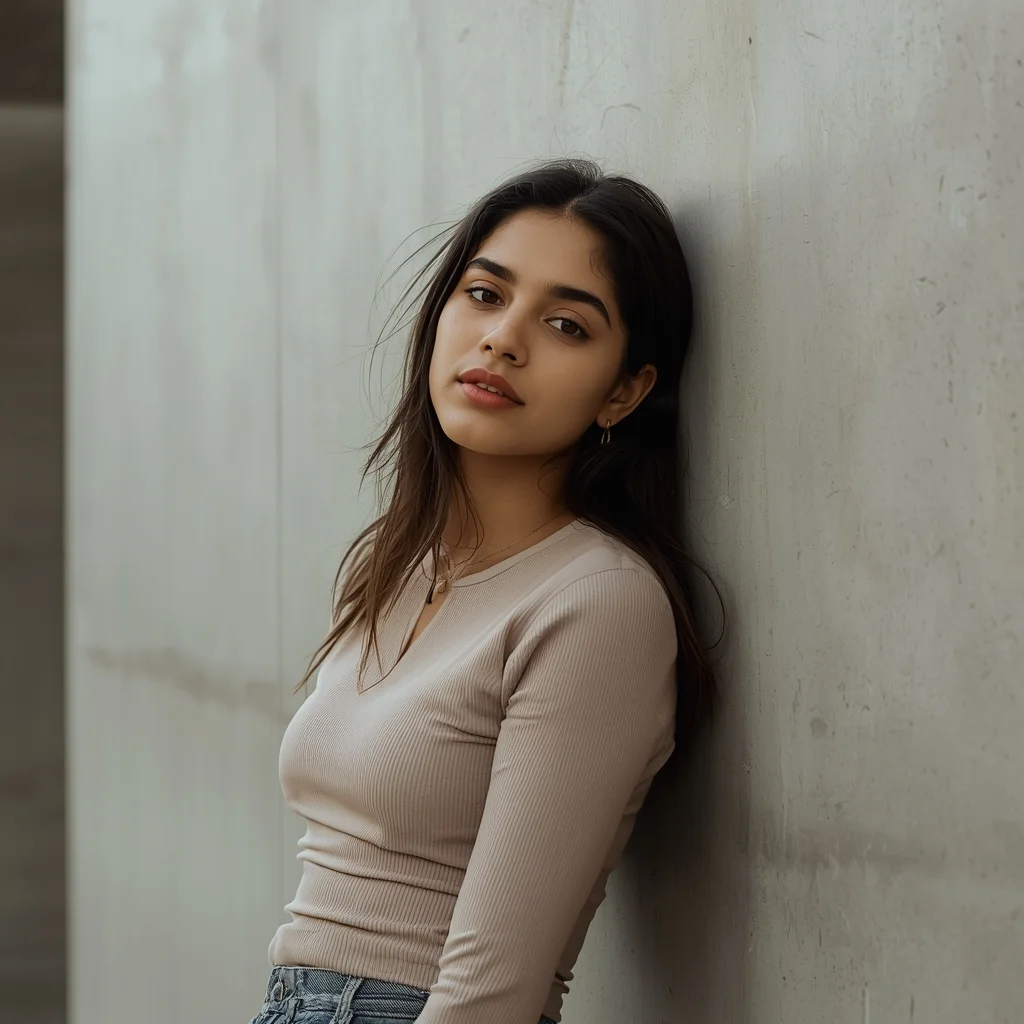
Lifestyle portrait of a young Indian woman casually leaning against a textured concrete wall, arms relaxed, natural confident expression, modern urban background, soft daylight illumination, minimalist fashion styling with neutral colors, cinematic framing, fashion-forward look, editorial photography style, ultra-realistic
Ancient Temple Sun-Drenched Meditation | Trending Ai Image Prompt 2026
2788 mos ago
Prompt: A woman in simple, flowing white linen attire standing in the center of an abandoned stone temple in Greece. Sunbeams pierce through the collapsed roof, illuminating her in a "god ray" effect. Dust motes dance in the light. The stones are covered in faint ivy.
Pose: Standing perfectly still with eyes closed and face tilted up toward the sunlight, arms slightly away from her sides with palms facing forward in a meditative stance.
Technical: Volumetric lighting, 35mm lens, f/4.0 for sharp architectural detail, high-key lighting, ethereal mood, Unreal Engine 5 render style.
Frequently Asked Questions
Common questions regarding this AI prompt.
How does Midjourney v6 process the intricate details of I Trained a Real Life Dragon Using Advanced AI Technology | Gemini Prompt Trick?
Midjourney v6 excels at understanding natural language nuances. This prompt is specifically written to take advantage of v6's semantic comprehension. You do not need to use 'prompt salad' (randomly throwing words). The detailed, descriptive sentences regarding the YouTube Thumbnail elements are parsed accurately, giving you photographic or highly illustrative perfection.
Does this prompt work with DALL-E 3 inside ChatGPT?
Yes, it works exceptionally well. DALL-E 3 thrives on conversational, highly descriptive text. Because this prompt for I Trained a Real Life Dragon Using Advanced AI Technology | Gemini Prompt Trick is structured with clear nouns and adjectives, DALL-E 3 will translate it almost perfectly into an image, ensuring that multiple complex elements within the YouTube Thumbnail scene interact logically.
Does this prompt support blending multiple concepts together?
Yes, advanced users can use this prompt as a base for concept blending. By utilizing syntax like [Concept A : Concept B : 0.5] in Automatic1111 or simply describing a hybrid scenario, the strong foundational parameters of the I Trained a Real Life Dragon Using Advanced AI Technology | Gemini Prompt Trick prompt will ensure the merged concepts render cohesively without degrading into visual noise.
How can I use Inpainting to fix specific errors in the generated I Trained a Real Life Dragon Using Advanced AI Technology | Gemini Prompt Trick image?
Inpainting is essential for perfection. If 90% of the I Trained a Real Life Dragon Using Advanced AI Technology | Gemini Prompt Trick image is flawless but a hand or eye is distorted, send the image to an Inpaint tab. Mask only the flawed area, keep the original prompt, and set the denoising strength high (around 0.7). The AI will regenerate only that specific zone, seamlessly blending the fixed YouTube Thumbnail elements into the surrounding artwork.
How do I deal with unwanted text or watermarks appearing in the image?
AI models are trained on stock photos which often contain watermarks. To aggressively filter this out, ensure words like 'text, watermark, signature, username, website url, copyright stamp' are heavily weighted in your negative prompt box. This is especially crucial when generating commercial-grade YouTube Thumbnail content.
Can I easily integrate the I Trained a Real Life Dragon Using Advanced AI Technology | Gemini Prompt Trick output into a professional design workflow?
Absolutely. The outputs generated by this prompt are designed with commercial and professional workflows in mind. Because it emphasizes crisp edges, balanced contrast, and high-resolution keywords, the resulting YouTube Thumbnail images are perfect for immediate use in UI/UX design, marketing materials, or further post-processing in software like Adobe Photoshop.
How do I add realistic weather effects like rain or snow to the scene?
Weather completely alters the physics of light. If you add 'torrential rain, wet asphalt reflecting neon, water droplets clinging to surfaces', the AI will not just draw rain; it will change the specularity of the I Trained a Real Life Dragon Using Advanced AI Technology | Gemini Prompt Trick subject. For snow, use 'heavy blizzard, frost-covered edges, soft diffused winter light' to change the entire atmosphere of the YouTube Thumbnail generation.
How do I inject a cyberpunk or dystopian sci-fi feel into I Trained a Real Life Dragon Using Advanced AI Technology | Gemini Prompt Trick?
Add 'cyberpunk metropolis, neon rain, holographic advertisements, high-tech low-life, chrome and cables'. The AI will retain the core shape and intent of the I Trained a Real Life Dragon Using Advanced AI Technology | Gemini Prompt Trick prompt but re-texture everything with futuristic, glowing, and metallic sci-fi elements.
What is the best way to shift the artistic medium of I Trained a Real Life Dragon Using Advanced AI Technology | Gemini Prompt Trick to an oil painting?
To completely transform the medium, append powerful style modifiers. Injecting phrases like 'intricate oil painting on canvas, thick impasto strokes, palette knife technique, classical fine art, museum masterpiece' will completely override the default realism, offering a traditional artistic variation for your YouTube Thumbnail project.
Is it possible to use this static image prompt as a base for AI video animation?
Yes, this is a very popular workflow. Once you generate the perfect still image of I Trained a Real Life Dragon Using Advanced AI Technology | Gemini Prompt Trick, you can import it into cutting-edge AI video generators like Luma Dream Machine, Kling AI, Runway Gen-3, or Pika Labs. The high detail and clear focus provided by this YouTube Thumbnail prompt make it an ideal initial keyframe, resulting in smooth, artifact-free animations.
How does this prompt handle lighting and atmospheric effects?
This prompt utilizes a sophisticated combination of cinematic lighting descriptors and atmospheric keywords tailored for YouTube Thumbnail. By specifying light direction, diffusion, and volumetric properties like 'god rays' or 'softbox lighting', it forces modern AI engines like Midjourney v6 and Flux to calculate highly realistic light bounces, creating a deeply immersive environment.
What is the optimal workflow for upscaling I Trained a Real Life Dragon Using Advanced AI Technology | Gemini Prompt Trick to print-quality resolution?
Do not generate at massive resolutions directly, as it causes compositional duplication (like two heads). Instead, generate I Trained a Real Life Dragon Using Advanced AI Technology | Gemini Prompt Trick at a native resolution (e.g., 1024x1024), and then use a dedicated AI upscaler. Tools like Topaz Gigapixel AI, Magnific AI, or the '4x-UltraSharp' model in Automatic1111 will enhance the micro-textures of the YouTube Thumbnail without destroying the original composition.
What should I do if the background of I Trained a Real Life Dragon Using Advanced AI Technology | Gemini Prompt Trick becomes too cluttered?
If the AI over-complicates the background, you need to assert control over the depth of field. Add strict modifiers like 'clean minimalist background, studio backdrop, heavy bokeh, blurred environment' to the prompt. Additionally, placing the subject-specific keywords at the very front of the prompt ensures the AI prioritizes the main I Trained a Real Life Dragon Using Advanced AI Technology | Gemini Prompt Trick element.