Urban Streetwear and Gritty City Vibes | Gemini Vision Prompt
High-quality AI-generated image. Optimized for detailed rendering, perfect for creative projects and inspiration.
264Views
0 Likes
100%Quality
FreeLicense
AI Prompt
Prompt: A full-body shot of a young man with a buzz cut and tattoos leaning against a red brick wall in a rainy London alleyway. He is wearing an oversized black hoodie, cargo pants, and high-top sneakers. The pavement is wet, reflecting neon signs from a nearby shop. The pose is relaxed with one leg crossed over the other. Moody lighting, cinematic teal and orange color grading, volumetric fog, highly detailed fabric textures, street photography style.
Want to create this with your own face? Use this instruction:
All facial landmarks must stay in the same relative positions as in the reference image. Prompt: A full-body shot of a young man with a buzz cut and tattoos leaning against a red brick wall in a rainy London alleyway. He is wearing an oversized black hoodie, cargo pants, and high-top sneakers. The pavement is wet, reflecting neon signs from a nearby shop. The pose is relaxed with one leg crossed over the other. Moody lighting, cinematic teal and orange color grading, volumetric fog, highly detailed fabric textures, street photography style.
About this Prompt
Navigate the deeply complex, often chaotic waters of AI generation safely with 'Urban Streetwear and Gritty City Vibes | Gemini Vision Prompt', your perfect, reliable compass for consistent Man Pose Art wonder. The razor-sharp precision engineered into this specific prompt is exactly what sets it vastly apart in the highly crowded digital marketplace. Thrilling, perfect symmetry and wildly unpredictable asymmetry constantly compete for dominance, creating an incredible dynamic tension. This strictly mathematically beautiful art adheres deeply to the golden ratio, generating profound, highly powerful subconscious appeal for any true Man Pose Art aficionado.
Highly effective for establishing a deeply powerful, highly cohesive brand identity across multiple digital platforms. Generating all your Man Pose Art hero banners and background assets with this single prompt ensures a flawless, unified corporate look. Master the deeply complex, highly technical nuances of AI generation instantly. Copy this exact prompt, confidently adjust your specific parameters, and prepare to have your own visual expectations completely shattered by the flawless, perfect execution.
Party Indian Wear Glam Night Pose | Ai Portrait Prompt
2256 mos ago
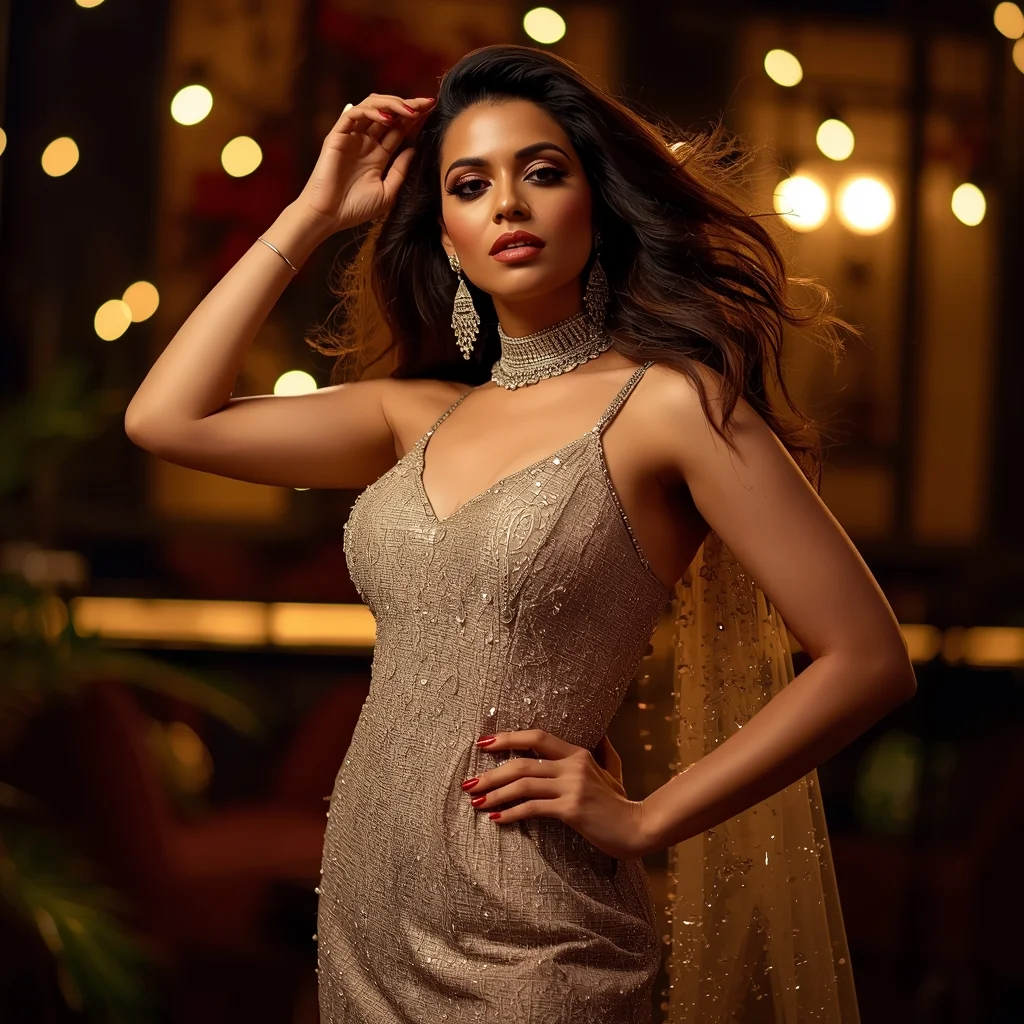
Prompt: An Indian female model dressed in glamorous party Indian wear, captured in a dramatic evening pose that radiates confidence and celebration. She stands with one leg slightly forward, hips subtly tilted, creating a dynamic silhouette. One hand lifts gently near the hair, while the other holds a small clutch or rests elegantly at the waist. Her facial expression is bold and magnetic, with smoky eye makeup, luminous skin, and statement jewelry catching ambient light. Hair flows freely or styled in glamorous curls. The background features a stylish indoor party setting with warm bokeh lights. Cinematic lighting adds depth and drama, emphasizing shine, textures, and movement for a high-impact, viral-ready party look.
Elegant Chair Sitting Pose Woman Studio Fashion Shot | Creative Ai Prompt Idea List
2446 mos ago
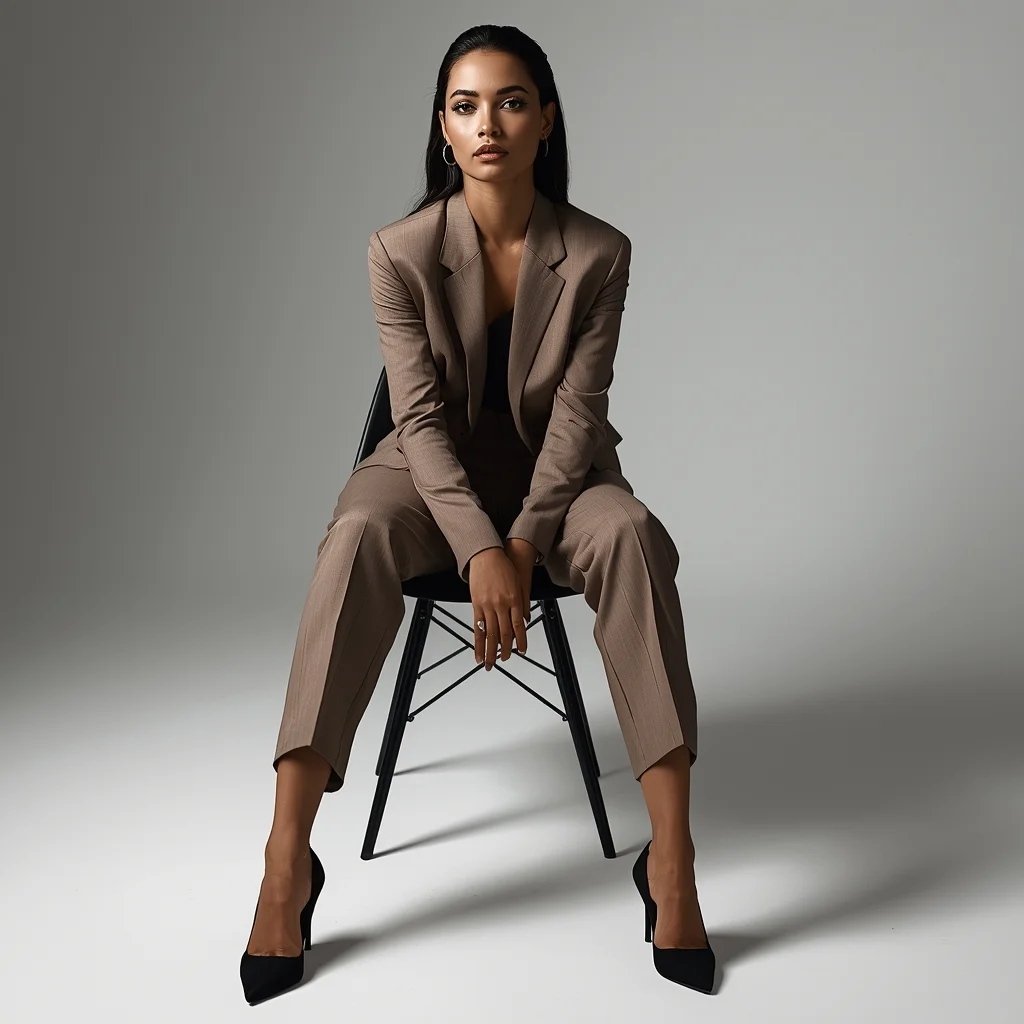
Prompt: A graceful woman sitting on a modern chair in a professional studio setup, posture poised and elegant, legs positioned naturally, hands resting gently on her lap. She wears a refined fashion outfit with subtle fabric folds. Balanced studio lighting creates a clean, polished look with soft shadows and smooth gradients. Sharp facial focus, realistic skin texture, fashion editorial styling, minimalist background, high clarity, professional DSLR photography quality, timeless elegance.
Prompt: A breathtaking underwater shot of a dancer submerged in crystal clear blue water. She wears a long, billowing red silk dress that floats around her like a cloud. Bubbles escape from her movement, catching the light from the surface. The scene is peaceful and weightless.
Pose: Full extension suspension; body arched backwards in a crescent shape, toes pointed, arms flowing freely with the current, eyes closed in serenity.
Technical: Underwater photography, caustic light refraction, slow shutter speed feel, vibrant blues and reds, crisp clarity.
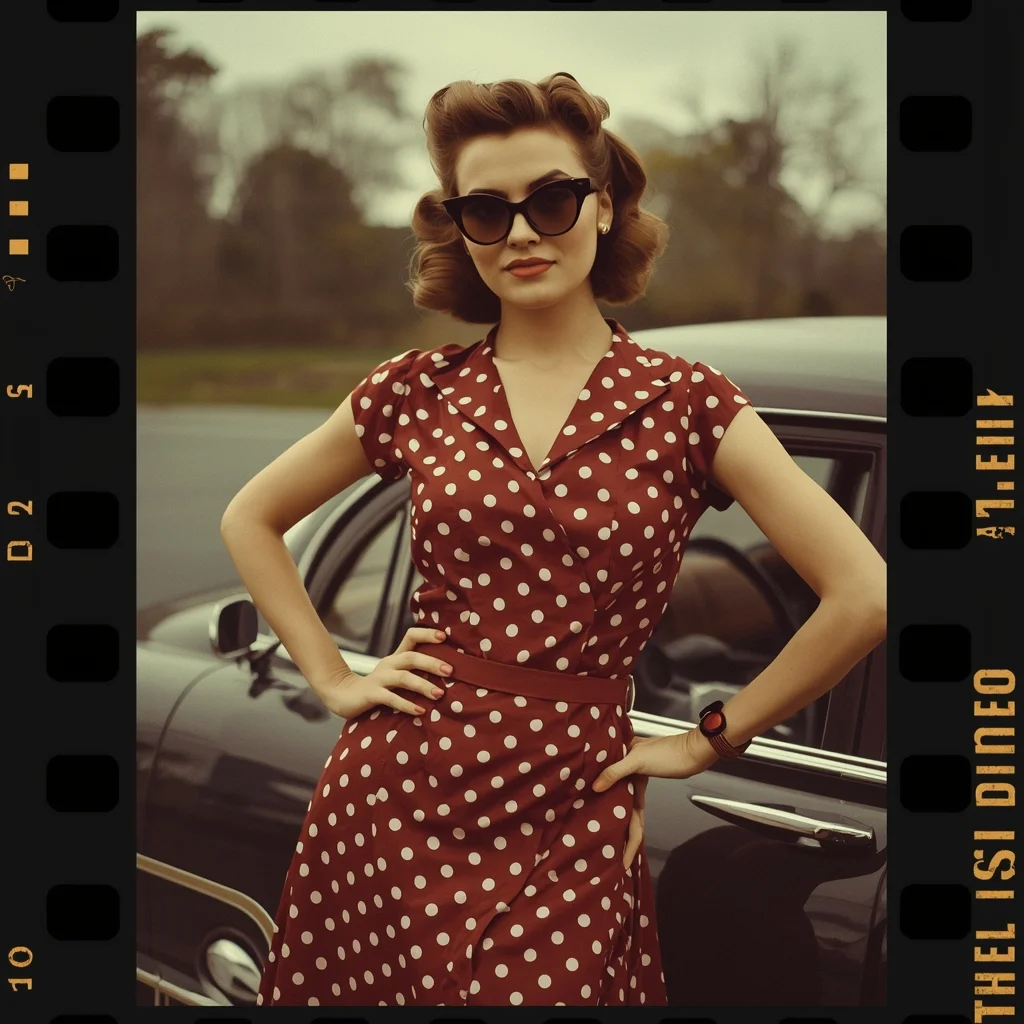
Prompt: A retro-inspired woman posing in a 1950s style outfit with a polka-dot dress, cat-eye sunglasses, and curled hairstyle. She stands near a classic car, one hand on her hip, the other holding a handbag, expressing timeless elegance. Warm color tones, grainy film texture, vintage lighting, nostalgic mood. Old-school photography aesthetic, muted colors, authentic retro styling, cinematic framing, highly detailed textures, realistic facial expressions.
Prompt: A woman in a Victorian-era black lace gown with a high collar and corset. She is in a dim, candle-lit library filled with old leather-bound books and gothic architecture. Shadows are long and dramatic. She holds an antique silver candle holder with a flickering flame.
Pose: Standing between two tall bookshelves, looking back at the camera with a mysterious and slightly haunting expression, the candlelight illuminating only half of her face.
Technical: Low-key lighting, Chiaroscuro effect, 50mm lens, f/1.4, dark moody tones, highly detailed lace and wood textures.
Kashmiri Autumn Elegance in Saree Style | Trending Gemini Prompt
2686 mos ago
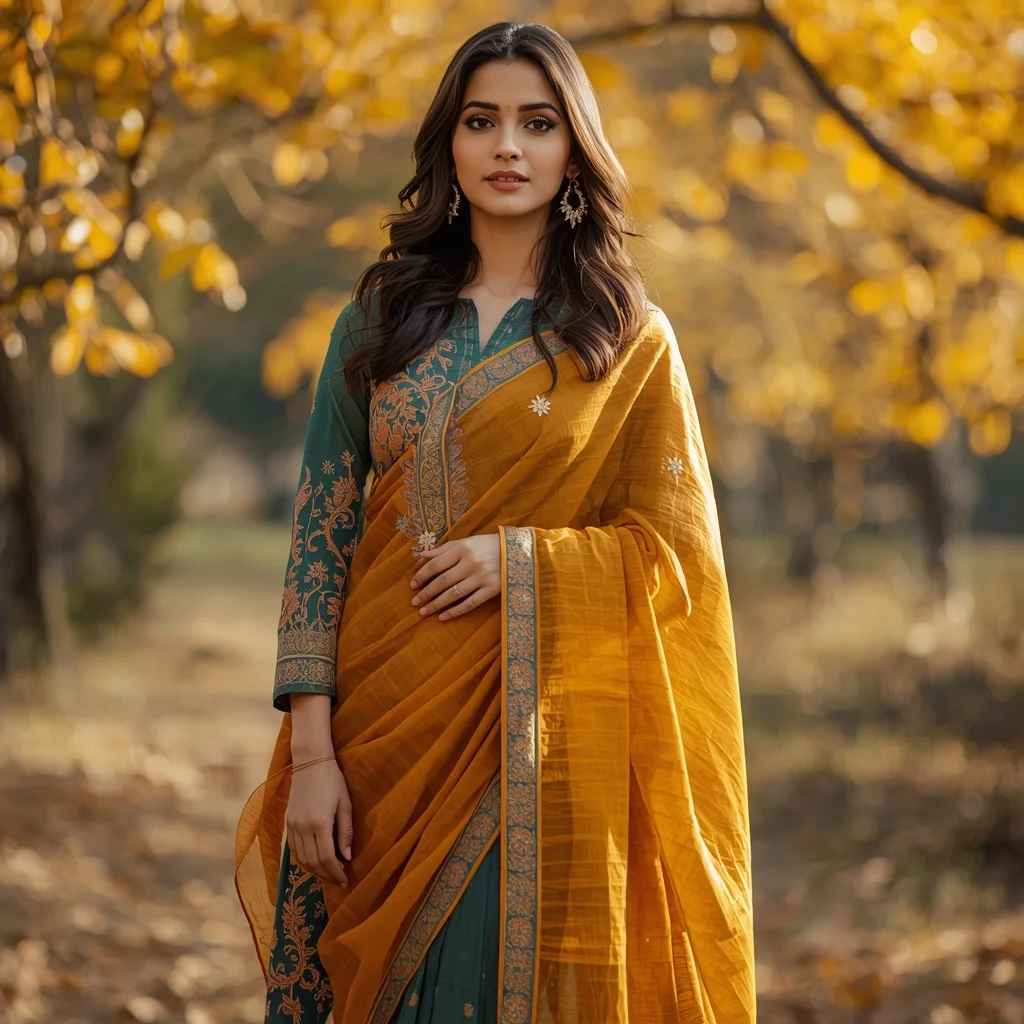
Prompt: A highly realistic portrait of a woman standing gracefully in an autumn Kashmiri landscape, wearing a saree-style dress inspired by traditional pheran colors. The outfit blends the flowing drape of a saree with the warmth and texture of Kashmiri wool patterns, featuring subtle Kashida embroidery. Her pose is elegant and composed, one hand holding the draped fabric, the other relaxed. Golden chinar leaves surround her, soft autumn sunlight, natural makeup, cultural authenticity, cinematic depth of field, ultra-realistic 8K quality.
Kashmiri Pheran Pose in Soft Autumn Breeze | Trending Ai Prompt
2716 mos ago
Prompt: A full-length cultural image of a Kashmiri woman standing confidently as a gentle autumn breeze moves her traditional pheran. The pheran is rust-orange with fine woven detailing, paired with traditional footwear and minimal jewelry. Her stance is balanced and graceful, gaze directed forward. Autumn sky, drifting leaves, realistic motion in fabric, cinematic realism, professional photography quality, ultra-sharp focus.
Frequently Asked Questions
Common questions regarding this AI prompt.
What is the optimal workflow for upscaling Urban Streetwear and Gritty City Vibes | Gemini Vision Prompt to print-quality resolution?
Do not generate at massive resolutions directly, as it causes compositional duplication (like two heads). Instead, generate Urban Streetwear and Gritty City Vibes | Gemini Vision Prompt at a native resolution (e.g., 1024x1024), and then use a dedicated AI upscaler. Tools like Topaz Gigapixel AI, Magnific AI, or the '4x-UltraSharp' model in Automatic1111 will enhance the micro-textures of the Man Pose Art without destroying the original composition.
Can I use Image-to-Image (Img2Img) techniques with the Urban Streetwear and Gritty City Vibes | Gemini Vision Prompt prompt?
Absolutely. Using a rough sketch or a reference photo alongside this prompt in an Img2Img workflow is highly effective. We recommend setting your Denoising Strength between 0.45 and 0.65. This range is the 'sweet spot' that allows the AI to apply the high-quality textures and lighting of the Urban Streetwear and Gritty City Vibes | Gemini Vision Prompt prompt while strictly respecting the structural layout of your reference image.
How can I dictate the camera angle to make the subject look more powerful?
Camera angle completely changes the psychological impact. To make the subject of Urban Streetwear and Gritty City Vibes | Gemini Vision Prompt appear dominant or towering, insert 'low angle shot' or 'worm's-eye view'. Conversely, to make the Man Pose Art scene feel vast and the subject small, use 'drone shot', 'bird's-eye view', or 'extreme high angle'.
How do I create a surreal, dream-like version of Urban Streetwear and Gritty City Vibes | Gemini Vision Prompt?
To break the laws of physics, use keywords like 'surrealism, dreamscape, floating objects, defying gravity, Salvador Dali style, mind-bending geometry, ethereal'. The AI will take the familiar elements of Urban Streetwear and Gritty City Vibes | Gemini Vision Prompt and arrange them in illogical, fascinating ways, creating a truly unique Man Pose Art art piece.
How do I inject a cyberpunk or dystopian sci-fi feel into Urban Streetwear and Gritty City Vibes | Gemini Vision Prompt?
Add 'cyberpunk metropolis, neon rain, holographic advertisements, high-tech low-life, chrome and cables'. The AI will retain the core shape and intent of the Urban Streetwear and Gritty City Vibes | Gemini Vision Prompt prompt but re-texture everything with futuristic, glowing, and metallic sci-fi elements.
Can I change the material composition of objects in the Urban Streetwear and Gritty City Vibes | Gemini Vision Prompt prompt?
Yes, AI handles material transformation brilliantly. If you want to change a standard object into something surreal, use explicit material descriptors like 'made of translucent frosted glass', 'brushed anodized aluminum', 'woven carbon fiber', or 'wet shimmering obsidian'. This will completely recalculate the reflections and refractions in the Man Pose Art output.
How do I achieve an extreme close-up or macro shot of Urban Streetwear and Gritty City Vibes | Gemini Vision Prompt?
Modify the perspective by heavily weighting keywords like 'extreme macro photography', '100mm macro lens', 'microscopic detail', and 'extreme close up'. This forces the AI engine to ignore the broader Man Pose Art environment and dedicate all of its rendering power to the microscopic textures, fibers, or surface imperfections of the primary subject.
How do I ensure the skin textures in Urban Streetwear and Gritty City Vibes | Gemini Vision Prompt look photorealistic and not plastic?
AI often defaults to overly smooth, airbrushed skin. To counter this, you must explicitly demand imperfections. Add 'subsurface scattering, visible skin pores, peach fuzz, micro-wrinkles, highly detailed skin texture, raw unedited photograph' to the prompt. This forces the model to render the human elements of the Man Pose Art scene with authentic, biological realism.
Does this prompt support blending multiple concepts together?
Yes, advanced users can use this prompt as a base for concept blending. By utilizing syntax like [Concept A : Concept B : 0.5] in Automatic1111 or simply describing a hybrid scenario, the strong foundational parameters of the Urban Streetwear and Gritty City Vibes | Gemini Vision Prompt prompt will ensure the merged concepts render cohesively without degrading into visual noise.
Is it possible to make the image look like an architectural blueprint?
Absolutely. Strip all color and realism by adding 'technical architectural blueprint, white lines on blue background, schematics, precise measurements, cross-section view, drafted by an engineer'. This is a highly creative way to present the Man Pose Art subject from an analytical, structural perspective.
How does the prompt establish the historical or futuristic era of Urban Streetwear and Gritty City Vibes | Gemini Vision Prompt?
Era-specific aesthetics are locked in using targeted chronological keywords. Whether leaning towards a neo-futuristic cyberpunk vibe or a classical Renaissance look, the prompt forces the AI to draw from specific historical datasets. This ensures that the clothing, architecture, and props within the Man Pose Art scene remain historically or thematically accurate.
What if the AI completely ignores a specific detail I added to the Urban Streetwear and Gritty City Vibes | Gemini Vision Prompt prompt?
If a detail is ignored, it lacks 'weight'. Move that specific word closer to the very beginning of the prompt. Alternatively, if using Midjourney, use the double colon syntax (Keyword::2) to force the AI to pay attention. In Stable Diffusion, wrap the keyword in parentheses like (Keyword:1.5) to boost its importance in the Man Pose Art scene.