Post-Apocalyptic Scavenger’s Oasis | Top Secret Ai Prompt
High-quality AI-generated image. Optimized for detailed rendering, perfect for creative projects and inspiration.
224Views
0 Likes
100%Quality
FreeLicense
AI Prompt
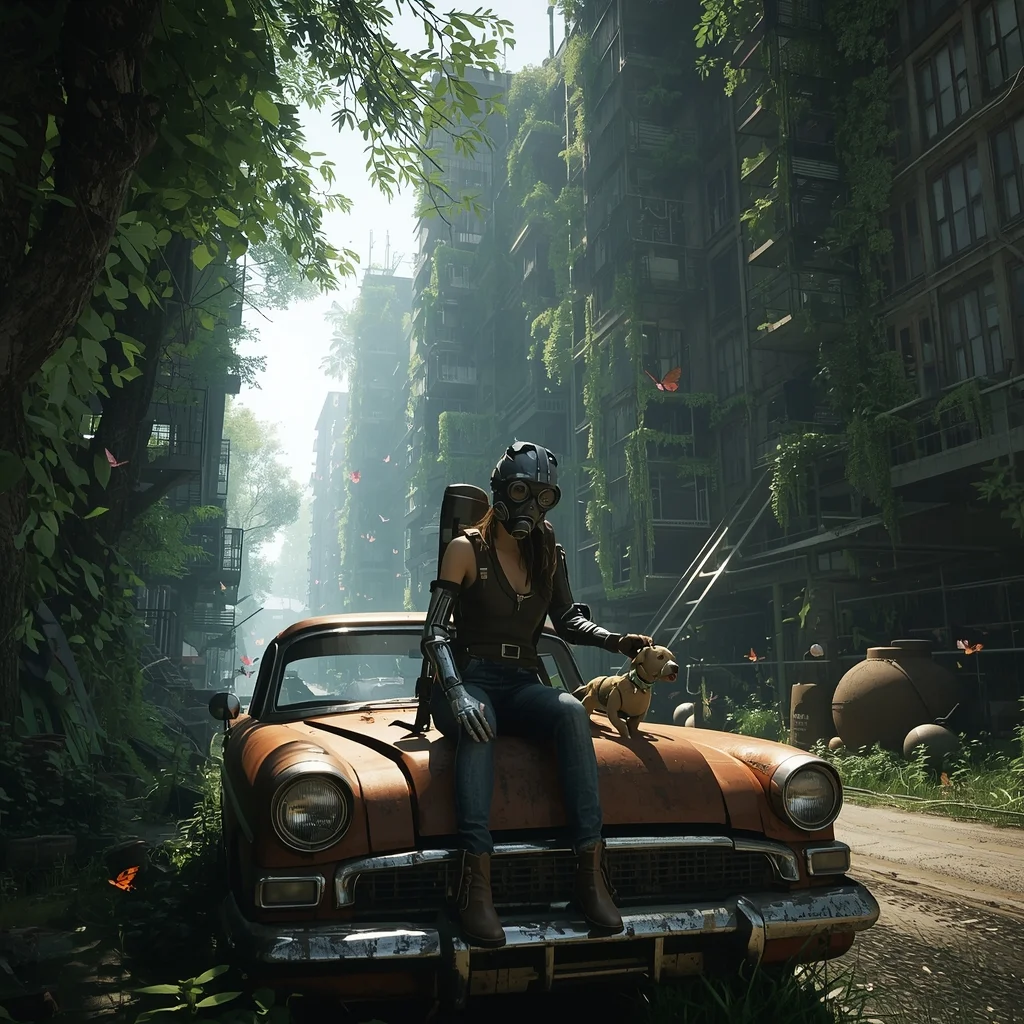
Prompt: A lush, overgrown post-apocalyptic city street where nature has reclaimed the skyscrapers. A lone scavenger female character with a customized gas mask and a mechanical prosthetic arm sits on the rusted hood of a 1960s car, petting a small robotic dog. Sunlight filters through thick vines and moss-covered windows. Butterflies flutter around abandoned rusted tanks. The style is reminiscent of "The Last of Us Part II," high-fidelity foliage, soft cinematic bokeh, 8k resolution, detailed survival gear and textures.
Want to create this with your own face? Use this instruction:
Face must be copied exactly from the reference image with zero changes. Prompt: A lush, overgrown post-apocalyptic city street where nature has reclaimed the skyscrapers. A lone scavenger female character with a customized gas mask and a mechanical prosthetic arm sits on the rusted hood of a 1960s car, petting a small robotic dog. Sunlight filters through thick vines and moss-covered windows. Butterflies flutter around abandoned rusted tanks. The style is reminiscent of "The Last of Us Part II," high-fidelity foliage, soft cinematic bokeh, 8k resolution, detailed survival gear and textures.
About this Prompt
Elevate your creative portfolio to elite industry standards using 'Post-Apocalyptic Scavenger’s Oasis | Top Secret Ai Prompt', a highly optimized AI prompt strictly engineered for the Gaming Art niche. It bypasses generic outputs to deliver jaw-dropping, magazine-cover quality imagery that captures the very essence of modern sophistication and high-end visual design. The impossibly intricate, highly mechanical clicking clockwork and stunning ray-traced refractions show absolute structural genius. The way virtual light bounces, reflects, and bends around this specific piece of Gaming Art art is nothing short of pure, unadulterated, and flawlessly calculated generative magic.
Utilize this prompt to completely revolutionize your digital product mockups, ensuring that your e-commerce listings, promotional banners, and visual advertisements look undeniably expensive, highly trustworthy, and professionally produced by a top-tier design agency. Fuel your raw artistic fire and radically expand your digital horizons. This prompt is not just a simple text string; it is a highly foundational masterclass in advanced digital rendering, spatial composition, and professional aesthetics.
High Fashion Editorial Elegance Woman Pose | Best Prompt Collection 2026
2316 mos ago
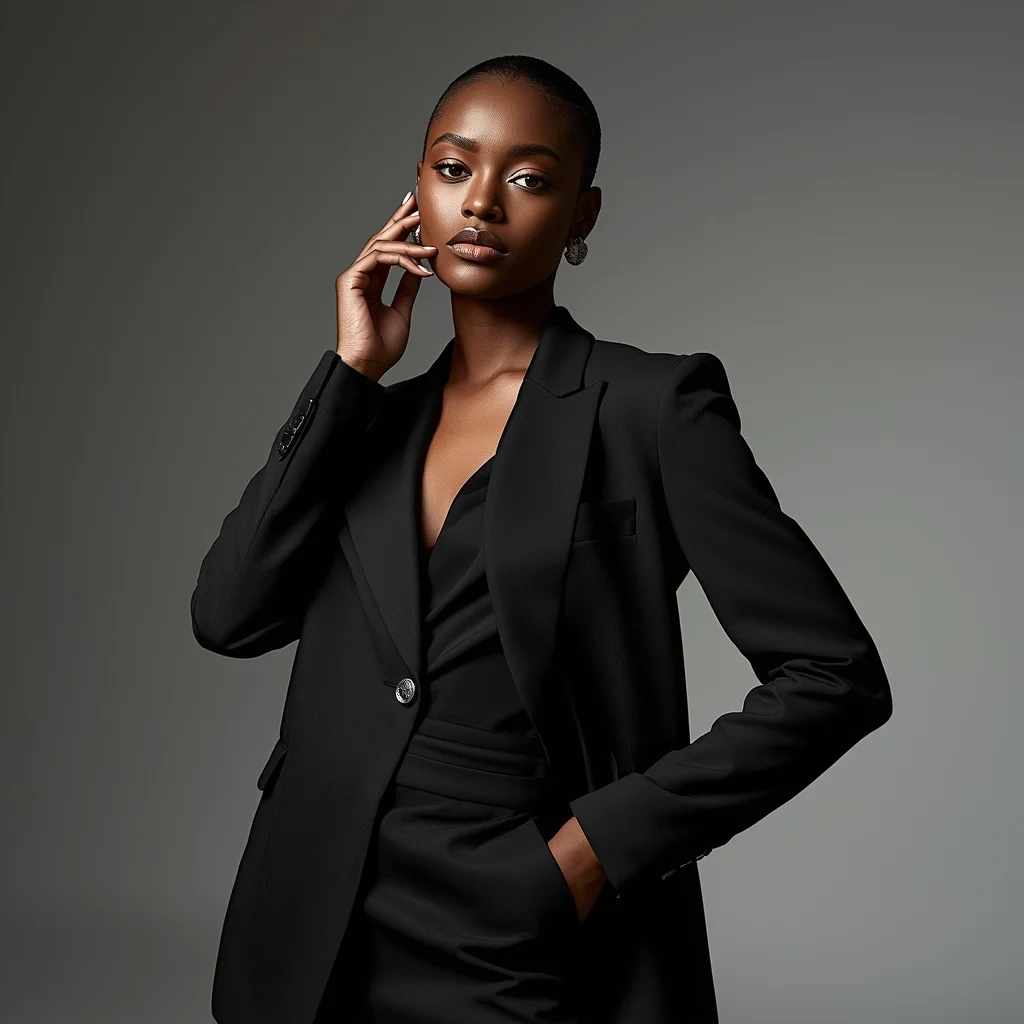
Prompt: A confident female model posing in a high-fashion editorial style, standing tall with one hand resting softly on her waist and the other slightly lifted near her face, wearing a luxury designer outfit with sharp tailoring and elegant textures. Her expression is calm, powerful, and poised, with strong eye contact toward the camera. Studio lighting is dramatic with soft shadows sculpting facial features, glossy skin tones, and detailed fabric highlights. Background is minimal but stylish, inspired by Vogue and Harper’s Bazaar editorials, ultra-realistic skin texture, flawless makeup, cinematic depth of field, fashion
Modern Indian Viral Reel Pose – Strong Still Power Frame | Dall-e Prompt Idea
2576 mos ago
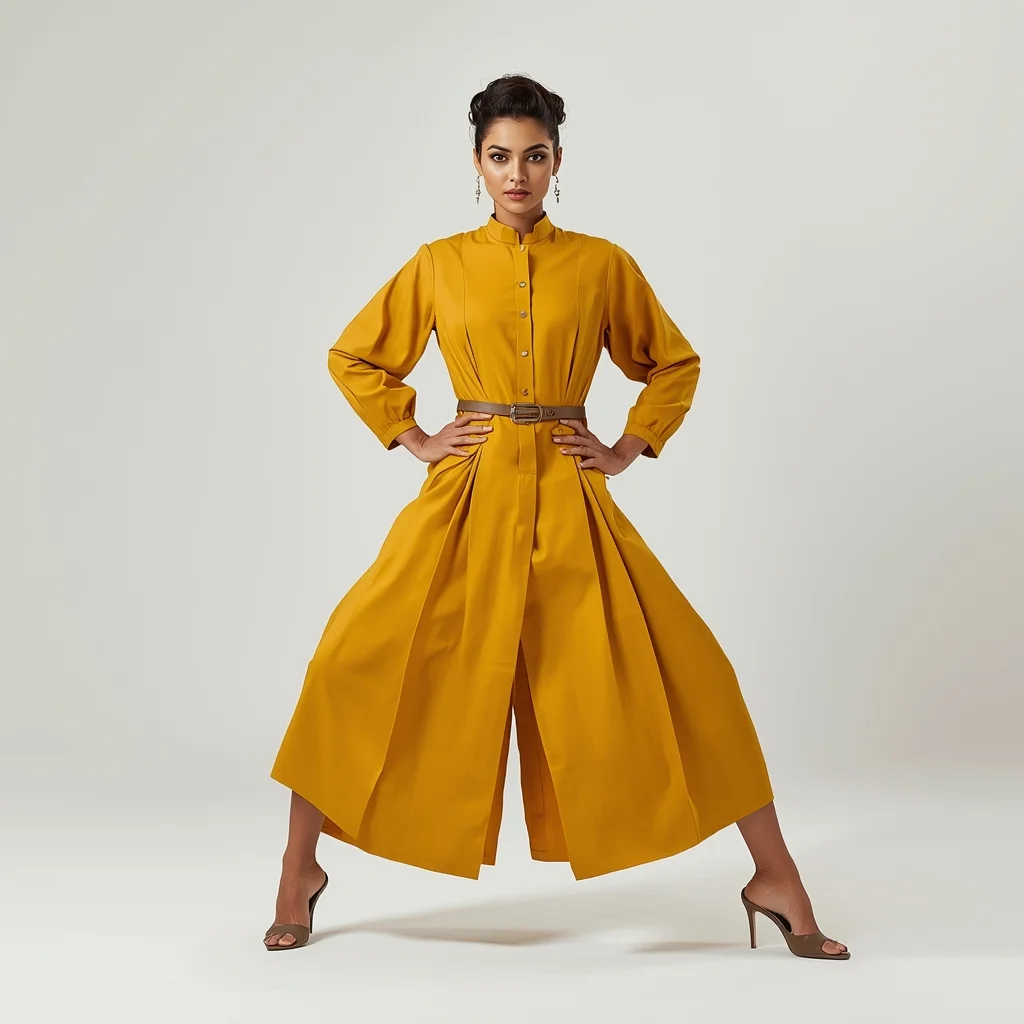
Prompt: An Indian woman dressed in a bold modern Indian dress, captured in a strong still-frame pose mid-reel. Feet grounded, shoulders squared, chin slightly raised. Body language confident and commanding. Hair neatly styled with subtle volume. Expression intense yet composed. Makeup clean glam with defined features. Lighting crisp and studio-clean. Background minimal. Ultra-realistic textures, cinematic influencer framing, high-impact viral composition.
A woman in intricate tribal-futuristic robes standing atop a vast desert dune under a starry galaxy sky. Pose Technical Details: Arms are outstretched wide in a 'welcoming the sky' gesture, palms facing upward. Her back is slightly arched, and her head is thrown back looking at the Milky Way. The fabric of her robes is billowing violently to the right to show wind direction. Lighting: Cool moonlight with soft silver highlights on the fabric edges.
Kashmiri Pheran Inspired Saree Walk Pose | Simple Ai Prompt
2736 mos ago
Prompt: A cinematic scene of a woman walking slowly along a leaf-covered path, wearing a saree-style dress that combines traditional saree draping with pheran-inspired embroidery. Her pose is fluid and elegant, one hand holding the pleats as she walks. Wooden houses and chinar trees appear softly in the background. Golden hour lighting, realistic motion in fabric, cultural storytelling mood, ultra-detailed 8K realism.
Prompt: A sharp, clean-shaven man in a tailored, minimalist suit made of advanced fabric, standing in a ultra-modern, glass-walled office overlooking a futuristic metropolis with flying vehicles. Pose: Standing tall and assertive, adjusting one cufflink with precision. He is looking directly at the camera with an intense, confident, and slightly intimidating gaze. Power stance. Technical: Sleek, clean composition, cool blue lighting tones, highly reflective surfaces, photorealistic 3D render style.
Pose: Standing tall and assertive, adjusting one cufflink with precision. He is looking directly at the camera with an intense, confident, and slightly intimidating gaze. Power stance. Technical: Sleek, clean composition, cool blue lighting tones, highly reflective surfaces, photorealistic 3D render style.
Technical: Sleek, clean composition, cool blue lighting tones, highly reflective surfaces, photorealistic 3D render style.
The "Extreme Food Challenge" Thumbnail Niche | Gemini Prompt For Image
2656 mos ago
Food / Mukbang A chaotic, saturated food challenge thumbnail. A competitive eater sits at a table piled impossibly high with incredibly spicy, bright red fiery chicken wings. They are sweating profusely, holding a wing to their mouth with a pained, crying-laughing expression, eyes watering and face red. Smoke subtly rises from the food. In the immediate foreground, there is a bottle of "Ghost Pepper Sauce" with a skull logo. The background is a blurred, noisy restaurant setting. The lighting is warm and intense, making the sauce glisten. Aspect ratio 16:9.
Modern Women Girl Viral Reel High-Energy Action Pose | Ai Prompt Style
4055 mos ago
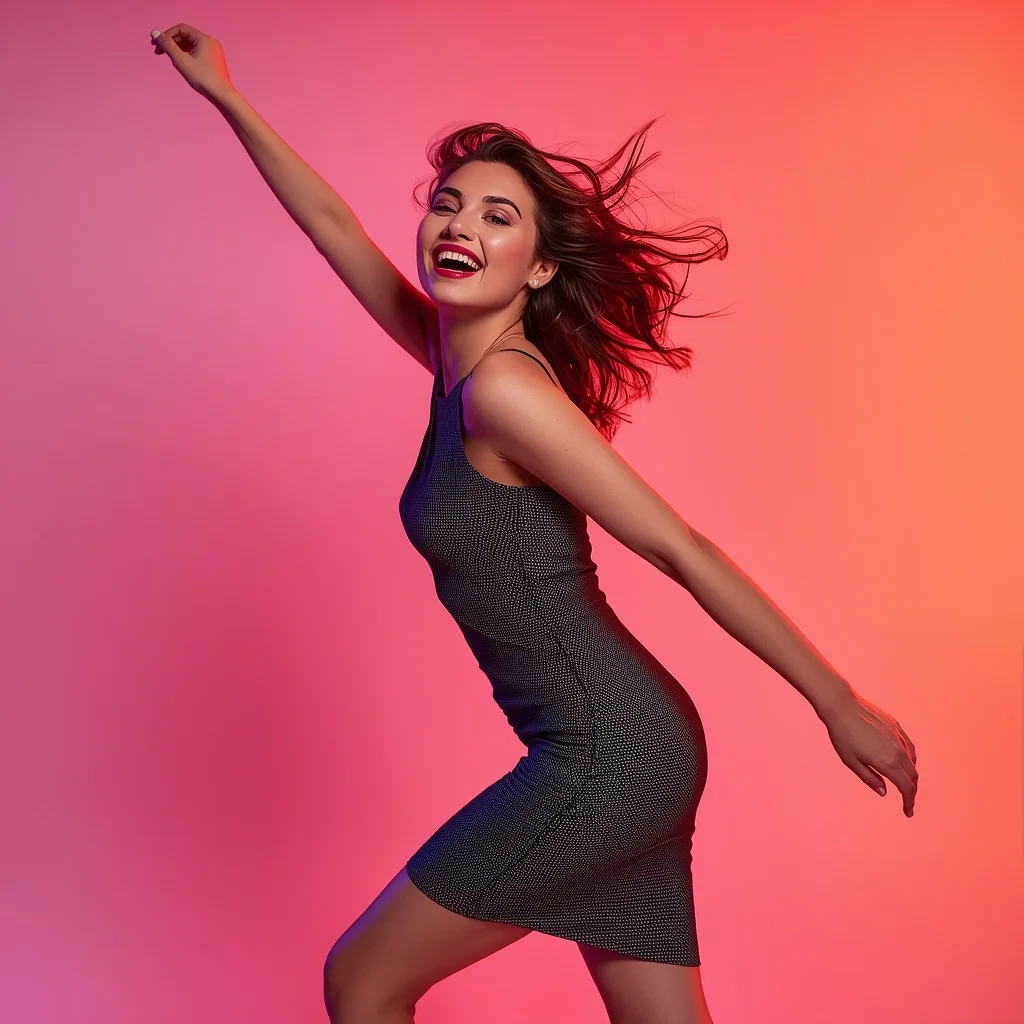
Prompt: A woman wearing a trendy modern women dress, captured in a high-energy reel pose mid-action. Body angled dynamically, one arm lifted naturally, creating motion and excitement. Hair flowing freely with movement. Expression joyful, bold, and confident. Makeup fresh and vibrant. Lighting clean and energetic, enhancing clarity and sharpness. Background minimal with bold colors optimized for social media impact. High clarity, modern influencer aesthetic, cinematic framing, ultra-realistic textures designed for maximum viral success.
Prompt: A supermodel walking a futuristic runway where the stage itself is shaped like a giant, glowing letter "A". She is wearing a metallic silver gown that looks like liquid mercury. The audience is blurred in the darkness, and bright spotlights follow her. Pose: A classic runway "power walk" pose, one foot directly in front of the other, arms swinging slightly, with a fierce and "high-fashion" blank stare. Technical: High-speed photography, spotlight lighting, 70-200mm lens, f/2.8, sleek metallic textures, 8k, professional fashion show aesthetic.
Pose: A classic runway "power walk" pose, one foot directly in front of the other, arms swinging slightly, with a fierce and "high-fashion" blank stare. Technical: High-speed photography, spotlight lighting, 70-200mm lens, f/2.8, sleek metallic textures, 8k, professional fashion show aesthetic.
Technical: High-speed photography, spotlight lighting, 70-200mm lens, f/2.8, sleek metallic textures, 8k, professional fashion show aesthetic.
Frequently Asked Questions
Common questions regarding this AI prompt.
Can I easily integrate the Post-Apocalyptic Scavenger’s Oasis | Top Secret Ai Prompt output into a professional design workflow?
Absolutely. The outputs generated by this prompt are designed with commercial and professional workflows in mind. Because it emphasizes crisp edges, balanced contrast, and high-resolution keywords, the resulting Gaming Art images are perfect for immediate use in UI/UX design, marketing materials, or further post-processing in software like Adobe Photoshop.
How do I deal with unwanted text or watermarks appearing in the image?
AI models are trained on stock photos which often contain watermarks. To aggressively filter this out, ensure words like 'text, watermark, signature, username, website url, copyright stamp' are heavily weighted in your negative prompt box. This is especially crucial when generating commercial-grade Gaming Art content.
Does this prompt support blending multiple concepts together?
Yes, advanced users can use this prompt as a base for concept blending. By utilizing syntax like [Concept A : Concept B : 0.5] in Automatic1111 or simply describing a hybrid scenario, the strong foundational parameters of the Post-Apocalyptic Scavenger’s Oasis | Top Secret Ai Prompt prompt will ensure the merged concepts render cohesively without degrading into visual noise.
How can I adjust the emotional tone or mood of Post-Apocalyptic Scavenger’s Oasis | Top Secret Ai Prompt?
The mood is heavily dictated by lighting and color grading keywords. To make Post-Apocalyptic Scavenger’s Oasis | Top Secret Ai Prompt feel more melancholic, replace warm lighting terms with 'cool blue tones, rainy atmosphere, and dramatic shadows'. Conversely, adding 'vibrant saturation, golden hour sunlight, and joyful expressions' will instantly uplift the emotional resonance of the Gaming Art scene.
How do I modify Post-Apocalyptic Scavenger’s Oasis | Top Secret Ai Prompt to fit into a dark fantasy or gothic horror setting?
Change the environmental descriptors. Add 'dark fantasy concept art, gothic architecture, eerie volumetric fog, corrupted ruins, ominous atmosphere, Bloodborne aesthetic'. This forces the AI to reinterpret the Post-Apocalyptic Scavenger’s Oasis | Top Secret Ai Prompt prompt through a grim, terrifying lens, drastically altering the mood of the Gaming Art output.
Is this prompt compatible with the new Flux.1 AI model?
Yes, Flux.1 is incredibly responsive to detailed structural prompts just like this one. Because Flux handles complex spatial relationships and typography better than previous models, the composition instructions embedded in the Post-Apocalyptic Scavenger’s Oasis | Top Secret Ai Prompt prompt will be rendered with astonishing accuracy, making it ideal for high-end Gaming Art generation.
How customizable are the character and environment details in the Post-Apocalyptic Scavenger’s Oasis | Top Secret Ai Prompt prompt?
Highly customizable. The prompt serves as a robust architectural framework. You can easily swap out specific nouns or color palettes while retaining the core Gaming Art style. For example, changing the time of day or the primary clothing material will seamlessly adapt the scene while maintaining the high-definition rendering quality originally intended for Post-Apocalyptic Scavenger’s Oasis | Top Secret Ai Prompt.
What if the AI completely ignores a specific detail I added to the Post-Apocalyptic Scavenger’s Oasis | Top Secret Ai Prompt prompt?
If a detail is ignored, it lacks 'weight'. Move that specific word closer to the very beginning of the prompt. Alternatively, if using Midjourney, use the double colon syntax (Keyword::2) to force the AI to pay attention. In Stable Diffusion, wrap the keyword in parentheses like (Keyword:1.5) to boost its importance in the Gaming Art scene.
How does this prompt handle lighting and atmospheric effects?
This prompt utilizes a sophisticated combination of cinematic lighting descriptors and atmospheric keywords tailored for Gaming Art. By specifying light direction, diffusion, and volumetric properties like 'god rays' or 'softbox lighting', it forces modern AI engines like Midjourney v6 and Flux to calculate highly realistic light bounces, creating a deeply immersive environment.
What are the recommended parameters for generating Post-Apocalyptic Scavenger’s Oasis | Top Secret Ai Prompt in Stable Diffusion XL (SDXL)?
For optimal results in SDXL, we recommend pairing this prompt with a high-quality checkpoint like Juggernaut XL. Use the DPM++ 2M Karras sampler with approximately 35-40 steps and a CFG scale between 6.5 and 8.0. This combination strikes the perfect balance between adhering strictly to the Post-Apocalyptic Scavenger’s Oasis | Top Secret Ai Prompt description and allowing the model's creative freedom.
Can I make the image look like vintage, degraded film?
Absolutely. To strip away the ultra-modern crispness, inject phrases like 'shot on Kodak Portra 400', 'heavy film grain', 'light leaks', 'chromatic aberration', and 'vintage 1970s polaroid'. This introduces beautiful, nostalgic imperfections into the Gaming Art scene, making the Post-Apocalyptic Scavenger’s Oasis | Top Secret Ai Prompt generation look like a discovered relic rather than a digital creation.
Can I make the characters or subjects in Post-Apocalyptic Scavenger’s Oasis | Top Secret Ai Prompt look like cyborgs?
Easily. Append 'cybernetic enhancements, robotic limbs, glowing optical sensors, biomechanical plating, android'. The AI seamlessly blends biological flesh with metallic machinery, maintaining the high-quality rendering of the original Gaming Art prompt while shifting the character design.
How can I prevent anatomical distortions or 'extra limbs' when generating characters?
While modern models have improved, complex poses in Gaming Art can still cause issues. To prevent this, use a strong negative prompt containing 'bad anatomy, extra limbs, mutated hands, deformed structure'. If generating locally via Stable Diffusion, utilizing ControlNet (specifically OpenPose or Depth) alongside this prompt will guarantee flawless anatomical structure.