High-quality AI-generated image. Optimized for detailed rendering, perfect for creative projects and inspiration.
102Views
0 Likes
100%Quality
FreeLicense
AI Prompt
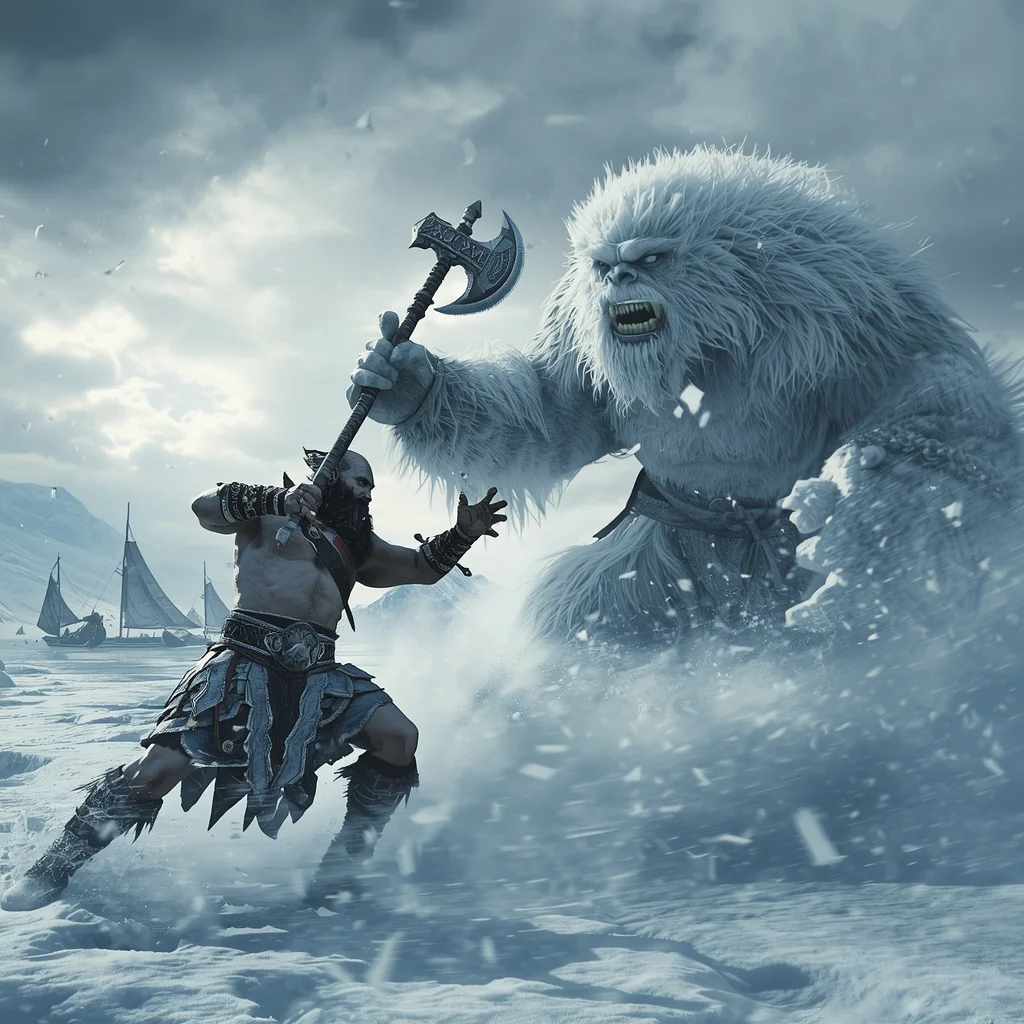
Prompt: A brutal action shot of a powerful Viking warrior, resembling Kratos, wielding a frost-covered bearded axe. He is mid-swing against a massive, fur-covered ice troll in the middle of a blinding blizzard. Snow is kicking up violently around them. In the background, longships are frozen into a glacial bay under a dramatic, cloudy Nordic sky. "God of War Ragnarök" visual style, intense motion blur, cold blue and white color palette, hyper-realistic fur and ice textures.
Want to create this with your own face? Use this instruction:
Same face, same expression, same realism as reference. Prompt: A brutal action shot of a powerful Viking warrior, resembling Kratos, wielding a frost-covered bearded axe. He is mid-swing against a massive, fur-covered ice troll in the middle of a blinding blizzard. Snow is kicking up violently around them. In the background, longships are frozen into a glacial bay under a dramatic, cloudy Nordic sky. "God of War Ragnarök" visual style, intense motion blur, cold blue and white color palette, hyper-realistic fur and ice textures.
About this Prompt
Let your creative journey soar to unprecedented heights with 'Viking Saga Frozen Wasteland | Ai Prompt Format', an exceptional digital masterpiece that radically elevates the standard of Gaming Art generation. This prompt acts as a pure conduit for raw artistic energy, transforming simple concepts into extraordinary visual spectacles. It leverages a highly refined, delicate blend of absolute photorealism and premium artistic stylization. The prompt dictates gorgeous, flattering lighting angles that naturally contour the subject's features, creating an undeniably magnetic, deeply commanding, and profoundly beautiful visual presence.
Whether you are currently working in Midjourney v6, Stable Diffusion XL, or the latest Gemini models, this highly structured prompt heavily optimizes your creative workflow, reliably delivering jaw-dropping, professional-grade outputs on the very first try. We emphatically and highly recommend trying this exact structural layout for your very next piece. The profoundly revolutionary way it effortlessly handles complex, highly nuanced visual elements will leave your global audience incredibly eager for more content.
Modern Women Girl Viral Reel High-Energy Action Pose | Ai Prompt Style
1722 mos ago
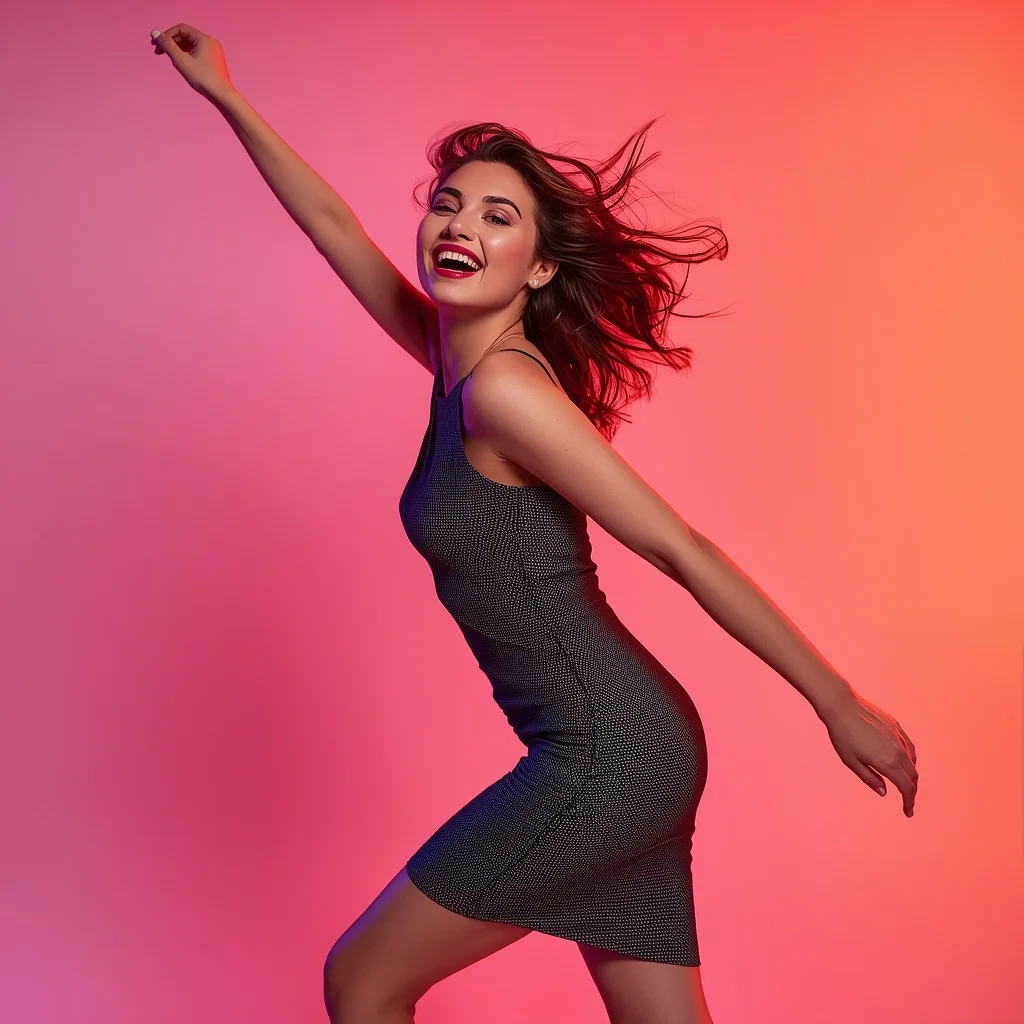
Prompt: A woman wearing a trendy modern women dress, captured in a high-energy reel pose mid-action. Body angled dynamically, one arm lifted naturally, creating motion and excitement. Hair flowing freely with movement. Expression joyful, bold, and confident. Makeup fresh and vibrant. Lighting clean and energetic, enhancing clarity and sharpness. Background minimal with bold colors optimized for social media impact. High clarity, modern influencer aesthetic, cinematic framing, ultra-realistic textures designed for maximum viral success.
Prompt: An Indian woman dressed in vibrant festive wear, captured mid-motion as she gently turns or twirls, allowing the fabric to flow naturally. Her posture is graceful, arms slightly extended to enhance movement. Expression is joyful and radiant, reflecting celebration and tradition. Jewelry glows softly under warm golden lighting. Hair is styled traditionally or left flowing to enhance motion. The background features festive decor elements with rich colors and soft lights. Lighting is warm and cinematic, highlighting embroidery and fabric texture. Cultural energy, motion-rich composition, festive Indian fashion photography with ultra-realistic detail.
Minimalist Muse in Marble | Trending Ai Art Prompt
1063 mos ago
Prompt: A minimalist editorial shot of a woman in a structured, monochrome charcoal grey jumpsuit. The setting is a vast, empty hall made entirely of white Carrara marble with sharp architectural angles. The composition is clean, modern, and high-fashion.
Pose: Standing perfectly straight and centered, arms down by her sides, head tilted slightly up with eyes closed, creating a statue-like, serene, and powerful silhouette.
Technical: Phase One XF camera, 80mm lens, f/8 for deep sharpness, high-key lighting, minimalist aesthetic, 16k resolution, clean lines.
AI Influencer Minimal Standing Confidence Pose | Fantasy Image Prompt
1183 mos ago
Prompt: A modern AI influencer male standing upright in a clean studio, shoulders relaxed, one hand in pocket and the other hanging naturally, calm confident facial expression, trendy monochrome outfit, flawless smooth skin, soft diffused studio lighting, neutral background, ultra-polished influencer aesthetic, hyper-realistic AI-generated portrait.
Prompt: A woman captured mid-walk with natural body movement, one foot forward, arms relaxed. She looks slightly to the side with a calm expression. Lifestyle setting, soft daylight, subtle background blur, realistic proportions, candid photography feel, modern color grading, sharp subject focus.
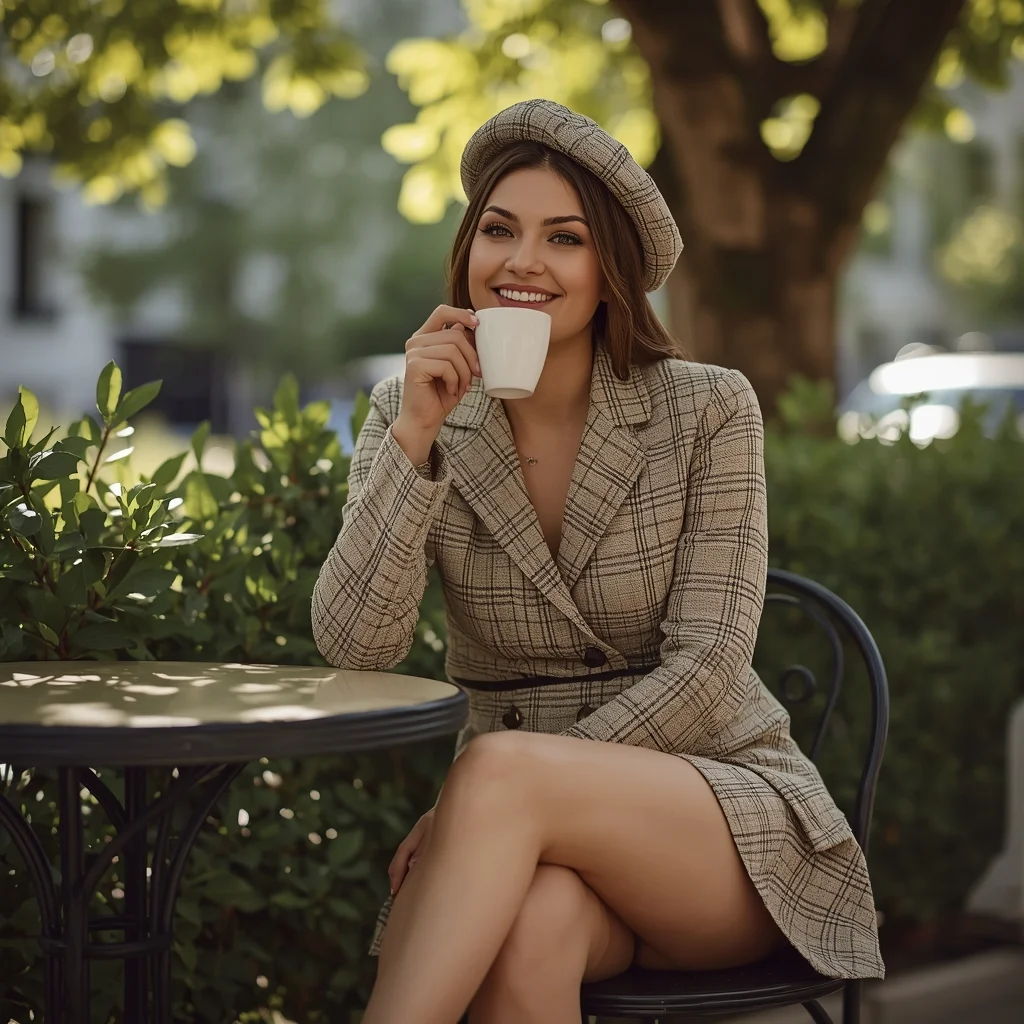
Prompt: A woman dressed in a classic French-style tweed co-ord set with a matching beret, sitting at a round bistro table. The pose is "candid elegance," holding a white ceramic coffee cup near her face with a soft smile, legs crossed stylishly. Sunlight dapples through the leaves of a nearby tree, creating natural shadows. The vibe is sophisticated and relaxed. High-resolution textures, realistic skin pores, and a warm, dreamy film-photography filter.
Quiet Autumn Kashmiri Heritage Portrait | Trending Prompt Idea Daily
1053 mos ago
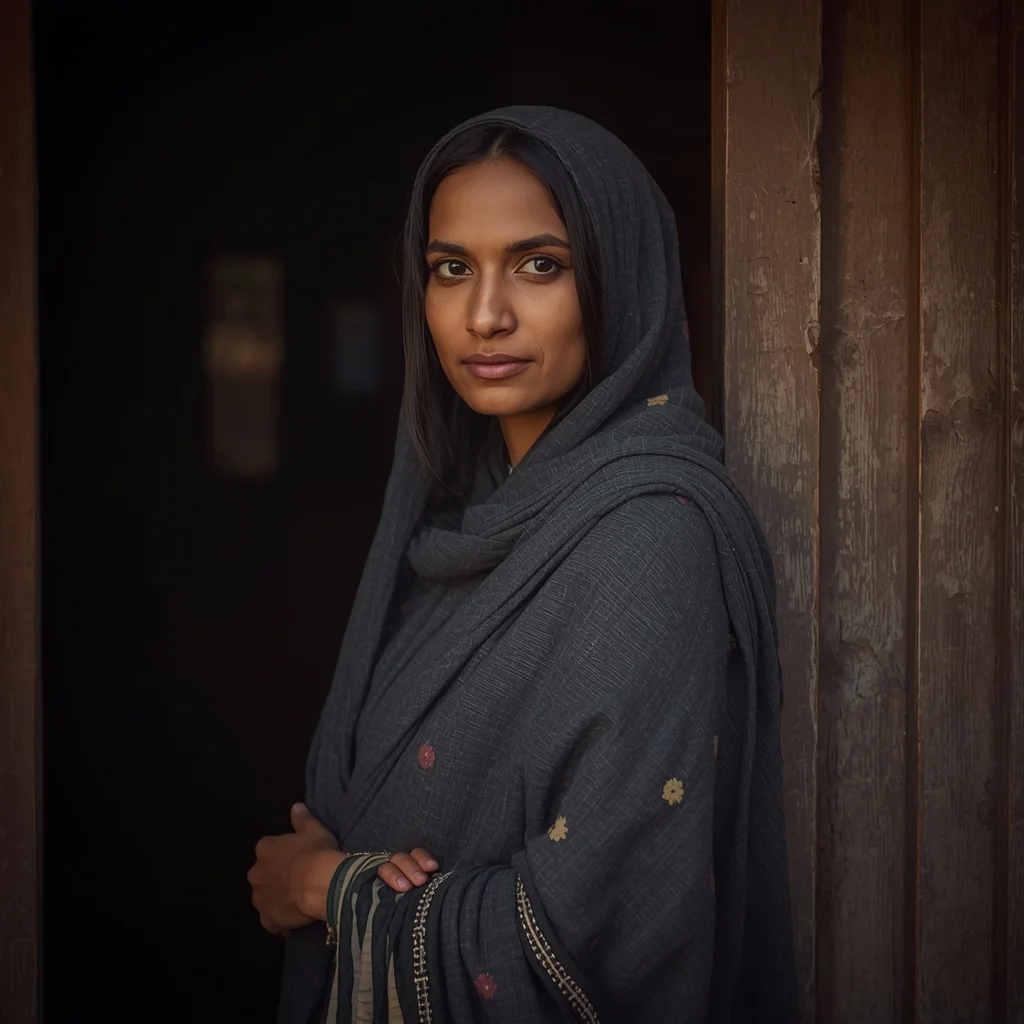
Prompt: A mid-shot portrait of a Kashmiri woman standing near an old wooden doorway, dressed in a charcoal-gray pheran with subtle floral Kashida work. Her shoulders are slightly turned, posture relaxed, eyes softly engaging the viewer. Warm autumn lighting highlights the texture of wool and natural facial details. Cultural authenticity, shallow depth of field, cinematic tones, ultra-realistic DSLR style.
I WISH I KNEW THIS EARLIER 😳 | Best Prompt Collection 2026
913 mos ago
Prompt: Cinematic YouTube thumbnail featuring a thoughtful creator touching their forehead in realization, eyes looking upward, expression of regret and surprise, soft dramatic lighting with cool blue and warm orange tones, blurred gradient background, shallow depth of field, ultra-realistic facial details, subtle rim lighting, professional color grading, clean composition, emotional storytelling, high clarity, 4K ultra-HD quality, optimized for high click-through rate.
Frequently Asked Questions
Common questions regarding this AI prompt.
Can I generate a 3D claymation or toy-like version of Viking Saga Frozen Wasteland | Ai Prompt Format?
Yes, you can mimic physical models easily. Add terms such as 'made of polymer clay, tilt-shift photography, miniature diorama, cute 3D render, smooth plasticine, vibrant pastel colors' to the prompt. The AI will instantly convert the Gaming Art scene into a charming, tactile 3D object.
How do I create a dramatic, low-light version of Viking Saga Frozen Wasteland | Ai Prompt Format?
To plunge the scene into dramatic darkness, modify the prompt to include 'chiaroscuro', 'low-key lighting', 'underexposed', and 'stark shadows'. This tells the AI to plunge the majority of the Gaming Art environment into darkness while intensely illuminating only the most critical parts of the Viking Saga Frozen Wasteland | Ai Prompt Format subject, creating a moody, cinematic masterpiece.
Is it possible to use this static image prompt as a base for AI video animation?
Yes, this is a very popular workflow. Once you generate the perfect still image of Viking Saga Frozen Wasteland | Ai Prompt Format, you can import it into cutting-edge AI video generators like Luma Dream Machine, Kling AI, Runway Gen-3, or Pika Labs. The high detail and clear focus provided by this Gaming Art prompt make it an ideal initial keyframe, resulting in smooth, artifact-free animations.
Can I use Image-to-Image (Img2Img) techniques with the Viking Saga Frozen Wasteland | Ai Prompt Format prompt?
Absolutely. Using a rough sketch or a reference photo alongside this prompt in an Img2Img workflow is highly effective. We recommend setting your Denoising Strength between 0.45 and 0.65. This range is the 'sweet spot' that allows the AI to apply the high-quality textures and lighting of the Viking Saga Frozen Wasteland | Ai Prompt Format prompt while strictly respecting the structural layout of your reference image.
How do I achieve an extreme close-up or macro shot of Viking Saga Frozen Wasteland | Ai Prompt Format?
Modify the perspective by heavily weighting keywords like 'extreme macro photography', '100mm macro lens', 'microscopic detail', and 'extreme close up'. This forces the AI engine to ignore the broader Gaming Art environment and dedicate all of its rendering power to the microscopic textures, fibers, or surface imperfections of the primary subject.
How can I use Inpainting to fix specific errors in the generated Viking Saga Frozen Wasteland | Ai Prompt Format image?
Inpainting is essential for perfection. If 90% of the Viking Saga Frozen Wasteland | Ai Prompt Format image is flawless but a hand or eye is distorted, send the image to an Inpaint tab. Mask only the flawed area, keep the original prompt, and set the denoising strength high (around 0.7). The AI will regenerate only that specific zone, seamlessly blending the fixed Gaming Art elements into the surrounding artwork.
Can I easily integrate the Viking Saga Frozen Wasteland | Ai Prompt Format output into a professional design workflow?
Absolutely. The outputs generated by this prompt are designed with commercial and professional workflows in mind. Because it emphasizes crisp edges, balanced contrast, and high-resolution keywords, the resulting Gaming Art images are perfect for immediate use in UI/UX design, marketing materials, or further post-processing in software like Adobe Photoshop.
How can I prevent anatomical distortions or 'extra limbs' when generating characters?
While modern models have improved, complex poses in Gaming Art can still cause issues. To prevent this, use a strong negative prompt containing 'bad anatomy, extra limbs, mutated hands, deformed structure'. If generating locally via Stable Diffusion, utilizing ControlNet (specifically OpenPose or Depth) alongside this prompt will guarantee flawless anatomical structure.
How do I add realistic weather effects like rain or snow to the scene?
Weather completely alters the physics of light. If you add 'torrential rain, wet asphalt reflecting neon, water droplets clinging to surfaces', the AI will not just draw rain; it will change the specularity of the Viking Saga Frozen Wasteland | Ai Prompt Format subject. For snow, use 'heavy blizzard, frost-covered edges, soft diffused winter light' to change the entire atmosphere of the Gaming Art generation.
How can I adjust the emotional tone or mood of Viking Saga Frozen Wasteland | Ai Prompt Format?
The mood is heavily dictated by lighting and color grading keywords. To make Viking Saga Frozen Wasteland | Ai Prompt Format feel more melancholic, replace warm lighting terms with 'cool blue tones, rainy atmosphere, and dramatic shadows'. Conversely, adding 'vibrant saturation, golden hour sunlight, and joyful expressions' will instantly uplift the emotional resonance of the Gaming Art scene.
What is the core conceptual focus of the Viking Saga Frozen Wasteland | Ai Prompt Format prompt?
The Viking Saga Frozen Wasteland | Ai Prompt Format prompt is meticulously engineered to focus on high-fidelity visual storytelling within the Gaming Art genre. By leveraging advanced keyword weighting and specific rendering tokens, it ensures that the AI prioritizes both the primary subject matter and the intricate atmospheric details, resulting in a highly professional and polished final image.
Can I convert the scene into a post-apocalyptic wasteland?
Yes, by adding 'post-apocalyptic, overgrown ruins, rusted metal, decayed urban environment, survival aesthetic, cinematic fallout style'. The AI will take the core structure of Viking Saga Frozen Wasteland | Ai Prompt Format and age it by decades, adding immense weathering and environmental storytelling to the Gaming Art image.
What is the best Stylize (--s) value to use in Midjourney for this prompt?
The stylize parameter dictates how strongly Midjourney applies its default aesthetic. For strict adherence to the realistic details of Viking Saga Frozen Wasteland | Ai Prompt Format, keep it around --s 100 to --s 250. If you want the AI to take artistic liberties and make the Gaming Art scene look more like a digital masterpiece, push the value up to --s 500 or --s 750.