50 Hours Alone in the World’s Deepest Cave System | Viral Image Prompt
High-quality AI-generated image. Optimized for detailed rendering, perfect for creative projects and inspiration.
241Views
0 Likes
100%Quality
FreeLicense
AI Prompt
Prompt: A gritty, claustrophobic survival thumbnail. A tight, medium shot of a lone caver squeezed into a narrow, wet rock fissure deep underground. They are covered in mud, wearing a helmet with a powerful headlamp that cuts a bright beam through the absolute darkness, revealing dripping water and slick, jagged rock formations. Their face shows extreme exhaustion and determination. The only light source is the headlamp, creating deep, dramatic shadows. Film grain texture, high contrast, ultra-realistic rock textures, 8k resolution.
Want to create this with your own face? Use this instruction:
Do not alter age, gender appearance, ethnicity, or facial expression style. Everything must remain consistent with the reference image. Prompt: A gritty, claustrophobic survival thumbnail. A tight, medium shot of a lone caver squeezed into a narrow, wet rock fissure deep underground. They are covered in mud, wearing a helmet with a powerful headlamp that cuts a bright beam through the absolute darkness, revealing dripping water and slick, jagged rock formations. Their face shows extreme exhaustion and determination. The only light source is the headlamp, creating deep, dramatic shadows. Film grain texture, high contrast, ultra-realistic rock textures, 8k resolution.
About this Prompt
Navigate the deeply complex, often chaotic waters of AI generation safely with '50 Hours Alone in the World’s Deepest Cave System | Viral Image Prompt', your perfect, reliable compass for consistent YouTube Thumbnail wonder. The razor-sharp precision engineered into this specific prompt is exactly what sets it vastly apart in the highly crowded digital marketplace. The visual precision engineered here is simply unmatched, incorporating incredibly soft, soothing pastel undertones or striking, aggressive bold contrasts depending on the specific generation. It effortlessly balances highly complex, cluttered background elements with a totally isolated, beautifully focused hero subject.
It is the absolute perfect digital tool for conceptualizing high-fashion editorial shoots, establishing luxury corporate brand aesthetics, and generating deeply emotional storytelling visuals without requiring countless, frustrating hours of manual Photoshop editing. Stop endlessly tweaking parameters and start aggressively creating. This brilliantly structured prompt reliably handles all the heavy, complex structural lifting, leaving you with absolutely nothing but pure, unadulterated visual perfection and ultimate creative freedom.
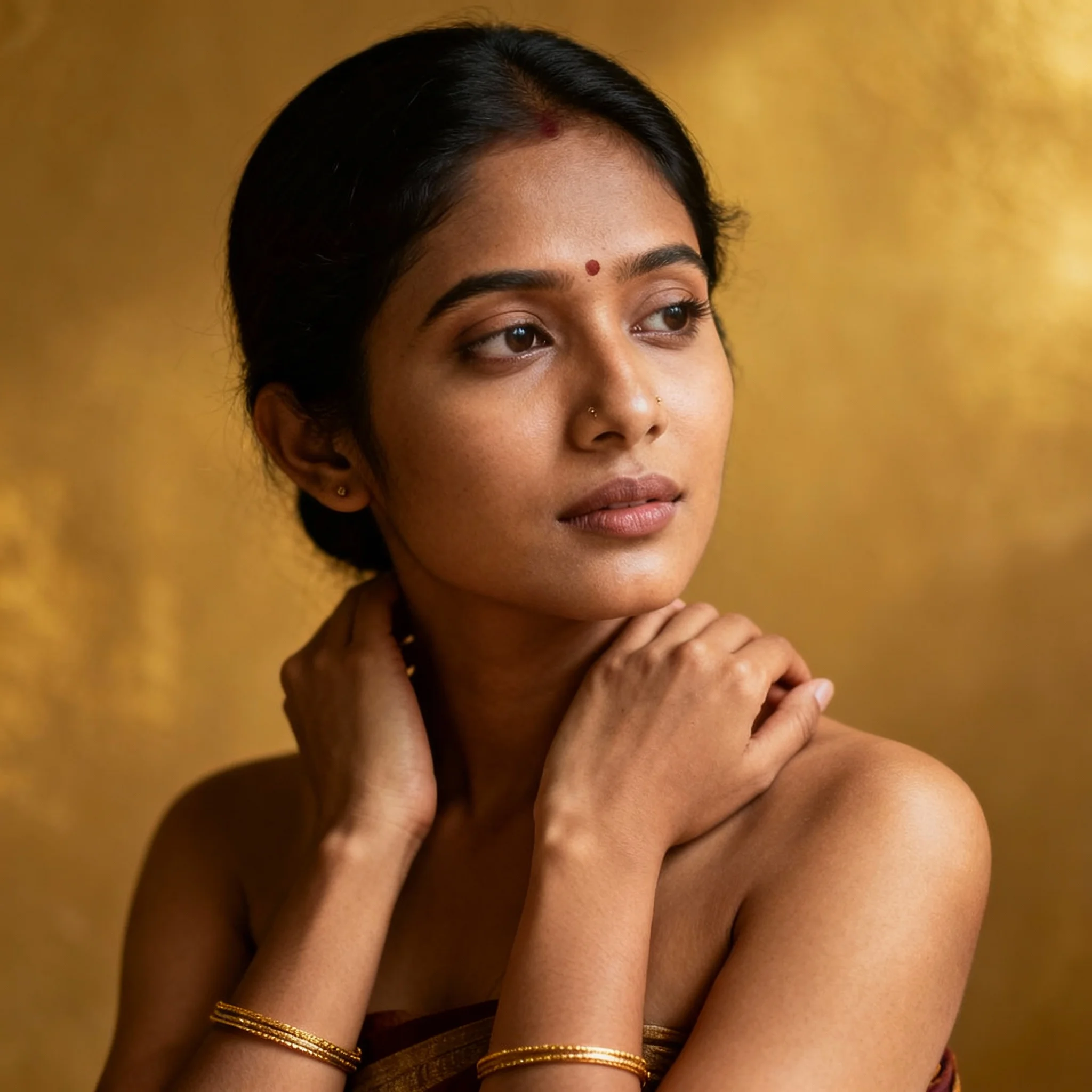
Soft Traditional Portrait Woman Pose | Stylish Image Prompt
2506 mos ago
Prompt: A close-up traditional portrait of a woman with gentle posture, head slightly tilted, hands softly placed near her shoulders or neckline. Outfit and jewelry are culturally authentic and minimal. Expression is warm and introspective. Soft diffused lighting creates smooth shadows and highlights facial features. Background plain or culturally textured. Ultra-clean composition, professional cultural studio photography, high resolution.
Prompt: A woman submerged in clear turquoise water, wearing a long, sheer white silk dress that floats around her like a cloud. Bubbles are rising toward the surface, and sunlight shimmers through the water ripples from above.
Pose: Curled in a graceful, weightless fetal position, eyes open and looking toward the surface light, hair fanning out in all directions.
Technical: Underwater photography, GoPro Hero 12 style but with cinematic depth, caustics lighting effects, 8k, hyper-realistic.
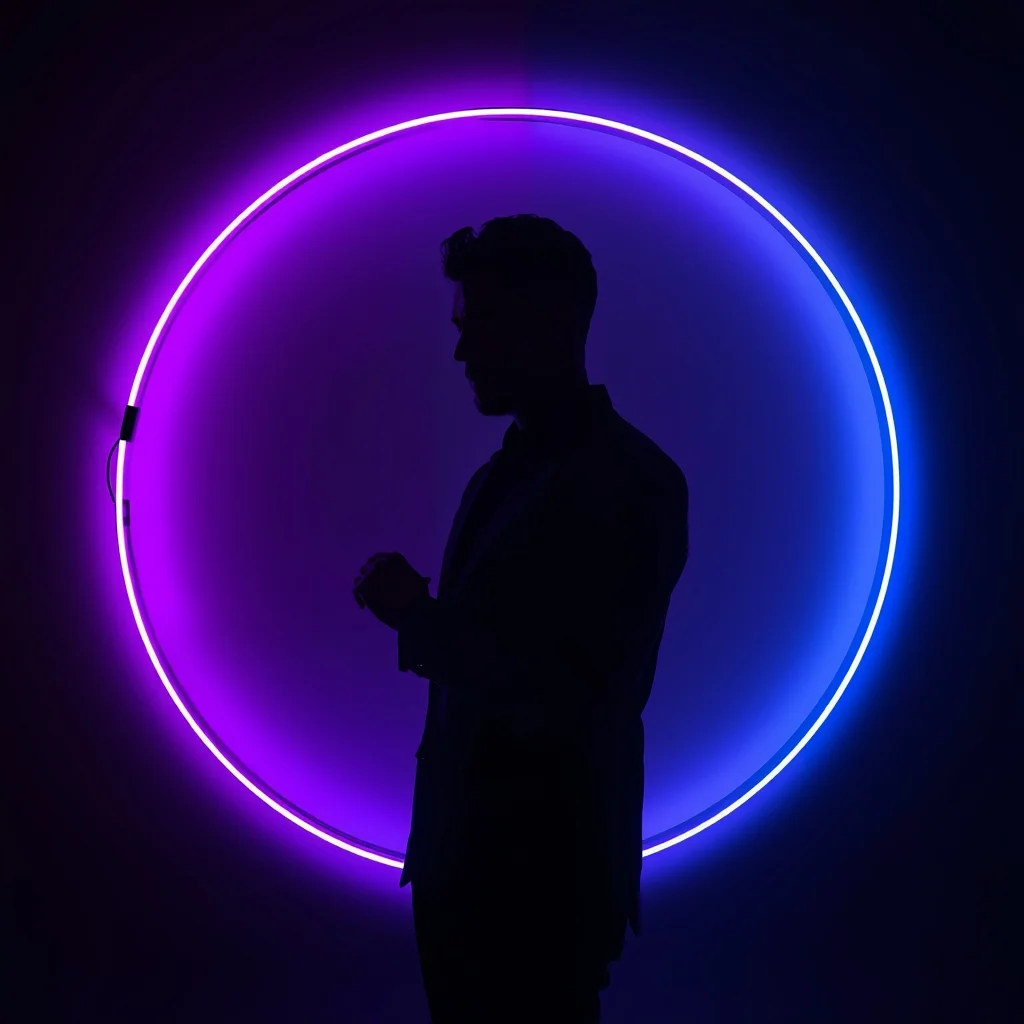
Prompt: A man in a simple black silhouette-style outfit, standing in a dark studio. Behind him is a giant circular neon ring light that changes from deep purple to electric blue. The light creates a sharp rim-light effect on his body. Pose: Side profile pose, looking straight ahead. He is adjusting his cufflink, creating a very sharp and artistic silhouette against the neon glow. Technical: High contrast, low-key lighting, 85mm portrait lens, ultra-sharp edges, minimalist noir style.
Pose: Side profile pose, looking straight ahead. He is adjusting his cufflink, creating a very sharp and artistic silhouette against the neon glow. Technical: High contrast, low-key lighting, 85mm portrait lens, ultra-sharp edges, minimalist noir style.
Technical: High contrast, low-key lighting, 85mm portrait lens, ultra-sharp edges, minimalist noir style.
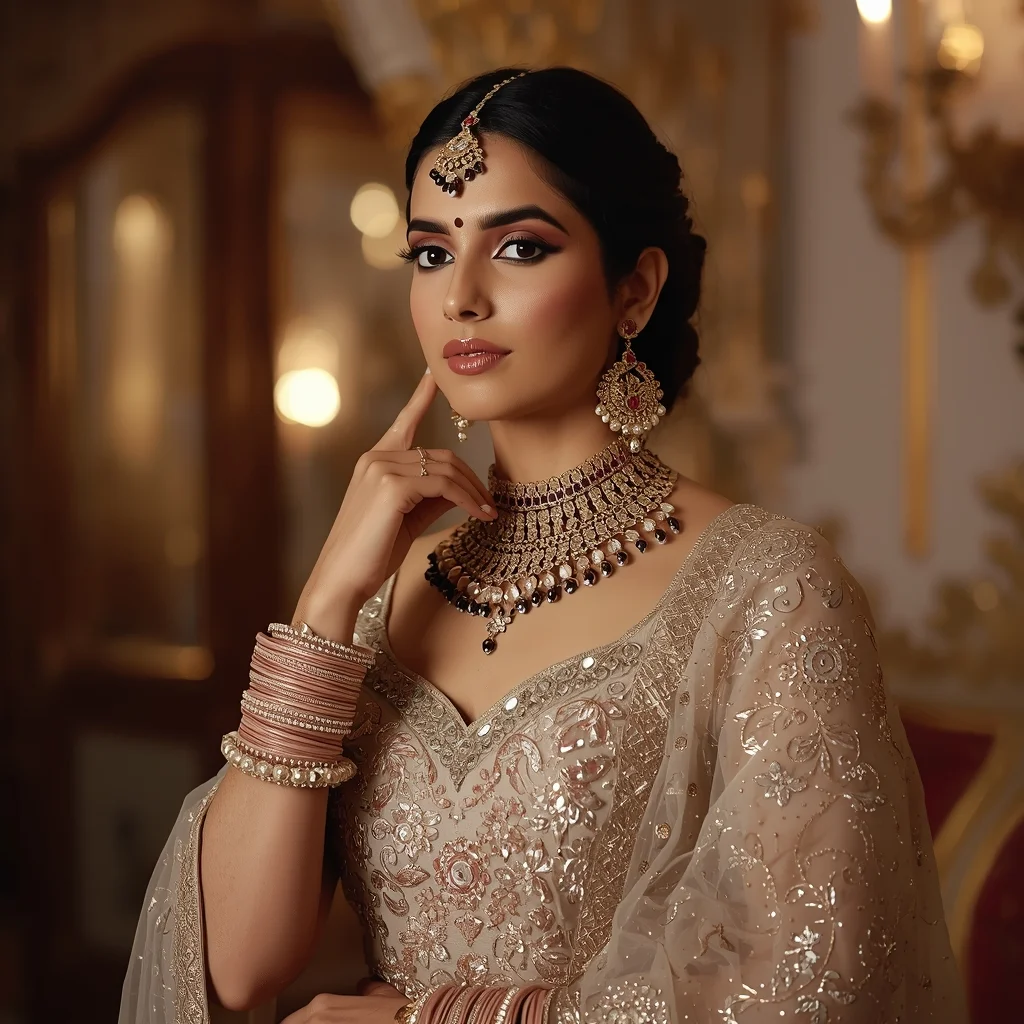
Wedding Wear Royal Elegance Pose | Cinematic Lighting Prompt
2326 mos ago
Prompt: An Indian woman wearing luxurious wedding or bridal guest attire, posed with royal calm and elegance. She stands upright, shoulders relaxed, one hand gently touching her jewelry or dupatta. Her expression is composed, serene, and regal. Makeup is refined with glowing skin and traditional accents. Hair is styled elegantly, complementing heavy attire. The background is grand and palace-inspired or softly lit indoor luxury space. Warm cinematic lighting enhances richness and depth. Every detail—from embroidery to posture—reflects grace, tradition, and premium wedding fashion aesthetics.
Kerala Kasavu Saree Backwater Portrait | Copy Paste Ai Prompt
2296 mos ago
Prompt: A serene Kerala woman posing beside peaceful backwaters, slightly turned with a gentle smile, wearing a traditional white kasavu saree with gold border, simple gold jewelry, hair neatly tied with jasmine flowers, coconut trees and houseboats in the background, warm tropical light, calm and graceful mood, natural color tones, photorealistic details, ultra-clean composition, 8K quality
Clean side-profile portrait of a woman facing left, defined jawline, soft rim lighting highlighting silhouette, neutral background, minimalist fashion aesthetic, calm and powerful mood, professional studio photography, ultra-realistic skin details
Window Light Woman Pose | Ai Prompt For High Engagement
2206 mos ago
Natural light portrait of a woman standing near a window, soft sunlight illuminating face, gentle shadows, peaceful expression, minimalist interior background, realistic skin tones, cinematic softness, lifestyle photography style, ultra-detailed 8K realism
Frequently Asked Questions
Common questions regarding this AI prompt.
How can I use Inpainting to fix specific errors in the generated 50 Hours Alone in the World’s Deepest Cave System | Viral Image Prompt image?
Inpainting is essential for perfection. If 90% of the 50 Hours Alone in the World’s Deepest Cave System | Viral Image Prompt image is flawless but a hand or eye is distorted, send the image to an Inpaint tab. Mask only the flawed area, keep the original prompt, and set the denoising strength high (around 0.7). The AI will regenerate only that specific zone, seamlessly blending the fixed YouTube Thumbnail elements into the surrounding artwork.
How do I create a dramatic, low-light version of 50 Hours Alone in the World’s Deepest Cave System | Viral Image Prompt?
To plunge the scene into dramatic darkness, modify the prompt to include 'chiaroscuro', 'low-key lighting', 'underexposed', and 'stark shadows'. This tells the AI to plunge the majority of the YouTube Thumbnail environment into darkness while intensely illuminating only the most critical parts of the 50 Hours Alone in the World’s Deepest Cave System | Viral Image Prompt subject, creating a moody, cinematic masterpiece.
How do I add realistic weather effects like rain or snow to the scene?
Weather completely alters the physics of light. If you add 'torrential rain, wet asphalt reflecting neon, water droplets clinging to surfaces', the AI will not just draw rain; it will change the specularity of the 50 Hours Alone in the World’s Deepest Cave System | Viral Image Prompt subject. For snow, use 'heavy blizzard, frost-covered edges, soft diffused winter light' to change the entire atmosphere of the YouTube Thumbnail generation.
How do I modify 50 Hours Alone in the World’s Deepest Cave System | Viral Image Prompt to fit into a dark fantasy or gothic horror setting?
Change the environmental descriptors. Add 'dark fantasy concept art, gothic architecture, eerie volumetric fog, corrupted ruins, ominous atmosphere, Bloodborne aesthetic'. This forces the AI to reinterpret the 50 Hours Alone in the World’s Deepest Cave System | Viral Image Prompt prompt through a grim, terrifying lens, drastically altering the mood of the YouTube Thumbnail output.
What is the best Stylize (--s) value to use in Midjourney for this prompt?
The stylize parameter dictates how strongly Midjourney applies its default aesthetic. For strict adherence to the realistic details of 50 Hours Alone in the World’s Deepest Cave System | Viral Image Prompt, keep it around --s 100 to --s 250. If you want the AI to take artistic liberties and make the YouTube Thumbnail scene look more like a digital masterpiece, push the value up to --s 500 or --s 750.
How do I deal with unwanted text or watermarks appearing in the image?
AI models are trained on stock photos which often contain watermarks. To aggressively filter this out, ensure words like 'text, watermark, signature, username, website url, copyright stamp' are heavily weighted in your negative prompt box. This is especially crucial when generating commercial-grade YouTube Thumbnail content.
How can I adjust the emotional tone or mood of 50 Hours Alone in the World’s Deepest Cave System | Viral Image Prompt?
The mood is heavily dictated by lighting and color grading keywords. To make 50 Hours Alone in the World’s Deepest Cave System | Viral Image Prompt feel more melancholic, replace warm lighting terms with 'cool blue tones, rainy atmosphere, and dramatic shadows'. Conversely, adding 'vibrant saturation, golden hour sunlight, and joyful expressions' will instantly uplift the emotional resonance of the YouTube Thumbnail scene.
How does Google's Gemini (Imagen 3) respond to the 50 Hours Alone in the World’s Deepest Cave System | Viral Image Prompt prompt?
Gemini's Imagen 3 engine is exceptionally strong at adhering to safe, high-quality, photorealistic requests. It reads the descriptive narrative of the 50 Hours Alone in the World’s Deepest Cave System | Viral Image Prompt prompt perfectly, ensuring that the subject anatomy and environmental physics are logical, highly detailed, and free from the typical warping artifacts seen in older generation models.
What if the AI completely ignores a specific detail I added to the 50 Hours Alone in the World’s Deepest Cave System | Viral Image Prompt prompt?
If a detail is ignored, it lacks 'weight'. Move that specific word closer to the very beginning of the prompt. Alternatively, if using Midjourney, use the double colon syntax (Keyword::2) to force the AI to pay attention. In Stable Diffusion, wrap the keyword in parentheses like (Keyword:1.5) to boost its importance in the YouTube Thumbnail scene.
What architectural composition techniques are embedded in the 50 Hours Alone in the World’s Deepest Cave System | Viral Image Prompt prompt?
The 50 Hours Alone in the World’s Deepest Cave System | Viral Image Prompt prompt utilizes advanced compositional frameworks such as the golden ratio and leading lines. By strategically placing the core YouTube Thumbnail subject matter at intersection points, it guides the viewer's eye naturally through the scene. This mathematical approach to AI generation ensures the final output feels balanced and visually arresting without requiring post-crop adjustments.
What rendering engines should I reference to maximize the quality of 50 Hours Alone in the World’s Deepest Cave System | Viral Image Prompt?
Modern AI image generators respond incredibly well to 3D software references. By appending terms like 'Unreal Engine 5 render', 'OctaneRender', 'Redshift', 'V-Ray', and 'Global Illumination', you are signaling the AI to utilize its highest quality datasets for lighting physics and material textures within the YouTube Thumbnail image.
What is the best way to shift the artistic medium of 50 Hours Alone in the World’s Deepest Cave System | Viral Image Prompt to an oil painting?
To completely transform the medium, append powerful style modifiers. Injecting phrases like 'intricate oil painting on canvas, thick impasto strokes, palette knife technique, classical fine art, museum masterpiece' will completely override the default realism, offering a traditional artistic variation for your YouTube Thumbnail project.
Can I use Image-to-Image (Img2Img) techniques with the 50 Hours Alone in the World’s Deepest Cave System | Viral Image Prompt prompt?
Absolutely. Using a rough sketch or a reference photo alongside this prompt in an Img2Img workflow is highly effective. We recommend setting your Denoising Strength between 0.45 and 0.65. This range is the 'sweet spot' that allows the AI to apply the high-quality textures and lighting of the 50 Hours Alone in the World’s Deepest Cave System | Viral Image Prompt prompt while strictly respecting the structural layout of your reference image.
Why might the colors in my 50 Hours Alone in the World’s Deepest Cave System | Viral Image Prompt generation appear washed out, and how do I fix it?
Washed-out colors typically result from a missing VAE file in local setups, or a lack of color-grading instructions. To immediately fix this within the text prompt itself, append phrases such as 'vibrant technicolor, rich saturation, HDR, cinematic color grading, high contrast'. This forces the AI to map a wider, more dynamic color range to your image.