Heavy Mech Hangar Repairs | Powerful Ai Image Prompt
High-quality AI-generated image. Optimized for detailed rendering, perfect for creative projects and inspiration.
534Views
0 Likes
100%Quality
FreeLicense
AI Prompt
Prompt: A sprawling industrial sci-fi hangar bay. In the center, a massive, battle-damaged bipedal combat mech (robot) is being repaired by tiny human engineers using welding torches that create showers of bright sparks. Huge robotic arms are lifting heavy armor plating. The mech is covered in grime, oil streaks, and scorch marks from battle. Grating flooring, complex machinery details, steam venting from pipes. "Titanfall" aesthetic, detailed metallic textures, dramatic industrial lighting.
Want to create this with your own face? Use this instruction:
Lock facial features from reference. No edits, no enhancements. Prompt: A sprawling industrial sci-fi hangar bay. In the center, a massive, battle-damaged bipedal combat mech (robot) is being repaired by tiny human engineers using welding torches that create showers of bright sparks. Huge robotic arms are lifting heavy armor plating. The mech is covered in grime, oil streaks, and scorch marks from battle. Grating flooring, complex machinery details, steam venting from pipes. "Titanfall" aesthetic, detailed metallic textures, dramatic industrial lighting.
About this Prompt
Unlock a revolutionary new paradigm of digital generation with 'Heavy Mech Hangar Repairs | Powerful Ai Image Prompt'. Carefully crafted for creators who demand absolute perfection in Gaming Art aesthetics, this prompt leverages cutting-edge AI capabilities to generate hyper-realistic, awe-inspiring visuals that instantly grab attention and refuse to let go. The impossibly intricate, highly mechanical clicking clockwork and stunning ray-traced refractions show absolute structural genius. The way virtual light bounces, reflects, and bends around this specific piece of Gaming Art art is nothing short of pure, unadulterated, and flawlessly calculated generative magic.
Whether you are currently working in Midjourney v6, Stable Diffusion XL, or the latest Gemini models, this highly structured prompt heavily optimizes your creative workflow, reliably delivering jaw-dropping, professional-grade outputs on the very first try. We emphatically and highly recommend trying this exact structural layout for your very next piece. The profoundly revolutionary way it effortlessly handles complex, highly nuanced visual elements will leave your global audience incredibly eager for more content.
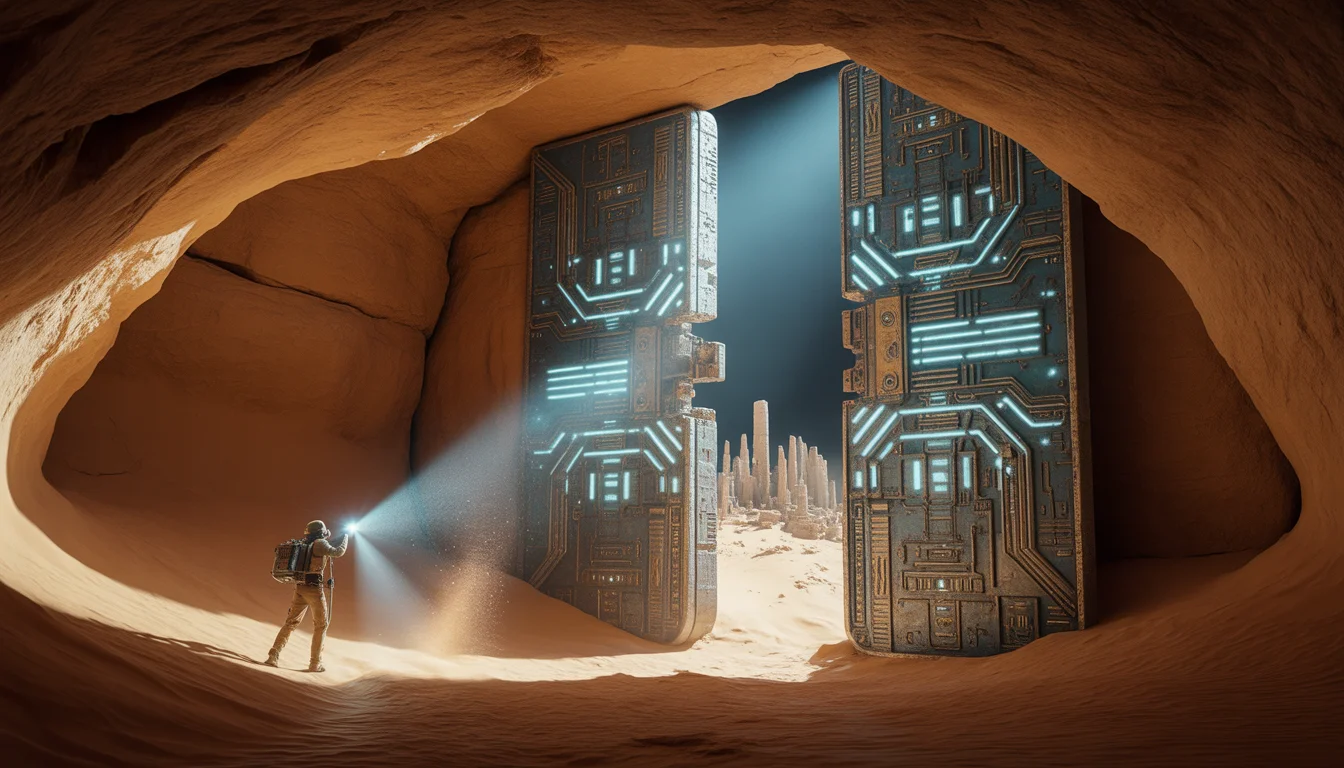
We Found an Ancient High-Tech City Under the Sahara | Hyper Realistic Prompt
1614 mos ago
Prompt: An epic archaeological discovery shot inside a vast, cavernous underground chamber hidden beneath the sand. An explorer's flashlight beam cuts through the darkness, hitting a massive, 50-foot tall metallic door covered in a mix of ancient Egyptian hieroglyphs and glowing, geometric circuit-like patterns. The door is slightly cracked open, revealing a blindingly bright blue light from the city inside. Dust motes dance in the light beam. The walls of the cavern are rough sandstone, but the city structures visible in the gap are made of polished obsidian and white ceramic. 8k resolution, wide-angle lens, cinematic lighting, high-contrast "teal and orange" color grading, and hyper-detailed textures of sand and metal.
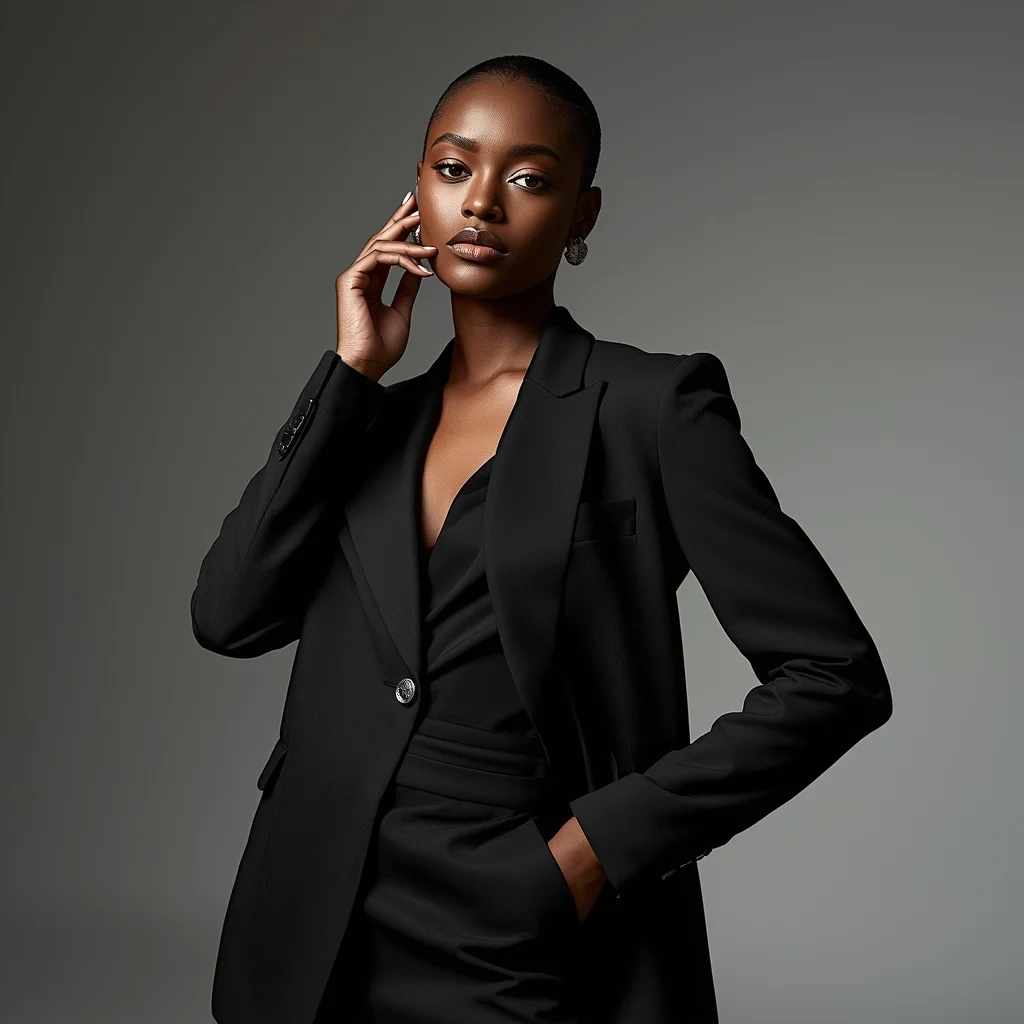
High Fashion Editorial Elegance Woman Pose | Best Prompt Collection 2026
1684 mos ago
Prompt: A confident female model posing in a high-fashion editorial style, standing tall with one hand resting softly on her waist and the other slightly lifted near her face, wearing a luxury designer outfit with sharp tailoring and elegant textures. Her expression is calm, powerful, and poised, with strong eye contact toward the camera. Studio lighting is dramatic with soft shadows sculpting facial features, glossy skin tones, and detailed fabric highlights. Background is minimal but stylish, inspired by Vogue and Harper’s Bazaar editorials, ultra-realistic skin texture, flawless makeup, cinematic depth of field, fashion
STOP DOING THIS RIGHT NOW ❌ | Cinematic Lighting Prompt
1514 mos ago
Prompt: Photorealistic YouTube thumbnail featuring a serious creator pointing directly at the viewer, warning expression, strong eye contact, bold red cross symbol beside them, dramatic top lighting, dark background with subtle texture, high contrast shadows, ultra-sharp face focus, expressive emotions, vibrant red accents, cinematic color grading, professional studio photography style, clean framing, 4K ultra-HD, thumbnail optimized for instant attention.
Modern Indian Viral Reel Pose – Power Confidence Stand | Easy Ai Prompt
1974 mos ago
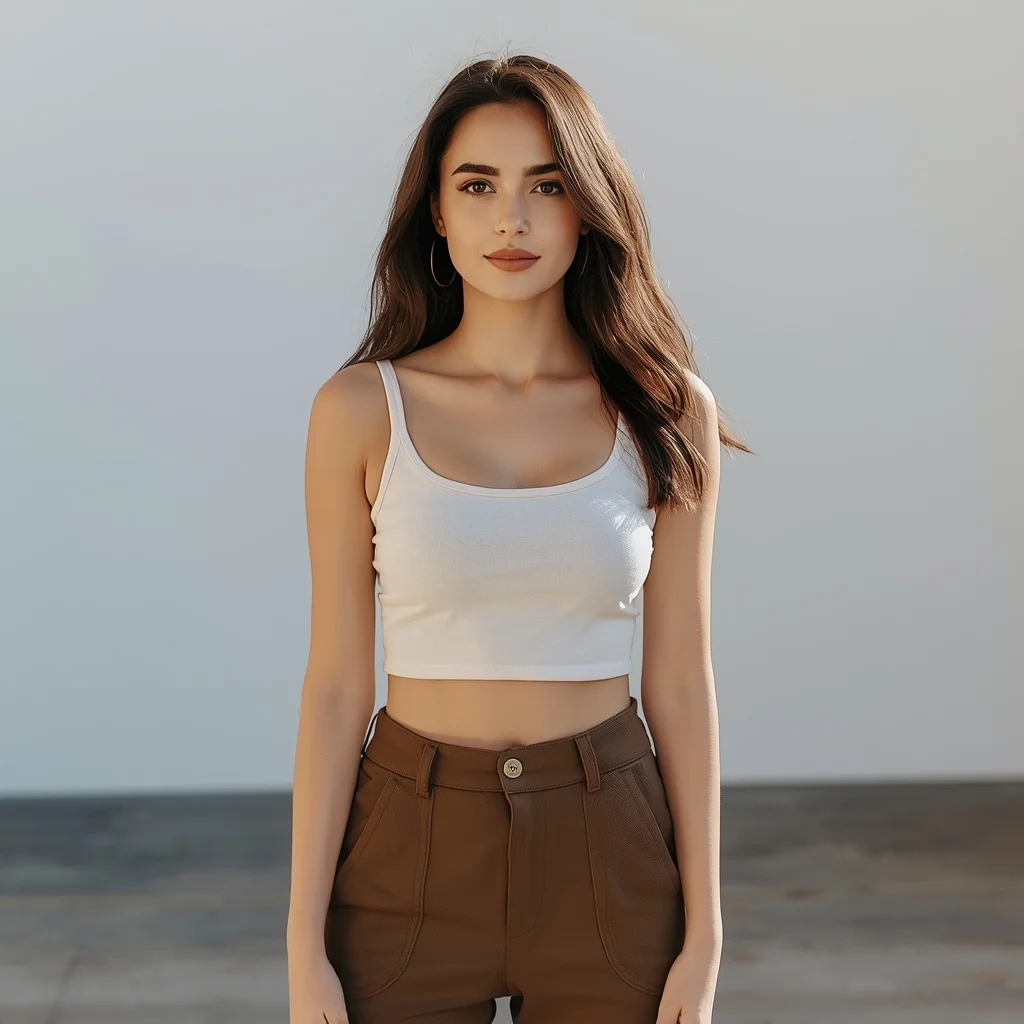
Prompt: An Indian woman dressed in a bold modern Indian dress, captured standing confidently as if pausing a reel for impact. Feet grounded, shoulders squared, posture strong. Hair neatly styled with subtle volume. Expression bold, fearless, and self-assured. Makeup clean glam with sharp features. Lighting crisp and studio-clean. Background minimal. Ultra-realistic textures, cinematic influencer framing, high-impact viral composition.
A woman sitting gracefully on the floor with one knee raised, relaxed and artistic pose, casual elegant clothing, calm facial expression, soft studio lighting, neutral minimal background, natural skin tones, fine fabric texture details, editorial photography style, ultra-realistic, high detail, 8K quality
Prompt: A beautiful woman in a casual, oversized white linen shirt, sitting on a bed in a sun-drenched room with white curtains blowing in a soft breeze. The look is completely natural, no-makeup, focusing on "clean girl" aesthetic and morning serenity.
Pose: Sitting with her knees pulled to her chest, chin resting on her knees, looking toward the window with a peaceful, thoughtful expression as the morning light hits her face.
Technical: High-key lighting, soft diffused sunlight, 50mm lens, f/2.8, realistic skin pores, pastel tones, minimalist lifestyle photography.
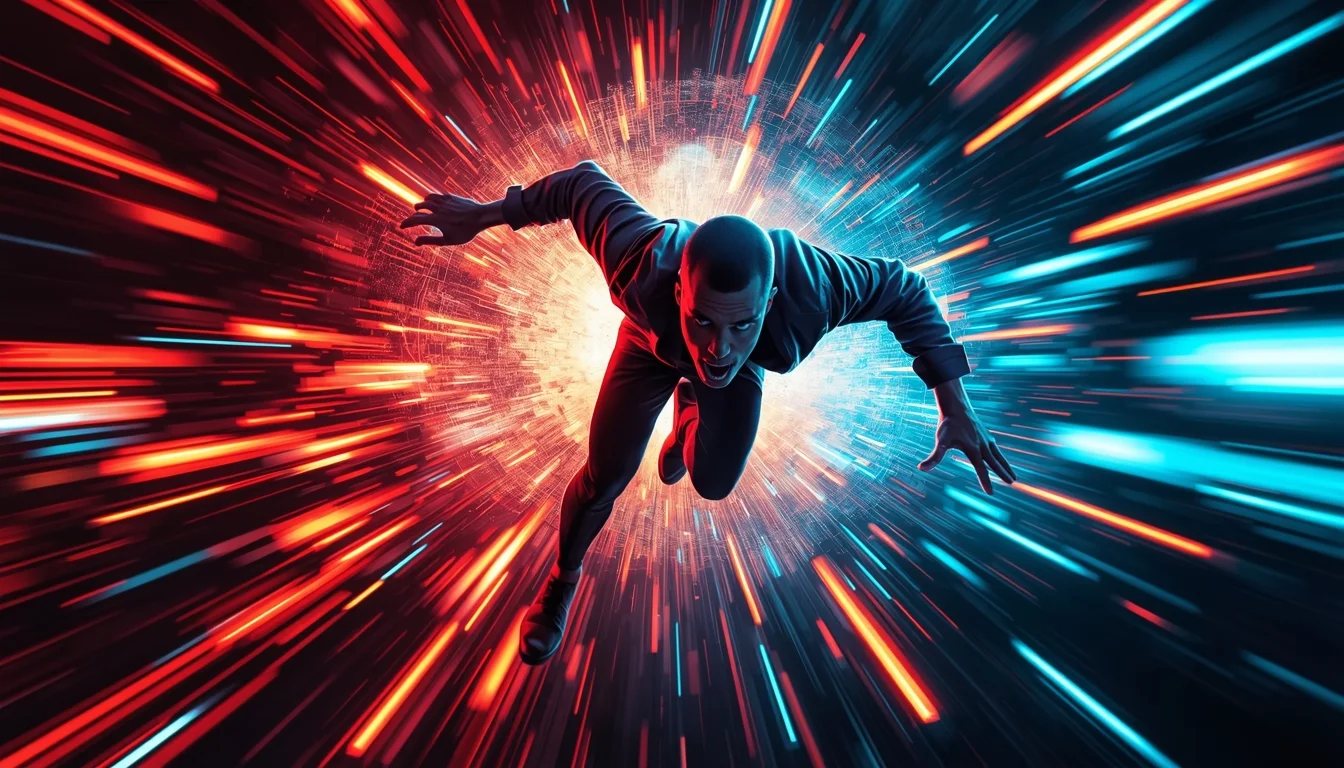
YouTube Thumbnail – Fast Motion Energy Burst Design | Ai Design Prompt
1834 mos ago
Prompt: A high-energy YouTube thumbnail design capturing motion, speed, and excitement. The subject appears mid-action with motion blur effects, dynamic angles, and exaggerated perspective. Background includes colorful motion streaks, digital particles, and energetic lighting flares. Strong contrast between subject and background for instant attention. Vibrant colors, punchy saturation, sharp subject clarity, dramatic lighting, cinematic action look, modern viral YouTube style, ultra-HD, thumbnail-optimized framing, no text, no words.
Frequently Asked Questions
Common questions regarding this AI prompt.
How do I inject a cyberpunk or dystopian sci-fi feel into Heavy Mech Hangar Repairs | Powerful Ai Image Prompt?
Add 'cyberpunk metropolis, neon rain, holographic advertisements, high-tech low-life, chrome and cables'. The AI will retain the core shape and intent of the Heavy Mech Hangar Repairs | Powerful Ai Image Prompt prompt but re-texture everything with futuristic, glowing, and metallic sci-fi elements.
How do I modify Heavy Mech Hangar Repairs | Powerful Ai Image Prompt to fit into a dark fantasy or gothic horror setting?
Change the environmental descriptors. Add 'dark fantasy concept art, gothic architecture, eerie volumetric fog, corrupted ruins, ominous atmosphere, Bloodborne aesthetic'. This forces the AI to reinterpret the Heavy Mech Hangar Repairs | Powerful Ai Image Prompt prompt through a grim, terrifying lens, drastically altering the mood of the Gaming Art output.
What specific lighting setup is best to highlight the details of Heavy Mech Hangar Repairs | Powerful Ai Image Prompt?
For maximum texture reveal, a 'three-point studio lighting' or 'Rembrandt lighting' setup works best. By incorporating keywords like 'rim light', 'key light', and 'soft fill', you instruct the AI to sculpt the Gaming Art subject out of the background, ensuring that micro-details like skin pores, fabric weaves, or metallic reflections are perfectly visible.
How does the prompt simulate physical camera lenses for Heavy Mech Hangar Repairs | Powerful Ai Image Prompt?
The prompt acts as a virtual director of photography by explicitly stating lens focal lengths and aperture settings. By including phrases like 'shot on 35mm lens' or 'f/1.4 aperture', the AI mathematically simulates the optical distortion, compression, and background blur (bokeh) characteristic of high-end photography, elevating the Gaming Art image from a flat digital render to a lifelike photo.
How do I add realistic weather effects like rain or snow to the scene?
Weather completely alters the physics of light. If you add 'torrential rain, wet asphalt reflecting neon, water droplets clinging to surfaces', the AI will not just draw rain; it will change the specularity of the Heavy Mech Hangar Repairs | Powerful Ai Image Prompt subject. For snow, use 'heavy blizzard, frost-covered edges, soft diffused winter light' to change the entire atmosphere of the Gaming Art generation.
What is the core conceptual focus of the Heavy Mech Hangar Repairs | Powerful Ai Image Prompt prompt?
The Heavy Mech Hangar Repairs | Powerful Ai Image Prompt prompt is meticulously engineered to focus on high-fidelity visual storytelling within the Gaming Art genre. By leveraging advanced keyword weighting and specific rendering tokens, it ensures that the AI prioritizes both the primary subject matter and the intricate atmospheric details, resulting in a highly professional and polished final image.
Can I change the material composition of objects in the Heavy Mech Hangar Repairs | Powerful Ai Image Prompt prompt?
Yes, AI handles material transformation brilliantly. If you want to change a standard object into something surreal, use explicit material descriptors like 'made of translucent frosted glass', 'brushed anodized aluminum', 'woven carbon fiber', or 'wet shimmering obsidian'. This will completely recalculate the reflections and refractions in the Gaming Art output.
How can I use Inpainting to fix specific errors in the generated Heavy Mech Hangar Repairs | Powerful Ai Image Prompt image?
Inpainting is essential for perfection. If 90% of the Heavy Mech Hangar Repairs | Powerful Ai Image Prompt image is flawless but a hand or eye is distorted, send the image to an Inpaint tab. Mask only the flawed area, keep the original prompt, and set the denoising strength high (around 0.7). The AI will regenerate only that specific zone, seamlessly blending the fixed Gaming Art elements into the surrounding artwork.
How does the prompt establish the historical or futuristic era of Heavy Mech Hangar Repairs | Powerful Ai Image Prompt?
Era-specific aesthetics are locked in using targeted chronological keywords. Whether leaning towards a neo-futuristic cyberpunk vibe or a classical Renaissance look, the prompt forces the AI to draw from specific historical datasets. This ensures that the clothing, architecture, and props within the Gaming Art scene remain historically or thematically accurate.
What architectural composition techniques are embedded in the Heavy Mech Hangar Repairs | Powerful Ai Image Prompt prompt?
The Heavy Mech Hangar Repairs | Powerful Ai Image Prompt prompt utilizes advanced compositional frameworks such as the golden ratio and leading lines. By strategically placing the core Gaming Art subject matter at intersection points, it guides the viewer's eye naturally through the scene. This mathematical approach to AI generation ensures the final output feels balanced and visually arresting without requiring post-crop adjustments.
Why might the colors in my Heavy Mech Hangar Repairs | Powerful Ai Image Prompt generation appear washed out, and how do I fix it?
Washed-out colors typically result from a missing VAE file in local setups, or a lack of color-grading instructions. To immediately fix this within the text prompt itself, append phrases such as 'vibrant technicolor, rich saturation, HDR, cinematic color grading, high contrast'. This forces the AI to map a wider, more dynamic color range to your image.
How do I create a dramatic, low-light version of Heavy Mech Hangar Repairs | Powerful Ai Image Prompt?
To plunge the scene into dramatic darkness, modify the prompt to include 'chiaroscuro', 'low-key lighting', 'underexposed', and 'stark shadows'. This tells the AI to plunge the majority of the Gaming Art environment into darkness while intensely illuminating only the most critical parts of the Heavy Mech Hangar Repairs | Powerful Ai Image Prompt subject, creating a moody, cinematic masterpiece.