Heavy Mech Hangar Repairs | Powerful Ai Image Prompt
High-quality AI-generated image. Optimized for detailed rendering, perfect for creative projects and inspiration.
726Views
0 Likes
100%Quality
FreeLicense
AI Prompt
Prompt: A sprawling industrial sci-fi hangar bay. In the center, a massive, battle-damaged bipedal combat mech (robot) is being repaired by tiny human engineers using welding torches that create showers of bright sparks. Huge robotic arms are lifting heavy armor plating. The mech is covered in grime, oil streaks, and scorch marks from battle. Grating flooring, complex machinery details, steam venting from pipes. "Titanfall" aesthetic, detailed metallic textures, dramatic industrial lighting.
Want to create this with your own face? Use this instruction:
Lock facial features from reference. No edits, no enhancements. Prompt: A sprawling industrial sci-fi hangar bay. In the center, a massive, battle-damaged bipedal combat mech (robot) is being repaired by tiny human engineers using welding torches that create showers of bright sparks. Huge robotic arms are lifting heavy armor plating. The mech is covered in grime, oil streaks, and scorch marks from battle. Grating flooring, complex machinery details, steam venting from pipes. "Titanfall" aesthetic, detailed metallic textures, dramatic industrial lighting.
About this Prompt
Unlock a revolutionary new paradigm of digital generation with 'Heavy Mech Hangar Repairs | Powerful Ai Image Prompt'. Carefully crafted for creators who demand absolute perfection in Gaming Art aesthetics, this prompt leverages cutting-edge AI capabilities to generate hyper-realistic, awe-inspiring visuals that instantly grab attention and refuse to let go. The impossibly intricate, highly mechanical clicking clockwork and stunning ray-traced refractions show absolute structural genius. The way virtual light bounces, reflects, and bends around this specific piece of Gaming Art art is nothing short of pure, unadulterated, and flawlessly calculated generative magic.
Whether you are currently working in Midjourney v6, Stable Diffusion XL, or the latest Gemini models, this highly structured prompt heavily optimizes your creative workflow, reliably delivering jaw-dropping, professional-grade outputs on the very first try. We emphatically and highly recommend trying this exact structural layout for your very next piece. The profoundly revolutionary way it effortlessly handles complex, highly nuanced visual elements will leave your global audience incredibly eager for more content.
Modern Indian Viral Reel Pose – Confident Forward Glide | Stylish Image Prompt
3759 mos ago
Prompt: An Indian woman wearing a trendy modern Indian dress with a sleek, contemporary silhouette, captured mid-glide as if smoothly moving forward in a reel-style shot. Body slightly angled toward the camera, posture energetic and confident. Hair gently flowing with motion, adding realism. Expression playful yet powerful, eyes engaging directly with the viewer. Makeup is fresh, luminous, and camera-ready. Lighting is vibrant and clean, enhancing facial sharpness. Background minimal or softly colorful, optimized for social media. High clarity, modern influencer aesthetic, cinematic framing, ultra-realistic textures, designed for viral impact.
Survival Horror Mansion Hallway | Ai Prompt For Perfect Lighting
3379 mos ago
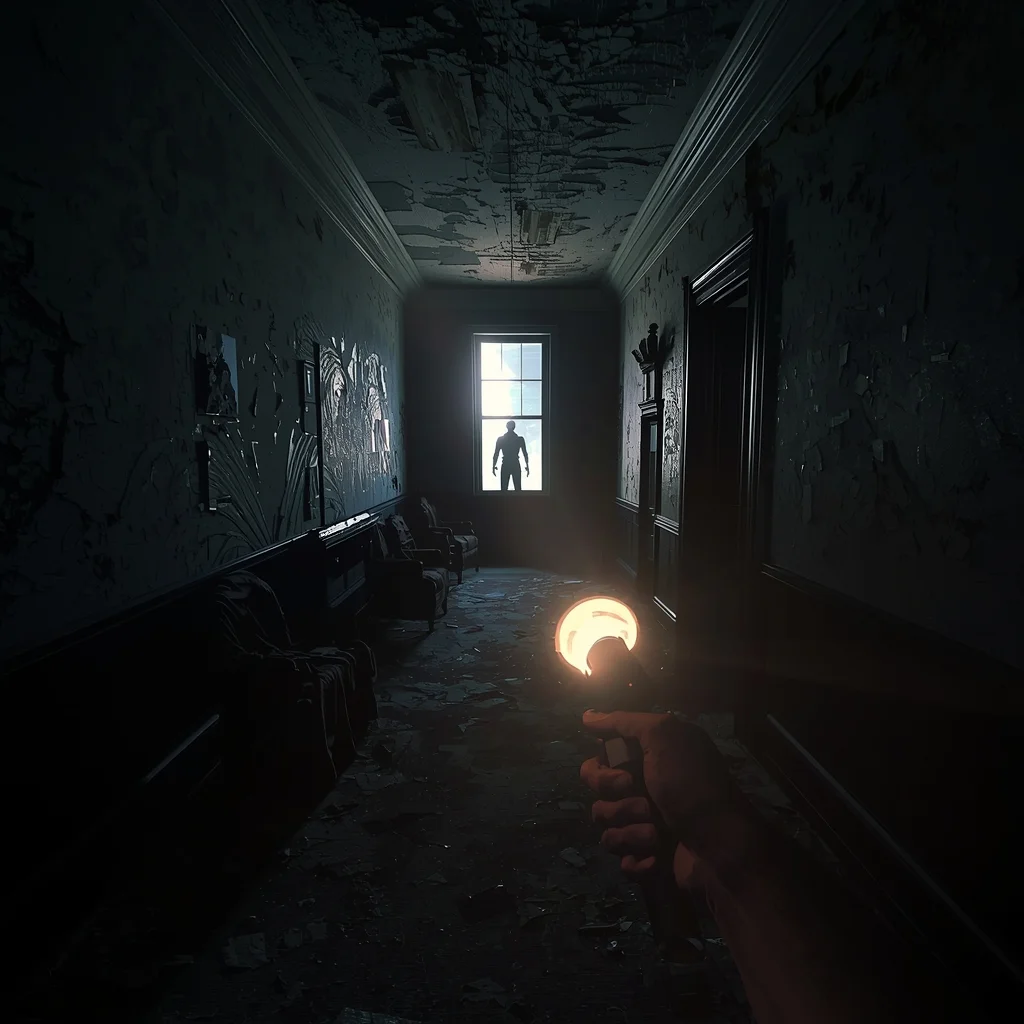
Prompt: A terrifying first-person perspective looking down a derelict, dark Victorian mansion hallway. The player holds up a flickering flashlight that casts a narrow beam of light, revealing peeling wallpaper, draped furniture, and dust motes. A thunderstorm flashes lightning outside a tall window at the end of the hall, briefly illuminating a grotesque, shadowy humanoid figure standing still. Intense psychological horror atmosphere, photorealistic graphics, "Resident Evil" style, extreme tension.
AI Influencer Upright Neutral Power Pose | Trending Ai Prompt
4629 mos ago
Prompt: A modern AI influencer male standing upright with balanced posture, arms relaxed, confident neutral gaze into camera, minimal outfit styling, flawless skin, soft studio lighting, seamless background, polished high-end social media portrait, hyper-realistic AI quality.
High-Fashion Avant-Garde Editorial | Latest Ai Prompt Idea Free
3639 mos ago
Prompt: A dramatic studio shot of a slim male model with sharp features and long hair. He is wearing an avant-garde sheer black silk shirt and wide-leg trousers. The pose is dynamic and architectural, with arms positioned in a geometric shape. High-contrast Chiaroscuro lighting, deep shadows, monochrome aesthetic, sharp focus on the eyes, grainy film texture, Vogue editorial style.
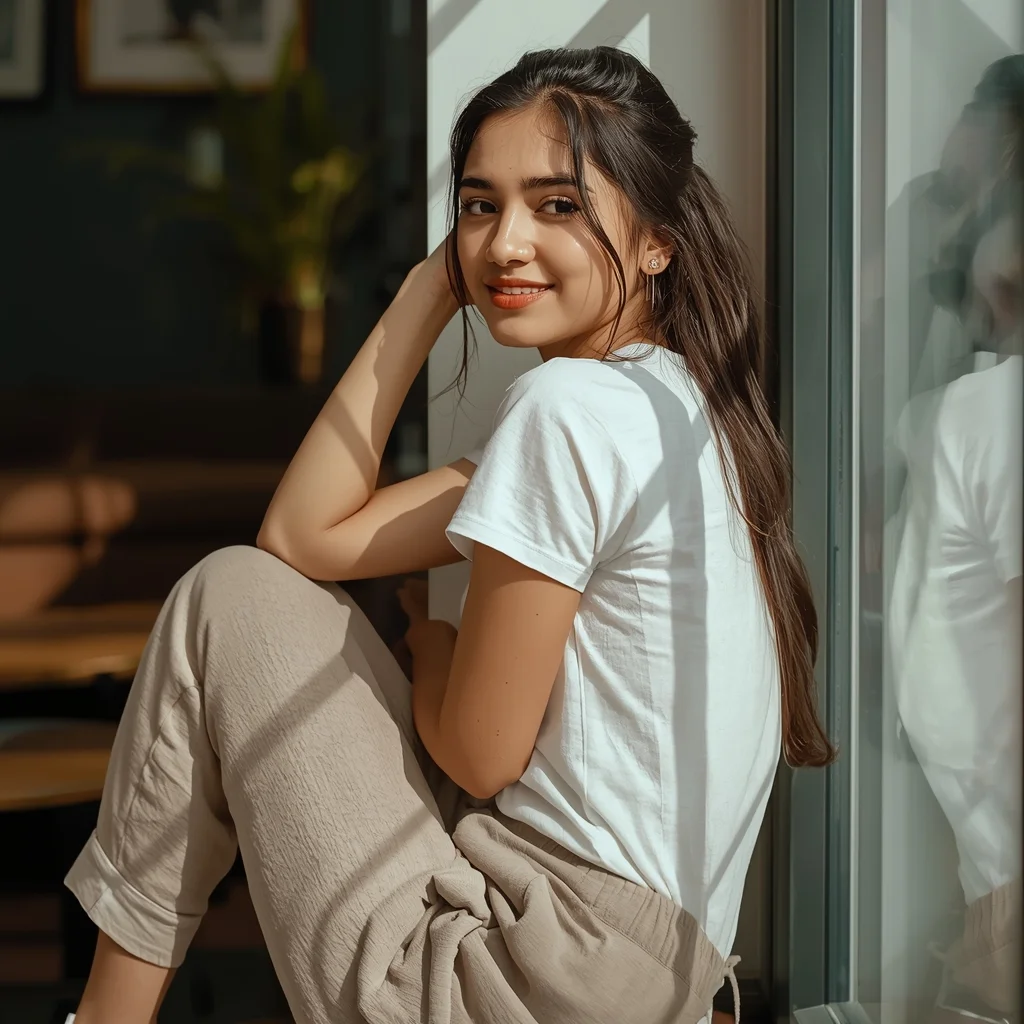
Prompt: A young Indian woman dressed in comfortable casual daily wear, captured in a relaxed, real-life lifestyle pose. She is seated or leaning casually near a window or indoor setting, one elbow resting lightly, body slightly turned away from the camera for a candid feel. Her expression is soft, warm, and natural, with minimal makeup and healthy skin glow. Hair is loose or casually tied, enhancing authenticity. Natural daylight fills the scene, creating soft shadows and warmth. Background feels lived-in and cozy, such as a modern home or café corner. Realistic proportions, natural posture, lifestyle photography mood, highly relatable and authentic Indian daily fashion look.
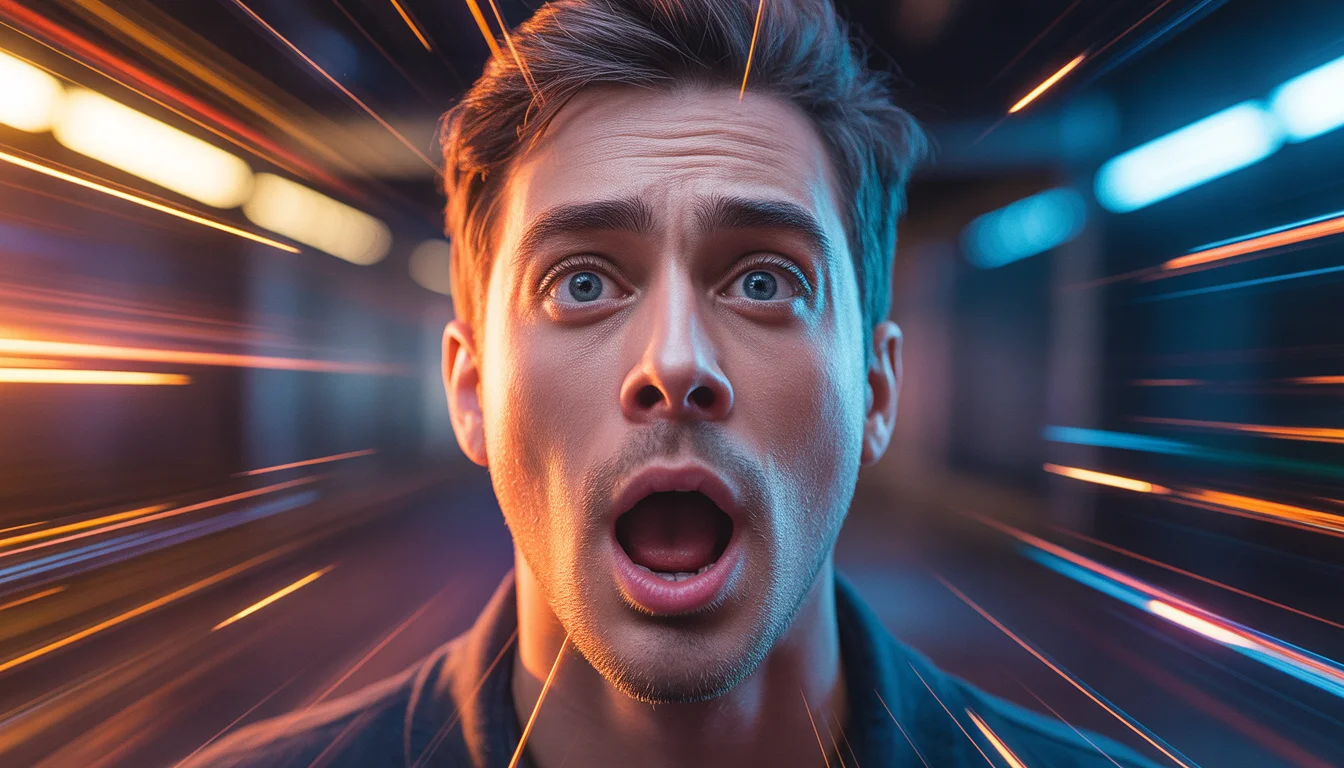
Prompt: Ultra-realistic YouTube thumbnail featuring a creator frozen in an emotional moment of shock and realization, eyes wide, eyebrows raised, mouth slightly open, dramatic cinematic lighting with strong rim light outlining the face, dark blurred background with glowing orange and blue light streaks, high contrast shadows, ultra-sharp facial details with realistic skin texture, shallow depth of field, vibrant color grading, professional studio photography look, emotional storytelling pose, bold viral thumbnail composition, 4K ultra-HD, optimized for YouTube feed and mobile screens.
Gothic Horror Cathedral (Dark Fantasy Concept Art) | Smart Prompt For Better Image
3359 mos ago
A moody, atmospheric dark fantasy concept painting of a corrupted gothic cathedral. The architecture is towering, spiky, and covered in gargoyles that seem alive. The stone is dark and slick with rain. A massive, swirling vortex of dark energy and crows gathers above the central spire, emitting a sickly green light. Below, a lone knight with a glowing greatsword stands at the massive, chained wooden doors. The style is gritty and painterly, using a desaturated palette of deep blacks, greys, and muted greens, resembling traditional charcoal and ink wash techniques mixed with painting.
THIS ONE MOVE CHANGED MY GAME 🔥 | Best Prompt For Cinematic Shot
3299 mos ago
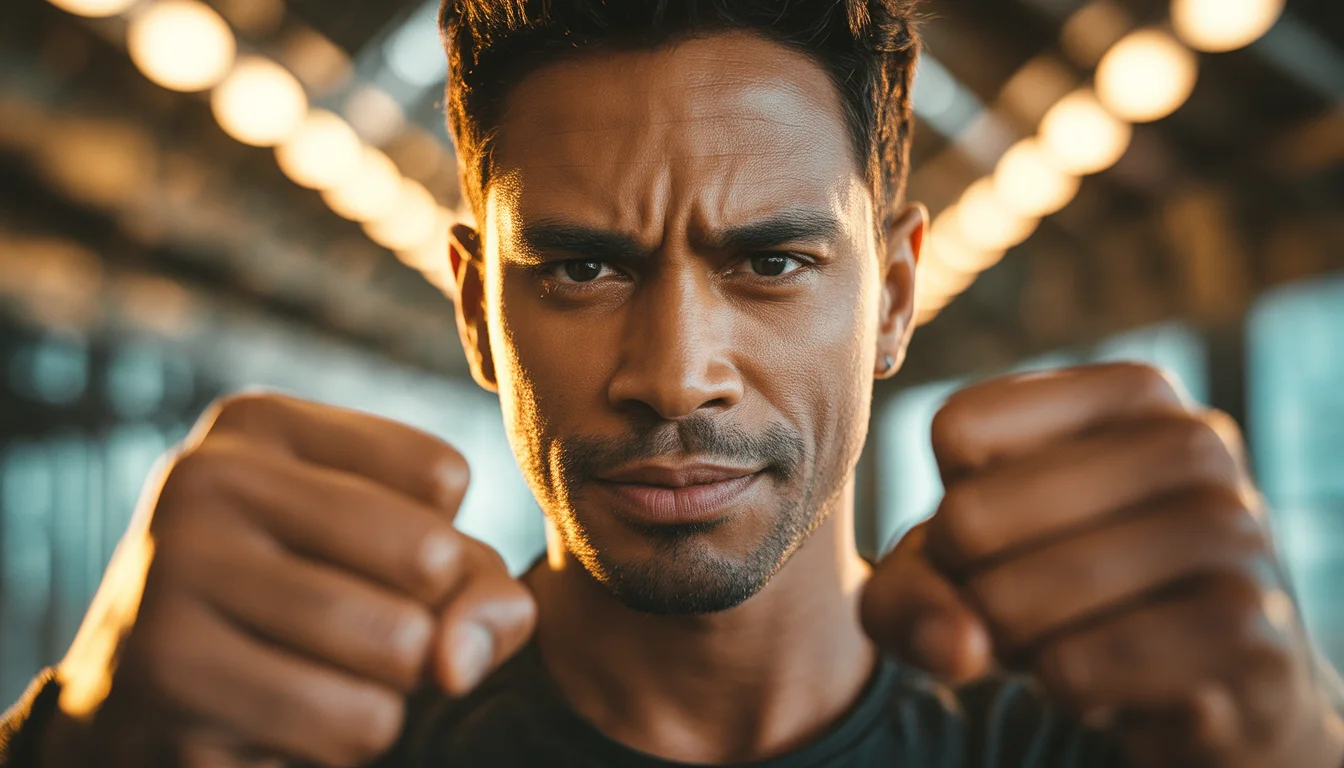
Prompt: Cinematic YouTube thumbnail of a confident creator stepping forward with powerful posture, intense focused eyes, subtle determined smile, warm golden key light illuminating the face, cool shadows adding depth, blurred background with glowing directional light rays, ultra-sharp facial features, realistic skin texture, shallow depth of field, professional cinematic color grading, inspirational and bold mood, strong visual hierarchy, viral thumbnail aesthetics, 4K ultra-HD, designed for maximum click-through rate.
Frequently Asked Questions
Common questions regarding this AI prompt.
How do I inject a cyberpunk or dystopian sci-fi feel into Heavy Mech Hangar Repairs | Powerful Ai Image Prompt?
Add 'cyberpunk metropolis, neon rain, holographic advertisements, high-tech low-life, chrome and cables'. The AI will retain the core shape and intent of the Heavy Mech Hangar Repairs | Powerful Ai Image Prompt prompt but re-texture everything with futuristic, glowing, and metallic sci-fi elements.
How do I modify Heavy Mech Hangar Repairs | Powerful Ai Image Prompt to fit into a dark fantasy or gothic horror setting?
Change the environmental descriptors. Add 'dark fantasy concept art, gothic architecture, eerie volumetric fog, corrupted ruins, ominous atmosphere, Bloodborne aesthetic'. This forces the AI to reinterpret the Heavy Mech Hangar Repairs | Powerful Ai Image Prompt prompt through a grim, terrifying lens, drastically altering the mood of the Gaming Art output.
What specific lighting setup is best to highlight the details of Heavy Mech Hangar Repairs | Powerful Ai Image Prompt?
For maximum texture reveal, a 'three-point studio lighting' or 'Rembrandt lighting' setup works best. By incorporating keywords like 'rim light', 'key light', and 'soft fill', you instruct the AI to sculpt the Gaming Art subject out of the background, ensuring that micro-details like skin pores, fabric weaves, or metallic reflections are perfectly visible.
How does the prompt simulate physical camera lenses for Heavy Mech Hangar Repairs | Powerful Ai Image Prompt?
The prompt acts as a virtual director of photography by explicitly stating lens focal lengths and aperture settings. By including phrases like 'shot on 35mm lens' or 'f/1.4 aperture', the AI mathematically simulates the optical distortion, compression, and background blur (bokeh) characteristic of high-end photography, elevating the Gaming Art image from a flat digital render to a lifelike photo.
How do I add realistic weather effects like rain or snow to the scene?
Weather completely alters the physics of light. If you add 'torrential rain, wet asphalt reflecting neon, water droplets clinging to surfaces', the AI will not just draw rain; it will change the specularity of the Heavy Mech Hangar Repairs | Powerful Ai Image Prompt subject. For snow, use 'heavy blizzard, frost-covered edges, soft diffused winter light' to change the entire atmosphere of the Gaming Art generation.
What is the core conceptual focus of the Heavy Mech Hangar Repairs | Powerful Ai Image Prompt prompt?
The Heavy Mech Hangar Repairs | Powerful Ai Image Prompt prompt is meticulously engineered to focus on high-fidelity visual storytelling within the Gaming Art genre. By leveraging advanced keyword weighting and specific rendering tokens, it ensures that the AI prioritizes both the primary subject matter and the intricate atmospheric details, resulting in a highly professional and polished final image.
Can I change the material composition of objects in the Heavy Mech Hangar Repairs | Powerful Ai Image Prompt prompt?
Yes, AI handles material transformation brilliantly. If you want to change a standard object into something surreal, use explicit material descriptors like 'made of translucent frosted glass', 'brushed anodized aluminum', 'woven carbon fiber', or 'wet shimmering obsidian'. This will completely recalculate the reflections and refractions in the Gaming Art output.
How can I use Inpainting to fix specific errors in the generated Heavy Mech Hangar Repairs | Powerful Ai Image Prompt image?
Inpainting is essential for perfection. If 90% of the Heavy Mech Hangar Repairs | Powerful Ai Image Prompt image is flawless but a hand or eye is distorted, send the image to an Inpaint tab. Mask only the flawed area, keep the original prompt, and set the denoising strength high (around 0.7). The AI will regenerate only that specific zone, seamlessly blending the fixed Gaming Art elements into the surrounding artwork.
How does the prompt establish the historical or futuristic era of Heavy Mech Hangar Repairs | Powerful Ai Image Prompt?
Era-specific aesthetics are locked in using targeted chronological keywords. Whether leaning towards a neo-futuristic cyberpunk vibe or a classical Renaissance look, the prompt forces the AI to draw from specific historical datasets. This ensures that the clothing, architecture, and props within the Gaming Art scene remain historically or thematically accurate.
What architectural composition techniques are embedded in the Heavy Mech Hangar Repairs | Powerful Ai Image Prompt prompt?
The Heavy Mech Hangar Repairs | Powerful Ai Image Prompt prompt utilizes advanced compositional frameworks such as the golden ratio and leading lines. By strategically placing the core Gaming Art subject matter at intersection points, it guides the viewer's eye naturally through the scene. This mathematical approach to AI generation ensures the final output feels balanced and visually arresting without requiring post-crop adjustments.
Why might the colors in my Heavy Mech Hangar Repairs | Powerful Ai Image Prompt generation appear washed out, and how do I fix it?
Washed-out colors typically result from a missing VAE file in local setups, or a lack of color-grading instructions. To immediately fix this within the text prompt itself, append phrases such as 'vibrant technicolor, rich saturation, HDR, cinematic color grading, high contrast'. This forces the AI to map a wider, more dynamic color range to your image.
How do I create a dramatic, low-light version of Heavy Mech Hangar Repairs | Powerful Ai Image Prompt?
To plunge the scene into dramatic darkness, modify the prompt to include 'chiaroscuro', 'low-key lighting', 'underexposed', and 'stark shadows'. This tells the AI to plunge the majority of the Gaming Art environment into darkness while intensely illuminating only the most critical parts of the Heavy Mech Hangar Repairs | Powerful Ai Image Prompt subject, creating a moody, cinematic masterpiece.