The Ashen Knight of the Cursed Cathedral | Ultra Realistic Prompt
High-quality AI-generated image. Optimized for detailed rendering, perfect for creative projects and inspiration.
284Views
0 Likes
100%Quality
FreeLicense
AI Prompt
Prompt: A dark fantasy, atmospheric wide shot inside a decaying, colossal gothic cathedral. A lone knight in heavy, tarnished plate armor with a tattered crimson cape stands before a massive, fog-shrouded boss gate. Light filters faintly through broken stained-glass windows featuring macabre imagery. The floor is covered in ash and ancient bones. In the distance, a gigantic, shadowy creature with glowing red eyes hangs from the vaulted ceiling. The style is gritty, desaturated, "Dark Souls" inspired, with heavy volumetric fog and intricate stone textures. 8k resolution, somber mood.
Want to create this with your own face? Use this instruction:
Facial geometry must match the reference image perfectly. Prompt: A dark fantasy, atmospheric wide shot inside a decaying, colossal gothic cathedral. A lone knight in heavy, tarnished plate armor with a tattered crimson cape stands before a massive, fog-shrouded boss gate. Light filters faintly through broken stained-glass windows featuring macabre imagery. The floor is covered in ash and ancient bones. In the distance, a gigantic, shadowy creature with glowing red eyes hangs from the vaulted ceiling. The style is gritty, desaturated, "Dark Souls" inspired, with heavy volumetric fog and intricate stone textures. 8k resolution, somber mood.
About this Prompt
Elevate your creative portfolio to elite industry standards using 'The Ashen Knight of the Cursed Cathedral | Ultra Realistic Prompt', a highly optimized AI prompt strictly engineered for the Gaming Art niche. It bypasses generic outputs to deliver jaw-dropping, magazine-cover quality imagery that captures the very essence of modern sophistication and high-end visual design. Visually, it is an absolute powerhouse, utilizing a hyper-detailed, incredibly saturated palette that vibrates with intense, radiant, and almost radioactive energy. The vibrant saturation levels are perfectly calibrated; it pops intensely while maintaining a highly sophisticated, strictly professional Gaming Art color grade.
Absolutely ideal for high-stakes commercial marketing campaigns, perfectly curated luxury social media feeds, and elite professional digital portfolios. This prompt guarantees massive, organic audience engagement and consistently awe-inspiring, highly shareable visual results. Do not hesitate to securely add the incredible power of this prompt to your professional toolkit. This flawless, highly optimized Gaming Art prompt is completely ready to be copy-pasted instantly, radically transforming your blank digital canvas.
Youthful Party Dress Pose in Autumn Evening | Ai Prompt For Stunning Portrait
3288 mos ago
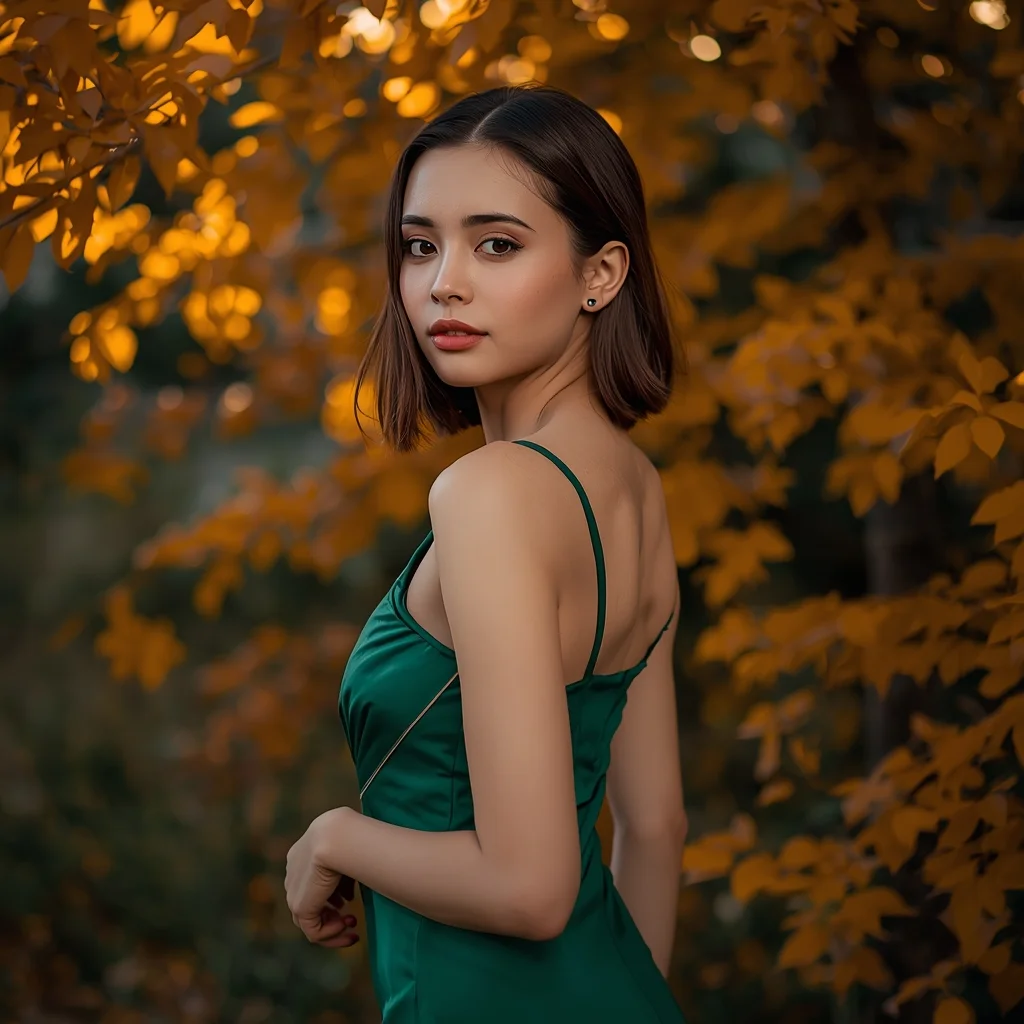
Prompt: A cinematic evening portrait of a young woman wearing a modern party dress in emerald green, posed gracefully under golden autumn lighting. Chinar leaves glow softly behind her. Her posture is elegant and relaxed, head slightly turned, expression confident yet calm. Smooth skin texture, professional lighting, shallow depth of field, ultra-detailed realism, fashion-meets-cultural atmosphere.
A futuristic woman in a reflective chrome bodysuit standing in a rain-soaked Tokyo-style alleyway. Pose Technical Details: A low-angle 'power pose' with feet shoulder-width apart; the torso is slightly twisted toward the camera while the head looks sharply over the left shoulder. One arm is raised, hand resting on a neon sign-post. Lighting: Vibrant magenta and cyan dual-tone lighting with sharp reflections on the suit. High-speed photography style.
Playful Food Mascot (Character & Retro) | Master Ai Prompt
3528 mos ago
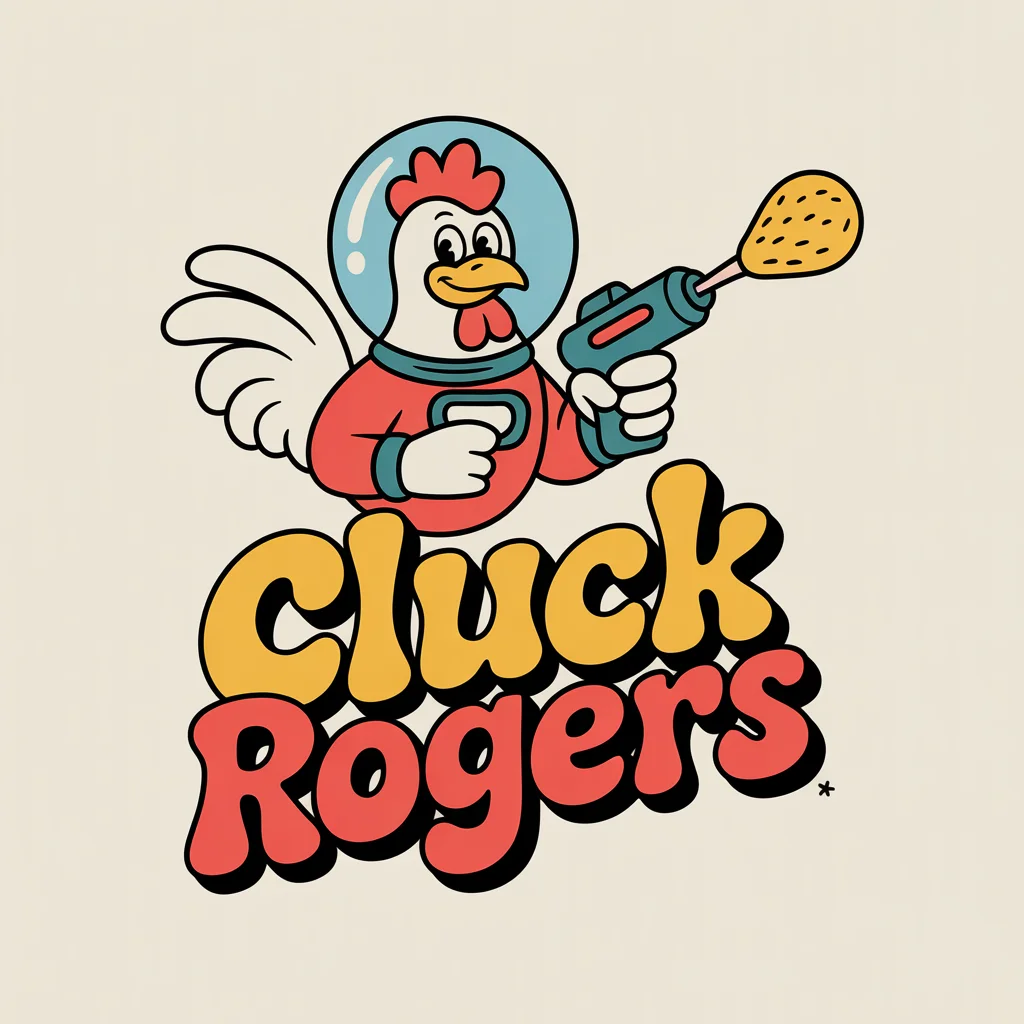
A cheerful, retro mascot logo for a fried chicken restaurant called "Cluck Rogers." The mascot is a friendly, anthropomorphic rooster wearing a futuristic bubble-helmet and a retro space suit, holding a raygun that shoots a drumstick. The animation style is inspired by 1950s rubber hose cartoons—hand-drawn, bouncy, and expressive with thick outlines. The colors are warm and appetizing: ketchup red, mustard yellow, and cream. The surrounding text is puffy and fun. Flat illustration on a solid background.
High Contrast Dramatic Portrait Thumbnail | Color Grading Prompt
3018 mos ago
Prompt: A dramatic high-contrast YouTube thumbnail design with strong light and shadow play, cinematic portrait lighting, dark background, sharp facial highlights, professional studio look, intense mood, premium YouTube thumbnail framing, no text, no typography, no captions.
Modern Women Girl Viral Reel Flow Motion Pose | Ultra Realistic Prompt
5087 mos ago
Prompt: A fashionable woman in a flowing modern dress, captured mid-motion for a viral reel. Body angled dynamically, arms relaxed to allow natural movement. Hair floating gently, adding energy. Expression joyful and confident. Makeup subtle and glowing. Lighting warm yet clean, enhancing depth and texture. Background minimal with smooth color gradients. Ultra-high realism, cinematic look, modern influencer aesthetic optimized for viral impact.
Modern Dress Sitting Reel Pose | Daily Updated Ai Prompt
5087 mos ago
Prompt: A woman in a stylish modern dress, seated in a natural reel-style pose. One leg crossed gently, posture elegant yet casual. Hands relaxed, body angled slightly toward camera. Expression confident and approachable. Hair softly styled for movement realism. Makeup fresh and glowing. Lighting flattering and clean, highlighting skin tone and fabric details. Background minimal with modern accents. Ultra-realistic rendering, cinematic framing, influencer-ready visuals.
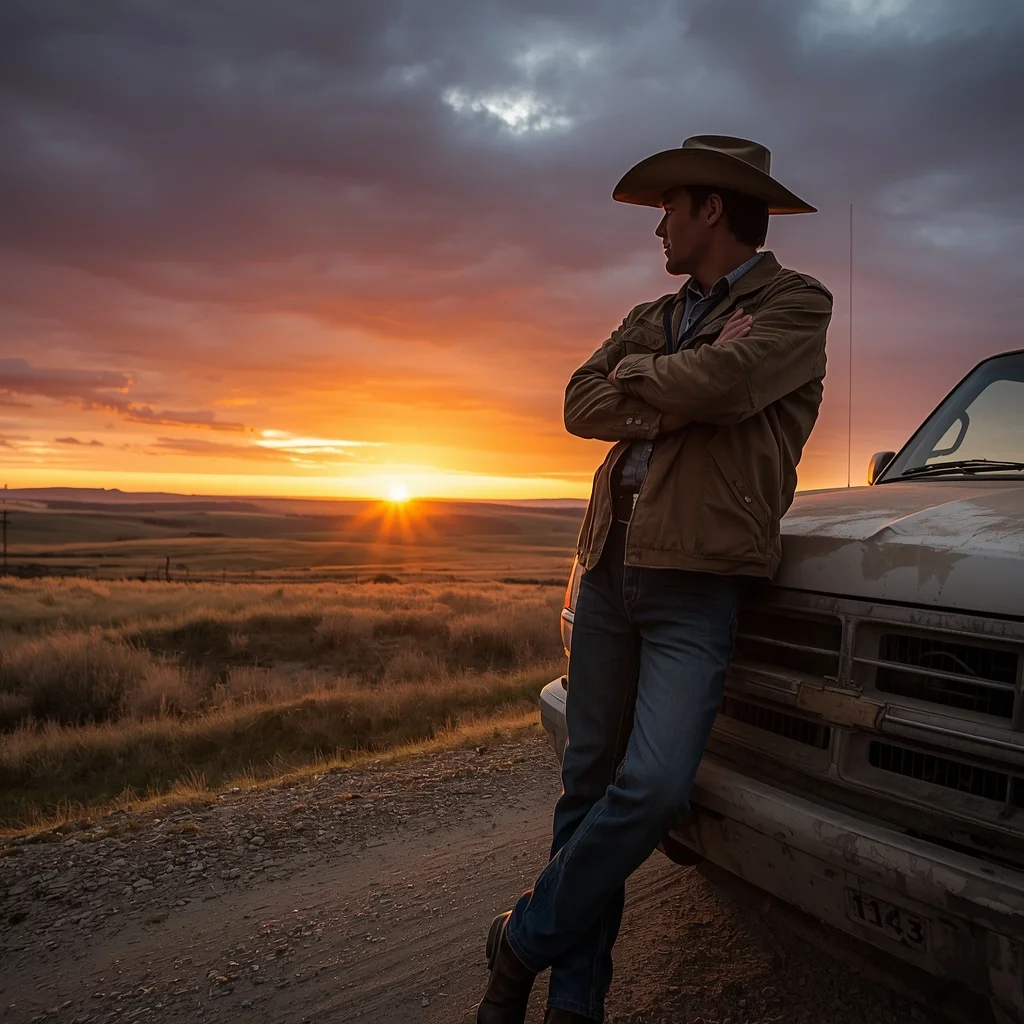
Prompt: A wide-angle landscape photograph featuring a rugged rancher standing beside his pickup truck on a dirt road. He wears a worn leather cowboy hat, a dusty canvas jacket, and jeans. He is leaning against the truck hood with arms crossed, looking out over vast rolling plains as the sun sets behind him, creating a dramatic orange and purple sky. The lighting is backlight, creating a rim light around his silhouette. Highly detailed, National Geographic style realism.
Modern Indian Viral Reel Pose – Forward Lean Connection | Magic Ai Prompt
3478 mos ago
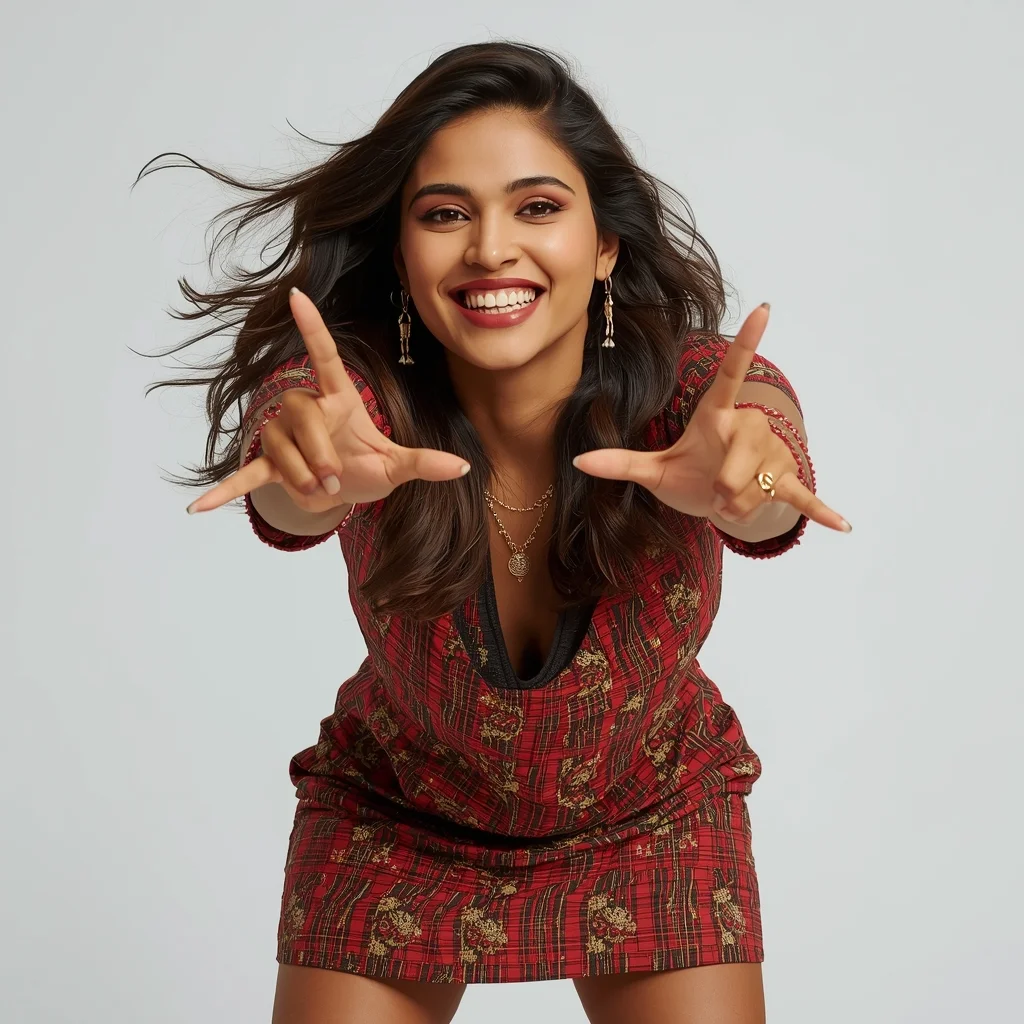
Prompt: An Indian woman wearing a trendy modern Indian dress, captured leaning slightly forward toward the camera in a reel-style pose. Body language engaging and expressive. Hair textured with subtle movement. Expression confident, friendly, and magnetic. Makeup fresh and camera-ready. Lighting bright with controlled contrast. Background minimal to keep focus on subject. Ultra-high realism, cinematic reel composition, influencer-grade polish, designed for viral engagement.
Frequently Asked Questions
Common questions regarding this AI prompt.
How does Google's Gemini (Imagen 3) respond to the The Ashen Knight of the Cursed Cathedral | Ultra Realistic Prompt prompt?
Gemini's Imagen 3 engine is exceptionally strong at adhering to safe, high-quality, photorealistic requests. It reads the descriptive narrative of the The Ashen Knight of the Cursed Cathedral | Ultra Realistic Prompt prompt perfectly, ensuring that the subject anatomy and environmental physics are logical, highly detailed, and free from the typical warping artifacts seen in older generation models.
How does Midjourney v6 process the intricate details of The Ashen Knight of the Cursed Cathedral | Ultra Realistic Prompt?
Midjourney v6 excels at understanding natural language nuances. This prompt is specifically written to take advantage of v6's semantic comprehension. You do not need to use 'prompt salad' (randomly throwing words). The detailed, descriptive sentences regarding the Gaming Art elements are parsed accurately, giving you photographic or highly illustrative perfection.
What architectural composition techniques are embedded in the The Ashen Knight of the Cursed Cathedral | Ultra Realistic Prompt prompt?
The The Ashen Knight of the Cursed Cathedral | Ultra Realistic Prompt prompt utilizes advanced compositional frameworks such as the golden ratio and leading lines. By strategically placing the core Gaming Art subject matter at intersection points, it guides the viewer's eye naturally through the scene. This mathematical approach to AI generation ensures the final output feels balanced and visually arresting without requiring post-crop adjustments.
What rendering engines should I reference to maximize the quality of The Ashen Knight of the Cursed Cathedral | Ultra Realistic Prompt?
Modern AI image generators respond incredibly well to 3D software references. By appending terms like 'Unreal Engine 5 render', 'OctaneRender', 'Redshift', 'V-Ray', and 'Global Illumination', you are signaling the AI to utilize its highest quality datasets for lighting physics and material textures within the Gaming Art image.
How can I prevent anatomical distortions or 'extra limbs' when generating characters?
While modern models have improved, complex poses in Gaming Art can still cause issues. To prevent this, use a strong negative prompt containing 'bad anatomy, extra limbs, mutated hands, deformed structure'. If generating locally via Stable Diffusion, utilizing ControlNet (specifically OpenPose or Depth) alongside this prompt will guarantee flawless anatomical structure.
How do I deal with unwanted text or watermarks appearing in the image?
AI models are trained on stock photos which often contain watermarks. To aggressively filter this out, ensure words like 'text, watermark, signature, username, website url, copyright stamp' are heavily weighted in your negative prompt box. This is especially crucial when generating commercial-grade Gaming Art content.
How do I create a surreal, dream-like version of The Ashen Knight of the Cursed Cathedral | Ultra Realistic Prompt?
To break the laws of physics, use keywords like 'surrealism, dreamscape, floating objects, defying gravity, Salvador Dali style, mind-bending geometry, ethereal'. The AI will take the familiar elements of The Ashen Knight of the Cursed Cathedral | Ultra Realistic Prompt and arrange them in illogical, fascinating ways, creating a truly unique Gaming Art art piece.
Can I simulate bioluminescence or neon lighting in this prompt?
Yes, you can easily shift the scene into a sci-fi or fantasy realm by adding terms like 'bioluminescent glow', 'neon tube lighting', 'emissive materials', or 'fluorescent accents'. These modifiers will cause the objects within the Gaming Art scene to act as their own light sources, casting incredibly realistic colored reflections onto surrounding surfaces.
Why might the colors in my The Ashen Knight of the Cursed Cathedral | Ultra Realistic Prompt generation appear washed out, and how do I fix it?
Washed-out colors typically result from a missing VAE file in local setups, or a lack of color-grading instructions. To immediately fix this within the text prompt itself, append phrases such as 'vibrant technicolor, rich saturation, HDR, cinematic color grading, high contrast'. This forces the AI to map a wider, more dynamic color range to your image.
What is the best way to force an ultra-wide or panoramic view?
To force a panoramic composition, you must combine aspect ratio parameters with specific camera descriptors. In Midjourney, use '--ar 21:9'. Within the prompt text itself, include 'ultra-wide panoramic landscape, 14mm lens, expansive horizon, sweeping view'. This ensures the The Ashen Knight of the Cursed Cathedral | Ultra Realistic Prompt subject matter is distributed correctly across a massive, cinematic canvas.
Is it possible to make the image look like an architectural blueprint?
Absolutely. Strip all color and realism by adding 'technical architectural blueprint, white lines on blue background, schematics, precise measurements, cross-section view, drafted by an engineer'. This is a highly creative way to present the Gaming Art subject from an analytical, structural perspective.
What is the optimal workflow for upscaling The Ashen Knight of the Cursed Cathedral | Ultra Realistic Prompt to print-quality resolution?
Do not generate at massive resolutions directly, as it causes compositional duplication (like two heads). Instead, generate The Ashen Knight of the Cursed Cathedral | Ultra Realistic Prompt at a native resolution (e.g., 1024x1024), and then use a dedicated AI upscaler. Tools like Topaz Gigapixel AI, Magnific AI, or the '4x-UltraSharp' model in Automatic1111 will enhance the micro-textures of the Gaming Art without destroying the original composition.
How does the prompt simulate physical camera lenses for The Ashen Knight of the Cursed Cathedral | Ultra Realistic Prompt?
The prompt acts as a virtual director of photography by explicitly stating lens focal lengths and aperture settings. By including phrases like 'shot on 35mm lens' or 'f/1.4 aperture', the AI mathematically simulates the optical distortion, compression, and background blur (bokeh) characteristic of high-end photography, elevating the Gaming Art image from a flat digital render to a lifelike photo.
What if the AI completely ignores a specific detail I added to the The Ashen Knight of the Cursed Cathedral | Ultra Realistic Prompt prompt?
If a detail is ignored, it lacks 'weight'. Move that specific word closer to the very beginning of the prompt. Alternatively, if using Midjourney, use the double colon syntax (Keyword::2) to force the AI to pay attention. In Stable Diffusion, wrap the keyword in parentheses like (Keyword:1.5) to boost its importance in the Gaming Art scene.
How do I ensure the skin textures in The Ashen Knight of the Cursed Cathedral | Ultra Realistic Prompt look photorealistic and not plastic?
AI often defaults to overly smooth, airbrushed skin. To counter this, you must explicitly demand imperfections. Add 'subsurface scattering, visible skin pores, peach fuzz, micro-wrinkles, highly detailed skin texture, raw unedited photograph' to the prompt. This forces the model to render the human elements of the Gaming Art scene with authentic, biological realism.