High-quality AI-generated image. Optimized for detailed rendering, perfect for creative projects and inspiration.
333Views
0 Likes
100%Quality
FreeLicense
AI Prompt
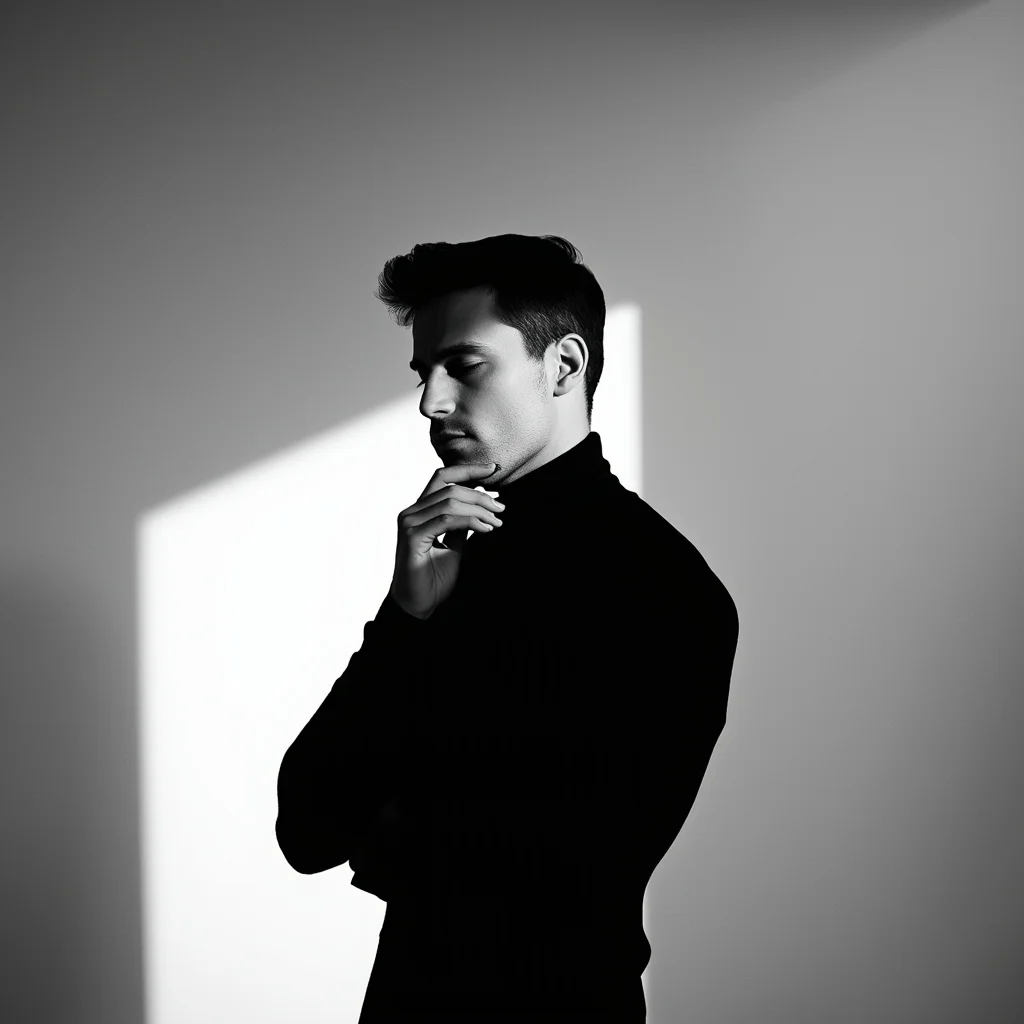
Prompt: A handsome man in a simple black turtleneck, standing in a stark, all-white minimalist art gallery. A single dramatic shaft of light falls across his face, creating deep artistic shadows.
Pose: Side-profile silhouette, one hand touching his jawline thoughtfully, eyes closed, expressing a sense of inner peace or deep thought.
Technical: High contrast, low-key lighting, 85mm prime lens, sharp focus on facial features, monochrome aesthetic.
Want to create this with your own face? Use this instruction:
Do not regenerate or reinterpret the face. Keep it locked. Prompt: A handsome man in a simple black turtleneck, standing in a stark, all-white minimalist art gallery. A single dramatic shaft of light falls across his face, creating deep artistic shadows.
Pose: Side-profile silhouette, one hand touching his jawline thoughtfully, eyes closed, expressing a sense of inner peace or deep thought.
Technical: High contrast, low-key lighting, 85mm prime lens, sharp focus on facial features, monochrome aesthetic.
About this Prompt
Prepare to have your visual expectations completely shattered by 'The Minimalist Muse | Ai Prompt Structure'. This bold, dramatic reimagining of traditional Man Pose Art concepts pushes the neural network to its absolute limits, resulting in a glorious visual feast that commands authority and establishes a commanding digital presence. The visual precision engineered here is simply unmatched, incorporating incredibly soft, soothing pastel undertones or striking, aggressive bold contrasts depending on the specific generation. It effortlessly balances highly complex, cluttered background elements with a totally isolated, beautifully focused hero subject.
Whether you are currently working in Midjourney v6, Stable Diffusion XL, or the latest Gemini models, this highly structured prompt heavily optimizes your creative workflow, reliably delivering jaw-dropping, professional-grade outputs on the very first try. We emphatically and highly recommend trying this exact structural layout for your very next piece. The profoundly revolutionary way it effortlessly handles complex, highly nuanced visual elements will leave your global audience incredibly eager for more content.
Concrete Visionary | Ai Prompt For Stunning Portrait
3308 mos ago
Prompt: An architectural fashion shot of a woman leaning against a raw concrete pillar in a minimalist gallery. Her pose is "contrapposto," with one hand tucked into the pocket of her oversized ivory blazer and her head tilted back in a look of quiet confidence. The lighting is sharp, top-down industrial light, creating dramatic shadows that define her jawline and the heavy texture of the concrete. 4k resolution, emphasizing the contrast between the smooth silk of her shirt and the rough stone background.
Artistic Shadow Play Pose | Trending Prompt Idea Worldwide
3098 mos ago
Prompt: A male model standing under strong side lighting creating bold shadows on face and body, hands positioned near face, intense yet calm expression, dark minimalist background, artistic portrait photography style, high contrast lighting, fine facial details, cinematic editorial mood.
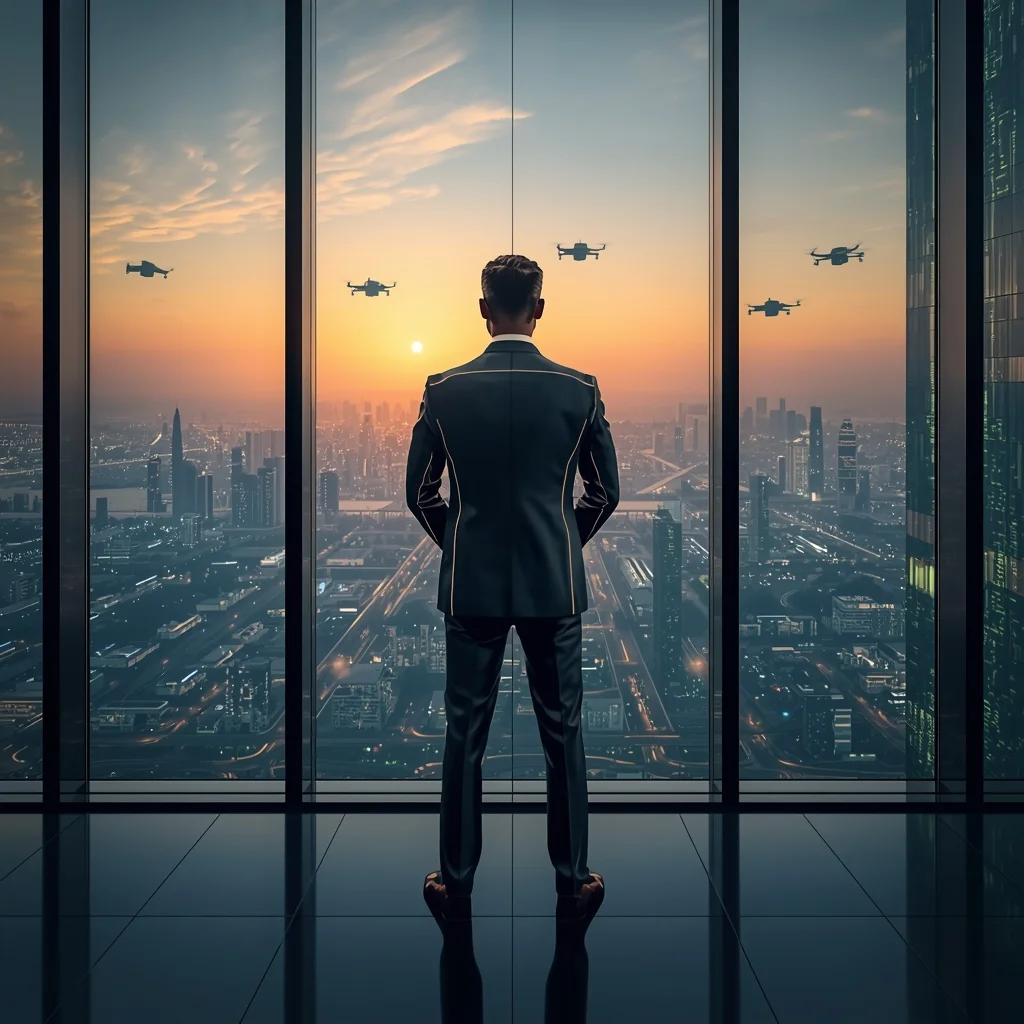
Prompt: A man in a sharp, metallic-grey suit with subtle LED piping, standing in a glass-walled boardroom on the 100th floor. The background shows a sprawling "smart city" with flying drones and green vertical forests. Pose: Standing with his back to the window, hands behind his back, looking commanding and visionary. The sunset reflects off the glass walls. Technical: 24mm wide lens, clean architectural lines, futuristic glow, Unreal Engine 5.4 render style.
Pose: Standing with his back to the window, hands behind his back, looking commanding and visionary. The sunset reflects off the glass walls. Technical: 24mm wide lens, clean architectural lines, futuristic glow, Unreal Engine 5.4 render style.
Technical: 24mm wide lens, clean architectural lines, futuristic glow, Unreal Engine 5.4 render style.
I Spent 50 Hours in a 100% Photorealistic VR World | Ai Prompt Structure
2998 mos ago
Prompt: A gritty, close-up shot of a person wearing a futuristic, slim-profile VR headset that has glowing white LED status lights. The person is sweating, and their mouth is slightly open in a mix of exhaustion and amazement. The "real world" background of the room is dark and messy with cables, but the "VR world" is bleeding out from the edges of the headset—revealing a hyper-realistic, sun-drenched European village with cobblestone streets and individual blades of grass that look indistinguishable from reality. The lighting is a mix of the cool blue VR glow and the warm golden sun of the simulation. 8k, macro photography, sharp focus on the skin pores and the glass lens of the headset, ray-traced reflections, and a claustrophobic, immersive vibe.
This One Change Doubled My Views | Top Trending Ai Prompt Style
2478 mos ago
Prompt: Create a powerful thumbnail with a confident creator pointing at a massive upward arrow made of glowing light. Behind them, YouTube analytics charts are rising dramatically. Use bold neon colors, futuristic UI elements, and dynamic motion blur. Facial expression should show confidence and excitement. Apply ultra-sharp details, cinematic contrast, dramatic lighting, bold framing, high clarity, and visual hierarchy optimized for fast scrolling audiences.
AI Influencer Relaxed Side-Angle Pose | Hd Image Prompt
3148 mos ago
Prompt: A modern AI influencer male standing at a slight side angle, one hand in pocket, relaxed confident stance, natural facial expression, trendy neutral clothing, diffused studio lighting, seamless background, high-detail skin texture, polished social media portrait.
Casual Lean-Against-Wall Attitude Pose | Ai Prompt For Perfect Photo
1,5468 mos ago
Prompt: A young man leaning against a textured concrete wall, one leg bent, hands in pockets, relaxed yet confident body language, casual denim jacket and white sneakers, soft natural daylight, realistic skin texture, lifestyle photography style, urban editorial mood, high resolution, cinematic color grading.
Black and White Portrait Pose | Sharp Image Prompt
3028 mos ago
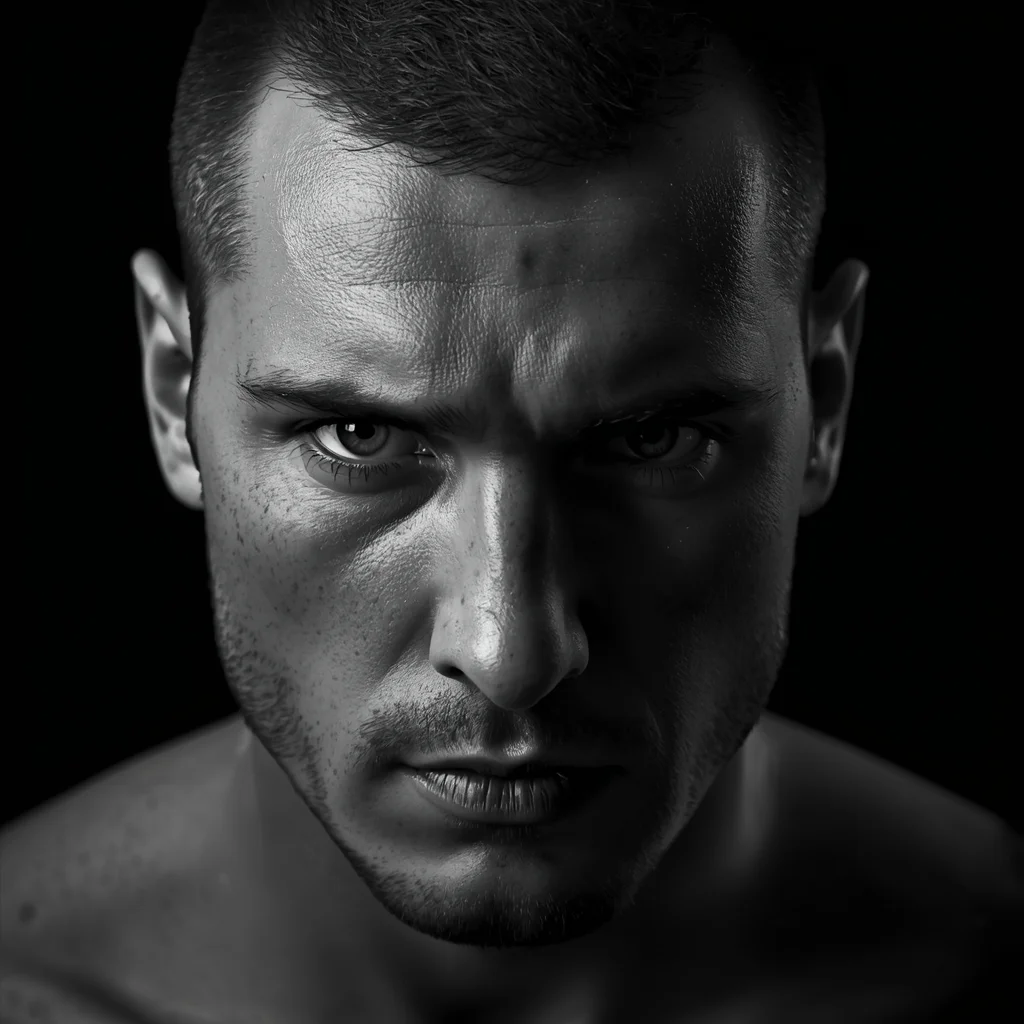
A dramatic black-and-white male portrait, intense eye contact, strong facial structure, classic lighting with deep shadows, high contrast, timeless photography style, ultra-sharp focus, professional monochrome portrait, 8K resolution
Frequently Asked Questions
Common questions regarding this AI prompt.
Why might the colors in my The Minimalist Muse | Ai Prompt Structure generation appear washed out, and how do I fix it?
Washed-out colors typically result from a missing VAE file in local setups, or a lack of color-grading instructions. To immediately fix this within the text prompt itself, append phrases such as 'vibrant technicolor, rich saturation, HDR, cinematic color grading, high contrast'. This forces the AI to map a wider, more dynamic color range to your image.
Can I easily integrate the The Minimalist Muse | Ai Prompt Structure output into a professional design workflow?
Absolutely. The outputs generated by this prompt are designed with commercial and professional workflows in mind. Because it emphasizes crisp edges, balanced contrast, and high-resolution keywords, the resulting Man Pose Art images are perfect for immediate use in UI/UX design, marketing materials, or further post-processing in software like Adobe Photoshop.
Why is this prompt highly effective for generating The Minimalist Muse | Ai Prompt Structure?
Its effectiveness lies in the structured syntax. It separates the core subject definition from the style and technical parameters. This 'block structure' prevents AI confusion, ensuring that the details of The Minimalist Muse | Ai Prompt Structure remain razor-sharp while the background and artistic medium seamlessly blend to match the Man Pose Art aesthetic without overpowering the main focus.
What rendering engines should I reference to maximize the quality of The Minimalist Muse | Ai Prompt Structure?
Modern AI image generators respond incredibly well to 3D software references. By appending terms like 'Unreal Engine 5 render', 'OctaneRender', 'Redshift', 'V-Ray', and 'Global Illumination', you are signaling the AI to utilize its highest quality datasets for lighting physics and material textures within the Man Pose Art image.
Can I make the image look like vintage, degraded film?
Absolutely. To strip away the ultra-modern crispness, inject phrases like 'shot on Kodak Portra 400', 'heavy film grain', 'light leaks', 'chromatic aberration', and 'vintage 1970s polaroid'. This introduces beautiful, nostalgic imperfections into the Man Pose Art scene, making the The Minimalist Muse | Ai Prompt Structure generation look like a discovered relic rather than a digital creation.
Can I convert the scene into a post-apocalyptic wasteland?
Yes, by adding 'post-apocalyptic, overgrown ruins, rusted metal, decayed urban environment, survival aesthetic, cinematic fallout style'. The AI will take the core structure of The Minimalist Muse | Ai Prompt Structure and age it by decades, adding immense weathering and environmental storytelling to the Man Pose Art image.
What should I do if the background of The Minimalist Muse | Ai Prompt Structure becomes too cluttered?
If the AI over-complicates the background, you need to assert control over the depth of field. Add strict modifiers like 'clean minimalist background, studio backdrop, heavy bokeh, blurred environment' to the prompt. Additionally, placing the subject-specific keywords at the very front of the prompt ensures the AI prioritizes the main The Minimalist Muse | Ai Prompt Structure element.
How do I create a surreal, dream-like version of The Minimalist Muse | Ai Prompt Structure?
To break the laws of physics, use keywords like 'surrealism, dreamscape, floating objects, defying gravity, Salvador Dali style, mind-bending geometry, ethereal'. The AI will take the familiar elements of The Minimalist Muse | Ai Prompt Structure and arrange them in illogical, fascinating ways, creating a truly unique Man Pose Art art piece.
How can I transform The Minimalist Muse | Ai Prompt Structure into a vector graphic or logo style?
To strip away the photorealism, replace the camera keywords with 'flat vector illustration, minimalist design, UI/UX asset, Adobe Illustrator style, solid colors, clean crisp lines, no gradients'. This transforms the Man Pose Art subject into a scalable, graphic-design-ready asset perfect for web design or branding.
What is the best Stylize (--s) value to use in Midjourney for this prompt?
The stylize parameter dictates how strongly Midjourney applies its default aesthetic. For strict adherence to the realistic details of The Minimalist Muse | Ai Prompt Structure, keep it around --s 100 to --s 250. If you want the AI to take artistic liberties and make the Man Pose Art scene look more like a digital masterpiece, push the value up to --s 500 or --s 750.
How can I use Inpainting to fix specific errors in the generated The Minimalist Muse | Ai Prompt Structure image?
Inpainting is essential for perfection. If 90% of the The Minimalist Muse | Ai Prompt Structure image is flawless but a hand or eye is distorted, send the image to an Inpaint tab. Mask only the flawed area, keep the original prompt, and set the denoising strength high (around 0.7). The AI will regenerate only that specific zone, seamlessly blending the fixed Man Pose Art elements into the surrounding artwork.
Can I change the material composition of objects in the The Minimalist Muse | Ai Prompt Structure prompt?
Yes, AI handles material transformation brilliantly. If you want to change a standard object into something surreal, use explicit material descriptors like 'made of translucent frosted glass', 'brushed anodized aluminum', 'woven carbon fiber', or 'wet shimmering obsidian'. This will completely recalculate the reflections and refractions in the Man Pose Art output.
Does this prompt support blending multiple concepts together?
Yes, advanced users can use this prompt as a base for concept blending. By utilizing syntax like [Concept A : Concept B : 0.5] in Automatic1111 or simply describing a hybrid scenario, the strong foundational parameters of the The Minimalist Muse | Ai Prompt Structure prompt will ensure the merged concepts render cohesively without degrading into visual noise.
How do I add realistic weather effects like rain or snow to the scene?
Weather completely alters the physics of light. If you add 'torrential rain, wet asphalt reflecting neon, water droplets clinging to surfaces', the AI will not just draw rain; it will change the specularity of the The Minimalist Muse | Ai Prompt Structure subject. For snow, use 'heavy blizzard, frost-covered edges, soft diffused winter light' to change the entire atmosphere of the Man Pose Art generation.
What is the optimal workflow for upscaling The Minimalist Muse | Ai Prompt Structure to print-quality resolution?
Do not generate at massive resolutions directly, as it causes compositional duplication (like two heads). Instead, generate The Minimalist Muse | Ai Prompt Structure at a native resolution (e.g., 1024x1024), and then use a dedicated AI upscaler. Tools like Topaz Gigapixel AI, Magnific AI, or the '4x-UltraSharp' model in Automatic1111 will enhance the micro-textures of the Man Pose Art without destroying the original composition.