High-quality AI-generated image. Optimized for detailed rendering, perfect for creative projects and inspiration.
305Views
0 Likes
100%Quality
FreeLicense
AI Prompt
Prompt: A fit man in professional trekking gear (puffer vest, cargo pants, boots) standing on a snowy mountain ledge. Behind him are the sharp, jagged peaks of the Himalayas under a crystal-clear blue sky. Pose: Standing with his feet wide apart for balance, leaning on a pair of trekking poles. He is looking up at the sky with an expression of triumph and freedom. Technical: Polarized filter, high dynamic range (HDR), 16mm ultra-wide lens, sunlight glinting off the snow.
Pose: Standing with his feet wide apart for balance, leaning on a pair of trekking poles. He is looking up at the sky with an expression of triumph and freedom. Technical: Polarized filter, high dynamic range (HDR), 16mm ultra-wide lens, sunlight glinting off the snow.
Technical: Polarized filter, high dynamic range (HDR), 16mm ultra-wide lens, sunlight glinting off the snow.
Want to create this with your own face? Use this instruction:
Preserve original facial anatomy including bone structure, proportions, and micro-details such as pores, fine lines, and natural skin texture. Prompt: A fit man in professional trekking gear (puffer vest, cargo pants, boots) standing on a snowy mountain ledge. Behind him are the sharp, jagged peaks of the Himalayas under a crystal-clear blue sky. Pose: Standing with his feet wide apart for balance, leaning on a pair of trekking poles. He is looking up at the sky with an expression of triumph and freedom. Technical: Polarized filter, high dynamic range (HDR), 16mm ultra-wide lens, sunlight glinting off the snow.
Pose: Standing with his feet wide apart for balance, leaning on a pair of trekking poles. He is looking up at the sky with an expression of triumph and freedom. Technical: Polarized filter, high dynamic range (HDR), 16mm ultra-wide lens, sunlight glinting off the snow.
Technical: Polarized filter, high dynamic range (HDR), 16mm ultra-wide lens, sunlight glinting off the snow.
About this Prompt
Prepare to have your visual expectations completely shattered by 'The Alpine Hiker | Best Image Prompt'. This bold, dramatic reimagining of traditional Man Pose Art concepts pushes the neural network to its absolute limits, resulting in a glorious visual feast that commands authority and establishes a commanding digital presence. The rough, beautifully oxidized patina and heavily grainy, degraded film aesthetic add incredible, highly sought-after authenticity. It feels like a deeply nostalgic, lost memory or a premium piece of found-footage recovered from the absolute golden age of Man Pose Art analog broadcasting.
Whether you are currently working in Midjourney v6, Stable Diffusion XL, or the latest Gemini models, this highly structured prompt heavily optimizes your creative workflow, reliably delivering jaw-dropping, professional-grade outputs on the very first try. Command the full, staggering power of modern generative algorithms with absolute confidence. Render this specific prompt right now to rapidly unlock the deepest secrets of professional digital art, aesthetic brilliance, and highly viral visual creation.
Soft Cultural Close Portrait Woman Pose | Stylish Image Prompt
3418 mos ago
Prompt: A close-up traditional portrait of a woman with her head slightly tilted and shoulders relaxed, emphasizing grace and intimacy. Her expression is gentle and introspective, eyes conveying cultural warmth and emotional depth. Makeup is minimal and traditional. Soft window or studio lighting creates smooth gradients of light and shadow across her face. Background is clean with subtle texture. Ultra-clean composition, professional cultural portrait photography, high-resolution realism.
A majestic Elephant made entirely of intricately folded white origami paper, placed on a dark textured wooden table, soft morning side-light, realistic paper textures, elegant minimalism.
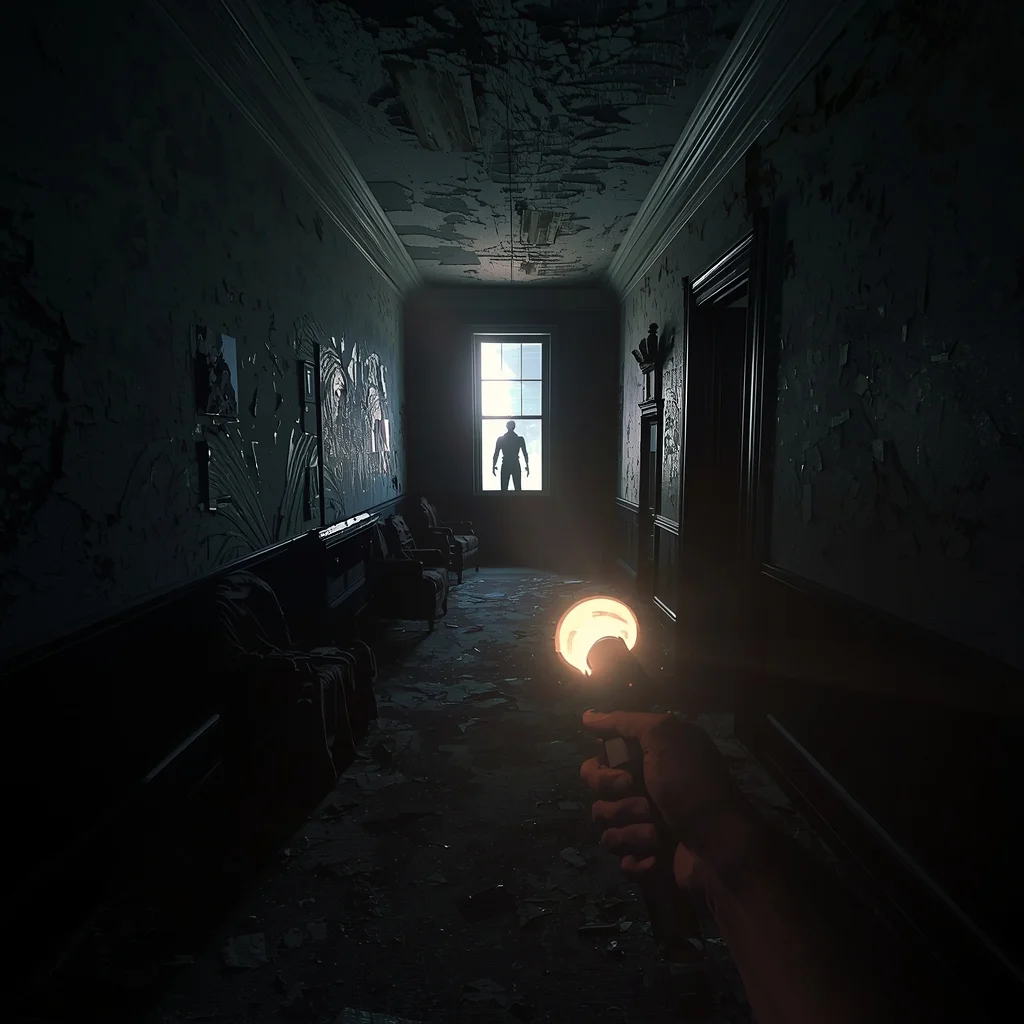
Survival Horror Mansion Hallway | Ai Prompt For Perfect Lighting
2838 mos ago
Prompt: A terrifying first-person perspective looking down a derelict, dark Victorian mansion hallway. The player holds up a flickering flashlight that casts a narrow beam of light, revealing peeling wallpaper, draped furniture, and dust motes. A thunderstorm flashes lightning outside a tall window at the end of the hall, briefly illuminating a grotesque, shadowy humanoid figure standing still. Intense psychological horror atmosphere, photorealistic graphics, "Resident Evil" style, extreme tension.
Artistic Shadow Play Pose | Trending Prompt Idea Worldwide
3098 mos ago
Prompt: A male model standing under strong side lighting creating bold shadows on face and body, hands positioned near face, intense yet calm expression, dark minimalist background, artistic portrait photography style, high contrast lighting, fine facial details, cinematic editorial mood.
Prompt: A woman in a thick, oversized grey wool turtleneck sweater and knitted socks, sitting by a large window in a cozy wooden cabin. Outside, a heavy snowstorm is visible. Inside, a fireplace casts a warm orange glow. She is holding a rustic ceramic mug with steam rising.
Pose: Curled up on a window seat with her legs tucked under her, leaning her head against the glass, looking out at the snow with a peaceful, contemplative expression.
Technical: Soft diffused lighting, 50mm lens, f/1.4, shallow depth of field, cozy atmosphere, highly detailed knit textures, realistic steam.
Minimal Studio Product Shot | Ultra Realistic Prompt
2918 mos ago
A single product placed at the center, clean minimal studio setup, white or soft neutral background, even softbox lighting from both sides, subtle shadow below the product, sharp edges, realistic texture details, professional product photography style, ultra-clean composition, high realism, 8K resolution
Prompt: Ultra-realistic YouTube thumbnail capturing a creator in a moment of panic and surprise, eyes widened, eyebrows raised sharply, mouth slightly open, hands frozen mid-gesture, dramatic cinematic lighting with strong side light and deep shadows, dark blurred background with subtle red and blue glow, ultra-sharp facial focus, realistic skin texture and pores, shallow depth of field, intense emotional storytelling, bold color grading, professional studio photography look, high saturation highlights, clean powerful composition optimized for YouTube homepage, 4K ultra-HD quality.
Luxury Editorial Power Look Pose | Viral Prompt Idea For Creator
3188 mos ago
Prompt: A handsome man posing indoors near a luxury hotel window, one hand adjusting blazer button, chin slightly raised, intense confident expression, wearing a tailored suit, polished shoes, soft window light, high-end editorial fashion shoot, elegant shadows, premium styling, ultra-detailed, magazine cover quality.
Frequently Asked Questions
Common questions regarding this AI prompt.
How do I modify The Alpine Hiker | Best Image Prompt to fit into a dark fantasy or gothic horror setting?
Change the environmental descriptors. Add 'dark fantasy concept art, gothic architecture, eerie volumetric fog, corrupted ruins, ominous atmosphere, Bloodborne aesthetic'. This forces the AI to reinterpret the The Alpine Hiker | Best Image Prompt prompt through a grim, terrifying lens, drastically altering the mood of the Man Pose Art output.
What is the optimal workflow for upscaling The Alpine Hiker | Best Image Prompt to print-quality resolution?
Do not generate at massive resolutions directly, as it causes compositional duplication (like two heads). Instead, generate The Alpine Hiker | Best Image Prompt at a native resolution (e.g., 1024x1024), and then use a dedicated AI upscaler. Tools like Topaz Gigapixel AI, Magnific AI, or the '4x-UltraSharp' model in Automatic1111 will enhance the micro-textures of the Man Pose Art without destroying the original composition.
Does this prompt support blending multiple concepts together?
Yes, advanced users can use this prompt as a base for concept blending. By utilizing syntax like [Concept A : Concept B : 0.5] in Automatic1111 or simply describing a hybrid scenario, the strong foundational parameters of the The Alpine Hiker | Best Image Prompt prompt will ensure the merged concepts render cohesively without degrading into visual noise.
Can I change the material composition of objects in the The Alpine Hiker | Best Image Prompt prompt?
Yes, AI handles material transformation brilliantly. If you want to change a standard object into something surreal, use explicit material descriptors like 'made of translucent frosted glass', 'brushed anodized aluminum', 'woven carbon fiber', or 'wet shimmering obsidian'. This will completely recalculate the reflections and refractions in the Man Pose Art output.
How do I ensure the skin textures in The Alpine Hiker | Best Image Prompt look photorealistic and not plastic?
AI often defaults to overly smooth, airbrushed skin. To counter this, you must explicitly demand imperfections. Add 'subsurface scattering, visible skin pores, peach fuzz, micro-wrinkles, highly detailed skin texture, raw unedited photograph' to the prompt. This forces the model to render the human elements of the Man Pose Art scene with authentic, biological realism.
What architectural composition techniques are embedded in the The Alpine Hiker | Best Image Prompt prompt?
The The Alpine Hiker | Best Image Prompt prompt utilizes advanced compositional frameworks such as the golden ratio and leading lines. By strategically placing the core Man Pose Art subject matter at intersection points, it guides the viewer's eye naturally through the scene. This mathematical approach to AI generation ensures the final output feels balanced and visually arresting without requiring post-crop adjustments.
Can I make the image look like vintage, degraded film?
Absolutely. To strip away the ultra-modern crispness, inject phrases like 'shot on Kodak Portra 400', 'heavy film grain', 'light leaks', 'chromatic aberration', and 'vintage 1970s polaroid'. This introduces beautiful, nostalgic imperfections into the Man Pose Art scene, making the The Alpine Hiker | Best Image Prompt generation look like a discovered relic rather than a digital creation.
Does this prompt work with DALL-E 3 inside ChatGPT?
Yes, it works exceptionally well. DALL-E 3 thrives on conversational, highly descriptive text. Because this prompt for The Alpine Hiker | Best Image Prompt is structured with clear nouns and adjectives, DALL-E 3 will translate it almost perfectly into an image, ensuring that multiple complex elements within the Man Pose Art scene interact logically.
How do I achieve an extreme close-up or macro shot of The Alpine Hiker | Best Image Prompt?
Modify the perspective by heavily weighting keywords like 'extreme macro photography', '100mm macro lens', 'microscopic detail', and 'extreme close up'. This forces the AI engine to ignore the broader Man Pose Art environment and dedicate all of its rendering power to the microscopic textures, fibers, or surface imperfections of the primary subject.
Can I use Image-to-Image (Img2Img) techniques with the The Alpine Hiker | Best Image Prompt prompt?
Absolutely. Using a rough sketch or a reference photo alongside this prompt in an Img2Img workflow is highly effective. We recommend setting your Denoising Strength between 0.45 and 0.65. This range is the 'sweet spot' that allows the AI to apply the high-quality textures and lighting of the The Alpine Hiker | Best Image Prompt prompt while strictly respecting the structural layout of your reference image.
Can I simulate bioluminescence or neon lighting in this prompt?
Yes, you can easily shift the scene into a sci-fi or fantasy realm by adding terms like 'bioluminescent glow', 'neon tube lighting', 'emissive materials', or 'fluorescent accents'. These modifiers will cause the objects within the Man Pose Art scene to act as their own light sources, casting incredibly realistic colored reflections onto surrounding surfaces.
What is the best way to shift the artistic medium of The Alpine Hiker | Best Image Prompt to an oil painting?
To completely transform the medium, append powerful style modifiers. Injecting phrases like 'intricate oil painting on canvas, thick impasto strokes, palette knife technique, classical fine art, museum masterpiece' will completely override the default realism, offering a traditional artistic variation for your Man Pose Art project.
Is it possible to make the image look like an architectural blueprint?
Absolutely. Strip all color and realism by adding 'technical architectural blueprint, white lines on blue background, schematics, precise measurements, cross-section view, drafted by an engineer'. This is a highly creative way to present the Man Pose Art subject from an analytical, structural perspective.
What rendering engines should I reference to maximize the quality of The Alpine Hiker | Best Image Prompt?
Modern AI image generators respond incredibly well to 3D software references. By appending terms like 'Unreal Engine 5 render', 'OctaneRender', 'Redshift', 'V-Ray', and 'Global Illumination', you are signaling the AI to utilize its highest quality datasets for lighting physics and material textures within the Man Pose Art image.
Why might the colors in my The Alpine Hiker | Best Image Prompt generation appear washed out, and how do I fix it?
Washed-out colors typically result from a missing VAE file in local setups, or a lack of color-grading instructions. To immediately fix this within the text prompt itself, append phrases such as 'vibrant technicolor, rich saturation, HDR, cinematic color grading, high contrast'. This forces the AI to map a wider, more dynamic color range to your image.