High-quality AI-generated image. Optimized for detailed rendering, perfect for creative projects and inspiration.
116Views
0 Likes
100%Quality
FreeLicense
AI Prompt
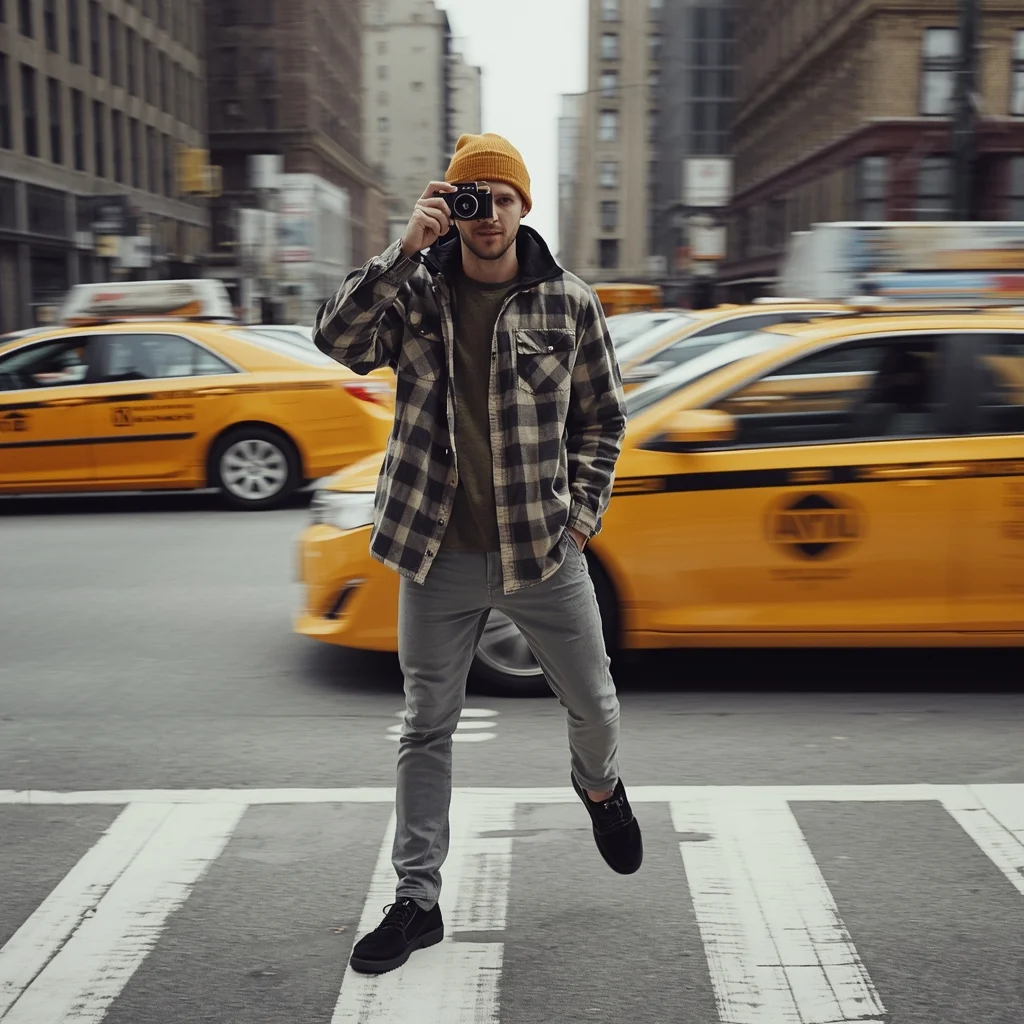
Prompt: A man in a trendy mustard-colored beanie and an oversized flannel shirt standing in a busy New York City intersection. Yellow taxis are blurred in the background, creating a sense of movement. Pose: Holding a vintage film camera up to his eye, preparing to take a shot. One leg is slightly forward, suggesting he is mid-stride but stopped for the perfect moment. Technical:Motion blur background, f/1.8 for shallow depth of field, street photography style, 4k resolution.
Pose: Holding a vintage film camera up to his eye, preparing to take a shot. One leg is slightly forward, suggesting he is mid-stride but stopped for the perfect moment. Technical:Motion blur background, f/1.8 for shallow depth of field, street photography style, 4k resolution.
Technical: Motion blur background, f/1.8 for shallow depth of field, street photography style, 4k resolution.
Want to create this with your own face? Use this instruction:
Face identity must remain locked throughout the entire generation process. Prompt: A man in a trendy mustard-colored beanie and an oversized flannel shirt standing in a busy New York City intersection. Yellow taxis are blurred in the background, creating a sense of movement. Pose: Holding a vintage film camera up to his eye, preparing to take a shot. One leg is slightly forward, suggesting he is mid-stride but stopped for the perfect moment. Technical:Motion blur background, f/1.8 for shallow depth of field, street photography style, 4k resolution.
Pose: Holding a vintage film camera up to his eye, preparing to take a shot. One leg is slightly forward, suggesting he is mid-stride but stopped for the perfect moment. Technical:Motion blur background, f/1.8 for shallow depth of field, street photography style, 4k resolution.
Technical: Motion blur background, f/1.8 for shallow depth of field, street photography style, 4k resolution.
About this Prompt
Prepare to have your visual expectations completely shattered by 'The Street Photographer | Travel Photo Prompt'. This bold, dramatic reimagining of traditional Man Pose Art concepts pushes the neural network to its absolute limits, resulting in a glorious visual feast that commands authority and establishes a commanding digital presence. Visually, it is an absolute powerhouse, utilizing a hyper-detailed, incredibly saturated palette that vibrates with intense, radiant, and almost radioactive energy. The vibrant saturation levels are perfectly calibrated; it pops intensely while maintaining a highly sophisticated, strictly professional Man Pose Art color grade.
From captivating, highly viral Instagram carousel posts to massively detailed, large-scale print-on-demand graphics, the sheer, staggering versatility of this specific prompt makes it a mandatory, must-have addition to your daily creative rendering toolkit. Do not hesitate to securely add the incredible power of this prompt to your professional toolkit. This flawless, highly optimized Man Pose Art prompt is completely ready to be copy-pasted instantly, radically transforming your blank digital canvas.
Classic Kashmiri Elegance in Fall Season | Ultra Hd Image Prompt Idea
1093 mos ago
Prompt: A culturally rich portrait of a Kashmiri woman seated on a wooden bench in an autumn garden, dressed in a traditional deep navy blue pheran with intricate Kashida embroidery. Her posture is composed and dignified, hands resting calmly on her lap, eyes looking slightly upward. Fallen chinar leaves surround her, creating a warm seasonal mood. Natural lighting enhances skin texture and fabric detail. Traditional silver jewelry, minimal styling, authentic Kashmiri look. Ultra-high detail, cinematic tone, professional DSLR realism, cultural storytelling image.
Confident Urban Street Queen Pose | Creative Image Prompt
983 mos ago
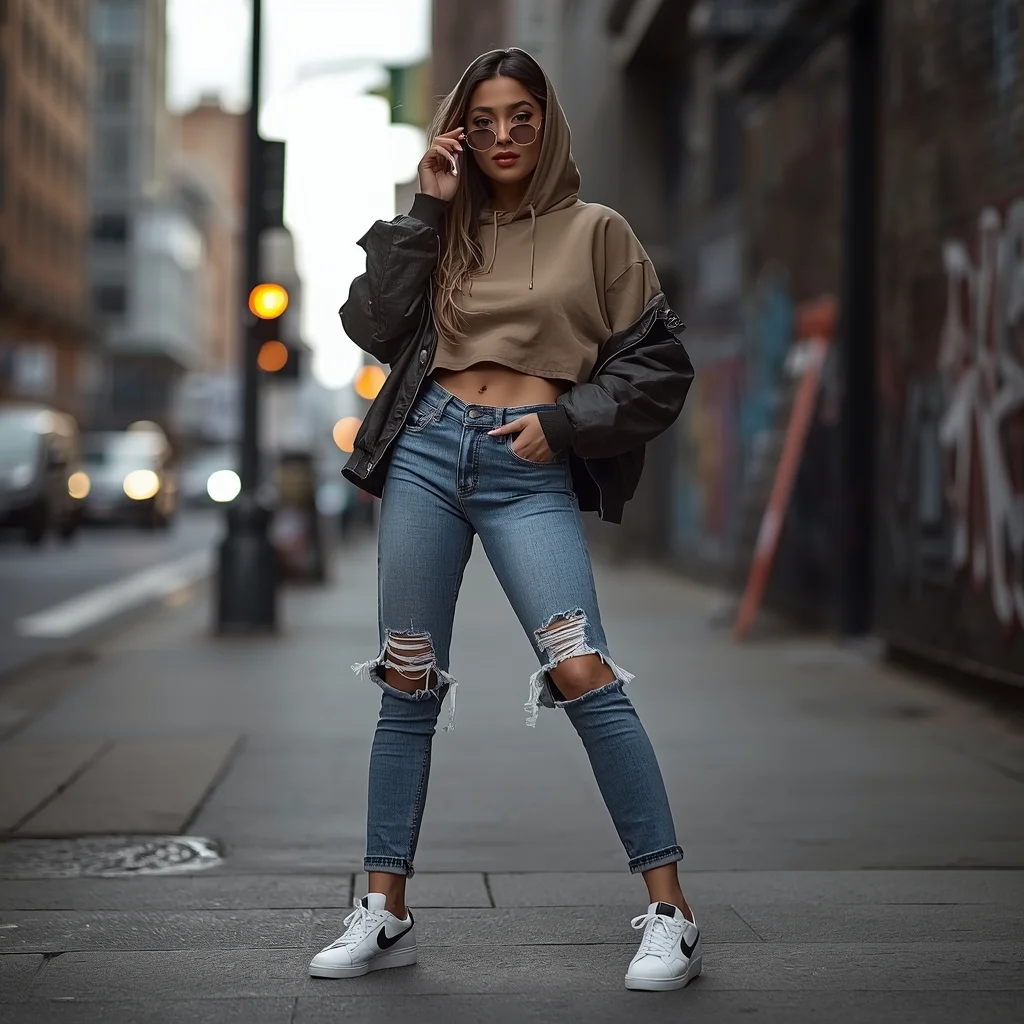
Prompt: A stylish young woman posing confidently on a modern city street, wearing an oversized hoodie layered with a cropped jacket, ripped high-waist jeans, and trendy sneakers. She stands with one hand in her pocket and the other holding sunglasses, chin slightly raised, expressing bold urban confidence. The background shows blurred city traffic, graffiti walls, street lights, and concrete textures. Shot in cinematic street photography style, natural daylight mixed with soft shadows, shallow depth of field, ultra-realistic skin texture, detailed facial features, sharp focus, fashion editorial look, 4K realism.
Studio Texture Study | Top Trending Ai Prompt Style
1023 mos ago
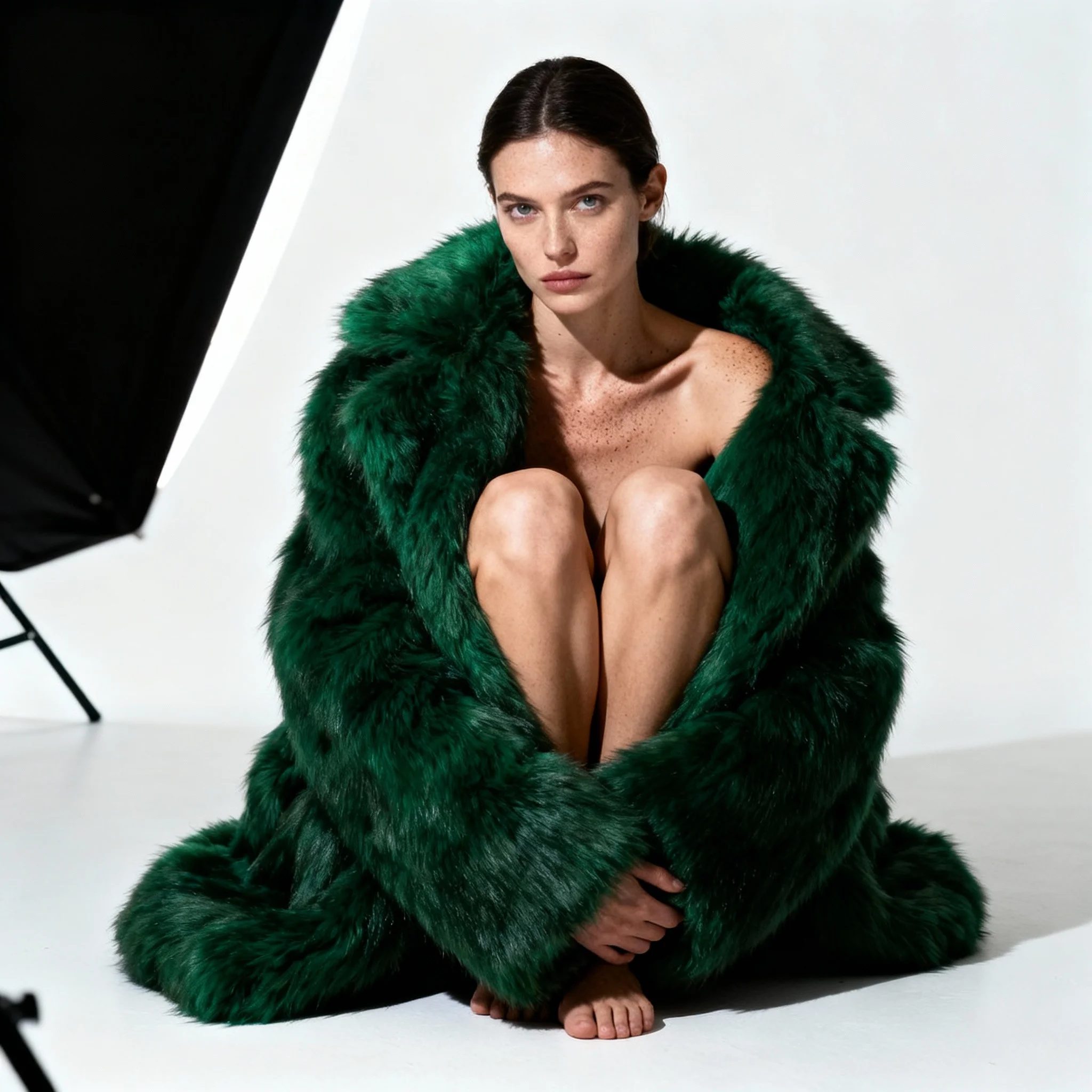
Prompt: A high-fashion "seated-tuck" pose on a white floor. The woman is wearing a heavy, oversized faux-fur coat in emerald green with nothing underneath. She has her knees tucked to her chest, looking directly into the lens with a "deadpan" high-fashion stare. The lighting is a single, harsh "beauty dish" from the side, which emphasizes the extreme contrast between the soft fur and her smooth, highly-detailed skin. No plastic smoothing; visible skin grain and natural highlights on the collarbone.
Prompt: A powerful portrait of a woman in a sharp, double-breasted pinstripe power suit in navy blue, with a crisp white shirt. She is standing in a grand, old-world library with towering wooden bookshelves and leather armchairs, leaning slightly against a large oak desk. Her expression is serious and intelligent. The lighting is warm and intellectual, coming from a vintage brass desk lamp and a large arched window. 8k resolution, highly detailed, corporate chic aesthetic.
Editorial Concrete Minimalist | Lighting Prompt Idea
1093 mos ago
Prompt: A high-fashion editorial shot of a woman in an avant-garde monochrome outfit with sharp geometric shapes. The setting is a brutalist concrete building with harsh shadows and clean lines. The vibe is cold, modern, and high-end fashion.
Pose: Sitting on a concrete step with legs extended, one arm resting sharply on her knee, head tilted at a dramatic angle, eyes looking away with a blank "high-fashion" expression.
Technical: High contrast, black and white photography style, wide-angle 24mm lens, sharp focus, grainy film texture, Hasselblad 100MP quality.
Kashmiri Pheran Inspired Saree Walk Pose | Simple Ai Prompt
1013 mos ago
Prompt: A cinematic scene of a woman walking slowly along a leaf-covered path, wearing a saree-style dress that combines traditional saree draping with pheran-inspired embroidery. Her pose is fluid and elegant, one hand holding the pleats as she walks. Wooden houses and chinar trees appear softly in the background. Golden hour lighting, realistic motion in fabric, cultural storytelling mood, ultra-detailed 8K realism.
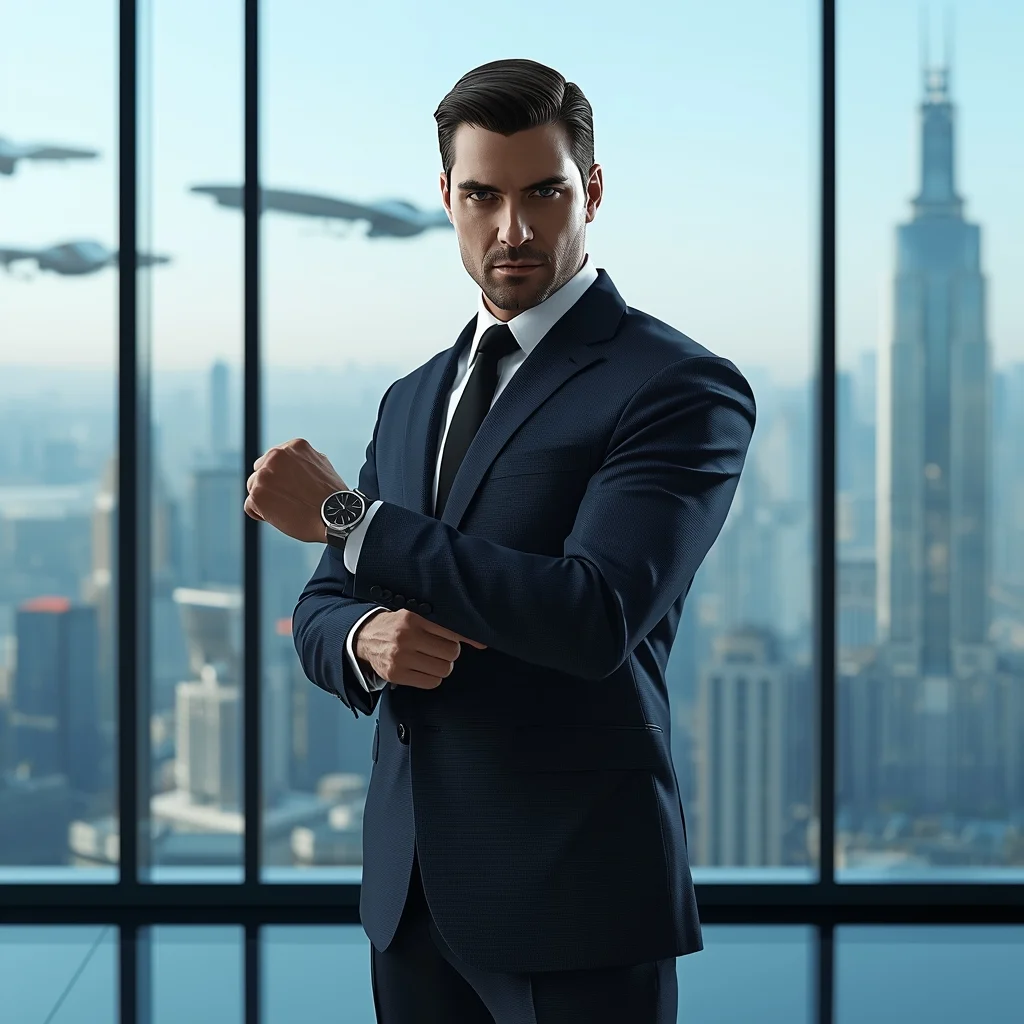
Prompt: A sharp, clean-shaven man in a tailored, minimalist suit made of advanced fabric, standing in a ultra-modern, glass-walled office overlooking a futuristic metropolis with flying vehicles. Pose: Standing tall and assertive, adjusting one cufflink with precision. He is looking directly at the camera with an intense, confident, and slightly intimidating gaze. Power stance. Technical: Sleek, clean composition, cool blue lighting tones, highly reflective surfaces, photorealistic 3D render style.
Pose: Standing tall and assertive, adjusting one cufflink with precision. He is looking directly at the camera with an intense, confident, and slightly intimidating gaze. Power stance. Technical: Sleek, clean composition, cool blue lighting tones, highly reflective surfaces, photorealistic 3D render style.
Technical: Sleek, clean composition, cool blue lighting tones, highly reflective surfaces, photorealistic 3D render style.
Frequently Asked Questions
Common questions regarding this AI prompt.
Why is this prompt highly effective for generating The Street Photographer | Travel Photo Prompt?
Its effectiveness lies in the structured syntax. It separates the core subject definition from the style and technical parameters. This 'block structure' prevents AI confusion, ensuring that the details of The Street Photographer | Travel Photo Prompt remain razor-sharp while the background and artistic medium seamlessly blend to match the Man Pose Art aesthetic without overpowering the main focus.
How can I dictate the camera angle to make the subject look more powerful?
Camera angle completely changes the psychological impact. To make the subject of The Street Photographer | Travel Photo Prompt appear dominant or towering, insert 'low angle shot' or 'worm's-eye view'. Conversely, to make the Man Pose Art scene feel vast and the subject small, use 'drone shot', 'bird's-eye view', or 'extreme high angle'.
How do I modify The Street Photographer | Travel Photo Prompt to fit into a dark fantasy or gothic horror setting?
Change the environmental descriptors. Add 'dark fantasy concept art, gothic architecture, eerie volumetric fog, corrupted ruins, ominous atmosphere, Bloodborne aesthetic'. This forces the AI to reinterpret the The Street Photographer | Travel Photo Prompt prompt through a grim, terrifying lens, drastically altering the mood of the Man Pose Art output.
Can I easily integrate the The Street Photographer | Travel Photo Prompt output into a professional design workflow?
Absolutely. The outputs generated by this prompt are designed with commercial and professional workflows in mind. Because it emphasizes crisp edges, balanced contrast, and high-resolution keywords, the resulting Man Pose Art images are perfect for immediate use in UI/UX design, marketing materials, or further post-processing in software like Adobe Photoshop.
What is the best Stylize (--s) value to use in Midjourney for this prompt?
The stylize parameter dictates how strongly Midjourney applies its default aesthetic. For strict adherence to the realistic details of The Street Photographer | Travel Photo Prompt, keep it around --s 100 to --s 250. If you want the AI to take artistic liberties and make the Man Pose Art scene look more like a digital masterpiece, push the value up to --s 500 or --s 750.
How can I prevent anatomical distortions or 'extra limbs' when generating characters?
While modern models have improved, complex poses in Man Pose Art can still cause issues. To prevent this, use a strong negative prompt containing 'bad anatomy, extra limbs, mutated hands, deformed structure'. If generating locally via Stable Diffusion, utilizing ControlNet (specifically OpenPose or Depth) alongside this prompt will guarantee flawless anatomical structure.
How does Google's Gemini (Imagen 3) respond to the The Street Photographer | Travel Photo Prompt prompt?
Gemini's Imagen 3 engine is exceptionally strong at adhering to safe, high-quality, photorealistic requests. It reads the descriptive narrative of the The Street Photographer | Travel Photo Prompt prompt perfectly, ensuring that the subject anatomy and environmental physics are logical, highly detailed, and free from the typical warping artifacts seen in older generation models.
Can I generate a 3D claymation or toy-like version of The Street Photographer | Travel Photo Prompt?
Yes, you can mimic physical models easily. Add terms such as 'made of polymer clay, tilt-shift photography, miniature diorama, cute 3D render, smooth plasticine, vibrant pastel colors' to the prompt. The AI will instantly convert the Man Pose Art scene into a charming, tactile 3D object.
How can I use Inpainting to fix specific errors in the generated The Street Photographer | Travel Photo Prompt image?
Inpainting is essential for perfection. If 90% of the The Street Photographer | Travel Photo Prompt image is flawless but a hand or eye is distorted, send the image to an Inpaint tab. Mask only the flawed area, keep the original prompt, and set the denoising strength high (around 0.7). The AI will regenerate only that specific zone, seamlessly blending the fixed Man Pose Art elements into the surrounding artwork.
How customizable are the character and environment details in the The Street Photographer | Travel Photo Prompt prompt?
Highly customizable. The prompt serves as a robust architectural framework. You can easily swap out specific nouns or color palettes while retaining the core Man Pose Art style. For example, changing the time of day or the primary clothing material will seamlessly adapt the scene while maintaining the high-definition rendering quality originally intended for The Street Photographer | Travel Photo Prompt.
Can I use Image-to-Image (Img2Img) techniques with the The Street Photographer | Travel Photo Prompt prompt?
Absolutely. Using a rough sketch or a reference photo alongside this prompt in an Img2Img workflow is highly effective. We recommend setting your Denoising Strength between 0.45 and 0.65. This range is the 'sweet spot' that allows the AI to apply the high-quality textures and lighting of the The Street Photographer | Travel Photo Prompt prompt while strictly respecting the structural layout of your reference image.
What is the best way to shift the artistic medium of The Street Photographer | Travel Photo Prompt to an oil painting?
To completely transform the medium, append powerful style modifiers. Injecting phrases like 'intricate oil painting on canvas, thick impasto strokes, palette knife technique, classical fine art, museum masterpiece' will completely override the default realism, offering a traditional artistic variation for your Man Pose Art project.