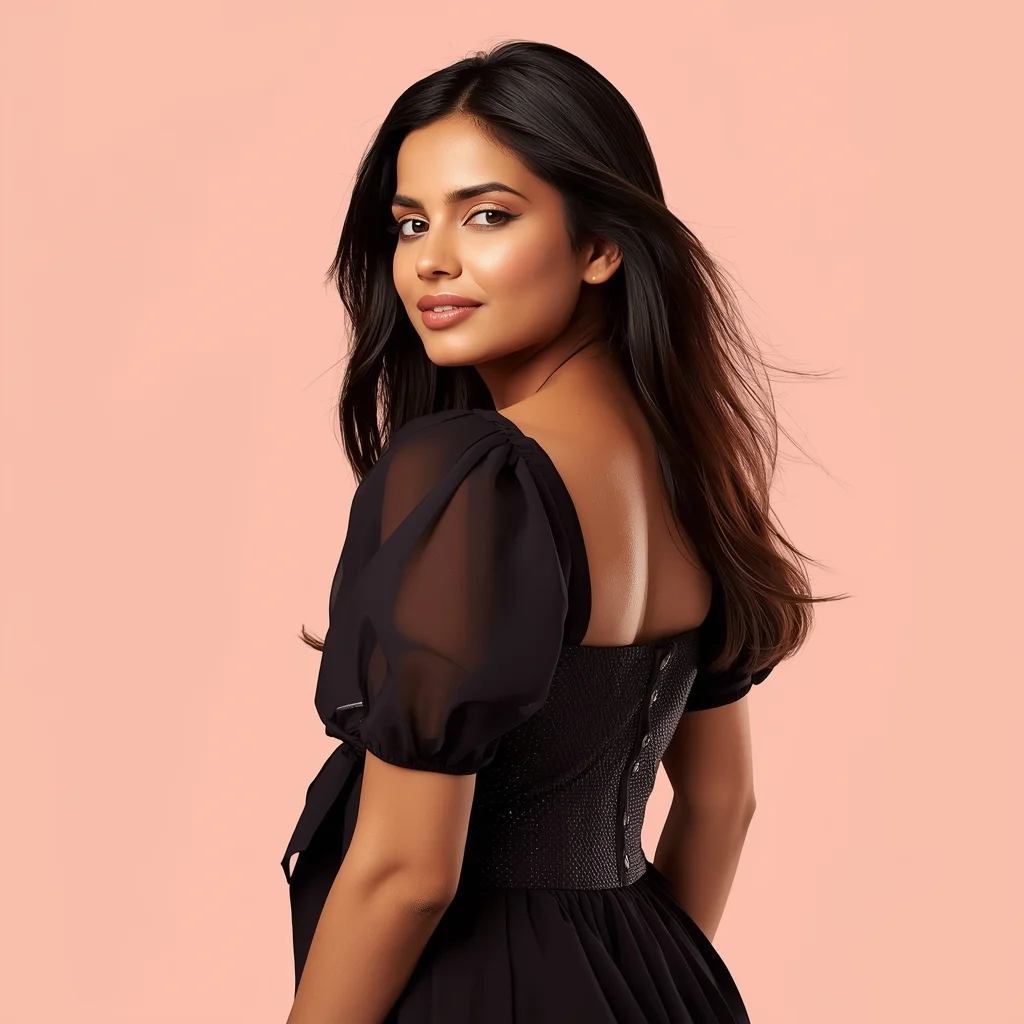
High-quality AI-generated image. Optimized for detailed rendering, perfect for creative projects and inspiration.
181Views
0 Likes
100%Quality
FreeLicense
AI Prompt
A woman in a low tactical crouch inside a dark ventilation shaft, red emergency lights flickering, glowing tech-visor, metallic surfaces, steam in the air, hyper-realistic, wide angle, UE5 render
Want to create this with your own face? Use this instruction:
Facial fidelity is the highest priority. If any conflict occurs, always favor keeping the reference face unchanged. A woman in a low tactical crouch inside a dark ventilation shaft, red emergency lights flickering, glowing tech-visor, metallic surfaces, steam in the air, hyper-realistic, wide angle, UE5 render
About this Prompt
Say hello to your new favorite creative asset, 'Crouching Infiltrator | Clear Ai Prompt', a breathtaking fusion of hyper-advanced prompting techniques and classic Woman Pose Art storytelling. The sheer elegance embedded in this prompt is entirely unmatched, guaranteeing a mesmerizing and deeply evocative output every single time. The rough, beautifully oxidized patina and heavily grainy, degraded film aesthetic add incredible, highly sought-after authenticity. It feels like a deeply nostalgic, lost memory or a premium piece of found-footage recovered from the absolute golden age of Woman Pose Art analog broadcasting.
An incredibly valuable resource for digital UI/UX designers needing premium, highly realistic Woman Pose Art placeholder imagery that actually elevates their wireframes and interface mockups, making the final presentation look incredibly polished and highly professional. Embrace the highly anticipated, bleeding-edge absolute future of pixel generation. This text string is widely considered the undisputed, heavily relied-upon heavyweight champion of modern prompts, guaranteeing an absolute visual ecstasy for your eager viewers' retinas.
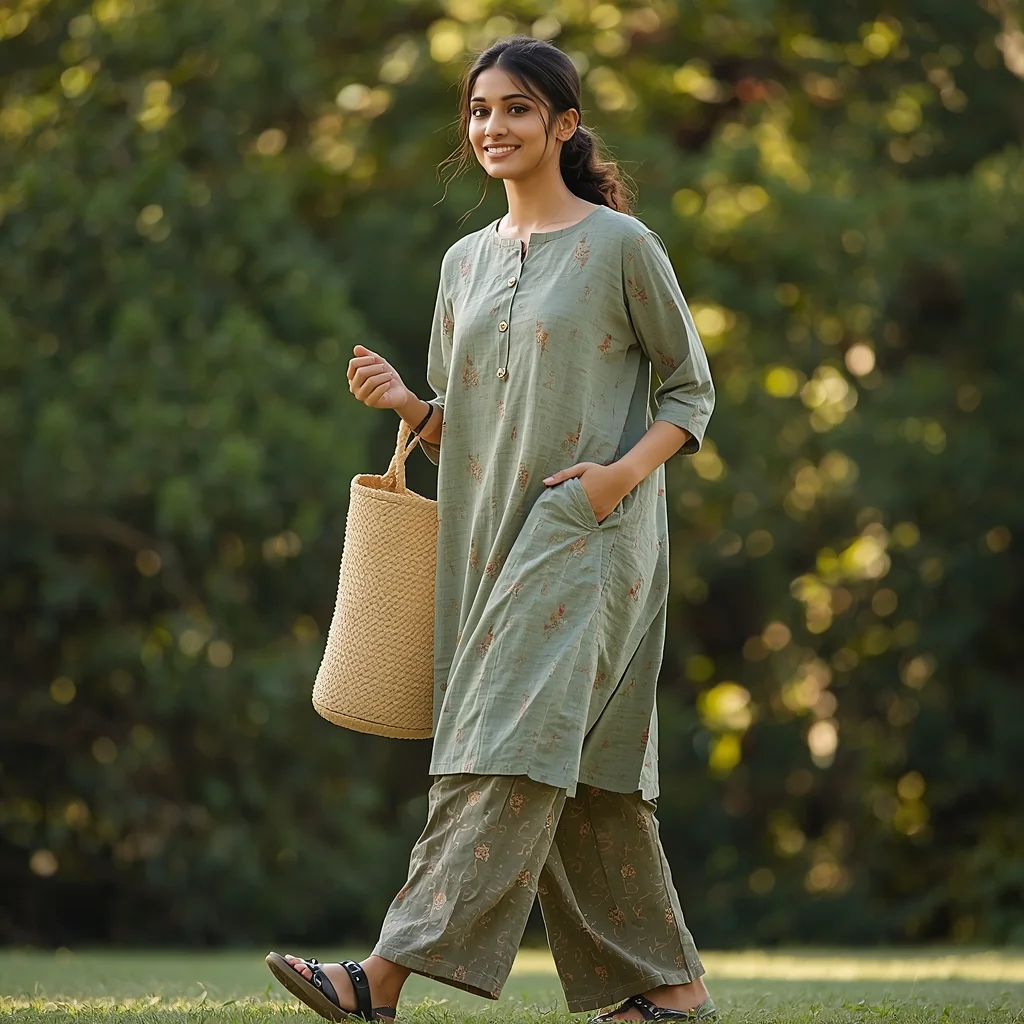
Prompt: Casual Indian lady in comfortable cotton kurti and palazzo pants in earthy green prints, walking pose with a relaxed stride and hands in pockets, fresh-faced with minimal makeup and ponytail, carrying a woven tote bag, park setting with green foliage background, warm afternoon sun, high-fidelity candid shot, conveying everyday ease and natural beauty.
Modern Women Girl Viral Reel Bold Standing Pose | Photo Prompt
2444 mos ago
Prompt: A woman dressed in a bold modern women dress, standing confidently in a reel-style pose. Weight placed on one leg, body balanced, arms relaxed but expressive. Posture strong and elegant. Hair styled neatly with subtle motion. Expression fearless and confident. Makeup refined and camera-ready. Lighting bright and controlled, enhancing contrast and sharpness. Background minimal and modern. High clarity, fashion-editorial aesthetic, cinematic framing, ultra-realistic textures.
AI Influencer One-Hand Jacket Adjust Pose | Design Prompt
1794 mos ago
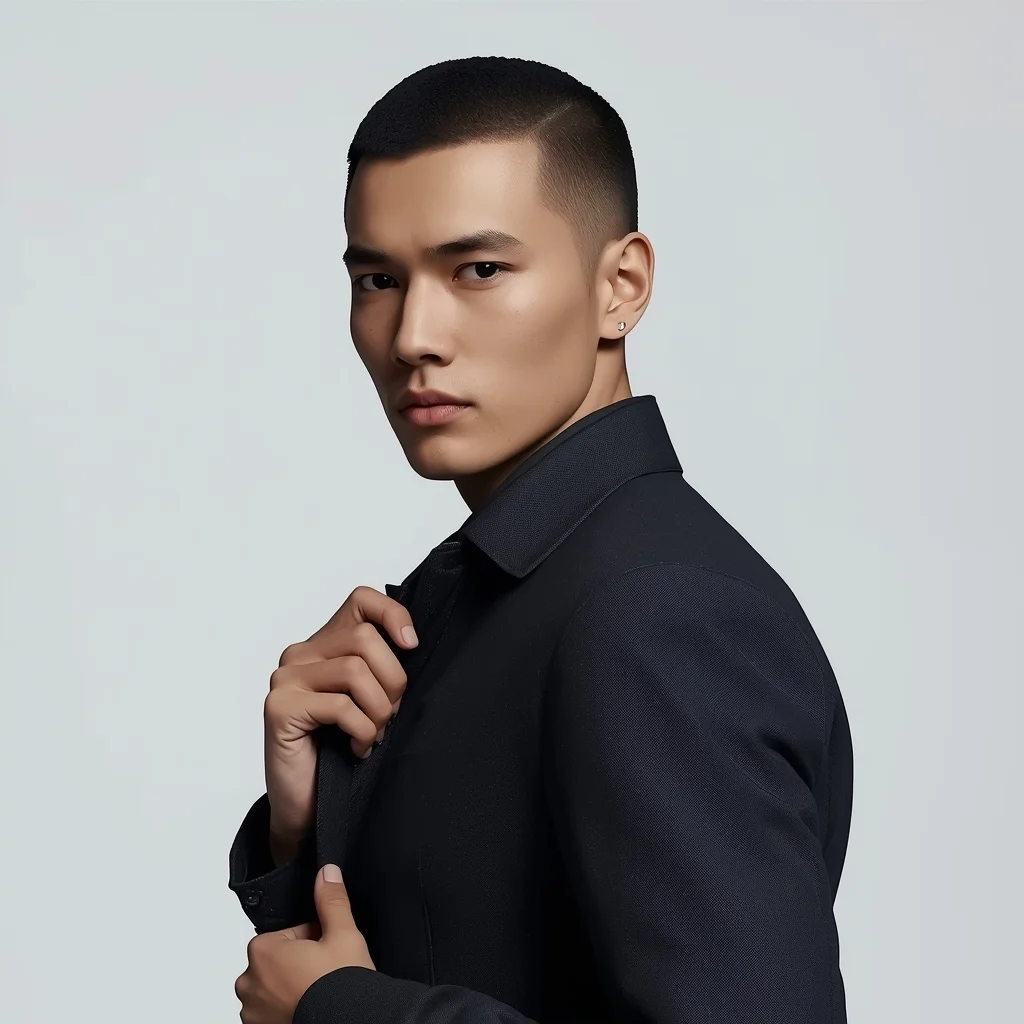
Prompt: A modern AI influencer male slightly angled toward the camera, one hand adjusting a minimalist jacket, relaxed stance, sharp jawline, calm confident gaze, premium studio lighting, smooth skin detail, simple background, high-end influencer portrait, hyper-realistic rendering.
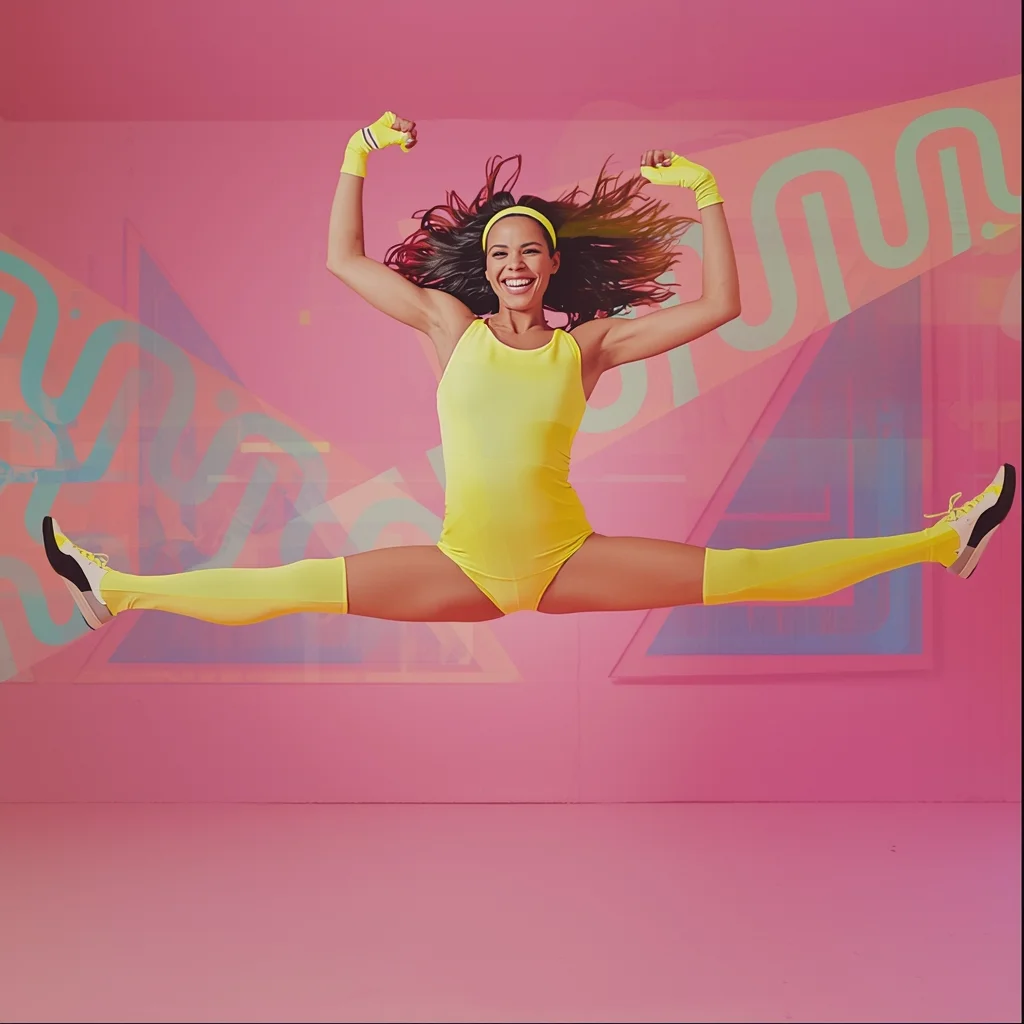
Prompt: A vibrant, energetic synthwave aesthetic image of a woman in an 80s aerobics studio. She is wearing a neon spandex leotard, leg warmers, and a headband. The background features Memphis design patterns (squiggles and triangles) in pastel colors.
Pose: Mid-air jump freeze frame; legs split in a hurdle jump, arms pumped high in the air, huge smile, hair flying dynamically.
Technical: Studio strobe lighting, bright pastel colors, VHS glitch effect overlay, high energy, commercial advertising style.
Minimalist Muse in Marble | Trending Ai Art Prompt
1824 mos ago
Prompt: A minimalist editorial shot of a woman in a structured, monochrome charcoal grey jumpsuit. The setting is a vast, empty hall made entirely of white Carrara marble with sharp architectural angles. The composition is clean, modern, and high-fashion.
Pose: Standing perfectly straight and centered, arms down by her sides, head tilted slightly up with eyes closed, creating a statue-like, serene, and powerful silhouette.
Technical: Phase One XF camera, 80mm lens, f/8 for deep sharpness, high-key lighting, minimalist aesthetic, 16k resolution, clean lines.
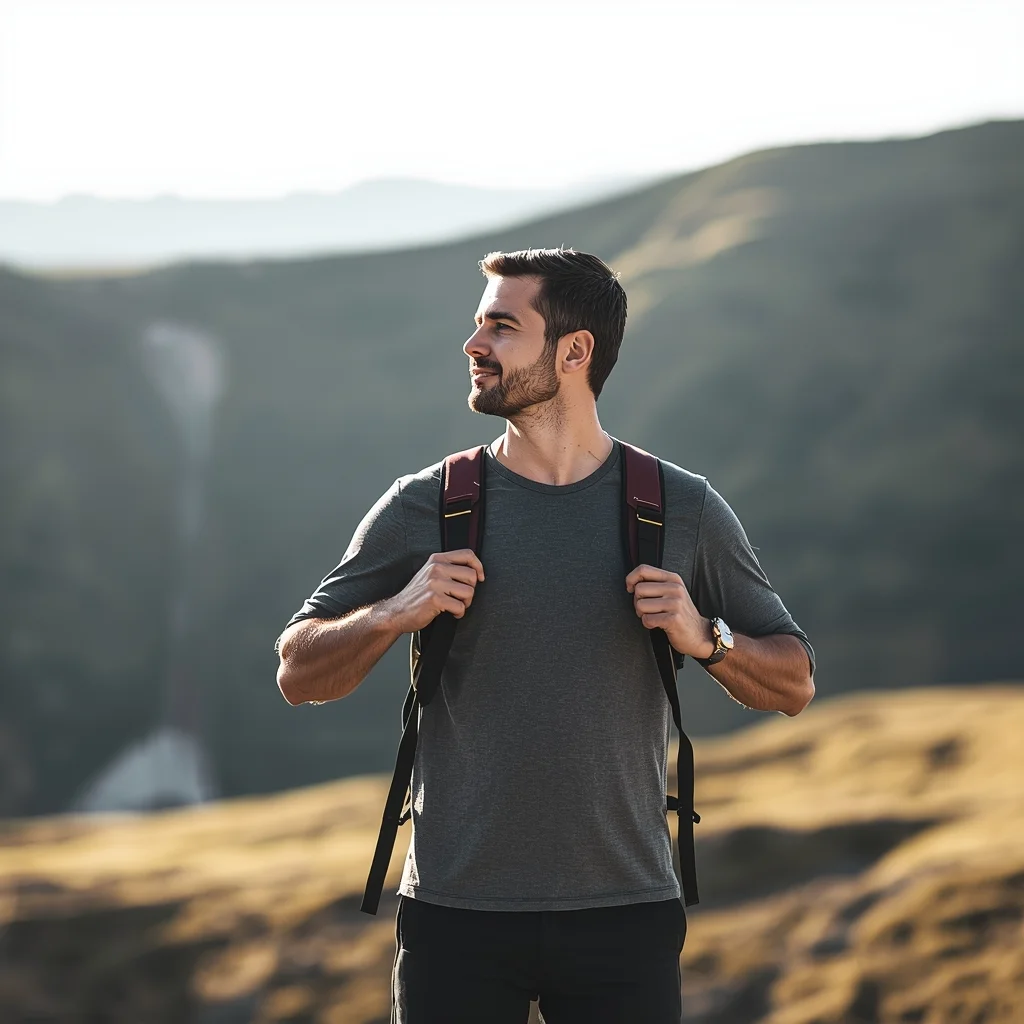
Prompt: A man standing on a scenic outdoor location, hands on backpack straps, relaxed adventurous posture, looking into the distance, travel lifestyle photography, natural colors, soft sunlight, cinematic wide-angle view, realistic textures, inspirational explorer mood.
Modern Indian Viral Reel Pose – Turn Back Confidence Look | Professional Photo Prompt
1694 mos ago
Prompt: An Indian female model dressed in a modern Indo-western dress, captured mid-turn while looking back at the camera. Body posture relaxed yet confident, shoulders slightly rotated creating elegance. Hair styled smooth with light motion at the ends. Expression is calm, confident, and stylish. Makeup is clean and camera-ready with soft highlights. Lighting is studio-bright with smooth shadows. Background minimal or pastel. High-definition realism, cinematic influencer vibe, sharp focus, designed for viral social media visuals.
The 2026 Stock Market Crash: How to Protect Your Money | Gemini Prompt Trick
1644 mos ago
Prompt: A dramatic and high-stakes financial thumbnail featuring a literal visual metaphor for a market collapse. A giant, cracked stone bull statue (representing the Bull Market) is seen crumbling and falling into a dark, stormy abyss. In the foreground, a close-up of a hand is seen holding a glowing, golden physical Bitcoin and a silver bar that are radiating a protective light. The background features a blurred, chaotic Wall Street with red digital ticker tapes showing aggressive downward trends and "CRASH" warnings. The lighting is dark and moody, with sharp orange and red highlights. Cinematic film grain, 8k, ultra-sharp focus on the gold and silver, high-contrast composition that screams urgency and authority.
Frequently Asked Questions
Common questions regarding this AI prompt.
Does this prompt support blending multiple concepts together?
Yes, advanced users can use this prompt as a base for concept blending. By utilizing syntax like [Concept A : Concept B : 0.5] in Automatic1111 or simply describing a hybrid scenario, the strong foundational parameters of the Crouching Infiltrator | Clear Ai Prompt prompt will ensure the merged concepts render cohesively without degrading into visual noise.
How can I dictate the camera angle to make the subject look more powerful?
Camera angle completely changes the psychological impact. To make the subject of Crouching Infiltrator | Clear Ai Prompt appear dominant or towering, insert 'low angle shot' or 'worm's-eye view'. Conversely, to make the Woman Pose Art scene feel vast and the subject small, use 'drone shot', 'bird's-eye view', or 'extreme high angle'.
How do I add realistic weather effects like rain or snow to the scene?
Weather completely alters the physics of light. If you add 'torrential rain, wet asphalt reflecting neon, water droplets clinging to surfaces', the AI will not just draw rain; it will change the specularity of the Crouching Infiltrator | Clear Ai Prompt subject. For snow, use 'heavy blizzard, frost-covered edges, soft diffused winter light' to change the entire atmosphere of the Woman Pose Art generation.
Can I make the characters or subjects in Crouching Infiltrator | Clear Ai Prompt look like cyborgs?
Easily. Append 'cybernetic enhancements, robotic limbs, glowing optical sensors, biomechanical plating, android'. The AI seamlessly blends biological flesh with metallic machinery, maintaining the high-quality rendering of the original Woman Pose Art prompt while shifting the character design.
How can I use Inpainting to fix specific errors in the generated Crouching Infiltrator | Clear Ai Prompt image?
Inpainting is essential for perfection. If 90% of the Crouching Infiltrator | Clear Ai Prompt image is flawless but a hand or eye is distorted, send the image to an Inpaint tab. Mask only the flawed area, keep the original prompt, and set the denoising strength high (around 0.7). The AI will regenerate only that specific zone, seamlessly blending the fixed Woman Pose Art elements into the surrounding artwork.
Is it possible to make the image look like an architectural blueprint?
Absolutely. Strip all color and realism by adding 'technical architectural blueprint, white lines on blue background, schematics, precise measurements, cross-section view, drafted by an engineer'. This is a highly creative way to present the Woman Pose Art subject from an analytical, structural perspective.
What is the best way to shift the artistic medium of Crouching Infiltrator | Clear Ai Prompt to an oil painting?
To completely transform the medium, append powerful style modifiers. Injecting phrases like 'intricate oil painting on canvas, thick impasto strokes, palette knife technique, classical fine art, museum masterpiece' will completely override the default realism, offering a traditional artistic variation for your Woman Pose Art project.
Can I easily integrate the Crouching Infiltrator | Clear Ai Prompt output into a professional design workflow?
Absolutely. The outputs generated by this prompt are designed with commercial and professional workflows in mind. Because it emphasizes crisp edges, balanced contrast, and high-resolution keywords, the resulting Woman Pose Art images are perfect for immediate use in UI/UX design, marketing materials, or further post-processing in software like Adobe Photoshop.
How does Midjourney v6 process the intricate details of Crouching Infiltrator | Clear Ai Prompt?
Midjourney v6 excels at understanding natural language nuances. This prompt is specifically written to take advantage of v6's semantic comprehension. You do not need to use 'prompt salad' (randomly throwing words). The detailed, descriptive sentences regarding the Woman Pose Art elements are parsed accurately, giving you photographic or highly illustrative perfection.
How do I deal with unwanted text or watermarks appearing in the image?
AI models are trained on stock photos which often contain watermarks. To aggressively filter this out, ensure words like 'text, watermark, signature, username, website url, copyright stamp' are heavily weighted in your negative prompt box. This is especially crucial when generating commercial-grade Woman Pose Art content.
Why might the colors in my Crouching Infiltrator | Clear Ai Prompt generation appear washed out, and how do I fix it?
Washed-out colors typically result from a missing VAE file in local setups, or a lack of color-grading instructions. To immediately fix this within the text prompt itself, append phrases such as 'vibrant technicolor, rich saturation, HDR, cinematic color grading, high contrast'. This forces the AI to map a wider, more dynamic color range to your image.
What specific lighting setup is best to highlight the details of Crouching Infiltrator | Clear Ai Prompt?
For maximum texture reveal, a 'three-point studio lighting' or 'Rembrandt lighting' setup works best. By incorporating keywords like 'rim light', 'key light', and 'soft fill', you instruct the AI to sculpt the Woman Pose Art subject out of the background, ensuring that micro-details like skin pores, fabric weaves, or metallic reflections are perfectly visible.
How do I modify Crouching Infiltrator | Clear Ai Prompt to fit into a dark fantasy or gothic horror setting?
Change the environmental descriptors. Add 'dark fantasy concept art, gothic architecture, eerie volumetric fog, corrupted ruins, ominous atmosphere, Bloodborne aesthetic'. This forces the AI to reinterpret the Crouching Infiltrator | Clear Ai Prompt prompt through a grim, terrifying lens, drastically altering the mood of the Woman Pose Art output.
What is the optimal workflow for upscaling Crouching Infiltrator | Clear Ai Prompt to print-quality resolution?
Do not generate at massive resolutions directly, as it causes compositional duplication (like two heads). Instead, generate Crouching Infiltrator | Clear Ai Prompt at a native resolution (e.g., 1024x1024), and then use a dedicated AI upscaler. Tools like Topaz Gigapixel AI, Magnific AI, or the '4x-UltraSharp' model in Automatic1111 will enhance the micro-textures of the Woman Pose Art without destroying the original composition.