Modern Indian Viral Reel Pose – Elegant Pause Frame | Clear Ai Prompt
High-quality AI-generated image. Optimized for detailed rendering, perfect for creative projects and inspiration.
93Views
0 Likes
100%Quality
FreeLicense
AI Prompt
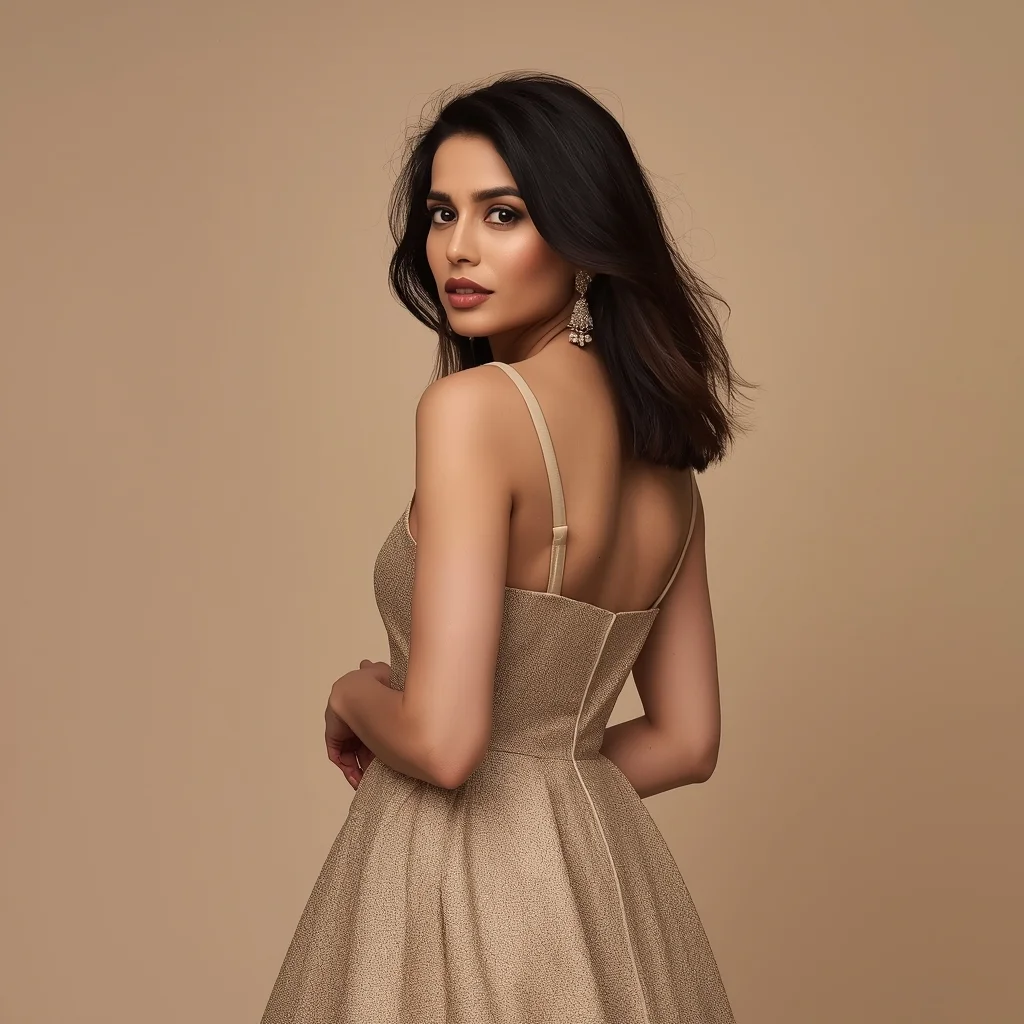
Prompt: An Indian female model wearing a modern Indian elegant dress, captured in a soft pause pose mid-reel. Body slightly turned, hands relaxed, posture graceful. Hair styled softly with natural volume. Expression calm, poised, and confident. Makeup highlights natural skin texture and eyes. Lighting is soft studio glow. Background minimal and refined. High-definition clarity, cinematic elegance, influencer-style realism, designed for viral reach.
Want to create this with your own face? Use this instruction:
No distortion, no smoothing, no reshaping of the face. Prompt: An Indian female model wearing a modern Indian elegant dress, captured in a soft pause pose mid-reel. Body slightly turned, hands relaxed, posture graceful. Hair styled softly with natural volume. Expression calm, poised, and confident. Makeup highlights natural skin texture and eyes. Lighting is soft studio glow. Background minimal and refined. High-definition clarity, cinematic elegance, influencer-style realism, designed for viral reach.
About this Prompt
Dive deep into the sheer brilliance of premium content creation with 'Modern Indian Viral Reel Pose – Elegant Pause Frame | Clear Ai Prompt'. As a standout powerhouse in the Indian prompt library, it focuses intensely on synthesizing intricate details and deep emotional resonance, ensuring your artwork leaves a massive, lasting imprint on any viewer. The deeply mesmerizing, incredibly vibrant patterns and motifs adorning the subject are utterly captivating, making it a highly decorative and intricately ornate digital wonder. Soothing tones mixed with hyper-kinetic energy make this Indian piece infinitely complex and visually deeply satisfying.
Ideal for fashion designers, textile artists, and apparel brands seeking instant, highly realistic Indian visual representations of new fabric concepts, draped beautifully in perfect studio lighting before a single physical sample is even produced. Your massive, highly frustrating creative block officially ends exactly right here, right now. Rendering this specific text will instantly flood your artistic brain with infinite, highly profitable inspiration, pulling you entirely out of your digital slump.
Modern Indian Viral Reel Pose – Power Confidence Stand | Easy Ai Prompt
1123 mos ago
Prompt: An Indian woman dressed in a bold modern Indian dress, captured standing confidently as if pausing a reel for impact. Feet grounded, shoulders squared, posture strong. Hair neatly styled with subtle volume. Expression bold, fearless, and self-assured. Makeup clean glam with sharp features. Lighting crisp and studio-clean. Background minimal. Ultra-realistic textures, cinematic influencer framing, high-impact viral composition.
Modern Indian Viral Reel Pose – Hair Flow Energy Shot | Trending Ai Image Prompt 2026
893 mos ago
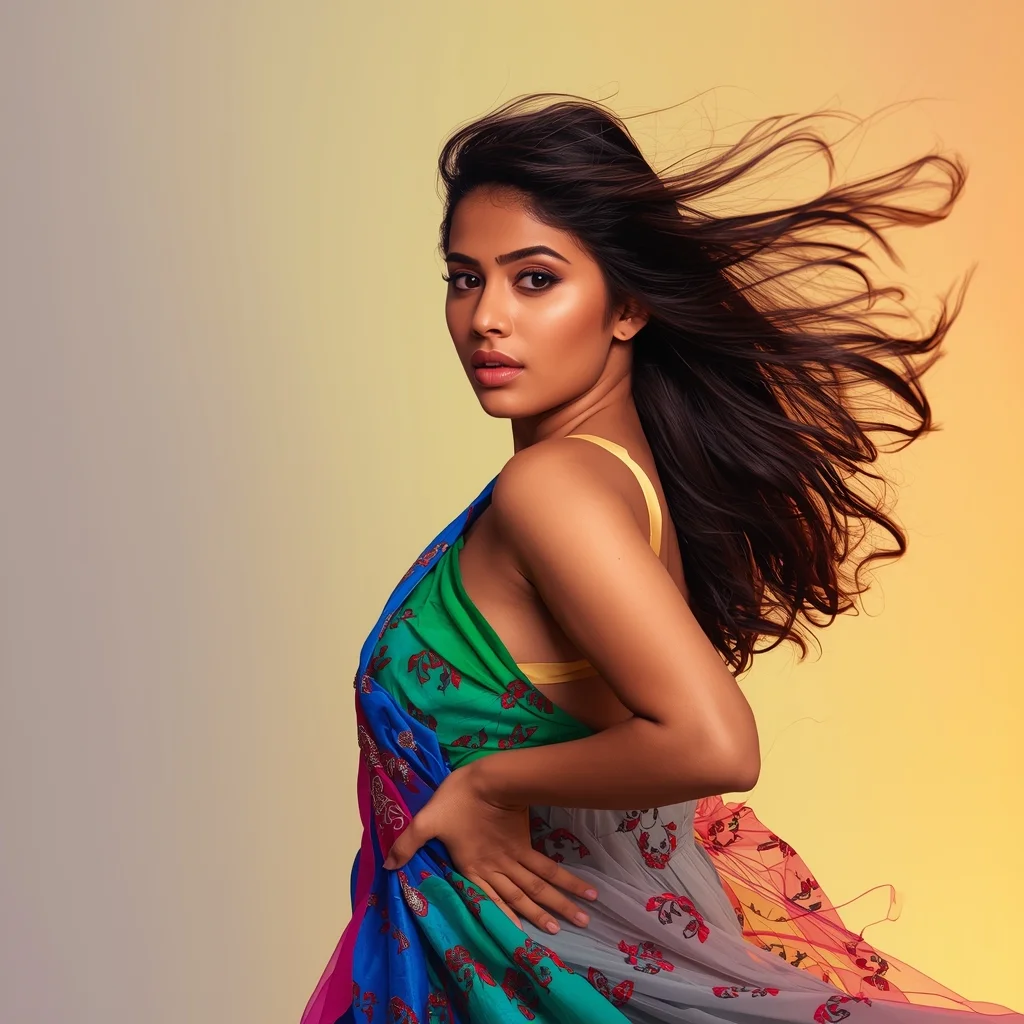
Prompt: An Indian woman in a modern Indian party dress, captured mid-motion with hair flowing naturally as if caught during a reel shoot. Body posture fluid and expressive, head slightly turned. Hair movement adds energy and realism. Expression bold and playful. Makeup is glossy and camera-ready. Lighting is vibrant and directional, enhancing sharpness. Background minimal or softly colorful. High-definition clarity, influencer reel vibe, cinematic realism, designed for viral impact.
Young Kashmiri Woman in Autumn Pheran Elegance | Top Trending Ai Prompt Style
1073 mos ago
Prompt: A highly realistic image of a young Kashmiri woman standing gracefully in an autumn landscape, wearing a traditional woolen Kashmiri pheran in deep maroon and soft beige tones, detailed with delicate Kashida embroidery. Her pose is youthful yet elegant, shoulders relaxed, one hand lightly holding the edge of the pheran. Golden chinar leaves blanket the ground around her. Soft natural sunlight, fresh youthful facial features, minimal makeup, traditional silver earrings, cinematic depth of field, cultural authenticity, ultra-realistic 8K photography.
Eating A 24-Karat Gold Tomahawk Steak ($5,000) | Copy Paste Ai Prompt
963 mos ago
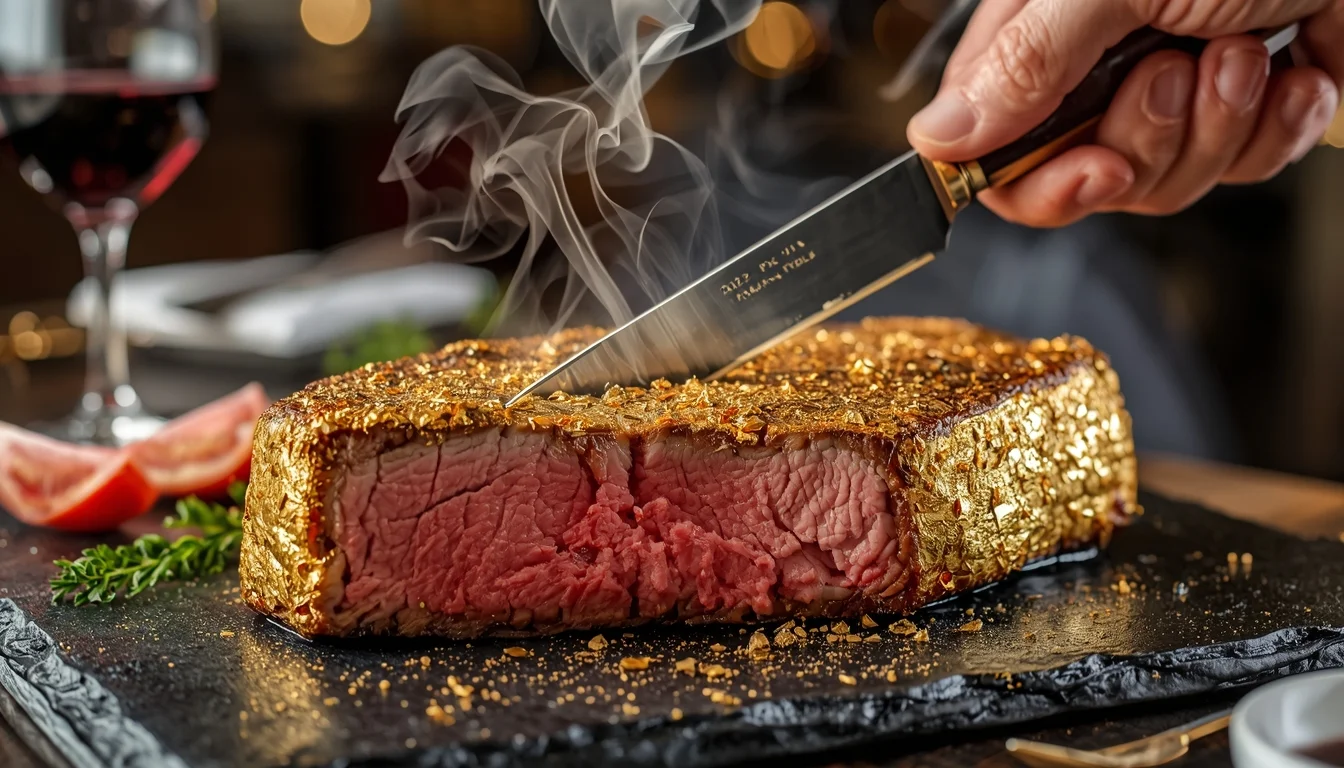
Prompt: An extreme close-up, luxurious food photography shot of an enormous Tomahawk ribeye steak completely covered in edible, shimmering 24-karat gold leaf. The steak is glistening on a black slate platter. A hand with a fancy steak knife is slicing into the meat, revealing a perfect medium-rare pink interior with juices running out. Smoke and steam curl gently around the steak. In the blurred background, there are glasses of expensive red wine and a high-end restaurant setting. Rich colors, mouth-watering texture, dynamic lighting, 8k resolution.
Kashmiri Pheran Inspired Saree Walk Pose | Simple Ai Prompt
1023 mos ago
Prompt: A cinematic scene of a woman walking slowly along a leaf-covered path, wearing a saree-style dress that combines traditional saree draping with pheran-inspired embroidery. Her pose is fluid and elegant, one hand holding the pleats as she walks. Wooden houses and chinar trees appear softly in the background. Golden hour lighting, realistic motion in fabric, cultural storytelling mood, ultra-detailed 8K realism.
I Was Making This Huge YouTube Mistake | Pro Ai Prompt For Creator
893 mos ago
Prompt: Create a dramatic thumbnail showing a creator pointing at their own head with a shocked expression. Behind them, a cracked YouTube logo and broken analytics graph symbolize failure. Red warning symbols float around the scene. Use dark cinematic lighting with red accents, intense facial emotion, ultra-sharp focus, dramatic shadows, high saturation, bold visual hierarchy, and professional thumbnail composition designed to instantly communicate error and urgency.
Nobody Warned Me About This | Ai Prompt For Stunning Portrait
883 mos ago
Prompt: Create a suspenseful YouTube thumbnail showing a creator looking worried while pointing toward a dark shadowy shape behind them. The background includes subtle warning icons and blurred YouTube elements. Use moody cinematic lighting, blue and red contrast tones, realistic facial expression, shallow depth of field, strong emotional tension, and curiosity-driven composition for maximum clicks.
Tech Product Futuristic Style | Trending Ai Prompt
1243 mos ago
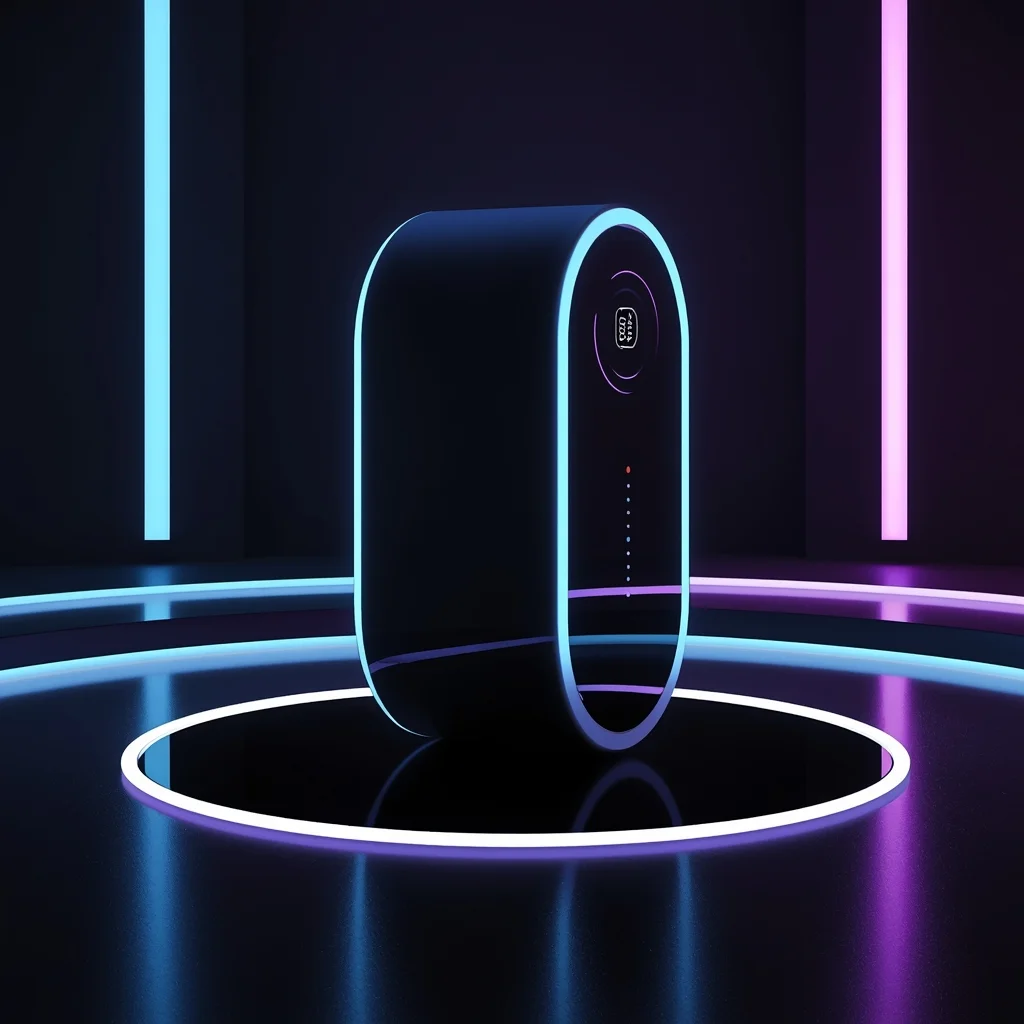
A modern tech product displayed in a futuristic environment, glowing accents, blue and purple light tones, dark background, cinematic sci-fi mood, detailed reflections, professional tech advertising photography, ultra-realistic, 8K resolution
Frequently Asked Questions
Common questions regarding this AI prompt.
How do I deal with unwanted text or watermarks appearing in the image?
AI models are trained on stock photos which often contain watermarks. To aggressively filter this out, ensure words like 'text, watermark, signature, username, website url, copyright stamp' are heavily weighted in your negative prompt box. This is especially crucial when generating commercial-grade Indian content.
Can I make the characters or subjects in Modern Indian Viral Reel Pose – Elegant Pause Frame | Clear Ai Prompt look like cyborgs?
Easily. Append 'cybernetic enhancements, robotic limbs, glowing optical sensors, biomechanical plating, android'. The AI seamlessly blends biological flesh with metallic machinery, maintaining the high-quality rendering of the original Indian prompt while shifting the character design.
Can I easily integrate the Modern Indian Viral Reel Pose – Elegant Pause Frame | Clear Ai Prompt output into a professional design workflow?
Absolutely. The outputs generated by this prompt are designed with commercial and professional workflows in mind. Because it emphasizes crisp edges, balanced contrast, and high-resolution keywords, the resulting Indian images are perfect for immediate use in UI/UX design, marketing materials, or further post-processing in software like Adobe Photoshop.
How can I dictate the camera angle to make the subject look more powerful?
Camera angle completely changes the psychological impact. To make the subject of Modern Indian Viral Reel Pose – Elegant Pause Frame | Clear Ai Prompt appear dominant or towering, insert 'low angle shot' or 'worm's-eye view'. Conversely, to make the Indian scene feel vast and the subject small, use 'drone shot', 'bird's-eye view', or 'extreme high angle'.
How does Google's Gemini (Imagen 3) respond to the Modern Indian Viral Reel Pose – Elegant Pause Frame | Clear Ai Prompt prompt?
Gemini's Imagen 3 engine is exceptionally strong at adhering to safe, high-quality, photorealistic requests. It reads the descriptive narrative of the Modern Indian Viral Reel Pose – Elegant Pause Frame | Clear Ai Prompt prompt perfectly, ensuring that the subject anatomy and environmental physics are logical, highly detailed, and free from the typical warping artifacts seen in older generation models.
What is the best Stylize (--s) value to use in Midjourney for this prompt?
The stylize parameter dictates how strongly Midjourney applies its default aesthetic. For strict adherence to the realistic details of Modern Indian Viral Reel Pose – Elegant Pause Frame | Clear Ai Prompt, keep it around --s 100 to --s 250. If you want the AI to take artistic liberties and make the Indian scene look more like a digital masterpiece, push the value up to --s 500 or --s 750.
How do I ensure the skin textures in Modern Indian Viral Reel Pose – Elegant Pause Frame | Clear Ai Prompt look photorealistic and not plastic?
AI often defaults to overly smooth, airbrushed skin. To counter this, you must explicitly demand imperfections. Add 'subsurface scattering, visible skin pores, peach fuzz, micro-wrinkles, highly detailed skin texture, raw unedited photograph' to the prompt. This forces the model to render the human elements of the Indian scene with authentic, biological realism.
Can I change the material composition of objects in the Modern Indian Viral Reel Pose – Elegant Pause Frame | Clear Ai Prompt prompt?
Yes, AI handles material transformation brilliantly. If you want to change a standard object into something surreal, use explicit material descriptors like 'made of translucent frosted glass', 'brushed anodized aluminum', 'woven carbon fiber', or 'wet shimmering obsidian'. This will completely recalculate the reflections and refractions in the Indian output.
What is the core conceptual focus of the Modern Indian Viral Reel Pose – Elegant Pause Frame | Clear Ai Prompt prompt?
The Modern Indian Viral Reel Pose – Elegant Pause Frame | Clear Ai Prompt prompt is meticulously engineered to focus on high-fidelity visual storytelling within the Indian genre. By leveraging advanced keyword weighting and specific rendering tokens, it ensures that the AI prioritizes both the primary subject matter and the intricate atmospheric details, resulting in a highly professional and polished final image.
Why might the colors in my Modern Indian Viral Reel Pose – Elegant Pause Frame | Clear Ai Prompt generation appear washed out, and how do I fix it?
Washed-out colors typically result from a missing VAE file in local setups, or a lack of color-grading instructions. To immediately fix this within the text prompt itself, append phrases such as 'vibrant technicolor, rich saturation, HDR, cinematic color grading, high contrast'. This forces the AI to map a wider, more dynamic color range to your image.
How do I modify Modern Indian Viral Reel Pose – Elegant Pause Frame | Clear Ai Prompt to fit into a dark fantasy or gothic horror setting?
Change the environmental descriptors. Add 'dark fantasy concept art, gothic architecture, eerie volumetric fog, corrupted ruins, ominous atmosphere, Bloodborne aesthetic'. This forces the AI to reinterpret the Modern Indian Viral Reel Pose – Elegant Pause Frame | Clear Ai Prompt prompt through a grim, terrifying lens, drastically altering the mood of the Indian output.
What specific lighting setup is best to highlight the details of Modern Indian Viral Reel Pose – Elegant Pause Frame | Clear Ai Prompt?
For maximum texture reveal, a 'three-point studio lighting' or 'Rembrandt lighting' setup works best. By incorporating keywords like 'rim light', 'key light', and 'soft fill', you instruct the AI to sculpt the Indian subject out of the background, ensuring that micro-details like skin pores, fabric weaves, or metallic reflections are perfectly visible.