Outdoor Wind-in-Hair Cinematic Pose | Ai Editing Prompt
High-quality AI-generated image. Optimized for detailed rendering, perfect for creative projects and inspiration.
401Views
0 Likes
100%Quality
FreeLicense
AI Prompt
Prompt: A man standing on an open terrace or hilltop, body facing sideways, head turned toward camera, wind gently moving hair and clothing, wearing a long coat over casual wear, golden hour sunlight, cinematic atmosphere, dramatic sky, ultra-realistic details, movie-still look.
Want to create this with your own face? Use this instruction:
Maintain original facial details and micro-textures. Prompt: A man standing on an open terrace or hilltop, body facing sideways, head turned toward camera, wind gently moving hair and clothing, wearing a long coat over casual wear, golden hour sunlight, cinematic atmosphere, dramatic sky, ultra-realistic details, movie-still look.
About this Prompt
Crafted exclusively for the digital connoisseur, 'Outdoor Wind-in-Hair Cinematic Pose | Ai Editing Prompt' offers a highly sophisticated, multi-layered approach to Man Pose Art generation. Experience the pure thrill of digital discovery as every single render reveals breathtaking new nuances and micro-details that standard prompts simply cannot achieve. It masterfully combines dreamy, soft-focus bokeh effects with razor-sharp, macro-level subject focus. The specific lighting parameters mimic high-budget professional studio environments perfectly, bringing out the intricate fabric details, flawless skin tones, and deeply vibrant colors of the overall Man Pose Art composition.
A highly essential asset for modern social media managers and digital marketers seeking to aggressively disrupt the algorithmic feed. The incredibly striking, bold nature of this specific art style makes it insanely eye-catching and highly clickable. Take absolute, total control of the incredibly powerful neural network. This uniquely engineered prompt effectively bends the AI exactly to your precise, highly detailed creative will, translating raw thought into staggering digital reality with zero compromises.
Indian Girl Courtyard Cultural Pose | Lighting Prompt Idea
3568 mos ago
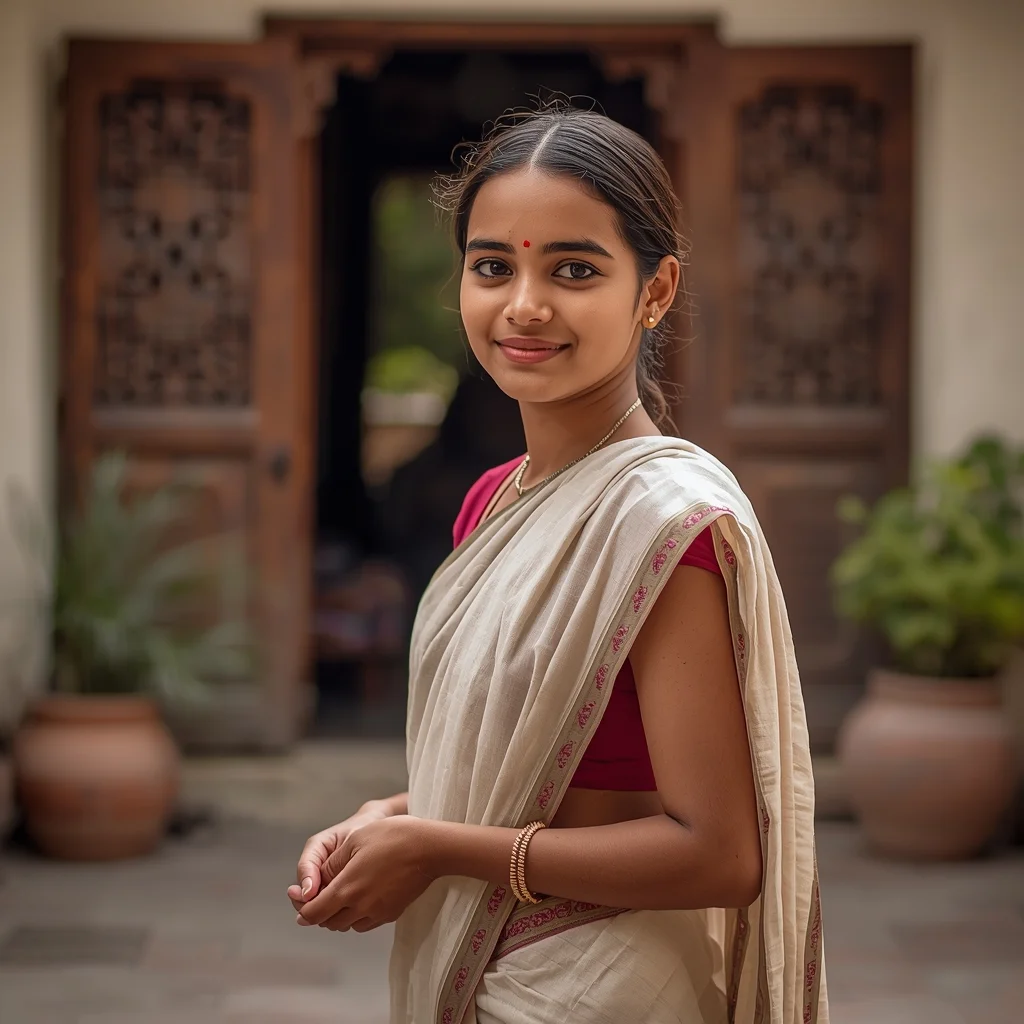
Prompt: An Indian girl posing naturally in a traditional home courtyard, dressed in a simple regional cotton saree or lehenga, minimal makeup, fresh youthful glow. Relaxed posture with hands lightly folded, calm smile. Background with carved wooden doors, clay pots, sunlight filtering through, authentic Indian cultural lifestyle photography, warm tones, ultra-realistic details.
Bridal Couture Regal Grace Pose | Gemini Ai Prompt
3148 mos ago
Prompt: An Indian bride wearing opulent bridal couture, posed with regal elegance and timeless grace. Her posture is upright and composed, shoulders relaxed, one hand gently holding the dupatta or resting near jewelry. Her expression is serene and dignified, eyes soft and reflective. Makeup is traditional and refined, highlighting natural beauty. Hair is styled elaborately to complement the attire. Warm cinematic lighting enhances embroidery, jewelry, and fabric depth. Background feels grand and luxurious. Ultra-high realism, premium bridal editorial photography style.
Modern Indian Viral Reel Pose – Forward Lean Connection | Prompt For Ai Image
3348 mos ago
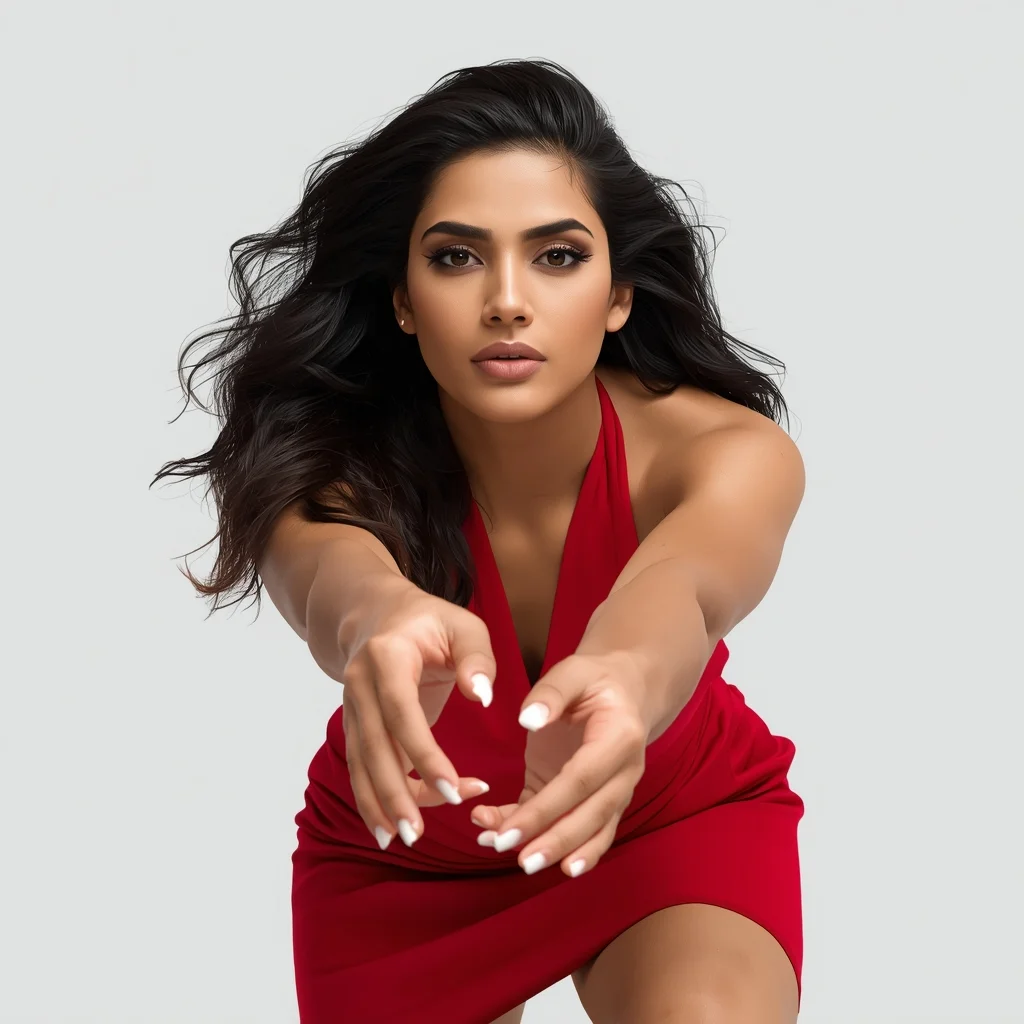
Prompt: An Indian woman wearing a bold modern Indian dress, captured leaning slightly forward toward the camera in a reel-style pose. Body language engaging and expressive. Hair textured with subtle movement. Expression confident, magnetic, and powerful. Makeup bold yet clean. Lighting bright with controlled contrast. Background minimal to enhance subject focus. Ultra-high realism, cinematic reel composition, influencer-grade polish, designed for viral engagement.
A woman posing outdoors in nature, standing near trees or mountains, flowing dress, fresh natural light, peaceful and calm mood, wide-angle composition, realistic environment, cinematic landscape portrait, ultra-detailed, 8K resolution
Gym Bodybuilder Front Flex Power Pose | Trending Prompt Idea Worldwide
3378 mos ago
Prompt: A muscular male bodybuilder standing in a gym, front flex pose with arms bent and chest expanded, intense focused expression, sweat highlights on skin, dramatic top lighting, deep shadows, ultra-defined muscles, high-contrast cinematic fitness photography, hyper-realistic.
Icelandic Volcanic Queen | Smart Prompt For Better Image
2898 mos ago
Prompt: A dramatic, high-fashion shot of a woman in a structured dress made of black obsidian-like glass shards, standing on the black sand beach of Vik, Iceland. Massive basalt columns rise behind her. | Pose: She is standing perfectly still like a statue, her hands held stiffly at her sides with fingers slightly splayed. Her gaze is fixed directly on the lens, cold and unmoving, creating an avant-garde 'statuesque' aesthetic. | Technical: National Geographic style, high-dynamic range (HDR), moody desaturated tones, sharp textures of the volcanic sand and glass dress, 8k render.
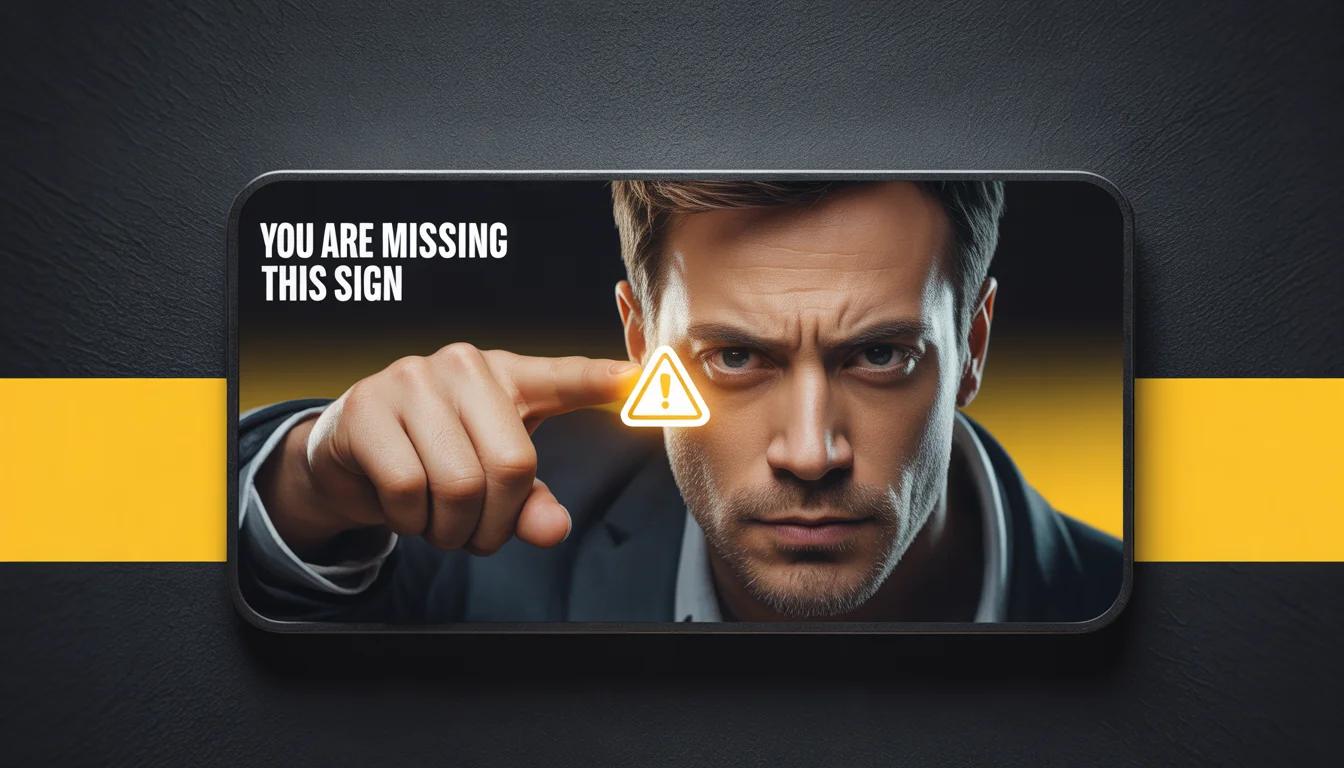
Prompt: Ultra-realistic YouTube thumbnail of a serious creator leaning slightly forward, intense eye contact, warning expression, finger subtly pointing toward a glowing alert symbol, dramatic top and side lighting creating strong shadows and depth, dark textured background, bold yellow accents, ultra-sharp face and hand details, realistic skin tones, cinematic contrast, professional studio photography look, emotional urgency, strong visual hierarchy, mobile-first thumbnail design, 4K resolution.
Royal Indian Ethnic Fusion Queen Pose | Image Generation Prompt
3538 mos ago
Prompt: An Indian woman posing like royalty, wearing an ethnic fusion outfit combining lehenga elements with modern silhouette, heavy kundan jewelry, elegant makeup. Standing in a palace-inspired setting with arches and royal decor. Regal posture, powerful gaze, warm golden lighting, cinematic royal photography, rich colors, ultra-realistic details, majestic mood, 8K ultra-HD.
Frequently Asked Questions
Common questions regarding this AI prompt.
How does this prompt handle lighting and atmospheric effects?
This prompt utilizes a sophisticated combination of cinematic lighting descriptors and atmospheric keywords tailored for Man Pose Art. By specifying light direction, diffusion, and volumetric properties like 'god rays' or 'softbox lighting', it forces modern AI engines like Midjourney v6 and Flux to calculate highly realistic light bounces, creating a deeply immersive environment.
How can I prevent anatomical distortions or 'extra limbs' when generating characters?
While modern models have improved, complex poses in Man Pose Art can still cause issues. To prevent this, use a strong negative prompt containing 'bad anatomy, extra limbs, mutated hands, deformed structure'. If generating locally via Stable Diffusion, utilizing ControlNet (specifically OpenPose or Depth) alongside this prompt will guarantee flawless anatomical structure.
How do I ensure the skin textures in Outdoor Wind-in-Hair Cinematic Pose | Ai Editing Prompt look photorealistic and not plastic?
AI often defaults to overly smooth, airbrushed skin. To counter this, you must explicitly demand imperfections. Add 'subsurface scattering, visible skin pores, peach fuzz, micro-wrinkles, highly detailed skin texture, raw unedited photograph' to the prompt. This forces the model to render the human elements of the Man Pose Art scene with authentic, biological realism.
How do I modify Outdoor Wind-in-Hair Cinematic Pose | Ai Editing Prompt to fit into a dark fantasy or gothic horror setting?
Change the environmental descriptors. Add 'dark fantasy concept art, gothic architecture, eerie volumetric fog, corrupted ruins, ominous atmosphere, Bloodborne aesthetic'. This forces the AI to reinterpret the Outdoor Wind-in-Hair Cinematic Pose | Ai Editing Prompt prompt through a grim, terrifying lens, drastically altering the mood of the Man Pose Art output.
How does Midjourney v6 process the intricate details of Outdoor Wind-in-Hair Cinematic Pose | Ai Editing Prompt?
Midjourney v6 excels at understanding natural language nuances. This prompt is specifically written to take advantage of v6's semantic comprehension. You do not need to use 'prompt salad' (randomly throwing words). The detailed, descriptive sentences regarding the Man Pose Art elements are parsed accurately, giving you photographic or highly illustrative perfection.
What is the best way to force an ultra-wide or panoramic view?
To force a panoramic composition, you must combine aspect ratio parameters with specific camera descriptors. In Midjourney, use '--ar 21:9'. Within the prompt text itself, include 'ultra-wide panoramic landscape, 14mm lens, expansive horizon, sweeping view'. This ensures the Outdoor Wind-in-Hair Cinematic Pose | Ai Editing Prompt subject matter is distributed correctly across a massive, cinematic canvas.
How do I inject a cyberpunk or dystopian sci-fi feel into Outdoor Wind-in-Hair Cinematic Pose | Ai Editing Prompt?
Add 'cyberpunk metropolis, neon rain, holographic advertisements, high-tech low-life, chrome and cables'. The AI will retain the core shape and intent of the Outdoor Wind-in-Hair Cinematic Pose | Ai Editing Prompt prompt but re-texture everything with futuristic, glowing, and metallic sci-fi elements.
What is the best Stylize (--s) value to use in Midjourney for this prompt?
The stylize parameter dictates how strongly Midjourney applies its default aesthetic. For strict adherence to the realistic details of Outdoor Wind-in-Hair Cinematic Pose | Ai Editing Prompt, keep it around --s 100 to --s 250. If you want the AI to take artistic liberties and make the Man Pose Art scene look more like a digital masterpiece, push the value up to --s 500 or --s 750.
How can I use Inpainting to fix specific errors in the generated Outdoor Wind-in-Hair Cinematic Pose | Ai Editing Prompt image?
Inpainting is essential for perfection. If 90% of the Outdoor Wind-in-Hair Cinematic Pose | Ai Editing Prompt image is flawless but a hand or eye is distorted, send the image to an Inpaint tab. Mask only the flawed area, keep the original prompt, and set the denoising strength high (around 0.7). The AI will regenerate only that specific zone, seamlessly blending the fixed Man Pose Art elements into the surrounding artwork.
How do I create a dramatic, low-light version of Outdoor Wind-in-Hair Cinematic Pose | Ai Editing Prompt?
To plunge the scene into dramatic darkness, modify the prompt to include 'chiaroscuro', 'low-key lighting', 'underexposed', and 'stark shadows'. This tells the AI to plunge the majority of the Man Pose Art environment into darkness while intensely illuminating only the most critical parts of the Outdoor Wind-in-Hair Cinematic Pose | Ai Editing Prompt subject, creating a moody, cinematic masterpiece.
Can I generate a 3D claymation or toy-like version of Outdoor Wind-in-Hair Cinematic Pose | Ai Editing Prompt?
Yes, you can mimic physical models easily. Add terms such as 'made of polymer clay, tilt-shift photography, miniature diorama, cute 3D render, smooth plasticine, vibrant pastel colors' to the prompt. The AI will instantly convert the Man Pose Art scene into a charming, tactile 3D object.
What if the AI completely ignores a specific detail I added to the Outdoor Wind-in-Hair Cinematic Pose | Ai Editing Prompt prompt?
If a detail is ignored, it lacks 'weight'. Move that specific word closer to the very beginning of the prompt. Alternatively, if using Midjourney, use the double colon syntax (Keyword::2) to force the AI to pay attention. In Stable Diffusion, wrap the keyword in parentheses like (Keyword:1.5) to boost its importance in the Man Pose Art scene.
How can I dictate the camera angle to make the subject look more powerful?
Camera angle completely changes the psychological impact. To make the subject of Outdoor Wind-in-Hair Cinematic Pose | Ai Editing Prompt appear dominant or towering, insert 'low angle shot' or 'worm's-eye view'. Conversely, to make the Man Pose Art scene feel vast and the subject small, use 'drone shot', 'bird's-eye view', or 'extreme high angle'.
What is the core conceptual focus of the Outdoor Wind-in-Hair Cinematic Pose | Ai Editing Prompt prompt?
The Outdoor Wind-in-Hair Cinematic Pose | Ai Editing Prompt prompt is meticulously engineered to focus on high-fidelity visual storytelling within the Man Pose Art genre. By leveraging advanced keyword weighting and specific rendering tokens, it ensures that the AI prioritizes both the primary subject matter and the intricate atmospheric details, resulting in a highly professional and polished final image.
Can I use Image-to-Image (Img2Img) techniques with the Outdoor Wind-in-Hair Cinematic Pose | Ai Editing Prompt prompt?
Absolutely. Using a rough sketch or a reference photo alongside this prompt in an Img2Img workflow is highly effective. We recommend setting your Denoising Strength between 0.45 and 0.65. This range is the 'sweet spot' that allows the AI to apply the high-quality textures and lighting of the Outdoor Wind-in-Hair Cinematic Pose | Ai Editing Prompt prompt while strictly respecting the structural layout of your reference image.