Royal Ethnic Fusion Grace Pose | Ultimate Prompt Collection
High-quality AI-generated image. Optimized for detailed rendering, perfect for creative projects and inspiration.
246Views
0 Likes
100%Quality
FreeLicense
AI Prompt
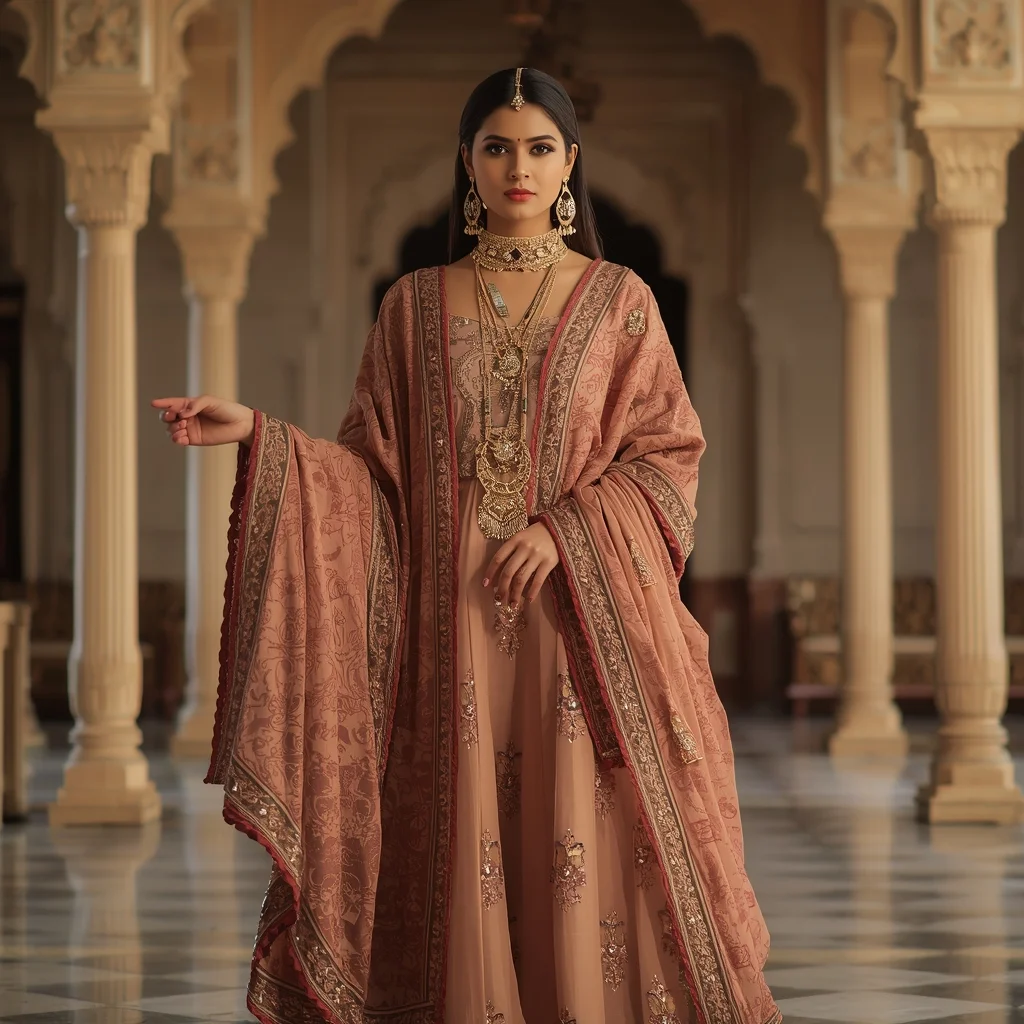
Prompt: A woman dressed in royal ethnic fusion attire combining traditional elements with modern fashion. She wears an embroidered outfit with regal jewelry, standing tall with one hand holding a dupatta, the other relaxed. Palace-inspired background, arches and royal décor, warm golden lighting. Majestic posture, elegant facial expression, rich fabric textures, cinematic royal look, ultra-detailed ethnic styling, high-end portrait photography.
Want to create this with your own face? Use this instruction:
Preserve original face structure, texture, and proportions perfectly. Prompt: A woman dressed in royal ethnic fusion attire combining traditional elements with modern fashion. She wears an embroidered outfit with regal jewelry, standing tall with one hand holding a dupatta, the other relaxed. Palace-inspired background, arches and royal décor, warm golden lighting. Majestic posture, elegant facial expression, rich fabric textures, cinematic royal look, ultra-detailed ethnic styling, high-end portrait photography.
About this Prompt
Maximize the staggering output quality of your digital toolkit with 'Royal Ethnic Fusion Grace Pose | Ultimate Prompt Collection', a flawlessly executed prompt that fundamentally understands the deeply rooted core of Indian art. It is a highly combustible spark of inspiration guaranteed to ignite a massive creative fire. Notice exactly how the prompt naturally forces the AI to enhance volumetric lighting and subtle, diffuse shadows, creating a true, deeply convincing 3D illusion. Every micro-detail is sharply defined, ensuring the artwork holds up beautifully even when upscaled to extreme 8k or 16k resolutions.
It is the absolute perfect digital tool for conceptualizing high-fashion editorial shoots, establishing luxury corporate brand aesthetics, and generating deeply emotional storytelling visuals without requiring countless, frustrating hours of manual Photoshop editing. Your massive, highly frustrating creative block officially ends exactly right here, right now. Rendering this specific text will instantly flood your artistic brain with infinite, highly profitable inspiration, pulling you entirely out of your digital slump.
Modern Indian Viral Reel Pose – Hand Gesture Confidence Shot | Top Trending Ai Prompt Style
2336 mos ago
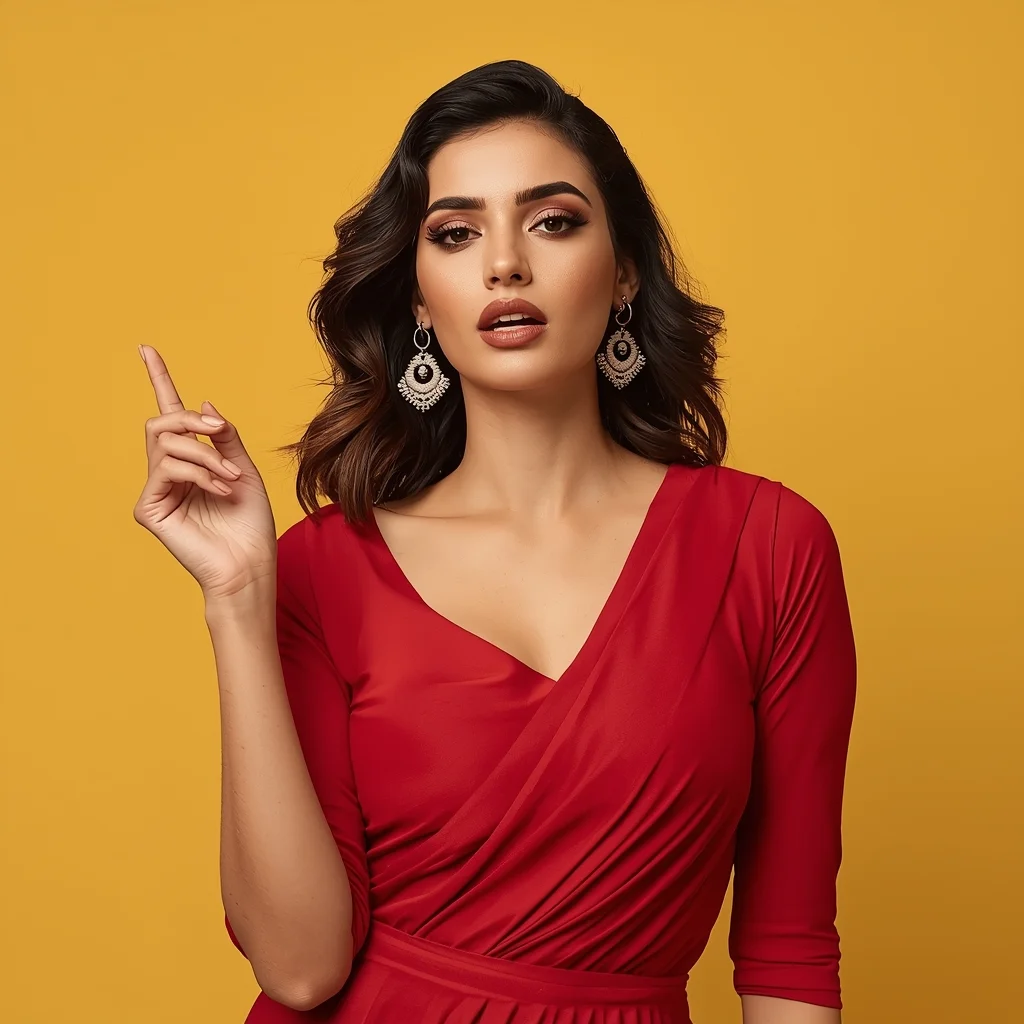
Prompt: An Indian female model in a contemporary Indian dress with clean lines, captured mid-gesture as if speaking or transitioning in a reel. One hand lifted gracefully, fingers relaxed, body slightly angled. Expression is expressive, confident, and engaging. Hair styled naturally with subtle movement. Makeup is fresh and camera-friendly. Lighting is bright and modern, enhancing clarity. Background simple and colorful. Ultra-realistic textures, influencer reel aesthetics, cinematic composition optimized for social media virality.
Editorial Elegance (High Fashion) | Daily Updated Ai Prompt
2796 mos ago
Prompt: A high-fashion editorial shot of a woman reclining on a grand, sweeping marble staircase inside a sun-drenched European palace. She is wearing a voluminous, emerald green silk gown with a three-meter train that cascades down the steps.
Pose: One hand rests gracefully on a step above her head, her body angled in a soft "S" curve, with a confident, piercing gaze directed at the lens.
Technical: 8k resolution, cinematic lighting, shot on 35mm lens, soft dramatic side-lighting from a tall window, deep shadows and intricate silk textures.
I Quit My Job After This Happened | Ai Prompt Idea For Beginner
2126 mos ago
Prompt: Design a cinematic thumbnail featuring a person tearing a resignation letter in half while standing in front of a glowing open door leading to freedom and success. One side shows a dull office environment, the other side bright and inspirational with light rays. Use dramatic lighting, emotional facial expression, ultra-realistic textures, strong contrast, storytelling composition, warm highlights, and high-resolution YouTube thumbnail aesthetics optimized for clicks.
Nobody Told Me This About YouTube | Detailed Image Prompt
2176 mos ago
Prompt: Create a mysterious thumbnail showing a creator whispering with a finger on the lips. Behind them, hidden YouTube symbols and analytics glow softly from the shadows. Use dark background, neon highlights, cinematic lighting, shallow depth of field, high contrast, and a secretive mood that creates curiosity and intrigue.
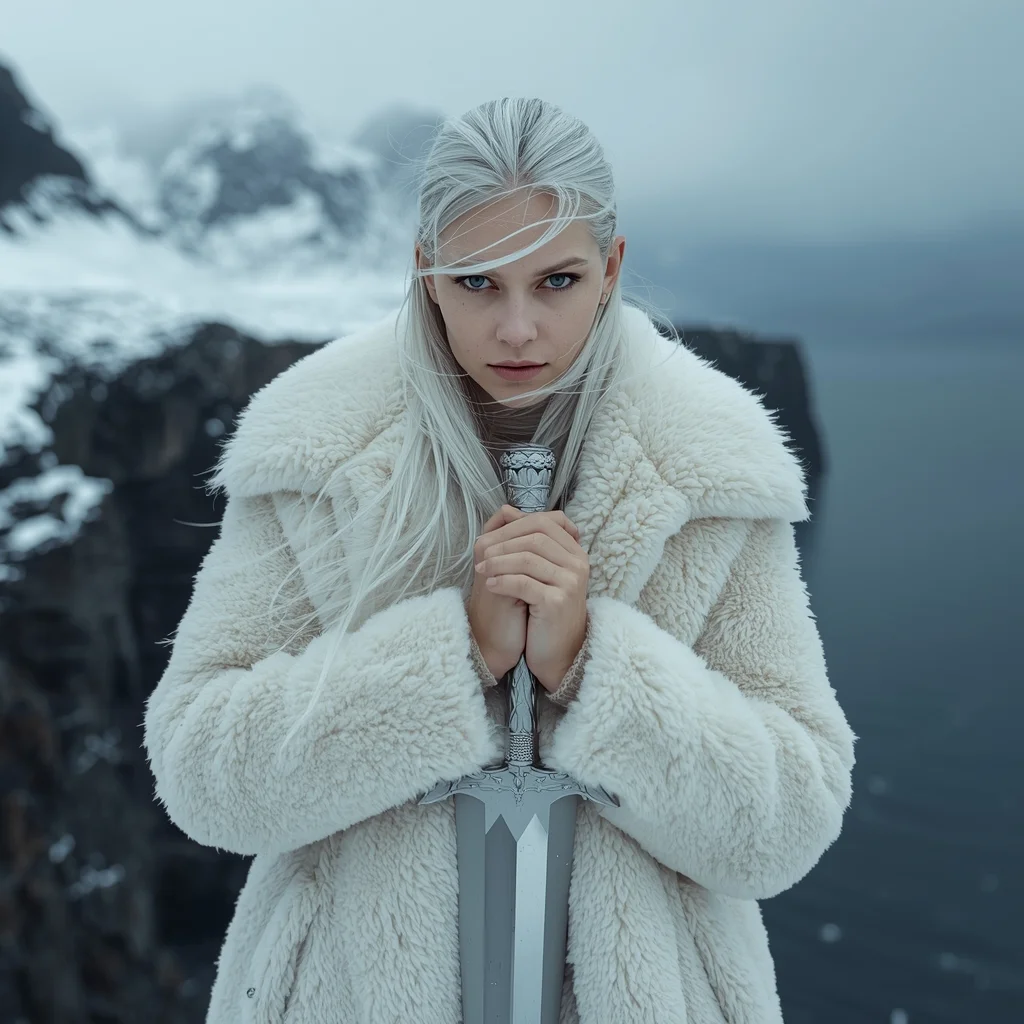
Prompt: A high-fashion editorial shot of a woman in heavy, avant-garde Nordic wool and white shearling standing on a jagged cliff in the Lofoten Islands, Norway. The background features a dramatic, snow-covered mountain range and a dark, moody arctic sea. | Pose: She is standing in a 'Stoic Guardian' pose with her body angled slightly away from the camera. Her hands are clasped tightly in front of her chest, holding a silver ceremonial dagger. She is looking directly into the lens with a piercing, unblinking gaze as the wind whips her platinum hair across her face. | Technical: Shot on a Hasselblad H6D, 100mm lens, f/4.0. Natural cold morning light with soft blue shadows. High-speed shutter to freeze the swirling snowflakes. 16k resolution, hyper-realistic skin textures including faint freckles and cold-reddened cheeks.
Elegant Modern Saree in Sunset Glow | Ai Image Prompt Trick
2306 mos ago
Prompt: A poised Indian woman in her mid-20s with long wavy black hair, wearing a flowing modern silk saree in deep maroon with subtle gold embroidery, standing gracefully with one hand on her hip and the other gently touching her necklace, soft sunset lighting casting warm golden hues on her radiant skin, intricate henna on hands, confident smile, high-resolution photorealistic image, dynamic outdoor pose against a blurred city skyline.
i Tried This AI Trick and It Changed Everything | Sharp Image Prompt
1946 mos ago
Prompt: Create a highly eye-catching YouTube thumbnail featuring a shocked young creator in the foreground with wide eyes and an open mouth, expressing disbelief and excitement. The character is pointing toward a glowing futuristic hologram labeled “AI SECRET” with neon blue and purple light effects. Background should be a modern tech room with floating digital elements, code symbols, and artificial intelligence graphics. Use cinematic lighting with strong contrast, sharp focus on the face, dramatic shadows, ultra-realistic skin texture, vibrant colors, and exaggerated facial expression. Add depth of field blur to the background, bold composition optimized for mobile viewing, 16:9 ratio, ultra-high resolution, professional YouTube thumbnail style.
Frequently Asked Questions
Common questions regarding this AI prompt.
Does this prompt support blending multiple concepts together?
Yes, advanced users can use this prompt as a base for concept blending. By utilizing syntax like [Concept A : Concept B : 0.5] in Automatic1111 or simply describing a hybrid scenario, the strong foundational parameters of the Royal Ethnic Fusion Grace Pose | Ultimate Prompt Collection prompt will ensure the merged concepts render cohesively without degrading into visual noise.
What is the best way to shift the artistic medium of Royal Ethnic Fusion Grace Pose | Ultimate Prompt Collection to an oil painting?
To completely transform the medium, append powerful style modifiers. Injecting phrases like 'intricate oil painting on canvas, thick impasto strokes, palette knife technique, classical fine art, museum masterpiece' will completely override the default realism, offering a traditional artistic variation for your Indian project.
What is the optimal workflow for upscaling Royal Ethnic Fusion Grace Pose | Ultimate Prompt Collection to print-quality resolution?
Do not generate at massive resolutions directly, as it causes compositional duplication (like two heads). Instead, generate Royal Ethnic Fusion Grace Pose | Ultimate Prompt Collection at a native resolution (e.g., 1024x1024), and then use a dedicated AI upscaler. Tools like Topaz Gigapixel AI, Magnific AI, or the '4x-UltraSharp' model in Automatic1111 will enhance the micro-textures of the Indian without destroying the original composition.
How do I give Royal Ethnic Fusion Grace Pose | Ultimate Prompt Collection a retro, 1980s synthwave aesthetic?
Inject keywords that define that specific era's pop culture. Use 'vaporwave aesthetic, 1980s synthwave, neon grid background, cyan and magenta color palette, VHS glitch effect, retro-futurism'. This overrides the standard lighting and wraps the Royal Ethnic Fusion Grace Pose | Ultimate Prompt Collection subject in a highly stylized, nostalgic digital atmosphere.
Can I easily integrate the Royal Ethnic Fusion Grace Pose | Ultimate Prompt Collection output into a professional design workflow?
Absolutely. The outputs generated by this prompt are designed with commercial and professional workflows in mind. Because it emphasizes crisp edges, balanced contrast, and high-resolution keywords, the resulting Indian images are perfect for immediate use in UI/UX design, marketing materials, or further post-processing in software like Adobe Photoshop.
Can I use Image-to-Image (Img2Img) techniques with the Royal Ethnic Fusion Grace Pose | Ultimate Prompt Collection prompt?
Absolutely. Using a rough sketch or a reference photo alongside this prompt in an Img2Img workflow is highly effective. We recommend setting your Denoising Strength between 0.45 and 0.65. This range is the 'sweet spot' that allows the AI to apply the high-quality textures and lighting of the Royal Ethnic Fusion Grace Pose | Ultimate Prompt Collection prompt while strictly respecting the structural layout of your reference image.
Why might the colors in my Royal Ethnic Fusion Grace Pose | Ultimate Prompt Collection generation appear washed out, and how do I fix it?
Washed-out colors typically result from a missing VAE file in local setups, or a lack of color-grading instructions. To immediately fix this within the text prompt itself, append phrases such as 'vibrant technicolor, rich saturation, HDR, cinematic color grading, high contrast'. This forces the AI to map a wider, more dynamic color range to your image.
What specific lighting setup is best to highlight the details of Royal Ethnic Fusion Grace Pose | Ultimate Prompt Collection?
For maximum texture reveal, a 'three-point studio lighting' or 'Rembrandt lighting' setup works best. By incorporating keywords like 'rim light', 'key light', and 'soft fill', you instruct the AI to sculpt the Indian subject out of the background, ensuring that micro-details like skin pores, fabric weaves, or metallic reflections are perfectly visible.
How can I use Inpainting to fix specific errors in the generated Royal Ethnic Fusion Grace Pose | Ultimate Prompt Collection image?
Inpainting is essential for perfection. If 90% of the Royal Ethnic Fusion Grace Pose | Ultimate Prompt Collection image is flawless but a hand or eye is distorted, send the image to an Inpaint tab. Mask only the flawed area, keep the original prompt, and set the denoising strength high (around 0.7). The AI will regenerate only that specific zone, seamlessly blending the fixed Indian elements into the surrounding artwork.
Can I simulate bioluminescence or neon lighting in this prompt?
Yes, you can easily shift the scene into a sci-fi or fantasy realm by adding terms like 'bioluminescent glow', 'neon tube lighting', 'emissive materials', or 'fluorescent accents'. These modifiers will cause the objects within the Indian scene to act as their own light sources, casting incredibly realistic colored reflections onto surrounding surfaces.
Can I change the material composition of objects in the Royal Ethnic Fusion Grace Pose | Ultimate Prompt Collection prompt?
Yes, AI handles material transformation brilliantly. If you want to change a standard object into something surreal, use explicit material descriptors like 'made of translucent frosted glass', 'brushed anodized aluminum', 'woven carbon fiber', or 'wet shimmering obsidian'. This will completely recalculate the reflections and refractions in the Indian output.
How do I inject a cyberpunk or dystopian sci-fi feel into Royal Ethnic Fusion Grace Pose | Ultimate Prompt Collection?
Add 'cyberpunk metropolis, neon rain, holographic advertisements, high-tech low-life, chrome and cables'. The AI will retain the core shape and intent of the Royal Ethnic Fusion Grace Pose | Ultimate Prompt Collection prompt but re-texture everything with futuristic, glowing, and metallic sci-fi elements.
How do I add realistic weather effects like rain or snow to the scene?
Weather completely alters the physics of light. If you add 'torrential rain, wet asphalt reflecting neon, water droplets clinging to surfaces', the AI will not just draw rain; it will change the specularity of the Royal Ethnic Fusion Grace Pose | Ultimate Prompt Collection subject. For snow, use 'heavy blizzard, frost-covered edges, soft diffused winter light' to change the entire atmosphere of the Indian generation.