Elegant Sitting Pose Woman Studio Portrait | Ai Editing Prompt
High-quality AI-generated image. Optimized for detailed rendering, perfect for creative projects and inspiration.
303Views
0 Likes
100%Quality
FreeLicense
AI Prompt
Prompt: An elegant woman sitting gracefully on a wooden stool in a studio setting, legs crossed slightly, hands resting softly on her knee, posture relaxed yet refined. She wears a flowing neutral-tone dress with subtle fabric texture. Soft diffused studio lighting creates gentle highlights on her face and hair. Clean background, fine details in fabric folds, realistic skin tones, calm facial expression, fashion magazine aesthetic, ultra-sharp focus, DSLR photography look, high detail, natural shadows, timeless elegance.
Want to create this with your own face? Use this instruction:
Preserve original facial anatomy including bone structure, proportions, and micro-details such as pores, fine lines, and natural skin texture. Prompt: An elegant woman sitting gracefully on a wooden stool in a studio setting, legs crossed slightly, hands resting softly on her knee, posture relaxed yet refined. She wears a flowing neutral-tone dress with subtle fabric texture. Soft diffused studio lighting creates gentle highlights on her face and hair. Clean background, fine details in fabric folds, realistic skin tones, calm facial expression, fashion magazine aesthetic, ultra-sharp focus, DSLR photography look, high detail, natural shadows, timeless elegance.
About this Prompt
Break the frustrating chains of creative block instantly with the surging inspiration provided by 'Elegant Sitting Pose Woman Studio Portrait | Ai Editing Prompt'. It elevates standard prompt engineering to an absolute fine art, standing as a highly sophisticated, ultra-powerful dynamo within the incredibly competitive Woman Pose Art generative space. Intense macro details completely reveal a microscopic hidden world of fidelity, radically changing your perspective on what Woman Pose Art generation can achieve. The smooth, pearlescent chromatic aberration at the extreme edges gives it an incredibly premium, high-end, and highly expensive DSLR camera lens feel.
Perfect for educational content creators, online course developers, and presentation designers who want to deeply engage their audience visually. Say goodbye to generic, boring stock photos and replace them with stunning, custom-generated Woman Pose Art art. We emphatically and highly recommend trying this exact structural layout for your very next piece. The profoundly revolutionary way it effortlessly handles complex, highly nuanced visual elements will leave your global audience incredibly eager for more content.
I Played the First 100% Photorealistic Open World Game | Best Prompt Idea For Reel
2908 mos ago
Prompt: A third-person gaming screenshot perspective that is indistinguishable from real life. A custom player character in tech-wear stands on a rain-slicked street in a hyper-realistic neon Tokyo at night. Every reflection of the neon signs in the puddles, the texture of the asphalt, and the individual raindrops on the character's jacket are perfectly photorealistic. A sleek, minimalist futuristic game HUD (Heads Up Display) with health bar and mini-map is visible in the screen corners. Unreal Engine 5 render style, 8k, ray-tracing, cyberpunk aesthetic, incredibly sharp detail.
Serene Young Kashmiri Girl in Autumn Pheran Pose | Ai Prompt For High Engagement
3518 mos ago
Prompt: A full-body image of a young Kashmiri woman standing calmly under tall chinar trees, wearing an olive-green traditional pheran with subtle woven patterns. Her pose is elegant and composed, head slightly tilted, eyes looking into the distance. Soft fog in the background, warm autumn color palette, realistic fabric folds, professional DSLR photography style, cinematic realism, high-resolution cultural portrait.
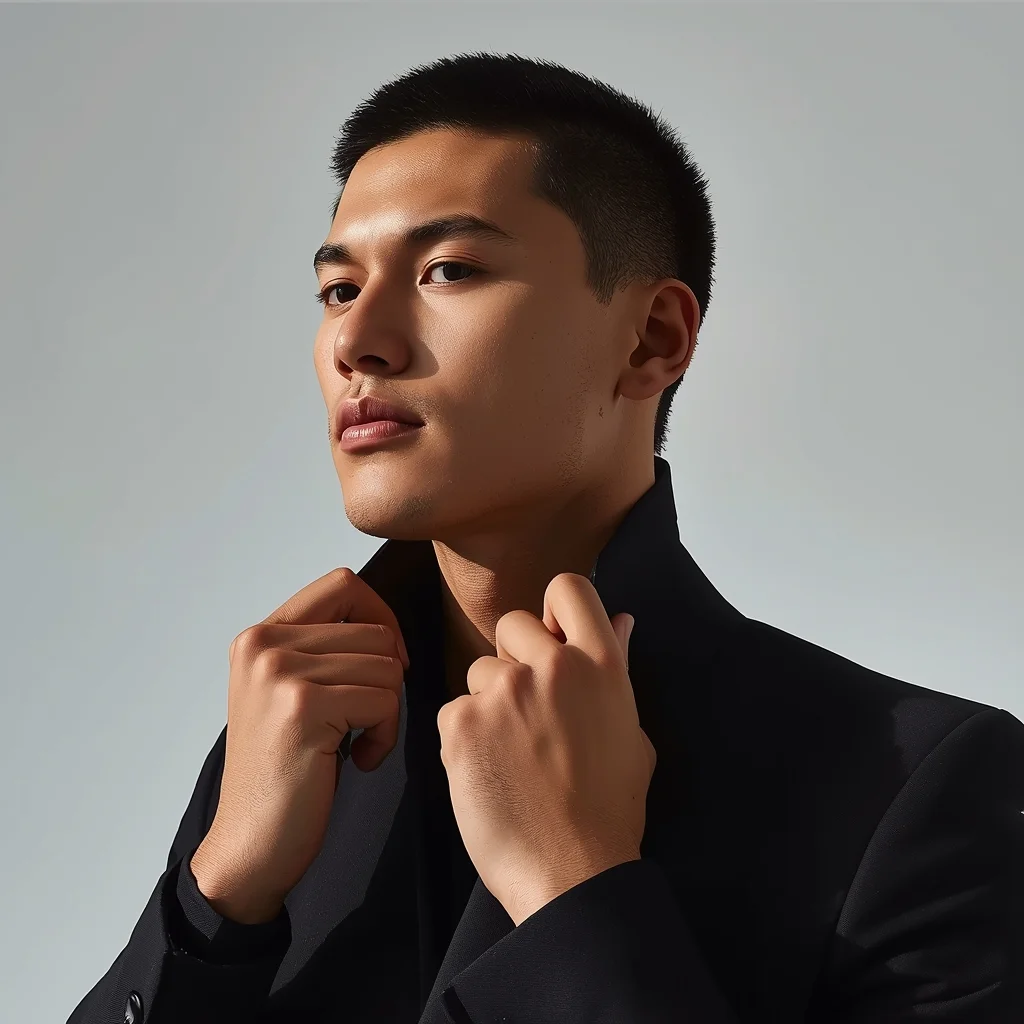
Prompt: A high-fashion AI influencer man adjusting his collar or neckline mid-pose, relaxed but confident posture, focused eyes, luxury minimal outfit, premium studio lighting sculpting facial structure, clean modern backdrop, editorial magazine-grade realism, viral influencer energy.
Prompt: A woman submerged in crystal clear turquoise water, wearing a long, weightless chiffon dress that billows around her like jellyfish tentacles. Sunbeams penetrate the water's surface, creating dancing light patterns (caustics) on her skin and the sandy floor below. Small colorful fish swim nearby.
Pose: Floating horizontally, eyes closed in a peaceful expression, arms drifting upward, hair spreading out like a halo.
Technical: Underwater photography, wide-angle lens, high-speed shutter to freeze light rays, 4k, ethereal blue tones, hyper-detailed water ripples.
The Yachtsman's Leisure | Powerful Prompt For Hd Image
3898 mos ago
Prompt: A wealthy man in a crisp white linen shirt and tailored shorts, standing on the teak deck of a luxury superyacht. The background is the open azure Mediterranean sea under a bright, clear sky. Pose: Standing confidently at the railing, looking out at the horizon with a relaxed smile. One hand rests lightly on the railing, the other holds a glass of champagne. Body weight shifted to one leg. Technical: Bright daylight exposure, polarized lens effect for vibrant blue water, luxurious lifestyle photography, 8k resolution.
Pose: Standing confidently at the railing, looking out at the horizon with a relaxed smile. One hand rests lightly on the railing, the other holds a glass of champagne. Body weight shifted to one leg. Technical: Bright daylight exposure, polarized lens effect for vibrant blue water, luxurious lifestyle photography, 8k resolution.
Technical: Bright daylight exposure, polarized lens effect for vibrant blue water, luxurious lifestyle photography, 8k resolution.
Modern Indian Viral Reel Pose – Elegant Lean Motion | Creative Ai Prompt Idea List
2958 mos ago
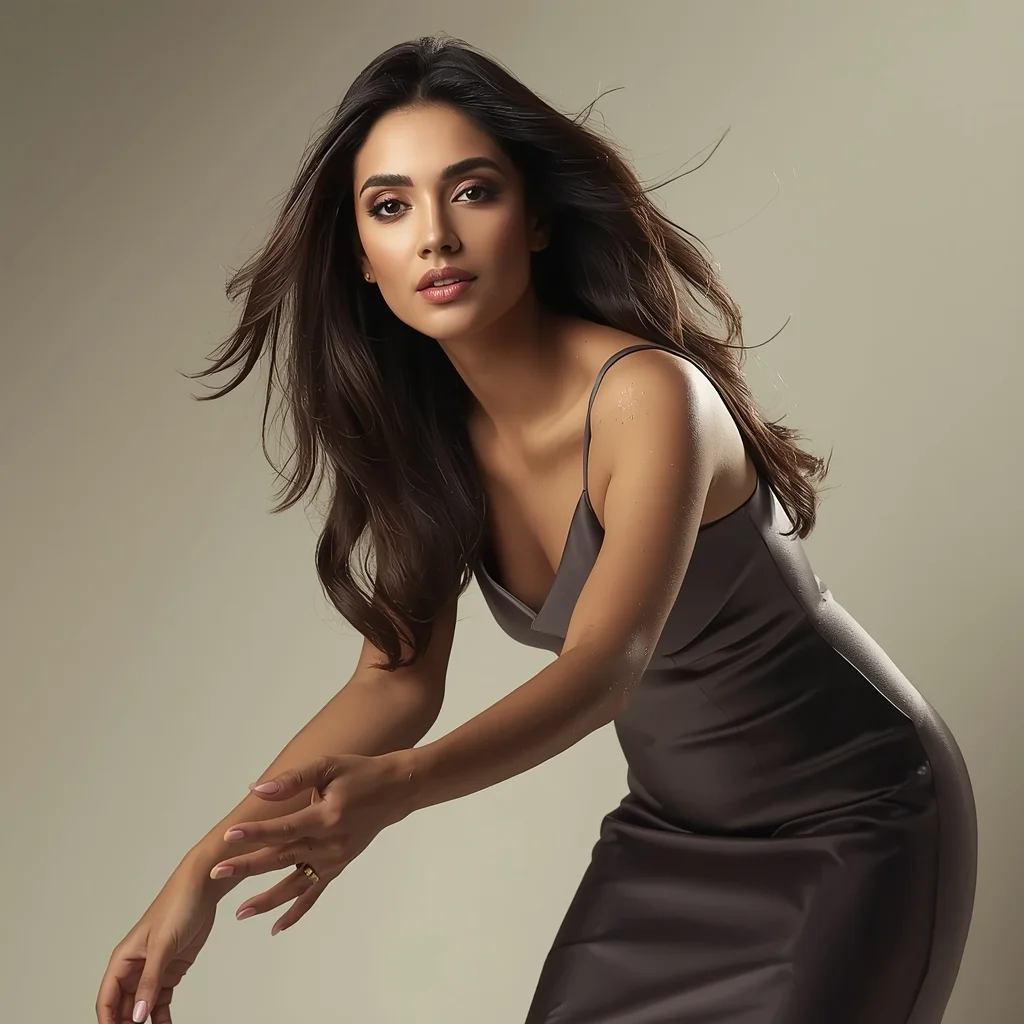
Prompt: An Indian woman wearing a modern Indian elegant dress, captured in a gentle lean pose mid-motion. Body angled slightly forward, hands relaxed, creating a graceful flow. Hair styled softly with natural movement. Expression calm, poised, and confident. Makeup highlights smooth skin texture and eyes. Lighting is soft and cinematic. Background minimal and refined. High-definition clarity, influencer-style elegance, viral-ready framing.
Modern Women Girl Viral Reel Bold Standing Pose | Photo Prompt
4357 mos ago
Prompt: A woman dressed in a bold modern women dress, standing confidently in a reel-style pose. Weight placed on one leg, body balanced, arms relaxed but expressive. Posture strong and elegant. Hair styled neatly with subtle motion. Expression fearless and confident. Makeup refined and camera-ready. Lighting bright and controlled, enhancing contrast and sharpness. Background minimal and modern. High clarity, fashion-editorial aesthetic, cinematic framing, ultra-realistic textures.
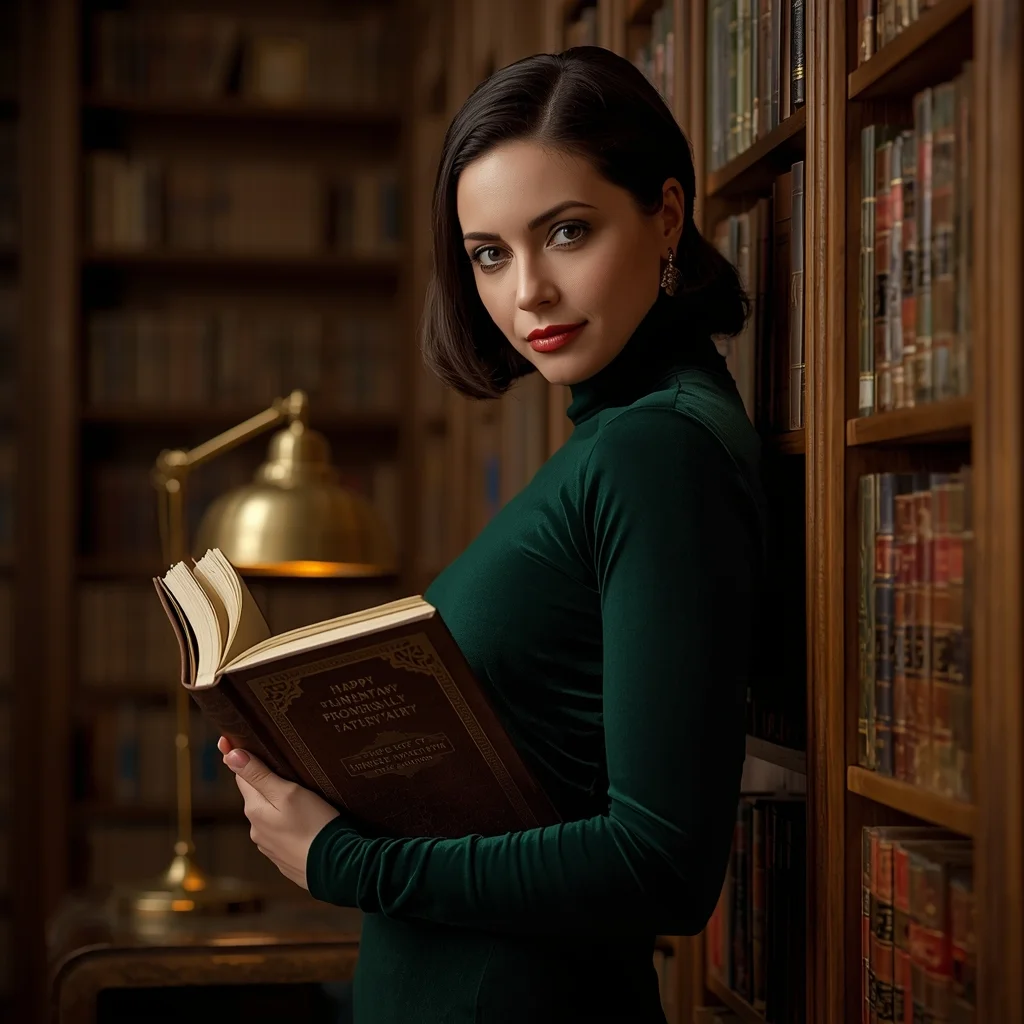
Prompt: A classy woman in a dark emerald velvet turtleneck, standing in a grand, old-world library with floor-to-ceiling wooden bookshelves. The lighting is warm and moody, coming from a nearby brass desk lamp. The air is thick with a sense of knowledge and mystery.
Pose: Holding an open leather-bound book against her chest, leaning her shoulder against a bookshelf, looking at the camera with a soft, intelligent, and mysterious smile.
Technical: Low-key lighting, 50mm lens, f/1.8, sharp focus on the eyes and book texture, rich warm tones, cinematic depth.
Frequently Asked Questions
Common questions regarding this AI prompt.
How can I dictate the camera angle to make the subject look more powerful?
Camera angle completely changes the psychological impact. To make the subject of Elegant Sitting Pose Woman Studio Portrait | Ai Editing Prompt appear dominant or towering, insert 'low angle shot' or 'worm's-eye view'. Conversely, to make the Woman Pose Art scene feel vast and the subject small, use 'drone shot', 'bird's-eye view', or 'extreme high angle'.
How can I use Inpainting to fix specific errors in the generated Elegant Sitting Pose Woman Studio Portrait | Ai Editing Prompt image?
Inpainting is essential for perfection. If 90% of the Elegant Sitting Pose Woman Studio Portrait | Ai Editing Prompt image is flawless but a hand or eye is distorted, send the image to an Inpaint tab. Mask only the flawed area, keep the original prompt, and set the denoising strength high (around 0.7). The AI will regenerate only that specific zone, seamlessly blending the fixed Woman Pose Art elements into the surrounding artwork.
How can I adjust the emotional tone or mood of Elegant Sitting Pose Woman Studio Portrait | Ai Editing Prompt?
The mood is heavily dictated by lighting and color grading keywords. To make Elegant Sitting Pose Woman Studio Portrait | Ai Editing Prompt feel more melancholic, replace warm lighting terms with 'cool blue tones, rainy atmosphere, and dramatic shadows'. Conversely, adding 'vibrant saturation, golden hour sunlight, and joyful expressions' will instantly uplift the emotional resonance of the Woman Pose Art scene.
How can I prevent anatomical distortions or 'extra limbs' when generating characters?
While modern models have improved, complex poses in Woman Pose Art can still cause issues. To prevent this, use a strong negative prompt containing 'bad anatomy, extra limbs, mutated hands, deformed structure'. If generating locally via Stable Diffusion, utilizing ControlNet (specifically OpenPose or Depth) alongside this prompt will guarantee flawless anatomical structure.
How can I transform Elegant Sitting Pose Woman Studio Portrait | Ai Editing Prompt into a vector graphic or logo style?
To strip away the photorealism, replace the camera keywords with 'flat vector illustration, minimalist design, UI/UX asset, Adobe Illustrator style, solid colors, clean crisp lines, no gradients'. This transforms the Woman Pose Art subject into a scalable, graphic-design-ready asset perfect for web design or branding.
What is the core conceptual focus of the Elegant Sitting Pose Woman Studio Portrait | Ai Editing Prompt prompt?
The Elegant Sitting Pose Woman Studio Portrait | Ai Editing Prompt prompt is meticulously engineered to focus on high-fidelity visual storytelling within the Woman Pose Art genre. By leveraging advanced keyword weighting and specific rendering tokens, it ensures that the AI prioritizes both the primary subject matter and the intricate atmospheric details, resulting in a highly professional and polished final image.
How do I give Elegant Sitting Pose Woman Studio Portrait | Ai Editing Prompt a retro, 1980s synthwave aesthetic?
Inject keywords that define that specific era's pop culture. Use 'vaporwave aesthetic, 1980s synthwave, neon grid background, cyan and magenta color palette, VHS glitch effect, retro-futurism'. This overrides the standard lighting and wraps the Elegant Sitting Pose Woman Studio Portrait | Ai Editing Prompt subject in a highly stylized, nostalgic digital atmosphere.
What is the best way to shift the artistic medium of Elegant Sitting Pose Woman Studio Portrait | Ai Editing Prompt to an oil painting?
To completely transform the medium, append powerful style modifiers. Injecting phrases like 'intricate oil painting on canvas, thick impasto strokes, palette knife technique, classical fine art, museum masterpiece' will completely override the default realism, offering a traditional artistic variation for your Woman Pose Art project.
How customizable are the character and environment details in the Elegant Sitting Pose Woman Studio Portrait | Ai Editing Prompt prompt?
Highly customizable. The prompt serves as a robust architectural framework. You can easily swap out specific nouns or color palettes while retaining the core Woman Pose Art style. For example, changing the time of day or the primary clothing material will seamlessly adapt the scene while maintaining the high-definition rendering quality originally intended for Elegant Sitting Pose Woman Studio Portrait | Ai Editing Prompt.
Can I simulate bioluminescence or neon lighting in this prompt?
Yes, you can easily shift the scene into a sci-fi or fantasy realm by adding terms like 'bioluminescent glow', 'neon tube lighting', 'emissive materials', or 'fluorescent accents'. These modifiers will cause the objects within the Woman Pose Art scene to act as their own light sources, casting incredibly realistic colored reflections onto surrounding surfaces.
Does this prompt support blending multiple concepts together?
Yes, advanced users can use this prompt as a base for concept blending. By utilizing syntax like [Concept A : Concept B : 0.5] in Automatic1111 or simply describing a hybrid scenario, the strong foundational parameters of the Elegant Sitting Pose Woman Studio Portrait | Ai Editing Prompt prompt will ensure the merged concepts render cohesively without degrading into visual noise.