High-quality AI-generated image. Optimized for detailed rendering, perfect for creative projects and inspiration.
216Views
0 Likes
100%Quality
FreeLicense
AI Prompt
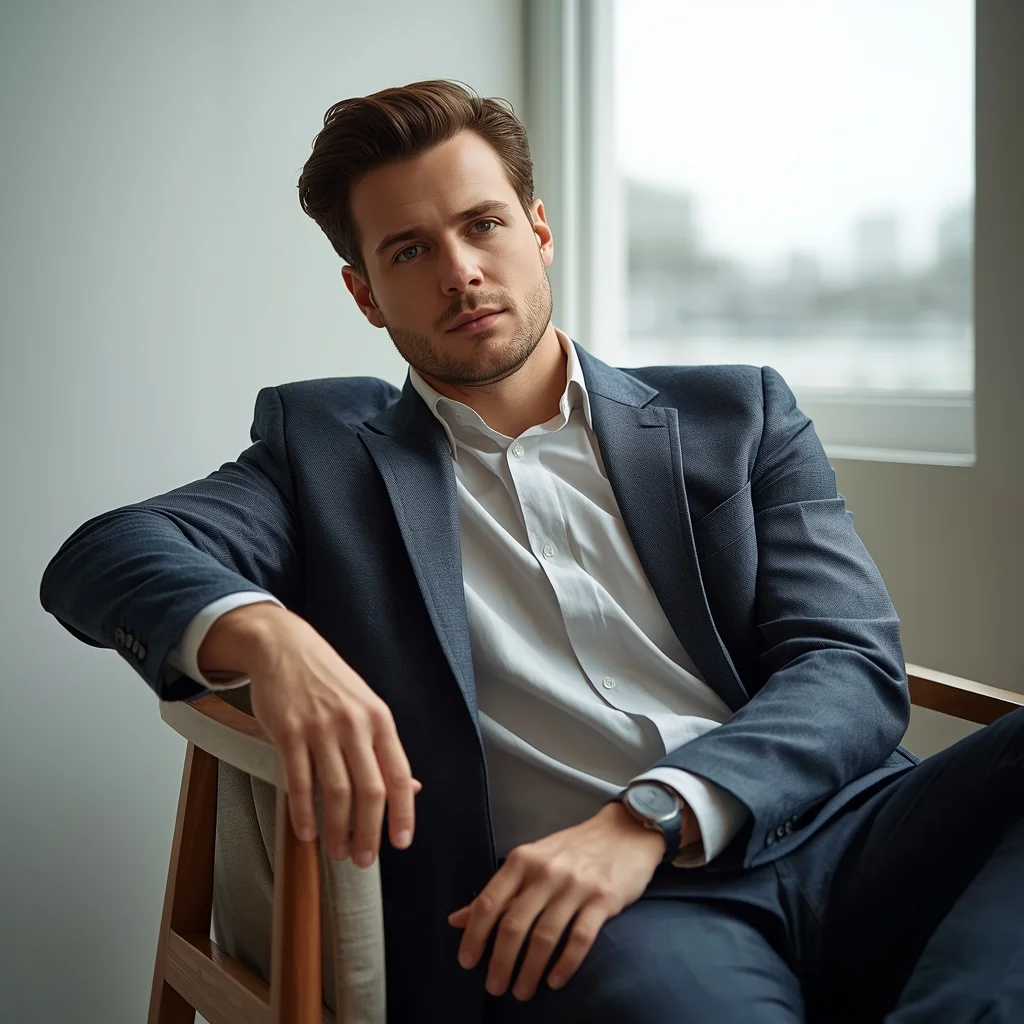
A man sitting on a chair in a relaxed posture, one arm resting on the chair, casual smart clothing, soft window light, minimal background, natural skin tones, shallow depth of field, lifestyle portrait photography, highly detailed, photorealistic, 8K resolution
Want to create this with your own face? Use this instruction:
Facial fidelity is the highest priority. If any conflict occurs, always favor keeping the reference face unchanged. A man sitting on a chair in a relaxed posture, one arm resting on the chair, casual smart clothing, soft window light, minimal background, natural skin tones, shallow depth of field, lifestyle portrait photography, highly detailed, photorealistic, 8K resolution
About this Prompt
Your exhaustive quest for the absolute perfect Man Pose Art visual ends right here, right now, with 'Relaxed Sitting Pose | Ai Prompt Formula'. Designed for ultimate conceptual clarity and intense artistic flair, this prompt ensures your blank canvas instantly transforms into a breathtaking window to another vibrant universe. The absolute core strength of this generative text lies in its meticulous, obsessive attention to environmental storytelling and micro-surface material textures. From glossy, wet-look reflections to deep, crushing matte shadows, it renders a flawlessly balanced and strikingly realistic Man Pose Art image.
Absolutely ideal for visionary digital storytellers, bold concept artists, and modern designers looking to aggressively push the known boundaries of AI art. It drastically reduces iteration time while massively maximizing the sheer visual quality. Take absolute, total control of the incredibly powerful neural network. This uniquely engineered prompt effectively bends the AI exactly to your precise, highly detailed creative will, translating raw thought into staggering digital reality with zero compromises.
Luxury Premium Product Look | Ready To Use Ai Prompt
1644 mos ago
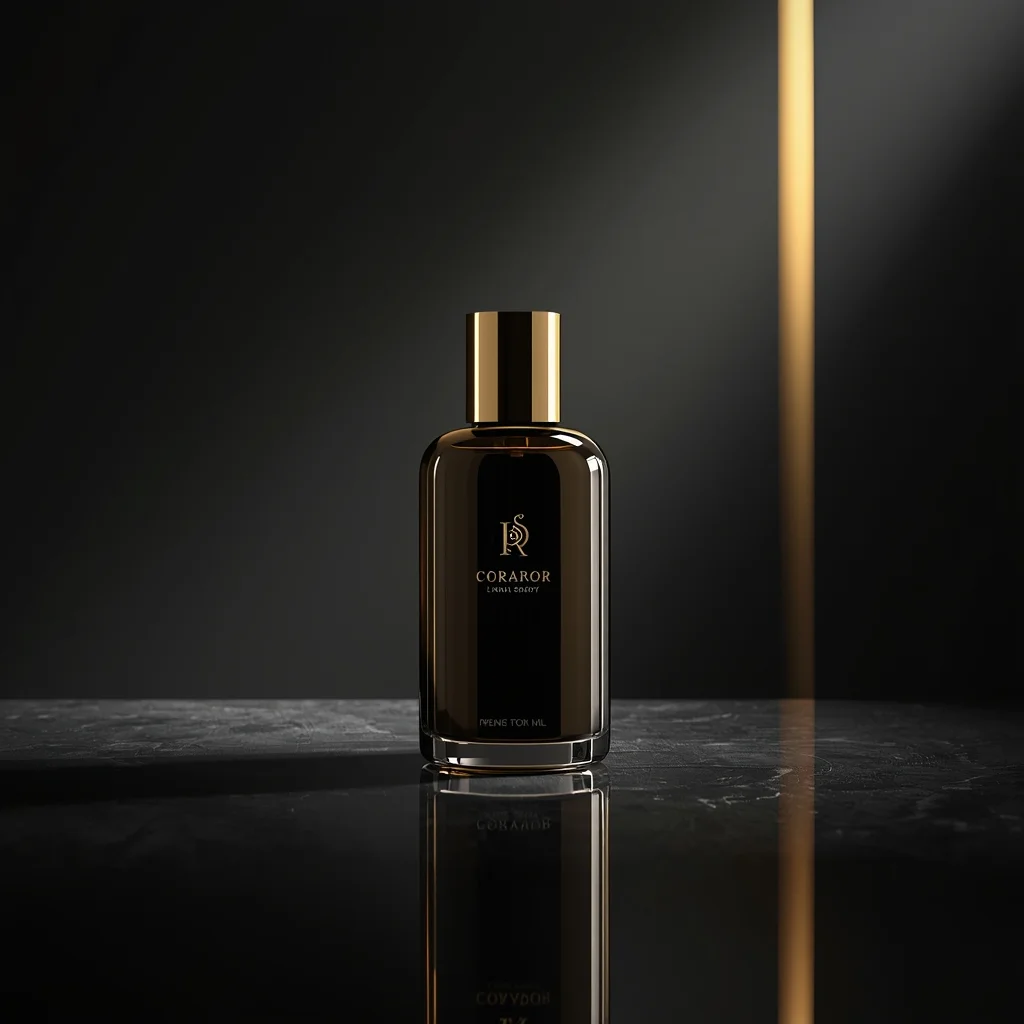
A premium luxury product displayed on a reflective surface, dark elegant background, soft spotlight lighting, golden highlights, rich shadows, high-end brand feel, cinematic mood, ultra-detailed materials, professional luxury advertising photography, ultra-realistic, 8K ultra HD
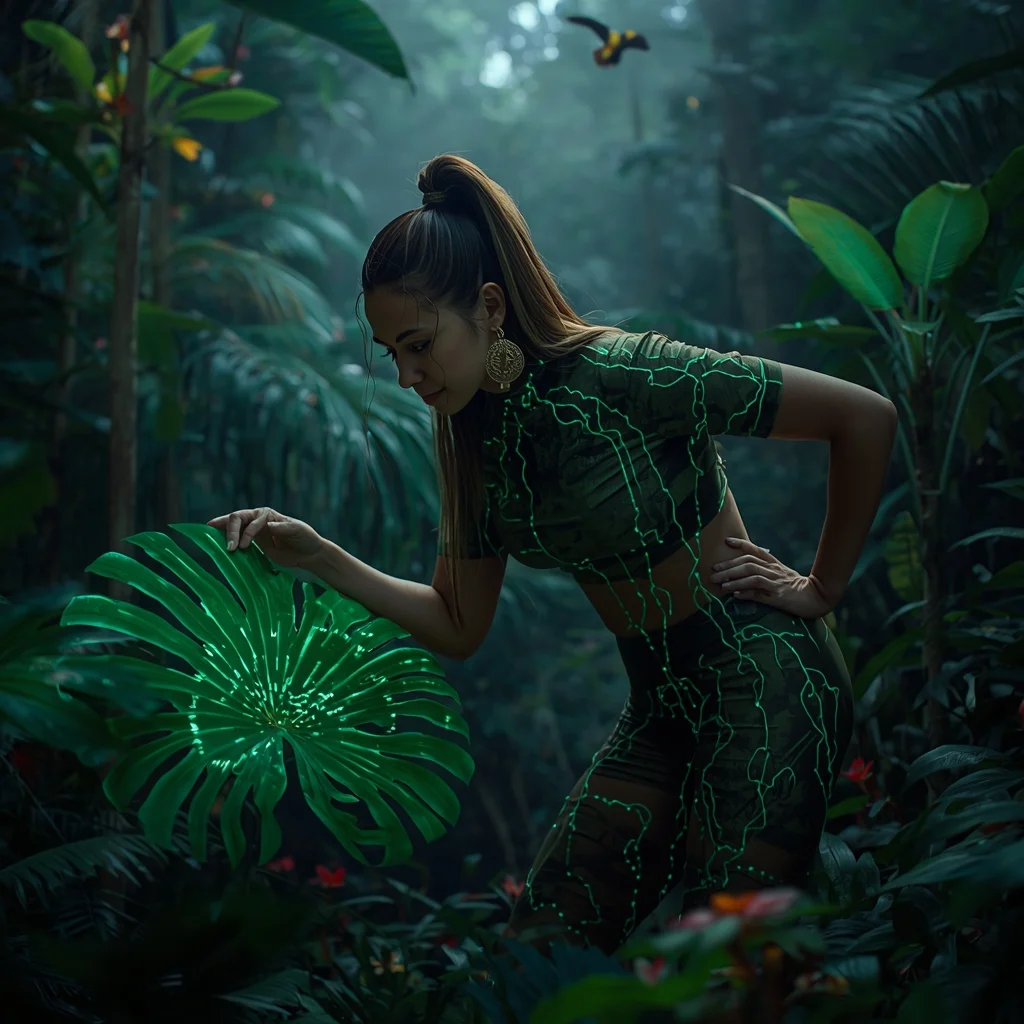
Prompt: A lush, vibrant shot of a woman in tactical jungle-wear integrated with organic glowing vines, standing in the heart of a dense Amazonian rainforest. Tropical birds and bioluminescent insects fill the air. | Pose: An 'Interacting with Nature' pose. She is leaning forward, one hand gently holding a large tropical leaf that is glowing with digital data patterns. Her other hand is resting on her hip. She is looking at the leaf with a look of scientific curiosity. | Technical: Shot with a 100mm macro lens. Focus is incredibly sharp on the woman’s face and the glowing leaf veins. Saturated greens and vibrant floral colors. Volumetric 'God rays' through the canopy. 16k resolution.
Modern Indian Viral Reel Pose – Diagonal Walk Energy | Best Gemini Prompt
1694 mos ago
Prompt: An Indian woman wearing a trendy modern Indian dress with a sleek, fashion-forward design, captured mid-walk at a diagonal angle as if entering a viral reel frame. One leg stepping forward confidently, torso slightly twisted to create motion. Hair gently flowing with movement, adding realism. Expression playful yet confident with strong eye contact. Makeup is fresh, glowing, and camera-ready. Lighting is vibrant and clean, enhancing sharpness and fabric texture. Background minimal or softly colorful, optimized for social media. High clarity, modern influencer aesthetic, cinematic framing, ultra-realistic textures, designed for viral impact.
Prompt: An elegant woman standing on a sun-drenched rooftop terrace in Santorini, overlooking the deep blue Aegean Sea. She is wearing a flowing, high-slit white silk gown that catches the ocean breeze. The architecture is minimalist white with soft shadows. The lighting is the warm, golden glow of a Mediterranean afternoon.
Pose: Standing with one hand on a white stone waist-high wall, body angled toward the sea while her head is turned back toward the camera with a confident, effortless smile.
Technical: 8k resolution, shot on Leica M11, 35mm lens, f/2.4, natural golden hour lighting, cinematic color grading, hyper-realistic fabric textures.
The Neon Street Samurai | Ultra Realistic Photo Prompt
2104 mos ago
Prompt: A stylish man in a high-tech obsidian trench coat with glowing purple LED accents, standing in a rain-soaked Shibuya-style alleyway. Holographic advertisements are reflecting in the wet pavement and on his metallic visor.
Pose: Standing in a relaxed "Power Lean" against a neon-lit vending machine, one leg crossed over the other, holding a translucent digital tablet.
Technical: 35mm lens, f/1.4, cinematic cyberpunk color grading, ray-traced reflections, 8k resolution.
Kerala Traditional Lamp Lighting Pose | Ai Prompt For Perfect Lighting
1724 mos ago
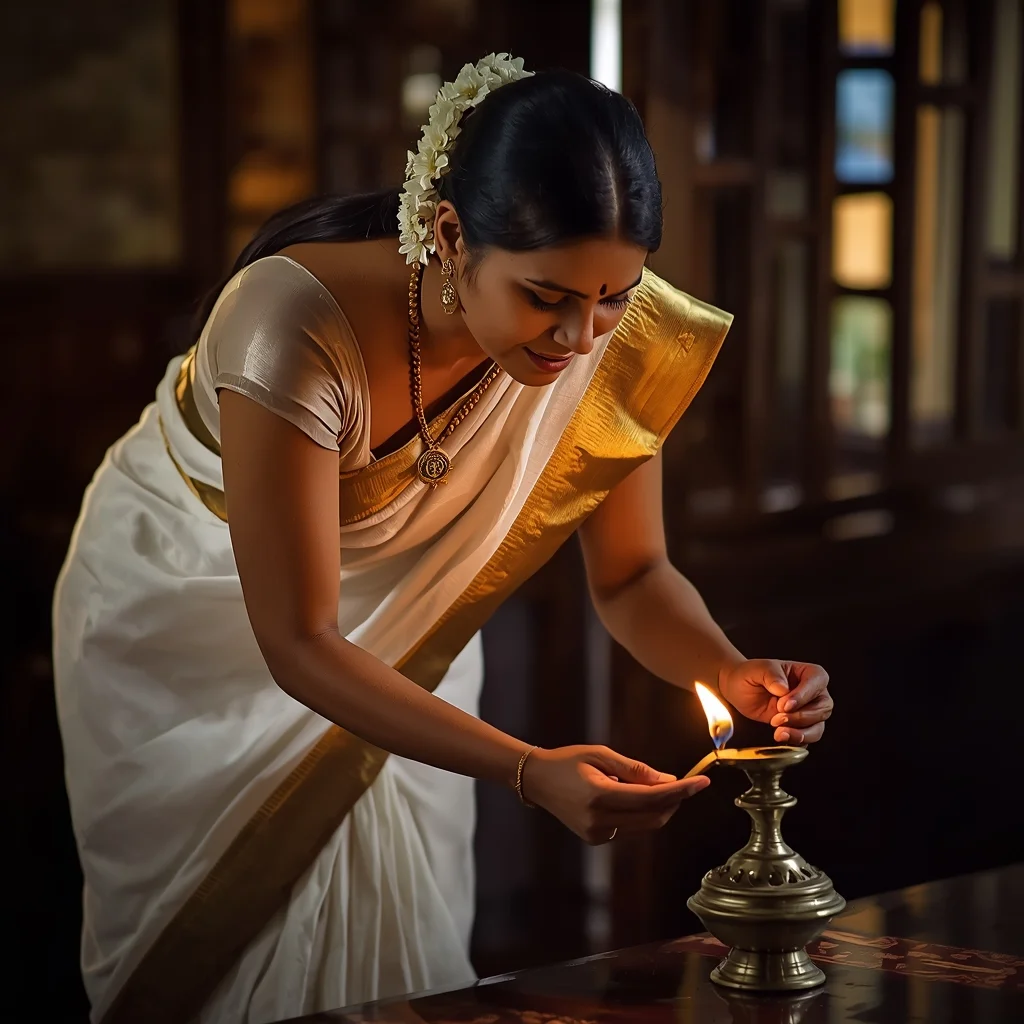
Prompt: A Kerala woman bending slightly forward while lighting a brass nilavilakku, wearing a traditional off-white kasavu saree with gold border, simple gold jewelry, hair tied back with jasmine flowers, warm evening light, wooden heritage home interior, calm and graceful expression, cultural purity, natural color grading, photorealistic textures, ultra-clean composition
Frequently Asked Questions
Common questions regarding this AI prompt.
Does this prompt support blending multiple concepts together?
Yes, advanced users can use this prompt as a base for concept blending. By utilizing syntax like [Concept A : Concept B : 0.5] in Automatic1111 or simply describing a hybrid scenario, the strong foundational parameters of the Relaxed Sitting Pose | Ai Prompt Formula prompt will ensure the merged concepts render cohesively without degrading into visual noise.
Can I simulate bioluminescence or neon lighting in this prompt?
Yes, you can easily shift the scene into a sci-fi or fantasy realm by adding terms like 'bioluminescent glow', 'neon tube lighting', 'emissive materials', or 'fluorescent accents'. These modifiers will cause the objects within the Man Pose Art scene to act as their own light sources, casting incredibly realistic colored reflections onto surrounding surfaces.
Can I change the material composition of objects in the Relaxed Sitting Pose | Ai Prompt Formula prompt?
Yes, AI handles material transformation brilliantly. If you want to change a standard object into something surreal, use explicit material descriptors like 'made of translucent frosted glass', 'brushed anodized aluminum', 'woven carbon fiber', or 'wet shimmering obsidian'. This will completely recalculate the reflections and refractions in the Man Pose Art output.
How does the prompt simulate physical camera lenses for Relaxed Sitting Pose | Ai Prompt Formula?
The prompt acts as a virtual director of photography by explicitly stating lens focal lengths and aperture settings. By including phrases like 'shot on 35mm lens' or 'f/1.4 aperture', the AI mathematically simulates the optical distortion, compression, and background blur (bokeh) characteristic of high-end photography, elevating the Man Pose Art image from a flat digital render to a lifelike photo.
How do I add realistic weather effects like rain or snow to the scene?
Weather completely alters the physics of light. If you add 'torrential rain, wet asphalt reflecting neon, water droplets clinging to surfaces', the AI will not just draw rain; it will change the specularity of the Relaxed Sitting Pose | Ai Prompt Formula subject. For snow, use 'heavy blizzard, frost-covered edges, soft diffused winter light' to change the entire atmosphere of the Man Pose Art generation.
Can I convert the scene into a post-apocalyptic wasteland?
Yes, by adding 'post-apocalyptic, overgrown ruins, rusted metal, decayed urban environment, survival aesthetic, cinematic fallout style'. The AI will take the core structure of Relaxed Sitting Pose | Ai Prompt Formula and age it by decades, adding immense weathering and environmental storytelling to the Man Pose Art image.
What architectural composition techniques are embedded in the Relaxed Sitting Pose | Ai Prompt Formula prompt?
The Relaxed Sitting Pose | Ai Prompt Formula prompt utilizes advanced compositional frameworks such as the golden ratio and leading lines. By strategically placing the core Man Pose Art subject matter at intersection points, it guides the viewer's eye naturally through the scene. This mathematical approach to AI generation ensures the final output feels balanced and visually arresting without requiring post-crop adjustments.
How does this prompt handle lighting and atmospheric effects?
This prompt utilizes a sophisticated combination of cinematic lighting descriptors and atmospheric keywords tailored for Man Pose Art. By specifying light direction, diffusion, and volumetric properties like 'god rays' or 'softbox lighting', it forces modern AI engines like Midjourney v6 and Flux to calculate highly realistic light bounces, creating a deeply immersive environment.
How does Google's Gemini (Imagen 3) respond to the Relaxed Sitting Pose | Ai Prompt Formula prompt?
Gemini's Imagen 3 engine is exceptionally strong at adhering to safe, high-quality, photorealistic requests. It reads the descriptive narrative of the Relaxed Sitting Pose | Ai Prompt Formula prompt perfectly, ensuring that the subject anatomy and environmental physics are logical, highly detailed, and free from the typical warping artifacts seen in older generation models.
What is the optimal workflow for upscaling Relaxed Sitting Pose | Ai Prompt Formula to print-quality resolution?
Do not generate at massive resolutions directly, as it causes compositional duplication (like two heads). Instead, generate Relaxed Sitting Pose | Ai Prompt Formula at a native resolution (e.g., 1024x1024), and then use a dedicated AI upscaler. Tools like Topaz Gigapixel AI, Magnific AI, or the '4x-UltraSharp' model in Automatic1111 will enhance the micro-textures of the Man Pose Art without destroying the original composition.
How do I create a surreal, dream-like version of Relaxed Sitting Pose | Ai Prompt Formula?
To break the laws of physics, use keywords like 'surrealism, dreamscape, floating objects, defying gravity, Salvador Dali style, mind-bending geometry, ethereal'. The AI will take the familiar elements of Relaxed Sitting Pose | Ai Prompt Formula and arrange them in illogical, fascinating ways, creating a truly unique Man Pose Art art piece.
How do I achieve an extreme close-up or macro shot of Relaxed Sitting Pose | Ai Prompt Formula?
Modify the perspective by heavily weighting keywords like 'extreme macro photography', '100mm macro lens', 'microscopic detail', and 'extreme close up'. This forces the AI engine to ignore the broader Man Pose Art environment and dedicate all of its rendering power to the microscopic textures, fibers, or surface imperfections of the primary subject.
How can I transform Relaxed Sitting Pose | Ai Prompt Formula into a vector graphic or logo style?
To strip away the photorealism, replace the camera keywords with 'flat vector illustration, minimalist design, UI/UX asset, Adobe Illustrator style, solid colors, clean crisp lines, no gradients'. This transforms the Man Pose Art subject into a scalable, graphic-design-ready asset perfect for web design or branding.
Why might the colors in my Relaxed Sitting Pose | Ai Prompt Formula generation appear washed out, and how do I fix it?
Washed-out colors typically result from a missing VAE file in local setups, or a lack of color-grading instructions. To immediately fix this within the text prompt itself, append phrases such as 'vibrant technicolor, rich saturation, HDR, cinematic color grading, high contrast'. This forces the AI to map a wider, more dynamic color range to your image.