I Copied This Strategy and It Worked | Ai Prompt Guide
High-quality AI-generated image. Optimized for detailed rendering, perfect for creative projects and inspiration.
92Views
0 Likes
100%Quality
FreeLicense
AI Prompt
Prompt: Design a thumbnail showing a creator secretly copying notes from a glowing screen labeled “WINNING STRATEGY.” The creator has a surprised but happy expression. Background includes blurred successful YouTube channels, trophies, and upward graphs. Use warm golden lighting, cinematic glow, shallow depth of field, realistic shadows, high-resolution details, and storytelling visuals that suggest smart imitation and success.
Want to create this with your own face? Use this instruction:
Maintain perfect facial consistency with the reference image. The identity, expression style, realism, and skin details must match exactly, with zero deviation. Prompt: Design a thumbnail showing a creator secretly copying notes from a glowing screen labeled “WINNING STRATEGY.” The creator has a surprised but happy expression. Background includes blurred successful YouTube channels, trophies, and upward graphs. Use warm golden lighting, cinematic glow, shallow depth of field, realistic shadows, high-resolution details, and storytelling visuals that suggest smart imitation and success.
About this Prompt
Step into a world of flawless, high-definition digital artistry with 'I Copied This Strategy and It Worked | Ai Prompt Guide'. Expertly engineered for YouTube Thumbnail enthusiasts, this advanced prompt bridges the gap between raw imagination and photorealistic execution, bringing unseen concepts to life with breathtaking precision and an unapologetically premium vibe. Extremely High Dynamic Range (HDR) tonemapping parameters make the final render insanely vivid, utilizing the absolute maximum available light spectrum. The brilliant, pure visual minimalism creates a massive, staggering impact by stripping away all unnecessary noise to reveal the pure, unadulterated YouTube Thumbnail essence.
A heavily relied-upon secret weapon for digital marketing agencies running high-conversion ad campaigns. The sheer psychological stopping power of this highly optimized YouTube Thumbnail aesthetic dramatically lowers acquisition costs and massively boosts viewer click-through rates. Do not hesitate to securely add the incredible power of this prompt to your professional toolkit. This flawless, highly optimized YouTube Thumbnail prompt is completely ready to be copy-pasted instantly, radically transforming your blank digital canvas.
Prompt: A high-end editorial shot of a woman in a "relaxed-regal" pose, sitting on a vintage teak chair. She is wearing a modern structured silk blazer over a traditional handwoven Banarasi saree, blending Indian heritage with 2026 street style. The lighting is soft, natural morning light coming through a large arched window, casting subtle shadows that highlight the intricate gold zari work of the saree. Photorealistic 8k resolution, capturing every tiny fiber of the silk and the realistic texture of her skin including subtle beauty marks. Shot on 50mm prime lens, cinematic and authentic.
Dramatic wide shot of an Indian woman standing atop a sand dune at sunset, wind blowing a long flowing scarf (dupatta) behind her, golden hour rim lighting highlighting her silhouette, vast desert horizon background, cinematic composition, high-end travel photography, deep oranges and golds, 8K resolution
Elegant Woman Seated in Autumn Saree Style | Best Ai Prompt For Beginner
1043 mos ago
Prompt: A realistic portrait of a woman seated on a wooden bench in an autumn garden, dressed in a richly textured saree-style outfit with Kashmiri embroidery. Her pose is calm and dignified, hands resting gently on her lap, expression peaceful. Fallen chinar leaves surround her, natural ambient light enhancing skin tones and fabric detail. Cinematic color grading, ultra-realistic photography.
Young Kashmiri Woman in Autumn Pheran Elegance | Top Trending Ai Prompt Style
1073 mos ago
Prompt: A highly realistic image of a young Kashmiri woman standing gracefully in an autumn landscape, wearing a traditional woolen Kashmiri pheran in deep maroon and soft beige tones, detailed with delicate Kashida embroidery. Her pose is youthful yet elegant, shoulders relaxed, one hand lightly holding the edge of the pheran. Golden chinar leaves blanket the ground around her. Soft natural sunlight, fresh youthful facial features, minimal makeup, traditional silver earrings, cinematic depth of field, cultural authenticity, ultra-realistic 8K photography.
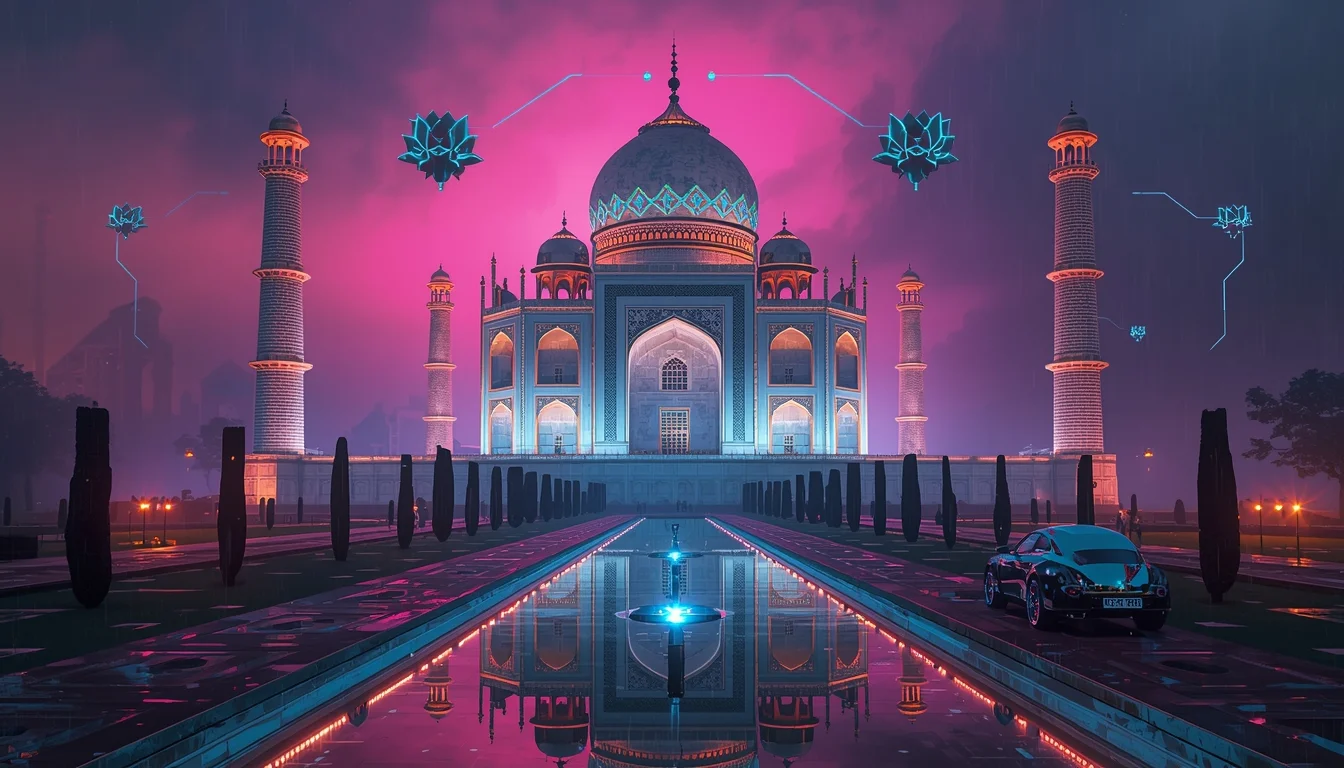
India 2077: The Rise of the Cyberpunk Taj Mahal | Best Prompt For Photo Realism
963 mos ago
Prompt: A breathtaking and hyper-realistic cinematic wide-shot of the Taj Mahal reimagined in the year 2077. The iconic white marble structure is now augmented with glowing neon blue and gold geometric patterns etched into its surface. Massive holographic lotus flowers float in the air around the minarets, and the traditional reflecting pool is now a high-tech landing pad for sleek, chrome-finished flying rickshaws and luxury hover-cars that leave vibrant light trails in the rainy night atmosphere. The sky is a deep violet and indigo, filled with towering megastructures in the background that dwarf the horizon. The lighting is a high-contrast masterpiece of electric pinks, cyans, and warm amber, reflecting perfectly on the rain-slicked marble floor. Incredibly detailed textures, 8k resolution, Unreal Engine 5 render style, volumetric fog, and cinematic color grading that blends ancient heritage with a high-tech future.
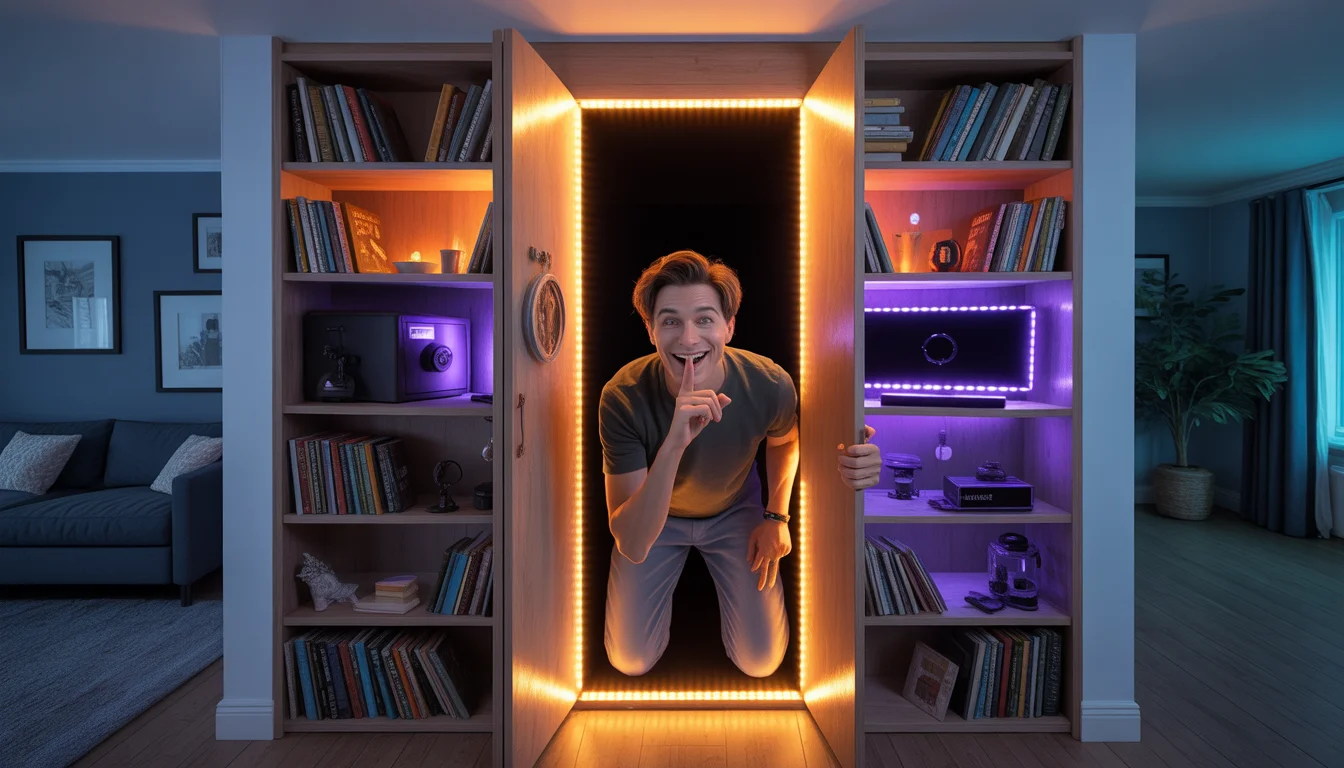
I Built a Secret Hidden Room in My House! | Perfect Gemini Prompt
1033 mos ago
Prompt: A mysterious "reveal" thumbnail. A person is pulling open a seemingly normal bookshelf that is actually a secret door. Behind the bookshelf, a warm, glowing hidden room is revealed, filled with cool items like a gaming setup, a safe, and LED strip lighting. The person has a mischievous grin and is putting a finger to their lips in a "shhh" gesture. The surrounding room is a normal living room. Dramatic lighting contrasting the dark living room with the bright secret room. Wide-angle shot, photorealistic, 8k, cozy and adventurous vibe.
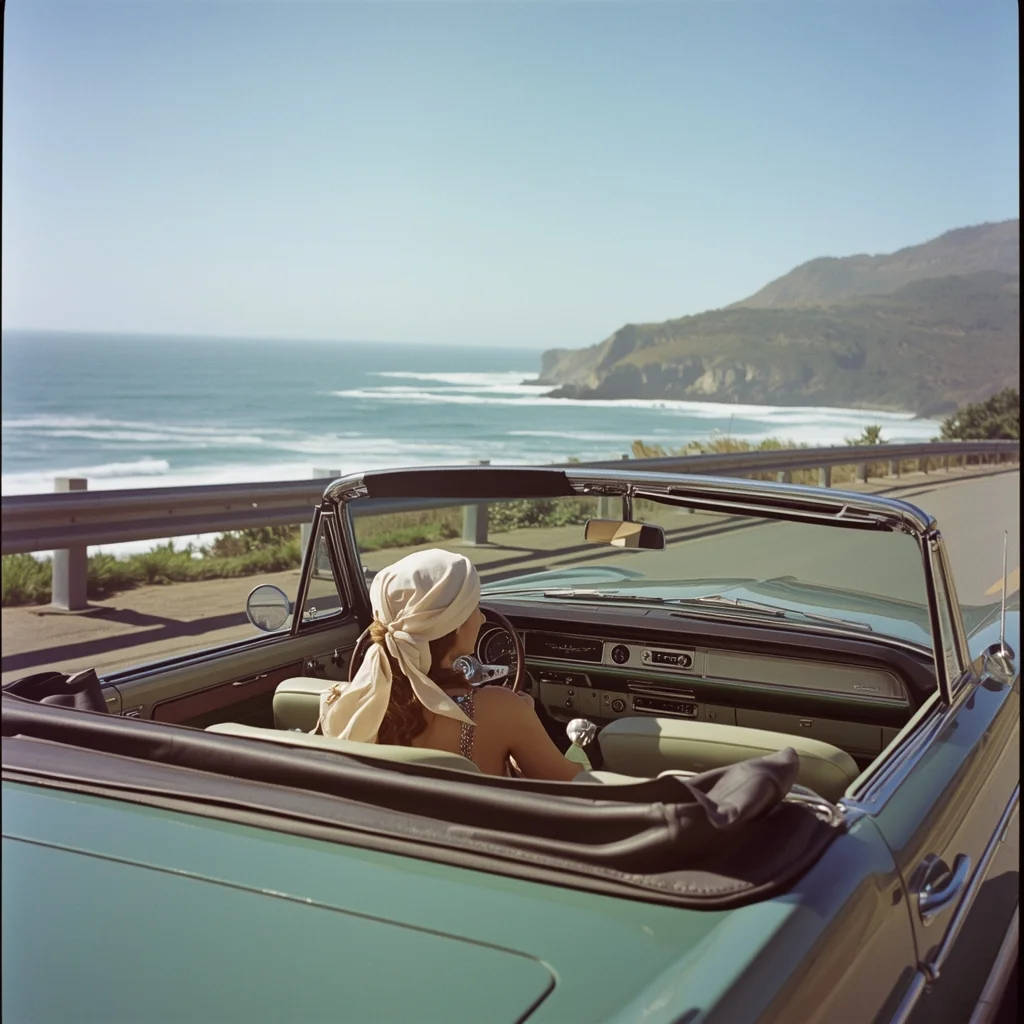
A classic 1960s convertible driving down a coastal highway in California. The driver is a woman with a silk headscarf blowing in the wind. Ocean waves crashing in the background. Saturated Kodak Portra film look, slightly grainy texture, bright and airy sunny day lighting.
A man posing outdoors in nature, standing near mountains or forest scenery, casual outdoor outfit, fresh natural light, peaceful mood, wide-angle composition, realistic environment, cinematic landscape portrait, ultra-detailed, 8K quality
Frequently Asked Questions
Common questions regarding this AI prompt.
How customizable are the character and environment details in the I Copied This Strategy and It Worked | Ai Prompt Guide prompt?
Highly customizable. The prompt serves as a robust architectural framework. You can easily swap out specific nouns or color palettes while retaining the core YouTube Thumbnail style. For example, changing the time of day or the primary clothing material will seamlessly adapt the scene while maintaining the high-definition rendering quality originally intended for I Copied This Strategy and It Worked | Ai Prompt Guide.
Can I make the characters or subjects in I Copied This Strategy and It Worked | Ai Prompt Guide look like cyborgs?
Easily. Append 'cybernetic enhancements, robotic limbs, glowing optical sensors, biomechanical plating, android'. The AI seamlessly blends biological flesh with metallic machinery, maintaining the high-quality rendering of the original YouTube Thumbnail prompt while shifting the character design.
What rendering engines should I reference to maximize the quality of I Copied This Strategy and It Worked | Ai Prompt Guide?
Modern AI image generators respond incredibly well to 3D software references. By appending terms like 'Unreal Engine 5 render', 'OctaneRender', 'Redshift', 'V-Ray', and 'Global Illumination', you are signaling the AI to utilize its highest quality datasets for lighting physics and material textures within the YouTube Thumbnail image.
How can I transform I Copied This Strategy and It Worked | Ai Prompt Guide into a vector graphic or logo style?
To strip away the photorealism, replace the camera keywords with 'flat vector illustration, minimalist design, UI/UX asset, Adobe Illustrator style, solid colors, clean crisp lines, no gradients'. This transforms the YouTube Thumbnail subject into a scalable, graphic-design-ready asset perfect for web design or branding.
Can I change the material composition of objects in the I Copied This Strategy and It Worked | Ai Prompt Guide prompt?
Yes, AI handles material transformation brilliantly. If you want to change a standard object into something surreal, use explicit material descriptors like 'made of translucent frosted glass', 'brushed anodized aluminum', 'woven carbon fiber', or 'wet shimmering obsidian'. This will completely recalculate the reflections and refractions in the YouTube Thumbnail output.
How do I add realistic weather effects like rain or snow to the scene?
Weather completely alters the physics of light. If you add 'torrential rain, wet asphalt reflecting neon, water droplets clinging to surfaces', the AI will not just draw rain; it will change the specularity of the I Copied This Strategy and It Worked | Ai Prompt Guide subject. For snow, use 'heavy blizzard, frost-covered edges, soft diffused winter light' to change the entire atmosphere of the YouTube Thumbnail generation.
What is the optimal workflow for upscaling I Copied This Strategy and It Worked | Ai Prompt Guide to print-quality resolution?
Do not generate at massive resolutions directly, as it causes compositional duplication (like two heads). Instead, generate I Copied This Strategy and It Worked | Ai Prompt Guide at a native resolution (e.g., 1024x1024), and then use a dedicated AI upscaler. Tools like Topaz Gigapixel AI, Magnific AI, or the '4x-UltraSharp' model in Automatic1111 will enhance the micro-textures of the YouTube Thumbnail without destroying the original composition.
What architectural composition techniques are embedded in the I Copied This Strategy and It Worked | Ai Prompt Guide prompt?
The I Copied This Strategy and It Worked | Ai Prompt Guide prompt utilizes advanced compositional frameworks such as the golden ratio and leading lines. By strategically placing the core YouTube Thumbnail subject matter at intersection points, it guides the viewer's eye naturally through the scene. This mathematical approach to AI generation ensures the final output feels balanced and visually arresting without requiring post-crop adjustments.
How do I inject a cyberpunk or dystopian sci-fi feel into I Copied This Strategy and It Worked | Ai Prompt Guide?
Add 'cyberpunk metropolis, neon rain, holographic advertisements, high-tech low-life, chrome and cables'. The AI will retain the core shape and intent of the I Copied This Strategy and It Worked | Ai Prompt Guide prompt but re-texture everything with futuristic, glowing, and metallic sci-fi elements.
How can I use Inpainting to fix specific errors in the generated I Copied This Strategy and It Worked | Ai Prompt Guide image?
Inpainting is essential for perfection. If 90% of the I Copied This Strategy and It Worked | Ai Prompt Guide image is flawless but a hand or eye is distorted, send the image to an Inpaint tab. Mask only the flawed area, keep the original prompt, and set the denoising strength high (around 0.7). The AI will regenerate only that specific zone, seamlessly blending the fixed YouTube Thumbnail elements into the surrounding artwork.