I Tested 30 AI Tools So You Don’t Have To | Instagram Image Prompt
High-quality AI-generated image. Optimized for detailed rendering, perfect for creative projects and inspiration.
361Views
0 Likes
100%Quality
FreeLicense
AI Prompt
Prompt: Generate a dynamic thumbnail with a creator sitting at a desk surrounded by floating AI app logos, holographic screens, and futuristic interfaces. The person looks tired but amazed, with messy hair and glowing screens reflecting on the face. Include digital charts, robotic icons, and neon UI elements. Use cyberpunk color tones, blue and purple neon lighting, cinematic depth, ultra-realistic details, sharp focus, energetic composition, and bold visual hierarchy perfect for a tech-focused YouTube thumbnail.
Want to create this with your own face? Use this instruction:
Maintain original facial details and micro-textures. Prompt: Generate a dynamic thumbnail with a creator sitting at a desk surrounded by floating AI app logos, holographic screens, and futuristic interfaces. The person looks tired but amazed, with messy hair and glowing screens reflecting on the face. Include digital charts, robotic icons, and neon UI elements. Use cyberpunk color tones, blue and purple neon lighting, cinematic depth, ultra-realistic details, sharp focus, energetic composition, and bold visual hierarchy perfect for a tech-focused YouTube thumbnail.
About this Prompt
Reinvent your entire approach to generative design with the staggering capabilities of 'I Tested 30 AI Tools So You Don’t Have To | Instagram Image Prompt'. By viewing the YouTube Thumbnail aesthetic from a radical, fresh angle, this prompt allows you to maximize the sheer potential of your AI tools and produce undeniably iconic artwork. The visual precision engineered here is simply unmatched, incorporating incredibly soft, soothing pastel undertones or striking, aggressive bold contrasts depending on the specific generation. It effortlessly balances highly complex, cluttered background elements with a totally isolated, beautifully focused hero subject.
Specifically designed from the ground up to meet the incredibly rigorous, uncompromising demands of elite digital content creators. This prompt is your ultimate, highly guarded shortcut to achieving a polished, pristine, magazine-cover aesthetic instantly. Make this highly stunning, perfectly composed prompt the absolute focal point of your next big digital project. Its immense, highly adaptable versatility is simply perfect for completely mastering the intricacies of the YouTube Thumbnail visual style.
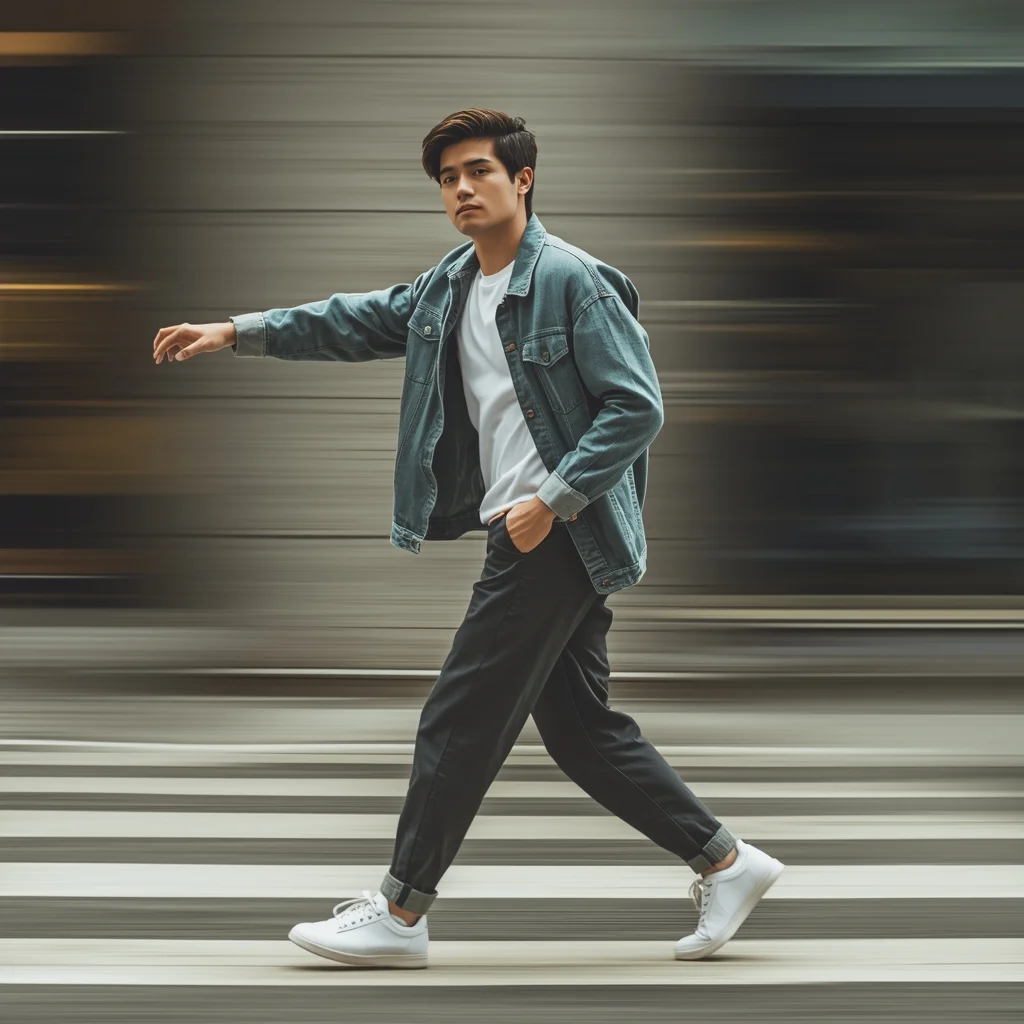
Prompt: A young man captured mid-walk for Instagram Reels, natural arm swing, confident relaxed body language, modern casual outfit, outdoor urban setting, motion blur background, cinematic framing, dynamic lifestyle photography, realistic textures, trendy vibe.
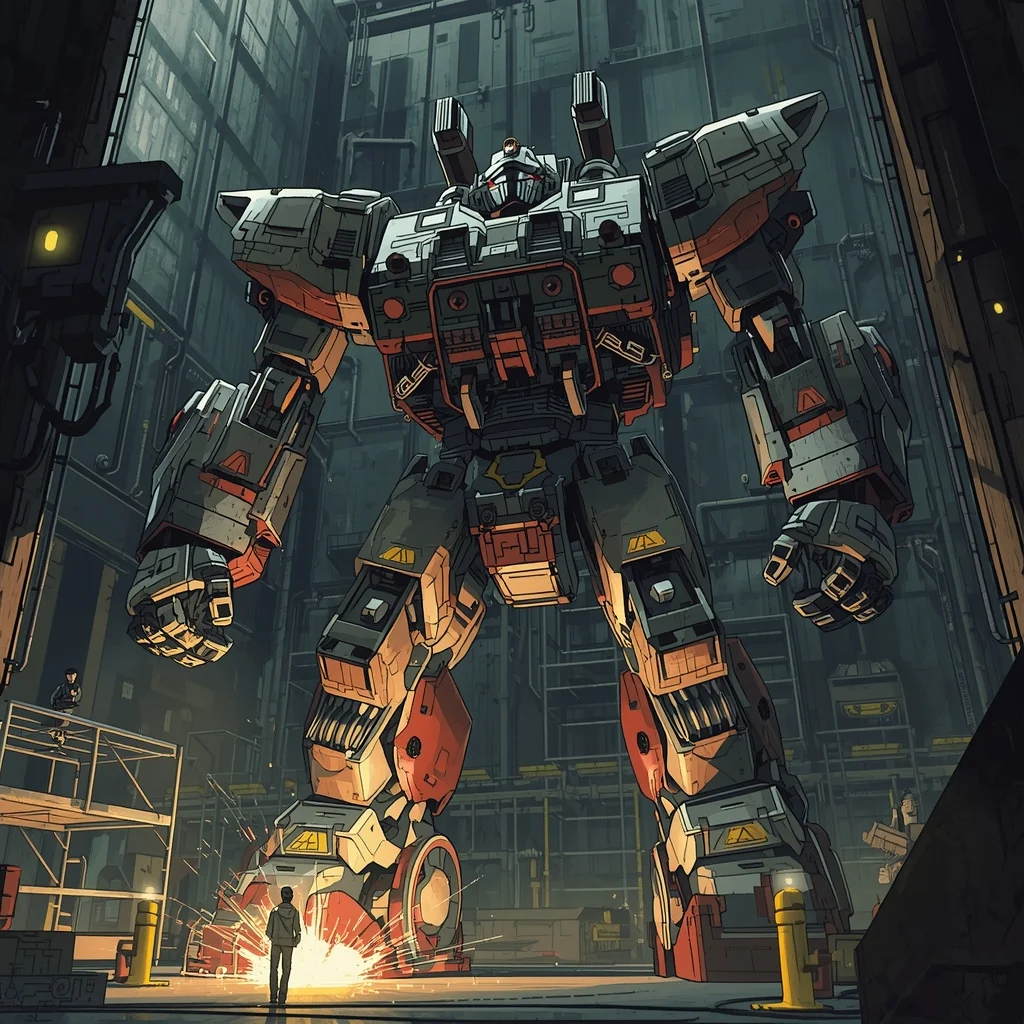
Prompt: Detailed mecha anime style, industrial aesthetic. A giant humanoid robot being repaired in a massive dark hangar. Sparks flying from welding tools, yellow warning lights, intricate mechanical parts and hydraulic wires. Scale reference with tiny human technicians on scaffolding. Gritty, realistic, sci-fi.
The Yachtsman's Leisure | Powerful Prompt For Hd Image
4449 mos ago
Prompt: A wealthy man in a crisp white linen shirt and tailored shorts, standing on the teak deck of a luxury superyacht. The background is the open azure Mediterranean sea under a bright, clear sky. Pose: Standing confidently at the railing, looking out at the horizon with a relaxed smile. One hand rests lightly on the railing, the other holds a glass of champagne. Body weight shifted to one leg. Technical: Bright daylight exposure, polarized lens effect for vibrant blue water, luxurious lifestyle photography, 8k resolution.
Pose: Standing confidently at the railing, looking out at the horizon with a relaxed smile. One hand rests lightly on the railing, the other holds a glass of champagne. Body weight shifted to one leg. Technical: Bright daylight exposure, polarized lens effect for vibrant blue water, luxurious lifestyle photography, 8k resolution.
Technical: Bright daylight exposure, polarized lens effect for vibrant blue water, luxurious lifestyle photography, 8k resolution.
Traditional Ukiyo-e Woodblock Animation | Shadow Effect Prompt
3159 mos ago
Prompt: Highly stylized anime influenced by traditional Japanese ukiyo-e woodblock prints, similar to the art of Hokusai or the anime "Mononoke". A mythical fox spirit standing on a bridge under a giant, textured wave. Rice paper texture overlay, muted mineral color palette, prominent hand-drawn brushstroke outlines, flat perspective.
The Sophisticated Corporate Executive | Gemini Vision Prompt
3759 mos ago
Prompt: A high-resolution cinematic portrait of a confident middle-aged businessman in a tailored charcoal grey three-piece suit. He is standing on a high-rise balcony overlooking a sunset-lit Manhattan skyline. One hand is adjusting a silver cufflink, while the other rests in his pocket. Soft golden hour lighting hitting his face, sharp jawline, salt-and-pepper hair, realistic skin textures, 8k resolution, shot on 35mm lens, hyper-realistic, professional photography style.
STOP DOING THIS RIGHT NOW ❌ | Cinematic Lighting Prompt
2959 mos ago
Prompt: Photorealistic YouTube thumbnail featuring a serious creator pointing directly at the viewer, warning expression, strong eye contact, bold red cross symbol beside them, dramatic top lighting, dark background with subtle texture, high contrast shadows, ultra-sharp face focus, expressive emotions, vibrant red accents, cinematic color grading, professional studio photography style, clean framing, 4K ultra-HD, thumbnail optimized for instant attention.
Prompt: 1990s western cartoon style, thick bold outlines, flat cel-shading. A group of anthropomorphic animal detectives standing in a dark alleyway under a streetlamp. Vibrant primary colors, grainy VHS tape texture, expressive facial expressions, classic Nickelodeon or Disney Afternoon aesthetic.
Soft Cultural Close Portrait Woman Pose | Stylish Image Prompt
4389 mos ago
Prompt: A close-up traditional portrait of a woman with her head slightly tilted and shoulders relaxed, emphasizing grace and intimacy. Her expression is gentle and introspective, eyes conveying cultural warmth and emotional depth. Makeup is minimal and traditional. Soft window or studio lighting creates smooth gradients of light and shadow across her face. Background is clean with subtle texture. Ultra-clean composition, professional cultural portrait photography, high-resolution realism.
Frequently Asked Questions
Common questions regarding this AI prompt.
Is it possible to use this static image prompt as a base for AI video animation?
Yes, this is a very popular workflow. Once you generate the perfect still image of I Tested 30 AI Tools So You Don’t Have To | Instagram Image Prompt, you can import it into cutting-edge AI video generators like Luma Dream Machine, Kling AI, Runway Gen-3, or Pika Labs. The high detail and clear focus provided by this YouTube Thumbnail prompt make it an ideal initial keyframe, resulting in smooth, artifact-free animations.
Is it possible to make the image look like an architectural blueprint?
Absolutely. Strip all color and realism by adding 'technical architectural blueprint, white lines on blue background, schematics, precise measurements, cross-section view, drafted by an engineer'. This is a highly creative way to present the YouTube Thumbnail subject from an analytical, structural perspective.
Can I simulate bioluminescence or neon lighting in this prompt?
Yes, you can easily shift the scene into a sci-fi or fantasy realm by adding terms like 'bioluminescent glow', 'neon tube lighting', 'emissive materials', or 'fluorescent accents'. These modifiers will cause the objects within the YouTube Thumbnail scene to act as their own light sources, casting incredibly realistic colored reflections onto surrounding surfaces.
How do I add realistic weather effects like rain or snow to the scene?
Weather completely alters the physics of light. If you add 'torrential rain, wet asphalt reflecting neon, water droplets clinging to surfaces', the AI will not just draw rain; it will change the specularity of the I Tested 30 AI Tools So You Don’t Have To | Instagram Image Prompt subject. For snow, use 'heavy blizzard, frost-covered edges, soft diffused winter light' to change the entire atmosphere of the YouTube Thumbnail generation.
What is the core conceptual focus of the I Tested 30 AI Tools So You Don’t Have To | Instagram Image Prompt prompt?
The I Tested 30 AI Tools So You Don’t Have To | Instagram Image Prompt prompt is meticulously engineered to focus on high-fidelity visual storytelling within the YouTube Thumbnail genre. By leveraging advanced keyword weighting and specific rendering tokens, it ensures that the AI prioritizes both the primary subject matter and the intricate atmospheric details, resulting in a highly professional and polished final image.
Can I use Image-to-Image (Img2Img) techniques with the I Tested 30 AI Tools So You Don’t Have To | Instagram Image Prompt prompt?
Absolutely. Using a rough sketch or a reference photo alongside this prompt in an Img2Img workflow is highly effective. We recommend setting your Denoising Strength between 0.45 and 0.65. This range is the 'sweet spot' that allows the AI to apply the high-quality textures and lighting of the I Tested 30 AI Tools So You Don’t Have To | Instagram Image Prompt prompt while strictly respecting the structural layout of your reference image.
Why is this prompt highly effective for generating I Tested 30 AI Tools So You Don’t Have To | Instagram Image Prompt?
Its effectiveness lies in the structured syntax. It separates the core subject definition from the style and technical parameters. This 'block structure' prevents AI confusion, ensuring that the details of I Tested 30 AI Tools So You Don’t Have To | Instagram Image Prompt remain razor-sharp while the background and artistic medium seamlessly blend to match the YouTube Thumbnail aesthetic without overpowering the main focus.
What is the best Stylize (--s) value to use in Midjourney for this prompt?
The stylize parameter dictates how strongly Midjourney applies its default aesthetic. For strict adherence to the realistic details of I Tested 30 AI Tools So You Don’t Have To | Instagram Image Prompt, keep it around --s 100 to --s 250. If you want the AI to take artistic liberties and make the YouTube Thumbnail scene look more like a digital masterpiece, push the value up to --s 500 or --s 750.
How do I ensure the skin textures in I Tested 30 AI Tools So You Don’t Have To | Instagram Image Prompt look photorealistic and not plastic?
AI often defaults to overly smooth, airbrushed skin. To counter this, you must explicitly demand imperfections. Add 'subsurface scattering, visible skin pores, peach fuzz, micro-wrinkles, highly detailed skin texture, raw unedited photograph' to the prompt. This forces the model to render the human elements of the YouTube Thumbnail scene with authentic, biological realism.
How does the prompt establish the historical or futuristic era of I Tested 30 AI Tools So You Don’t Have To | Instagram Image Prompt?
Era-specific aesthetics are locked in using targeted chronological keywords. Whether leaning towards a neo-futuristic cyberpunk vibe or a classical Renaissance look, the prompt forces the AI to draw from specific historical datasets. This ensures that the clothing, architecture, and props within the YouTube Thumbnail scene remain historically or thematically accurate.
Can I change the material composition of objects in the I Tested 30 AI Tools So You Don’t Have To | Instagram Image Prompt prompt?
Yes, AI handles material transformation brilliantly. If you want to change a standard object into something surreal, use explicit material descriptors like 'made of translucent frosted glass', 'brushed anodized aluminum', 'woven carbon fiber', or 'wet shimmering obsidian'. This will completely recalculate the reflections and refractions in the YouTube Thumbnail output.
Can I make the image look like vintage, degraded film?
Absolutely. To strip away the ultra-modern crispness, inject phrases like 'shot on Kodak Portra 400', 'heavy film grain', 'light leaks', 'chromatic aberration', and 'vintage 1970s polaroid'. This introduces beautiful, nostalgic imperfections into the YouTube Thumbnail scene, making the I Tested 30 AI Tools So You Don’t Have To | Instagram Image Prompt generation look like a discovered relic rather than a digital creation.
How do I inject a cyberpunk or dystopian sci-fi feel into I Tested 30 AI Tools So You Don’t Have To | Instagram Image Prompt?
Add 'cyberpunk metropolis, neon rain, holographic advertisements, high-tech low-life, chrome and cables'. The AI will retain the core shape and intent of the I Tested 30 AI Tools So You Don’t Have To | Instagram Image Prompt prompt but re-texture everything with futuristic, glowing, and metallic sci-fi elements.