i Tried This AI Trick and It Changed Everything | Sharp Image Prompt
High-quality AI-generated image. Optimized for detailed rendering, perfect for creative projects and inspiration.
241Views
0 Likes
100%Quality
FreeLicense
AI Prompt
Prompt: Create a highly eye-catching YouTube thumbnail featuring a shocked young creator in the foreground with wide eyes and an open mouth, expressing disbelief and excitement. The character is pointing toward a glowing futuristic hologram labeled “AI SECRET” with neon blue and purple light effects. Background should be a modern tech room with floating digital elements, code symbols, and artificial intelligence graphics. Use cinematic lighting with strong contrast, sharp focus on the face, dramatic shadows, ultra-realistic skin texture, vibrant colors, and exaggerated facial expression. Add depth of field blur to the background, bold composition optimized for mobile viewing, 16:9 ratio, ultra-high resolution, professional YouTube thumbnail style.
Want to create this with your own face? Use this instruction:
Do not alter age, gender appearance, ethnicity, or facial expression style. Everything must remain consistent with the reference image. Prompt: Create a highly eye-catching YouTube thumbnail featuring a shocked young creator in the foreground with wide eyes and an open mouth, expressing disbelief and excitement. The character is pointing toward a glowing futuristic hologram labeled “AI SECRET” with neon blue and purple light effects. Background should be a modern tech room with floating digital elements, code symbols, and artificial intelligence graphics. Use cinematic lighting with strong contrast, sharp focus on the face, dramatic shadows, ultra-realistic skin texture, vibrant colors, and exaggerated facial expression. Add depth of field blur to the background, bold composition optimized for mobile viewing, 16:9 ratio, ultra-high resolution, professional YouTube thumbnail style.
About this Prompt
Discover the well-kept secret to flawless, ultra-realistic generations with 'i Tried This AI Trick and It Changed Everything | Sharp Image Prompt', specifically formulated to bring out the most luxurious, stylish, and deeply captivating aspects of the YouTube Thumbnail genre. It is a true generative gem designed for creators who refuse to compromise on quality. Massively overexposed, brilliantly blown-out highlights create a deeply dreamy, almost ethereal wash, bathing the entire composition in a blinding, incredibly pure holiness. Deep, crushing shadows simultaneously hide profound secrets, forcing the viewer to actively engage with the mysterious YouTube Thumbnail narrative.
Perfectly and meticulously suited for generating explosive viral visual content, highly personalized digital avatars, and premium aesthetic design references, actively allowing you to bypass frustrating creative block entirely and render with extreme confidence. Master the deeply complex, highly technical nuances of AI generation instantly. Copy this exact prompt, confidently adjust your specific parameters, and prepare to have your own visual expectations completely shattered by the flawless, perfect execution.
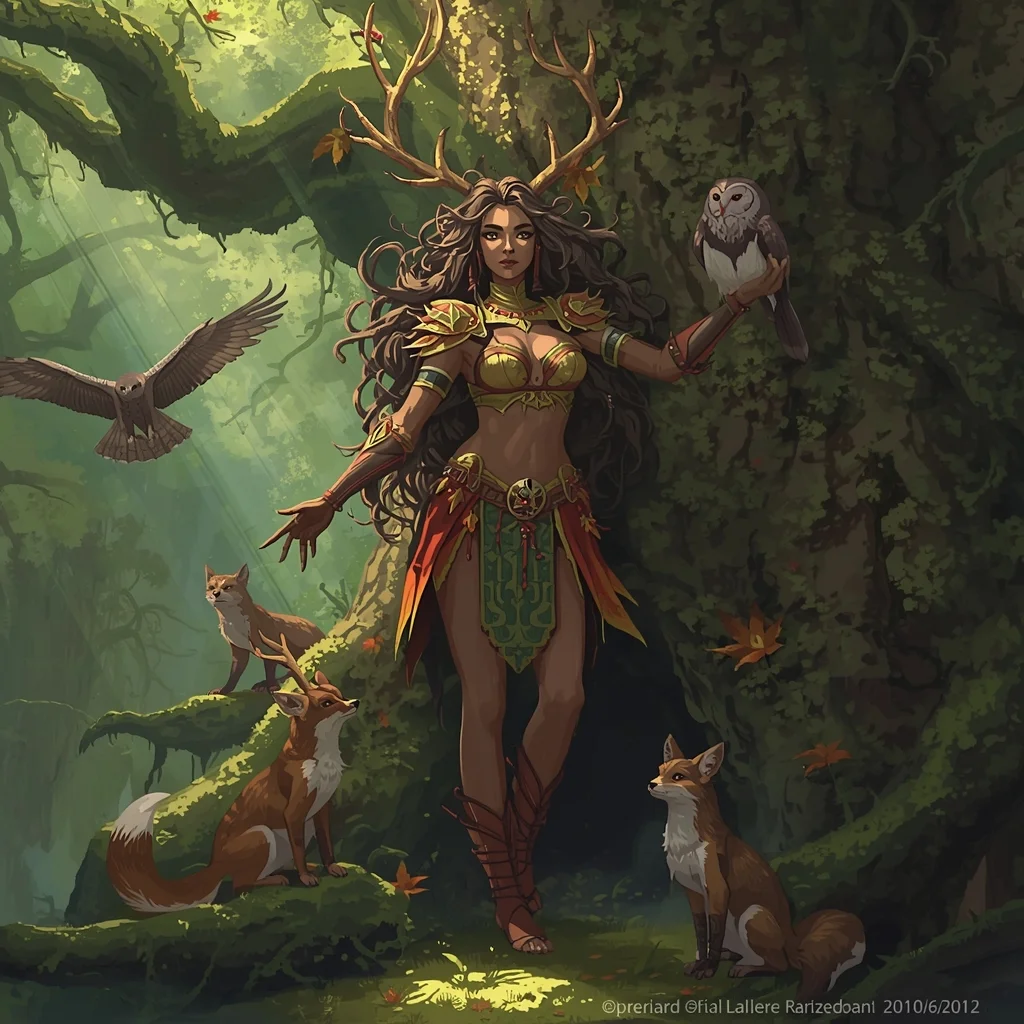
Prompt: A majestic fantasy illustration of a druid woman deep within an ancient, moss-covered forest. She is adorned in armor made of bark and autumn leaves. Antlers sprout from her tangled hair. She is surrounded by curious woodland creatures like foxes and owls. The sunlight pierces through the canopy in "god rays."
Pose: Standing tall and powerful, one arm outstretched with a hawk landing on her wrist, the other hand resting on the trunk of a giant tree, looking protectively into the distance.
Technical: Digital painting style, ArtStation trending, intricate details, dappled sunlight, lush greens and browns, fantasy realism.
Prompt: A classical Bharatnatyam dancer in a bright orange and temple-gold silk costume. She is performing in the courtyard of an ancient stone temple at dawn. The pillars are carved with gods and goddesses. Incense smoke curls in the air. Pose: A dramatic dance mudra (hand gesture), standing on one leg with the other lifted, eyes wide and expressive, capturing a moment of intense devotion. Technical: Golden hour lighting, 85mm lens, f/2.0, sharp focus on jewelry and eyes, cinematic cultural photography, 4k.
Pose: A dramatic dance mudra (hand gesture), standing on one leg with the other lifted, eyes wide and expressive, capturing a moment of intense devotion. Technical: Golden hour lighting, 85mm lens, f/2.0, sharp focus on jewelry and eyes, cinematic cultural photography, 4k.
Technical: Golden hour lighting, 85mm lens, f/2.0, sharp focus on jewelry and eyes, cinematic cultural photography, 4k.
Modern Indian Viral Reel Pose – Strong Pause Power Look | Ai Prompt For High Engagement
3108 mos ago
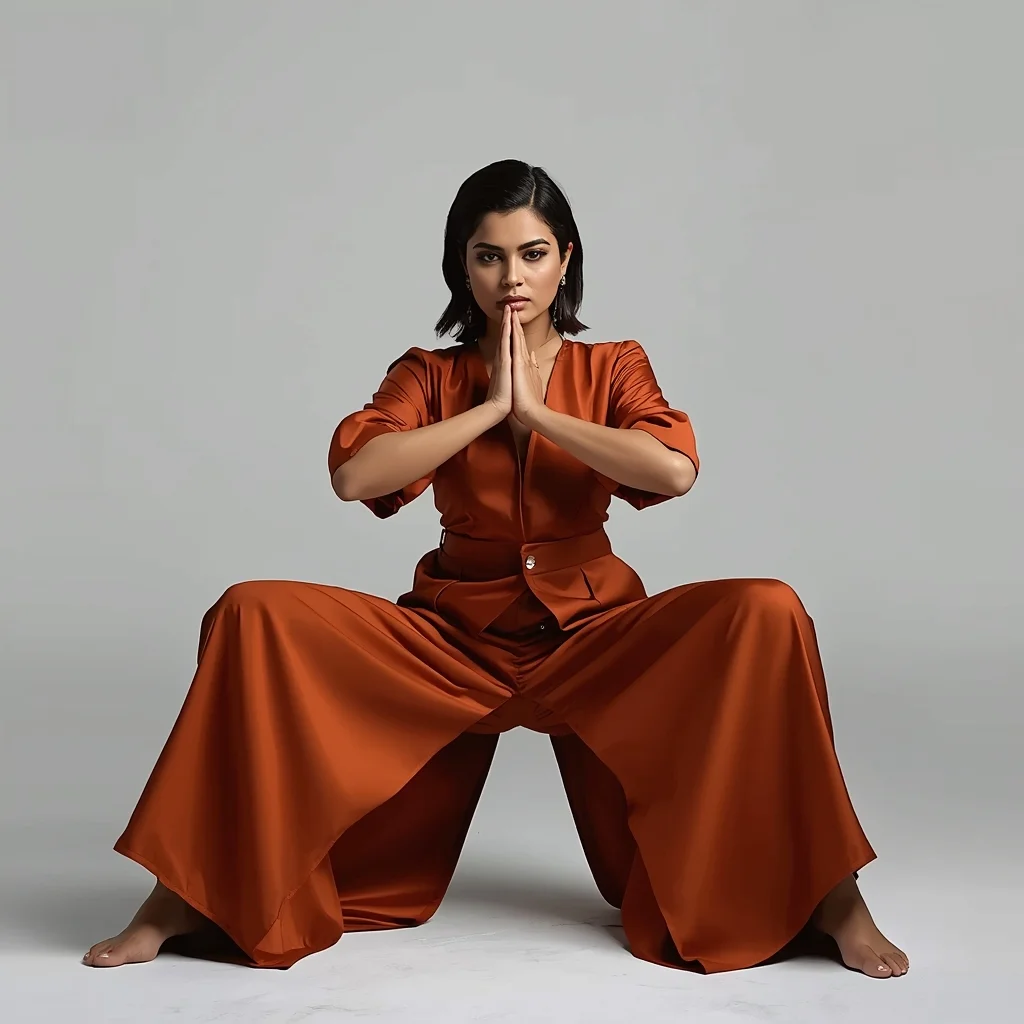
Prompt: An Indian woman dressed in a bold modern Indian dress, captured in a strong pause pose as if stopping a reel mid-frame. Feet grounded, shoulders squared, chin slightly raised. Body language confident and commanding. Hair neatly styled with subtle volume. Expression intense yet composed. Makeup clean glam with sharp features. Lighting crisp and studio-clean. Background minimal. Ultra-realistic textures, cinematic influencer framing, high-impact viral composition.
Prompt: A stunning woman standing in a vast field of tall golden wheat during the peak of golden hour. She is wearing a flowing, cream-colored silk dress that catches the breeze. The sunlight creates a warm, hazy rim-light around her silhouette. In the background, soft rolling hills and a fading orange sun. The atmosphere is peaceful and nostalgic.
Pose: Standing with her back slightly turned to the camera, looking over her shoulder with a soft smile, one hand gently brushing the tops of the wheat.
Technical: Photorealistic, 8k resolution, shot on Sony A7R IV, 85mm lens, f/1.8, natural lighting, cinematic color grading, bokeh background.
Eating The "Glowing" Radioactive Deep Sea Squid | Prompt Formula For Ai
3458 mos ago
Prompt: An extreme close-up, bizarre culinary challenge thumbnail. On a dark, rustic slate plate, a strange, translucent deep-sea squid is emitting a bright, pulsing neon-green and blue bioluminescent glow that lights up the scene. A hand with a fork is cautiously prodding it. In the blurred background, there is a Geiger counter with a high reading and dramatic smoke. The lighting is dominated by the creature's own glow in a dark room. High contrast, rich colors, incredibly sharp macro focus on the slimy texture, 8k resolution.
Traditional Indian Dress Pose in Soft Natural Light | Flawless Image Prompt
3098 mos ago
Prompt: A full-length cultural image of a woman standing under soft natural daylight, wearing a flowing Indian style traditional dress inspired by regional craftsmanship. Her stance is balanced and graceful, one foot slightly forward, gaze calm and confident. Realistic fabric folds, warm color palette, professional fashion photography look, cinematic realism, ultra-sharp focus.
Playing Super Mario Bros in Photorealistic Unreal Engine 5 | Gemini Ai Image Prompt
2788 mos ago
Prompt: A mind-bending gaming thumbnail that blends iconic retro imagery with hyper-realism. A photorealistic rendering of a classic Super Mario level. A realistic Italian plumber character (Mario) in denim overalls is jumping over a hyper-detailed green warp pipe. The "goomba" enemy is a realistic, textured mushroom creature. The background is a stunning, photorealistic landscape of rolling hills and detailed brick structures under a bright sun. The textures of dirt, brick, and denim are incredibly sharp. 8k resolution, cinematic game art style.
STOP IGNORING THIS WARNING ⚠️ | Ai Prompt Idea For Beginner
2768 mos ago
Prompt: Ultra-realistic YouTube thumbnail showing a serious creator pointing directly at the viewer, intense eye contact, bold yellow warning symbol beside them, dramatic side lighting creating strong shadows, dark background with subtle texture, high contrast look, ultra-sharp focus on face and hand, expressive emotion, cinematic color grading, professional photography style, viral thumbnail composition, 4K resolution, mobile-first design.
Frequently Asked Questions
Common questions regarding this AI prompt.
How can I transform i Tried This AI Trick and It Changed Everything | Sharp Image Prompt into a vector graphic or logo style?
To strip away the photorealism, replace the camera keywords with 'flat vector illustration, minimalist design, UI/UX asset, Adobe Illustrator style, solid colors, clean crisp lines, no gradients'. This transforms the YouTube Thumbnail subject into a scalable, graphic-design-ready asset perfect for web design or branding.
How do I achieve an extreme close-up or macro shot of i Tried This AI Trick and It Changed Everything | Sharp Image Prompt?
Modify the perspective by heavily weighting keywords like 'extreme macro photography', '100mm macro lens', 'microscopic detail', and 'extreme close up'. This forces the AI engine to ignore the broader YouTube Thumbnail environment and dedicate all of its rendering power to the microscopic textures, fibers, or surface imperfections of the primary subject.
How do I inject a cyberpunk or dystopian sci-fi feel into i Tried This AI Trick and It Changed Everything | Sharp Image Prompt?
Add 'cyberpunk metropolis, neon rain, holographic advertisements, high-tech low-life, chrome and cables'. The AI will retain the core shape and intent of the i Tried This AI Trick and It Changed Everything | Sharp Image Prompt prompt but re-texture everything with futuristic, glowing, and metallic sci-fi elements.
Can I make the image look like vintage, degraded film?
Absolutely. To strip away the ultra-modern crispness, inject phrases like 'shot on Kodak Portra 400', 'heavy film grain', 'light leaks', 'chromatic aberration', and 'vintage 1970s polaroid'. This introduces beautiful, nostalgic imperfections into the YouTube Thumbnail scene, making the i Tried This AI Trick and It Changed Everything | Sharp Image Prompt generation look like a discovered relic rather than a digital creation.
How do I deal with unwanted text or watermarks appearing in the image?
AI models are trained on stock photos which often contain watermarks. To aggressively filter this out, ensure words like 'text, watermark, signature, username, website url, copyright stamp' are heavily weighted in your negative prompt box. This is especially crucial when generating commercial-grade YouTube Thumbnail content.
How do I create a dramatic, low-light version of i Tried This AI Trick and It Changed Everything | Sharp Image Prompt?
To plunge the scene into dramatic darkness, modify the prompt to include 'chiaroscuro', 'low-key lighting', 'underexposed', and 'stark shadows'. This tells the AI to plunge the majority of the YouTube Thumbnail environment into darkness while intensely illuminating only the most critical parts of the i Tried This AI Trick and It Changed Everything | Sharp Image Prompt subject, creating a moody, cinematic masterpiece.
Does this prompt work with DALL-E 3 inside ChatGPT?
Yes, it works exceptionally well. DALL-E 3 thrives on conversational, highly descriptive text. Because this prompt for i Tried This AI Trick and It Changed Everything | Sharp Image Prompt is structured with clear nouns and adjectives, DALL-E 3 will translate it almost perfectly into an image, ensuring that multiple complex elements within the YouTube Thumbnail scene interact logically.
How can I adjust the emotional tone or mood of i Tried This AI Trick and It Changed Everything | Sharp Image Prompt?
The mood is heavily dictated by lighting and color grading keywords. To make i Tried This AI Trick and It Changed Everything | Sharp Image Prompt feel more melancholic, replace warm lighting terms with 'cool blue tones, rainy atmosphere, and dramatic shadows'. Conversely, adding 'vibrant saturation, golden hour sunlight, and joyful expressions' will instantly uplift the emotional resonance of the YouTube Thumbnail scene.
What architectural composition techniques are embedded in the i Tried This AI Trick and It Changed Everything | Sharp Image Prompt prompt?
The i Tried This AI Trick and It Changed Everything | Sharp Image Prompt prompt utilizes advanced compositional frameworks such as the golden ratio and leading lines. By strategically placing the core YouTube Thumbnail subject matter at intersection points, it guides the viewer's eye naturally through the scene. This mathematical approach to AI generation ensures the final output feels balanced and visually arresting without requiring post-crop adjustments.
How do I add realistic weather effects like rain or snow to the scene?
Weather completely alters the physics of light. If you add 'torrential rain, wet asphalt reflecting neon, water droplets clinging to surfaces', the AI will not just draw rain; it will change the specularity of the i Tried This AI Trick and It Changed Everything | Sharp Image Prompt subject. For snow, use 'heavy blizzard, frost-covered edges, soft diffused winter light' to change the entire atmosphere of the YouTube Thumbnail generation.
What if the AI completely ignores a specific detail I added to the i Tried This AI Trick and It Changed Everything | Sharp Image Prompt prompt?
If a detail is ignored, it lacks 'weight'. Move that specific word closer to the very beginning of the prompt. Alternatively, if using Midjourney, use the double colon syntax (Keyword::2) to force the AI to pay attention. In Stable Diffusion, wrap the keyword in parentheses like (Keyword:1.5) to boost its importance in the YouTube Thumbnail scene.