Galactic Starfighter Dogfight | Pro Ai Prompt For Creator
High-quality AI-generated image. Optimized for detailed rendering, perfect for creative projects and inspiration.
226Views
0 Likes
100%Quality
FreeLicense
AI Prompt
Prompt: A high-octane space combat scene viewed from just behind a sleek, futuristic X-shaped starfighter cockpit. The ship is weaving through a dense, glowing purple asteroid field while being chased by several hexagonal enemy drones. Lasers in shades of crimson and emerald cross paths in the vacuum of space. In the distance, a massive gas giant planet with glowing rings and a binary star system provides a stunning backdrop. Motion blur on the asteroids, sharp mechanical details, sci-fi concept art, vibrant interstellar colors.
Want to create this with your own face? Use this instruction:
No distortion, no stretching, no compression of facial features. Prompt: A high-octane space combat scene viewed from just behind a sleek, futuristic X-shaped starfighter cockpit. The ship is weaving through a dense, glowing purple asteroid field while being chased by several hexagonal enemy drones. Lasers in shades of crimson and emerald cross paths in the vacuum of space. In the distance, a massive gas giant planet with glowing rings and a binary star system provides a stunning backdrop. Motion blur on the asteroids, sharp mechanical details, sci-fi concept art, vibrant interstellar colors.
About this Prompt
Maximize the staggering output quality of your digital toolkit with 'Galactic Starfighter Dogfight | Pro Ai Prompt For Creator', a flawlessly executed prompt that fundamentally understands the deeply rooted core of Gaming Art art. It is a highly combustible spark of inspiration guaranteed to ignite a massive creative fire. Notice exactly how the prompt naturally forces the AI to enhance volumetric lighting and subtle, diffuse shadows, creating a true, deeply convincing 3D illusion. Every micro-detail is sharply defined, ensuring the artwork holds up beautifully even when upscaled to extreme 8k or 16k resolutions.
Whether you are currently working in Midjourney v6, Stable Diffusion XL, or the latest Gemini models, this highly structured prompt heavily optimizes your creative workflow, reliably delivering jaw-dropping, professional-grade outputs on the very first try. Do not ever settle for average, generic generation. Actively utilize this incredibly powerful text string to radically elevate your personal design standards and produce staggering visual masterpieces that truly stand out in the heavily crowded digital space.
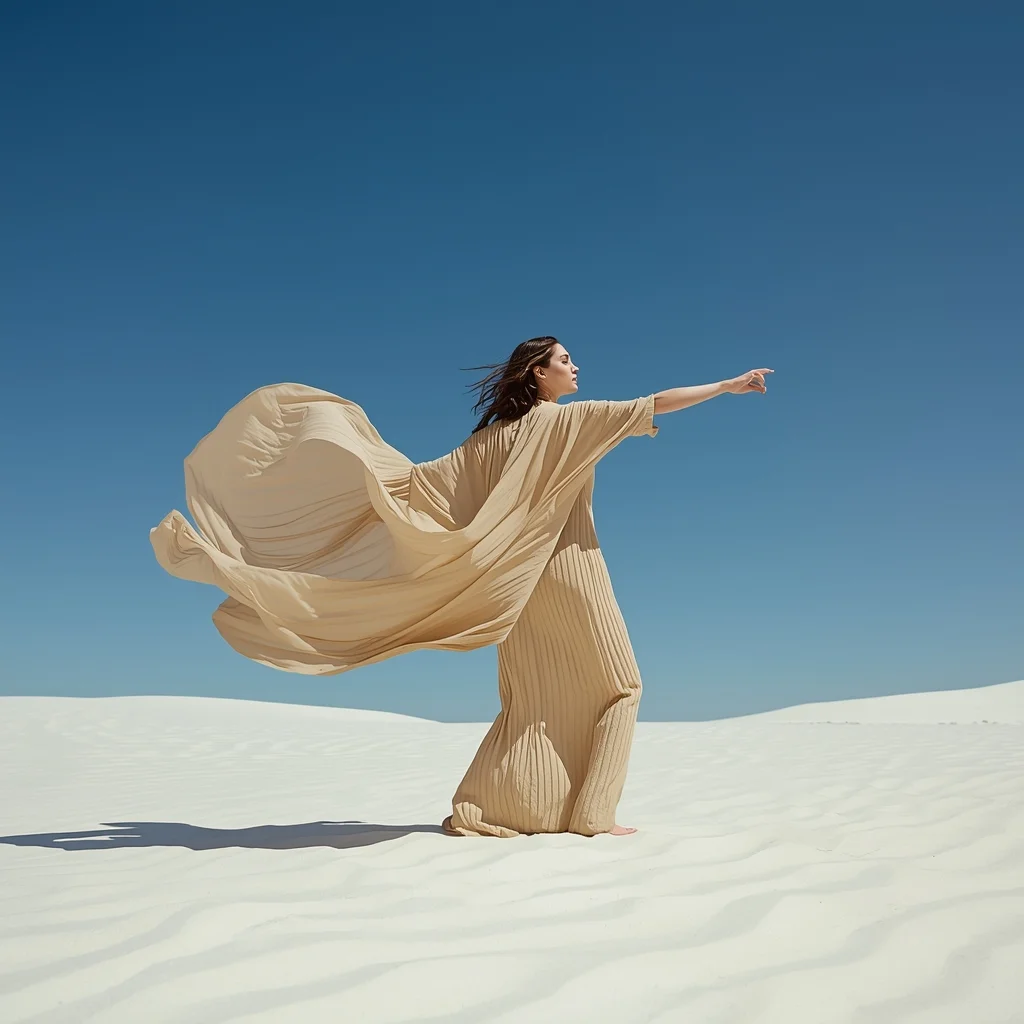
Minimalist Desert Nomad | Professional Photo Prompt
2836 mos ago
Prompt: A woman dressed in flowing, minimalist linen garments in earthy sand tones. The setting is a vast, pristine white sand desert under a clear midday sun. The fabric of her dress is blowing violently in the wind, creating dramatic architectural shapes against the blue sky.
Pose: Standing tall with her back to the camera, head turned to profile, arms stretched wide to catch the wind, creating a silhouette of freedom.
Technical: High dynamic range (HDR), bright natural lighting, 24mm wide-angle lens, f/11 for sharp details throughout, minimalist aesthetic, National Geographic style.
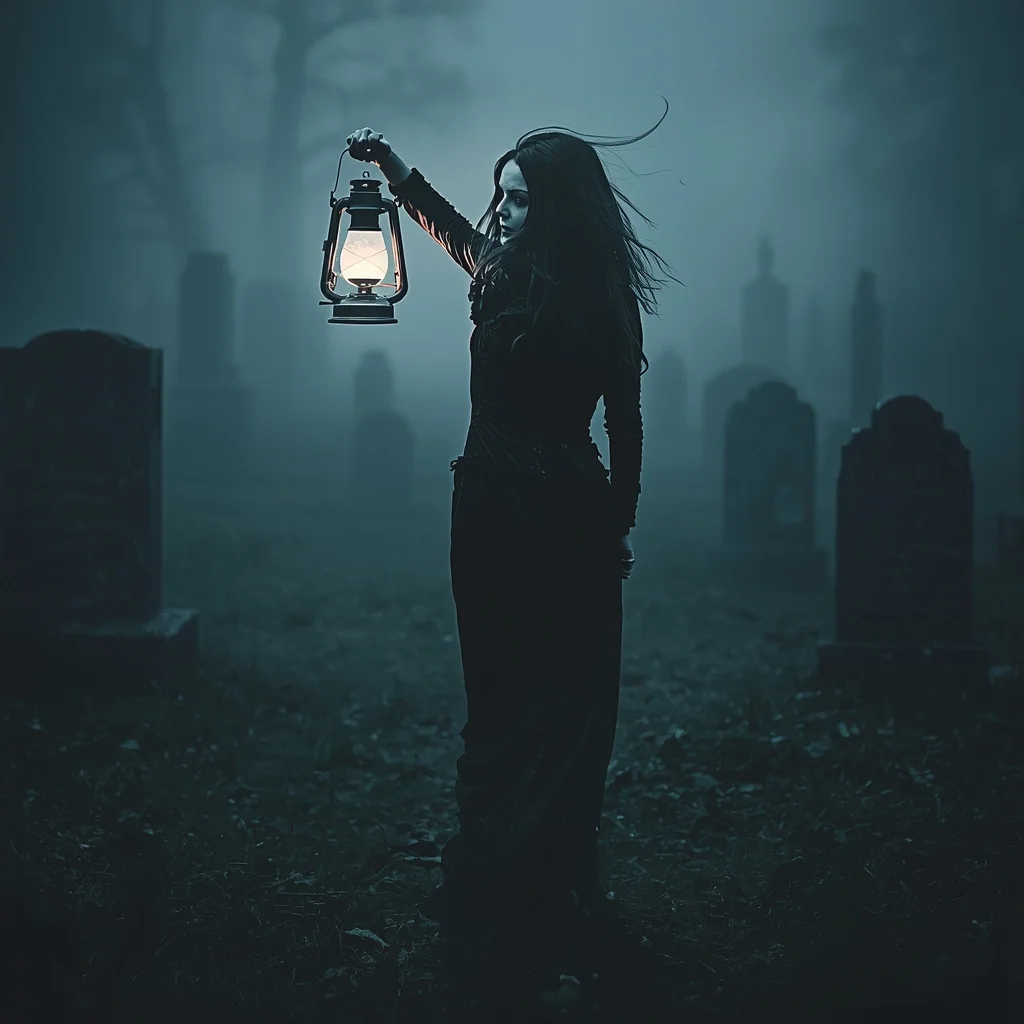
Prompt: A moody, gothic horror atmosphere featuring a pale woman in a tattered black Victorian mourning dress wandering a foggy graveyard. She holds a flickering antique lantern that casts long, eerie shadows on the tombstones. Her hair is long, dark, and windblown.
Pose: Walking away from the camera but turning her upper body back to look over her shoulder, lantern held high near her face, expression terrified yet curious.
Technical: Low key lighting, mist and fog effects, desaturated cool tones, cinematic horror style, slight vignette.
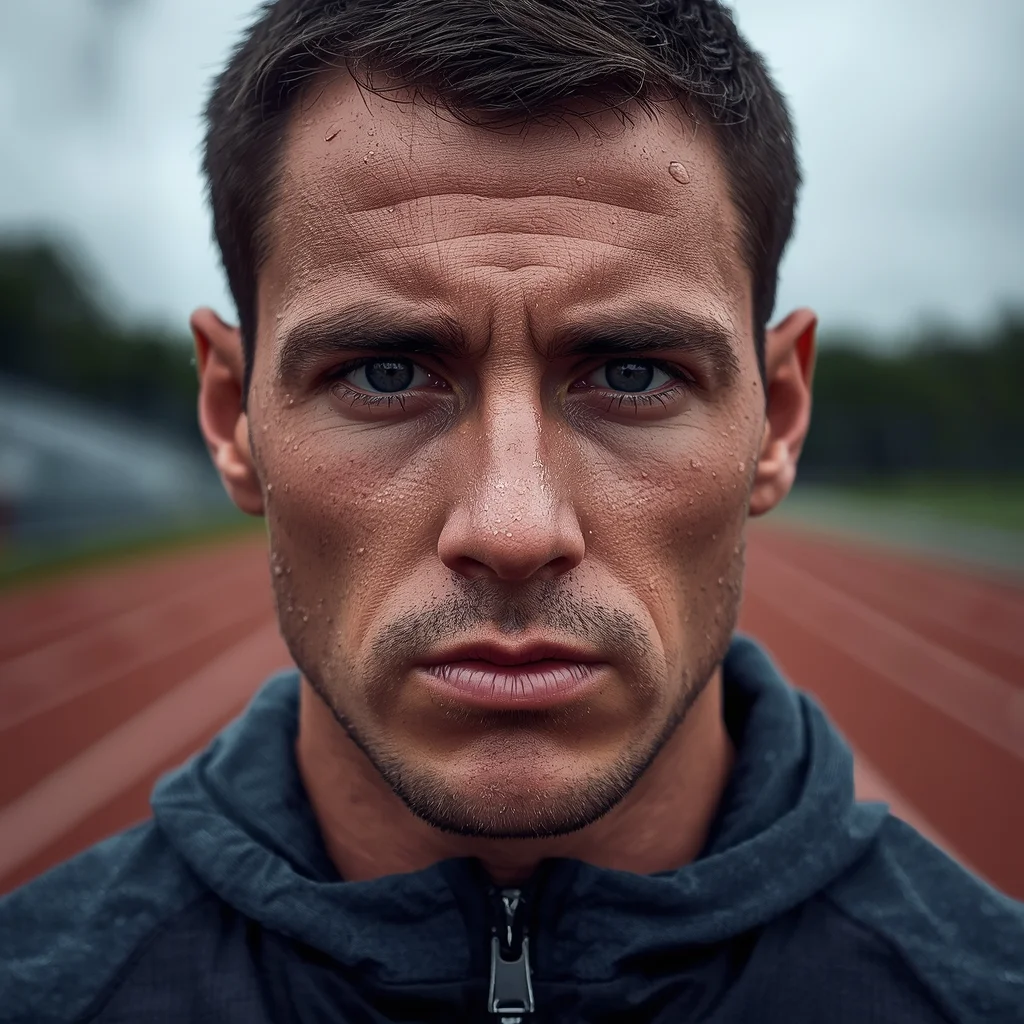
The Intense Athlete Post-Workout | Ai Prompt Guide
2536 mos ago
Prompt: A close-up portrait photo of a male athlete immediately after an intense outdoor workout. Sweat beads on his face and neck. He is breathing heavily, looking straight ahead with a look of exhaustion and determination. He is wearing a technical performance hoodie. The background is a blurred athletic track. The lighting is diffused overcast sky, highlighting the moisture on his skin. Hyper-realistic skin pores and sweat texture, shallow depth of field.
Prompt: Ultra-realistic YouTube thumbnail of a serious creator pointing directly at the viewer, strong eye contact, warning expression, dramatic top-down lighting creating bold shadows, dark textured background, bright red danger accents, ultra-sharp face and hand details, realistic skin texture, cinematic contrast, professional studio photography look, emotional urgency, bold viral thumbnail framing, 4K resolution, mobile-optimized design.
Poetic Kashmiri Woman in Autumn Field | Lighting Prompt Idea
2476 mos ago
Prompt: A visually poetic image of a Kashmiri woman standing alone in an open autumn field, wearing a mustard-toned traditional pheran. Her pose is upright and composed, hands gently folded in front. Soft mist rolls across the background, chinar leaves falling slowly. Muted earthy colors, natural lighting, realistic fabric weight, cultural elegance, cinematic mood, high-resolution realism.
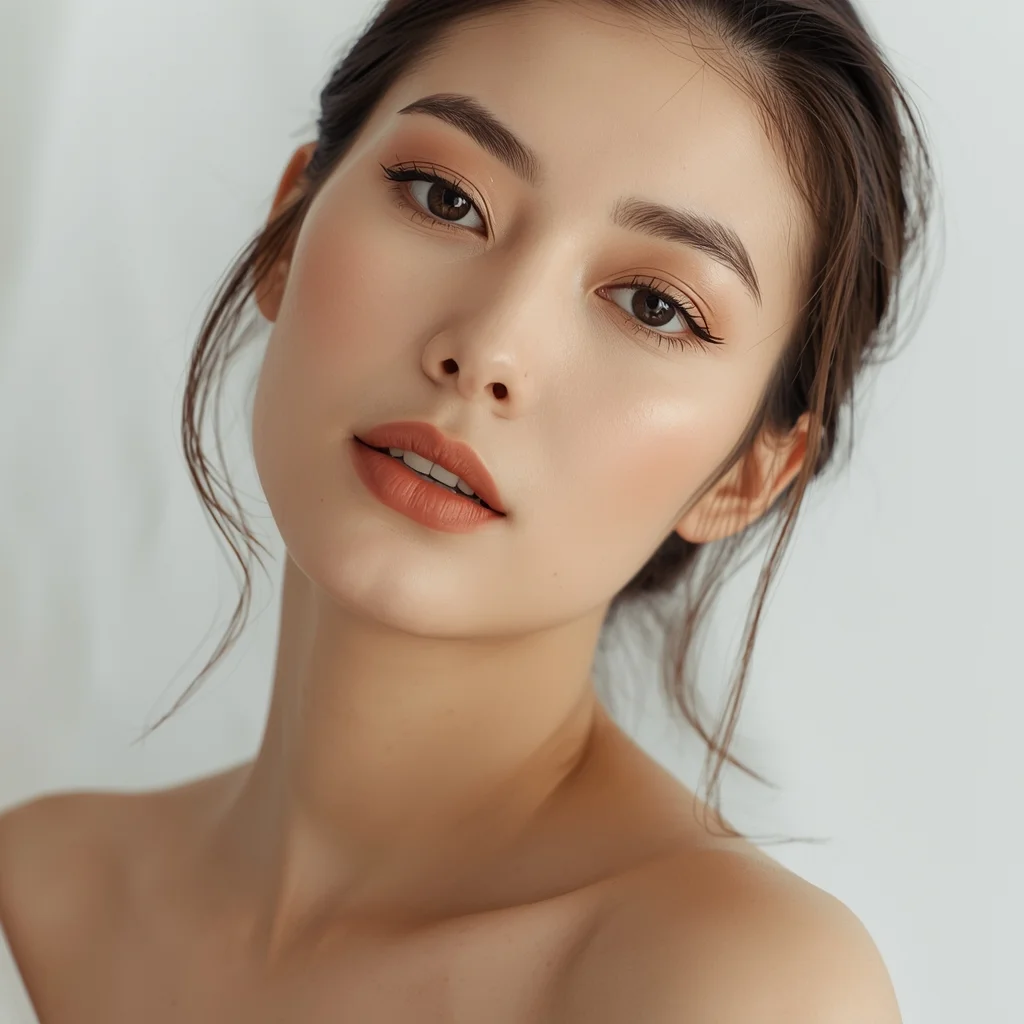
Soft Traditional Portrait Woman Pose | Image Generation Prompt
2696 mos ago
Prompt: A close-up traditional portrait of a woman with her head slightly tilted and shoulders relaxed. Her expression is gentle and introspective, eyes conveying warmth and tradition. Makeup is natural and culturally inspired. Soft studio or window lighting creates smooth shadows and highlights facial features. Clean background with subtle texture. Ultra-clean composition, professional cultural portrait style, high resolution.
Prompt: Ultra-realistic YouTube thumbnail showing a creator mid-reaction with raised eyebrows and widened eyes, subtle smile mixed with shock, hands slightly lifted as if reacting instantly, cinematic soft key light from the front with rim lighting separating the subject from the background, dark blurred studio backdrop with soft glowing highlights, high contrast color grading, ultra-sharp facial details, realistic skin texture and pores, shallow depth of field, vibrant yet clean colors, professional DSLR photography look, emotional storytelling moment, bold composition optimized for YouTube homepage, 4K ultra-HD quality.
Kashmiri Pheran Inspired Saree Walk Pose | Simple Ai Prompt
2736 mos ago
Prompt: A cinematic scene of a woman walking slowly along a leaf-covered path, wearing a saree-style dress that combines traditional saree draping with pheran-inspired embroidery. Her pose is fluid and elegant, one hand holding the pleats as she walks. Wooden houses and chinar trees appear softly in the background. Golden hour lighting, realistic motion in fabric, cultural storytelling mood, ultra-detailed 8K realism.
Frequently Asked Questions
Common questions regarding this AI prompt.
What are the recommended parameters for generating Galactic Starfighter Dogfight | Pro Ai Prompt For Creator in Stable Diffusion XL (SDXL)?
For optimal results in SDXL, we recommend pairing this prompt with a high-quality checkpoint like Juggernaut XL. Use the DPM++ 2M Karras sampler with approximately 35-40 steps and a CFG scale between 6.5 and 8.0. This combination strikes the perfect balance between adhering strictly to the Galactic Starfighter Dogfight | Pro Ai Prompt For Creator description and allowing the model's creative freedom.
How do I add realistic weather effects like rain or snow to the scene?
Weather completely alters the physics of light. If you add 'torrential rain, wet asphalt reflecting neon, water droplets clinging to surfaces', the AI will not just draw rain; it will change the specularity of the Galactic Starfighter Dogfight | Pro Ai Prompt For Creator subject. For snow, use 'heavy blizzard, frost-covered edges, soft diffused winter light' to change the entire atmosphere of the Gaming Art generation.
How can I adjust the emotional tone or mood of Galactic Starfighter Dogfight | Pro Ai Prompt For Creator?
The mood is heavily dictated by lighting and color grading keywords. To make Galactic Starfighter Dogfight | Pro Ai Prompt For Creator feel more melancholic, replace warm lighting terms with 'cool blue tones, rainy atmosphere, and dramatic shadows'. Conversely, adding 'vibrant saturation, golden hour sunlight, and joyful expressions' will instantly uplift the emotional resonance of the Gaming Art scene.
Can I make the characters or subjects in Galactic Starfighter Dogfight | Pro Ai Prompt For Creator look like cyborgs?
Easily. Append 'cybernetic enhancements, robotic limbs, glowing optical sensors, biomechanical plating, android'. The AI seamlessly blends biological flesh with metallic machinery, maintaining the high-quality rendering of the original Gaming Art prompt while shifting the character design.
Can I easily integrate the Galactic Starfighter Dogfight | Pro Ai Prompt For Creator output into a professional design workflow?
Absolutely. The outputs generated by this prompt are designed with commercial and professional workflows in mind. Because it emphasizes crisp edges, balanced contrast, and high-resolution keywords, the resulting Gaming Art images are perfect for immediate use in UI/UX design, marketing materials, or further post-processing in software like Adobe Photoshop.
What is the best Stylize (--s) value to use in Midjourney for this prompt?
The stylize parameter dictates how strongly Midjourney applies its default aesthetic. For strict adherence to the realistic details of Galactic Starfighter Dogfight | Pro Ai Prompt For Creator, keep it around --s 100 to --s 250. If you want the AI to take artistic liberties and make the Gaming Art scene look more like a digital masterpiece, push the value up to --s 500 or --s 750.
What specific lighting setup is best to highlight the details of Galactic Starfighter Dogfight | Pro Ai Prompt For Creator?
For maximum texture reveal, a 'three-point studio lighting' or 'Rembrandt lighting' setup works best. By incorporating keywords like 'rim light', 'key light', and 'soft fill', you instruct the AI to sculpt the Gaming Art subject out of the background, ensuring that micro-details like skin pores, fabric weaves, or metallic reflections are perfectly visible.
Why might the colors in my Galactic Starfighter Dogfight | Pro Ai Prompt For Creator generation appear washed out, and how do I fix it?
Washed-out colors typically result from a missing VAE file in local setups, or a lack of color-grading instructions. To immediately fix this within the text prompt itself, append phrases such as 'vibrant technicolor, rich saturation, HDR, cinematic color grading, high contrast'. This forces the AI to map a wider, more dynamic color range to your image.
How customizable are the character and environment details in the Galactic Starfighter Dogfight | Pro Ai Prompt For Creator prompt?
Highly customizable. The prompt serves as a robust architectural framework. You can easily swap out specific nouns or color palettes while retaining the core Gaming Art style. For example, changing the time of day or the primary clothing material will seamlessly adapt the scene while maintaining the high-definition rendering quality originally intended for Galactic Starfighter Dogfight | Pro Ai Prompt For Creator.
What is the best way to shift the artistic medium of Galactic Starfighter Dogfight | Pro Ai Prompt For Creator to an oil painting?
To completely transform the medium, append powerful style modifiers. Injecting phrases like 'intricate oil painting on canvas, thick impasto strokes, palette knife technique, classical fine art, museum masterpiece' will completely override the default realism, offering a traditional artistic variation for your Gaming Art project.
How can I transform Galactic Starfighter Dogfight | Pro Ai Prompt For Creator into a vector graphic or logo style?
To strip away the photorealism, replace the camera keywords with 'flat vector illustration, minimalist design, UI/UX asset, Adobe Illustrator style, solid colors, clean crisp lines, no gradients'. This transforms the Gaming Art subject into a scalable, graphic-design-ready asset perfect for web design or branding.
Can I convert the scene into a post-apocalyptic wasteland?
Yes, by adding 'post-apocalyptic, overgrown ruins, rusted metal, decayed urban environment, survival aesthetic, cinematic fallout style'. The AI will take the core structure of Galactic Starfighter Dogfight | Pro Ai Prompt For Creator and age it by decades, adding immense weathering and environmental storytelling to the Gaming Art image.
What rendering engines should I reference to maximize the quality of Galactic Starfighter Dogfight | Pro Ai Prompt For Creator?
Modern AI image generators respond incredibly well to 3D software references. By appending terms like 'Unreal Engine 5 render', 'OctaneRender', 'Redshift', 'V-Ray', and 'Global Illumination', you are signaling the AI to utilize its highest quality datasets for lighting physics and material textures within the Gaming Art image.
Is this prompt compatible with the new Flux.1 AI model?
Yes, Flux.1 is incredibly responsive to detailed structural prompts just like this one. Because Flux handles complex spatial relationships and typography better than previous models, the composition instructions embedded in the Galactic Starfighter Dogfight | Pro Ai Prompt For Creator prompt will be rendered with astonishing accuracy, making it ideal for high-end Gaming Art generation.
Why is this prompt highly effective for generating Galactic Starfighter Dogfight | Pro Ai Prompt For Creator?
Its effectiveness lies in the structured syntax. It separates the core subject definition from the style and technical parameters. This 'block structure' prevents AI confusion, ensuring that the details of Galactic Starfighter Dogfight | Pro Ai Prompt For Creator remain razor-sharp while the background and artistic medium seamlessly blend to match the Gaming Art aesthetic without overpowering the main focus.