High-quality AI-generated image. Optimized for detailed rendering, perfect for creative projects and inspiration.
214Views
0 Likes
100%Quality
FreeLicense
AI Prompt
Prompt: Shoujo anime style, sparkling and ethereal. A magical girl surrounded by glowing ribbons of light, flower petals, and gold dust. Pastel pink and lavender color scheme. Large expressive eyes, intricate costume design, dreamlike lighting, Sailor Moon aesthetic.
Want to create this with your own face? Use this instruction:
No face swapping, no beautification, no stylization — original face only. Prompt: Shoujo anime style, sparkling and ethereal. A magical girl surrounded by glowing ribbons of light, flower petals, and gold dust. Pastel pink and lavender color scheme. Large expressive eyes, intricate costume design, dreamlike lighting, Sailor Moon aesthetic.
About this Prompt
Navigate the deeply complex, often chaotic waters of AI generation safely with 'Magical Girl Transformation | Ultra Realistic Prompt', your perfect, reliable compass for consistent Anime / Cartoon wonder. The razor-sharp precision engineered into this specific prompt is exactly what sets it vastly apart in the highly crowded digital marketplace. Visually, it is an absolute powerhouse, utilizing a hyper-detailed, incredibly saturated palette that vibrates with intense, radiant, and almost radioactive energy. The vibrant saturation levels are perfectly calibrated; it pops intensely while maintaining a highly sophisticated, strictly professional Anime / Cartoon color grade.
Utilize this prompt to completely revolutionize your digital product mockups, ensuring that your e-commerce listings, promotional banners, and visual advertisements look undeniably expensive, highly trustworthy, and professionally produced by a top-tier design agency. Your massive, highly frustrating creative block officially ends exactly right here, right now. Rendering this specific text will instantly flood your artistic brain with infinite, highly profitable inspiration, pulling you entirely out of your digital slump.
Prompt: A futuristic neon cyber YouTube thumbnail design with glowing edges, electric blue and purple lighting, dark tech background, cyberpunk atmosphere, dramatic contrast, sharp focus, ultra-modern digital style, visually striking composition, no text, no letters, no numbers.
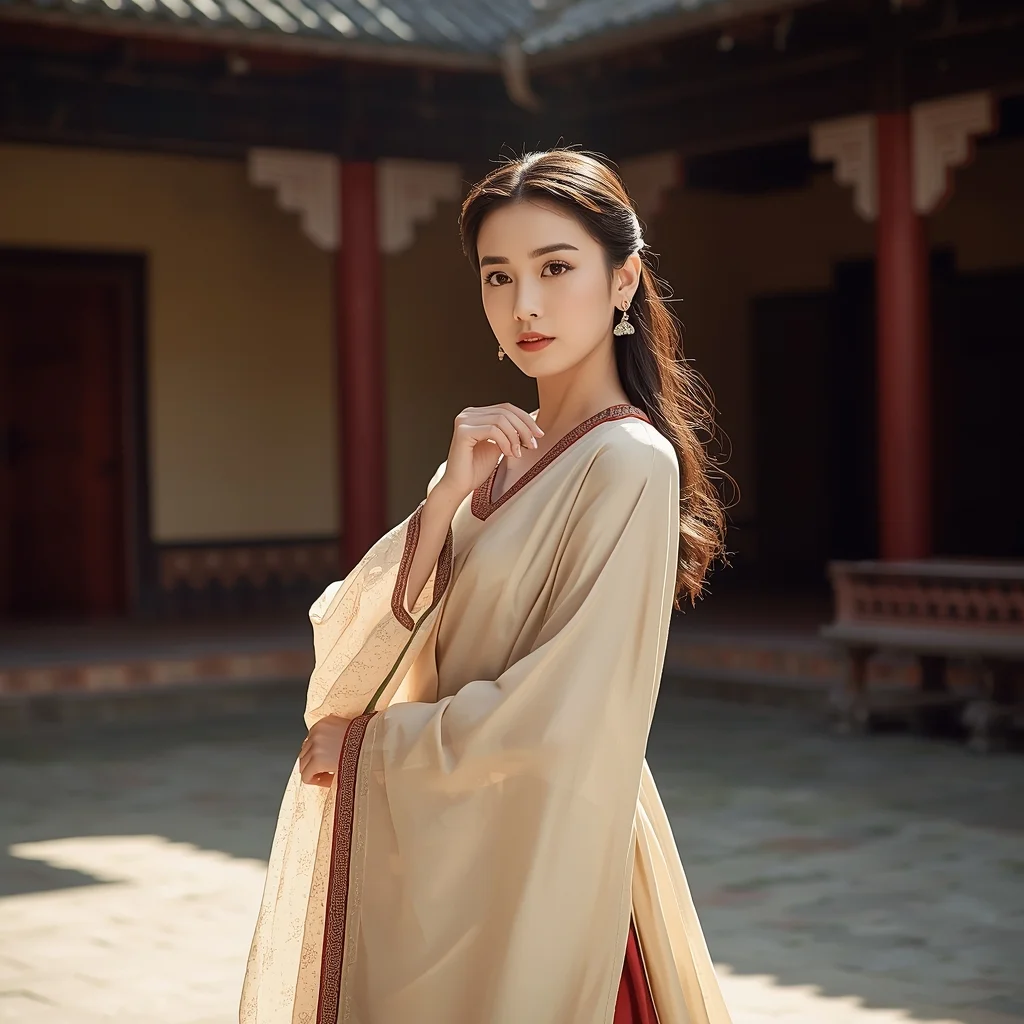
Classical Courtyard Royal Cultural Woman Pose | Ai Image Prompt Trick
3176 mos ago
Prompt: A woman posed gracefully in a heritage courtyard, body slightly angled to the camera with refined posture and relaxed shoulders. Her hands are positioned elegantly, suggesting poise and cultural pride. The traditional outfit flows naturally around her form, displaying delicate patterns and fine craftsmanship. Her expression is calm, confident, and thoughtful, reflecting royal elegance rooted in tradition. Sunlight filters softly across stone textures and fabric folds, producing gentle shadows and warm highlights. The background architecture remains subtle yet rich, enhancing authenticity. Cinematic framing, ultra-sharp focus, realistic skin tones, professional cultural photography with deep emotional presence.
Prompt: A beautiful woman in a casual, oversized white linen shirt, sitting on a bed in a sun-drenched room with white curtains blowing in a soft breeze. The look is completely natural, no-makeup, focusing on "clean girl" aesthetic and morning serenity.
Pose: Sitting with her knees pulled to her chest, chin resting on her knees, looking toward the window with a peaceful, thoughtful expression as the morning light hits her face.
Technical: High-key lighting, soft diffused sunlight, 50mm lens, f/2.8, realistic skin pores, pastel tones, minimalist lifestyle photography.
Dreamy Botanical X-Ray | Viral Ai Prompt You Must Try
2586 mos ago
An x-ray style image of a blooming Lotus, petals glowing softly with bioluminescent veins, dark background, ethereal lighting, scientific yet poetic composition, ultra-detailed, macro photography
Festive Cultural Radiance Woman Pose | Ultimate Prompt Collection
2546 mos ago
Prompt: A woman wearing vibrant traditional attire posed during a festive cultural moment, body slightly turned with relaxed confidence. Her posture is open and expressive, reflecting celebration and pride. The outfit is richly colored with intricate detailing, paired with traditional accessories that enhance authenticity. Her facial expression is joyful yet composed, eyes glowing with warmth. Balanced festive lighting enhances color vibrancy while maintaining realistic skin tones. Background includes subtle festive décor elements, softly blurred. Ultra-detailed realism, dynamic energy, cinematic depth, premium cultural photography style.
Sunset Beach Yoga Flow | Next Level Ai Prompt Idea
2436 mos ago
Prompt: A fit woman in charcoal-colored athletic wear on a secluded tropical beach. The sun is a giant orange ball touching the horizon. The waves are gently lapping at her feet on the wet, reflective sand. The sky is a gradient of purple and gold.
Pose: Performing a perfect "Dancer's Pose" (Natarajasana)—balancing on one leg, holding her other foot behind her head, creating a beautiful silhouette against the setting sun.
Technical: Silhouette photography style, high contrast, wide-angle 16mm lens, f/8.0, crisp edges, vibrant sky colors, National Geographic style.
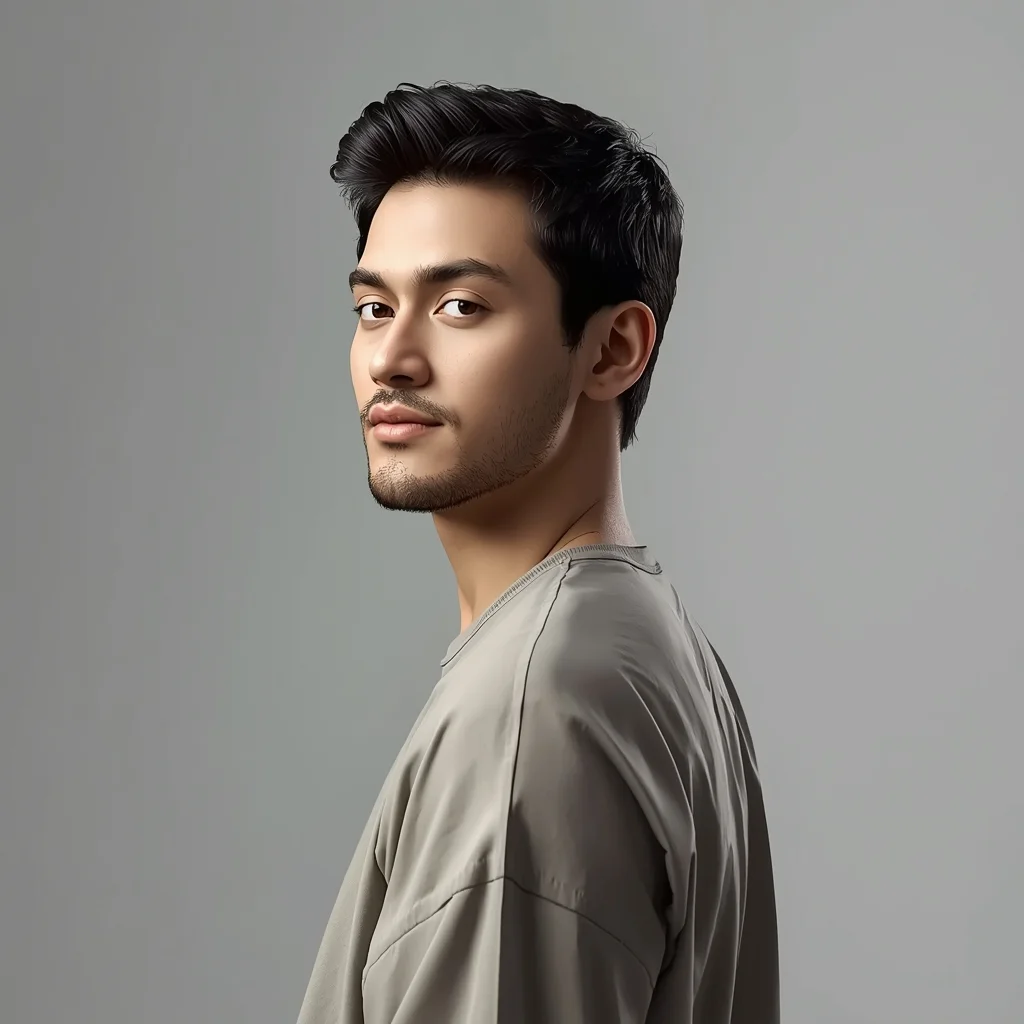
AI Influencer Side-Profile Calm Studio Pose | Instagram Post Prompt
2616 mos ago
Prompt: A modern AI influencer male captured in a clean side-profile studio pose, shoulders relaxed, head turned slightly toward camera, calm confident look, trendy neutral outfit, soft diffused lighting, seamless background, cinematic yet minimal influencer portrait, hyper-realistic rendering.
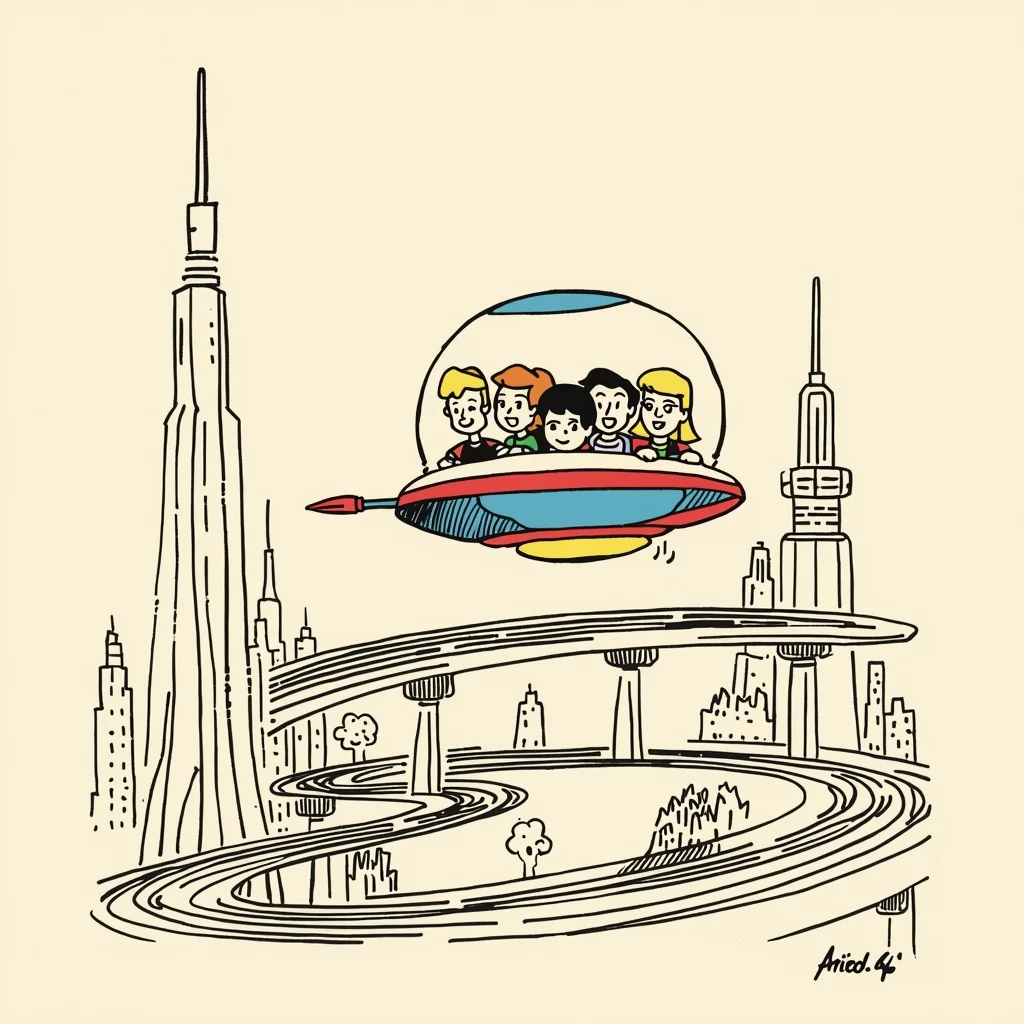
Retro 60s Hanna-Barbera Sci-Fi | Pro Level Image Prompt
2176 mos ago
Prompt: 1960s Hanna-Barbera cartoon style, like The Jetsons. Mid-century modern design aesthetic. A cheerful family flying in a bubble-topped retro-futuristic vehicle. Simple, flat background featuring futuristic buildings on tall stilts and curved conveyor belt sidewalks. Thick ink lines, limited animation feel.
Frequently Asked Questions
Common questions regarding this AI prompt.
How do I deal with unwanted text or watermarks appearing in the image?
AI models are trained on stock photos which often contain watermarks. To aggressively filter this out, ensure words like 'text, watermark, signature, username, website url, copyright stamp' are heavily weighted in your negative prompt box. This is especially crucial when generating commercial-grade Anime / Cartoon content.
How do I achieve an extreme close-up or macro shot of Magical Girl Transformation | Ultra Realistic Prompt?
Modify the perspective by heavily weighting keywords like 'extreme macro photography', '100mm macro lens', 'microscopic detail', and 'extreme close up'. This forces the AI engine to ignore the broader Anime / Cartoon environment and dedicate all of its rendering power to the microscopic textures, fibers, or surface imperfections of the primary subject.
How customizable are the character and environment details in the Magical Girl Transformation | Ultra Realistic Prompt prompt?
Highly customizable. The prompt serves as a robust architectural framework. You can easily swap out specific nouns or color palettes while retaining the core Anime / Cartoon style. For example, changing the time of day or the primary clothing material will seamlessly adapt the scene while maintaining the high-definition rendering quality originally intended for Magical Girl Transformation | Ultra Realistic Prompt.
Why is this prompt highly effective for generating Magical Girl Transformation | Ultra Realistic Prompt?
Its effectiveness lies in the structured syntax. It separates the core subject definition from the style and technical parameters. This 'block structure' prevents AI confusion, ensuring that the details of Magical Girl Transformation | Ultra Realistic Prompt remain razor-sharp while the background and artistic medium seamlessly blend to match the Anime / Cartoon aesthetic without overpowering the main focus.
Why might the colors in my Magical Girl Transformation | Ultra Realistic Prompt generation appear washed out, and how do I fix it?
Washed-out colors typically result from a missing VAE file in local setups, or a lack of color-grading instructions. To immediately fix this within the text prompt itself, append phrases such as 'vibrant technicolor, rich saturation, HDR, cinematic color grading, high contrast'. This forces the AI to map a wider, more dynamic color range to your image.
What is the optimal workflow for upscaling Magical Girl Transformation | Ultra Realistic Prompt to print-quality resolution?
Do not generate at massive resolutions directly, as it causes compositional duplication (like two heads). Instead, generate Magical Girl Transformation | Ultra Realistic Prompt at a native resolution (e.g., 1024x1024), and then use a dedicated AI upscaler. Tools like Topaz Gigapixel AI, Magnific AI, or the '4x-UltraSharp' model in Automatic1111 will enhance the micro-textures of the Anime / Cartoon without destroying the original composition.
Can I make the characters or subjects in Magical Girl Transformation | Ultra Realistic Prompt look like cyborgs?
Easily. Append 'cybernetic enhancements, robotic limbs, glowing optical sensors, biomechanical plating, android'. The AI seamlessly blends biological flesh with metallic machinery, maintaining the high-quality rendering of the original Anime / Cartoon prompt while shifting the character design.
Can I simulate bioluminescence or neon lighting in this prompt?
Yes, you can easily shift the scene into a sci-fi or fantasy realm by adding terms like 'bioluminescent glow', 'neon tube lighting', 'emissive materials', or 'fluorescent accents'. These modifiers will cause the objects within the Anime / Cartoon scene to act as their own light sources, casting incredibly realistic colored reflections onto surrounding surfaces.
How do I ensure the skin textures in Magical Girl Transformation | Ultra Realistic Prompt look photorealistic and not plastic?
AI often defaults to overly smooth, airbrushed skin. To counter this, you must explicitly demand imperfections. Add 'subsurface scattering, visible skin pores, peach fuzz, micro-wrinkles, highly detailed skin texture, raw unedited photograph' to the prompt. This forces the model to render the human elements of the Anime / Cartoon scene with authentic, biological realism.
Does this prompt work with DALL-E 3 inside ChatGPT?
Yes, it works exceptionally well. DALL-E 3 thrives on conversational, highly descriptive text. Because this prompt for Magical Girl Transformation | Ultra Realistic Prompt is structured with clear nouns and adjectives, DALL-E 3 will translate it almost perfectly into an image, ensuring that multiple complex elements within the Anime / Cartoon scene interact logically.
What is the best way to shift the artistic medium of Magical Girl Transformation | Ultra Realistic Prompt to an oil painting?
To completely transform the medium, append powerful style modifiers. Injecting phrases like 'intricate oil painting on canvas, thick impasto strokes, palette knife technique, classical fine art, museum masterpiece' will completely override the default realism, offering a traditional artistic variation for your Anime / Cartoon project.
What are the recommended parameters for generating Magical Girl Transformation | Ultra Realistic Prompt in Stable Diffusion XL (SDXL)?
For optimal results in SDXL, we recommend pairing this prompt with a high-quality checkpoint like Juggernaut XL. Use the DPM++ 2M Karras sampler with approximately 35-40 steps and a CFG scale between 6.5 and 8.0. This combination strikes the perfect balance between adhering strictly to the Magical Girl Transformation | Ultra Realistic Prompt description and allowing the model's creative freedom.