High-quality AI-generated image. Optimized for detailed rendering, perfect for creative projects and inspiration.
338Views
0 Likes
100%Quality
FreeLicense
AI Prompt
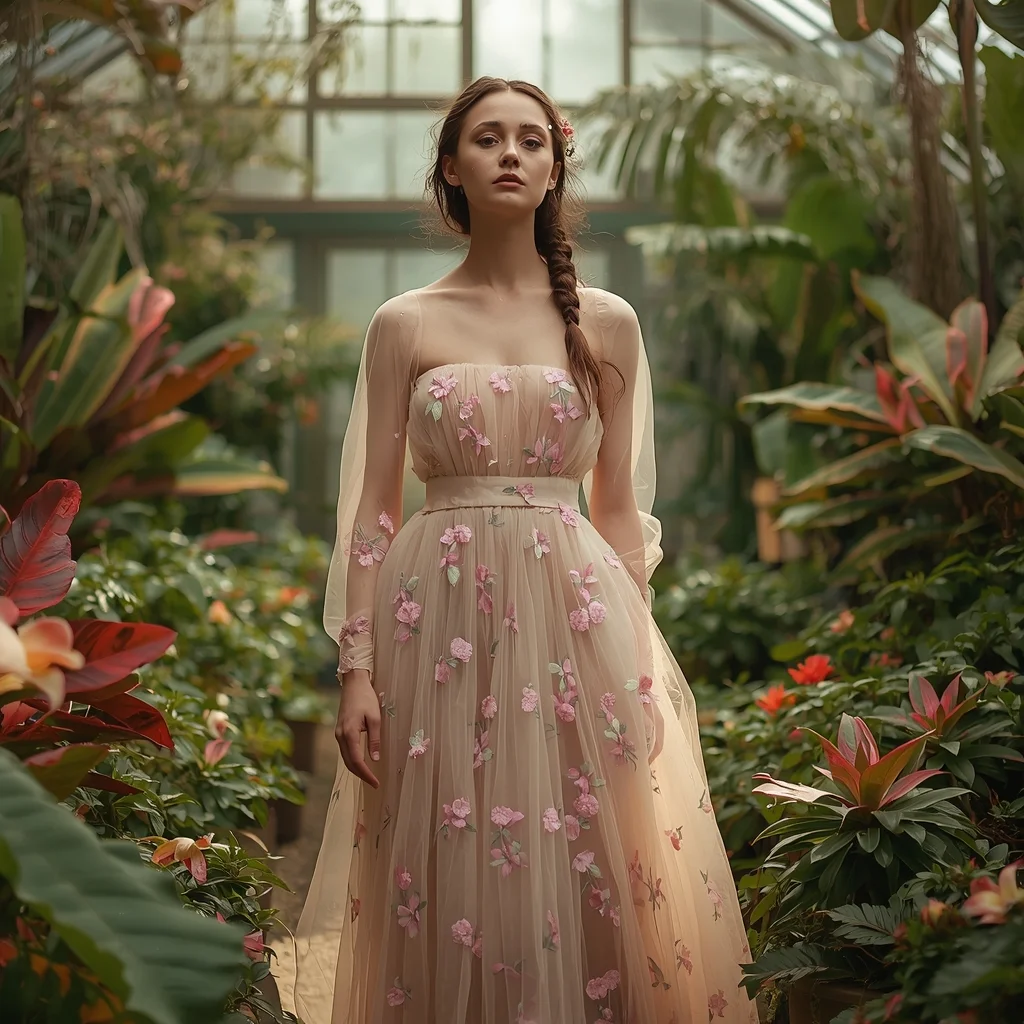
Prompt: An ethereal editorial shot of a woman in a flowing, embroidered tulle gown in soft pastel floral patterns. She is standing in a lush, overgrown conservatory filled with exotic plants and blooming flowers, with sunlight streaming through a large glass ceiling. Her hair is loosely braided with small wildflowers. The atmosphere is dreamy and romantic, with soft, diffused natural light, a shallow depth of field, and ultra-detailed fabric textures.
Want to create this with your own face? Use this instruction:
No face swapping, no face enhancement, no retouching, and no AI beautification. Original face only. Prompt: An ethereal editorial shot of a woman in a flowing, embroidered tulle gown in soft pastel floral patterns. She is standing in a lush, overgrown conservatory filled with exotic plants and blooming flowers, with sunlight streaming through a large glass ceiling. Her hair is loosely braided with small wildflowers. The atmosphere is dreamy and romantic, with soft, diffused natural light, a shallow depth of field, and ultra-detailed fabric textures.
About this Prompt
Witness the breathtaking evolution of AI-driven imagery through 'Botanical Grace | Prompt For Background', an absolutely mandatory prompt for serious Woman Pose Art professionals. It balances beautiful, chaotic creativity with strict structural order, offering a polished and highly refined take on modern generative aesthetics. Incredibly delicate, almost microscopic filigree work and obsessive attention to highly ornate craftsmanship define the physical space. The glowing transparency and beautiful subsurface scattering make the organic elements look remarkably fleshy, completely authentic, and terrifyingly alive in this Woman Pose Art context.
Absolutely ideal for visionary digital storytellers, bold concept artists, and modern designers looking to aggressively push the known boundaries of AI art. It drastically reduces iteration time while massively maximizing the sheer visual quality. We emphatically and highly recommend trying this exact structural layout for your very next piece. The profoundly revolutionary way it effortlessly handles complex, highly nuanced visual elements will leave your global audience incredibly eager for more content.
Autumn Evening Kashmiri Pheran Pose | Prompt For Photo Editing
3328 mos ago
Prompt: A cinematic evening portrait of a Kashmiri woman during autumn, wearing a traditional pheran in dark burgundy with hand-embroidered detailing. She stands under fading golden light, posture graceful and relaxed, hands loosely folded. The background features glowing autumn leaves and soft shadows. Natural skin tones, authentic Kashmiri jewelry, ultra-detailed fabric, cinematic lighting, high-resolution cultural portrait.
This Works Even If You Have Zero Subscribers | Best Prompt For Cinematic Shot
3248 mos ago
Prompt: Create an encouraging thumbnail featuring a smiling creator pointing at a small channel dashboard that suddenly transforms into a glowing success screen. Background transitions from dull gray to bright vibrant colors. Use soft cinematic lighting, clean composition, friendly facial expression, realistic textures, bold clarity, high brightness, and a hopeful visual message optimized for beginners and mobile users.
Autumn Morning Kashmiri Cultural Pose | Trending Instagram Prompt
3438 mos ago
Prompt: An ultra-realistic image of a Kashmiri woman walking slowly on a leaf-covered path in autumn, wearing a traditional cream-colored pheran with subtle embroidery inspired by Kashmiri heritage motifs. Her posture is poised and elegant, head slightly tilted, a gentle smile on her face. A warm shawl is layered over the pheran, and traditional footwear completes the look. The background shows wooden houses and chinar trees glowing in autumn sunlight. Soft shadows, realistic fabric flow, cinematic framing, shallow depth of field, cultural fashion photography, 8K quality.
Ethereal Forest Guardian | Professional Photo Prompt
2938 mos ago
Prompt: A stunningly beautiful woman embodying a forest spirit, wearing a gown made of living moss, delicate white orchids, and shimmering gossamer threads. She is surrounded by a soft, magical mist in an ancient woodland. Bioluminescent butterflies hover around her, casting a faint blue glow on her skin. Her hair is long, flowing, and adorned with tiny glowing spores.
Pose: Standing gracefully with one hand reaching out to touch a floating butterfly, body slightly angled to the side, looking towards the camera with a serene, mystical expression.
Technical: 8k resolution, cinematic lighting, shot on Sony A7R IV, 85mm lens, f/1.8, soft bokeh background, hyper-realistic textures, Unreal Engine 5 render style.
Cozy Autumn Coffee Shop Aesthetic | Prompt Formula For Ai
3417 mos ago
Prompt: A young woman in a chunky, oversized knit sweater in cream color, paired with plaid wool trousers and a beret. She is sitting by a rain-streaked window in a cozy café, holding a steaming ceramic mug with both hands, looking out thoughtfully. Soft, ambient indoor lighting mixes with the cool blue light from the window. The image has a warm, nostalgic filter. insanely detailed knit textures, steam rising from the cup, cozy atmosphere, depth of field focusing on her face, 8k resolution.
Prompt: A traditional South Indian woman performing a graceful Bharatanatyam dance pose inside an ancient stone temple, one leg bent in araimandi stance, hands forming classical mudras, expressive eyes highlighted with bold kohl makeup, wearing a rich silk saree in deep red and gold with intricate zari borders, traditional temple jewelry including headpiece, nose ring, layered necklaces, and bangles, hair neatly tied in a bun decorated with fresh jasmine flowers, warm oil-lamp lighting casting soft shadows on stone pillars, highly detailed textures, cultural authenticity, cinematic composition, ultra-realistic, 8K resolution, soft depth of field, serene spiritual atmosphere
Side Profile Indian Woman | Pro Ai Prompt For Creator
2988 mos ago
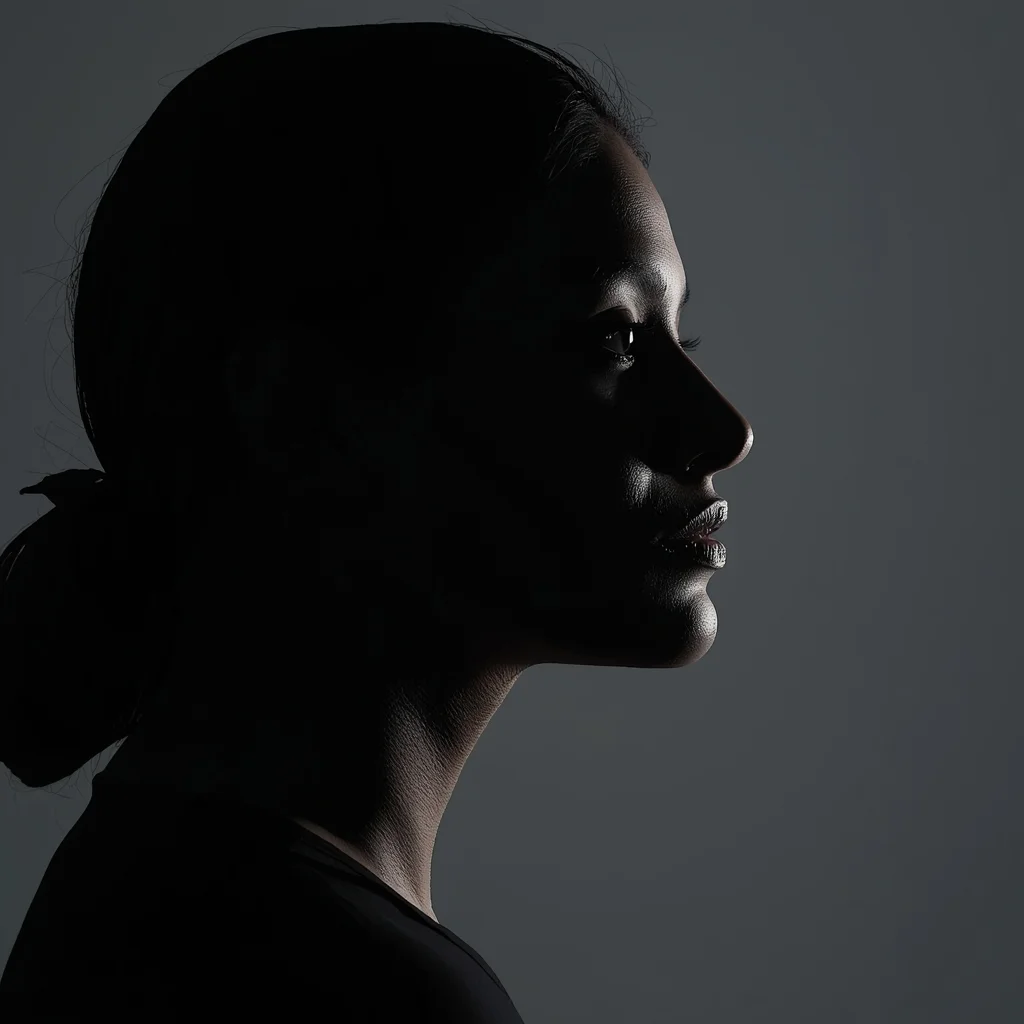
Clean minimalist side-profile portrait of an Indian woman facing right, defined jawline and nose profile, soft rim lighting outlining silhouette, neutral background, modern fashion aesthetic, calm powerful mood, professional studio photography, ultra-detailed realistic skin texture
High Fashion Editorial Elegance Woman Pose | Best Prompt Collection 2026
2948 mos ago
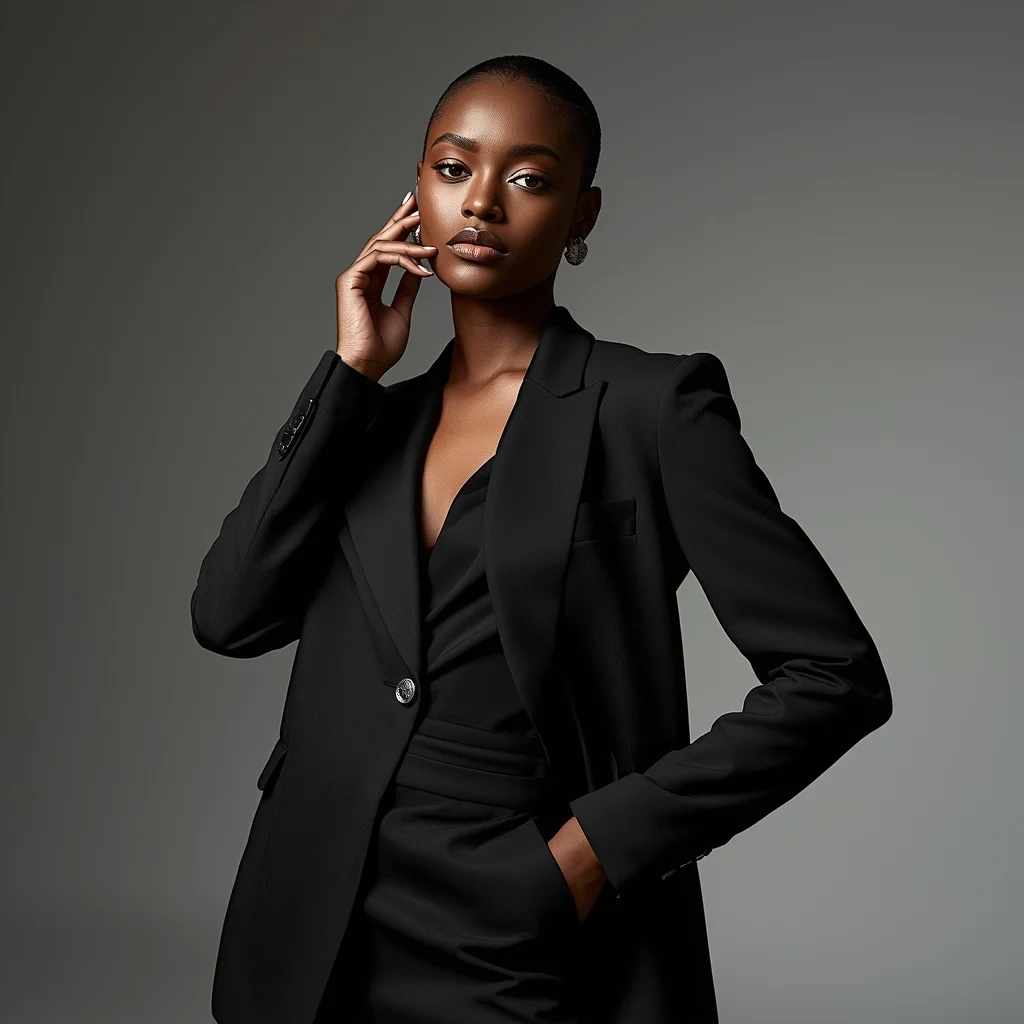
Prompt: A confident female model posing in a high-fashion editorial style, standing tall with one hand resting softly on her waist and the other slightly lifted near her face, wearing a luxury designer outfit with sharp tailoring and elegant textures. Her expression is calm, powerful, and poised, with strong eye contact toward the camera. Studio lighting is dramatic with soft shadows sculpting facial features, glossy skin tones, and detailed fabric highlights. Background is minimal but stylish, inspired by Vogue and Harper’s Bazaar editorials, ultra-realistic skin texture, flawless makeup, cinematic depth of field, fashion
Frequently Asked Questions
Common questions regarding this AI prompt.
What specific lighting setup is best to highlight the details of Botanical Grace | Prompt For Background?
For maximum texture reveal, a 'three-point studio lighting' or 'Rembrandt lighting' setup works best. By incorporating keywords like 'rim light', 'key light', and 'soft fill', you instruct the AI to sculpt the Woman Pose Art subject out of the background, ensuring that micro-details like skin pores, fabric weaves, or metallic reflections are perfectly visible.
Can I make the image look like vintage, degraded film?
Absolutely. To strip away the ultra-modern crispness, inject phrases like 'shot on Kodak Portra 400', 'heavy film grain', 'light leaks', 'chromatic aberration', and 'vintage 1970s polaroid'. This introduces beautiful, nostalgic imperfections into the Woman Pose Art scene, making the Botanical Grace | Prompt For Background generation look like a discovered relic rather than a digital creation.
How does the prompt establish the historical or futuristic era of Botanical Grace | Prompt For Background?
Era-specific aesthetics are locked in using targeted chronological keywords. Whether leaning towards a neo-futuristic cyberpunk vibe or a classical Renaissance look, the prompt forces the AI to draw from specific historical datasets. This ensures that the clothing, architecture, and props within the Woman Pose Art scene remain historically or thematically accurate.
How do I create a dramatic, low-light version of Botanical Grace | Prompt For Background?
To plunge the scene into dramatic darkness, modify the prompt to include 'chiaroscuro', 'low-key lighting', 'underexposed', and 'stark shadows'. This tells the AI to plunge the majority of the Woman Pose Art environment into darkness while intensely illuminating only the most critical parts of the Botanical Grace | Prompt For Background subject, creating a moody, cinematic masterpiece.
What are the recommended parameters for generating Botanical Grace | Prompt For Background in Stable Diffusion XL (SDXL)?
For optimal results in SDXL, we recommend pairing this prompt with a high-quality checkpoint like Juggernaut XL. Use the DPM++ 2M Karras sampler with approximately 35-40 steps and a CFG scale between 6.5 and 8.0. This combination strikes the perfect balance between adhering strictly to the Botanical Grace | Prompt For Background description and allowing the model's creative freedom.
What is the optimal workflow for upscaling Botanical Grace | Prompt For Background to print-quality resolution?
Do not generate at massive resolutions directly, as it causes compositional duplication (like two heads). Instead, generate Botanical Grace | Prompt For Background at a native resolution (e.g., 1024x1024), and then use a dedicated AI upscaler. Tools like Topaz Gigapixel AI, Magnific AI, or the '4x-UltraSharp' model in Automatic1111 will enhance the micro-textures of the Woman Pose Art without destroying the original composition.
How can I transform Botanical Grace | Prompt For Background into a vector graphic or logo style?
To strip away the photorealism, replace the camera keywords with 'flat vector illustration, minimalist design, UI/UX asset, Adobe Illustrator style, solid colors, clean crisp lines, no gradients'. This transforms the Woman Pose Art subject into a scalable, graphic-design-ready asset perfect for web design or branding.
How do I create a surreal, dream-like version of Botanical Grace | Prompt For Background?
To break the laws of physics, use keywords like 'surrealism, dreamscape, floating objects, defying gravity, Salvador Dali style, mind-bending geometry, ethereal'. The AI will take the familiar elements of Botanical Grace | Prompt For Background and arrange them in illogical, fascinating ways, creating a truly unique Woman Pose Art art piece.
How do I deal with unwanted text or watermarks appearing in the image?
AI models are trained on stock photos which often contain watermarks. To aggressively filter this out, ensure words like 'text, watermark, signature, username, website url, copyright stamp' are heavily weighted in your negative prompt box. This is especially crucial when generating commercial-grade Woman Pose Art content.
Why is this prompt highly effective for generating Botanical Grace | Prompt For Background?
Its effectiveness lies in the structured syntax. It separates the core subject definition from the style and technical parameters. This 'block structure' prevents AI confusion, ensuring that the details of Botanical Grace | Prompt For Background remain razor-sharp while the background and artistic medium seamlessly blend to match the Woman Pose Art aesthetic without overpowering the main focus.
What is the best Stylize (--s) value to use in Midjourney for this prompt?
The stylize parameter dictates how strongly Midjourney applies its default aesthetic. For strict adherence to the realistic details of Botanical Grace | Prompt For Background, keep it around --s 100 to --s 250. If you want the AI to take artistic liberties and make the Woman Pose Art scene look more like a digital masterpiece, push the value up to --s 500 or --s 750.
How do I modify Botanical Grace | Prompt For Background to fit into a dark fantasy or gothic horror setting?
Change the environmental descriptors. Add 'dark fantasy concept art, gothic architecture, eerie volumetric fog, corrupted ruins, ominous atmosphere, Bloodborne aesthetic'. This forces the AI to reinterpret the Botanical Grace | Prompt For Background prompt through a grim, terrifying lens, drastically altering the mood of the Woman Pose Art output.
How does Google's Gemini (Imagen 3) respond to the Botanical Grace | Prompt For Background prompt?
Gemini's Imagen 3 engine is exceptionally strong at adhering to safe, high-quality, photorealistic requests. It reads the descriptive narrative of the Botanical Grace | Prompt For Background prompt perfectly, ensuring that the subject anatomy and environmental physics are logical, highly detailed, and free from the typical warping artifacts seen in older generation models.
Why might the colors in my Botanical Grace | Prompt For Background generation appear washed out, and how do I fix it?
Washed-out colors typically result from a missing VAE file in local setups, or a lack of color-grading instructions. To immediately fix this within the text prompt itself, append phrases such as 'vibrant technicolor, rich saturation, HDR, cinematic color grading, high contrast'. This forces the AI to map a wider, more dynamic color range to your image.
How do I add realistic weather effects like rain or snow to the scene?
Weather completely alters the physics of light. If you add 'torrential rain, wet asphalt reflecting neon, water droplets clinging to surfaces', the AI will not just draw rain; it will change the specularity of the Botanical Grace | Prompt For Background subject. For snow, use 'heavy blizzard, frost-covered edges, soft diffused winter light' to change the entire atmosphere of the Woman Pose Art generation.