High-quality AI-generated image. Optimized for detailed rendering, perfect for creative projects and inspiration.
264Views
0 Likes
100%Quality
FreeLicense
AI Prompt
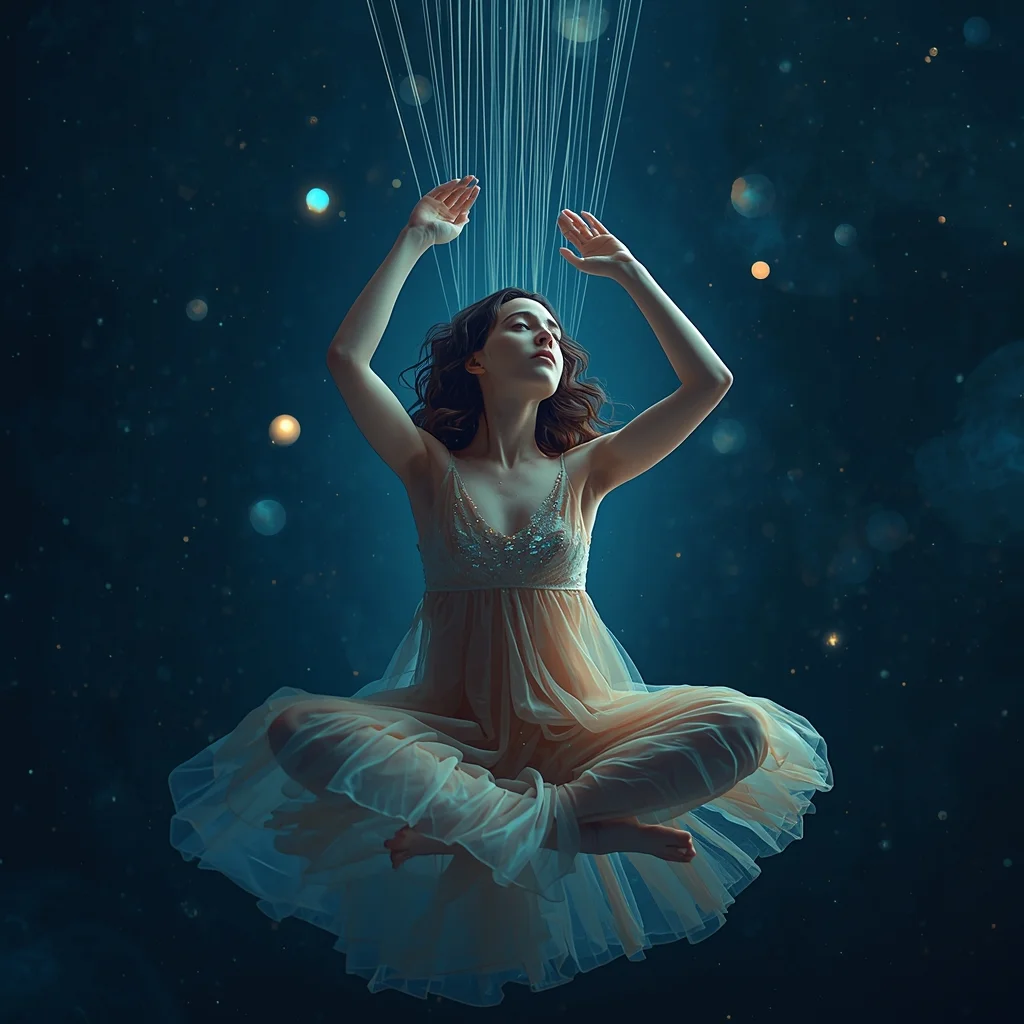
Prompt: A mesmerizing, surreal portrait of a young woman weaving threads of starlight into a tapestry of the night sky. She is wearing a flowing, translucent gown that seems to be made of nebula dust. Her expression is serene and focused, surrounded by floating orbs of soft light. The background is a deep, cosmic void filled with faint constellations.
Pose: Floating cross-legged in mid-air, hands gracefully raised as if pulling invisible strings from the air above her, head tilted slightly down watching her work.
Technical: 8k resolution, dreamy soft focus, bioluminescent lighting, shot on 85mm f/1.2, ethereal aesthetic, octane render style.
Want to create this with your own face? Use this instruction:
The reference image fully controls facial identity. Do not generate a new face, do not blend with other faces, and do not apply beauty filters or stylization. Prompt: A mesmerizing, surreal portrait of a young woman weaving threads of starlight into a tapestry of the night sky. She is wearing a flowing, translucent gown that seems to be made of nebula dust. Her expression is serene and focused, surrounded by floating orbs of soft light. The background is a deep, cosmic void filled with faint constellations.
Pose: Floating cross-legged in mid-air, hands gracefully raised as if pulling invisible strings from the air above her, head tilted slightly down watching her work.
Technical: 8k resolution, dreamy soft focus, bioluminescent lighting, shot on 85mm f/1.2, ethereal aesthetic, octane render style.
About this Prompt
Prepare to have your visual expectations completely shattered by 'The Ethereal Weaver | Ai Prompt Keyword'. This bold, dramatic reimagining of traditional Woman Pose Art concepts pushes the neural network to its absolute limits, resulting in a glorious visual feast that commands authority and establishes a commanding digital presence. The absolute core strength of this generative text lies in its meticulous, obsessive attention to environmental storytelling and micro-surface material textures. From glossy, wet-look reflections to deep, crushing matte shadows, it renders a flawlessly balanced and strikingly realistic Woman Pose Art image.
Deeply beneficial for interior designers, architects, and spatial planners looking to quickly generate hyper-realistic, beautifully lit Woman Pose Art atmospheric mood boards that effortlessly communicate luxury, space, and modern design principles to high-paying clients. Experience the pure, unadulterated joy of limitless creation. Offering mathematically infinite remixing possibilities, this masterfully crafted prompt is a highly valuable gift that keeps on giving, allowing incredibly deep exploration of the Woman Pose Art artistic domain.
Prompt: A gritty, tech-noir cinematic shot of a woman in a matte-white modular techwear outfit standing in a neon-lit Shibuya crossing during a heavy downpour. | Pose: A low-profile 'crouched' pose, as if she is about to move. She is resting on the balls of her feet, one hand touching the wet asphalt for balance. She is looking sharply toward the camera through wet, neon-pink hair, her expression guarded and alert. | Technical: Ray-traced reflections on the wet street, teal and magenta neon lighting, shot on 35mm anamorphic lens, shallow depth of field, realistic raindrops on the skin and clothing.
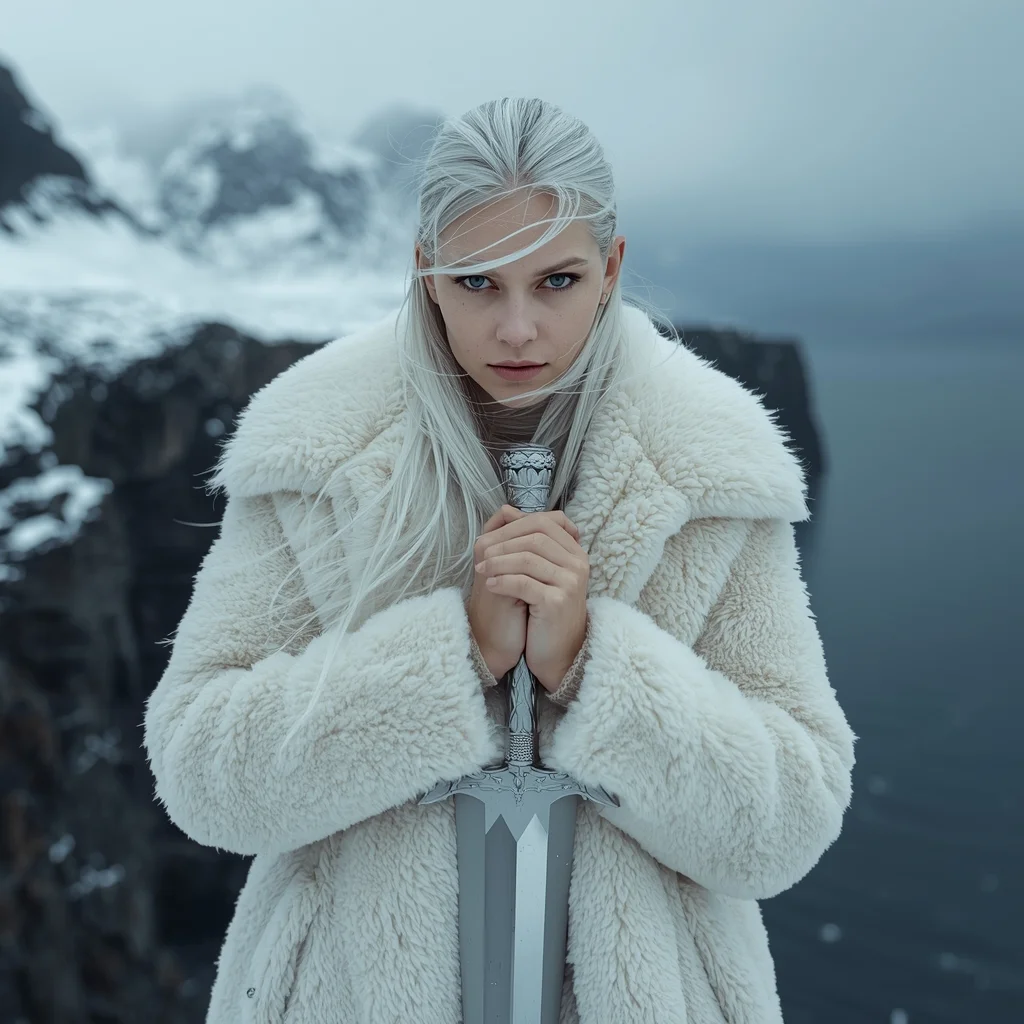
Prompt: A high-fashion editorial shot of a woman in heavy, avant-garde Nordic wool and white shearling standing on a jagged cliff in the Lofoten Islands, Norway. The background features a dramatic, snow-covered mountain range and a dark, moody arctic sea. | Pose: She is standing in a 'Stoic Guardian' pose with her body angled slightly away from the camera. Her hands are clasped tightly in front of her chest, holding a silver ceremonial dagger. She is looking directly into the lens with a piercing, unblinking gaze as the wind whips her platinum hair across her face. | Technical: Shot on a Hasselblad H6D, 100mm lens, f/4.0. Natural cold morning light with soft blue shadows. High-speed shutter to freeze the swirling snowflakes. 16k resolution, hyper-realistic skin textures including faint freckles and cold-reddened cheeks.
The Private Jet Executive Lounge | Creative Ai Prompt Idea List
2476 mos ago
Prompt: An editorial-style portrait of an ultra-wealthy businessman relaxing in the cabin of a Gulfstream G650 private jet. He is sitting in a plush cream leather seat, wearing a bespoke Italian navy suit with no tie. He holds a tumbler of aged whiskey and is looking thoughtfully out the oval window at the clouds below. The lighting is soft and luxurious, coming from the window. The image shows highly detailed textures of the leather, wood veneer, and the fabric of his suit. 8k resolution, photorealistic.
Prompt: A futuristic neon cyber YouTube thumbnail design with glowing edges, electric blue and purple lighting, dark tech background, cyberpunk atmosphere, dramatic contrast, sharp focus, ultra-modern digital style, visually striking composition, no text, no letters, no numbers.
The Sahara Wanderer | Ai Prompt For High Engagement
2826 mos ago
Prompt: A man in a loose, flowing white linen kaftan and a traditional headwrap, standing atop a massive orange sand dune. The wind is blowing the fabric of his clothes, creating dynamic movement.
Pose: Walking away from the camera but looking back over his shoulder, one hand holding his headwrap against the wind.
Technical: Deep focus, f/11, warm earthy tones, high-speed shutter to freeze the blowing sand, 4k.
Prompt: A man standing beside a large glass window in a high-rise interior, one hand resting lightly on the glass, body angled sideways, reflective thoughtful expression, wearing modern monochrome attire, soft natural light casting subtle reflections, minimalist interior design, cinematic shadow play, fine facial detail, premium lifestyle portrait style, ultra-clear realistic rendering.
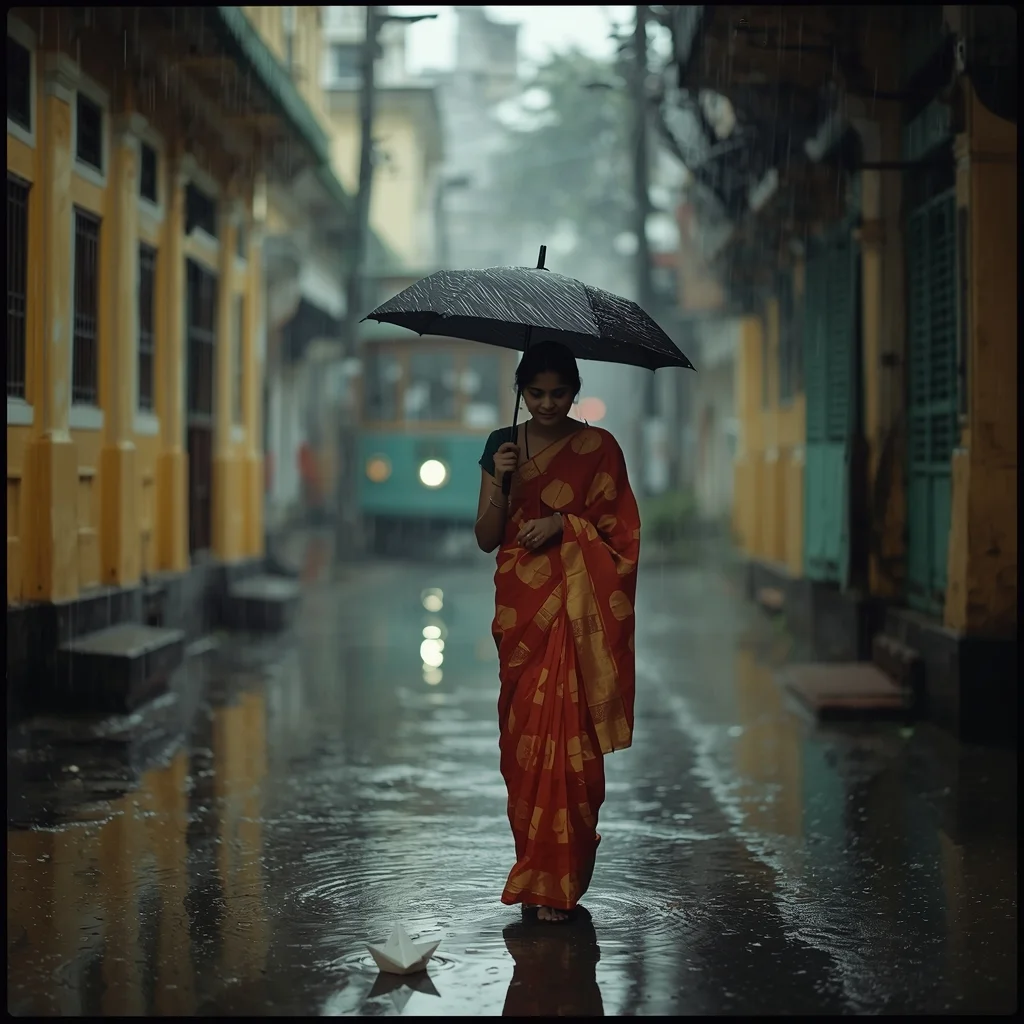
Prompt: A woman in a simple red and white "Lal Paar" saree, walking through a narrow lane in North Kolkata during a heavy monsoon rain. She is holding a classic black umbrella. Old yellow buildings with green windows and a vintage tram are visible in the blurry background. Pose: Walking toward the camera, looking down at a paper boat floating in a puddle at her feet, a nostalgic and gentle expression on her face. Technical: Moody rainy atmosphere, wet ground reflections, 35mm film aesthetic, Kodak Portra 800, soft diffused light, realistic water droplets.
Pose: Walking toward the camera, looking down at a paper boat floating in a puddle at her feet, a nostalgic and gentle expression on her face. Technical: Moody rainy atmosphere, wet ground reflections, 35mm film aesthetic, Kodak Portra 800, soft diffused light, realistic water droplets.
Technical: Moody rainy atmosphere, wet ground reflections, 35mm film aesthetic, Kodak Portra 800, soft diffused light, realistic water droplets.
Frequently Asked Questions
Common questions regarding this AI prompt.
How does Midjourney v6 process the intricate details of The Ethereal Weaver | Ai Prompt Keyword?
Midjourney v6 excels at understanding natural language nuances. This prompt is specifically written to take advantage of v6's semantic comprehension. You do not need to use 'prompt salad' (randomly throwing words). The detailed, descriptive sentences regarding the Woman Pose Art elements are parsed accurately, giving you photographic or highly illustrative perfection.
Can I generate a 3D claymation or toy-like version of The Ethereal Weaver | Ai Prompt Keyword?
Yes, you can mimic physical models easily. Add terms such as 'made of polymer clay, tilt-shift photography, miniature diorama, cute 3D render, smooth plasticine, vibrant pastel colors' to the prompt. The AI will instantly convert the Woman Pose Art scene into a charming, tactile 3D object.
How does the prompt establish the historical or futuristic era of The Ethereal Weaver | Ai Prompt Keyword?
Era-specific aesthetics are locked in using targeted chronological keywords. Whether leaning towards a neo-futuristic cyberpunk vibe or a classical Renaissance look, the prompt forces the AI to draw from specific historical datasets. This ensures that the clothing, architecture, and props within the Woman Pose Art scene remain historically or thematically accurate.
What specific lighting setup is best to highlight the details of The Ethereal Weaver | Ai Prompt Keyword?
For maximum texture reveal, a 'three-point studio lighting' or 'Rembrandt lighting' setup works best. By incorporating keywords like 'rim light', 'key light', and 'soft fill', you instruct the AI to sculpt the Woman Pose Art subject out of the background, ensuring that micro-details like skin pores, fabric weaves, or metallic reflections are perfectly visible.
How can I transform The Ethereal Weaver | Ai Prompt Keyword into a vector graphic or logo style?
To strip away the photorealism, replace the camera keywords with 'flat vector illustration, minimalist design, UI/UX asset, Adobe Illustrator style, solid colors, clean crisp lines, no gradients'. This transforms the Woman Pose Art subject into a scalable, graphic-design-ready asset perfect for web design or branding.
What is the core conceptual focus of the The Ethereal Weaver | Ai Prompt Keyword prompt?
The The Ethereal Weaver | Ai Prompt Keyword prompt is meticulously engineered to focus on high-fidelity visual storytelling within the Woman Pose Art genre. By leveraging advanced keyword weighting and specific rendering tokens, it ensures that the AI prioritizes both the primary subject matter and the intricate atmospheric details, resulting in a highly professional and polished final image.
How can I prevent anatomical distortions or 'extra limbs' when generating characters?
While modern models have improved, complex poses in Woman Pose Art can still cause issues. To prevent this, use a strong negative prompt containing 'bad anatomy, extra limbs, mutated hands, deformed structure'. If generating locally via Stable Diffusion, utilizing ControlNet (specifically OpenPose or Depth) alongside this prompt will guarantee flawless anatomical structure.
How do I ensure the skin textures in The Ethereal Weaver | Ai Prompt Keyword look photorealistic and not plastic?
AI often defaults to overly smooth, airbrushed skin. To counter this, you must explicitly demand imperfections. Add 'subsurface scattering, visible skin pores, peach fuzz, micro-wrinkles, highly detailed skin texture, raw unedited photograph' to the prompt. This forces the model to render the human elements of the Woman Pose Art scene with authentic, biological realism.
How does Google's Gemini (Imagen 3) respond to the The Ethereal Weaver | Ai Prompt Keyword prompt?
Gemini's Imagen 3 engine is exceptionally strong at adhering to safe, high-quality, photorealistic requests. It reads the descriptive narrative of the The Ethereal Weaver | Ai Prompt Keyword prompt perfectly, ensuring that the subject anatomy and environmental physics are logical, highly detailed, and free from the typical warping artifacts seen in older generation models.
How do I achieve an extreme close-up or macro shot of The Ethereal Weaver | Ai Prompt Keyword?
Modify the perspective by heavily weighting keywords like 'extreme macro photography', '100mm macro lens', 'microscopic detail', and 'extreme close up'. This forces the AI engine to ignore the broader Woman Pose Art environment and dedicate all of its rendering power to the microscopic textures, fibers, or surface imperfections of the primary subject.
What rendering engines should I reference to maximize the quality of The Ethereal Weaver | Ai Prompt Keyword?
Modern AI image generators respond incredibly well to 3D software references. By appending terms like 'Unreal Engine 5 render', 'OctaneRender', 'Redshift', 'V-Ray', and 'Global Illumination', you are signaling the AI to utilize its highest quality datasets for lighting physics and material textures within the Woman Pose Art image.