High-quality AI-generated image. Optimized for detailed rendering, perfect for creative projects and inspiration.
296Views
0 Likes
100%Quality
FreeLicense
AI Prompt
Prompt: A woman submerged in clear turquoise water, wearing a long, sheer white silk dress that floats around her like a cloud. Bubbles are rising toward the surface, and sunlight shimmers through the water ripples from above.
Pose: Curled in a graceful, weightless fetal position, eyes open and looking toward the surface light, hair fanning out in all directions.
Technical: Underwater photography, GoPro Hero 12 style but with cinematic depth, caustics lighting effects, 8k, hyper-realistic.
Want to create this with your own face? Use this instruction:
Keep facial anatomy identical to reference. Prompt: A woman submerged in clear turquoise water, wearing a long, sheer white silk dress that floats around her like a cloud. Bubbles are rising toward the surface, and sunlight shimmers through the water ripples from above.
Pose: Curled in a graceful, weightless fetal position, eyes open and looking toward the surface light, hair fanning out in all directions.
Technical: Underwater photography, GoPro Hero 12 style but with cinematic depth, caustics lighting effects, 8k, hyper-realistic.
About this Prompt
Crafted exclusively for the digital connoisseur, 'The Underwater Grace | Modern Prompt' offers a highly sophisticated, multi-layered approach to Woman Pose Art generation. Experience the pure thrill of digital discovery as every single render reveals breathtaking new nuances and micro-details that standard prompts simply cannot achieve. A beautifully executed tilt-shift miniature fake-out effect can make the massive, sprawling world look like a tiny, incredibly detailed diorama. The sweeping, ultra-wide panoramic framing captures a vastly immense, deeply awe-inspiring landscape that perfectly anchors the Woman Pose Art subject in a believable reality.
Deeply beneficial for interior designers, architects, and spatial planners looking to quickly generate hyper-realistic, beautifully lit Woman Pose Art atmospheric mood boards that effortlessly communicate luxury, space, and modern design principles to high-paying clients. Make this highly stunning, perfectly composed prompt the absolute focal point of your next big digital project. Its immense, highly adaptable versatility is simply perfect for completely mastering the intricacies of the Woman Pose Art visual style.
Prompt: A stunning woman standing in a vast field of tall golden wheat during the peak of golden hour. She is wearing a flowing, cream-colored silk dress that catches the breeze. The sunlight creates a warm, hazy rim-light around her silhouette. In the background, soft rolling hills and a fading orange sun. The atmosphere is peaceful and nostalgic.
Pose: Standing with her back slightly turned to the camera, looking over her shoulder with a soft smile, one hand gently brushing the tops of the wheat.
Technical: Photorealistic, 8k resolution, shot on Sony A7R IV, 85mm lens, f/1.8, natural lighting, cinematic color grading, bokeh background.
Young Woman Looking Away Soft Mood Pose | Next Level Ai Prompt Idea
3238 mos ago
Prompt: A young woman looking slightly away from the camera, soft emotional expression, calm posture. Gentle side lighting creating depth and mood. Minimal background, artistic portrait photography, shallow depth of field, ultra-realistic skin tones, high resolution.
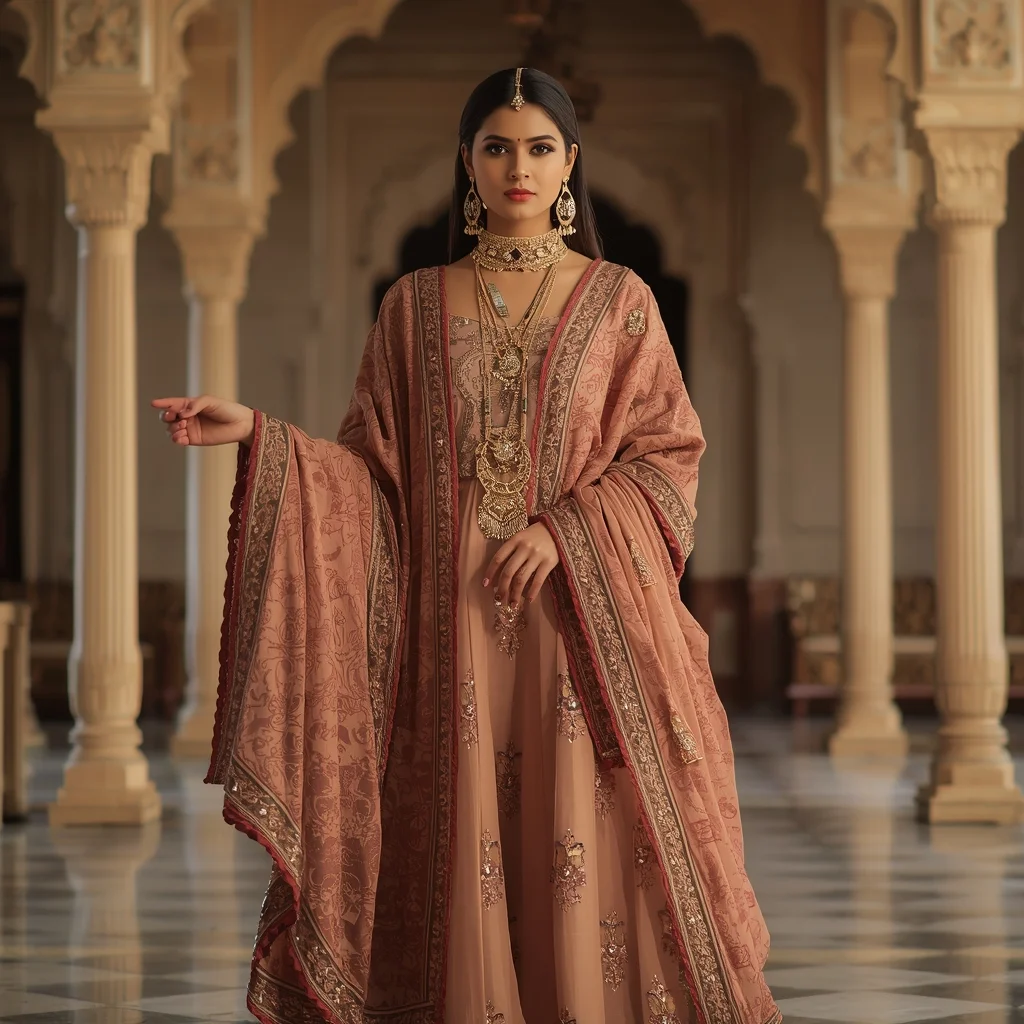
Royal Ethnic Fusion Grace Pose | Ultimate Prompt Collection
3178 mos ago
Prompt: A woman dressed in royal ethnic fusion attire combining traditional elements with modern fashion. She wears an embroidered outfit with regal jewelry, standing tall with one hand holding a dupatta, the other relaxed. Palace-inspired background, arches and royal décor, warm golden lighting. Majestic posture, elegant facial expression, rich fabric textures, cinematic royal look, ultra-detailed ethnic styling, high-end portrait photography.
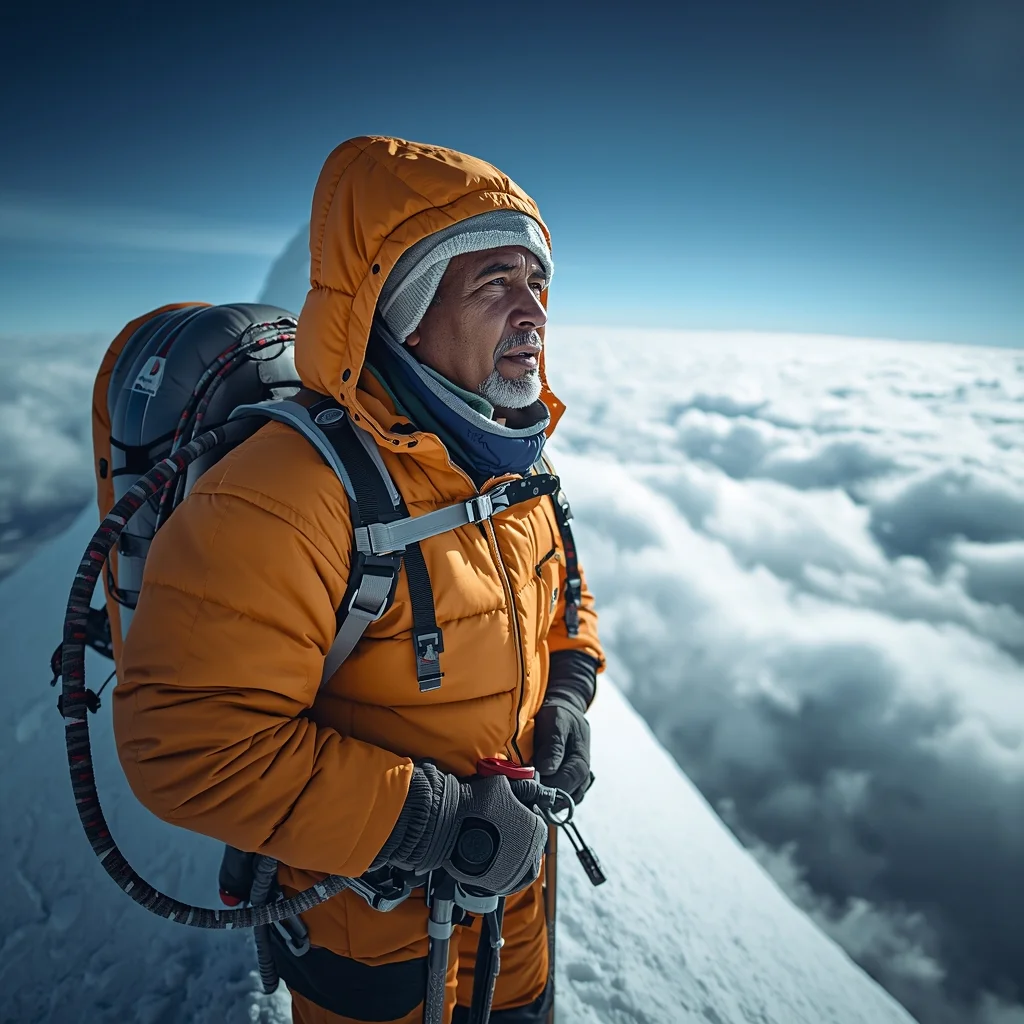
The High-Altitude Sherpa Guide | Color Grading Prompt
3728 mos ago
Prompt: A rugged, full-body shot of a Sherpa guide standing on a narrow, snowy ridge of Mount Everest. He is equipped with professional climbing gear, a bright orange parka, oxygen tanks, and ice axes. He is looking out over a sea of clouds with a look of immense resilience. His face is weathered by the cold, with frost clinging to his eyelashes and eyebrows. The lighting is the brilliant, thin blue light of high altitude. Sharp focus, high contrast, epic scale, 8k resolution.
THIS SIMPLE IDEA ACTUALLY WORKS 💡 | Free Prompt Collection
2598 mos ago
Prompt: Cinematic YouTube thumbnail of a confident creator smiling with realization, index finger raised as if explaining an idea, bright soft lighting illuminating the face, glowing light bulb effect near the head, blurred gradient background with warm yellow and cool blue tones, ultra-sharp focus, realistic facial features, smooth yet detailed skin texture, professional color grading, high contrast, inspirational mood, viral YouTube thumbnail aesthetics, mobile-optimized framing, 4K ultra-HD.
Over-the-Top Rubber Cartoon Chaos | Best Prompt For Content Creator
2478 mos ago
Prompt: Looney Tunes or Ren & Stimpy style. A frantic cartoon character with bulging eyes and a jaw dropped to the floor in shock. Extreme exaggeration, vibrant colors, "squash and stretch" physics. Abstract background with colorful geometric shapes.
Modern Indian Viral Reel Pose – Side Angle Fashion Attitude | Master Ai Prompt
3278 mos ago
Prompt: An Indian woman wearing a modern Indian fashion dress, captured at a sharp side angle during a reel pause. One hip slightly shifted, body angled for a stylish silhouette. Hair smooth or softly waved with light motion. Expression composed, confident, and editorial. Makeup matte glam with glowing skin. Lighting clean and modern. Background minimal and aesthetic. Ultra-high clarity, cinematic depth, influencer fashion vibe, designed for viral impact.
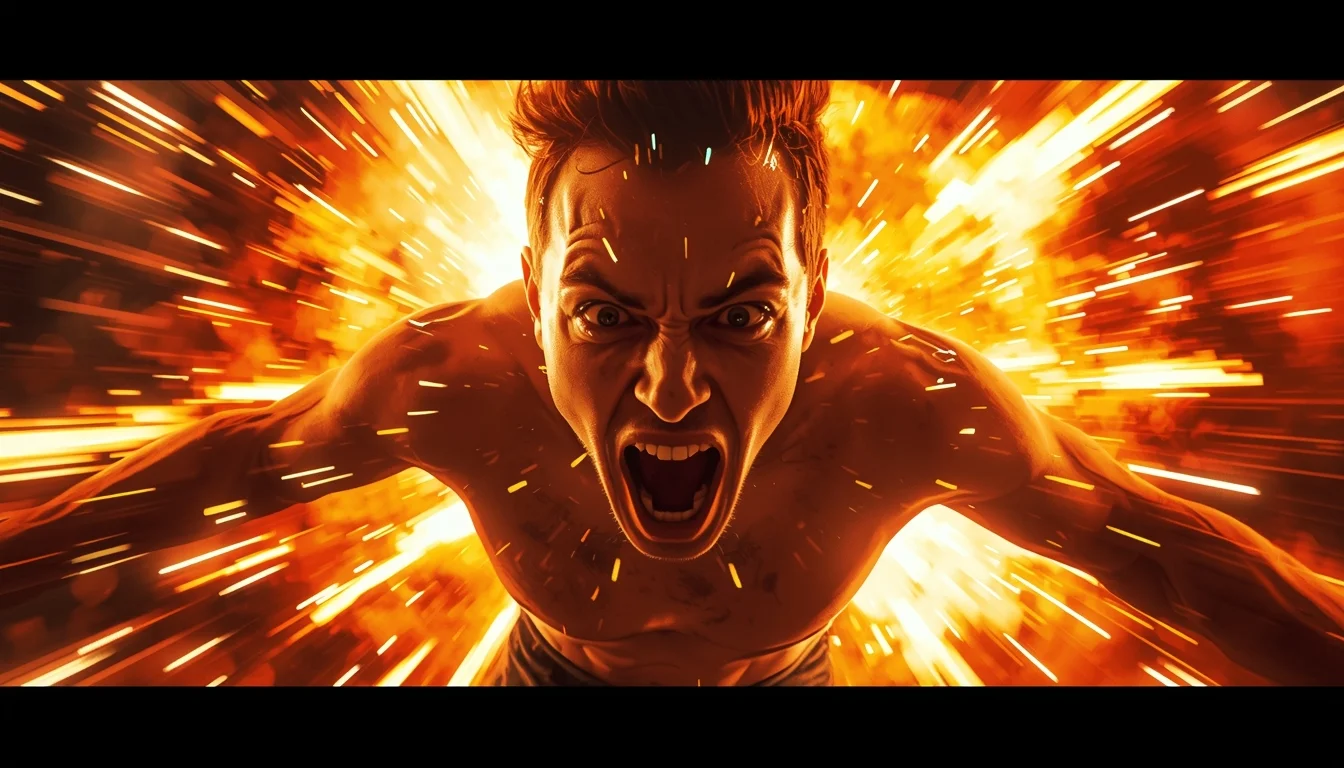
YouTube Thumbnail – Extreme Viral Energy Shock Design | Viral Prompt Idea You Need
2788 mos ago
Prompt: A high-impact viral YouTube thumbnail design featuring explosive visual energy, exaggerated emotions, dynamic camera angle, intense lighting contrast, punchy color saturation, dramatic highlights, sharp shadows, fast-paced composition, strong visual flow, attention-grabbing cinematic framing, ultra-HD quality, no text, no typography, no words.
Frequently Asked Questions
Common questions regarding this AI prompt.
How do I give The Underwater Grace | Modern Prompt a retro, 1980s synthwave aesthetic?
Inject keywords that define that specific era's pop culture. Use 'vaporwave aesthetic, 1980s synthwave, neon grid background, cyan and magenta color palette, VHS glitch effect, retro-futurism'. This overrides the standard lighting and wraps the The Underwater Grace | Modern Prompt subject in a highly stylized, nostalgic digital atmosphere.
What should I do if the background of The Underwater Grace | Modern Prompt becomes too cluttered?
If the AI over-complicates the background, you need to assert control over the depth of field. Add strict modifiers like 'clean minimalist background, studio backdrop, heavy bokeh, blurred environment' to the prompt. Additionally, placing the subject-specific keywords at the very front of the prompt ensures the AI prioritizes the main The Underwater Grace | Modern Prompt element.
How do I create a surreal, dream-like version of The Underwater Grace | Modern Prompt?
To break the laws of physics, use keywords like 'surrealism, dreamscape, floating objects, defying gravity, Salvador Dali style, mind-bending geometry, ethereal'. The AI will take the familiar elements of The Underwater Grace | Modern Prompt and arrange them in illogical, fascinating ways, creating a truly unique Woman Pose Art art piece.
How do I ensure the skin textures in The Underwater Grace | Modern Prompt look photorealistic and not plastic?
AI often defaults to overly smooth, airbrushed skin. To counter this, you must explicitly demand imperfections. Add 'subsurface scattering, visible skin pores, peach fuzz, micro-wrinkles, highly detailed skin texture, raw unedited photograph' to the prompt. This forces the model to render the human elements of the Woman Pose Art scene with authentic, biological realism.
Does this prompt work with DALL-E 3 inside ChatGPT?
Yes, it works exceptionally well. DALL-E 3 thrives on conversational, highly descriptive text. Because this prompt for The Underwater Grace | Modern Prompt is structured with clear nouns and adjectives, DALL-E 3 will translate it almost perfectly into an image, ensuring that multiple complex elements within the Woman Pose Art scene interact logically.
What is the best Stylize (--s) value to use in Midjourney for this prompt?
The stylize parameter dictates how strongly Midjourney applies its default aesthetic. For strict adherence to the realistic details of The Underwater Grace | Modern Prompt, keep it around --s 100 to --s 250. If you want the AI to take artistic liberties and make the Woman Pose Art scene look more like a digital masterpiece, push the value up to --s 500 or --s 750.
Can I make the characters or subjects in The Underwater Grace | Modern Prompt look like cyborgs?
Easily. Append 'cybernetic enhancements, robotic limbs, glowing optical sensors, biomechanical plating, android'. The AI seamlessly blends biological flesh with metallic machinery, maintaining the high-quality rendering of the original Woman Pose Art prompt while shifting the character design.
Can I generate a 3D claymation or toy-like version of The Underwater Grace | Modern Prompt?
Yes, you can mimic physical models easily. Add terms such as 'made of polymer clay, tilt-shift photography, miniature diorama, cute 3D render, smooth plasticine, vibrant pastel colors' to the prompt. The AI will instantly convert the Woman Pose Art scene into a charming, tactile 3D object.
What rendering engines should I reference to maximize the quality of The Underwater Grace | Modern Prompt?
Modern AI image generators respond incredibly well to 3D software references. By appending terms like 'Unreal Engine 5 render', 'OctaneRender', 'Redshift', 'V-Ray', and 'Global Illumination', you are signaling the AI to utilize its highest quality datasets for lighting physics and material textures within the Woman Pose Art image.
How do I add realistic weather effects like rain or snow to the scene?
Weather completely alters the physics of light. If you add 'torrential rain, wet asphalt reflecting neon, water droplets clinging to surfaces', the AI will not just draw rain; it will change the specularity of the The Underwater Grace | Modern Prompt subject. For snow, use 'heavy blizzard, frost-covered edges, soft diffused winter light' to change the entire atmosphere of the Woman Pose Art generation.
How do I modify The Underwater Grace | Modern Prompt to fit into a dark fantasy or gothic horror setting?
Change the environmental descriptors. Add 'dark fantasy concept art, gothic architecture, eerie volumetric fog, corrupted ruins, ominous atmosphere, Bloodborne aesthetic'. This forces the AI to reinterpret the The Underwater Grace | Modern Prompt prompt through a grim, terrifying lens, drastically altering the mood of the Woman Pose Art output.
Is it possible to make the image look like an architectural blueprint?
Absolutely. Strip all color and realism by adding 'technical architectural blueprint, white lines on blue background, schematics, precise measurements, cross-section view, drafted by an engineer'. This is a highly creative way to present the Woman Pose Art subject from an analytical, structural perspective.
What if the AI completely ignores a specific detail I added to the The Underwater Grace | Modern Prompt prompt?
If a detail is ignored, it lacks 'weight'. Move that specific word closer to the very beginning of the prompt. Alternatively, if using Midjourney, use the double colon syntax (Keyword::2) to force the AI to pay attention. In Stable Diffusion, wrap the keyword in parentheses like (Keyword:1.5) to boost its importance in the Woman Pose Art scene.
Why might the colors in my The Underwater Grace | Modern Prompt generation appear washed out, and how do I fix it?
Washed-out colors typically result from a missing VAE file in local setups, or a lack of color-grading instructions. To immediately fix this within the text prompt itself, append phrases such as 'vibrant technicolor, rich saturation, HDR, cinematic color grading, high contrast'. This forces the AI to map a wider, more dynamic color range to your image.
What is the optimal workflow for upscaling The Underwater Grace | Modern Prompt to print-quality resolution?
Do not generate at massive resolutions directly, as it causes compositional duplication (like two heads). Instead, generate The Underwater Grace | Modern Prompt at a native resolution (e.g., 1024x1024), and then use a dedicated AI upscaler. Tools like Topaz Gigapixel AI, Magnific AI, or the '4x-UltraSharp' model in Automatic1111 will enhance the micro-textures of the Woman Pose Art without destroying the original composition.