Playing Super Mario Bros in Photorealistic Unreal Engine 5 | Gemini Ai Image Prompt
High-quality AI-generated image. Optimized for detailed rendering, perfect for creative projects and inspiration.
279Views
0 Likes
100%Quality
FreeLicense
AI Prompt
Prompt: A mind-bending gaming thumbnail that blends iconic retro imagery with hyper-realism. A photorealistic rendering of a classic Super Mario level. A realistic Italian plumber character (Mario) in denim overalls is jumping over a hyper-detailed green warp pipe. The "goomba" enemy is a realistic, textured mushroom creature. The background is a stunning, photorealistic landscape of rolling hills and detailed brick structures under a bright sun. The textures of dirt, brick, and denim are incredibly sharp. 8k resolution, cinematic game art style.
Want to create this with your own face? Use this instruction:
Maintain 100% face accuracy from the reference image. Prompt: A mind-bending gaming thumbnail that blends iconic retro imagery with hyper-realism. A photorealistic rendering of a classic Super Mario level. A realistic Italian plumber character (Mario) in denim overalls is jumping over a hyper-detailed green warp pipe. The "goomba" enemy is a realistic, textured mushroom creature. The background is a stunning, photorealistic landscape of rolling hills and detailed brick structures under a bright sun. The textures of dirt, brick, and denim are incredibly sharp. 8k resolution, cinematic game art style.
About this Prompt
Navigate the deeply complex, often chaotic waters of AI generation safely with 'Playing Super Mario Bros in Photorealistic Unreal Engine 5 | Gemini Ai Image Prompt', your perfect, reliable compass for consistent YouTube Thumbnail wonder. The razor-sharp precision engineered into this specific prompt is exactly what sets it vastly apart in the highly crowded digital marketplace. Notice exactly how the prompt naturally forces the AI to enhance volumetric lighting and subtle, diffuse shadows, creating a true, deeply convincing 3D illusion. Every micro-detail is sharply defined, ensuring the artwork holds up beautifully even when upscaled to extreme 8k or 16k resolutions.
From captivating, highly viral Instagram carousel posts to massively detailed, large-scale print-on-demand graphics, the sheer, staggering versatility of this specific prompt makes it a mandatory, must-have addition to your daily creative rendering toolkit. The final, highly sought-after ultimate truth of generative AI art is cleverly hidden right within this structure. Render it confidently right now to fully unlock the deepest, most highly guarded secrets of elite visual digital creation.
Outdoor Travel Adventure Woman Pose | Ai Prompt Style
3238 mos ago
Prompt: A travel-inspired woman pose set in a scenic outdoor location, standing confidently on a mountain path or overlooking a natural landscape. Pose is relaxed yet adventurous, hands loosely placed, body angled toward the scenery. Outfit is stylish travel wear, hair naturally moving in the wind. Golden hour lighting, warm sunlight, cinematic landscape depth, vibrant yet natural colors, realistic textures, travel photography aesthetic, ultra-wide lens feel, high-resolution realism.
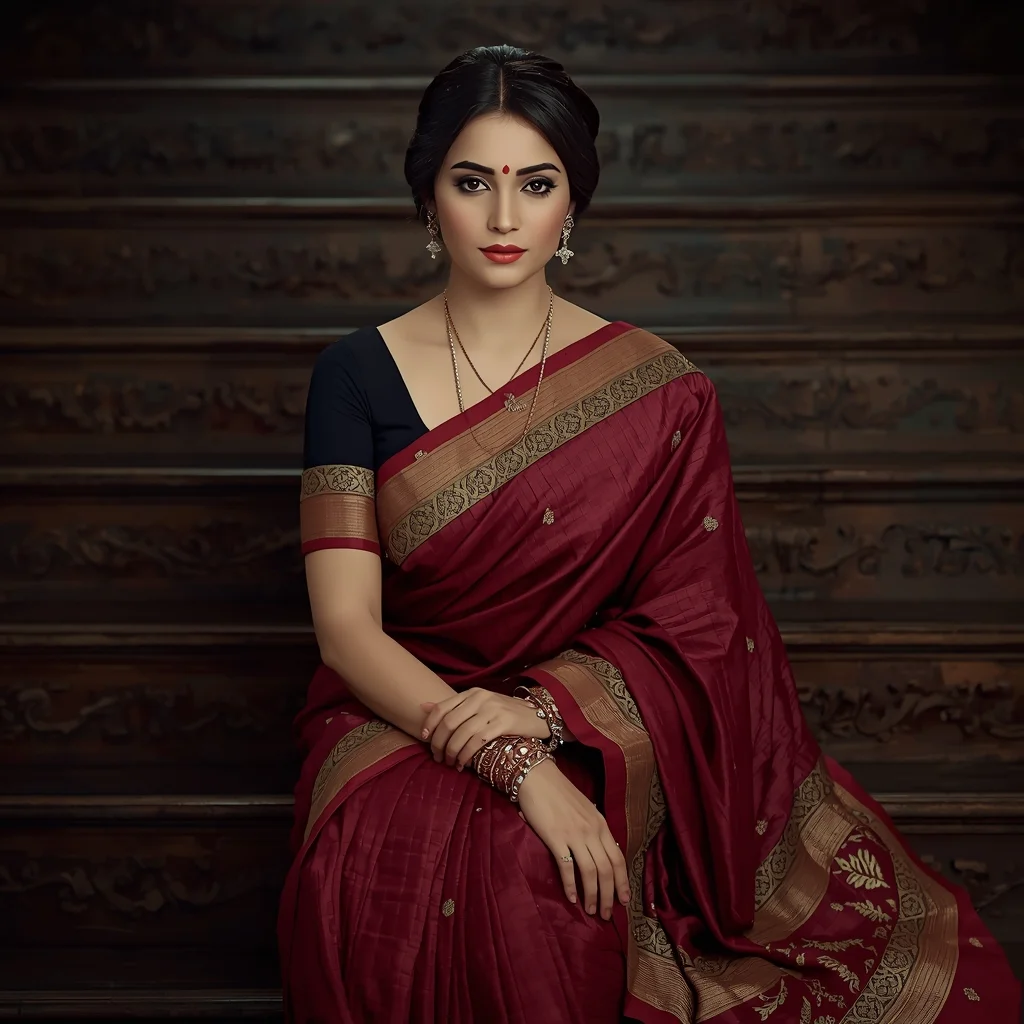
Elegant Woman Seated in Traditional Saree | Magic Ai Prompt
3098 mos ago
Prompt: A realistic portrait of a woman seated on carved wooden steps, dressed in a richly textured traditional saree with intricate border work. Her pose is calm and dignified, hands resting gently on her lap, expression peaceful. Soft diffused lighting highlights facial features and saree fabric. Traditional bangles, subtle makeup, cinematic color grading, ultra-realistic photography quality.
Prompt: Indian female model in festive Indian wear, captured mid-twirl creating flowing fabric motion, joyful expression, traditional jewelry glowing under warm lights, festive decor background, golden lighting, vibrant colors, cultural celebration atmosphere, motion blur fabric detail, ultra-realistic festive fashion photography.
The Clockwork Alchemist's Laboratory (Steampunk Illustration) | Trending Prompt Idea Worldwide
3508 mos ago
An intricate, highly detailed illustration of a cluttered steampunk alchemist's workshop. The style is a blend of Victorian scientific engraving and rich oil painting. The room is filled with brass contraptions, bubbling glass alembics, copper piping, and clockwork automatons. A central figure, an alchemist with leather goggles and a mechanical glove, is transmuting a piece of metal that glows with arcane energy. Charts and blueprints cover the walls. The lighting is warm and golden, coming from gas lamps and a roaring furnace. Textures of polished wood, oxidized copper, and aged parchment are prominent.
Don’t Start YouTube Until You Watch This | Ai Prompt Format
2818 mos ago
Prompt: Create a dramatic YouTube thumbnail featuring a serious creator holding up a stop hand gesture toward the camera. The background shows a blurred YouTube studio setup with warning symbols, red arrows, and alert icons. Add bold red and yellow lighting to increase urgency. Facial expression should be intense and serious. Use ultra-sharp focus on the face, high contrast lighting, cinematic shadows, bold composition, clean background separation, attention-grabbing style, and highly readable visual storytelling optimized for mobile screens.
Prompt: A vibrant, high-fashion action shot of a woman in an "athletic-twist" pose, as if captured during a dance or a fast turn. She wears a neon-trimmed black tech-wear bodysuit. Her hair is captured in a mid-air swirl. The background is a blurred neon-lit subway station. This prompt emphasizes "dynamic realism," with sharp focus on the face but realistic motion blur on the extremities. 24mm wide-angle lens, low-angle shot to make the subject look powerful and tall.
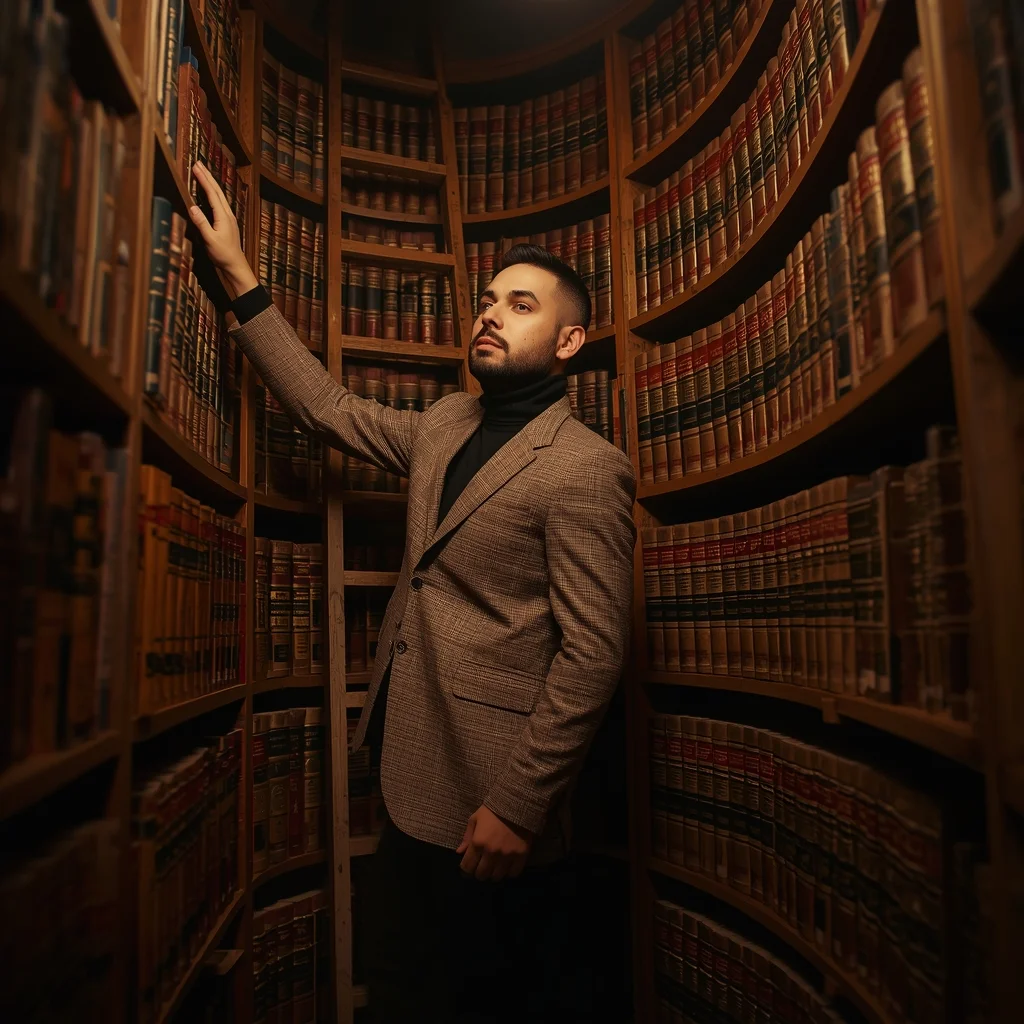
Prompt: A man in a turtleneck and a brown tweed blazer standing in a hidden, circular library with books stacked up to the ceiling. A rolling wooden ladder is visible behind him. Pose: Standing on the middle step of the ladder, one hand reaching for a golden-spine book on a high shelf, while looking down at the viewer over his shoulder. Technical: Warm library glow, macro detail on book textures, 24mm, f/4.0, "Dark Academia" aesthetic.
Pose: Standing on the middle step of the ladder, one hand reaching for a golden-spine book on a high shelf, while looking down at the viewer over his shoulder. Technical: Warm library glow, macro detail on book textures, 24mm, f/4.0, "Dark Academia" aesthetic.
Technical: Warm library glow, macro detail on book textures, 24mm, f/4.0, "Dark Academia" aesthetic.
THIS SIMPLE IDEA ACTUALLY WORKS 💡 | Free Prompt Collection
2598 mos ago
Prompt: Cinematic YouTube thumbnail of a confident creator smiling with realization, index finger raised as if explaining an idea, bright soft lighting illuminating the face, glowing light bulb effect near the head, blurred gradient background with warm yellow and cool blue tones, ultra-sharp focus, realistic facial features, smooth yet detailed skin texture, professional color grading, high contrast, inspirational mood, viral YouTube thumbnail aesthetics, mobile-optimized framing, 4K ultra-HD.
Frequently Asked Questions
Common questions regarding this AI prompt.
How can I dictate the camera angle to make the subject look more powerful?
Camera angle completely changes the psychological impact. To make the subject of Playing Super Mario Bros in Photorealistic Unreal Engine 5 | Gemini Ai Image Prompt appear dominant or towering, insert 'low angle shot' or 'worm's-eye view'. Conversely, to make the YouTube Thumbnail scene feel vast and the subject small, use 'drone shot', 'bird's-eye view', or 'extreme high angle'.
Can I generate a 3D claymation or toy-like version of Playing Super Mario Bros in Photorealistic Unreal Engine 5 | Gemini Ai Image Prompt?
Yes, you can mimic physical models easily. Add terms such as 'made of polymer clay, tilt-shift photography, miniature diorama, cute 3D render, smooth plasticine, vibrant pastel colors' to the prompt. The AI will instantly convert the YouTube Thumbnail scene into a charming, tactile 3D object.
How do I create a surreal, dream-like version of Playing Super Mario Bros in Photorealistic Unreal Engine 5 | Gemini Ai Image Prompt?
To break the laws of physics, use keywords like 'surrealism, dreamscape, floating objects, defying gravity, Salvador Dali style, mind-bending geometry, ethereal'. The AI will take the familiar elements of Playing Super Mario Bros in Photorealistic Unreal Engine 5 | Gemini Ai Image Prompt and arrange them in illogical, fascinating ways, creating a truly unique YouTube Thumbnail art piece.
How do I achieve an extreme close-up or macro shot of Playing Super Mario Bros in Photorealistic Unreal Engine 5 | Gemini Ai Image Prompt?
Modify the perspective by heavily weighting keywords like 'extreme macro photography', '100mm macro lens', 'microscopic detail', and 'extreme close up'. This forces the AI engine to ignore the broader YouTube Thumbnail environment and dedicate all of its rendering power to the microscopic textures, fibers, or surface imperfections of the primary subject.
Is it possible to make the image look like an architectural blueprint?
Absolutely. Strip all color and realism by adding 'technical architectural blueprint, white lines on blue background, schematics, precise measurements, cross-section view, drafted by an engineer'. This is a highly creative way to present the YouTube Thumbnail subject from an analytical, structural perspective.
How do I inject a cyberpunk or dystopian sci-fi feel into Playing Super Mario Bros in Photorealistic Unreal Engine 5 | Gemini Ai Image Prompt?
Add 'cyberpunk metropolis, neon rain, holographic advertisements, high-tech low-life, chrome and cables'. The AI will retain the core shape and intent of the Playing Super Mario Bros in Photorealistic Unreal Engine 5 | Gemini Ai Image Prompt prompt but re-texture everything with futuristic, glowing, and metallic sci-fi elements.
How do I create a dramatic, low-light version of Playing Super Mario Bros in Photorealistic Unreal Engine 5 | Gemini Ai Image Prompt?
To plunge the scene into dramatic darkness, modify the prompt to include 'chiaroscuro', 'low-key lighting', 'underexposed', and 'stark shadows'. This tells the AI to plunge the majority of the YouTube Thumbnail environment into darkness while intensely illuminating only the most critical parts of the Playing Super Mario Bros in Photorealistic Unreal Engine 5 | Gemini Ai Image Prompt subject, creating a moody, cinematic masterpiece.
How do I give Playing Super Mario Bros in Photorealistic Unreal Engine 5 | Gemini Ai Image Prompt a retro, 1980s synthwave aesthetic?
Inject keywords that define that specific era's pop culture. Use 'vaporwave aesthetic, 1980s synthwave, neon grid background, cyan and magenta color palette, VHS glitch effect, retro-futurism'. This overrides the standard lighting and wraps the Playing Super Mario Bros in Photorealistic Unreal Engine 5 | Gemini Ai Image Prompt subject in a highly stylized, nostalgic digital atmosphere.
What rendering engines should I reference to maximize the quality of Playing Super Mario Bros in Photorealistic Unreal Engine 5 | Gemini Ai Image Prompt?
Modern AI image generators respond incredibly well to 3D software references. By appending terms like 'Unreal Engine 5 render', 'OctaneRender', 'Redshift', 'V-Ray', and 'Global Illumination', you are signaling the AI to utilize its highest quality datasets for lighting physics and material textures within the YouTube Thumbnail image.
What should I do if the background of Playing Super Mario Bros in Photorealistic Unreal Engine 5 | Gemini Ai Image Prompt becomes too cluttered?
If the AI over-complicates the background, you need to assert control over the depth of field. Add strict modifiers like 'clean minimalist background, studio backdrop, heavy bokeh, blurred environment' to the prompt. Additionally, placing the subject-specific keywords at the very front of the prompt ensures the AI prioritizes the main Playing Super Mario Bros in Photorealistic Unreal Engine 5 | Gemini Ai Image Prompt element.