Want to create this with your own face? Use this instruction:
Match the reference face perfectly in shape, symmetry, and proportions, even in different lighting or perspectives. Prompt: A cinematic YouTube thumbnail design with dark moody tones, high contrast lighting effect, dramatic shadows, cinematic color grading, bold glowing text, vignette background, premium movie-style poster composition, powerful and mysterious visual theme, ultra-sharp details.
About this Prompt
Indulge in a glorious, high-definition visual feast with 'YouTube Thumbnail – Dark Cinematic High Contrast Style | Ai Editing Prompt', a premium prompt that heavily celebrates the luxurious opulence inherent in the YouTube Thumbnail style. By selecting this highly optimized text string, you are actively choosing uncompromising, elite quality for your creative endeavors. Flawless geometric precision beautifully meets wild, untamed organic chaos in a duality that drives the intense visual interest of this piece. The bold, instantly iconic silhouette defined by powerful, stark shapes leaves a massive, incredibly lasting imprint on the viewer's immediate memory.
Utilize this prompt to completely revolutionize your digital product mockups, ensuring that your e-commerce listings, promotional banners, and visual advertisements look undeniably expensive, highly trustworthy, and professionally produced by a top-tier design agency. Become the absolute, undeniable envy of your entire digital art network. By exclusively utilizing the sheer, raw, and unbridled power of this incredibly specific prompt, you firmly secure your permanent place in the absolute upper echelon of creators.
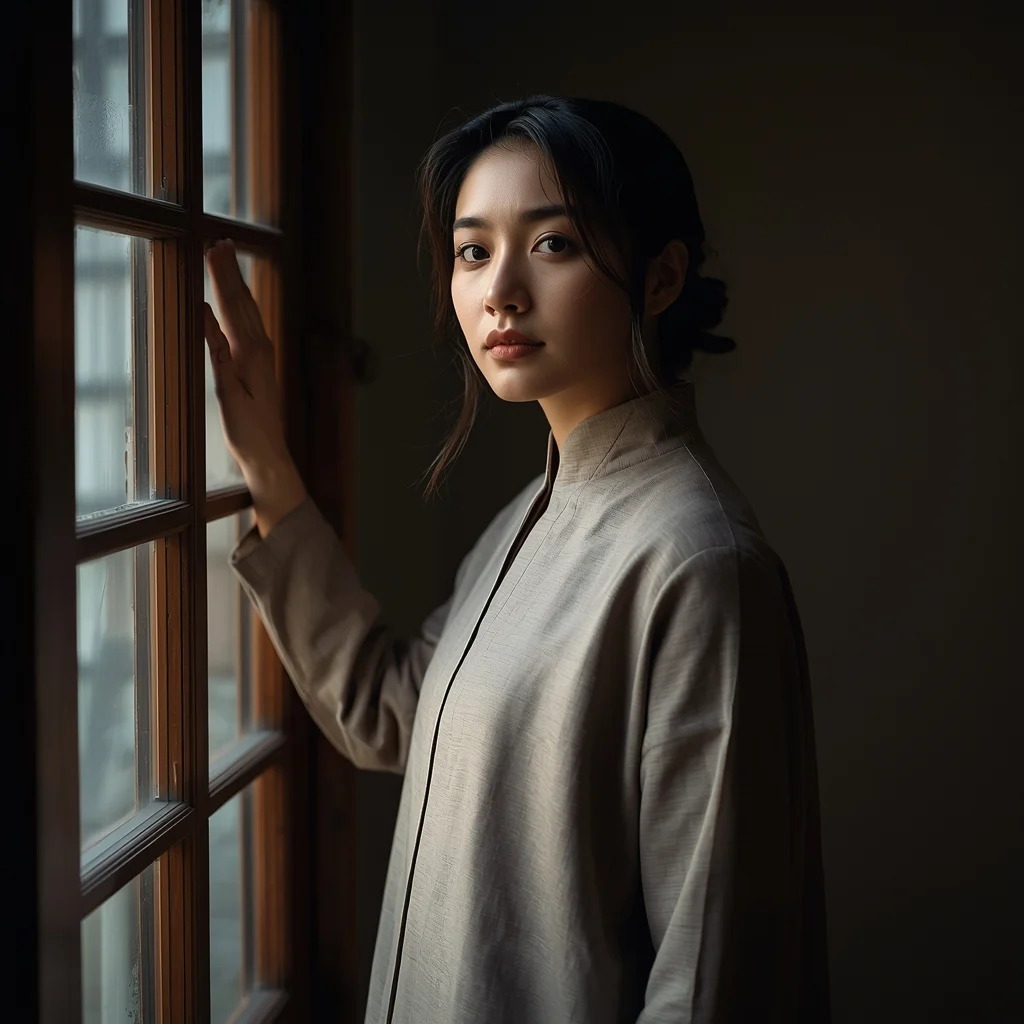
Autumn Pheran Window Light Thoughtful Pose | Advanced Ai Prompt Idea
3118 mos ago
Prompt: A young woman standing near a wooden window, wearing a simple autumn pheran in muted beige tones. Soft window light illuminating her face, thoughtful expression, one hand lightly touching the window frame. Quiet cultural mood, intimate portrait photography, realistic lighting, fine fabric texture, high resolution.
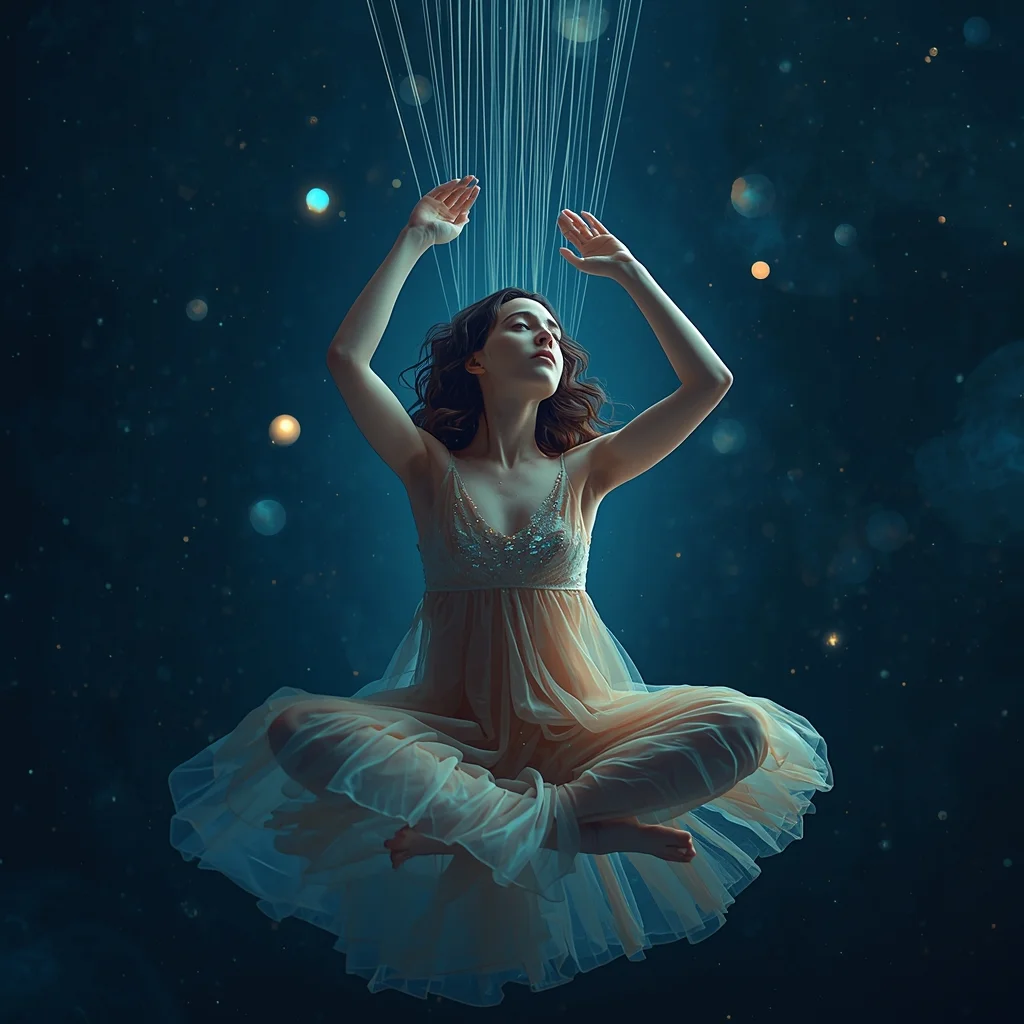
Prompt: A mesmerizing, surreal portrait of a young woman weaving threads of starlight into a tapestry of the night sky. She is wearing a flowing, translucent gown that seems to be made of nebula dust. Her expression is serene and focused, surrounded by floating orbs of soft light. The background is a deep, cosmic void filled with faint constellations.
Pose: Floating cross-legged in mid-air, hands gracefully raised as if pulling invisible strings from the air above her, head tilted slightly down watching her work.
Technical: 8k resolution, dreamy soft focus, bioluminescent lighting, shot on 85mm f/1.2, ethereal aesthetic, octane render style.
Elevated Balcony Reflective Pose | Professional Photo Prompt
2998 mos ago
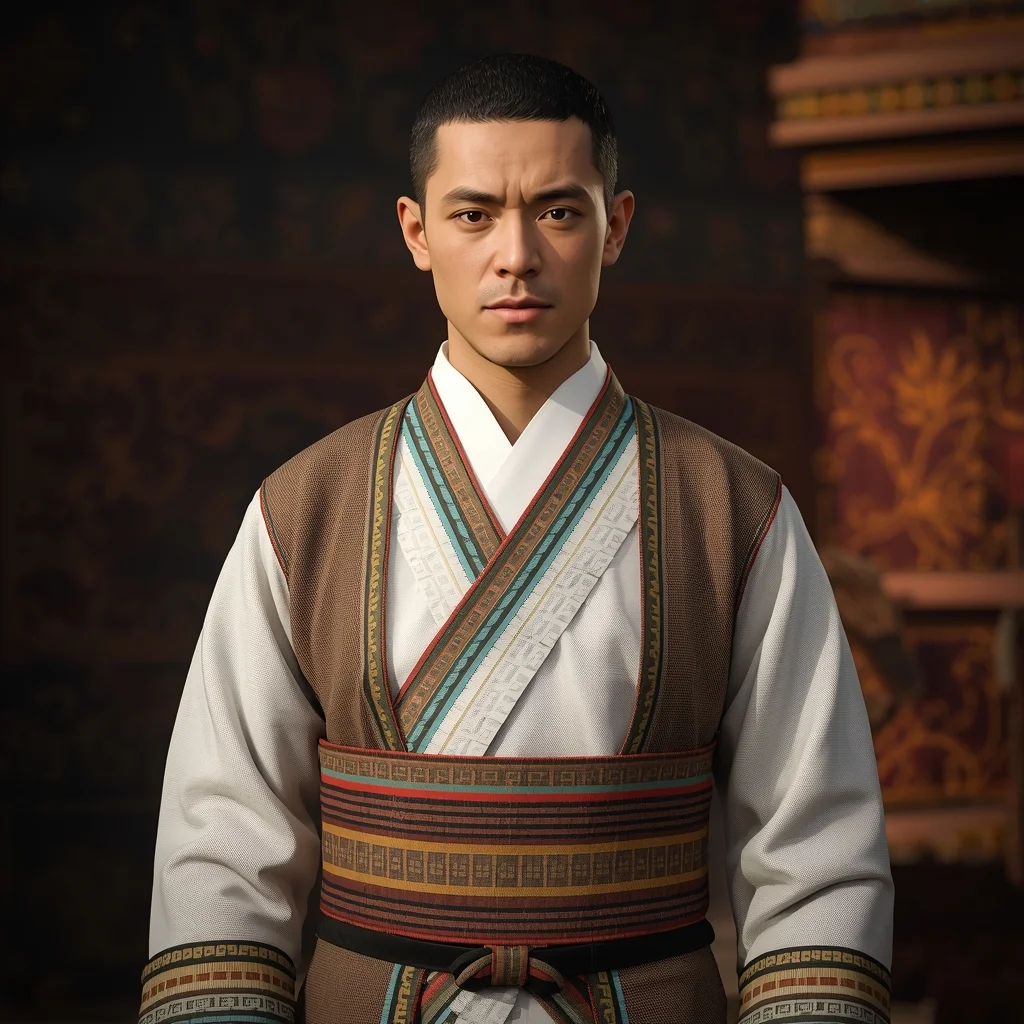
Prompt: A man standing on a high-rise balcony, body angled outward toward the city view, both hands resting on railing, head slightly lowered in a reflective mood, modern luxury casual outfit with neutral tones, early morning soft light, atmospheric depth, realistic skin texture, cinematic lifestyle photography, high-detail composition with calm masculine energy.
Modern Indian Viral Reel Pose – Soft Spin Transition | Ultra Realistic Photo Prompt
3068 mos ago
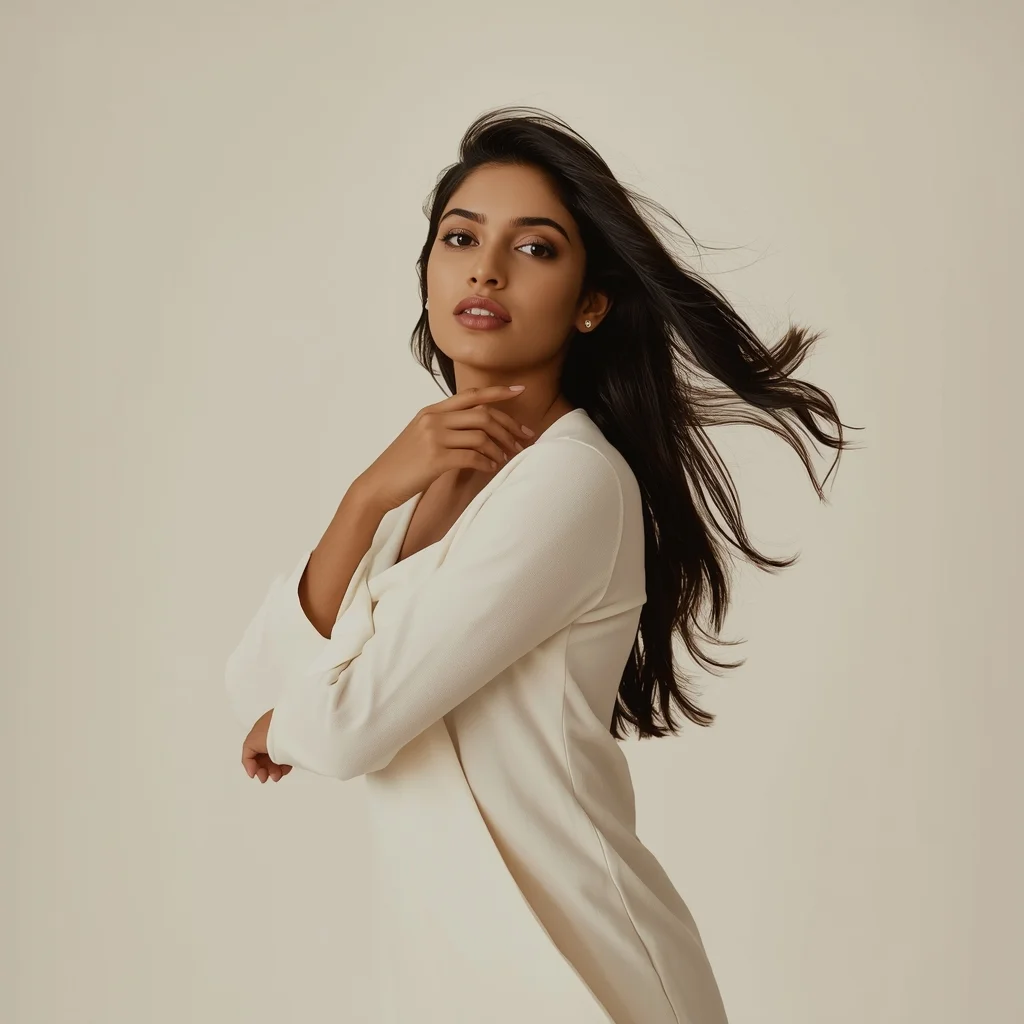
Prompt: An Indian woman in a modern Indian elegant dress, captured mid soft spin as if transitioning into a reel. Dress flares gently, adding motion and grace. Body posture balanced and fluid. Hair moving naturally with the spin. Expression joyful, confident, and stylish. Makeup soft glam with radiant finish. Lighting cinematic and smooth. Background minimal or pastel. Ultra-realistic textures, influencer elegance, viral-ready cinematic framing.
Timeless Indian Cultural Portrait Pose | Pro Ai Prompt For Creator
3768 mos ago
Prompt: A timeless portrait of an Indian woman in traditional attire, neutral yet expressive pose, subtle smile, dignified presence. Clean cultural backdrop, balanced lighting, classic Indian portrait photography style, natural skin tones, ultra-realistic facial detail, high-resolution finish.
The Sustainable Eco-Initiative (Organic & Line Art) | Gemini Prompt Format
3398 mos ago
A clean, contemporary line art logo for an environmental non-profit called "Project Canopy." The icon is a continuous, flowing line that forms the shape of a human hand gently holding a sprouting tree, which also subtly forms a globe shape. The lines have an organic, hand-sketched quality rather than rigid geometric perfection. The color is a soft sage green gradient. The overall feel is approachable, organic, and hopeful. Vector graphic on a clean off-white background.
Modern Indian Viral Reel Pose – Minimal Studio Motion Look | Gemini Advanced Prompt
3438 mos ago
Prompt: An Indian woman wearing a minimalist modern Indian dress, captured in a subtle body-shift pose inside a clean studio environment. Movement gentle and elegant, posture relaxed. Hair neatly styled with soft motion. Expression calm, confident, and contemporary. Makeup natural and luminous. Lighting even, soft, and high quality. Background plain or pastel. Ultra-realistic textures, cinematic minimalism, modern influencer aesthetic, optimized for social media virality.
Frequently Asked Questions
Common questions regarding this AI prompt.
How do I achieve an extreme close-up or macro shot of YouTube Thumbnail – Dark Cinematic High Contrast Style | Ai Editing Prompt?
Modify the perspective by heavily weighting keywords like 'extreme macro photography', '100mm macro lens', 'microscopic detail', and 'extreme close up'. This forces the AI engine to ignore the broader YouTube Thumbnail environment and dedicate all of its rendering power to the microscopic textures, fibers, or surface imperfections of the primary subject.
How do I create a surreal, dream-like version of YouTube Thumbnail – Dark Cinematic High Contrast Style | Ai Editing Prompt?
To break the laws of physics, use keywords like 'surrealism, dreamscape, floating objects, defying gravity, Salvador Dali style, mind-bending geometry, ethereal'. The AI will take the familiar elements of YouTube Thumbnail – Dark Cinematic High Contrast Style | Ai Editing Prompt and arrange them in illogical, fascinating ways, creating a truly unique YouTube Thumbnail art piece.
What architectural composition techniques are embedded in the YouTube Thumbnail – Dark Cinematic High Contrast Style | Ai Editing Prompt prompt?
The YouTube Thumbnail – Dark Cinematic High Contrast Style | Ai Editing Prompt prompt utilizes advanced compositional frameworks such as the golden ratio and leading lines. By strategically placing the core YouTube Thumbnail subject matter at intersection points, it guides the viewer's eye naturally through the scene. This mathematical approach to AI generation ensures the final output feels balanced and visually arresting without requiring post-crop adjustments.
How customizable are the character and environment details in the YouTube Thumbnail – Dark Cinematic High Contrast Style | Ai Editing Prompt prompt?
Highly customizable. The prompt serves as a robust architectural framework. You can easily swap out specific nouns or color palettes while retaining the core YouTube Thumbnail style. For example, changing the time of day or the primary clothing material will seamlessly adapt the scene while maintaining the high-definition rendering quality originally intended for YouTube Thumbnail – Dark Cinematic High Contrast Style | Ai Editing Prompt.
How do I give YouTube Thumbnail – Dark Cinematic High Contrast Style | Ai Editing Prompt a retro, 1980s synthwave aesthetic?
Inject keywords that define that specific era's pop culture. Use 'vaporwave aesthetic, 1980s synthwave, neon grid background, cyan and magenta color palette, VHS glitch effect, retro-futurism'. This overrides the standard lighting and wraps the YouTube Thumbnail – Dark Cinematic High Contrast Style | Ai Editing Prompt subject in a highly stylized, nostalgic digital atmosphere.
Can I easily integrate the YouTube Thumbnail – Dark Cinematic High Contrast Style | Ai Editing Prompt output into a professional design workflow?
Absolutely. The outputs generated by this prompt are designed with commercial and professional workflows in mind. Because it emphasizes crisp edges, balanced contrast, and high-resolution keywords, the resulting YouTube Thumbnail images are perfect for immediate use in UI/UX design, marketing materials, or further post-processing in software like Adobe Photoshop.
How can I use Inpainting to fix specific errors in the generated YouTube Thumbnail – Dark Cinematic High Contrast Style | Ai Editing Prompt image?
Inpainting is essential for perfection. If 90% of the YouTube Thumbnail – Dark Cinematic High Contrast Style | Ai Editing Prompt image is flawless but a hand or eye is distorted, send the image to an Inpaint tab. Mask only the flawed area, keep the original prompt, and set the denoising strength high (around 0.7). The AI will regenerate only that specific zone, seamlessly blending the fixed YouTube Thumbnail elements into the surrounding artwork.
What should I do if the background of YouTube Thumbnail – Dark Cinematic High Contrast Style | Ai Editing Prompt becomes too cluttered?
If the AI over-complicates the background, you need to assert control over the depth of field. Add strict modifiers like 'clean minimalist background, studio backdrop, heavy bokeh, blurred environment' to the prompt. Additionally, placing the subject-specific keywords at the very front of the prompt ensures the AI prioritizes the main YouTube Thumbnail – Dark Cinematic High Contrast Style | Ai Editing Prompt element.
Can I change the material composition of objects in the YouTube Thumbnail – Dark Cinematic High Contrast Style | Ai Editing Prompt prompt?
Yes, AI handles material transformation brilliantly. If you want to change a standard object into something surreal, use explicit material descriptors like 'made of translucent frosted glass', 'brushed anodized aluminum', 'woven carbon fiber', or 'wet shimmering obsidian'. This will completely recalculate the reflections and refractions in the YouTube Thumbnail output.
How can I prevent anatomical distortions or 'extra limbs' when generating characters?
While modern models have improved, complex poses in YouTube Thumbnail can still cause issues. To prevent this, use a strong negative prompt containing 'bad anatomy, extra limbs, mutated hands, deformed structure'. If generating locally via Stable Diffusion, utilizing ControlNet (specifically OpenPose or Depth) alongside this prompt will guarantee flawless anatomical structure.
What is the core conceptual focus of the YouTube Thumbnail – Dark Cinematic High Contrast Style | Ai Editing Prompt prompt?
The YouTube Thumbnail – Dark Cinematic High Contrast Style | Ai Editing Prompt prompt is meticulously engineered to focus on high-fidelity visual storytelling within the YouTube Thumbnail genre. By leveraging advanced keyword weighting and specific rendering tokens, it ensures that the AI prioritizes both the primary subject matter and the intricate atmospheric details, resulting in a highly professional and polished final image.
How does the prompt simulate physical camera lenses for YouTube Thumbnail – Dark Cinematic High Contrast Style | Ai Editing Prompt?
The prompt acts as a virtual director of photography by explicitly stating lens focal lengths and aperture settings. By including phrases like 'shot on 35mm lens' or 'f/1.4 aperture', the AI mathematically simulates the optical distortion, compression, and background blur (bokeh) characteristic of high-end photography, elevating the YouTube Thumbnail image from a flat digital render to a lifelike photo.
What is the best way to shift the artistic medium of YouTube Thumbnail – Dark Cinematic High Contrast Style | Ai Editing Prompt to an oil painting?
To completely transform the medium, append powerful style modifiers. Injecting phrases like 'intricate oil painting on canvas, thick impasto strokes, palette knife technique, classical fine art, museum masterpiece' will completely override the default realism, offering a traditional artistic variation for your YouTube Thumbnail project.
Can I make the image look like vintage, degraded film?
Absolutely. To strip away the ultra-modern crispness, inject phrases like 'shot on Kodak Portra 400', 'heavy film grain', 'light leaks', 'chromatic aberration', and 'vintage 1970s polaroid'. This introduces beautiful, nostalgic imperfections into the YouTube Thumbnail scene, making the YouTube Thumbnail – Dark Cinematic High Contrast Style | Ai Editing Prompt generation look like a discovered relic rather than a digital creation.